

A fast panel can still be the wrong gaming monitor if its resolution, size, and graphics-card demands do not match your setup. A 32-inch Full HD screen may look soft at close range, while a 4K OLED can ask far more from your PC than you expect.
We compared nine genuine gaming displays across compact 1080p screens, high-refresh curved monitors, QHD ultrawides, and premium OLED panels. The Best gaming monitor for most people is the Samsung 32-inch Odyssey G55C, but the right alternative depends on whether you care most about pixel density, competitive speed, immersion, or a compact desk footprint.
Comparison table
| # | Product | Award | Resolution | Refresh rate | Panel size | Best for |
|---|---|---|---|---|---|---|
| 1 | Samsung 32-inch Odyssey G55C | Best overall | QHD | 165Hz | 32 inches | Versatile PC gaming |
| 2 | Sceptre E225W-FW144 | Best compact | 1080p | 144Hz | 22 inches | Small desks |
| 3 | SANSUI 32-inch 240Hz | Best large high-refresh | 1080p | 240Hz | 32 inches | Big-screen competitive play |
| 4 | Sceptre C255B-FWT240 | Best 24.5-inch speed | 1080p | 240Hz | 24.5 inches | Fast multiplayer games |
| 5 | Sceptre C248W-1920RN | Best basic curved | 1080p | 75Hz | 24 inches | Everyday gaming |
| 6 | SANSUI 27-inch 240Hz | Best color-focused 1080p | 1080p | 240Hz | 27 inches | Colorful fast-paced games |
| 7 | Samsung 27-inch Odyssey G5 | Best adjustable QHD | QHD | 180Hz | 27 inches | Sharp competitive gaming |
| 8 | ASUS ROG Swift PG32UCDM | Best OLED | 4K | 240Hz | 32 inches | Premium PC gaming |
| 9 | Alienware AW3425DWM | Best ultrawide | WQHD | 180Hz | 34 inches | Expansive single-player worlds |
1. Samsung 32-inch Odyssey G55C: Best Overall

Pros
- QHD resolution looks substantially sharper than 1080p
- 165Hz refresh rate suits both competitive and cinematic games
- Strong 1000R curve creates an enveloping view
- FreeSync helps reduce tearing
- Eye Saver Mode and flicker reduction support long sessions
Cons
- 32-inch 1000R shape needs a deep, centered setup
- No height adjustment is listed
- A 165Hz ceiling is lower than the 240Hz SANSUI and Sceptre models
Best for: someone who wants one large monitor for sharp PC gaming, immersive games, and everyday use.
The Samsung 32-inch Odyssey G55C gets the balance right before you start chasing specialist features. Its 32-inch curved screen feels genuinely immersive, but the QHD resolution keeps text and game environments far cleaner than the Full HD panels in the SANSUI 32-inch 240Hz and Sceptre C255B-FWT240. That combination makes it a monitor we would keep for a mixed library rather than a screen built around one narrow genre.
The resolution is 2560 by 1440, which Samsung describes as offering 1.7 times the pixel density of Full HD. On a screen this large, that difference matters. Fine edges, distant objects, menus, and desktop text have more definition, while the 165Hz refresh rate keeps camera movement fluid when a compatible PC can feed it enough frames. The listed 1ms MPRT response setting is aimed at reducing visible blur, and AMD Radeon FreeSync helps coordinate the screen and graphics card to limit tearing and interruptions.
The 1000R curve is the defining physical feature. It wraps the image toward your peripheral vision more aggressively than the 1500R curves used by several other picks here. That can make racing games, shooters, and open-world exploration feel more involving, but it also means the monitor needs to sit directly in front of you. It is not the display we would choose for frequent side viewing or a shallow desk. Samsung also includes HDR10, Eye Saver Mode, and flicker reduction, useful additions for a screen that may spend as much time showing work and video as games.
The main weakness is its fit and finish around the stand. The available information confirms the dimensions and weight, but does not list height adjustment, so buyers who need precise ergonomic positioning may prefer the adjustable Samsung 27-inch Odyssey G5. The G5 is smaller and faster at 180Hz, while this G55C gives you more physical scale and a stronger curve. If you are deciding between a large QHD monitor and a screen that works well for a PS5 gaming setup, the resolution and refresh-rate combination here is the more flexible PC choice, though console compatibility should still be checked against the console's output limits.
Choose the Samsung 32-inch Odyssey G55C when you want detail, scale, and immersion without moving to the demanding 4K OLED class. It is the most balanced screen in this group, with the caveat that its curve and stand require a deliberate desk setup.
2. Sceptre E225W-FW144: Best Compact

Pros
- 22-inch size works on crowded desks
- 144Hz is a meaningful step above standard office displays
- HDMI and DisplayPort inputs support flexible connections
- Built-in speakers save desk space
- Blue-Light Shift helps reduce blue-light output
Cons
- 1080p is the only listed resolution
- Small display gives less room for immersive games
- Speakers may not replace dedicated gaming audio
Best for: a student, secondary setup, or compact desk that still needs smooth gameplay.
The Sceptre E225W-FW144 is the easy answer when a full-size gaming display simply will not fit. Its 22-inch footprint is noticeably more manageable than the 27-inch and 32-inch screens here, and the nearly bezel-free design is suited to a dual-monitor arrangement. It is not trying to create a cinema-like field of view. It is trying to give a small desk a clean, responsive display.
The 1920 by 1080 resolution is well matched to the screen size. At this size, Full HD does not stretch as far across the desktop as it does on the 32-inch SANSUI model, so the image should appear more coherent when viewed from a normal desk distance. Up to 144Hz gives fast movement a smoother cadence than a typical 60Hz display, although the actual benefit depends on the game and the computer's frame output.
Connectivity is practical rather than elaborate. The listing identifies HDMI and DisplayPort, which covers the most useful PC connections for a simple gaming setup. Built-in speakers can handle system sounds, video, and casual play without adding another device to the desk. Sceptre also includes Blue-Light Shift, a sensible setting for long sessions, though it should be treated as a comfort feature rather than a substitute for sensible breaks and room lighting.
The limitation is obvious: this is a compact 1080p monitor, not a display for someone who wants a broad, detailed image. The Sceptre C255B-FWT240 gives you a larger 24.5-inch canvas and a 240Hz ceiling, while the E225W-FW144 takes up less room and asks less of the setup. It is also worth remembering that built-in speakers are convenient, not necessarily a replacement for headphones or separate speakers.
Pick the Sceptre E225W-FW144 when dimensions matter more than spectacle. For a first gaming monitor in a tight room, a second screen, or a lightweight desk setup, its small size, 144Hz refresh rate, and basic speaker system make sense.
3. SANSUI 32-inch 240Hz: Best Large High-Refresh

Pros
- 240Hz refresh rate is suited to fast competitive play
- Large 32-inch curved display feels immersive
- HDMI and DisplayPort 1.4 both support up to 240Hz
- 1500R curve is less aggressive than Samsung's 1000R design
- VESA compatibility and tilt adjustment add setup flexibility
Cons
- Full HD resolution is a compromise on a 32-inch panel
- No built-in speakers
- The stand only lists tilt adjustment
Best for: players who want a very large screen and high refresh rate for fast games.
The SANSUI 32-inch 240Hz takes a very different route from the Samsung G55C. It gives you maximum motion speed and physical scale, but keeps the resolution at 1920 by 1080. That can be a sensible choice for a competitive player who values a high frame rate over fine detail, yet it is the first trade-off you will notice when sitting close to a 32-inch screen.
The 240Hz refresh rate is the headline feature. Both HDMI and DisplayPort 1.4 are listed as supporting up to 240Hz, so the connection options are less restrictive than they might be on a display with only one high-bandwidth input. The 1ms MPRT setting is designed to reduce blur in moving scenes, while built-in FreeSync can help keep frame delivery smooth when the frame rate varies. Those features matter most in shooters, racing games, and other titles where fast camera movement exposes judder or tearing.
The screen uses a 1500R curve, a shape that adds immersion without being as tight as the G55C's 1000R radius. The specification list also includes 300 nits brightness, HDR, a 3500:1 contrast ratio, 125% sRGB coverage, and 16.7 million display colors. Those figures suggest a screen aimed at punchier game imagery rather than professional color work. Tilt adjustment runs from minus 5 to 15 degrees, and VESA compatibility gives you an alternative if the supplied stand does not put the panel at the right height.
The weakness is the pairing of 1080p with 32 inches. The image can still be smooth and enjoyable, but small text and distant detail will not have the same crispness as the Samsung 32-inch Odyssey G55C's QHD image. There are no built-in speakers, either, so you need headphones or external audio. For someone trying to understand the wider competitive-display trade-off, the question is often how much refresh rate matters in fast multiplayer games, not simply whether the largest number looks impressive on the box.
Choose this SANSUI when your computer can make good use of 240Hz and you sit far enough back that the 32-inch Full HD image does not bother you. It is an unusual blend of big-screen immersion and tournament-style motion, but it is not the pick for detail-first players.
4. Sceptre C255B-FWT240: Best 24.5-inch Speed

Pros
- 240Hz refresh rate targets fast competitive play
- 1ms response specification supports quick motion
- 1500R curve adds immersion without a huge footprint
- Two DisplayPort and two HDMI inputs
- Built-in speakers and Blue-Light Shift are convenient
Cons
- 1080p leaves less desktop detail than QHD
- No color-gamut figure is listed
- The curved shape is not ideal for every desk layout
Best for: competitive players who want 240Hz in a manageable 24.5-inch format.
The Sceptre C255B-FWT240 is the most straightforward high-speed gaming monitor in the lineup. Its 24.5-inch size is familiar for competitive play because it keeps the action within a compact field of view, and the 1500R curve adds a little immersion without making the screen physically imposing. This is a better match for a close desk than the 32-inch SANSUI 240Hz.
The panel runs at up to 240Hz and lists a 1ms response time. That combination is aimed at reducing the delay and blur that can make fast targets harder to follow. AMD FreeSync Premium is also included, with Sceptre describing support for at least 120Hz at 1080p and low latency. The useful caveat is that a 240Hz panel does not create 240 frames per second by itself. Your PC and the game settings still determine how much of the panel's capability you actually use.
There is plenty of practical connectivity here. Two DisplayPort inputs and two HDMI inputs give you room for a desktop, a second source, or a console without constantly moving cables. Built-in speakers are convenient for basic audio, and Blue-Light Shift is available for extended viewing. The 1080p resolution is easy for a broad range of gaming PCs to drive at high frame rates, which is the central reason this model makes more sense than a QHD screen for a speed-focused setup.
Its weakness is the same feature that keeps its performance target realistic: Full HD. Games look clean enough at 24.5 inches, but the image does not have the layered detail of the Samsung 27-inch Odyssey G5. That Samsung also gives you QHD and an adjustable stand, while this Sceptre counters with a higher 240Hz ceiling and more inputs. Players who want the kind of fast response useful in settings built around competitive Warzone play should look closely at this model, but general-purpose users may prefer more resolution.
Buy the Sceptre C255B-FWT240 when frame rate and response take priority over image density. It is the cleanest fit here for a player who wants 240Hz without moving to an oversized screen.
5. Sceptre C248W-1920RN: Best Basic Curved

Pros
- Compact 24-inch curved design
- 98% sRGB coverage is useful for everyday color
- HDMI, VGA, and PC audio inputs
- Built-in speakers
- VESA wall-mount ready
Cons
- 75Hz is much slower than the other gaming-focused picks
- No DisplayPort input
- Older connection and feature set
Best for: casual gaming, general computing, and a simple wall-mounted setup.
The Sceptre C248W-1920RN is a basic monitor with a curved silhouette, and it is important not to confuse that with a high-performance gaming display. Its 24-inch size is easy to place, while the 1800R curve gives the image a slight wraparound effect. For someone who plays casually and also needs a screen for web browsing, schoolwork, or media, that restrained approach may be exactly right.
The 1080p resolution suits the compact panel, and the listed 75Hz refresh rate is a small but visible improvement over a conventional 60Hz office screen. Motion will not look as fluid as it does on the 144Hz Sceptre E225W-FW144, never mind the 240Hz options, but 75Hz can still make scrolling and ordinary desktop movement feel more responsive. The 98% sRGB figure gives the screen a useful color target for everyday content, though the supplied information does not describe HDR or adaptive sync.
Connections reflect the monitor's simpler role. It has two HDMI inputs, VGA, and PC audio in, plus built-in speakers. That makes it easy to connect older hardware and switch between two HDMI sources. VESA wall-mount readiness is particularly useful if desk depth is limited or you want the screen raised above a compact work area. Brightness is listed inconsistently in the supplied features, with both 250 and 220 cd/m² figures appearing, so we would not choose this model for a bright room without checking the viewing environment first.
The major compromise is motion. The Sceptre C255B-FWT240 costs itself no resolution advantage by staying at 1080p, but it reaches 240Hz and includes DisplayPort, making it much more suitable for fast games. The C248W-1920RN is better understood as an everyday curved display that can handle gaming, not a serious competitive monitor. It is also the screen to skip if you specifically need adaptive sync, DisplayPort, or very smooth high-frame-rate play.
Choose this Sceptre for a straightforward secondary screen, a casual gaming station, or a VESA-mounted setup. Its practical inputs, speakers, and compact curved panel are more important here than chasing gaming specifications it does not claim to have.
6. SANSUI 27-inch 240Hz: Best Color-Focused 1080p

Pros
- 240Hz refresh rate with FreeSync
- 130% sRGB and 95% DCI-P3 coverage are ambitious color specifications
- 4000:1 contrast ratio and HDR support
- Metal stand and VESA compatibility
- DisplayPort 1.4 and HDMI connections
Cons
- 1080p is not especially dense on a 27-inch screen
- No built-in speakers
- Only tilt adjustment is listed
Best for: players who want vivid color and 240Hz without stepping up to QHD.
The SANSUI 27-inch 240Hz is the more visually ambitious of the two SANSUI Full HD high-refresh picks. It keeps the 240Hz target but adds a strong emphasis on color, contrast, and gaming controls. The 27-inch size gives games more physical presence than the 24.5-inch Sceptre, though it also makes the resolution compromise easier to see from a close position.
The monitor lists 130% sRGB coverage, 95% DCI-P3 coverage, a 4000:1 contrast ratio, 300 nits brightness, and HDR. Those are meaningful specifications for players who care about rich scenery, bright effects, and strong separation between dark and light areas. SANSUI also lists Black Level adjustment, shadow enhancement, game modes, and a crosshair function. Those tools can make dark areas easier to read or simplify setup for different game types, although the screen's overall appeal is its combination of speed and saturated color rather than a single specialist feature.
Motion performance is built around up to 240Hz, FreeSync, and a 1ms MPRT response time. HDMI and DisplayPort 1.4 are included, with an audio jack for headphones or speakers. The metal stand supports a tilt range of minus 5 to 15 degrees, and the panel is compatible with a 100 by 100mm VESA mount. That construction and mounting flexibility make it easier to position than a monitor with a fixed, lightweight base, but the available information does not list height adjustment.
Against the Sceptre C255B-FWT240, this SANSUI offers more explicit color and contrast claims, a larger panel, and a metal stand. The Sceptre has a smaller footprint, two DisplayPort inputs, two HDMI inputs, and built-in speakers. Against the SANSUI 32-inch 240Hz, the 27-inch model is easier to view at a normal desk distance, while the 32-inch version gives you a bigger image and a gentler 1500R curve. Neither solves the basic Full HD limitation for fine desktop text.
The SANSUI 27-inch 240Hz is a good fit for a player who wants dramatic color and high refresh without asking a PC to drive QHD. Skip it if sharp text and detailed desktop work matter as much as game performance, or if built-in audio is essential.
7. Samsung 27-inch Odyssey G5: Best Adjustable QHD

Pros
- QHD resolution gives a sharp 27-inch image
- 180Hz refresh rate is quick enough for competitive play
- Height, tilt, and pivot adjustment
- HDR10 and AMD FreeSync
- Black Equalizer and Virtual Aim Point gaming tools
Cons
- Smaller screen than the 32-inch G55C
- 180Hz is below the 240Hz models
- The available details do not list connectivity
Best for: a clean, sharp 27-inch gaming setup that needs an adjustable stand.
The Samsung 27-inch Odyssey G5 is the sensible pick for a desk that can support only a conventional 27-inch display but still deserves QHD clarity. It has less physical drama than the 32-inch G55C, yet its 2560 by 1440 resolution is a strong match for the panel size. Text, interface elements, and distant game detail should look more refined than they do on the 1080p monitors in this roundup.
Its 180Hz refresh rate sits in a useful middle ground. It is faster than the G55C's 165Hz and more than enough for smooth movement in most games, while AMD FreeSync is intended to reduce tearing, stutter, and lag when frame delivery changes. The listed 1ms response time supports the same fast-motion goal. You will need a capable graphics card to make full use of QHD at high refresh, but the monitor gives you a better long-term image foundation than a 27-inch Full HD display.
The stand is a major practical advantage. Samsung lists height, tilt, and pivot adjustments, so you can raise the panel, angle it, or rotate it for a different use. That is a better ergonomic starting point than the tilt-only stands listed for both SANSUI models. HDR10 adds support for brighter highlights and more nuanced shadows, while Black Equalizer lets you lift dark areas in games where opponents might otherwise blend into the background. Virtual Aim Point is another gaming-focused overlay, useful to players who want a fixed on-screen reference.
The G55C remains the more immersive choice because its 32-inch panel and 1000R curve fill more of your view. The G5 is the better desk monitor, however, especially when you sit close or use the screen for work as well as games. For readers weighing screen sharpness against graphics-card demands, a 1440p display that balances detail and frame rate is the relevant direction, and this Samsung is the most polished expression of that balance in the group.
Choose the Samsung 27-inch Odyssey G5 if you want QHD without an oversized screen and care about getting the panel at the right height. It is a particularly strong choice for mixed use, with the caveat that the listing does not provide the same connection detail as several competing models.
8. ASUS ROG Swift PG32UCDM: Best OLED

Pros
- 32-inch 4K QD-OLED panel
- 240Hz refresh rate and 0.03ms GTG response time
- True 10-bit color and 99% DCI-P3 coverage
- Custom heatsink, airflow design, and graphene film
- 90W USB-C support
- Three-year warranty with burn-in coverage
Cons
- Requires a powerful PC to use 4K at 240Hz
- OLED care and burn-in precautions still matter
- Peak brightness may vary with pre-calibration
Best for: enthusiasts who want top-tier 4K image quality and extremely fast OLED motion.
The ASUS ROG Swift PG32UCDM is in a different class from the LCD monitors above. Its 32-inch QD-OLED panel combines deep OLED contrast with 4K detail, so it is aimed at players who notice image quality immediately and have a PC capable of driving it. The screen is not merely a faster version of the Samsung G55C. It changes what dark scenes, bright highlights, and fine textures can look like.
The 3840 by 2160 resolution is the sharpest in this group, and the 240Hz refresh rate is unusually ambitious at 4K. A listed 0.03ms GTG response time is designed for extremely quick pixel transitions, while G-SYNC compatibility supports smooth frame pacing with compatible hardware. The display also offers true 10-bit color, 99% DCI-P3 coverage, VESA DisplayHDR 400 True Black compliance, and a Delta E figure below 2. Those specifications point to wide color, precise gradation, and strong HDR contrast rather than simply a high refresh-rate number.
ASUS has put substantial attention into OLED maintenance. A custom heatsink, advanced airflow design, and graphene film are listed as measures intended to improve heat management and reduce burn-in risk. DisplayWidget Center provides access to OLED Care functions and lets you adjust settings with a mouse. The product also includes a three-year warranty with accidental? No, the data specifically says three years warranty with ARR and burn-in coverage, so that is the detail to pay attention to. The feature list warns that peak brightness may vary due to color pre-calibration, which is a useful reminder that OLED brightness behavior is not identical to a conventional LCD.
The PG32UCDM is also the most flexible productivity display here because it includes 90W USB-C. That can simplify a laptop setup, though the available information does not specify the complete port layout. Its weakness is not a missing gaming feature. It is the demands and care associated with the format. A graphics card must push many more pixels than it would at QHD, and anyone displaying static desktop elements for long periods should use the provided OLED care tools. The Samsung 27-inch Odyssey G5 is easier to drive, while the Alienware AW3425DWM offers a wider ultrawide workspace with a lower resolution.
Buy the ASUS ROG Swift PG32UCDM when you want the most complete image quality and speed combination in this roundup. It is the clear enthusiast pick, but it is wasted on a system that cannot feed 4K high-refresh gameplay or on a buyer unwilling to manage OLED-specific care.
9. Alienware AW3425DWM: Best Ultrawide

Pros
- 34-inch ultrawide WQHD workspace
- 1500R curve suits wide game environments
- 180Hz refresh rate and 1ms gray-to-gray response
- FreeSync Premium and VESA AdaptiveSync
- 95% DCI-P3 coverage and DisplayHDR 400
- Dedicated console mode and hardware-based low blue light
Cons
- Needs substantially more desk width than a 27-inch display
- Ultrawide support varies from game to game
- Less vertical resolution than a 4K 16:9 screen
Best for: immersive single-player games, racing, and anyone who wants one wide desktop.
The Alienware AW3425DWM is built around width. Its 34-inch ultrawide panel gives open-world games, driving titles, and desktop applications room to spread out, while the 1500R curve keeps the edges angled toward the player. It feels less like a large conventional monitor and more like a panoramic window. That is compelling when a game supports the format, but it is not automatically better for every title.
The monitor uses a WQHD resolution, a 180Hz refresh rate, and a 1ms gray-to-gray response time. WQHD gives the wide panel enough detail for expansive landscapes and a broad desktop, while 180Hz keeps movement fluid without moving into the more demanding 4K performance class. AMD FreeSync Premium and VESA AdaptiveSync are included to help the refresh rate track changing frame output. Those technologies are useful, but they cannot force a game to display a proper ultrawide image if the software uses a fixed aspect ratio.
Color and comfort features strengthen the case for long sessions. Alienware lists 95% DCI-P3 coverage and VESA DisplayHDR 400 certification, giving the panel a wider color target and HDR support for compatible content. A dedicated console mode is included, as is a hardware-based low-blue-light solution designed to reduce eye strain while preserving color. That is a more thoughtful approach than simply applying a strong warm filter that changes the look of the game.
The AW3425DWM needs a wide desk. Its listed dimensions are substantially broader than the 27-inch Samsung G5, and its 20.97-pound weight also makes placement worth planning. The ASUS PG32UCDM is sharper and faster on paper, with 4K OLED, 240Hz, and 0.03ms GTG, while the Alienware offers a wider field of view and a less demanding WQHD workload. For anyone who is unsure whether a broad panel will fit, the desk dimensions that make a large display comfortable are worth considering before ordering, though a television and an ultrawide monitor have different connection and viewing needs.
Choose the Alienware AW3425DWM when your favorite games support ultrawide properly and you want one screen for expansive play and side-by-side desktop work. Skip it if competitive games, console compatibility, or vertical pixel density matter more than width.
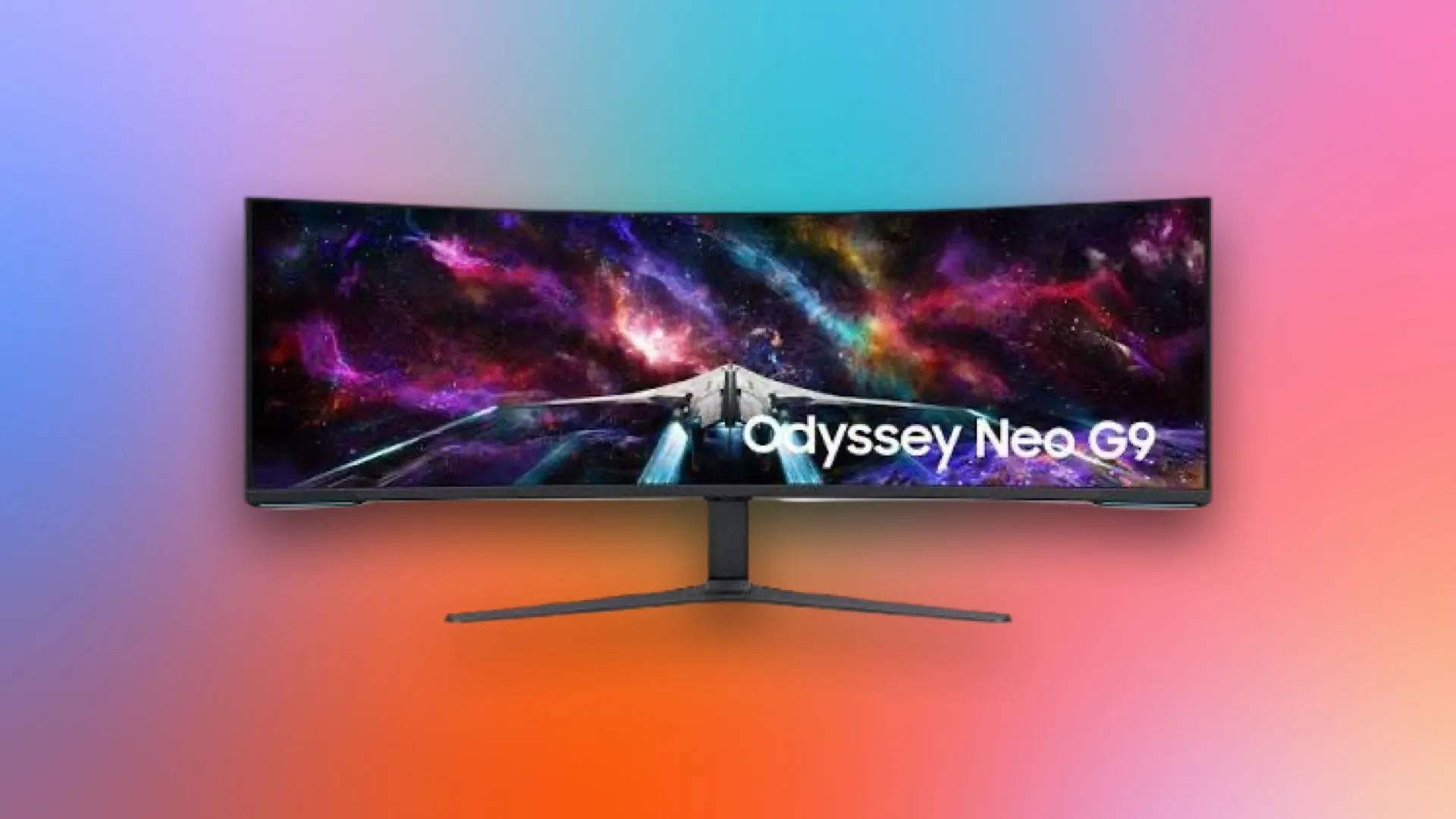
How to choose best gaming monitor
The right gaming display comes down to the relationship between resolution, refresh rate, screen size, graphics hardware, and the way you actually play.
Resolution and pixel density
Resolution controls how much detail the monitor can show, but screen size determines how noticeable that detail is. Full HD works naturally on compact 22-inch and 24.5-inch panels, while a 32-inch Full HD screen can look less crisp at a close desk distance. QHD is a strong middle ground for 27-inch and 32-inch screens, and 4K gives the sharpest image in this group.
A higher resolution also asks more from the graphics card. A QHD monitor such as the Samsung 27-inch Odyssey G5 needs more rendering power than a 1080p Sceptre, while the ASUS ROG Swift PG32UCDM's 4K resolution is the most demanding option here.
Refresh rate and response time
Refresh rate determines how often the screen can update the image. A 75Hz panel can handle casual games, but 144Hz or 165Hz feels considerably more fluid, and 180Hz or 240Hz is aimed at players who prioritize rapid motion. The jump from 180Hz to 240Hz is less dramatic than the jump from 75Hz to 144Hz, so do not choose a monitor based only on the largest figure.
Response-time claims also need context. MPRT and gray-to-gray measurements are not identical testing methods, and a 1ms label does not guarantee perfect motion in every mode. Look for a refresh rate your PC can actually sustain, then consider adaptive sync to reduce tearing when the frame rate moves around.
A 240Hz monitor is useful only when the rest of the system can keep the action moving fast enough to feed it.
Screen size and curve
A 22-inch screen is easy to place, while 24.5-inch and 27-inch panels suit a conventional desk. Thirty-two-inch displays create a larger, more immersive image, but 1080p becomes harder to justify as the screen grows. A 34-inch ultrawide needs enough desk width and works best with games that support its aspect ratio.
Curvature is a personal fit issue. Samsung's 1000R curve is more pronounced than the 1500R and 1800R designs in this roundup. A strong curve can make a centered gaming position feel immersive, but it may be distracting when several people need to view the screen or when the monitor is used for precise office work.
Adaptive sync
FreeSync, FreeSync Premium, G-SYNC compatibility, and VESA AdaptiveSync are designed to coordinate the monitor's refresh behavior with the graphics card. This can reduce tearing and make uneven frame rates feel smoother. Check which technology your graphics card supports and which connection you plan to use.
Adaptive sync is especially useful when your PC cannot maintain the monitor's maximum refresh rate. It does not improve resolution or color on its own, but it can make a capable display feel more consistent during demanding scenes.
Stand and connection options
An adjustable stand can matter more than a small difference in refresh rate. Height, tilt, and pivot adjustments make it easier to keep the top of the screen at a comfortable level, while VESA compatibility lets you use an arm or wall mount. The Samsung 27-inch Odyssey G5 is the strongest stand choice in this group based on its listed adjustments.
Connections also shape how easy the monitor is to live with. DisplayPort is common for high-refresh PC play, HDMI is useful for consoles and secondary devices, and USB-C with 90W power delivery on the ASUS can simplify a laptop setup. Built-in speakers are convenient, but they should be treated as a basic audio solution rather than a guarantee of high-quality game sound.

Frequently asked questions
Is 144Hz enough for gaming?
Yes. A 144Hz or 165Hz monitor is already a substantial improvement over 60Hz for fast movement and camera turns. A 240Hz display can be useful for competitive players with a PC that produces very high frame rates, but it is not automatically the better choice for everyone.
Is QHD better than 1080p for a gaming monitor?
QHD shows more detail than 1080p and is especially useful on 27-inch or larger screens. It also requires more graphics power, so 1080p can be the better fit for a modest gaming PC or a compact 22-inch to 24.5-inch panel.
Does a curved monitor help in games?
A curve can make a large or ultrawide screen feel more immersive by bringing the edges closer to your field of view. It is not a performance upgrade, and strong curves such as 1000R require a centered seating position. Flat screens remain easier for shared viewing and some kinds of work.
Do gaming monitors need built-in speakers?
No. Built-in speakers are convenient for alerts, video, and casual play, but a headset or separate speakers usually gives better game audio. The Sceptre E225W-FW144 and C255B-FWT240 include speakers, while both SANSUI gaming models listed here do not.
Is OLED safe for long gaming sessions?
OLED can provide excellent contrast and fast pixel response, but static interface elements create a potential burn-in concern over long periods. The ASUS ROG Swift PG32UCDM includes OLED care features, heat-management hardware, and listed burn-in coverage. Use the monitor's care tools and avoid leaving static content on screen unnecessarily.
What size monitor is best for a gaming desk?
A 24-inch to 27-inch monitor is the easiest fit for most desks. A 32-inch screen needs more viewing distance, and a 34-inch ultrawide needs considerable horizontal space. Measure the desk depth and width before choosing a large curved panel.
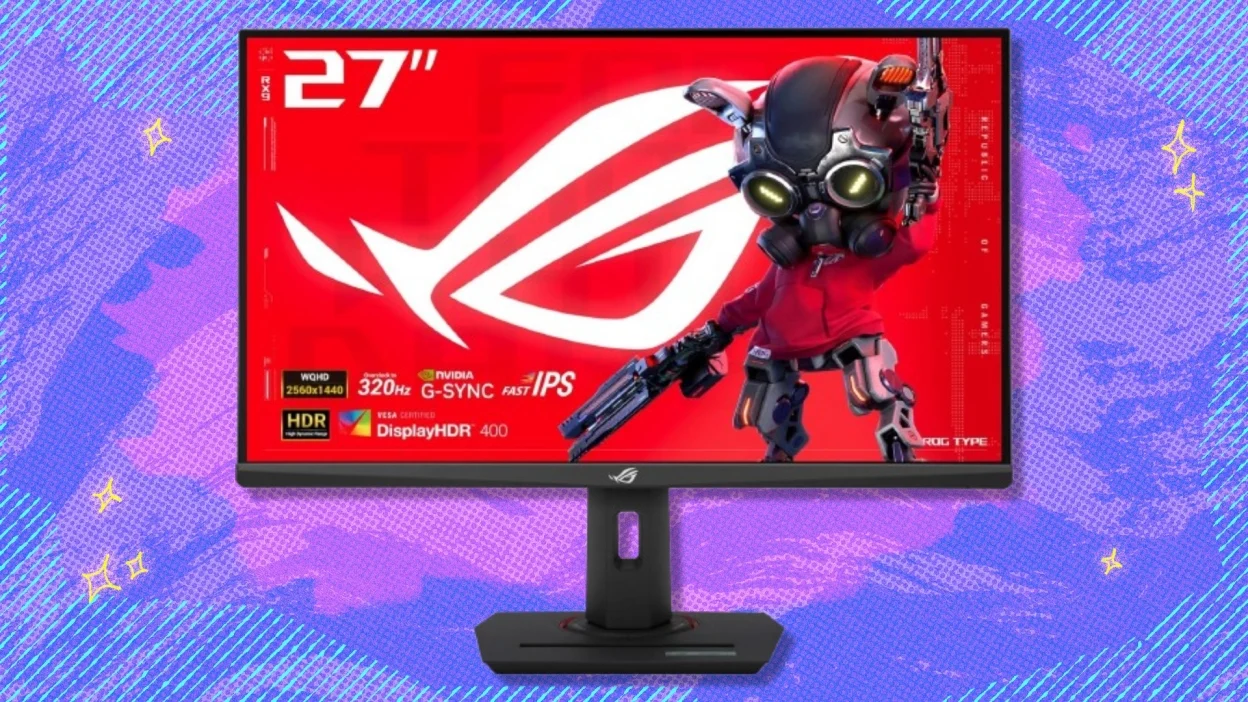
The bottom line
The Best gaming monitor for most PC players is the Samsung 32-inch Odyssey G55C. Its QHD resolution, 165Hz refresh rate, FreeSync support, HDR10, and enveloping 1000R curve create a well-rounded experience for shooters, role-playing games, racing, and everyday computing. The Samsung 27-inch Odyssey G5 is the better fit when you want an adjustable stand and a more compact QHD screen.
For competitive players, the Sceptre C255B-FWT240 and SANSUI 27-inch 240Hz focus on 240Hz motion, while the ASUS ROG Swift PG32UCDM is the premium choice for 4K OLED image quality. The Alienware AW3425DWM is the standout for wide, cinematic gaming, provided your desk and favorite games suit an ultrawide.
If you are undecided, choose the Samsung 32-inch Odyssey G55C for balance, or the Samsung 27-inch Odyssey G5 if desk fit and stand adjustment matter more than screen size.
As an Amazon Associate we earn from qualifying purchases.