

A good E Ink tablet should make long documents easier to read and handwritten notes easier to keep, not turn every page into a sluggish compromise. The hard part is separating true E Ink displays from paper-like LCDs, then choosing between a compact reader, a full-size notebook, and an Android tablet that can run third-party apps.
Our Best E Ink Tablet picks range from the versatile BOOX Note Air 5 C to small color readers and focused digital notebooks. The BOOX Note Air 5 C is the best overall choice, while the rest cover large-format reading, distraction-free writing, color comics, and users who want a conventional LCD tablet instead.
Comparison table
| # | Product | Award | Screen | Pen and writing | Best for |
|---|---|---|---|---|---|
| 1 | BOOX Note Air 5 C | Best overall | 10.3-inch Kaleido 3, 300 ppi black and white, 150 ppi color | InkSense touch, 4, 096 levels | An E Ink tablet that can handle reading, notes, and Android apps |
| 2 | BOOX Go Color 7 Gen II | Best compact color model | 7-inch Kaleido 3, 300 ppi black and white, 150 ppi color | InkSense supported, stylus optional | Color books, comics, and portable reading |
| 3 | BOOX Go 7 B/W | Best small monochrome model | 7-inch, 300 ppi | InkSense supported, stylus optional | Focused reading and occasional notes |
| 4 | Huion Ink EB1011 | Best for handwriting | 10.3-inch, 227 ppi, anti-glare | Battery-free, 8, 192 levels | Paper-like writing and PDF annotation |
| 5 | XPPen Magic Note Pad | Best LCD alternative | 10.95-inch LCD, 90Hz | X3 Pro Pencil 2, 16, 384 levels | Smooth Android tablet use with paper-like treatment |
| 6 | BOOX Go 10.3 Gen II Lumi | Best monochrome reader | 10.3-inch, 300 ppi | InkSense Plus, 4, 096 levels | Large documents and distraction-free reading |
| 7 | VIWOODS AiPaper | Best complete notebook bundle | 10.65-inch Carta 1300, 300 ppi | W2 Stylus Pro, 4, 096 levels | Long-form notes and organized workflows |
| 8 | Musnap Ocean C | Best compact color reader | 7-inch color E Ink | Musnap Pencil supported, not included | Color reading in a small Android device |
| 9 | Penstar eNote2 | Best voice-to-note features | 10.3-inch E Ink | 8, 192 levels | Notes, transcription, and split-screen reading |
1. BOOX Note Air 5 C: Best Overall

Pros
- Color E Ink works well for highlighted documents and comics
- Android 15 supports third-party apps
- 10.3-inch display gives PDFs room to breathe
- Front light has warm and cool adjustment
- Fingerprint recognition and microSD expansion
Cons
- Color content is only 150 ppi
- E Ink refresh remains slow in demanding apps
- Stylus writing is limited to 4, 096 pressure levels
Best for: someone who wants one E Ink tablet for books, documents, handwritten notes, and selected Android apps.
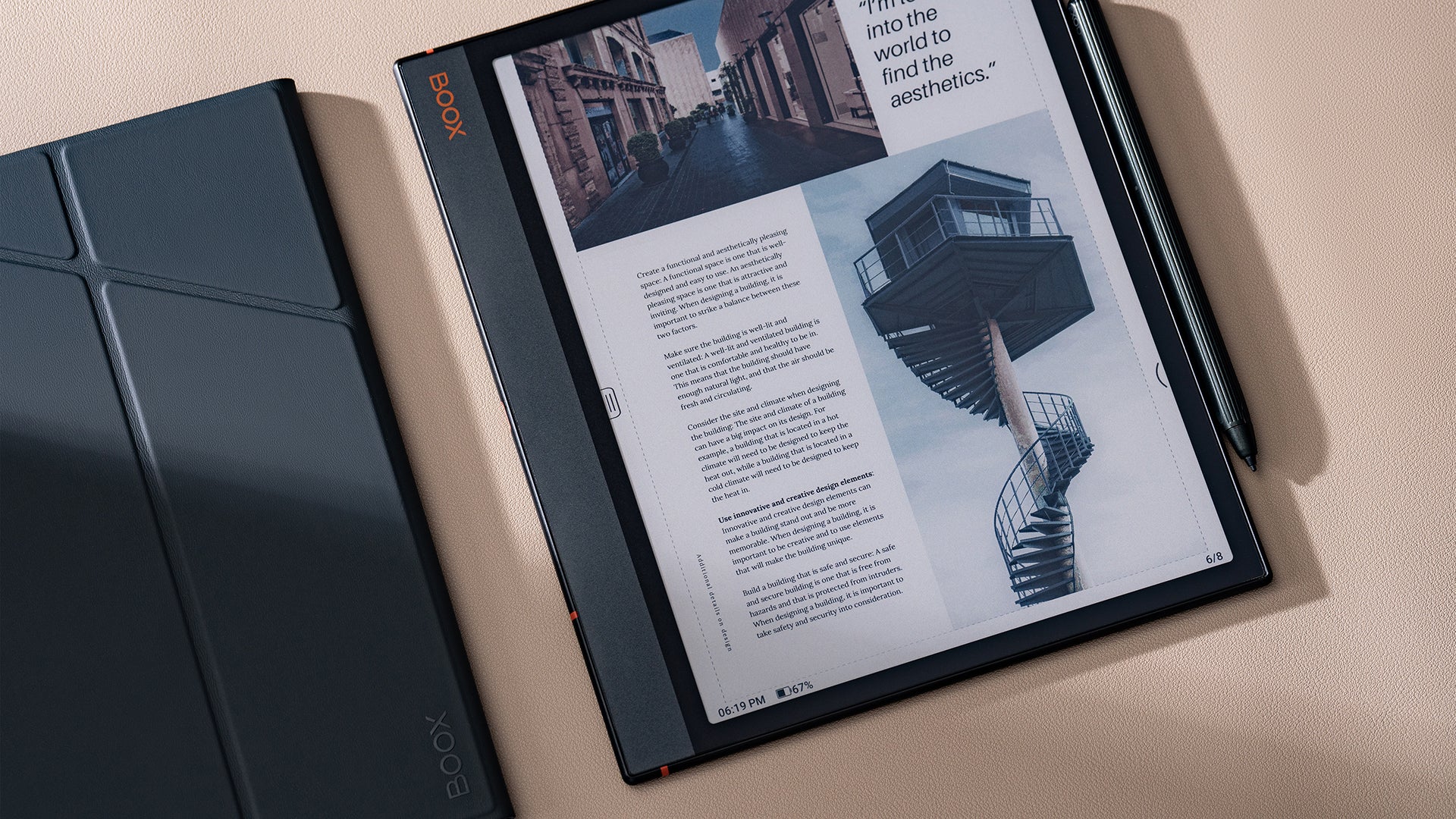
The BOOX Note Air 5 C is the one we would keep for a mixed reading and note-taking routine. Its 10.3-inch screen is large enough for full-page PDFs without constant zooming, but it is still much easier to carry than a conventional laptop. Color makes a practical difference here. Highlighting, charts, book covers, and comics are easier to parse than they are on a monochrome panel, even though the muted E Ink palette is nothing like a bright LCD.
The display uses Kaleido 3, with 2, 480 by 1, 860 resolution and 300 ppi for black-and-white content. Color drops to 1, 240 by 930 and 150 ppi, so small colored text and fine illustrations look less crisp. That is a limitation shared by color E Ink rather than a problem unique to this model. The adjustable warm and cool front light helps when the surface looks too gray in dim rooms, and the flat cover lens keeps the screen straightforward to read and write on.
This is also the most flexible tablet here. Android 15 and support for third-party apps let it sit between a dedicated e-reader and a general-purpose tablet. The octa-core processor, 6GB of RAM, and 64GB of storage give it a stronger multitasking foundation than the smaller BOOX models. A microSD card slot, USB-C port, dual speakers, microphone, and Bluetooth 5.1 make it useful for documents, audio, and cloud-based workflows. It supports formats including EPUB, PDF, DOCX, MOBI, CBZ, and PPTX.
Writing uses BOOX stylus touch with 4, 096 pressure levels, while capacitive touch handles ordinary navigation. The 3, 700mAh battery is sensible for this type of display, and the tablet measures 5.8mm thick with an approximate weight of 430g. That is light enough for a bag, though it is not a pocket reader like the BOOX Go Color 7 Gen II.
Compared with the BOOX Go 10.3 Gen II Lumi, this model wins on color and memory, while the Go 10.3 has a simpler monochrome reading experience. The VIWOODS AiPaper offers more storage and a more focused notebook bundle, but the Note Air 5 C is the better fit for people who want apps and varied file formats. Skip it if your priority is the cleanest black-and-white page or if you expect Android apps to scroll like they do on a phone. E Ink refresh modes can reduce ghosting, but they cannot remove the underlying delay.
For a wider look at handwriting-focused devices, the features that matter in a digital writing workspace are useful to consider before choosing. The Note Air 5 C is the right pick for readers, students, and professionals who want color annotation without giving up the flexibility of Android.
2. BOOX Go Color 7 Gen II: Best Compact Color Model

Pros
- Small 7-inch color E Ink screen
- Page-turn buttons suit one-handed reading
- Android 13 supports third-party apps
- Warm and cool front light
- MicroSD slot and built-in speaker
Cons
- InkSense stylus is not included
- Color resolution is 150 ppi
- Small workspace is poor for full-page PDFs
Best for: readers who want color books, comics, and occasional handwriting in a genuinely portable format.
The BOOX Go Color 7 Gen II is more reader than notebook, and that is exactly why it works. Its 7-inch size disappears into a small bag and feels natural in one hand. Page-turn buttons reduce the need to swipe across the display, which is welcome when reading while standing or commuting. It is a far more portable option than the 10.3-inch models in this group.
Its Kaleido 3 screen shows black-and-white content at 1, 680 by 1, 264 and 300 ppi. Color content runs at 150 ppi, giving comics, diagrams, and book covers a gentle tint rather than tablet-like saturation. The warm and cool front light can be mixed to suit the room. BOOX includes several refresh modes, from the higher-detail HD setting for books to faster modes for scrolling and third-party apps. Faster modes reduce the sense of drag, but they can introduce more ghosting.
Android 13 and 4GB of RAM make this more versatile than a closed e-reader. The 64GB of storage handles a substantial library, while microSD expansion helps readers who keep many large PDFs or audiobooks. Wi-Fi and Bluetooth 5.1 are included, along with USB-C, a speaker, and a microphone. Supported formats cover common books, office files, images, and audio.
The writing support needs careful attention. The tablet supports the active InkSense stylus, but the stylus is not included, and it does not support an EMR stylus. That makes this a less complete note-taking purchase than the Huion Ink EB1011 or VIWOODS AiPaper. The 2, 300mAh battery and 195g body are sensible for a compact color reader, and the 6.4mm thickness keeps it easy to hold.
Compared with the monochrome BOOX Go 7 B/W, this model gives up the cleaner black-and-white page in exchange for color. The monochrome Go 7 is the better choice for dense text and a simpler reading surface, while the Go Color 7 Gen II is more enjoyable for illustrated books and comics. The main reason to skip this model is the limited writing area. A 7-inch screen can capture a quick note, but it is not a substitute for a full-page notebook.
Choose it if portability and color matter more than annotation space. It is the strongest small-format option here for readers who want Android flexibility without carrying a larger tablet.
3. BOOX Go 7 B/W: Best Small Monochrome Model

Pros
- Sharp 300 ppi monochrome screen
- Compact 7-inch design
- Page-turn buttons
- Warm and cool front light
- Android 13 and microSD support
Cons
- InkSense stylus is optional
- No color for comics or highlighted content
- E Ink navigation is slower than an LCD tablet
Best for: readers who want a small, sharp monochrome display with occasional stylus support.
The BOOX Go 7 B/W has a clear purpose: keep the reading experience compact, sharp, and free from color distractions. Its 7-inch HD ePaper panel uses 1, 680 by 1, 264 resolution at 300 ppi. Text looks more like a printed page than the softened color layer on the Go Color 7 Gen II, particularly when reading novels or other documents with dense type.
The front light offers warm and cool adjustment, so it can be tuned for a bright room or late-night reading. A G-sensor handles auto-rotation, and physical page-turn buttons make the device pleasant for long reading sessions. The 195g body is the same approximate weight as the color Go model, and the 6.4mm thickness is slim without making the reader feel unusually fragile.
It runs Android 13 with an octa-core processor, 4GB of RAM, and 64GB of storage. Wi-Fi and Bluetooth 5.1 support downloads, headphones, and other accessories. The microSD slot is useful for a library that extends beyond ordinary ebooks, while USB-C, a speaker, and a microphone give it more flexibility than a basic dedicated reader. BOOX lists support for EPUB, PDF, MOBI, DOCX, CBZ, PPTX, and several other formats.
Writing is optional rather than ready to go. The capacitive screen supports BOOX InkSense, but the compatible stylus is not included, and the tablet does not support EMR pens. That is an important distinction from the Huion Ink EB1011, whose battery-free pen is part of the package. The Go 7 B/W is best understood as a reader with a note feature, not a notebook that happens to read books.
Its refresh modes let you trade image quality for faster scrolling. HD mode is the sensible choice for static pages, while faster settings help with websites and apps. They do not make this a smooth general-purpose tablet, and the smaller screen makes side-by-side document work awkward.
The BOOX Go Color 7 Gen II is more engaging for illustrated content, but the Go 7 B/W produces cleaner text and has fewer color-related compromises. Pick the monochrome version if novels and text-heavy books dominate your routine. Skip it if you want to mark up large PDFs or write full meeting notes, where a 10.3-inch model will be much more comfortable.
4. Huion Ink EB1011: Best for Handwriting

Pros
- Battery-free stylus with 8, 192 pressure levels
- Felt tip creates useful writing friction
- Dual-color front light
- Handwriting-to-text conversion
- Split-screen reading and writing
Cons
- 227 ppi is lower than the sharpest 10.3-inch picks
- Android 11 is older
- Less storage than the largest notebooks
Best for: students, professionals, and writers who care more about handwriting than app variety.
The Huion Ink EB1011 is built around the pen rather than the app ecosystem. Its 10.3-inch E Ink display gives notes and documents enough room to feel like a real notebook, while the included battery-free stylus avoids another device to charge. The felt tip adds friction against the surface, a small detail that makes handwriting feel less slippery than it can on smooth glass.
The display runs at 1, 404 by 1, 872 resolution and 227 ppi. That is below the 300 ppi panels on the BOOX Note Air 5 C and BOOX Go 10.3 Gen II Lumi, but it remains well suited to normal reading and annotation. Fully laminated anti-glare glass reduces reflections, and the dual-color front light includes Day, Night, and Bed presets alongside custom color temperature adjustment.
Huion gives the pen 8, 192 pressure levels, plus a tail eraser for quick corrections. The writing system supports multiple backgrounds, five brush types, 10 colors, and 20 line thicknesses. Those controls make the EB1011 more expressive than a basic black-and-white memo pad. Handwriting-to-text conversion can turn notes into editable text, and QR or cloud sharing keeps the workflow practical when a meeting or class ends.
The tablet runs Android 11 and has 64GB of internal storage, expandable up to 2TB according to the product listing. It supports PDF, EPUB, MOBI, DOCX, and other formats, with split-screen viewing for reading and writing side by side. Text-to-speech is also available. The battery is listed at 4, 650mAh with up to 12 days of use, though actual endurance will depend on front-light and app habits.
A useful extra is its ability to work as a professional drawing tablet when connected to a computer. That makes it more versatile for someone who annotates documents and occasionally sketches. It is not as app-forward as the BOOX devices, and Android 11 feels dated beside Android 15 on the Note Air 5 C and Go 10.3 Gen II.
The included PU leather case adds a stand and a stylus slot, and the tablet itself is listed at 0.99 pounds and 0.25 inches thick. It is portable enough for daily travel, though the case adds bulk. The VIWOODS AiPaper has a crisper 300 ppi panel and more storage, while the Huion counters with a stronger handwriting specification and better writing-oriented controls.
Choose the EB1011 if notes, PDF markup, and a natural pen feel come before browsing apps. Readers who mainly want crisp books should choose a 300 ppi monochrome model instead.
5. XPPen Magic Note Pad: Best LCD Alternative

Pros
- Smooth 90Hz refresh rate
- 16, 384-level pressure-sensitive pencil
- Android 14 and Google Play access
- Three display modes
- Cameras, speakers, and microphones
Cons
- It is an LCD tablet, not E Ink
- Narrow viewing angle works best from the front
- LCD advantages also mean a different eye and battery experience
Best for: buyers who want handwriting and reading features but cannot accept slow E Ink refresh.
The XPPen Magic Note Pad deserves a place in this comparison only with a clear warning: it is not an E Ink tablet. It uses a 10.95-inch LCD with an anti-glare nano-etched surface and TCL NXTpaper 3.0 technology. That distinction matters. The display can look paper-like and reduce reflections, but it does not create the same low-refresh, ambient-light reading experience as the other devices here.
Its advantage is immediate smoothness. A 90Hz refresh rate makes page movement, menus, and handwriting feel much closer to a conventional Android tablet. The panel displays 16.7 million colors and reaches 400 nits, while the one-button display modes switch between monochrome LCD, light color, and nature color. It is the only pick here that feels comfortable for users who frequently scroll, switch apps, or watch moving content.
The X3 Pro Pencil 2 uses 16, 384 pressure levels and a soft nib. Magnetic attachment and a shortcut button make it convenient to keep close, and pressure changes can control stroke thickness and color depth. XPPen Notes handles handwriting conversion, audio recording, PDF import, multiple brushes, automatic saving, and cloud uploads to OneDrive or Google Drive. A system upgrade adds MyScript Notes and MyScript Math, including recognition for 66 languages and handwritten equation tools.
Android 14, 128GB of storage, and Google Play access make this substantially more capable as a normal tablet than any E Ink model. The 8, 000mAh battery and 20W charger suit longer mixed-use sessions. A 13-megapixel front camera, two speakers, and two microphones support remote meetings, features that the more focused notebooks generally omit.
The anti-glare surface reduces ambient-light interference, but XPPen notes that the narrow viewing angle is intentional. The etched glass works best when viewed from directly in front. It is also listed at 495g and 7mm thick, so it remains portable without matching the extreme thinness of the BOOX Go 10.3 Gen II Lumi.
The trade-off is fundamental. The XPPen is faster, more colorful, and more app-friendly, but it does not offer the same sunlight-friendly E Ink page or the same distraction-free feel. Someone choosing it should do so because they want an Android tablet with a writing surface, not because they think it is an E Ink reader. For drawing-focused comparisons, the difference between a writing surface and a full drawing setup is worth understanding before buying.
6. BOOX Go 10.3 Gen II Lumi: Best Monochrome Reader

Pros
- Sharp 300 ppi 10.3-inch display
- Very thin 4.8mm body
- Android 15 with third-party app support
- Warm and cool front light
- Dual speakers and microphone
Cons
- Monochrome screen cannot show color annotations
- Only 4GB of RAM and 64GB of storage
- Stylus capability is less flexible than a conventional tablet
Best for: readers who want a large, sharp, monochrome page with modern Android software.
The BOOX Go 10.3 Gen II Lumi is the calmest reading device in this group. Its 10.3-inch monochrome screen has the dimensions needed for reports, academic papers, and full-page PDFs, but it avoids the muted color layer of the Note Air 5 C. Text is rendered at 2, 480 by 1, 860 and 300 ppi, which is the right combination for small type and detailed document work.
The Lumi designation brings a front light with warm and cool adjustment, a useful addition for a large monochrome panel. A front light is not the same as an LCD backlight. It illuminates the surface rather than shining directly through the image, which helps preserve the paper-like presentation in darker rooms. The screen has a flat cover lens and supports both capacitive touch and BOOX InkSense Plus stylus touch.
Android 15 gives it a newer foundation than the Huion Ink EB1011 and the smaller BOOX Go models. The octa-core processor, 4GB of RAM, and 64GB of storage are adequate for books, PDFs, notes, and selected third-party apps. Wi-Fi supports both 2.4GHz and 5GHz networks, while Bluetooth 5.1 handles accessories. USB-C, dual speakers, and a microphone make it more capable than a dedicated document reader.
It is unusually thin at 4.8mm and weighs approximately 364g. That makes a difference when holding it for a long reading session, especially compared with larger conventional tablets. The 3, 700mAh battery is appropriate for E Ink use, although front-light brightness and app activity will affect endurance.
The refresh modes are important. HD mode preserves detail for static books, Balanced mode suits page turns and images, and Fast or Ultrafast modes make scrolling more tolerable. None changes the fact that E Ink is slower than LCD. Readers who expect fluid websites or video should choose the XPPen Magic Note Pad instead.
Compared with the BOOX Note Air 5 C, the Go 10.3 Lumi offers a cleaner monochrome page and a lighter, thinner body, while the Note Air adds color, more RAM, and a microSD slot. The VIWOODS AiPaper has more storage and a more complete included bundle, but the Go 10.3 is the more straightforward choice for reading first.
Pick it for large documents, books, and a distraction-resistant workspace. Skip it if color diagrams, comics, or heavy app use are central to your day.
7. VIWOODS AiPaper: Best Complete Notebook Bundle

Pros
- 10.65-inch Carta 1300 screen at 300 ppi
- Stylus, folio cover, and five replacement nibs included
- 128GB of storage
- AI tools for summaries, translation, and organization
- Thin 4.5mm design
Cons
- E Ink refresh latency remains part of the experience
- The product emphasizes focused tools over broad app flexibility
- AI features may not suit buyers who want a simple notebook
Best for: people who want a ready-to-use large digital notebook for reading, planning, and structured notes.
The VIWOODS AiPaper takes a more deliberate approach than the Android-heavy BOOX models. It is designed to be opened, written on, and used for organized reading without the constant pull of a general-purpose screen. The 10.65-inch Carta 1300 display gives long documents a generous canvas, while the 2, 560 by 1, 920 resolution and 300 ppi keep black-and-white text crisp.
The included W2 Stylus Pro uses 4, 096 pressure levels and has a listed 750-micron pen gap. That gap is small enough to keep the cursor close to the nib, which matters when signing documents, annotating PDFs, or writing small notes. The bundle also includes a folio cover, USB-C cable, and five replacement nibs. It is a more complete starting point than the BOOX Go Color 7 Gen II and Go 7 B/W, which support a stylus but do not include one.
AiPaper’s software focuses on turning scattered information into usable notes. Listed tools can help create to-do lists, translate and summarize reading, and convert handwritten meeting notes into organized documents. Those features are potentially useful for project planning and study, though readers who dislike AI-assisted workflows may find the software more elaborate than necessary.
The tablet provides 128GB of built-in storage, enough room for a large document library and extensive notes. It is listed as 4.5mm thick and 370g, making it impressively slim for a 10.65-inch notebook. The folio adds protection and changes the carrying experience, but the bare tablet itself is easy to slip into a work bag.
The BOOX Go 10.3 Gen II Lumi has newer Android 15 software and a more clearly documented third-party app approach. The VIWOODS counters with twice the listed storage, a larger display, a bundled pen, and a workflow that is more intentionally shaped around reading and notes. The Huion Ink EB1011 offers more pressure levels and a battery-free pen, but its display has lower pixel density and its Android version is older.
The weakness is not a missing feature so much as a question of control. A focused notebook can be easier to live with, but it may not replace a full Android tablet for users who need many specialized apps. Its E Ink refresh latency also remains visible when navigating beyond static pages.
Choose AiPaper if you want the least shopping and setup around a large writing tablet. It is particularly well suited to researchers, meeting-heavy professionals, and students who want a complete notebook package from the start.
8. Musnap Ocean C: Best Compact Color Reader

Pros
- Compact 7-inch color E Ink display
- Android and third-party app support
- 4GB of RAM and 64GB of storage
- Broad ebook, office, image, and audio format support
- Wi-Fi, Bluetooth, and USB connectivity
Cons
- Musnap stylus is sold separately
- Smaller screen limits serious note-taking
- Color E Ink has lower detail than monochrome E Ink
Best for: readers who want a small color E Ink device with Android flexibility and optional handwriting.
The Musnap Ocean C is a compact color reader with enough Android capability to stretch beyond books. Its 7-inch color E Ink screen is suited to comics, magazines, illustrated documents, and ordinary reading, while the small body remains easy to hold. The listing emphasizes glare-free reading, brightness adjustment, and color temperature control, all of which help make a compact display more adaptable across rooms.
An octa-core processor running at 2.2GHz, 4GB of RAM, and 64GB of storage give it a stronger specification sheet than a basic ebook reader. Android and third-party app support mean users can install services beyond the preloaded reading tools. Wi-Fi, Bluetooth, and USB connectivity cover the basic ways to move files and connect accessories.
Format support is unusually broad for a small reader. Musnap lists TXT, EPUB, PDF, UMD, MOBI, EBK2, EBK3, and AZW3 for books, along with JPG, JPEG, and PNG images. Office documents including XLS, XLSX, PPT, PPTX, DOC, and DOCX are also supported, as are MP3, FLAC, WAV, and M4A audio files. That gives the Ocean C a useful role as a portable reference library.
Handwriting is supported through a compatible Musnap Stylus Pen, but the pen is not included. That makes the Ocean C less compelling as a notebook than the Penstar eNote2 or Huion Ink EB1011, both of which include a writing instrument. On a 7-inch screen, handwriting is best for short annotations and quick thoughts anyway. It is not a comfortable surface for a full lecture or meeting transcript.
The small dimensions and 0.27-inch listed thickness favor portability, but the compact format also means less room for PDFs. The BOOX Go Color 7 Gen II is the closest rival. BOOX offers a similarly sized color E Ink display, page-turn buttons, and an established refresh-mode system, while Musnap emphasizes broad file compatibility and a faster listed processor.
The main reason to skip the Ocean C is the missing stylus if writing is part of the plan. Buyers should also expect color E Ink to look subdued compared with an LCD. Choose it for portable color reading and Android access, not for a full digital paper replacement.
9. Penstar eNote2: Best Voice-to-Note Features

Pros
- 10.3-inch E Ink workspace
- 8, 192 pressure levels
- Voice-to-text and handwriting conversion
- Split-screen reading and note-taking
- Pen, spare tips, and folio included
Cons
- Product details do not specify a front light
- AI tools may be more than a simple reader needs
- Listed weight is higher than several similarly sized models
Best for: users who want transcription, organized notes, and a large writing surface in one bundle.
The Penstar eNote2 puts note organization ahead of broad tablet versatility. Its 10.3-inch E Ink screen is large enough for full-page documents and handwritten notes, and the lack of a capacitive touch layer is intended to reduce haze and refraction. Penstar describes the result as whiter whites and stronger blacks, a presentation that should appeal to readers who want a clean monochrome page.
The included digital stylus uses 8, 192 pressure levels and is designed for low-lag writing. Notes can be added to books and PDF files, and the split-screen feature allows reading on one side while writing on the other. That is a practical layout for research, especially when the alternative is repeatedly switching between a document and a separate notebook.
The software adds voice-to-text, handwriting-to-typed-text conversion, note summaries, folders, and tags. These tools give the eNote2 a more organized feel than a simple digital notepad. Voice transcription could be useful after meetings or lectures, though accuracy will depend on the recording environment and the software's handling of different voices and accents.
Storage is a generous 128GB, and the battery is listed at 6, 500mAh. Penstar gives the tablet a 409g weight and 5.5mm thickness, so it is relatively slim while still carrying a large battery. The bundle includes a leather folio cover, charging cable, a digital stylus, and 10 spare marker tips, making it ready for writing without an extra accessory purchase.
The listing does not specify a front light, which is a meaningful omission for readers who often work in dim rooms. The BOOX Go 10.3 Gen II Lumi explicitly offers warm and cool front lighting, while the VIWOODS AiPaper has a sharper 300 ppi display and a similarly complete note-taking package. Penstar’s advantage is its combination of voice transcription, note sorting, and split-screen tools.
The eNote2 is not the best fit for someone who wants a broad Android app ecosystem or a colorful reading display. It is more attractive to a person who sees an E Ink tablet as a digital binder for notes, PDFs, and dictated ideas. Choose it when organizing information matters as much as reading it.

How to choose best e ink tablet
The right Best E Ink Tablet depends less on a single headline feature than on the balance between screen size, pen behavior, software flexibility, and the kind of documents you actually use.
Screen size and resolution
A 7-inch display keeps a reader light and easy to hold, but it leaves little room for full-page PDFs or substantial handwritten notes. The BOOX Go Color 7 Gen II, BOOX Go 7 B/W, and Musnap Ocean C are strongest as portable readers.
A 10.3-inch or larger screen is more comfortable for contracts, textbooks, sheet-like documents, and meeting notes. Resolution matters too. The 300 ppi panels on the BOOX Go 10.3 Gen II Lumi, BOOX Note Air 5 C for monochrome content, and VIWOODS AiPaper produce sharper text than the Huion’s 227 ppi display.
Color versus monochrome E Ink
Color E Ink makes highlights, diagrams, comics, and magazine pages easier to understand, but it is less crisp and less vivid than monochrome E Ink. The BOOX Note Air 5 C and BOOX Go Color 7 Gen II use Kaleido 3, with color content listed at 150 ppi.
A monochrome screen is usually the better choice for novels, technical documents, and small black text. If color is only an occasional convenience, the sharper page on the BOOX Go 10.3 Gen II Lumi or BOOX Go 7 B/W may be easier to live with.
Choose color for information you need to distinguish, not simply because a color screen sounds more advanced.
Stylus and pressure sensitivity
A compatible pen is not the same as an included pen. The smaller BOOX Go models support InkSense styluses, but the pen is optional. The Musnap Ocean C also requires a separately purchased compatible stylus.
For a ready-to-write setup, the Huion Ink EB1011 includes a battery-free 8, 192-level pen, the VIWOODS AiPaper includes its W2 Stylus Pro, and the Penstar eNote2 includes a stylus and spare tips. Pressure sensitivity matters most for drawing, varied handwriting, and expressive annotation. For ordinary notes, pen alignment and surface friction matter just as much.
Front light and reading comfort
A front light makes an E Ink tablet usable when the room is dim. Warm and cool adjustment allows a more neutral daytime page or a softer evening tone. The BOOX Note Air 5 C, BOOX Go Color 7 Gen II, BOOX Go 7 B/W, BOOX Go 10.3 Gen II Lumi, and Huion Ink EB1011 list adjustable lighting.
The Penstar eNote2 listing does not specify a front light, so it may be less convenient for bedtime reading or low-light work. Anti-glare treatment also matters in bright rooms, especially on larger displays used for documents.
Software and file support
Android expands what an E Ink tablet can do, but it also exposes the limitations of slow refresh. BOOX models support third-party apps and a wide range of ebook, office, image, and audio formats. The XPPen Magic Note Pad runs Android 14 and is smoother because it uses a 90Hz LCD, but it is not E Ink.
If your routine centers on PDFs, EPUB books, and handwritten notes, a focused notebook may be simpler. If you need cloud services, specialized readers, audio, or several document types, Android support is more valuable. For more screen-area guidance, how a ten-inch tablet changes reading and writing space helps clarify whether a compact reader will feel cramped.
Frequently asked questions
Are E Ink tablets good for handwritten notes?
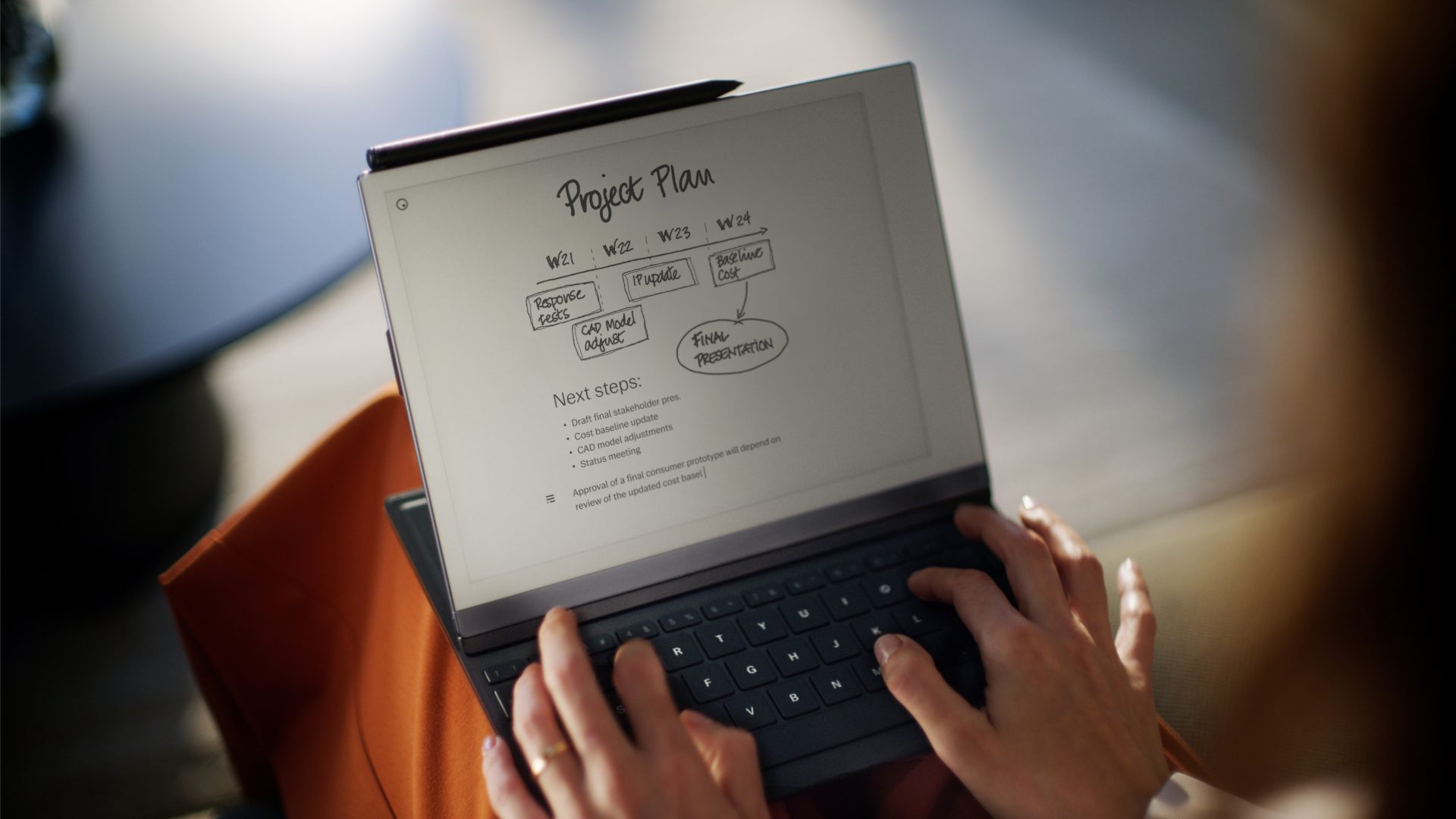
Yes, especially models with a 10.3-inch or larger display and a properly matched active pen. The Huion Ink EB1011, VIWOODS AiPaper, and Penstar eNote2 are more complete writing devices than the compact BOOX readers. E Ink writing feels slower than writing on a 90Hz LCD, but it can be more comfortable for long, distraction-free sessions.
Can E Ink tablets run Android apps?
Several products in this roundup support Android and third-party apps. The BOOX Note Air 5 C and BOOX Go 10.3 Gen II Lumi run Android 15, while the smaller BOOX models use Android 13. Apps designed for smooth scrolling, animation, or video may feel slow because E Ink refreshes differently from an LCD.
Is the XPPen Magic Note Pad an E Ink tablet?
No. The XPPen Magic Note Pad uses an LCD with an anti-glare, paper-like surface and three display modes. It is included as an alternative for people who want smooth Android performance and pressure-sensitive writing, but it does not provide the same E Ink display characteristics as the other picks.
Is color E Ink better for reading?
Color E Ink is better when highlighted text, comics, illustrations, charts, or magazine pages are central to the reading experience. It is not automatically sharper. The color BOOX models list 150 ppi for color content, while their black-and-white content reaches 300 ppi.
Do these tablets include a stylus?
It depends on the model. The Huion Ink EB1011, VIWOODS AiPaper, and Penstar eNote2 include a pen or stylus in the listed package. The BOOX Go Color 7 Gen II and BOOX Go 7 B/W support the InkSense stylus but do not include one, and the Musnap Ocean C requires a compatible stylus sold separately.
Can an E Ink tablet replace a regular tablet?
It can replace a regular tablet for ebooks, PDFs, notes, and focused document work. It is a poor replacement for video, rapid web browsing, animation-heavy apps, and frequent multitasking. The XPPen Magic Note Pad is the better fit if smooth general tablet behavior matters more than true E Ink.
The bottom line
The Best E Ink Tablet for most people is the BOOX Note Air 5 C. Its 10.3-inch color E Ink display, Android 15 software, broad file support, microSD slot, and note-taking capability give it the widest range of uses, though the color layer is less sharp and vivid than an LCD.
For a simpler monochrome experience, choose the BOOX Go 10.3 Gen II Lumi. It is thinner, lighter, and sharper for black-and-white documents, with a front light that makes it more flexible than a bare reading slate. The VIWOODS AiPaper is the better alternative for buyers who want a complete writing bundle and organized note tools from the start.
If you are undecided, choose the largest screen you can comfortably carry, then decide whether color or a clean monochrome page matters more.
As an Amazon Associate we earn from qualifying purchases.