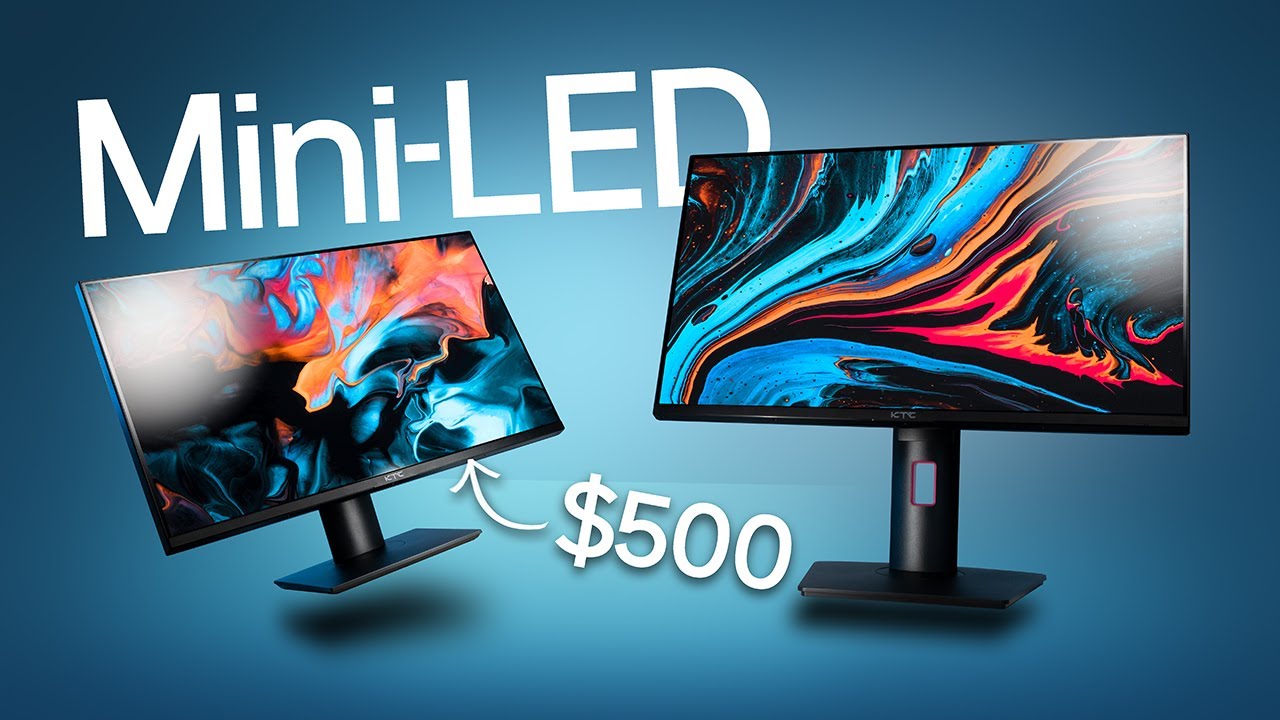

A good mini LED monitor should make dark scenes look genuinely dark without burying detail, then switch gears fast enough for competitive play. That combination is harder than a spec sheet suggests. Resolution, local dimming zones, panel type, ports, and refresh rate all shape the experience, and the right balance depends on whether you play at 1440p, edit photos, or need one display for several devices.
Our Best mini led monitor picks range from a sharp 27-inch gaming screen to a 32-inch 4K work-and-play display. There is also a dual-mode model for people who want both high-detail gaming and very high refresh rates, plus one compact touchscreen that is useful as a secondary display but is not a true mini LED monitor.
The AOC Q27G4SLM is our top pick for its unusually dense local dimming, 320Hz refresh rate, IPS panel, and broad ergonomic adjustment. The rest of the list covers 4K detail, USB-C connectivity, flexible stands, and portable secondary-screen use.
| # | Product | Award | Resolution | Refresh rate | Panel and dimming | Best for |
|---|---|---|---|---|---|---|
| 1 | AOC Q27G4SLM | Best overall | 2560 x 1440 | 320Hz | IPS, 1152 zones | Fast PC gaming with strong HDR |
| 2 | AOC Q27G3XMN | Best balanced 1440p pick | 2560 x 1440 | 180Hz | VA, 336 zones | HDR gaming at a sensible size |
| 3 | INNOCN 32 4K | Best for 4K creation | 3840 x 2160 | 160Hz | IPS, 2304 zones | 4K gaming and color-sensitive work |
| 4 | KTC M27T6S | Best ergonomic 1440p pick | 2560 x 1440 | 200Hz, 210Hz overclocked | Fast IPS, 1152 zones | Adjustable desk setups |
| 5 | KTC 27-inch 165Hz | Best connected workstation | 2560 x 1440 | 165Hz, 144Hz support | HVA, 576 zones | Gaming with USB-C and KVM |
| 6 | KTC HDR1400 180Hz | Best HDR-focused 1440p pick | 2560 x 1440 | 180Hz | HVA, 1152 zones | Bright HDR gaming |
| 7 | KTC Dual Mode | Best dual-mode display | 3840 x 2160 or 1920 x 1080 | 160Hz or 320Hz | Fast IPS, 1152 zones | Switching between detail and speed |
| 8 | Pisichen 7-inch Touchscreen | Best compact auxiliary display | 1280 x 800 | Not specified | IPS LED | Portable monitoring and Raspberry Pi projects |
1. AOC Q27G4SLM: Best Overall

Pros
- 1152 local dimming zones on a 27-inch IPS panel
- 320Hz refresh rate with a 1ms GtG response time
- DisplayHDR 1000 with 1200 nits peak brightness
- Height, tilt, swivel, and pivot adjustment
Cons
- QHD resolution rather than 4K
- The highest refresh rate is most useful with a powerful gaming PC
- The product information lists the finish inconsistently
Best for: PC gamers who want very high motion clarity without giving up serious HDR capability.
The AOC Q27G4SLM has the most convincing combination in this group. It is a 27-inch QHD display, so it does not demand the graphics horsepower of a 4K panel, but its 320Hz ceiling gives fast games plenty of room to breathe. That makes it a more focused gaming monitor than the INNOCN 32 4K, yet it has a much more ambitious backlight than many ordinary high-refresh QHD screens.
The key number is 1152 local dimming zones. On a 27-inch panel, that is a dense arrangement of independently controlled areas behind the image. It gives bright effects more separation from dark surroundings and should make HDR scenes look less flat than they do on edge-lit displays. AOC pairs that backlight with an IPS panel, DisplayHDR 1000 certification, 700 nits of stated HDR brightness, and 1200 nits peak brightness. Those figures matter most in games with bright highlights, night scenes, and strong contrast between foreground and background.
Motion is the other reason to choose it. The 320Hz refresh rate works through HDMI 2.1 or DisplayPort 1.4, while the stated 1ms GtG response time is aimed at reducing visible trailing during rapid movement. Adaptive Sync helps keep the frame rate and refresh cycle aligned, so a game that fluctuates below the panel's maximum should look cleaner than it would with a fixed refresh rate. The AOC Q27G3XMN reaches 180Hz, which is enough for many players, but the Q27G4SLM is the clear choice for high-frame-rate competitive play.
The fully ergonomic stand is a practical advantage that the KTC HDR1400 180Hz also offers, with height, tilt, swivel, and pivot adjustment. Flicker-Free technology is included for long sessions. The weakness is straightforward: QHD cannot show the same fine desktop detail as the INNOCN 32 4K, and a 320Hz mode is wasted if the computer cannot produce very high frame rates. This is also not the pick for someone who wants a large creative-work canvas.
Buy the AOC Q27G4SLM if competitive PC gaming is the priority and you want HDR to remain part of the experience. It is the most complete gaming-first monitor here, even if its resolution is not the highest.
2. AOC Q27G3XMN: Best Balanced 1440p Pick

Pros
- 336 local dimming zones with DisplayHDR 1000
- Sharp 2560 x 1440 resolution
- 180Hz refresh rate and 1ms GtG response time
- 134% sRGB color gamut claim
Cons
- VA panel rather than IPS
- Fewer dimming zones than the newer AOC Q27G4SLM
- The 180Hz rate is overclocked through DisplayPort 1.4
Best for: gamers who want strong HDR contrast and QHD sharpness in a conventional 27-inch format.
The AOC Q27G3XMN is the easier monitor to recommend to someone who wants a clean 1440p gaming setup without chasing the highest possible refresh rate. Its 27-inch size and 2560 x 1440 resolution create a useful middle ground. Text and game detail are sharper than on a standard Full HD display, while the pixel load remains more manageable than 4K.
Its VA panel gives the monitor a different character from the IPS models above it. VA technology is often chosen for stronger native contrast, and here it is paired with 336 mini LED dimming zones. That combination is designed to produce deeper blacks and brighter whites, with the local backlight control adding contrast to HDR scenes. The count is much lower than the 1152 zones in the AOC Q27G4SLM, so the newer AOC has the more sophisticated backlight on paper. Still, 336 zones remains meaningful on a 27-inch screen and is the main reason this model belongs in a mini LED comparison rather than a generic gaming-monitor list.
The 180Hz refresh rate is overclocked through DisplayPort 1.4. That is a useful step above 144Hz for fast games, especially when paired with the stated 1ms GtG response time and Adaptive Sync. The result should feel responsive without requiring the kind of consistently high frame rates demanded by a 300Hz-class panel. The trade-off is that the refresh mode is less straightforward than the AOC Q27G4SLM's 320Hz support through HDMI 2.1 or DisplayPort 1.4.
AOC also lists a 134% sRGB color gamut and DisplayHDR 1000 support. Those specifications point to saturated game color and strong HDR highlights, although users who need restrained, color-managed work should pay attention to calibration rather than relying on gamut coverage alone. The three-sided frameless design keeps the screen visually tidy beside another monitor. For a second display, a desk setup that leaves enough room behind the screen can matter as much as the panel itself, especially if you use a compact computer and several cables.
Skip this model if you specifically want the broad viewing characteristics of IPS or the densest local dimming in the group. Choose it over the KTC 27-inch 165Hz when HDR contrast and a simpler gaming focus matter more than USB-C, KVM, and a larger port selection. The AOC Q27G3XMN remains a well-balanced QHD option for players who want contrast first and extreme refresh second.
3. INNOCN 32 4K: Best for 4K Creation

Pros
- 32-inch 4K resolution at 160Hz
- 2304 local dimming zones
- 99% DCI-P3 and 99% Adobe RGB claims
- USB-C with up to 65W Power Delivery
- Height-adjustable stand and built-in stereo speakers
Cons
- Larger footprint than the 27-inch models
- HDR refresh capability depends on the connected device and input
- No exact response-time behavior beyond the stated 1ms claim is provided
Best for: creators and gamers who want a large 4K workspace with high refresh and broad connectivity.
The INNOCN 32 4K is the display to choose when the desktop itself is part of the job. Its 32-inch panel gives documents, timelines, images, and game environments more room than any of the 27-inch screens here. The 3840 x 2160 resolution also gives it the sharpest image in the group, though the extra pixels require a stronger graphics card if you want to use the full 160Hz refresh rate in demanding games.
This monitor uses an IPS panel with 2304 mini LED dimming zones. That is the highest zone count in the roundup, and it is especially interesting at this screen size because the backlight has a large image area to control. INNOCN also claims 99% coverage of both DCI-P3 and Adobe RGB, plus factory color collaboration reporting and Delta E below 2. Those details make the monitor more relevant to photo and video work than the gaming-first AOC models. They do not replace a proper color workflow, but they show that the screen is intended to handle more than fast games.
The 160Hz refresh rate keeps it from feeling like a conventional office monitor. A DisplayPort 1.4 connection supports 160Hz, while two HDMI 2.1 inputs make room for modern consoles and other high-bandwidth sources. USB-C can provide up to 65W of Power Delivery, so a compatible laptop can send video and receive charging over one cable. That is a meaningful advantage over the AOC Q27G3XMN and the KTC HDR1400 180Hz, neither of which lists USB-C in the supplied specifications.
The stand supports height adjustment, left and right movement of 45 degrees, a forward tilt of 5 degrees, and a backward tilt of 20 degrees. Built-in 4-ohm, 5W stereo speakers are also listed, which can simplify a laptop or console setup, though they are not a substitute for dedicated desktop audio. The main weakness is physical and practical: a 32-inch 4K display takes more desk space, and scaling may be necessary for comfortable text. If your work centers on a small desk, how much room a larger second display needs is worth considering before choosing this size.
The INNOCN 32 4K beats the other picks for fine detail, color-gamut coverage, and zone count. It does not beat the AOC Q27G4SLM for competitive speed, and its 160Hz ceiling is lower than the dual-mode KTC's 320Hz Full HD setting. For a single monitor that needs to serve editing, office work, and immersive games, it is the strongest large-format choice.
4. KTC M27T6S: Best Ergonomic 1440p Pick

Pros
- 1152 dimming zones and 1000-nit peak brightness
- 200Hz refresh rate with a 210Hz overclock
- Fast IPS panel and 1ms MPRT claim
- Full stand adjustment and VESA 100 x 100mm support
- USB-C, KVM, and multiple USB ports
Cons
- 210Hz requires overclocking
- HDMI 2.0 limits the available bandwidth compared with HDMI 2.1
- Color-gamut coverage is stated as 157% sRGB rather than a more restrained color standard
Best for: gamers and hybrid users who want a flexible stand, high refresh rate, and built-in device switching.
The KTC M27T6S is less flashy than the dual-mode model but more adaptable to a busy desk. It combines a 27-inch QHD Fast IPS panel with a 200Hz refresh rate, and an overclocked mode raises that to 210Hz. That puts it between the AOC Q27G3XMN and AOC Q27G4SLM for motion speed, while the 2560 x 1440 resolution keeps the system requirements reasonable for modern gaming.
KTC lists 1152 local dimming zones and peak brightness reaching 1000 nits. That is a substantial backlight specification for a QHD monitor, and it gives bright HDR objects more control than a simple globally lit panel. The Fast IPS panel is paired with a stated 1ms MPRT response time, Adaptive Sync, and compatibility with both FreeSync and G-Sync. Those features target smooth movement and reduced tearing, though MPRT figures and GtG figures describe different aspects of motion behavior and should not be treated as interchangeable.
The stand is one of this monitor's strongest arguments. It supports tilt, swivel, pivot, and height adjustment, and the monitor accepts a VESA 100 x 100mm mount. KTC lists height movement of 130mm, forward tilt of 5 degrees, backward tilt of 20 degrees, left and right movement of 45 degrees, and 90-degree pivot adjustment. That range is useful when a screen has to alternate between gaming, reading, and portrait-oriented documents.
Connectivity is unusually capable for this class. The monitor has DisplayPort 1.4, two HDMI 2.0 ports, USB-C with 90W reverse charging, three USB 3.0 ports, and a KVM switch. The KVM can simplify control of a desktop and another compatible device from the same keyboard and mouse. The downside is that HDMI 2.0 is less flexible than the HDMI 2.1 inputs on the AOC Q27G4SLM and KTC Dual Mode. The 157% sRGB claim also suggests vivid color, but people doing color-critical work should be prepared to check calibration.
Choose the KTC M27T6S over the AOC Q27G3XMN if stand flexibility, USB-C, and KVM matter. Choose the AOC Q27G4SLM if 320Hz gaming and newer HDMI connectivity matter more. This KTC is the better fit for a multi-device desk where ergonomics and switching are not afterthoughts.
5. KTC 27-inch 165Hz: Best Connected Workstation

Pros
- 576 local dimming zones
- QHD resolution with 165Hz refresh support
- USB-C with 90W reverse charging
- KVM switch and three USB 3.0 ports
- Built-in stereo speakers and highly adjustable stand
Cons
- Fewer dimming zones than the newer KTC models
- The product dimensions appear inconsistent in the supplied information
- The listed warranty is one year, shorter than some other KTC entries here
Best for: users who need one monitor to handle a computer, laptop, peripherals, and gaming console.
The KTC 27-inch 165Hz is built around convenience rather than a single headline specification. It has a 27-inch HVA panel, 2560 x 1440 resolution, and a 165Hz refresh rate, with 144Hz support also listed. That is a comfortable combination for everyday gaming and work. It will not match the AOC Q27G4SLM's 320Hz ceiling or the KTC HDR1400 180Hz's newer backlight design, but it is fast enough for a wide range of systems.
The mini LED backlight uses 576 full-array local dimming zones. KTC also lists 1000 nits HDR brightness, 99% sRGB, 99% Adobe RGB, a 1, 000, 000:1 HDR contrast ratio, and Delta E below 2. The HVA panel should suit viewers who prefer a more contrast-oriented image, while the gamut claims point to vivid, broad color. As with the other displays, gamut numbers alone do not tell you how accurate the image will look in every mode, but the supplied color details make this more than a basic office screen.
The real differentiator is the port layout. USB-C supports 90W reverse charging, and the monitor includes DisplayPort 1.4, two HDMI 2.0 ports, and three USB 3.0 ports. A KVM switch lets one monitor control more than one connected system, which is handy for a work laptop and a gaming desktop sharing a keyboard, mouse, and screen. Built-in dual stereo speakers add another layer of convenience for a setup that needs to stay uncluttered.
KTC gives the stand a 130mm height range, tilt from 5 degrees forward to 20 degrees backward, 45-degree movement in each direction, and 90-degree pivot adjustment. The quick-release stand and VESA 100 x 100mm support make mounting less awkward. Flicker-free backlighting and a blue light filter are also listed. The weakness is that its 576 zones are modest next to the 1152 zones in the KTC M27T6S and KTC HDR1400 180Hz, so HDR control is not its strongest reason to buy.
The KTC 27-inch 165Hz makes more sense than the AOC Q27G3XMN for a desk with multiple devices, especially if USB-C charging and KVM are central to the setup. It is a connected workstation first and a high-performance HDR monitor second. If your screen spends equal time showing spreadsheets and games, that balance is useful.
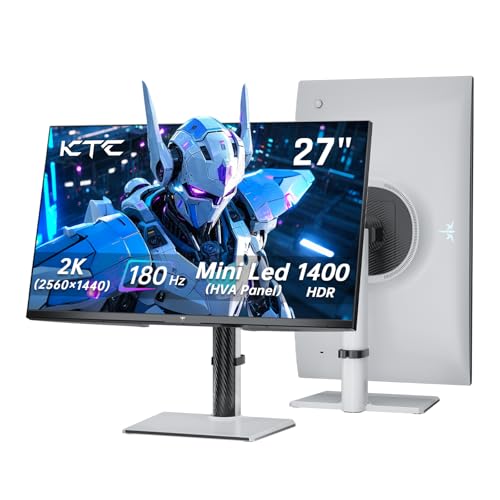
6. KTC HDR1400 180Hz: Best HDR-Focused 1440p Pick
Pros
- 1152 local dimming zones
- VESA DisplayHDR 1400 claim
- 180Hz refresh rate and stated 1ms response time
- Adaptive Sync with FreeSync and G-Sync compatibility
- Height, tilt, swivel, pivot, and VESA adjustment
Cons
- No USB-C connection listed
- HDMI 2.0 is less capable than HDMI 2.1
- HVA panel may not suit every viewing position
Best for: players who want an especially bright HDR presentation from a 1440p monitor.
The KTC HDR1400 180Hz puts HDR at the center of its design. It uses a 27-inch HVA panel with 1152 independent dimming zones, 2560 x 1440 resolution, and a claimed VESA DisplayHDR 1400 rating. The result should appeal to people who care more about intense highlights and contrast-heavy game scenes than about USB-C docking or the fastest refresh rate available.
The 148% sRGB color-gamut claim indicates a vivid presentation, while KTC pairs it with Adaptive Sync and compatibility with both FreeSync and G-Sync. The 180Hz refresh rate is a useful match for 1440p gaming because it offers more motion headroom than 144Hz-class screens without stepping into the very high frame-rate demands of the AOC Q27G4SLM. KTC also lists a 1ms response time, though the supplied information does not specify whether that figure uses MPRT or GtG terminology.
The 1152-zone backlight is the important comparison point. It matches the zone count of the KTC M27T6S and the KTC Dual Mode, and it is far denser than the 336 zones in the AOC Q27G3XMN. The KTC HDR1400 180Hz therefore makes a stronger paper case for small bright objects against dark backgrounds. The AOC Q27G4SLM still has the more compelling speed specification, while the INNOCN 32 4K offers a higher resolution and more zones for detailed creative work.
Connectivity is straightforward rather than expansive. The monitor lists two HDMI 2.0 ports and one DisplayPort 1.4 port. Its stand supports height adjustment, tilt, swivel, and pivot, and VESA 100 x 100mm mounting is available. Flicker-free operation and a blue light filter are included for longer sessions. The missing USB-C port is a real limitation for laptop users, and HDMI 2.0 is not as flexible as the HDMI 2.1 inputs on the dual-mode KTC.
Pick the KTC HDR1400 180Hz when HDR brightness is more important than device-docking features. It is a stronger HDR-specific choice than the KTC 27-inch 165Hz, but the AOC Q27G4SLM is better for esports-style motion and the INNOCN 32 4K is better for high-resolution work.
7. KTC Dual Mode: Best Dual-Mode Display

Pros
- 4K at 160Hz or Full HD at 320Hz
- 1152 local dimming zones
- VESA DisplayHDR 1400 claim
- USB-C with 65W full-function support
- HDMI 2.1, DisplayPort 1.4, and adjustable stand
Cons
- Full HD mode gives up the sharpness of the native 4K image
- The dual-mode feature is mainly useful for specific gaming scenarios
- No built-in speakers are listed
Best for: players who alternate between detailed single-player games and high-speed competitive titles.
The KTC Dual Mode is the most unusual monitor here because it does not force one answer to the resolution-versus-speed argument. Its first mode runs at 3840 x 2160 and 160Hz, giving games, video, and desktop work a dense, detailed image. Its second mode runs at 1920 x 1080 and 320Hz, shifting the priority to rapid motion and high frame rates.
That split makes sense for a particular kind of gamer. A visually rich adventure game can use the 4K mode, while a competitive shooter can use Full HD at 320Hz when response and frame delivery matter more than fine detail. It is not a free upgrade, though. The Full HD mode is visibly less sharp on a 27-inch panel, and the benefits of 320Hz depend on a system that can produce enough frames to take advantage of it.
The Fast IPS panel uses 1152 independent mini LED dimming zones. KTC also lists VESA DisplayHDR 1400, 145% sRGB, and 1.07 billion colors. Adaptive Sync is compatible with FreeSync and G-Sync, helping the monitor stay smooth when the frame rate changes. Compared with the KTC HDR1400 180Hz, this model offers the same headline HDR tier and zone count but adds the 4K and 320Hz modes. Compared with the INNOCN 32 4K, it offers a faster competitive mode but gives up screen size and the INNOCN's stated 99% DCI-P3 and Adobe RGB coverage.
Its connections suit a modern hybrid setup. The monitor has two HDMI 2.1 ports, DisplayPort 1.4, and a full-function USB-C port with 65W support. The stand allows height, tilt, swivel, and pivot adjustment, and VESA 100 x 100mm mounting is supported. Laptop users get a cleaner one-cable option than they do with the AOC Q27G3XMN or KTC HDR1400 180Hz. If your system is a compact computer, how to match a display to a small desktop setup can help determine whether the extra input flexibility will actually be useful.
The weakness is that dual mode adds complexity. Some buyers will use one setting almost all the time, making the other less important. Buy the KTC Dual Mode if you genuinely play both detail-heavy and competitive games, or if you want a single panel that can change roles. For everyone else, the AOC Q27G4SLM is a simpler high-refresh choice and the INNOCN 32 4K is a better large-format 4K choice.
8. Pisichen 7-inch Touchscreen: Best Compact Auxiliary Display

Pros
- Compact 7-inch touchscreen design
- 1280 x 800 IPS display
- Two USB-C ports with DP Alt Mode
- HDMI input for devices without compatible USB-C video
- Built-in speakers and broad device support
Cons
- Not a mini LED backlit monitor
- Much smaller and lower resolution than the main picks
- Refresh rate is not specified
Best for: Raspberry Pi projects, travel setups, and a small secondary screen for a laptop or desktop.
The Pisichen 7-inch Touchscreen does not belong in the same performance class as the other seven products. It is an IPS LED display rather than a mini LED monitor, and its 1280 x 800 resolution is intended for compact secondary use rather than immersive gaming. It earns a place only because some readers searching for a small monitor actually need a tiny status panel, Raspberry Pi screen, or portable touch display.
Its strengths are physical and practical. The 7-inch panel is small enough to fit beside a primary monitor or travel inside a compact setup, and the touchscreen can make a Pi interface or presentation control panel easier to operate without a mouse. The IPS panel is listed with wide viewing angles, which is useful when the display is not directly in front of one person.
Connectivity is more flexible than the size suggests. Two full-function USB-C ports support DP Alt Mode, allowing compatible laptops and phones to carry video and power over one cable. Devices without USB-C video can use the HDMI port. The product is listed as compatible with PCs, laptops, Raspberry Pi devices, smartphones, and gaming consoles, with no drivers required. Built-in speakers are included for basic audio, although the supplied information does not provide a speaker power rating.
The trade-offs are substantial. There is no stated refresh rate, so this is not a sensible choice for serious gaming. The 1280 x 800 image gives far less workspace than any of the 27-inch QHD models, and there is no local dimming specification. A portable monitor guide can help if your real need is a secondary screen that travels with a laptop, while buyers seeking HDR contrast should skip this model entirely.
Choose the Pisichen 7-inch Touchscreen only when small size and touch input matter more than resolution, speed, or HDR. It is a useful auxiliary display, not an alternative to the AOC Q27G4SLM, INNOCN 32 4K, or any other full-size pick here.
How to choose best mini led monitor
The right mini LED monitor is defined by how its backlight, panel, resolution, and connections fit your actual computer and desk.
Local dimming zones
Mini LED monitors use many small backlight areas rather than one broad light source. More zones can give the display tighter control over bright highlights beside dark areas, although zone count alone does not guarantee perfect HDR behavior. The INNOCN 32 4K lists 2304 zones, while the AOC Q27G4SLM, KTC M27T6S, KTC HDR1400 180Hz, and KTC Dual Mode list 1152.
Look for a high zone count when HDR movies and games are central to the purchase. Also consider screen size, because the same number of zones can be spread over a larger or smaller image area.
A high HDR number is useful only when the backlight has enough control to keep bright objects from washing out the surrounding shadows.
Resolution and screen size
QHD at 2560 x 1440 is the common middle ground in this list. On a 27-inch screen it gives clear text and game detail without imposing the same graphics workload as 4K. The INNOCN 32 4K uses 3840 x 2160 on a larger 32-inch panel, which gives the finest desktop detail but needs more graphics power for high refresh gaming.
The KTC Dual Mode adds a different approach. It can run at 4K and 160Hz, or switch to 1080p and 320Hz. That is useful only if you genuinely need both image detail and very high-speed play.
Refresh rate and response
Refresh rate controls how often the monitor can update the image. The AOC Q27G4SLM reaches 320Hz, the KTC Dual Mode reaches 320Hz in Full HD mode, and the other full-size gaming models sit between 160Hz and 200Hz, with the AOC Q27G3XMN at 180Hz.
A higher number is most noticeable in competitive games and when the computer can produce matching frame rates. Response figures need careful reading, too. The products use different terms, including 1ms GtG and 1ms MPRT, so they should not be compared as identical measurements.
Panel type and color
IPS panels generally appeal to buyers who want consistent viewing angles and broad color performance. VA and HVA panels can be attractive when contrast is a priority. The AOC Q27G4SLM and KTC Dual Mode use Fast IPS, the INNOCN 32 4K uses IPS, the AOC Q27G3XMN uses VA, and the KTC screens use Fast IPS or HVA depending on the model.
Color-gamut figures such as 99% DCI-P3, 99% Adobe RGB, and 157% sRGB describe the range of colors a monitor claims to show. They do not automatically prove accuracy. If photo or video work matters, look for the supplied calibration information and plan to use an appropriate color mode.
Ports and stand adjustment
Check the inputs before choosing a monitor for a laptop, console, or multi-computer desk. HDMI 2.1 is present on the AOC Q27G4SLM, INNOCN 32 4K, and KTC Dual Mode. USB-C is listed on the INNOCN 32 4K, KTC M27T6S, KTC 27-inch 165Hz, and KTC Dual Mode, with different power delivery levels.
A height-adjustable stand is useful for long work sessions, while pivot support helps with documents and coding. VESA support matters if you plan to use an arm. The KTC M27T6S and KTC 27-inch 165Hz are particularly flexible, with tilt, swivel, pivot, and height adjustment.
Frequently asked questions
Is mini LED better than regular LED for a monitor?
Mini LED uses a denser backlight arrangement that can control bright and dark areas more precisely than a conventional broad LED backlight. The benefit is most visible in HDR scenes with bright highlights beside deep shadows. The panel, dimming algorithm, and zone count still determine how convincing the result looks.
Is 1440p or 4K better for a mini LED monitor?
1440p is easier to drive at high refresh rates and suits 27-inch gaming monitors well. 4K provides a sharper desktop and game image, especially on the 32-inch INNOCN 32 4K, but it demands more graphics performance. Your computer and preferred games should decide the resolution.
Do more local dimming zones always mean better HDR?
No. More zones give the backlight more control, but blooming, contrast behavior, and image processing also matter. The INNOCN 32 4K lists 2304 zones, while several 27-inch models list 1152, but screen size and implementation affect the visible result.
What refresh rate is enough for gaming?
A refresh rate between 160Hz and 180Hz is a strong fit for most fast PC gaming. The AOC Q27G4SLM and KTC Dual Mode reach 320Hz, but that advantage appears mainly in competitive games and only when the computer can produce very high frame rates.
Can a USB-C monitor charge a laptop?
Some can, but the charging output varies. The INNOCN 32 4K lists up to 65W, the KTC M27T6S lists 90W reverse charging, the KTC 27-inch 165Hz lists 90W, and the KTC Dual Mode lists 65W full-function USB-C. Check the laptop's charging requirement before relying on the monitor as its power source.
Is the Pisichen 7-inch Touchscreen a mini LED monitor?
No. Its listing describes an IPS LED display, not a mini LED backlight. It is a compact touchscreen for auxiliary use, Raspberry Pi projects, and portable setups, so it should not be compared with the full-size HDR gaming monitors for image quality or speed.
The bottom line
The AOC Q27G4SLM is the Best mini led monitor for most gaming-focused buyers in this group. Its QHD resolution keeps the system load sensible, while 1152 dimming zones, DisplayHDR 1000, IPS viewing characteristics, and a 320Hz refresh rate give it a rare mix of HDR and competitive speed.
Choose the INNOCN 32 4K if sharp 4K detail, broad color coverage, 2304 dimming zones, and USB-C connectivity matter more than maximum competitive refresh. The KTC Dual Mode is the specialist alternative for players who genuinely want 4K at 160Hz and Full HD at 320Hz from one display.
If you are undecided, choose the AOC Q27G4SLM for fast gaming, the INNOCN 32 4K for creative work, and the KTC M27T6S for a flexible multi-device desk.
As an Amazon Associate we earn from qualifying purchases.