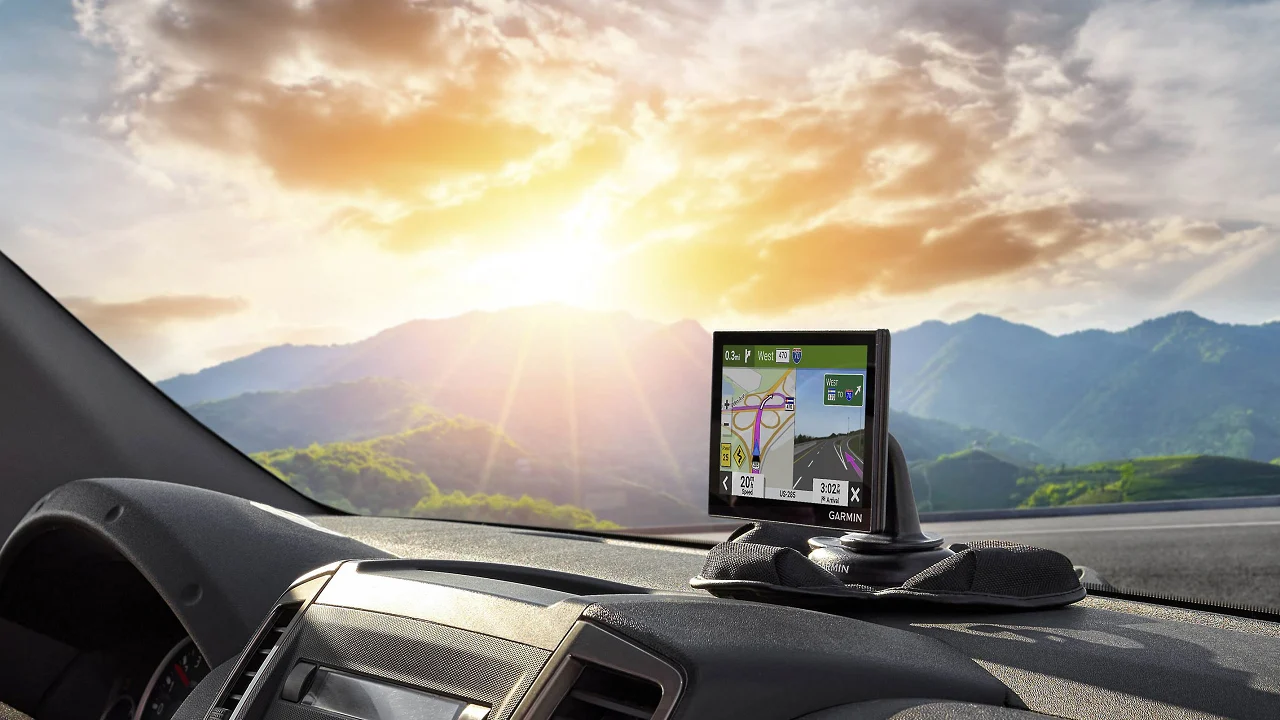

A phone can navigate, but it is not always the right tool for a long drive. Its screen may go dark, directions can compete with calls and notifications, and a weak signal can leave you guessing at exactly the wrong turn. A dedicated unit keeps the route visible and the guidance focused.
The Best GPS for Car options here range from compact Garmin navigators to large-screen units with truck and RV routing. One product is a tracker rather than a turn-by-turn navigator, so we call out that difference clearly.
Our top pick is the Garmin DriveSmart 66, with the Garmin Drive 53 close behind for drivers who prefer a smaller, simpler screen. The rest of the list covers big displays, renewed Garmin models, and long-duration vehicle tracking.
Best GPS for Car Comparison
| # | Product | Award | Screen | Routing and connected features | Best for |
|---|---|---|---|---|---|
| 1 | Garmin DriveSmart 66 | Best overall | 6-inch high-resolution | Smartphone traffic, weather, parking, voice assist | Most drivers |
| 2 | Garmin Drive 53 | Best simple navigator | 5-inch glass touchscreen | North America maps, landmark guidance | Straightforward navigation |
| 3 | Garmin DriveSmart 76 | Best large Garmin | 7-inch high-resolution | Smartphone traffic, weather, parking, voice assist | Drivers who want a bigger Garmin |
| 4 | LMCOWRE 7-Inch Truck GPS | Best for mixed vehicles | 7-inch touchscreen | Car, truck, and RV routing | Families with different vehicles |
| 5 | Garmin DriveSmart 86 | Best extra-large display | 8-inch dual-orientation | Smartphone traffic, weather, parking, Alexa | Large vehicles and aging eyes |
| 6 | HINYFVOZ 9-Inch GPS | Best 9-inch screen | 9-inch HD touchscreen | Car, truck, and RV routing, FM transmitter | Drivers who want maximum map size |
| 7 | LMCOWRE 7-Inch Navigator | Best route-format choice | 7-inch HD touchscreen | Car, truck, RV, bicycle, and pedestrian modes | Drivers choosing among route types |
| 8 | Garmin Drive 53 Renewed | Best renewed compact Garmin | 5-inch glass touchscreen | North America maps, landmark guidance | Drivers who want a small Garmin |
| 9 | Garmin DriveSmart 86 Renewed | Best renewed large screen | 8-inch dual-orientation | Smartphone traffic, weather, parking | Drivers prioritizing screen size |
| 10 | Tracki Pro | Best vehicle tracker | No navigation display | 4G LTE tracking and alerts | Tracking a car or asset |
1. Garmin DriveSmart 66: Best Overall

Pros
- Sharp six-inch map display
- Voice assist and hands-free calling
- Wi-Fi updates without a computer
- Useful road-trip and driver alerts
- Dual USB charger adds a second charging port
Cons
- Smartphone pairing is needed for live services
- Larger than a compact five-inch navigator
- Alexa features also depend on a compatible phone
Best for: drivers who want a polished dedicated navigator with useful connected features.
The Garmin DriveSmart 66 is the one we would hand to most drivers who are tired of relying on a phone. Its six-inch display gives the map enough room to show the next turn without making the device feel oversized on a dashboard. The interface is built around driving rather than general smartphone use, and the Garmin voice assist means you can ask for directions to places without reaching for the screen.
Its high-resolution display is the important hardware detail here. Six inches is a useful middle ground: easier to read than the five-inch Garmin Drive 53, but less visually dominant than the seven-inch DriveSmart 76 or eight-inch DriveSmart 86. The unit includes North America map updates, while built-in Wi-Fi lets you update maps and software without connecting it to a computer. That removes one of the irritating chores associated with older standalone navigators.
Pair the DriveSmart 66 with a compatible smartphone and the unit becomes more than an offline map. The Garmin Drive app can provide live traffic, fuel prices, parking, weather, and smart notifications. Bluetooth supports hands-free calling, and Alexa Built-in can handle requests for music, audiobooks, news, and other functions when the phone connection is active. The feature set is broader than the simpler Drive 53, but it does not force you to use every connected feature.
The road-trip tools are unusually practical. A HISTORY database identifies notable sites, a national parks directory helps with park destinations, and Tripadvisor and Foursquare information add places to the route-planning process. Driver alerts cover school zones, sharp curves, and speed changes. They are reminders rather than substitutes for attention, but they add useful context when a road changes quickly.
The weakness is the same thing that makes the DriveSmart 66 capable: many of its best extras depend on pairing it with a compatible phone. Someone who wants a completely self-contained navigator should look at the Drive 53 instead. Drivers who want a larger map will find the DriveSmart 76 easier to read, but the 66 is the better balance of footprint, display, and connected navigation for most cars.
2. Garmin Drive 53: Best Simple Navigator

Pros
- Compact five-inch glass touchscreen
- Simple on-screen menus
- Spoken landmark-based directions
- Driver alerts for changing road conditions
- National parks directory included
Cons
- Smaller display than the DriveSmart models
- No listed live traffic or smartphone calling features
- Less suited to drivers who want a large route view
Best for: drivers who want dedicated navigation without a large screen or elaborate connected feature set.
The Garmin Drive 53 makes a strong case for keeping a dedicated navigator uncomplicated. Its five-inch glass capacitive touchscreen is small enough to fit neatly in a crowded dashboard, yet large enough to keep the active route readable. The simple menus matter as much as the display because the device does not make you work through a phone-style operating system to find basic navigation controls.
Garmin includes detailed North America map updates and spoken turn-by-turn directions. The Real Directions feature adds landmarks to instructions, so a direction can refer to a recognizable building or location instead of relying only on street names. That is a useful touch when a driver is approaching a complicated junction and the road signs are difficult to spot.
The Drive 53 also has practical trip context. It can show food, fuel, rest areas, upcoming cities, and route milestones. Tripadvisor traveler ratings help identify restaurants, hotels, and attractions, while the national parks directory organizes entrances, visitor centers, and landmarks. These features give the compact navigator more purpose on a road trip than a bare route line would provide.
Compared with the Garmin DriveSmart 66, the Drive 53 gives up live traffic, weather, parking information, hands-free calling, Alexa Built-in, and smartphone notifications. That is not necessarily a flaw. It is the reason to choose this model when a driver wants the map and directions to be the main event. The five-inch screen is also less comfortable for anyone who prefers large text or needs to glance quickly at a wide interchange.
The standard Drive 53 is a better fit than the renewed Drive 53 when you want the same basic design in a new listing. The two models share the same five-inch dimensions and core features in the supplied information, so the decision is mainly about the specific listing condition. Choose the DriveSmart 66 if connected features matter. Choose the Drive 53 if clean menus and a compact footprint matter more.
3. Garmin DriveSmart 76: Best Large Garmin

Pros
- Readable seven-inch high-resolution display
- Garmin voice assist
- Wi-Fi map and software updates
- Hands-free calling with a compatible phone
- Broad road-trip directory features
Cons
- Takes more dashboard space than the DriveSmart 66
- Connected services require smartphone pairing
- Larger screen does not add vehicle-specific routing
Best for: drivers who want Garmin's connected feature set on a more spacious screen.
The Garmin DriveSmart 76 is the natural step up from the DriveSmart 66 for anyone who reads a map more comfortably when it is larger. Its seven-inch high-resolution display gives route lines, upcoming turns, and surrounding roads more breathing room. It is still a conventional dashboard navigator rather than a tablet-sized panel, but the extra inch makes a difference when the device sits farther away.
The feature set closely follows the DriveSmart 66. Garmin voice assist lets you ask for destinations, and Bluetooth supports hands-free calling when paired with a compatible smartphone. Wi-Fi handles map and software updates without a computer. A dual USB charger provides another charging port for a phone, tablet, or other device, which is useful on a full-car road trip.
Phone pairing adds live traffic, fuel prices, parking, weather, and smart notifications through the Garmin Drive app. Alexa Built-in can play music, audiobooks, and news when the relevant phone connection is in place. These extras make the DriveSmart 76 a better travel companion than the basic Drive 53, but they also mean that its connected experience is partly dependent on another device.
Garmin's road-trip database is a real differentiator. The unit includes the HISTORY database of notable sites, a U.S. national parks directory, Tripadvisor traveler ratings, and millions of Foursquare points of interest. Driver alerts cover school zones, sharp curves, and speed changes, while Garmin Real Directions uses landmarks in spoken guidance. The combination is more useful for touring than a unit that only announces street names.
The main compromise is physical size. The DriveSmart 76 is not the right pick for a small dashboard where every inch matters, and its additional screen area does not provide the truck and RV restrictions found on the LMCOWRE and HINYFVOZ units. The DriveSmart 66 is easier to place, while the DriveSmart 86 is better for someone who wants the largest Garmin view. Pick the 76 when seven inches is the sweet spot.
4. LMCOWRE 7-Inch Truck GPS: Best for Mixed Vehicles

Pros
- Routes for cars, trucks, and RVs
- Vehicle dimensions can shape route planning
- Four route-selection modes
- FM transmitter for sending guidance to car speakers
- Windshield mount and car power adapter included
Cons
- Brand and interface are less established than Garmin's
- Seven-inch screen can crowd a compact dashboard
- FM transmission is audio-only
Best for: households or drivers who switch between a car, truck, and RV.
The LMCOWRE 7-Inch Truck GPS earns its place by addressing a problem that ordinary car navigators often ignore: the route that works for a sedan may not work for a tall RV or large truck. The device lets you customize planning around vehicle type and restrictions. That makes it more interesting for mixed-vehicle households than a basic road navigator with only a standard car profile.
Its seven-inch touchscreen provides a broad map view, and the supplied information includes 2026 North America maps with lifetime update service. Voice guidance announces turns and lane changes, while alerts cover speed zones, intersections, and school zones. The device can search by address, point of interest, postal code, or coordinates, so it is not limited to a narrow destination-entry method.
The routing controls are the headline feature. Drivers can choose Fastest, Shortest, Eco-Friendly, or Easiest routes. For a truck or RV, the system can use entered vehicle dimensions to avoid low bridges, weight-restricted roads, and narrow passages. That does not mean a driver should ignore posted signs, but it gives the navigator information a standard car profile cannot use.
The built-in FM transmitter can send spoken guidance through the vehicle's audio system, which may be helpful in a noisy cabin. It transmits audio only and is not a standalone FM radio. Installation is straightforward on paper because the package includes a windshield mount and car power adapter, though the larger screen still needs a sensible position that does not obstruct the driver's view.
The trade-off is the uncertainty that comes with choosing this type of specialist unit instead of a Garmin. The LMCOWRE offers vehicle routing that the Garmin DriveSmart models in this list do not, while Garmin has the more developed road-trip directories and connected phone features. If your main concern is bridge and road restrictions, this is the more relevant pick. If you mostly drive a car and want polished destination discovery, the DriveSmart 66 remains stronger.
5. Garmin DriveSmart 86: Best Extra-Large Display

Pros
- Large eight-inch high-resolution display
- Dual-orientation screen
- Garmin voice assist and hands-free calling
- Wi-Fi updates without a computer
- Detailed road-trip and driver-alert features
Cons
- Requires substantial dashboard space
- Smartphone pairing powers many live features
- More screen than some cars can comfortably accommodate
Best for: drivers in larger vehicles who want the clearest possible dedicated map view.
The Garmin DriveSmart 86 is for the driver who has looked at a five-inch navigator and thought, “That is too small.” Its eight-inch high-resolution display makes the route much easier to see from a greater distance, and the dual-orientation design gives you flexibility in how the unit sits. That can help when the dashboard layout favors a taller or wider installation.
The DriveSmart 86 includes North America map updates and the same connected Garmin foundation found in the smaller DriveSmart models. Pair it with a compatible smartphone through the Garmin Drive app for live traffic, weather, parking, fuel prices, and smart notifications. Bluetooth supports hands-free calling, while Garmin voice assist handles destination requests. Wi-Fi updates avoid the need for a computer.
For road trips, the unit has a HISTORY database of notable sites, a U.S. national parks directory, Tripadvisor traveler ratings, and millions of Foursquare points of interest. Garmin Real Directions uses landmarks in spoken instructions, and driver alerts cover school zones, sharp curves, and speed changes. Alexa Built-in adds requests for music, audiobooks, and news when the connected phone setup supports it.
The large display changes the placement conversation. An eight-inch unit is easier to read, but it also has a larger physical presence and can cover more of the driver's forward view if mounted carelessly. Its feature list does not include the vehicle-dimension routing offered by the LMCOWRE 7-Inch Truck GPS, so truck and RV drivers should not confuse screen size with commercial routing capability.
The standard DriveSmart 86 is a better fit than the renewed version when you specifically want a new listing. The renewed DriveSmart 86 has the same eight-inch dual-orientation concept and similar supplied features, so the screen preference is not the deciding difference between them. Choose the 86 when readability is paramount and your vehicle has room for it. For a smaller car, the DriveSmart 66 is easier to live with.
6. HINYFVOZ 9-Inch GPS: Best 9-Inch Screen
Pros
- Largest display in this roundup
- Car, truck, and RV route customization
- 2026 North America maps listed
- Speed, red-light camera, and school-zone alerts
- FM transmitter for vehicle audio
Cons
- Nine inches may be too large for some dashboards
- Less road-trip directory depth than Garmin models
- FM transmitter sends audio only
Best for: drivers who want the broadest map display and vehicle-specific routing in one unit.
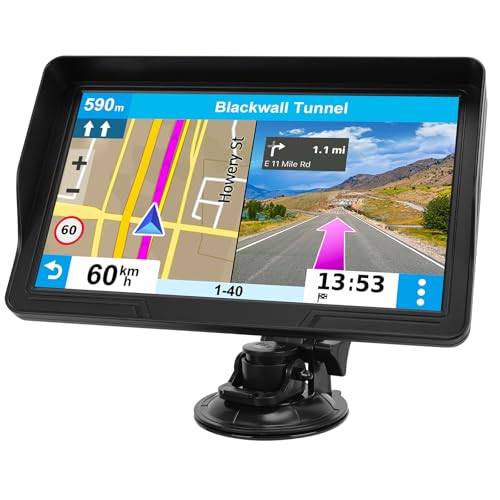
The HINYFVOZ 9-Inch GPS is unapologetically large. A nine-inch HD touchscreen gives the map a wide field of view and makes menu selection easier for drivers who dislike small on-screen controls. It is the largest navigator here, so the benefit is obvious in a truck, RV, or roomy vehicle. In a compact car, the same size could become a placement problem.
The unit lists 2026 North America maps with lifetime update service. Voice turn-by-turn guidance handles the basic job, while speed-limit reminders, red-light camera warnings, and school-zone alerts provide extra road context. Search supports addresses, ZIP codes, and points of interest, giving drivers several ways to enter a destination without depending on a phone.
Its more important distinction is custom vehicle routing. Drivers can enter vehicle dimensions and plan around low bridges, weight restrictions, and narrow passages. That puts it closer to the LMCOWRE 7-Inch Truck GPS than to the Garmin DriveSmart family. The HINYFVOZ adds the largest screen, while the LMCOWRE provides more route-selection labels, including Fastest, Shortest, Eco-Friendly, and Easiest.
An FM transmitter can send the spoken guidance through the car's audio system. The supplied information is clear that this is a transmission function, not a standalone FM radio. That distinction matters if you expect the device to replace an audio source. It can make voice prompts easier to hear, but it adds another setup step and depends on finding a usable frequency.
The HINYFVOZ gives up Garmin's broader ecosystem. It does not list Garmin voice assist, a national parks directory, Tripadvisor traveler ratings, or smartphone-based live traffic and weather. It is the better choice when screen size and truck-style restrictions are the priorities. Skip it if your dashboard is small or if destination discovery and connected travel information matter more than the map itself.
7. LMCOWRE 7-Inch Navigator: Best Route-Format Choice
Pros
- Seven-inch HD touchscreen
- Multiple vehicle and travel modes
- Four route choices
- Speed-limit and school-zone alerts
- FM audio transmission
Cons
- FM feature is not a radio tuner
- Vehicle-routing setup requires accurate dimensions
- Garmin models offer richer connected features
Best for: drivers who need a navigator that can switch among car, truck, RV, bicycle, and pedestrian routing.
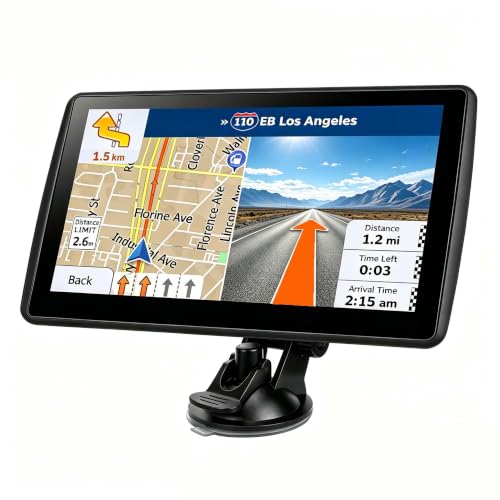
The LMCOWRE 7-Inch Navigator is a flexible alternative to the more truck-focused LMCOWRE model above. Its seven-inch HD touchscreen keeps the map easy to see, while the software supports car, truck, bus, RV, bicycle, and pedestrian modes. That range is unusual in this group and makes the unit useful for people whose navigation needs change from one trip to the next.
The device comes with 2026 North America maps and supports lifetime updates according to its listed features. Smart voice alerts provide turn-by-turn guidance along with speed-limit and school-zone warnings. The map can show current speed, remaining distance, and other trip information, while destination search accepts an address, postal code, coordinates, or point of interest.
Route selection is more configurable than the straightforward Garmin Drive 53. You can choose Fastest, Shortest, Most Economical, or Simplest routes. In Truck or RV mode, the navigator can avoid low bridges, weight-restricted roads, and narrow lanes. That feature is only as useful as the vehicle information entered, so owners should take the time to provide accurate dimensions rather than treating the profile as a set-and-forget option.
The FM transmitter sends prompts to the car's speakers and can help when the cabin is loud. It does not function as an FM radio tuner. The device therefore works best when the driver wants a dedicated map and audible instructions, not when they expect a complete connected infotainment replacement.
Compared with the HINYFVOZ 9-Inch GPS, this LMCOWRE is easier to place because its screen is smaller and its travel modes are broader. The HINYFVOZ wins for maximum map area and lists red-light camera warnings, while this unit gives you more route categories. Garmin's DriveSmart 66 is the safer pick for smartphone integration and polished points-of-interest information. Choose the LMCOWRE when vehicle and travel mode flexibility comes first.
8. Garmin Drive 53 Renewed: Best Renewed Compact Garmin
Pros
- Compact five-inch glass touchscreen
- Simple menus and easy-to-see maps
- Spoken landmark guidance
- North America map updates
- Useful school-zone and curve alerts
Cons
- Renewed condition is not the same as a new listing
- Smaller map than the DriveSmart models
- No listed live traffic or hands-free calling
Best for: drivers who want the compact Drive 53 format in a renewed listing.
The Garmin Drive 53 Renewed has the same fundamental appeal as the standard Drive 53: it keeps navigation focused, compact, and easy to understand. Its five-inch high-resolution glass capacitive touchscreen is a sensible size for a car with limited dashboard room. The supplied product information gives the unit the same compact dimensions as the other Drive 53 listing, so it should not be treated as a larger or more capable model.
Spoken turn-by-turn directions use Garmin Real Directions landmark guidance, which can make an instruction easier to follow than a bare street-name announcement. The device includes North America map updates and driver alerts for school zones, speed changes, and sharp curves. It also shows food, fuel, rest areas, upcoming cities, and route milestones during a trip.
Garmin's travel features remain useful on a small screen. The national parks directory helps find entrances, visitor centers, and landmarks, while Tripadvisor traveler ratings cover restaurants, hotels, and attractions. Those details give the navigator something to offer beyond the route itself, particularly on unfamiliar road trips.
The renewed listing is the central caveat. The supplied data identifies it as renewed, so anyone who wants the assurance of a new unit should choose the standard Garmin Drive 53 instead. Neither Drive 53 listing includes the connected feature emphasis of the DriveSmart 66, and neither gives the larger map area of the DriveSmart 76.
This is a sensible choice for a driver who wants Garmin's compact interface and is comfortable with a renewed product listing. It is not the right pick for someone who needs live traffic through a phone, hands-free calling, or a large display. If you are comparing Garmin models specifically, the differences between dedicated Garmin navigation features can help clarify whether the Drive family is enough for your trips.
9. Garmin DriveSmart 86 Renewed: Best Renewed Large Screen

Pros
- Eight-inch high-resolution display
- Dual-orientation viewing
- Voice assist and hands-free calling
- Wi-Fi map and software updates
- Live services through the Garmin Drive app
Cons
- Renewed listing requires comfort with renewed condition
- Large body needs careful mounting
- Smartphone pairing is needed for many live features
Best for: drivers who want a large Garmin display and are specifically considering a renewed unit.
The Garmin DriveSmart 86 Renewed is the large-screen counterpart to the renewed Drive 53. Its eight-inch display is built for quick reading from farther back, and the dual-orientation design lets it work in more than one screen position. That makes it appealing in larger vehicles where a five or six-inch display can feel visually cramped.
The supplied features include North America map updates, Garmin voice assist, hands-free calling with a compatible smartphone, and driver alerts for school zones, sharp curves, and speed changes. Pairing with the Garmin Drive app adds live traffic, fuel prices, weather, parking, and smart notifications. The device is therefore much more than a static map, provided the driver is comfortable keeping a compatible phone involved.
Road-trip tools include the HISTORY database of notable sites, the U.S. national parks directory, Tripadvisor traveler ratings, and Foursquare points of interest. Garmin Real Directions provides landmark-based spoken guidance. These extras distinguish the unit from the LMCOWRE and HINYFVOZ navigators, which focus more heavily on vehicle routing and basic voice prompts.
The key drawback is the renewed condition, not the navigation feature set. The standard Garmin DriveSmart 86 offers a comparable eight-inch dual-orientation concept in a new listing, while this version is for readers who are specifically comfortable selecting renewed hardware. The large physical footprint also deserves attention. An eight-inch screen can improve readability, but it should never be mounted where it blocks the driver's forward view.
Choose this model if you want the DriveSmart 86 experience and the renewed listing suits your buying preference. Choose the DriveSmart 76 for a less imposing seven-inch Garmin, or the DriveSmart 66 for a more balanced fit in an ordinary car. Drivers who need truck restrictions should look elsewhere, since this Garmin's supplied features do not list custom vehicle-dimension routing.
10. Tracki Pro: Best Vehicle Tracker

Pros
- Tracks vehicles and other assets
- 10, 000mAh battery
- Two to seven months of active battery life listed
- 4G LTE with a built-in global SIM
- Movement, speed, geofence, and impact alerts
Cons
- Subscription is required
- It is not a turn-by-turn car navigator
- Large 18-ounce vehicle-ready form factor
Best for: owners who need to locate a car, trailer, fleet vehicle, or other authorized asset.
The Tracki Pro belongs on this list only with an important distinction: it tracks a vehicle, but it does not provide a dashboard map or spoken turn-by-turn directions. If your problem is finding a vehicle, monitoring an authorized fleet asset, or receiving movement alerts, it is the relevant product here. If you need directions to a destination, choose one of the nine navigators above.
Its 10, 000mAh battery is designed for extended placement rather than daily charging. The listed battery life is two to seven months with active tracking at one to five-minute updates, or up to 12 months in sleep mode. The actual result will depend on how the unit is configured, but the design clearly prioritizes long unattended operation over a small pocket-sized form.
The Tracki Pro connects through 4G LTE Cat1 using a built-in global SIM. A subscription is required after activation, and the service provides app access, real-time location updates, and alerts. The product lists speed, geofence, movement, idle-time, impact, and battery alerts through SMS, email, and app notifications. Fleet operators can use more frequent updates, listed at 15 seconds to one minute, when their monitoring needs require it.
The hardware is made for vehicles and assets. It measures 3.54 by 2.48 by 1.46 inches and weighs 18 ounces, or 263 grams, according to the supplied information. A strong magnet and included screw mount support flexible placement, while the weatherproof design is intended for cars, trailers, trucks, RVs, boats, equipment, and motorcycles. Outdoor GPS accuracy is listed at 5 to 10 meters, with Wi-Fi fallback indoors.
The size and subscription requirement are genuine limitations. This is not a discreet little navigator that slips behind a windshield, and it should be used only for vehicles and assets you are authorized to monitor. For a device that actively guides a driver, it cannot replace the Garmin Drive 53 or DriveSmart 66. For tracking a parked car or a trailer over long periods, it is the only product here built for that job. Our separate guide to keeping track of a vehicle when it is away from home covers that use case in more detail.

How to choose best gps for car
A dedicated navigator is only useful when its screen, route data, and mounting position fit the way you drive.
Screen size and readability
A five-inch display, such as the one on the Garmin Drive 53, takes up little room and keeps the dashboard tidy. A six-inch model such as the DriveSmart 66 gives the map more space without becoming dominant. Seven-, eight-, and nine-inch screens are easier to read at a glance, but they require more careful placement.
High resolution helps road lines and labels stay distinct, especially when many roads are visible at once. A large screen is not automatically better if it blocks part of the windshield or sits too close to the driver. Measure the available mounting area before choosing the HINYFVOZ 9-Inch GPS or either DriveSmart 86.
Map updates and offline navigation
The Garmin models in this roundup include North America map updates, while the LMCOWRE and HINYFVOZ units list 2026 North America maps and lifetime update services. Current map data matters when roads, exits, and points of interest change. It also reduces the chance that a dedicated navigator is routing from stale information.
A standalone unit is most useful when it can continue displaying its stored maps without relying on mobile data. Connected Garmin features add live traffic and weather, but the core navigation role remains separate from the phone connection.
A larger map is helpful, but accurate vehicle restrictions matter more than screen size when you drive an RV or tall truck.
Vehicle-specific routing
Standard car routing is enough for most sedans and crossovers. Truck and RV drivers should look for a system that accepts vehicle height, width, and weight, then uses those details to avoid low bridges, narrow roads, and weight restrictions. The LMCOWRE 7-Inch Truck GPS, LMCOWRE 7-Inch Navigator, and HINYFVOZ 9-Inch GPS list this capability.
The Garmin DriveSmart models do not list custom truck routing in the supplied information. Their strengths are connected services, road-trip directories, and polished driver guidance. Do not choose a Garmin large-screen model simply because it looks suitable for an RV.
Voice guidance and alerts
Spoken instructions reduce the need to look down at the display. Garmin Real Directions adds landmarks to some announcements, while the LMCOWRE and HINYFVOZ products list turn, lane, speed, and school-zone guidance. Speed and red-light camera alerts appear on the HINYFVOZ unit, while the LMCOWRE models list speed-related and school-zone alerts.
Treat alerts as prompts for attention, not permission to stop watching the road. Clear audio also matters in a noisy vehicle. The LMCOWRE and HINYFVOZ units include FM transmitters, which can send navigation audio through the car's speakers. They are audio transmitters, not FM radio tuners.
Smartphone and connected features
The DriveSmart 66, DriveSmart 76, and DriveSmart 86 models can pair with a compatible smartphone for live traffic, weather, parking, fuel prices, and smart notifications through the Garmin Drive app. They also support hands-free calling, and the DriveSmart models list Garmin voice assist. Alexa Built-in appears on the DriveSmart 66, 76, and 86 listings.
The Garmin Drive 53 is simpler and has no listed live-service feature set. That can be an advantage for drivers who want fewer dependencies. Decide whether your ideal navigator is a focused map device or a connected travel companion before prioritizing the screen.
Navigation versus vehicle tracking
A GPS navigator plans and announces a route to a destination. A tracker reports the location of a vehicle or asset through an app and alerts you when it moves or enters a defined area. The Tracki Pro is designed for the second job and requires a subscription.
The two categories should not be confused. If you are trying to follow a route, choose a navigator with a visible screen and voice prompts. If you need to locate a parked car, trailer, or fleet vehicle over time, consider a tracker and review the service requirements before installation.

Frequently asked questions
Do dedicated car GPS units work without a phone?
The Garmin Drive 53 is designed around stored North America maps and spoken navigation, so its core route guidance does not require the connected features of a phone. The DriveSmart models also have core map navigation, but live traffic, weather, parking, and notifications require pairing with a compatible smartphone and the Garmin Drive app. The LMCOWRE and HINYFVOZ units list built-in map data and voice guidance.
Which GPS is best for an RV or truck?
The LMCOWRE 7-Inch Truck GPS, LMCOWRE 7-Inch Navigator, and HINYFVOZ 9-Inch GPS list custom routing based on vehicle dimensions. They can account for restrictions such as low bridges, narrow passages, and weight-limited roads. The Garmin models in this roundup do not list that vehicle-dimension routing, so they are better suited to ordinary car navigation.
Is a five-inch screen large enough for car navigation?
A five-inch screen can be sufficient when the unit is mounted close to the driver and the interface uses clear map graphics. The Garmin Drive 53 uses a high-resolution glass touchscreen and simple menus, which helps it make good use of its compact size. Drivers who sit farther from the dashboard or want a wider view should consider a six-inch or larger display.
Do these GPS units include map updates?
The Garmin navigators list North America map updates. The HINYFVOZ 9-Inch GPS and both LMCOWRE models list 2026 North America maps and lifetime update services. Check the individual listing for the specific update process and region before relying on the device for an extended trip.
Can a GPS send directions through my car speakers?
The HINYFVOZ 9-Inch GPS and both LMCOWRE models list built-in FM transmitters that send voice guidance through the car's audio system. The supplied information says the feature transmits audio only and is not a standalone FM radio. Garmin's DriveSmart models can provide connected audio and calling features through a compatible phone.
What is the difference between a GPS navigator and a vehicle tracker?
A navigator gives visible maps and turn-by-turn directions to help you reach a destination. A vehicle tracker, such as the Tracki Pro, reports a vehicle's location and can send movement, speed, geofence, impact, and battery alerts. The Tracki Pro requires a subscription and cannot replace a dashboard navigation unit.
Is the renewed Garmin model the same as the new one?
The renewed Garmin Drive 53 and renewed Garmin DriveSmart 86 list the same core screen sizes and major navigation features as their corresponding standard listings. The meaningful distinction is the renewed condition. Choose the standard listing if you specifically want a new product, and choose the renewed listing only if that condition suits your preferences.

The bottom line
The Garmin DriveSmart 66 is our top pick among the Best GPS for Car options because it has the most balanced mix of screen size, easy guidance, map updates, smartphone-connected services, and useful road-trip information. The Garmin Drive 53 is the better fit for drivers who want a smaller, simpler navigator without making live connected features central to the experience.
For truck and RV drivers, the LMCOWRE 7-Inch Truck GPS and HINYFVOZ 9-Inch GPS deserve attention because they list custom vehicle routing. The Tracki Pro is a separate kind of tool for tracking a vehicle or asset, not for navigating a driver.
If you are undecided, choose the DriveSmart 66 for a normal car, a vehicle-routing model for an RV or truck, and the Tracki Pro only when location monitoring is the actual goal.
As an Amazon Associate we earn from qualifying purchases.