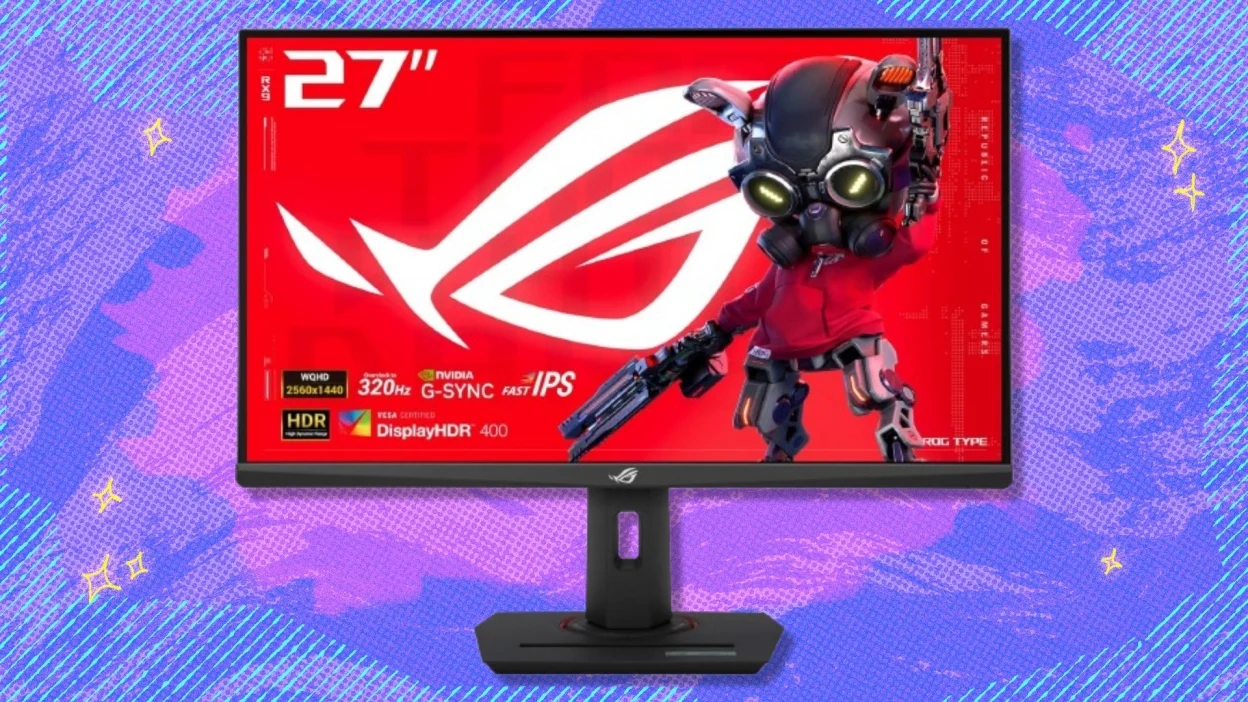

A high-refresh 1440p monitor has to do more than show a sharp picture. It needs to keep motion clean when frame rates climb, avoid distracting blur in dark scenes, and fit the way you actually play. The Best 1440p gaming monitor for a competitive player is not necessarily the right screen for someone who wants a huge curved display for slower games.
We compared ten QHD gaming monitors spanning fast IPS, curved panels, OLED, and QD-OLED. The ASUS ROG XG27ACDNG is the strongest pick for serious gaming, while the AOC Q27G41ZE makes the most sense for high-refresh IPS gaming. The list also includes a 32-inch curved Samsung, two OLED options, and compact alternatives for smaller desks.
Comparison table
| # | Product | Award | Panel | Refresh rate | Response time | Best for |
|---|---|---|---|---|---|---|
| 1 | ASUS ROG XG27ACDNG | Best overall | QD-OLED | 360Hz | 0.03ms | Competitive players who want OLED contrast |
| 2 | AOC Q27G41ZE | Best fast IPS | IPS | 240Hz, up to 260Hz | 0.3ms MPRT | Fast multiplayer games |
| 3 | Acer Nitro XV272U | Best adjustable stand | IPS | 240Hz via DisplayPort | Up to 0.5ms GtG | Players who need desk flexibility |
| 4 | ASUS TUF VG27AQ3A | Best motion controls | Fast IPS | 180Hz | 1ms | Mixed gaming and everyday use |
| 5 | ASUS ROG XG27AQDMG | Best glossy OLED | WOLED | 240Hz | 0.03ms | Vivid single-player gaming |
| 6 | ASUS TUF VG27AQM5A | Best high-refresh TUF | Fast IPS | 300Hz | 0.3ms GtG | Esports players using LCD |
| 7 | Samsung Odyssey G5 32-inch | Best curved screen | VA curved | 165Hz | 1ms MPRT | Immersive wide-view gaming |
| 8 | INNOCN 25G2S | Best compact option | Fast IPS | 240Hz via DisplayPort | 1ms | Small desks and FPS gaming |
| 9 | Acer Nitro KG271U | Best color-focused LCD | IPS | 180Hz | Up to 0.5ms GtG | Gaming and creative work |
| 10 | Samsung Odyssey G5 27-inch | Best ergonomic Samsung | Panel type not specified | 180Hz | 1ms | Adjustable desk setups |
1. ASUS ROG XG27ACDNG: Best Overall

Pros
- QD-OLED contrast with 360Hz motion
- 0.03ms response time
- 99% DCI-P3 coverage and true 10-bit color
- Custom heatsink and OLED Care+ features
- Three-year warranty with burn-in coverage
Cons
- OLED care still requires some attention
- QHD resolution is not the sharpest option for desktop work
- Heavier than the conventional IPS models here
Best for: competitive players who want exceptionally fast motion without giving up OLED contrast.
The ASUS ROG XG27ACDNG is the screen we'd choose when gaming performance comes first but image quality still matters. Its 26.5-inch QD-OLED panel combines deep blacks with the fluidity of a 360Hz refresh rate. That makes fast camera movement look unusually clear, while dark scenes retain the separation that ordinary LCD panels often lose.
The 2560 by 1440 resolution is a sensible match for the refresh rate. It gives a sharper image than 1080p without asking a graphics card to push the extreme workload of 4K at 360Hz. The advertised 0.03ms response time is also a strong fit for games where quick transitions matter. The panel supports true 10-bit color, 99% DCI-P3 coverage, and VESA DisplayHDR 400 True Black, so it is not limited to flat-looking esports scenes.
ASUS has put real thought into OLED ownership. The custom heatsink and airflow design are intended to reduce heat, while OLED Care+ provides tools aimed at reducing burn-in risk. The three-year warranty includes burn-in coverage, which is a meaningful distinction from many conventional LCD warranties. DisplayWidget Center lets you reach the OLED care functions and monitor settings with a mouse instead of digging through the display controls.
Compared with the AOC Q27G41ZE and Acer Nitro XV272U, this ASUS has substantially stronger contrast and a faster refresh ceiling. Those IPS displays are easier choices for static desktop use, but they cannot produce the same black levels. The weakness is that OLED ownership still calls for sensible care around fixed interface elements, and the QHD desktop image is not as fine as a higher-resolution productivity panel. Choose it if you want the Best 1440p gaming monitor for high-level play and cinematic games in the same display.
2. AOC Q27G41ZE: Best Fast IPS

Pros
- 240Hz refresh rate with up to 260Hz overclocking
- 27-inch 2560 by 1440 IPS panel
- Adaptive-Sync support across AMD and NVIDIA graphics
- DisplayPort 1.4 and two HDMI 2.0 ports
- VESA mount support
Cons
- HDR is listed as ready rather than with a full HDR certification
- 260Hz operation depends on overclocking
- Stand adjustment is limited to tilt
Best for: PC players who want very high refresh without moving to OLED.
The AOC Q27G41ZE takes a direct approach. It is a 27-inch IPS monitor built around 240Hz gaming, with an overclocked mode that can reach 260Hz. That focus makes it a natural fit for competitive shooters and other games where a responsive view matters more than cinematic extras.
At 2560 by 1440, the pixel density works well at this screen size. Text and interface elements look more refined than they would on a similarly sized 1080p panel, while the 240Hz ceiling gives a compatible PC room to show very fluid motion. AOC lists a 0.3ms MPRT response time, though buyers should remember that response-time figures depend on the selected mode and the conditions around them.
Adaptive-Sync support is useful if your system does not maintain a perfectly fixed frame rate. It can coordinate the display and graphics card to reduce tearing and interruptions, and the listing says it works across AMD and NVIDIA GPUs. The 300-nit brightness and 1000:1 contrast ratio suit ordinary indoor gaming. Game Mode presets and Shadow Control add quick ways to tune the picture for different games.
The connections are practical rather than excessive: one DisplayPort 1.4, two HDMI 2.0 ports, and audio out. The main compromise is the stand, which offers tilt adjustment from minus 3 degrees to plus 21 degrees but does not provide the height, swivel, or pivot range found on the Acer Nitro XV272U. The ASUS TUF VG27AQM5A reaches 300Hz, but the AOC remains the more straightforward pick for someone who wants a fast, flexible IPS panel with broad sync support.
3. Acer Nitro XV272U: Best Adjustable Stand

Pros
- 240Hz refresh through DisplayPort
- Flexible height, swivel, tilt, and pivot adjustments
- DisplayHDR 400 support
- 99% sRGB coverage
- Built-in speakers
Cons
- HDMI input is limited to 144Hz
- The advertised fastest response figure is a maximum claim
- Speakers are only 2 watts per channel
Best for: players who want high refresh and a stand that adapts to a multi-use desk.
The Acer Nitro XV272U stands out because it treats monitor positioning as part of the experience. Its ergonomic stand tilts from minus 5 to 15 degrees, swivels 360 degrees, pivots 90 degrees in either direction, and provides 4.7 inches of height adjustment. That is far more useful than a basic tilt-only stand if the display doubles as a work screen.
The 27-inch IPS panel runs at 2560 by 1440, and Acer specifies 240Hz through DisplayPort. HDMI is limited to 144Hz, so the connection matters if you are chasing the maximum refresh rate. Acer lists a 1ms GtG response time with up to 0.5ms GtG, which points to a monitor aimed at keeping motion clean during quick play rather than simply emphasizing resolution.
DisplayHDR 400 support gives compatible content a defined HDR mode, while 99% sRGB coverage suits everyday games, browsing, and general color work. The two built-in speakers are rated at 2 watts per speaker. They are convenient for basic sound, but dedicated headphones or speakers remain the better route for detailed game audio.
The AOC Q27G41ZE offers a similar 240Hz idea with a simpler stand, while the Acer Nitro KG271U trades some speed for a 180Hz ceiling and DCI-P3 coverage. The XV272U is the better fit when desk ergonomics matter, especially in a setup that rotates between gaming and work. Its key weakness is that HDMI cannot provide the full refresh rate, so PC players should plan to use DisplayPort.
4. ASUS TUF VG27AQ3A: Best Motion Controls

Pros
- 180Hz refresh rate at QHD
- Fast IPS panel
- ELMB Sync works with variable refresh
- FreeSync Premium and G-SYNC compatibility
- Built-in speakers
Cons
- Lower refresh ceiling than the newer fast IPS picks
- The listing does not specify the stand adjustment range
- HDR support is limited to HDR10
Best for: players who want a balanced gaming display with strong motion-focused features.
The ASUS TUF VG27AQ3A is less about chasing the biggest refresh number and more about making variable frame rates look clean. Its 27-inch QHD Fast IPS panel reaches 180Hz, which is enough for smooth play across a broad range of games. It also includes ASUS ELMB Sync, allowing blur reduction and variable refresh to operate together.
That combination matters when a game moves between frame-rate ranges. A fixed refresh display can show tearing when the graphics card and monitor fall out of step, while a blur-reduction mode can be restrictive if it cannot coexist with adaptive sync. The VG27AQ3A is designed to avoid that choice. FreeSync Premium, G-SYNC compatibility, and AdaptiveSync support give it useful flexibility across different gaming PCs.
The panel runs at 2560 by 1440 and supports HDR10. QHD at 27 inches provides a crisp general-purpose image, while 180Hz gives fast games a smooth feel without turning the monitor into a narrowly specialized esports tool. The two built-in speakers are handy for system sounds or casual video, though they are not a substitute for a proper headset.
The AOC Q27G41ZE and Acer Nitro XV272U are better if your graphics card can consistently feed 240Hz, and the ASUS TUF VG27AQM5A goes further to 300Hz. The VG27AQ3A remains appealing when you want the particular flexibility of ELMB Sync and broad variable-refresh compatibility. Skip it if you are specifically buying for the highest possible competitive refresh rate.
5. ASUS ROG XG27AQDMG: Best Glossy OLED

Pros
- Glossy OLED panel with 240Hz refresh
- 0.03ms response time
- Custom heatsink and OLED care features
- Anti-flicker technology
- Three-year warranty with burn-in coverage
Cons
- Glossy finish can reflect bright rooms
- OLED care is still part of ownership
- No built-in speaker is listed
Best for: gamers who want rich OLED contrast and a glossy presentation.
The ASUS ROG XG27AQDMG is the OLED pick for players who care about a vivid, reflective-screen presentation. Its 26.5-inch QHD glossy WOLED panel pairs 240Hz with a listed 0.03ms response time. Fast movement should look exceptionally immediate, while OLED pixels can switch from bright to dark without the broad glow associated with many LCD panels.
ASUS lists third-generation WOLED technology, with brighter full-white windows, clearer text, and improved motion clarity. The 2560 by 1440 resolution is well matched to the panel size and refresh rate. For games with dark environments, the ability to show deep blacks is a bigger visual upgrade than another small increase in pixel count.
The custom heatsink and airflow design are intended to manage heat, and OLED Care functions are included to reduce burn-in risk. Anti-flicker technology is designed to reduce flicker during refresh-rate changes. The optional uniform-brightness setting can help keep luminance consistent across different content, although some users may prefer a brighter mode for HDR games.
The ASUS ROG XG27ACDNG is faster at 360Hz and uses QD-OLED technology, making it the more natural choice for extreme competitive play. The XG27AQDMG counters with a glossy WOLED image and a lower but still very fast 240Hz ceiling. Bright rooms are its main challenge because the glossy surface can reflect windows and lamps. Choose it for a controlled gaming room and skip it if reflections are likely to dominate the screen.
6. ASUS TUF VG27AQM5A: Best High-Refresh TUF

Pros
- 300Hz QHD refresh rate
- Fast IPS panel with 0.3ms GtG response time
- ELMB Sync for motion clarity
- Shadow Boost for dark scenes
- DisplayWidget Center controls
Cons
- LCD cannot match OLED black levels
- Speaker details are limited
- The stand feature set is not specified in the listing
Best for: competitive players who prefer a fast LCD panel over OLED.
The ASUS TUF VG27AQM5A is built around a 300Hz refresh rate, placing it just below the most extreme display in this group while keeping the familiar Fast IPS approach. A 27-inch 2560 by 1440 panel gives competitive games a sharp image without making the graphics workload as demanding as 4K.
Its 0.3ms GtG response-time specification and ELMB Sync feature target the two things fast players notice first: smearing during movement and tearing when frame rates fluctuate. ELMB Sync is particularly useful because it is designed to work with variable refresh rather than forcing a choice between the two. The display also supports Shadow Boost, which can brighten dark areas without simply washing out the brightest parts of the image.
DisplayWidget Center lets you adjust monitor settings with a mouse. That is more convenient than navigating an on-screen display with physical buttons, particularly when you switch between game profiles. ASUS lists 95% DCI-P3 coverage, giving the panel a wider color range than a basic sRGB-only display.
The AOC Q27G41ZE reaches 240Hz with an overclocked 260Hz mode, while the ASUS offers a higher 300Hz ceiling. The ROG XG27ACDNG remains superior for black levels and response behavior because it is OLED, but the VG27AQM5A avoids OLED-specific care concerns. Its weakness is the usual LCD trade-off: dark-room scenes will not have the same depth. It is the right monitor for a player who wants very high refresh and predictable IPS ownership.
7. Samsung Odyssey G5 32-inch: Best Curved Screen

Pros
- Large 32-inch QHD display
- Strong 1000R curve
- 165Hz refresh rate
- HDR10 support
- FreeSync and eye-care features
Cons
- Larger pixels than a 27-inch QHD screen
- Curvature is not ideal for every desk
- Stand adjustment details are limited
Best for: players who want a wraparound view for immersive games.
The Samsung Odyssey G5 32-inch takes a different route from the high-refresh 27-inch monitors. Its 32-inch screen and 1000R curve fill more of your peripheral vision, making racing games, exploration titles, and large environments feel more enveloping. The curve is pronounced, not a subtle bend that disappears once you sit down.
QHD resolution remains a sensible choice at this size, though the image is less dense than 2560 by 1440 on a 27-inch panel. Sit close and small text may look less refined than it does on the AOC Q27G41ZE or ASUS TUF VG27AQ3A. Sit at a comfortable distance, however, and the larger canvas is more engaging for games that benefit from scale.
The refresh rate reaches 165Hz, and Samsung lists a 1ms MPRT response time. AMD FreeSync helps synchronize the display and graphics card to reduce tearing. HDR10 adds support for compatible content, while Eye Saver Mode and reduced flicker are intended to make long sessions easier on the eyes.
This Samsung is not the pick for a player chasing 240Hz or 360Hz. The Samsung Odyssey G5 27-inch offers 180Hz and a height-adjustable stand, while the 32-inch model wins on size and curvature. Make sure your desk is deep enough and that you like a strong curve before choosing it. It suits someone who wants the Best 1440p gaming monitor for immersion rather than leaderboard-focused speed.
8. INNOCN 25G2S: Best Compact Option

Pros
- 24.5-inch QHD IPS panel
- 240Hz through DisplayPort 1.4
- HDMI 2.1 and DisplayPort 1.4
- G-SYNC compatibility
- Built-in speaker and VESA support
Cons
- Smaller image area than the 27-inch picks
- Stand adjustment is limited to tilt
- The listing gives different response-time wording across its details
Best for: FPS players who need high refresh on a compact desk.
The INNOCN 25G2S is unusually compact for a QHD high-refresh monitor. Its 24.5-inch size keeps the screen within a tighter field of view, which can be helpful for players who prefer to see the entire display without moving their eyes far. It is also a practical fit for a narrow desk or a setup where a second display sits beside it.
The IPS panel runs at 2560 by 1440 and reaches 240Hz through DisplayPort 1.4. The listing also says it supports 120Hz, 144Hz, 165Hz, 180Hz, and G-SYNC compatibility, giving it flexibility with different games and graphics hardware. Its 99% sRGB coverage keeps colors lively for general use as well as gaming.
Connectivity is a strong point. HDMI 2.1 and DisplayPort 1.4 cover current PCs, laptops, and consoles, and the monitor includes audio support and a built-in speaker. The frameless three-sided design keeps the screen visually light, while the 100 by 100mm VESA mount opens the door to an arm or wall mount. Tilt is the only stand adjustment specified.
The AOC Q27G41ZE provides more screen area at 27 inches, and the Acer Nitro XV272U offers a far more capable stand. The INNOCN answers with a smaller footprint and a 240Hz ceiling in a compact format. Its listed response details are not perfectly consistent, so competitive players should treat the advertised 1ms figure as a target rather than a guarantee across every mode. It is a good fit when desk space is the deciding factor.
9. Acer Nitro KG271U: Best Color-Focused LCD

Pros
- 27-inch QHD IPS panel
- 180Hz refresh rate
- Up to 0.5ms GtG response time
- 95% DCI-P3 coverage
- FreeSync support
Cons
- Lower refresh rate than the faster Acer model
- HDMI and DisplayPort specifications are older
- The listing does not mention a built-in speaker
Best for: users who want a gaming display with a wider color gamut for creative work.
The Acer Nitro KG271U is the more color-conscious Acer in this group. Its 27-inch IPS panel shows 2560 by 1440 and covers 95% of the DCI-P3 color space, which can give games, photos, and video a richer range than a display tuned only for basic desktop color.
Its 180Hz refresh rate is still a strong match for everyday gaming. Acer also lists up to 0.5ms GtG response time, with FreeSync handling synchronization between the monitor and an AMD graphics card. That combination should help reduce tearing and keep motion controlled when the frame rate moves around.
The zero-frame design gives the front a clean appearance, especially in a multi-monitor layout. Connections include one DisplayPort 1.2 and two HDMI 2.0 ports. Those are adequate for QHD gaming at the monitor's stated refresh range, though the newer DisplayPort 1.4 connection on the Acer Nitro XV272U gives that model more headroom for high-refresh PC use.
The KG271U is not as fast as the XV272U, AOC Q27G41ZE, or ASUS TUF VG27AQM5A. It makes up some of that ground with its DCI-P3 coverage and straightforward IPS image. The stand and speaker details are also less complete than on some rivals, so it is best for a simple desk setup. Pick it if color range matters almost as much as gaming motion.
10. Samsung Odyssey G5 27-inch: Best Ergonomic Samsung

Pros
- 27-inch QHD resolution
- 180Hz refresh rate
- Height-adjustable stand
- HDR10 support
- Black Equalizer and Virtual Aim Point features
Cons
- Panel type is not specified in the listing
- Lower refresh rate than the 240Hz and 300Hz options
- Connectivity details are not provided
Best for: players who want a Samsung display with more desk adjustment.
The Samsung Odyssey G5 27-inch is the practical counterpart to the larger curved G5. It keeps the QHD resolution and 1ms response-time claim but uses a 27-inch format that is easier to place on a normal desk. Its 180Hz refresh rate is a useful step above standard 144Hz gaming displays without pushing the monitor into the extreme-refresh category.
Samsung includes an ergonomic stand with tilt, pivot, and height adjustment. That matters more than it may sound. A screen that sits at the correct height can reduce neck strain, and pivot adjustment can help when the monitor also handles documents or chat windows. The listing does not identify the panel type, so buyers should not assume it has the same curve or panel behavior as the 32-inch Odyssey G5.
HDR10 supports compatible games and video, while AMD FreeSync is intended to reduce tearing and stutter. Black Equalizer can lift detail in dark game areas, which may help reveal opponents or objects in shadow. Virtual Aim Point adds an on-screen crosshair option, and Auto Source Switch+ can detect an active input and change sources automatically.
The larger Samsung Odyssey G5 32-inch has the stronger 1000R immersion, while the AOC Q27G41ZE offers a much higher refresh ceiling and an explicitly identified IPS panel. The 27-inch G5 earns its place through the adjustable stand and gaming extras. Its main limitation is incomplete panel and port information, so it is for buyers who value Samsung's ergonomic features more than detailed connectivity specifications.

How to choose best 1440p gaming monitor
The right screen depends on the games you play, the graphics card driving it, and how much of your desk it needs to occupy.
Panel type
IPS panels such as those in the AOC Q27G41ZE and Acer Nitro XV272U generally provide wide viewing angles and a balanced image for gaming and work. OLED models such as the ASUS ROG XG27ACDNG and ASUS ROG XG27AQDMG produce much deeper blacks and extremely fast pixel transitions, but they require more care around static content. Curved VA-style designs, such as the Samsung Odyssey G5 32-inch, emphasize immersion and contrast rather than maximum competitive speed.
Refresh rate
Refresh rate determines how often the display can update the image. A 165Hz or 180Hz monitor is already much smoother than a conventional 60Hz screen, while 240Hz, 300Hz, and 360Hz models benefit players with powerful graphics cards and games that can generate high frame rates. Do not choose a 360Hz display simply because the number is larger if your system rarely reaches the range where it matters.
For competitive games, a high refresh rate matters only when the PC can consistently feed it clean frames.
Response behavior
Response-time claims need context. A monitor may list MPRT, GtG, or a fastest available mode, and those measurements are not interchangeable. Look for a display with adaptive sync and a sensible overdrive implementation, then avoid assuming that the smallest printed number guarantees perfect motion in every setting.
Adaptive sync
FreeSync, G-SYNC compatibility, and AdaptiveSync help the monitor follow changing frame rates. This reduces tearing when the graphics card cannot maintain a fixed refresh rate. The AOC Q27G41ZE supports sync across AMD and NVIDIA hardware, while Samsung's G5 models list AMD FreeSync. Check which connection supports the advertised refresh rate before setting up the display.
Resolution and screen size
QHD means 2560 by 1440 in this group. At 27 inches, it offers a sharp balance between image detail and graphics demand. A 24.5-inch screen such as the INNOCN 25G2S looks denser and takes less desk space, while the 32-inch Samsung offers a larger, more immersive view but makes each pixel slightly larger.
Ports and stand
DisplayPort is often the route to the highest refresh rate. The Acer Nitro XV272U reaches 240Hz through DisplayPort but is limited to 144Hz over HDMI, while the INNOCN 25G2S lists HDMI 2.1 and DisplayPort 1.4. Stand adjustment also has a practical effect on comfort. Height, pivot, and swivel are more useful for a shared work and gaming desk than tilt alone. If a second screen is part of the plan, how much desk depth a multi-screen setup needs is worth considering before choosing a large curved model.
HDR and color
HDR10 support alone does not tell you how dramatic HDR will look. OLED models have an advantage in black levels, while certified DisplayHDR features provide more useful context on compatible screens. Wide gamut figures such as 99% DCI-P3 or 95% DCI-P3 can make color richer, but accurate results still depend on the monitor mode and the content.

Frequently asked questions
Is 1440p good for gaming?
Yes. QHD resolution gives a sharper image than 1080p while demanding less graphics power than 4K. It is especially well matched to 27-inch screens and high refresh rates.
Is 240Hz worth choosing over 180Hz?
It can be, particularly for competitive games and a graphics card that can produce high frame rates. For slower single-player games, the difference between 180Hz and 240Hz is less important than panel contrast, HDR behavior, stand adjustment, or screen size.
Should I choose OLED or IPS for gaming?
OLED offers deeper blacks and very fast pixel transitions, making it excellent for dark games and rapid motion. IPS is easier to use for long periods of static desktop work and avoids the burn-in management that comes with OLED. Your room lighting and daily desktop habits should influence the decision.
Can a 1440p monitor work with a game console?
It can, but connection support varies by model. The INNOCN 25G2S lists HDMI 2.1 and support for gaming consoles, while the other displays have different HDMI specifications. Check the console's supported refresh modes and the monitor's input limits before buying.
What screen size is best for 1440p?
Twenty-seven inches is the most balanced size for many desks because it keeps QHD text and game detail fairly dense. A 24.5-inch model is easier to fit into a small setup, while a 32-inch curved display gives a more expansive view at the cost of lower pixel density.
Do I need DisplayPort for high refresh gaming?
Not always, but it is common. The Acer Nitro XV272U reaches 240Hz through DisplayPort and 144Hz through HDMI, while the INNOCN 25G2S lists 240Hz through DisplayPort. Always check the port-specific refresh limits rather than relying only on the headline specification.
The bottom line
The ASUS ROG XG27ACDNG is the Best 1440p gaming monitor in this group for players who want the fastest combination of QD-OLED contrast, 360Hz motion, and strong HDR color. The AOC Q27G41ZE is the more sensible fast-IPS alternative, with 240Hz, an overclocked 260Hz mode, adaptive sync, and a familiar 27-inch QHD format.
Choose the Samsung Odyssey G5 32-inch when a pronounced curve and larger image matter more than competitive refresh, or the Acer Nitro XV272U when stand flexibility is central to the setup. The ASUS ROG XG27AQDMG is the OLED choice for a glossy, cinematic presentation, while the INNOCN 25G2S makes the strongest case for a compact desk.
If you are undecided, choose a 27-inch 240Hz IPS model for broad compatibility, or step up to the ASUS ROG XG27ACDNG when OLED contrast and extreme refresh are the priority.
As an Amazon Associate we earn from qualifying purchases.