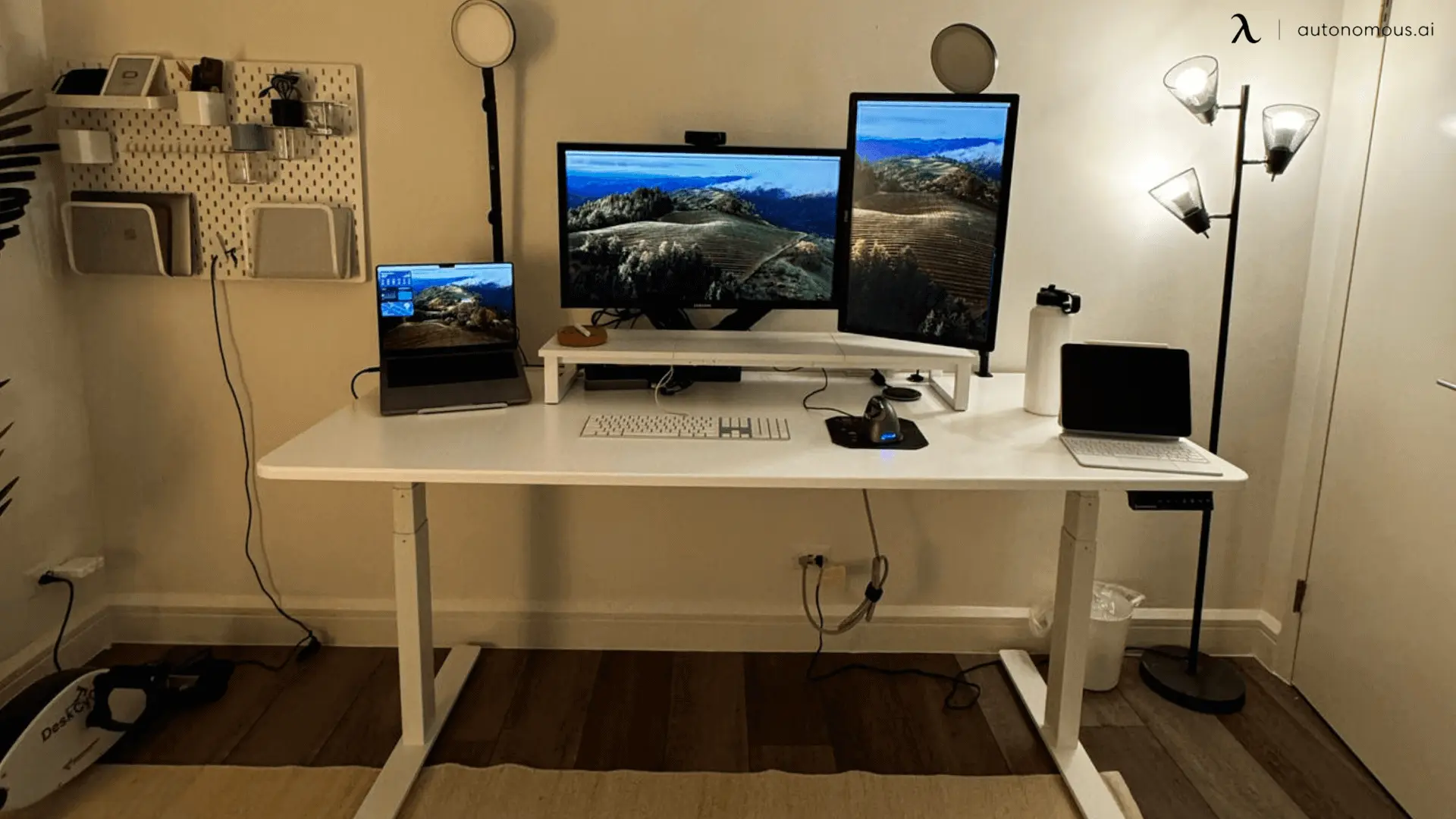

A small desk can make monitor shopping surprisingly difficult. A 24-inch screen needs enough sharpness for text, enough motion handling for games, and a stand that does not force your neck into an awkward position. Many models look interchangeable until you compare their panel types, adjustment options, and inputs.
The Best 24 inch monitor picks below cover office work, casual gaming, streaming, and more demanding play. The Dell SE2426H is our top choice, while the other nine make stronger cases for speakers, extra adjustment, eye comfort, color, or a simpler desk setup.
Comparison
| # | Product | Award | Panel | Refresh | Stand | Best for |
|---|---|---|---|---|---|---|
| 1 | Dell SE2426H | Best overall | IPS | 144Hz | Tilt | Fast, comfortable everyday use |
| 2 | Dell S2425HSM | Best adjustable | Not specified | 144Hz | Height, tilt, pivot, swivel | Flexible home offices |
| 3 | LG 24G411A-B | Best for gaming | IPS | 120Hz, 144Hz overclocked | Tilt | PC gaming |
| 4 | Philips 24E2N2100 | Best IPS productivity pick | IPS | 120Hz | Not specified | Work and general use |
| 5 | Philips 241V8LB | Best contrast | VA | 100Hz | Not specified | Documents and video |
| 6 | Samsung S30GD | Best slim design | IPS | 100Hz | Tilt | Clean, compact setups |
| 7 | LG 24U411A-B | Best for reading | IPS | 120Hz | Tilt | Long document sessions |
| 8 | Sceptre E248W-19203R | Best connectivity | Not specified | Up to 100Hz | Not specified | Older and newer devices |
| 9 | Amazon Basics 100Hz Monitor | Best simple setup | IPS | Up to 100Hz | Not specified | Straightforward office use |
| 10 | Amazon Basics IPS Monitor | Best input selection | IPS | 75Hz | Tilt | Mixed office connections |
1. Dell SE2426H: Best Overall

Pros
- IPS panel with consistent viewing angles
- 144Hz refresh rate and 1ms MPRT
- Two HDMI inputs
- TÜV Rheinland three-star eye comfort certification
- Thin bezels
Cons
- Tilt adjustment only
- No built-in speakers listed
- Full HD is less spacious than a higher-resolution display
Best for: anyone who wants one 24-inch monitor for work, games, and streaming.
The Dell SE2426H gets the balance right. It does not try to be a specialist display, but it has the features that make a monitor pleasant to use every day. Text and interface elements stay clear at Full HD resolution, while the IPS panel keeps colors and brightness more consistent when you shift in your chair or share the screen with someone beside you.
Its 144Hz refresh rate is the main reason it stands above the ordinary office models here. Scrolling through long pages feels more fluid, and supported games can show smoother motion than a basic 60Hz screen. Dell also lists a 1ms Moving Picture Response Time, AMD FreeSync, and a 178-degree by 178-degree viewing angle. Those features make this a more capable all-purpose screen than the Philips 241V8LB, even though the Philips uses a VA panel for stronger stated contrast.
The SE2426H is also a sensible choice for a two-device setup. It has two HDMI inputs, so a desktop and another source can remain connected without constantly swapping cables. The thin bezels help when placing two displays side by side. Dell's TÜV Rheinland three-star eye comfort certification is another useful detail for people who spend a workday in front of the screen.
There is a limit to the simple design. The stand only tilts, so you cannot raise the panel or rotate it into portrait orientation. The Dell S2425HSM is much better if desk ergonomics matter, and the LG 24G411A-B is the more focused gaming choice because it adds DisplayPort, HDR10, and gaming controls. Skip the SE2426H if you need built-in audio or a height-adjustable stand.
For most buyers, though, those compromises are easy to understand. The Dell SE2426H is the Best 24 inch monitor for a mixed desk where smooth motion, wide viewing angles, and sensible connectivity matter more than specialized extras.
2. Dell S2425HSM: Best Adjustable

Pros
- Height, tilt, pivot, and swivel adjustments
- 144Hz refresh rate
- 1ms MPRT
- Integrated dual 3W speakers
- 1500:1 contrast ratio
Cons
- Larger and heavier than simpler 24-inch displays
- HDMI connectivity is the listed video connection
- No IPS panel specification listed
Best for: a home office that needs a genuinely flexible stand and built-in sound.
The S2425HSM is the monitor to buy when the stand is not an afterthought. Its height, tilt, pivot, and swivel adjustments give you far more control than the tilt-only Dell SE2426H, Samsung S30GD, or LG 24U411A-B. That matters in a shared workspace, at a standing desk, or anywhere the screen has to move between different users.
The image specification is strong for an everyday display. Full HD resolution keeps the 23.8-inch screen easy to drive, and the 144Hz refresh rate makes cursor movement, scrolling, and compatible games look fluid. Dell lists a 1ms Moving Picture Response Time and AMD FreeSync, giving this display a faster feel than conventional office monitors. A stated 1500:1 contrast ratio should also help darker scenes look more separated than they do on many basic IPS screens.
The built-in audio is a practical advantage. Dual 3W speakers mean you can handle a video call, short clip, or system alert without adding speakers to an already crowded desk. They will not replace a dedicated audio setup, but they remove one more box and cable. Dell also highlights a four-star TÜV-certified display designed to reduce harmful blue light emissions while preserving color quality.
The compromises are mostly about specialization. The product information does not identify an IPS panel, while several competitors here do. The screen is also heavier than the other Dell, and its listed dimensions reflect a more substantial stand. If color consistency from wide angles is your priority, the Dell SE2426H or Samsung S30GD is the safer fit. If competitive gaming is the main purpose, the LG 24G411A-B has more gaming-specific features.
The S2425HSM earns its place because it solves a problem the other picks often ignore: getting the screen into the right position. It is the Best 24 inch monitor for an adjustable desk setup, especially when built-in speakers are useful.
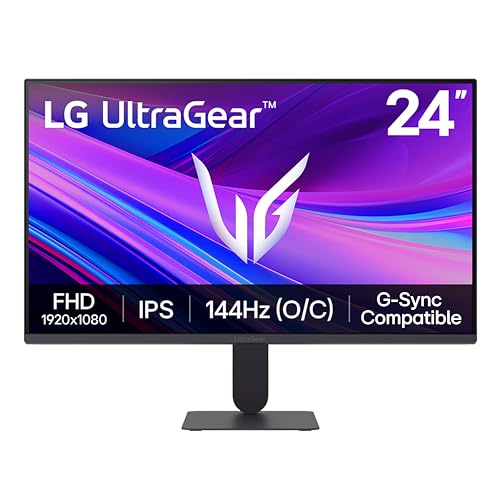
3. LG 24G411A-B: Best for Gaming
Pros
- 120Hz native refresh rate with 144Hz overclocking
- 1ms Motion Blur Reduction
- G-SYNC Compatible and AMD FreeSync
- HDR10 and up to 99% sRGB coverage
- HDMI and DisplayPort
Cons
- Tilt-only stand
- 144Hz requires overclocking
- Gaming features are less useful for a basic office desk
Best for: PC gamers who want adaptive sync and fast motion on a compact display.
The LG 24G411A-B is built around motion. Its 120Hz native refresh rate makes it smoother than a standard office screen, and LG allows the panel to reach 144Hz through overclocking. That gives fast games a more responsive presentation, though the native and overclocked figures should not be confused. The 144Hz mode is not the default operating speed.
LG adds 1ms Motion Blur Reduction, Dynamic Action Sync, and compatibility with both NVIDIA G-SYNC and AMD FreeSync. Together, those features target the problems gamers notice most: tearing, sluggish-looking movement, and blur during fast camera pans. The monitor also includes a Black Stabilizer mode for making dark scenes easier to read and a Crosshair feature for supported first-person shooter play.
The IPS panel gives the screen a wider-angle image than a typical narrow-view office display. LG lists HDR10 support and up to 99 percent sRGB coverage, which gives games and video more color range than the most basic displays in this group. HDMI and DisplayPort provide a better connection spread for a gaming desktop than the HDMI-only listing on the LG 24U411A-B.
The stand is the weak point. It only tilts, so it cannot match the four-way adjustment of the Dell S2425HSM. HDR10 is also support rather than a promise of high-end HDR performance, and Full HD at 24 inches is better suited to a fast, accessible gaming setup than to a large workspace for detailed creative work. Office users who rarely play games should choose the Philips 24E2N2100 or Samsung S30GD instead.
For the right buyer, the 24G411A-B is more purposeful than the Best 24 inch monitor picks aimed at office work. It makes sense for someone who wants a compact gaming screen first and a general-purpose monitor second.
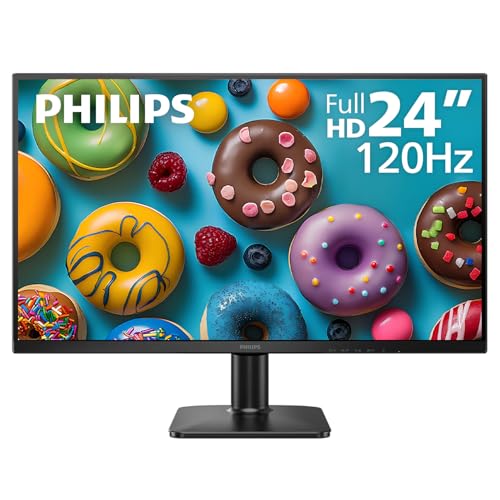
4. Philips 24E2N2100: Best IPS Productivity Pick
Pros
- IPS panel with Full HD resolution
- 120Hz refresh rate
- HDMI and VGA inputs
- Three-sided frameless design
- LowBlue Mode and flicker-free technology
Cons
- Stand adjustment details are limited
- No built-in speakers listed
- VA alternatives offer stronger stated contrast
Best for: work, browsing, streaming, and casual gaming from a modern or legacy computer.
The Philips 24E2N2100 is a straightforward productivity screen with unusually smooth motion for its class. Its 120Hz refresh rate makes window movement and scrolling feel more composed than on a basic 60Hz monitor, without turning the display into a narrowly focused gaming product.
The 23.8-inch Full HD IPS panel is the core of the design. A 1920 by 1080 image gives text and web pages a sensible amount of room at this screen size, while IPS technology helps colors remain consistent when viewed from the side. That is useful for a desk where the monitor is not always viewed straight on. The three-sided frameless design also makes this model a natural candidate for a side-by-side arrangement.
Connectivity is practical rather than extensive. HDMI handles newer computers and media devices, while VGA keeps older hardware usable. Philips includes LowBlue Mode and flicker-free technology for long work sessions. Those features do not remove every cause of eye fatigue, but they give you useful display controls when reading documents or spending hours in a browser.
The main missing details concern the physical setup. The supplied data does not specify height, pivot, swivel, or tilt adjustment, so buyers who need precise positioning should consider the Dell S2425HSM. The Philips also lists no speakers, which makes it less self-contained than that Dell or the Sceptre E248W-19203R.
The 24E2N2100 is a clean middle ground. It is more fluid than a conventional office monitor, more flexible with older computers than the LG gaming display, and easier to recommend for general work than a gaming-first screen. It is one of the Best 24 inch monitor options for someone who wants an IPS image and 120Hz motion without adding unnecessary complexity.
5. Philips 241V8LB: Best Contrast

Pros
- VA panel with brighter whites and deeper blacks
- 100Hz refresh rate
- 178-degree by 178-degree viewing angle
- EasyRead mode
- Three-sided near-frameless design
Cons
- VA panel is less consistent than IPS for some viewing angles
- No speakers listed
- Adjustment and input details are limited
Best for: documents, video, and users who prefer stronger dark-scene contrast.
The Philips 241V8LB takes a different approach from most of this list. Instead of using an IPS panel, it uses VA technology, which Philips says produces brighter whites and deeper blacks. That makes a visible difference in films, dark game scenes, and documents with strong black text, where the image can feel more substantial than a flat-looking basic display.
The screen is 23.8 inches with a Full HD 1920 by 1080 resolution and a 100Hz refresh rate. That combination is comfortable for ordinary work and smoother than a traditional 60Hz display. Philips also lists 16.7 million colors and a 178-degree by 178-degree viewing angle, so the image is not restricted to a narrow straight-on position despite the VA panel.
EasyRead mode is the feature office users will appreciate most. It is intended to give lengthy documents a more paper-like appearance, making it easier to switch from colorful media to dense text. The nearly frameless three-sided design helps the usable screen area feel larger and works well in a multi-monitor layout.
The VA panel remains the reason to choose and avoid this model. Its contrast advantage is appealing for video, but IPS displays such as the Dell SE2426H, Samsung S30GD, and Philips 24E2N2100 are safer choices when consistent color across wide angles matters. The available product details also do not identify the adjustment range or list speakers, so this is not the most complete desk package.
The 241V8LB is a focused pick rather than a universal winner. Choose it when dark blacks, document comfort, and a simple 100Hz display matter more than gaming synchronization or a highly adjustable stand.
6. Samsung S30GD: Best Slim Design

Pros
- IPS panel with consistent color across viewing angles
- 100Hz refresh rate
- Reduced blue light and screen flicker
- Game Mode
- Slim design with ultra-thin borders
Cons
- Tilt-only stand
- No speaker specification listed
- Fewer connection details than some competitors
Best for: a compact desk or dual-monitor setup where appearance matters.
The Samsung S30GD is the neatest-looking office monitor in this group. Its super-slim body and ultra-thin border bezels keep the desk visually calm, which matters when a monitor sits in a small room or beside a second screen. It is also light at 5.29 pounds according to the product information, making it easier to reposition than the larger Dell S2425HSM.
Samsung uses an IPS panel and a 100Hz refresh rate. IPS keeps colors bright and clear when you move off center, while 100Hz gives smoother motion for scrolling, video, and casual games than a basic 60Hz screen. Samsung also includes Game Mode, which adjusts image and contrast settings for game content rather than leaving you to configure everything manually.
Comfort features are central to this model. Reduced blue light and screen flicker are intended to make long sessions easier on the eyes. They are useful additions for work, though they do not replace sensible brightness settings or regular breaks. The tilt-only stand keeps the design slim, but it limits how precisely you can place the display.
The S30GD loses ground to the Dell SE2426H for speed and to the Dell S2425HSM for physical adjustment. It also has less documented connectivity than the Philips 24E2N2100, whose HDMI and VGA inputs are clearly identified. If you are assembling a dual-monitor workstation, though, the thin bezels and consistent IPS image make Samsung a compelling choice.
This is the Best 24 inch monitor for a clean setup rather than a high-performance gaming rig. Pick it when the monitor needs to look unobtrusive, remain readable from different angles, and handle office work without fuss.
7. LG 24U411A-B: Best for Reading

Pros
- IPS panel and Full HD resolution
- 120Hz refresh rate
- Reader Mode and Flicker Safe
- HDR10 and up to 99% sRGB coverage
- Tilt adjustment from -5 to 20 degrees
Cons
- Tilt-only stand
- HDMI is the listed video input
- Gaming extras may be unnecessary for office users
Best for: long stretches of reading, browsing, and general productivity with occasional gaming.
The LG 24U411A-B makes its case with comfort and smoothness. A 120Hz refresh rate keeps scrolling through web pages and documents fluid, while the IPS panel keeps text and colors stable when you are not sitting perfectly centered. At 24 inches and Full HD resolution, it also avoids the scaling complications that can come with a denser panel.
Reader Mode is the standout feature. It lowers blue light levels for documents and browsing, while Flicker Safe is designed to reduce screen flicker. These settings are not a substitute for a well-positioned lamp or sensible brightness, but they are useful when the display will be used for long reading sessions. The stand tilts from -5 to 20 degrees, giving you enough range to aim the screen at your usual sitting position.
LG does not make this a dull office panel. HDR10 support and up to 99 percent sRGB coverage give photos, video, and games more color potential than a basic display. Dynamic Action Sync, Black Stabilizer, and 1ms Motion Blur Reduction are also included, so occasional gaming feels more responsive than the office label suggests.
The 24U411A-B is less suitable for a workstation that changes position throughout the day. Its stand only tilts, and HDMI is the only listed video connection. The Dell S2425HSM is the obvious alternative if height, pivot, and swivel adjustments matter. The LG 24G411A-B is better for gaming because it adds DisplayPort and a native gaming identity.
For document-heavy work, however, the LG is unusually well judged. Readers comparing the Best 24 inch monitor choices should consider this model when comfort controls and smooth text scrolling matter more than speakers or a fully adjustable stand.
8. Sceptre E248W-19203R: Best Connectivity

Pros
- Two HDMI ports and one VGA port
- Built-in speakers
- Up to 100Hz refresh rate
- 99% sRGB coverage
- 100mm by 100mm mounting pattern
Cons
- Panel type is not specified
- Stand adjustment details are limited
- Older VGA input may be unnecessary for some desks
Best for: a mixed-device workspace that needs several video inputs and built-in audio.
The Sceptre E248W-19203R is unusually practical when several devices need to connect. It has two HDMI ports and one VGA port, so a newer computer, a second source, and older hardware can share one display. There is also an audio input and a headphone jack, which gives the monitor more flexibility than models with only a single listed connection.
The display runs at up to 100Hz, enough to make everyday movement smoother than a basic 60Hz screen. Sceptre also claims 99 percent sRGB coverage, which suggests a broader color range than conventional office displays. That specification can help photos, graphics, and video look more lively, although the product details do not identify whether the panel is IPS, VA, or another type.
Built-in speakers make this a self-contained option for a desk without room for separate audio hardware. Sceptre includes FPS and RTS game modes, plus Blue Light Shift for reducing blue light during long sessions. Those are useful convenience features, but they do not turn this into the gaming specialist that the LG 24G411A-B is.
The trade-off is less certainty around the physical setup and image behavior. The supplied information does not list a panel type or a stand adjustment range. The VGA port is valuable for older computers but may simply take up space for someone with modern hardware. IPS models such as the Samsung S30GD and Dell SE2426H are easier recommendations when wide-angle color consistency comes first.
The E248W-19203R remains a good fit for a specific kind of desk. It is the Best 24 inch monitor here for users who want multiple inputs, speakers, and a mounting option without relying on adapters or extra equipment.
9. Amazon Basics 100Hz Monitor: Best Simple Setup

Pros
- IPS panel
- Full HD 1080p image
- Up to 100Hz refresh rate
- Built-in speakers
- VESA compatible
Cons
- Input details are limited
- Stand adjustment details are limited
- No adaptive sync specification listed
Best for: basic office and entertainment use with minimal setup work.
The Amazon Basics 100Hz Monitor is designed to be uncomplicated. It uses a 23.8-inch viewable IPS display with Full HD 1080p resolution, so the image is familiar and easy to run from ordinary computers. The IPS panel should help colors remain clear when viewed from different positions around a desk.
Its maximum 100Hz refresh rate is a welcome step above standard office motion. It will not compete with the 144Hz Dell models for fast gaming, but it can make scrolling, window movement, and compatible video feel smoother. Built-in speakers also keep the setup simple for basic audio, meetings, and streaming.
The monitor is VESA compatible, giving you the option to move it to an arm or wall mount later. That is important because the available information does not spell out a broad range of stand adjustments. Amazon describes plug-and-play installation, which suits a user who wants to connect the display and start working without navigating a complicated feature set.
There are fewer details here than with the more specialized picks. The inputs are not identified in the supplied features, and there is no listed adaptive-sync feature for gaming. The Sceptre E248W-19203R has a clearer connection advantage, while the Philips 24E2N2100 gives you a documented HDMI and VGA combination with a faster 120Hz refresh rate.
This monitor makes sense when simplicity is the priority. It is the Best 24 inch monitor for a straightforward office corner, a media station, or a secondary display that needs IPS viewing angles, built-in audio, and VESA flexibility.
10. Amazon Basics IPS Monitor: Best Input Selection

Pros
- IPS panel
- HDMI, DisplayPort, and VGA inputs
- Adjustable stand with tilt
- VESA compatible
- Built-in speakers
Cons
- 75Hz refresh rate is the slowest in this group
- Stand adjustment is limited to tilt
- No adaptive sync specification listed
Best for: office users who need broad connection compatibility and a simple adjustable stand.
The Amazon Basics IPS Monitor is an office display with a particularly useful set of inputs. It has one VGA port, one HDMI 1.4 port, and one DisplayPort, so it can connect to older equipment and newer desktop hardware without an immediate adapter hunt. That makes it a sensible choice for a workplace where computers are replaced at different times.
The 24-inch Full HD panel uses IPS technology. Amazon describes it as suitable for webinars, meetings, digital work, and entertainment, and the panel's wide-angle color behavior is more useful for shared screens than a narrow-view display. The 75Hz refresh rate is modest, but it still offers a little more fluidity than a 60Hz-only office screen.
The stand tilts from -5 degrees to 23 degrees. That is enough to aim the screen upward or downward, though it does not provide the height or rotation options found on the Dell S2425HSM. VESA compatibility with a 100mm by 100mm hole pattern gives you a route to better positioning if you later add an arm. Built-in speakers cover basic audio without requiring a separate set.
The slower refresh rate is the clearest reason this model ranks behind the others. The Dell SE2426H, LG 24U411A-B, and Philips 24E2N2100 all provide smoother motion, while the Sceptre offers more HDMI inputs and a higher maximum refresh rate. The Amazon Basics model is not the one to choose for gaming or fluid scrolling.
It is still a sensible specialist pick. Choose this Amazon Basics monitor when connection flexibility matters more than speed, especially for an office that needs HDMI, DisplayPort, VGA, speakers, and a VESA path in one compact display.
How to choose best 24 inch monitor
A good 24-inch display is defined by the combination of panel behavior, motion, connections, and physical setup rather than one headline specification.
Panel type
IPS panels, used by the Dell SE2426H, Samsung S30GD, Philips 24E2N2100, both LG models, and both Amazon Basics displays, are usually the safest choice for shared workspaces. Their viewing angles help colors stay more consistent when you move off center. The Philips 241V8LB uses VA technology, which is the better fit when deeper blacks and stronger stated contrast matter more than uniformity from every angle.
Sceptre does not specify the panel type in the supplied details, so its 99 percent sRGB claim should be considered separately from viewing-angle behavior. For design work, compare color coverage with the kind of consistency your position demands.
Refresh rate and response
Refresh rate controls how many times the screen can update each second. A 75Hz panel such as the Amazon Basics IPS Monitor is adequate for ordinary office work, while 100Hz models make scrolling and cursor movement feel smoother. The Philips 24E2N2100 reaches 120Hz, and the Dell models reach 144Hz.
A fast refresh rate does not automatically make a monitor a gaming display. Look for adaptive sync and response features too. The LG 24G411A-B has G-SYNC compatibility, AMD FreeSync, and 1ms Motion Blur Reduction, giving it a more complete gaming feature set than the 100Hz office models.
For gaming, match the monitor's refresh rate to the frame rates your computer can actually produce.
Resolution and screen size
Every display here uses Full HD or 1080p resolution, with most listed at 23.8 or 24 inches. That is a practical pairing for text, browsers, office software, and casual games. It is also easier for a modest computer to drive than a higher-resolution panel.
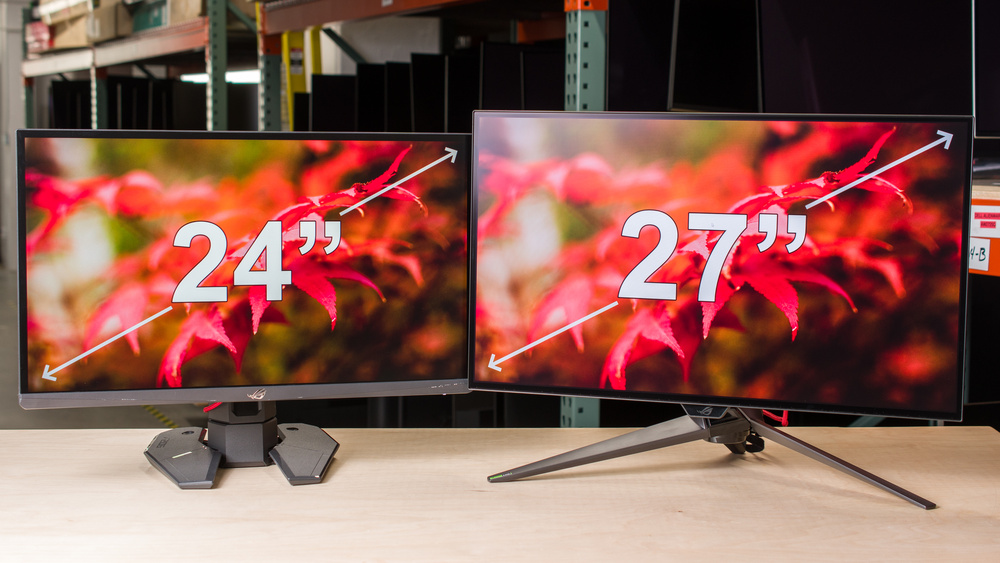
If you regularly work with wide spreadsheets, large timelines, or detailed creative projects, a larger display may be more comfortable. A second screen changes how much desk depth you actually need, and how far back you should sit from a panel this size is worth settling before you arrange the workspace.
Stand adjustment and mounting
Stand design can matter more than a small difference in refresh rate when a monitor is used all day. Tilt-only stands, found on models such as the Dell SE2426H, Samsung S30GD, and LG 24U411A-B, let you aim the panel but do not change its height.
The Dell S2425HSM is the standout for ergonomics because it supports height, tilt, pivot, and swivel adjustments. VESA compatibility gives the Sceptre and Amazon Basics models more flexibility if you plan to use a monitor arm. Check the exact mounting pattern and desk clearance before buying an arm.
Inputs and audio
Count the devices that need to remain connected. The Sceptre E248W-19203R has two HDMI ports and one VGA input. The Amazon Basics IPS Monitor adds DisplayPort to HDMI and VGA, making it particularly useful in mixed-generation offices. The Philips 24E2N2100 includes HDMI and VGA.
Built-in speakers are convenient for alerts, calls, and occasional video, but they should not be treated as a substitute for dedicated audio. The Dell S2425HSM, Sceptre E248W-19203R, and both Amazon Basics models list built-in speakers. The available details for several other monitors do not list speakers.
Eye comfort and reading modes
Long sessions call for more than a bright panel. Philips includes EasyRead mode on the 241V8LB and LowBlue Mode with flicker-free technology on the 24E2N2100. Samsung lists reduced blue light and screen flicker, while LG includes Reader Mode and Flicker Safe on the 24U411A-B.
These settings can make a screen more comfortable, but placement still matters. Keep the top of the display near eye level, avoid glare from a window, and set brightness to match the room. For a wider workspace comparison, the sizes that still work in tight spaces can help you decide whether staying at 24 inches is the right move.
Frequently asked questions
Is 24 inches large enough for office work?
Yes. A 23.8 or 24-inch Full HD monitor provides enough room for documents, browsers, email, and video calls without taking over a small desk. A larger display becomes more useful when you work with wide spreadsheets, timelines, or several applications at once.
Is 100Hz noticeably better than 60Hz?
It can be. A 100Hz monitor refreshes the image more often, which can make scrolling, cursor movement, and compatible video feel smoother. The difference is most apparent when moving between a conventional 60Hz display and a 100Hz or faster screen.
Should I choose IPS or VA for a 24-inch monitor?
Choose IPS when consistent color from different viewing angles matters most. Choose VA when you prefer stronger stated contrast and deeper blacks for video or dark scenes. The Philips 241V8LB is the VA option in this group, while several Dell, Samsung, Philips, LG, and Amazon Basics models use IPS panels.
Do I need 144Hz for gaming?
Not necessarily. A 100Hz or 120Hz monitor can make casual gaming feel smoother than a conventional office display. The LG 24G411A-B is the more suitable choice for competitive play because it combines higher refresh capability with adaptive sync and Motion Blur Reduction.
Are built-in monitor speakers useful?
They are useful for basic audio, calls, alerts, and occasional video. They save desk space, but they usually do not replace headphones or dedicated speakers when sound quality matters. The Dell S2425HSM, Sceptre E248W-19203R, and Amazon Basics models list built-in speakers.
What stand adjustment should I look for?
Tilt is the minimum useful adjustment because it lets you aim the screen toward your eyes. Height adjustment is more important for long work sessions, while pivot helps with portrait documents and swivel helps when sharing the display. The Dell S2425HSM offers the broadest adjustment range in this group.
Can I mount these monitors on an arm?
Some can. The Sceptre E248W-19203R and both Amazon Basics models list VESA compatibility, and the Amazon Basics IPS Monitor specifies a 100mm by 100mm hole pattern. Check the product's mounting details and the arm's weight range before installation.

The bottom line
The Dell SE2426H is the Best 24 inch monitor for most people because its IPS panel, 144Hz refresh rate, 1ms MPRT, FreeSync support, two HDMI inputs, and eye comfort certification cover work and play without a major weakness beyond the tilt-only stand. Choose the Dell S2425HSM instead if height, pivot, swivel, and built-in speakers are more important than a clearly specified IPS panel.
Gamers should move to the LG 24G411A-B for its adaptive sync support, 120Hz native speed, 144Hz overclocking, DisplayPort, and gaming controls. For a more office-focused screen, the Philips 24E2N2100 combines IPS viewing angles, 120Hz motion, HDMI, VGA, and comfort features in a straightforward package.
If you are undecided, buy the Dell SE2426H unless you already know you need a different stand, gaming feature set, or input arrangement.
As an Amazon Associate we earn from qualifying purchases.