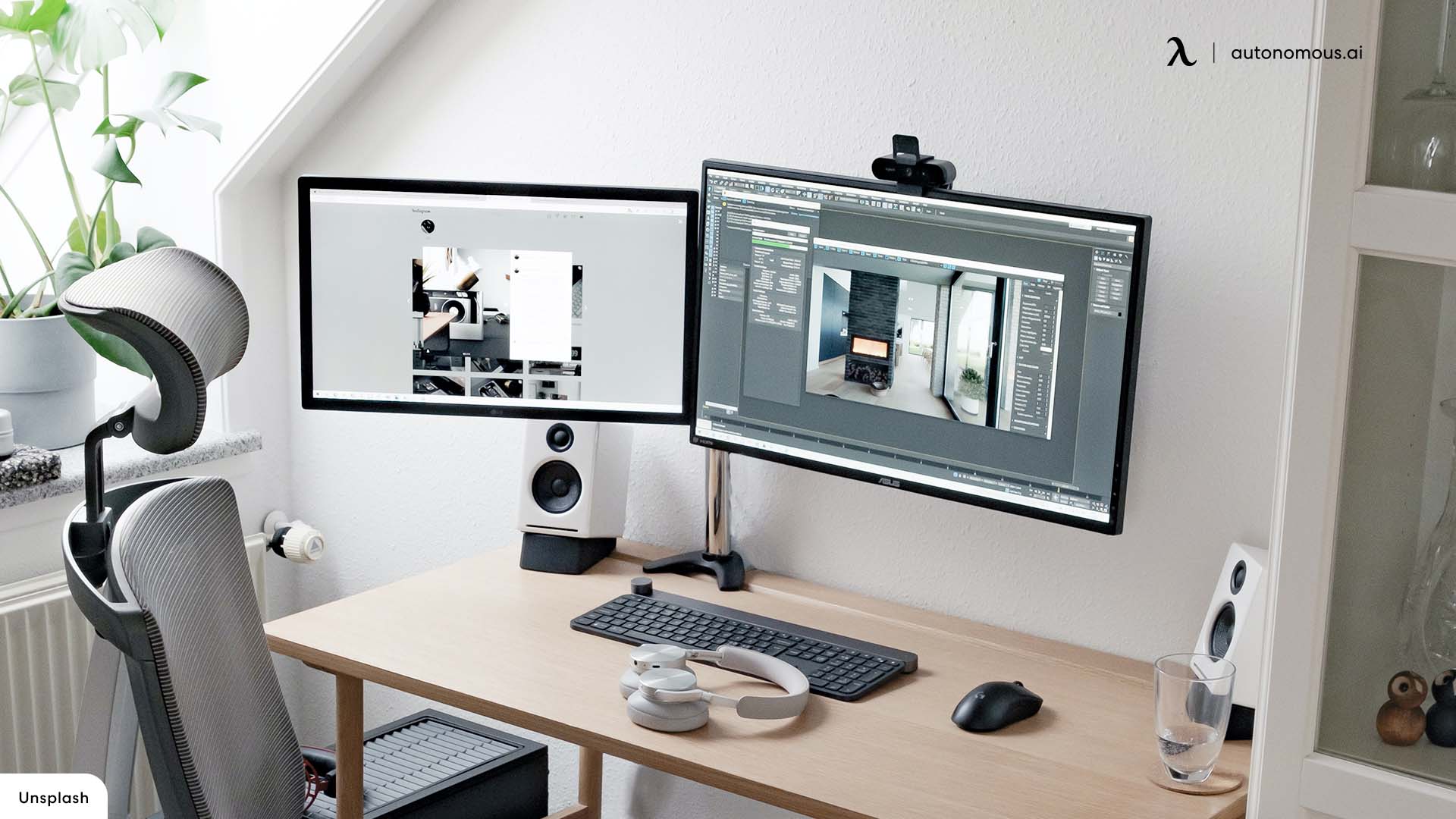

A 27-inch screen can be an awkward size when the resolution is wrong. Full HD keeps text and games easy to drive, but it can look soft at this size. QHD is sharper, while 4K gives you the cleanest image, yet demands more from your computer and can make interface elements look small.
The best 27 inch monitor depends on what is on the other side of the cable. The Dell S2725QS is the strongest all-rounder for detail, while the Dell SE2726HG is the specialist pick for fast gaming. The rest of this list covers flexible office displays, curved screens, built-in speakers, and capable everyday panels.
Comparison table
| # | Product | Award | Resolution | Refresh rate | Panel or design | Best for |
|---|---|---|---|---|---|---|
| 1 | Dell S2725QS | Best overall | 4K UHD | Up to 120Hz | IPS | Detailed work and mixed use |
| 2 | Dell S2725DSM | Best QHD monitor | 2560 x 1440 | 144Hz | IPS | Sharp gaming and productivity |
| 3 | Dell SE2726HG | Best for competitive gaming | 1920 x 1080 | 240Hz | Fast IPS | High-speed PC and console play |
| 4 | Samsung Odyssey G5 G51F | Best gaming features | 2560 x 1440 | 180Hz | Flat gaming display | Immersive gaming |
| 5 | Dell S2725HSM | Best adjustable office monitor | 1920 x 1080 | 144Hz | IPS | Ergonomic desk setups |
| 6 | Dell SE2726H | Best simple Dell monitor | 1920 x 1080 | 144Hz | IPS | Work and casual gaming |
| 7 | Acer KB272 G0bi | Best basic office monitor | 1920 x 1080 | 120Hz | IPS | Everyday home offices |
| 8 | Sceptre E275W-FW100T | Best connectivity | 1920 x 1080 | 100Hz | Frameless display | Work and entry-level gaming |
| 9 | Samsung Essential S3 S36GD | Best curved office monitor | Full HD | 100Hz | 1800R curved | Comfortable everyday viewing |
| 10 | Sceptre C275W-1920RN | Best curved gaming monitor | 1920 x 1080 | 100Hz | 1500R curved | Simple gaming setups |
1. Dell S2725QS: Best Overall

Pros
- Sharp 4K IPS image
- Up to 120Hz with FreeSync Premium
- 99% sRGB coverage
- ComfortView Plus blue-light reduction
- HDR readiness and integrated sound improvements
Cons
- 4K puts more demand on the graphics hardware
- Less suited to high-refresh competitive gaming than faster Full HD models
Best for: anyone who wants one 27-inch monitor for detailed work, media, and smooth everyday use.
The Dell S2725QS is the monitor we'd choose when the screen has to handle a little of everything. Its 4K UHD resolution gives text, photographs, spreadsheets, and fine interface elements a noticeably cleaner appearance than the Full HD panels elsewhere in this roundup. At 27 inches, that extra pixel density is easy to appreciate, especially when several windows share the screen.
The IPS panel covers 99% of the sRGB color space and has a listed 1500:1 contrast ratio, so ordinary desktop work gets consistent color and better separation between light and dark areas. Dell also describes it as HDR-ready, though that does not turn it into a dedicated high-end HDR display. The more practical feature is ComfortView Plus, which reduces harmful blue light emissions to 35% or less without requiring a strong yellow screen tint.
Motion is smoother than the resolution-first design might suggest. The panel can run at up to 120Hz, and AMD FreeSync Premium helps coordinate the refresh rate with compatible graphics hardware to reduce tearing. Its listed response figure is 0.03ms, but buyers should not mistake that headline figure for a guarantee of perfect motion handling in every game. The Dell SE2726HG is still the more obvious choice for competitive play because its 240Hz refresh rate is built around speed.
Dell also gives this display a modern, thin-bezel design and improved integrated sound compared with the previous generation. The trade-off is the usual 4K one: games need more graphics power, and some applications may require scaling to keep text comfortable. Choose the S2725QS if detail matters more than extreme frame rates. It is the clearest recommendation here for office work, creative projects, video, and general desktop use.
2. Dell S2725DSM: Best QHD Monitor

Pros
- Sharp QHD resolution at 27 inches
- 144Hz refresh rate
- Height, tilt, pivot, and swivel adjustment
- Built-in dual 3W speakers
- HDMI and DisplayPort 1.4
Cons
- Not as detailed as the Dell S2725QS
- White finish may not suit every desk
Best for: people who want a sharper gaming and work display without moving all the way to 4K.
The Dell S2725DSM hits the most useful middle ground in this group. Its 2560 x 1440 resolution makes text and images substantially cleaner than 1920 x 1080 on a 27-inch panel, while remaining easier to drive than 4K. That balance makes it especially appealing for a computer that has to switch between spreadsheets, browser tabs, and games.
The IPS display has a 1500:1 contrast ratio, and the 144Hz refresh rate gives scrolling and games a smoother feel than a conventional 60Hz screen. Dell pairs that with a 1ms Moving Picture Response Time figure and AMD FreeSync support. QHD also gives a graphics card more room to maintain high frame rates than the Dell S2725QS, while offering more workspace than the Full HD Dell S2725HSM.
This is one of the easiest monitors here to position correctly. The stand supports height, tilt, pivot, and swivel adjustment, which is far more useful for long work sessions than a fixed tilt-only stand. The built-in pair of 3W speakers keeps a desk free of small external speakers for alerts, calls, and casual video. HDMI and DisplayPort 1.4 provide sensible connection options for a desktop and a second device.
The S2725DSM gives up the S2725QS's 4K detail and the SE2726HG's 240Hz speed, but it is more balanced than either for many mixed-use desks. Its ash-white finish is also a visual departure from the mostly black models here. Pick it when you want sharper text, fast motion, a genuinely adjustable stand, and a cleaner all-purpose setup.
For more context on choosing a screen at this size, this guide to how far back you should sit from a panel this size is useful before you arrange your desk.
3. Dell SE2726HG: Best for Competitive Gaming
Pros
- 240Hz refresh rate
- Fast IPS panel
- FreeSync Premium and HDMI VRR
- 99% sRGB color coverage
- Two HDMI ports and DisplayPort 1.4
Cons
- Full HD is less sharp than QHD at 27 inches
- Tilt-only stand
Best for: competitive players who prioritize fast motion and low-latency response over maximum desktop sharpness.
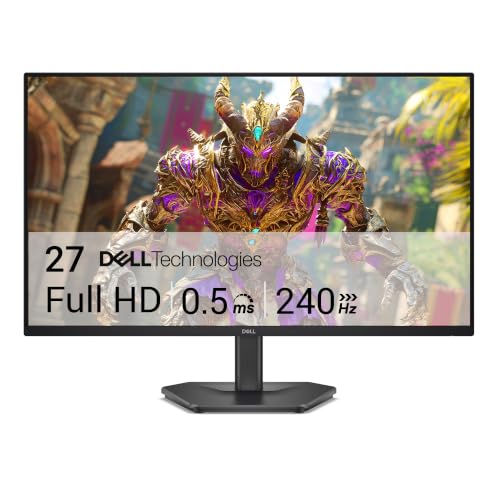
The Dell SE2726HG is the clear speed specialist. A 240Hz refresh rate makes it the most responsive-feeling option in this roundup when the computer can produce enough frames to use it. Fast camera movement, rapid aiming, and quick transitions look smoother than they do on the 100Hz and 120Hz displays.
Dell uses a fast IPS panel rather than sacrificing viewing consistency for speed. The claimed 0.5ms response time is aimed at reducing trailing, while 99% sRGB coverage gives games a more convincing palette than many basic high-refresh displays. FreeSync Premium and HDMI VRR help match the screen's refresh behavior to compatible hardware, which can reduce tearing and uneven motion.
The connection selection is unusually practical for this category. There are two HDMI ports plus DisplayPort 1.4, so a PC and console can remain connected without constantly swapping cables. The display also carries TÜV Rheinland three-star eye-comfort certification and is designed to reduce blue light while preserving color quality. Those features matter when a gaming screen doubles as an everyday monitor.
The compromise is visible in the resolution. Full HD spreads 1920 x 1080 pixels over 27 inches, so small text and detailed images will not look as crisp as they do on the Dell S2725DSM or Samsung Odyssey G5 G51F. The stand only tilts, too. Skip this model if your work involves dense documents or if your graphics hardware cannot take advantage of 240Hz. For fast competitive gaming, though, its priorities are exactly right.
4. Samsung Odyssey G5 G51F: Best Gaming Features

Pros
- QHD 2560 x 1440 resolution
- 180Hz refresh rate
- HDR10 support
- Black Equalizer for dark scenes
- Height, tilt, and pivot adjustment
Cons
- Less information is provided about connectivity
- QHD gaming needs more graphics power than Full HD
Best for: gamers who want sharper QHD detail and useful visibility controls for dark scenes.
The Samsung Odyssey G5 G51F takes a gaming-first approach without dropping to Full HD. Its 2560 x 1440 resolution is a strong fit for a 27-inch display, giving games a cleaner image and making the desktop feel less cramped than a 1920 x 1080 panel. It is the pick for someone who wants gaming features but still cares about sharp text.
The 180Hz refresh rate sits below the Dell SE2726HG's 240Hz, yet it is still a substantial step above the 144Hz models. A listed 1ms response time and AMD FreeSync work together to keep rapid movement controlled, while HDR10 adds support for brighter highlights and more nuanced shadows in compatible content. HDR performance will still depend on the panel's broader brightness capabilities, which are not specified here.
Samsung's Black Equalizer is a genuinely useful gaming control rather than a decorative label. It lets you lift detail in dark areas, helping reveal opponents or objects hidden in shadows. The stand supports tilt, pivot, and height adjustment, so the panel can be brought into a more comfortable position for long sessions. That is a better ergonomic setup than the fixed stands on the Acer KB272 G0bi and Dell SE2726H.
The G51F is not the obvious choice for someone who wants integrated speakers or a long list of stated ports. The Dell S2725DSM offers a more office-friendly feature set, while the Dell SE2726HG is faster for competitive play. Choose the Samsung when QHD clarity, HDR10, dark-scene control, and a flexible stand matter more than either extreme.
5. Dell S2725HSM: Best Adjustable Office Monitor

Pros
- 144Hz refresh rate
- Full ergonomic stand adjustment
- Built-in dual 3W speakers
- 1500:1 contrast ratio
- TÜV four-star eye-comfort certification
Cons
- Full HD looks less crisp at 27 inches
- HDMI is the only stated video connection
Best for: home offices that need flexible positioning, smooth scrolling, and built-in audio.
The Dell S2725HSM is the sensible office monitor for a desk where ergonomics matter as much as the picture. Its stand adjusts for height, tilt, pivot, and swivel, letting you set the screen around your chair instead of leaning your neck toward a fixed panel. Pivot adjustment is particularly handy for long documents, although the Full HD resolution limits how much content fits comfortably in that orientation.
The 1920 x 1080 IPS panel has a 1500:1 contrast ratio, and its 144Hz refresh rate makes scrolling through web pages and moving windows feel more fluid. Dell lists a 1ms Moving Picture Response Time and AMD FreeSync, so this is not restricted to office work. Casual gaming benefits from the faster refresh, though the Dell S2725DSM is the stronger choice if you want the additional detail of QHD.
Integrated dual 3W speakers make the S2725HSM convenient for video calls, system sounds, and casual viewing. They will not replace a dedicated audio setup, but they remove one more item from a crowded desk. The display also has TÜV four-star certification for eye comfort and is designed to reduce harmful blue-light emissions without giving the image an obviously warm cast.
The main weakness is the resolution. Text is perfectly usable, but it lacks the fine edge definition of the Dell S2725QS and the sharper QHD options. The stated HDMI-only connectivity is another limitation for a multi-device workstation. This is the right Dell for a user who will actually use the full stand adjustment and speakers, not for someone shopping primarily for pixel density.
6. Dell SE2726H: Best Simple Dell Monitor

Pros
- 144Hz refresh rate
- IPS viewing consistency
- Two HDMI ports
- 178-degree horizontal and vertical viewing angles
- TÜV three-star eye-comfort certification
Cons
- Tilt-only adjustment
- Full HD resolution is modest for 27 inches
Best for: people who want a straightforward Dell display for work, streaming, and casual gaming.
The Dell SE2726H keeps the feature list focused on the basics that matter. It is a 27-inch Full HD IPS monitor with a 144Hz refresh rate, so office work gets consistent viewing angles and games get smoother motion than a standard 60Hz display. The thin bezels also make it less visually bulky in a dual-screen setup.
Its IPS technology is rated for 178-degree horizontal and vertical viewing angles. That does not mean the image is identical from every position, but it does make the screen more forgiving when you shift in your chair or someone looks over from the side. The 1ms MPRT claim and AMD FreeSync support round out a practical motion package for casual gaming and video playback.
Two HDMI ports are the notable convenience feature. One can stay connected to a computer while another handles a console or secondary device. Dell also includes TÜV Rheinland three-star eye-comfort certification, with blue-light reduction intended to preserve color quality rather than turning the whole image amber.
Compared with the Acer KB272 G0bi, the Dell adds 24Hz of refresh headroom and two HDMI inputs. Compared with the S2725HSM, it loses the fully adjustable stand and integrated speakers. The tilt-only support is the reason to skip it if your desk height is unusual. For a simple, recognizable IPS monitor with smooth everyday motion, it is a clean choice.
7. Acer KB272 G0bi: Best Basic Office Monitor

Pros
- IPS panel
- Up to 120Hz refresh rate
- Adaptive-Sync support
- 250-nit brightness
- Simple 27-inch Full HD format
Cons
- Tilt-only stand
- Fewer stated features than the Dell alternatives
Best for: everyday office work, browsing, and basic entertainment with a familiar IPS image.
The Acer KB272 G0bi is a straightforward monitor that gets the core experience right. The 27-inch Full HD IPS panel provides a broad desktop and consistent color when you are not sitting directly in front of it. It is well suited to documents, email, browser tabs, and general household computing.
Acer lists brightness at 250 nits, which is a useful reference for a normally lit indoor room. It should be comfortable in a controlled office, though a bright room with direct sunlight will ask more of the display. The 0.311mm pixel pitch is another reminder that this is a spacious Full HD screen rather than a high-density one. Text will be usable, but not as finely rendered as on the QHD or 4K picks.
Motion is better than the office label might suggest. The monitor supports up to 120Hz and uses a 1ms VRB response mode, while Adaptive-Sync is listed as FreeSync compatible. That combination can make scrolling and compatible games appear smoother, though it does not turn this into a specialist gaming display. The Dell SE2726H offers 144Hz and two HDMI ports, so it is more versatile for a two-device setup.
The KB272 G0bi's weakness is its limited ergonomic and feature information. The physical dimensions show a compact footprint, but there is no stated height, pivot, or swivel adjustment. Choose it for a simple home office where the stand will sit at a sensible height. If you spend long hours at the desk or want to connect several devices, the Dell S2725HSM or S2725DSM is easier to live with.
8. Sceptre E275W-FW100T: Best Connectivity

Pros
- Two HDMI ports and DisplayPort
- 100% sRGB color gamut
- Built-in speakers
- VESA wall-mount support
- Blue Light Shift and game modes
Cons
- 100Hz is slower than most Dell gaming picks
- Full HD resolution at 27 inches
Best for: users who need flexible connections, built-in audio, and a monitor that can move to a wall mount.
The Sceptre E275W-FW100T makes a strong case for the practical extras. It has two HDMI ports and one DisplayPort, giving a desktop, laptop dock, and console more room to coexist. An audio input and headphone jack add useful flexibility, while built-in speakers handle basic sound without taking up desk space.
The display itself is a 27-inch Full HD panel with a 100Hz refresh rate. That is a noticeable improvement over 60Hz for scrolling and everyday motion, but it trails the 120Hz Acer and the 144Hz Dell models. Sceptre also states 100% sRGB coverage, which should help colors look natural in ordinary desktop and creative applications, though the listing does not identify the panel technology.
Sceptre includes FPS and RTS game modes for quick adjustments, plus AMD FreeSync support. Blue Light Shift is intended to make extended viewing more comfortable. The E275W-FW100T is also VESA wall-mountable, a useful distinction from monitors that only make sense on their included stands. That can free up desk depth or help position the screen at a better height.
The panel's Full HD resolution is the main compromise, and 100Hz is not the right target for serious high-refresh gaming. The Dell SE2726H is faster, while the Samsung Odyssey G5 G51F is much sharper. Pick the Sceptre when connection options, speakers, and mounting flexibility are more important than maximum resolution or refresh rate.
A second screen changes the space around it, so the desk sizes that still work in tight spaces are worth considering before adding another panel.
9. Samsung Essential S3 S36GD: Best Curved Office Monitor
Pros
- 1800R curved design
- 100Hz refresh rate
- TÜV-certified eye comfort features
- Game Mode and adjustable dark-scene controls
- Flexible device connectivity
Cons
- Full HD resolution
- Curvature is not ideal for every desk or workflow
Best for: users who prefer a curved screen for everyday work, video, and relaxed gaming.
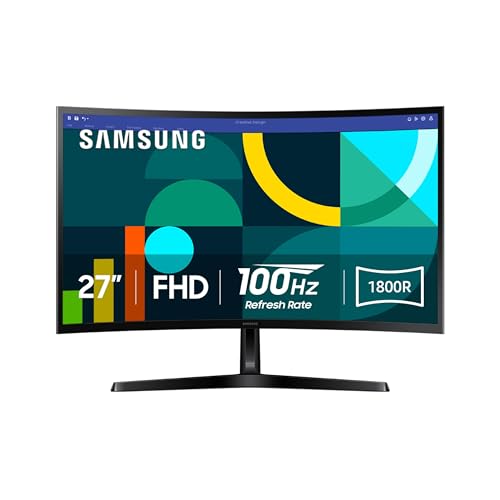
The Samsung Essential S3 S36GD is aimed at people who like the screen to wrap slightly toward them. Its 1800R curve is gentler than the more aggressive 1500R design on the Sceptre C275W-1920RN, so it can feel natural across a broad desktop without making documents look dramatically bent. The effect is most noticeable when you sit centered in front of the display.
Samsung gives it a 100Hz refresh rate, which helps with rapid scrolling and makes general movement feel less choppy than 60Hz. Game Mode adjusts the image to fill the screen, while the contrast controls can make darker scenes easier to read. Those settings are useful for casual play, though this is not as fast or as gaming-focused as the Dell SE2726HG or Samsung Odyssey G5 G51F.
Eye comfort is another emphasis. Samsung says its TÜV-certified technology reduces blue light and irritating screen flicker. That will not solve every cause of eye fatigue, but it is a sensible feature for a monitor used through a full workday. The listing also describes broader device connectivity, although it does not specify the individual port types in the provided details.
Full HD remains the limitation at 27 inches. The curve may improve immersion, but it cannot add the fine detail provided by QHD. Some users also prefer a flat screen for design work, spreadsheets, or a multi-monitor arrangement. Choose this Samsung when the curved viewing experience and eye-comfort features are central to your setup, not simply because the screen is 27 inches.
For readers considering a wider curved workspace, the viewing distance that makes a curved panel comfortable is a better starting point than choosing by curvature number alone.
10. Sceptre C275W-1920RN: Best Curved Gaming Monitor

Pros
- 1500R curved display
- 100Hz refresh rate
- Built-in speakers
- Two HDMI ports and VGA
- VESA wall-mount support
Cons
- Full HD resolution
- No stated DisplayPort connection
- Less flexible than the Samsung curved model for office use
Best for: a simple curved gaming or entertainment setup with older and newer video sources.
The Sceptre C275W-1920RN is the uncomplicated curved option. Its 1500R curvature is more pronounced than the Samsung Essential S3's 1800R curve, bringing the edges closer into the viewer's field of vision. That can make games and video feel more enveloping, though it also makes centered seating more important.
A 100Hz refresh rate gives it smoother scrolling and more fluid motion than a basic 60Hz office monitor. The panel runs at 1920 x 1080, and Sceptre lists 98% sRGB coverage. That is enough for natural-looking everyday color, but the Full HD resolution is still the reason to choose this over a sharper QHD model only when the curved experience matters more than fine detail.
The built-in speakers keep the setup tidy, and two HDMI ports plus VGA allow it to work with a mix of current and older devices. VESA wall-mount support gives the monitor a second installation path if the included stand does not suit the desk. Those practical extras make it a flexible screen for a bedroom, guest room, or basic gaming station.
It is not the strongest choice for competitive gaming, where the Dell SE2726HG's 240Hz refresh rate is in another class. The Samsung Essential S3 is also the more balanced curved office monitor, with stronger stated eye-comfort features. Choose the C275W-1920RN when you want a pronounced curve, simple connections, speakers, and a monitor that can mount to the wall.
How to choose best 27 inch monitor
The right 27-inch monitor comes down to the relationship between resolution, refresh rate, panel behavior, and the way the screen will sit on your desk.
Resolution and pixel density
Resolution determines how many pixels the monitor uses to draw text, images, and games. Full HD at 1920 x 1080 is easy for most computers to drive, but it is the least crisp option at 27 inches. QHD at 2560 x 1440 is the strongest middle ground, while 4K gives the cleanest image and the most detailed workspace.
Higher resolution is not automatically better for every user. A modest computer may run games more smoothly at Full HD, and some people prefer larger interface elements. Choose QHD for a balanced desktop and gaming display, or 4K when text clarity and image detail come first.
Refresh rate and response
Refresh rate controls how often the screen can update each second. The 100Hz and 120Hz models here make scrolling feel smoother than 60Hz, while 144Hz and 180Hz suit fast games more naturally. The Dell SE2726HG reaches 240Hz, but that advantage only matters if the computer can supply enough frames.
Response-time figures should be read alongside the refresh rate and adaptive-sync support. FreeSync can reduce tearing when the monitor and graphics hardware coordinate their timing. A low advertised response figure is useful, but it does not tell the whole story about blur or ghosting.
At 27 inches, choose resolution for the work you do and refresh rate for the motion you notice.
Panel type and color
IPS is the most clearly identified panel type across this list. It generally offers consistent color and wide viewing angles, which helps when the monitor is shared or used away from the center position. The Dell SE2726HG lists 99% sRGB coverage, the Dell S2725QS lists 99% sRGB, and the Sceptre E275W-FW100T lists 100% sRGB.
Color coverage is not the same as calibration or HDR performance. It tells you about the range of colors the display can represent, not whether every unit will look perfectly accurate. For ordinary office work and entertainment, a wide sRGB claim is a useful sign. For professional color work, the provided specifications do not establish that any of these monitors is a reference display.
Stand and viewing position
A stand can matter more than a small change in refresh rate during a long workday. Height, tilt, pivot, and swivel adjustment let you place the display at eye level and change its angle without stacking books under the base. The Dell S2725DSM and Dell S2725HSM offer the broadest adjustment ranges in this group, while several simpler models only state tilt support.
Curved screens need a centered position to look their most natural. The Samsung Essential S3 uses an 1800R curve, and the Sceptre C275W-1920RN uses a more pronounced 1500R curve. A flat screen is usually easier to combine with another monitor and can be preferable for straight lines in documents.
Connections and built-in sound
Check the ports against the devices that will remain connected. Two HDMI inputs are useful for a computer and console, while DisplayPort is common on desktop graphics cards. The Sceptre E275W-FW100T lists two HDMI ports, DisplayPort, audio input, and a headphone jack. The Dell SE2726HG lists two HDMI ports and DisplayPort 1.4.
Built-in speakers are convenient for alerts, meetings, and casual video, but the product information does not suggest that they replace dedicated speakers or headphones. The Dell S2725HSM and S2725DSM include dual 3W speakers, as do both Sceptre models in this roundup.

Frequently asked questions
Is 27 inches a good size for a computer monitor?
Yes. A 27-inch screen gives you enough room for multiple windows without requiring the desk depth of a much larger display. The best resolution depends on how close you sit and how much detail you want, with QHD often providing a comfortable middle ground.
Is Full HD enough for a 27-inch monitor?
Full HD is usable at 27 inches for browsing, office work, streaming, and general computing. It will look less sharp than QHD or 4K, particularly with small text and detailed images. The Acer KB272 G0bi, Dell SE2726H, and Sceptre models all use Full HD.
Is QHD better than 4K on a 27-inch monitor?
QHD is easier to drive and usually needs less interface scaling, while 4K provides finer text and image detail. The Dell S2725QS is the 4K pick here, and the Dell S2725DSM and Samsung Odyssey G5 G51F use QHD. Choose based on your computer and whether sharpness or gaming performance has priority.
What refresh rate should a 27-inch gaming monitor have?
A 100Hz or 120Hz display is a clear step up from 60Hz for casual games and general motion. Competitive players may prefer 144Hz, 180Hz, or 240Hz if their computer can sustain those frame rates. The Dell SE2726HG is the fastest model in this roundup at 240Hz.
Are curved 27-inch monitors better?
Curved monitors can feel more immersive and may keep the edges of the display closer to your natural field of view. They work best when you sit centered and may be less convenient in a multi-monitor arrangement. The Samsung Essential S3 has an 1800R curve, while the Sceptre C275W-1920RN has a 1500R curve.
Do built-in monitor speakers replace external speakers?
They can handle system sounds, calls, and casual video without adding another device to the desk. They are not automatically a substitute for a dedicated speaker or headphone setup. The Dell S2725HSM, Dell S2725DSM, Sceptre E275W-FW100T, and Sceptre C275W-1920RN include built-in speakers.
The bottom line
The best 27 inch monitor for most people is the Dell S2725QS. Its 4K IPS panel, 99% sRGB coverage, up to 120Hz refresh rate, FreeSync Premium, and ComfortView Plus features make it the most complete choice for detailed work, media, and everyday use. The Dell S2725DSM is the better alternative if QHD is a more comfortable fit for your computer and you want a fully adjustable stand with speakers.
For fast gaming, choose the Dell SE2726HG. Its 240Hz refresh rate, fast IPS panel, FreeSync Premium, HDMI VRR, and DisplayPort 1.4 are more important than the lower Full HD resolution when quick motion is the priority. The Samsung Odyssey G5 G51F is the sharper gaming alternative for buyers who want QHD, 180Hz, HDR10, and Black Equalizer.
If you are undecided, choose QHD for the most balanced desktop, 4K for maximum detail, and 240Hz Full HD only when competitive speed comes first.
As an Amazon Associate we earn from qualifying purchases.