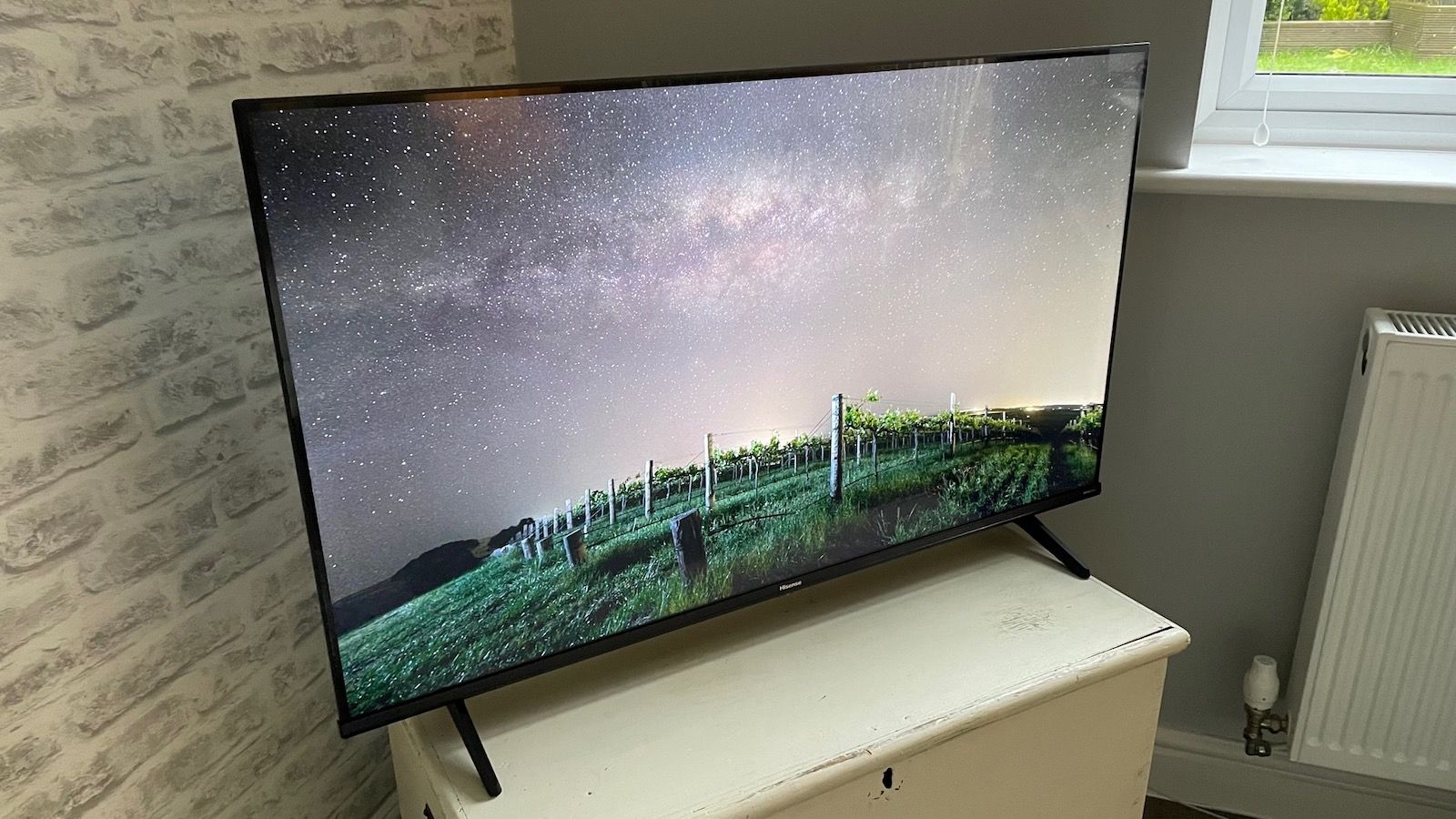

A 43-inch television has to do more than fit a narrow stand. It may be the main screen in a small living room, a bedroom upgrade, a gaming display, or the set used for everyday live TV. That makes motion handling, upscaling, smart software and sound support more important than a long list of headline features.
Our Best 43 inch tv picks range from straightforward Fire TV sets to QLED and Mini LED models with stronger HDR potential. Samsung, Hisense, Sony, Toshiba, Amazon and Insignia each take a different approach to the same compact screen size.
The Samsung M70H is our top pick for its Mini LED picture system, 120Hz motion features and gaming focus. The other eight picks cover simpler streaming setups, richer color, Google TV and broader connectivity.
Comparison table
| # | Product | Award | Picture technology | Motion and HDR | Best for |
|---|---|---|---|---|---|
| 1 | Samsung M70H | Best overall | Mini LED, 4K | 120Hz, Mini LED HDR | Sports, movies and gaming |
| 2 | Hisense E6 | Best HDR support | Hi-QLED, 4K | Dolby Vision, HDR10+ Adaptive | HDR streaming |
| 3 | Samsung Q7F | Best color | QLED, 4K | Quantum HDR, HDR10+ | Colorful movies and shows |
| 4 | Toshiba C350 | Best Fire TV picture tools | LED, 4K | Dolby Vision, Dolby Atmos, VRR | Streaming and console gaming |
| 5 | Amazon Ember 4-Series | Best smart experience | LED, 4K | HDR10+ | Alexa households |
| 6 | Samsung U8000H | Best Samsung mainstream set | Crystal UHD, 4K | Up to 60Hz | Everyday TV and sports |
| 7 | Sony BRAVIA 2 II | Best Google TV option | LED, 4K HDR | Motionflow XR | Google and PlayStation users |
| 8 | Insignia F50 | Best connection flexibility | LED, 4K UHD | HDR10 | Mixed home theater setups |
| 9 | Samsung U8000F | Best slim design | Crystal UHD, 4K | Up to 60Hz | Clean-looking living rooms |
1. Samsung M70H: Best Overall

Pros
- Mini LED processing targets brighter highlights and deeper blacks
- 120Hz motion features suit sports and gaming
- Gaming Hub brings console and cloud gaming into one place
- Pure Color Spectrum supports a broad range of colors
Cons
- Samsung software instead of Fire TV or Google TV
- The listing does not specify Dolby Vision support
- Soccer Mode and Gaming Hub will matter less to non-gamers
Best for: viewers who want the strongest picture and motion feature set in a compact Samsung TV.
The Samsung M70H is the most ambitious television in this group. Its Mini LED system is designed to create brighter highlights and deeper blacks than a conventional LED set, which gives HDR scenes more separation. That is the kind of improvement that matters in a 43-inch room TV, where you are close enough to notice flat shadow detail and washed-out bright areas.
Samsung pairs the Mini LED hardware with a 4K processor, Mini LED HDR and Supreme Mini LED Dimming. The set also claims Pure Color Spectrum with one billion colors, so it is aimed at saturated, lively images rather than a muted presentation. Those features make the M70H a more convincing movie and sports screen than the Samsung U8000H or U8000F, both of which use Crystal UHD processing without the Mini LED system.
Motion is the major reason to choose it over the Samsung Q7F. Motion Xcelerator and DLG 120Hz are built for fast movement, with a clear advantage for games and sports. Soccer Mode is a particularly focused extra, using settings intended to make rapid play easier to follow. Gaming Hub also gathers console, cloud and gaming app content in one place, although the listing does not provide a complete input specification for serious console buyers.
The weakness is that Samsung's feature language is more specific about its own picture systems than about format support. Unlike the Hisense E6 and Toshiba C350, the listing does not name Dolby Vision. That does not make the M70H unsuitable for streaming, but viewers with a Dolby Vision library should consider those alternatives first.
Choose the M70H if you want the most capable compact screen here for bright highlights, contrast, sports and gaming. It is the one we'd keep when the television has to handle a little of everything.
2. Hisense E6: Best HDR Support
Pros
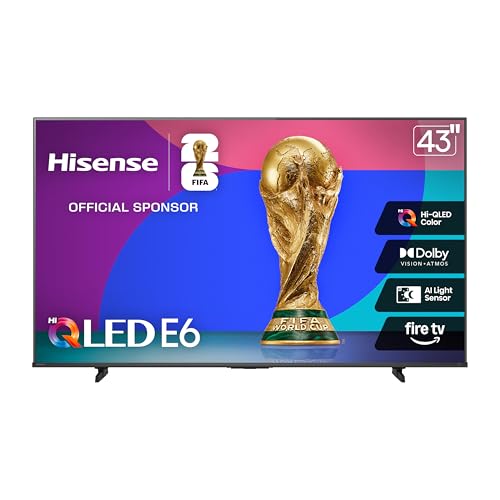
- Hi-QLED color system targets vivid, precise color
- Supports Dolby Vision, HDR10+ Adaptive, HDR10 and HLG
- AI Light Sensor adjusts brightness to the room
- Dolby Atmos and Filmmaker Mode are included
Cons
- Motion Rate 120 is not the same as a stated 120Hz panel
- Fire TV interface may not suit viewers invested in Google TV
- The listing does not provide a full port count
Best for: movie and streaming fans who want broad HDR format support in a 43-inch screen.
The Hisense E6 makes the clearest case for film-focused streaming. Its Hi-QLED color system is meant to produce rich, lively shades, but the more important detail is its wide HDR compatibility. Dolby Vision, HDR10+ Adaptive, HDR10 and HLG are all listed, so the set is less likely to leave a streaming service's preferred format unused.
That format support is backed by Dolby Vision and Dolby Atmos, giving the E6 a strong foundation for a small movie setup. Dolby Vision can preserve more scene-by-scene HDR information when the content supports it, while Atmos support gives a compatible sound system more to work with. The built-in speakers still cannot replace a dedicated audio setup, but the E6 is prepared for one.
Hisense also includes an AI Light Sensor that adjusts brightness in response to ambient light. That is useful in a room that changes from daylight to evening viewing, although automatic adjustments are not always what a picture purist wants. Filmmaker Mode provides a more deliberate alternative, aiming to show films with their original aspect ratio, frame rate, color and audio presentation.
AI 4K Upscaler and AI Smooth Motion with MEMC, AI Noise Reduction and a responsive panel round out the picture tools. The listing calls the motion system Motion Rate 120, but that label should not be read as a confirmed native 120Hz refresh rate. The Samsung M70H is the safer pick for buyers specifically chasing 120Hz gaming motion, while the Hisense is more compelling for format coverage.
The E6's main limitation is a lack of detailed connection information in the listing. Buyers planning a complex setup should confirm the available inputs before ordering. For everyone else, this is the strongest choice when Dolby Vision, adaptive HDR and automatic room adjustment matter more than brand-specific gaming features.
3. Samsung Q7F: Best Color

Pros
- Quantum Dots target a broad, accurate color range
- Q4 AI Gen1 Processor supports picture and sound optimization
- Quantum HDR and HDR10+ improve contrast handling
- Gaming Hub and Alexa are built in
- Knox Security protects connected TV features
Cons
- No refresh rate above standard motion is listed
- Samsung's interface is less useful to households wanting Google TV
- Dolby Vision is not listed
Best for: viewers who care about saturated color and Samsung's connected TV ecosystem.
The Samsung Q7F sits between ordinary Crystal UHD and the more hardware-heavy M70H. Its defining feature is QLED color, with Quantum Dots intended to display a wide spectrum without losing color intensity in bright scenes. That makes it a natural fit for animation, nature programs, sports and colorful modern films.
Samsung adds Quantum HDR and HDR10+ dynamic tone mapping to improve contrast and preserve detail in bright and dark parts of an image. The Q4 AI Gen1 Processor is also described as optimizing picture and audio according to the content. In practice, the appeal is convenience: the TV is designed to adjust its presentation without requiring constant manual mode changes.
The Q7F also gives Samsung users a broad content and security package. Samsung TV Plus and free streaming apps provide access to thousands of channels and other content, while Knox Security is designed to protect personal data, PINs, passwords and connected IoT devices. Gaming Hub adds a central place for console, cloud and gaming app content.
Compared with the Samsung U8000H, the Q7F has a more advanced color system and HDR emphasis. Compared with the M70H, it lacks the Mini LED dimming and DLG 120Hz claims that make that model better suited to contrast-heavy scenes and fast games. The listing also does not name Dolby Vision, so the Hisense E6 remains the more format-flexible choice for streaming libraries.
The Q7F makes sense for someone who wants vivid color without moving to Samsung's Mini LED model. It is a polished middle ground, but buyers who play fast games or watch in a dark room should look at the M70H first.
4. Toshiba C350: Best Fire TV Picture Tools

Pros
- Dolby Vision and Dolby Atmos support
- AI 4K Upscaler improves lower-resolution content
- Game Mode includes ALLM, VRR and eARC
- Sports Mode and Ultimate Motion target fast action
- Fire TV puts apps and live TV on one home screen
Cons
- Conventional LED design lacks the QLED and Mini LED systems above
- The listing does not provide a native refresh rate
- Fire TV recommendations can feel busy
Best for: Fire TV users who want strong movie formats and useful console features.
The Toshiba C350 is a practical all-rounder with an unusually complete feature list for a standard LED television. Its REGZA Engine ZR analyzes the image for 4K presentation, while AI 4K Upscaler works on Full HD content by examining neighboring pixel colors and texture. That matters if the TV will show broadcast channels, older shows or a mixture of streaming resolutions.
For movie watching, Dolby Vision and Dolby Atmos are the headline features. Dolby Vision can make compatible HDR films look more controlled in difficult bright and dark scenes, and Atmos support gives a compatible audio system a more immersive signal. Super Contrast Booster is intended to deepen the separation between bright and dark areas, though it is not the same kind of local dimming hardware used by the Samsung M70H.
The C350 is particularly well equipped for a console. Game Mode includes ALLM, VRR and eARC, so the set can switch into a lower-latency mode, respond to variable frame rates and pass higher-quality audio to compatible equipment. Ultimate Motion and Sports Mode are aimed at fast action, but Toshiba does not state a native refresh rate in the supplied details. The Samsung M70H is the stronger pick when high-refresh gaming is the priority.
Fire TV keeps apps, movies and live TV on one main screen, which is easy to understand after setup. It also gives this model a more familiar experience for households already using Alexa devices. The trade-off is that it does not offer the QLED color emphasis of the Hisense E6 or Samsung Q7F.
Pick the C350 when you want Dolby Vision, console-friendly features and Fire TV in one uncomplicated package. It is a better fit for mixed streaming and gaming than the simpler Insignia F50.
5. Amazon Ember 4-Series: Best Smart Experience

Pros
- New quad-core processor and Wi-Fi 6 support
- Alexa+ recommendations and natural voice search
- HDR10+ and 4K Ultra HD picture
- Four HDMI inputs
- Ambient Experience and sensor-based instant wake features
Cons
- HDR format support is narrower than the Hisense E6
- Amazon's content recommendations may be too prominent for some viewers
- The listing does not identify a high-refresh gaming mode
Best for: Alexa users who want the newest Fire TV experience and quick access to streaming content.
The Amazon Ember 4-Series is less about specialist picture hardware and more about reducing the friction between turning on the TV and finding something to watch. Its updated Fire TV experience uses dedicated content categories, app pinning and personalized recommendations from Alexa+. The remote supports natural voice requests, so it can search across apps instead of forcing you through separate services.
Amazon lists a new quad-core processor and Wi-Fi 6 support. Those two details should help the interface feel responsive and keep streaming stable in a busy connected home. The TV also supports 4K Ultra HD and HDR10+, with enhanced brightness and improved contrast for compatible content.
This model has useful household touches that the other Fire TV sets do not match. Omnisense sensors can wake the display when someone enters, either to show artwork or make it ready for viewing. Ambient Experience gives the screen a role when nobody is watching, while Alexa can manage compatible smart-home devices. Four HDMI inputs make it easier to leave a soundbar, console and other equipment connected.
The picture feature set is less broad than the Hisense E6. There is no Dolby Vision claim here, and the listing does not specify a high-refresh gaming mode. The Toshiba C350 is a better choice for a console player who needs VRR and ALLM, while the Amazon Ember is better for someone who wants Alexa search, recommendations and smart-home control to be central.
Choose the Ember if the television is part of an Alexa-heavy home. Its strongest advantage is a quick, modern content experience rather than advanced panel hardware.
6. Samsung U8000H: Best Samsung Mainstream Set

Pros
- Crystal Processor supports 4K upscaling
- Color Booster aims for more vivid images
- Motion Xcelerator supports smooth sports and game movement
- Samsung TV Plus includes free channels
- Compact 43-inch design weighs 14.8 pounds
Cons
- Motion performance is specified only up to 4K 60Hz
- No QLED or Mini LED contrast system
- Dolby Vision is not listed
Best for: everyday viewers who want a straightforward Samsung smart TV with good upscaling.
The Samsung U8000H is the uncomplicated Samsung option in this lineup. Its Crystal Processor is designed to sharpen details, enhance colors and upscale lower-resolution movies, shows and games to a 4K presentation. That makes it suitable for households that still watch cable or broadcast content alongside streaming services.
Color Booster is intended to make reds, blues and other shades more vivid. Motion Xcelerator estimates frame transitions to make sports and games look clearer, but Samsung specifies performance up to 4K 60Hz. That is perfectly reasonable for normal viewing, yet it places the U8000H behind the M70H for fast gaming and behind the richer picture systems of the Q7F and Hisense E6.
The software side is one of the stronger reasons to choose it. Samsung TV Plus provides more than 2, 700 free streaming options, including hundreds of subscription-free channels, with news, sports, movies and children’s programming. The built-in experience is useful for anyone who wants live content without adding another device, though content availability can change.
There are no listed details for Dolby Vision, Dolby Atmos or a gaming input feature such as VRR. The Toshiba C350 is more capable for a console setup, and the Sony BRAVIA 2 II is a better fit if Google Cast and Google TV are central to the household. The U8000H remains easier to recommend for uncomplicated Samsung viewing.
This is the right pick for everyday TV, casual sports and mixed-quality sources. Skip it if your priority is deep HDR contrast, advanced gaming motion or a broad collection of HDR formats.
7. Sony BRAVIA 2 II: Best Google TV Option

Pros
- 4K Processor X1 targets natural color and sharp detail
- Google TV gathers streaming apps in one place
- Apple AirPlay 2 and Google Cast support
- PS5 features include Auto HDR Tone Mapping
- Motionflow XR and 4K XR-Reality PRO aid action and upscaling
Cons
- The supplied details do not name Dolby Vision or Dolby Atmos
- No high-refresh specification is listed
- It is heavier than several Samsung alternatives at 17.2 pounds
Best for: Google TV households and PlayStation 5 owners who want Sony processing features.
The Sony BRAVIA 2 II takes a different route from the Fire TV and Samsung models. Its 4K Processor X1 is designed to produce natural color, dynamic contrast and fine detail rather than simply push saturation. For viewers who prefer a restrained picture, that approach can be more appealing than the vivid presentation of the Samsung Q7F.
Sony also gives the set useful tools for ordinary content. 4K XR-Reality PRO upscales lower-resolution video to near 4K, while Motionflow XR is intended to reduce blur in sports and action films. These systems matter on a smaller screen because a 43-inch TV is often used for a broad mix of content, not just high-quality 4K streams.
Google TV brings apps together on one screen and supports both Apple AirPlay 2 and Google Cast. That makes the Sony flexible in homes with a mixture of Android and Apple phones. The included Sony Pictures Core app also provides access to movies, while the Eco Dashboard gathers energy settings in one place.
PlayStation 5 owners get the most distinctive extra features. Auto HDR Tone Mapping and Auto Genre Picture Mode can optimize the image for compatible PS5 gaming and streaming, and the Game Menu collects gaming picture controls in one location. The Sony does not list a high-refresh rate or specific Dolby Vision support, so the Toshiba C350 and Samsung M70H are stronger for buyers with those particular requirements.
The BRAVIA 2 II is a good fit when the software ecosystem and processing style matter more than the widest feature list. Choose it for Google Cast, PS5 integration and Sony's approach to color and upscaling.
8. Insignia F50: Best Connection Flexibility

Pros
- Three HDMI ports plus composite AV connections
- HDMI eARC supports full-resolution audio passthrough
- Digital optical, USB, headphone and Ethernet connections
- Fire TV includes live and free streaming options
- VESA 200 by 300 wall mounting support
Cons
- Standard LED picture system lacks QLED and Mini LED color tools
- HDR support is listed as HDR10 rather than a broader format set
- DTS Virtual:X cannot replace a dedicated sound system
Best for: mixed home theater setups that need older and newer connections.
The Insignia F50 is the most connection-friendly option in this group. It has three HDMI ports, composite AV jacks, a digital optical output, USB, a headphone jack, coaxial, Ethernet and Wi-Fi. That spread is useful when the TV has to accommodate a cable box, older video equipment, a console and external audio without immediately requiring an HDMI switch.
The picture is based on 4K Ultra HD and HDR10, with upscaling for existing content. HDR10 can improve contrast and color detail in compatible shows and films, but the F50 does not offer the broader HDR coverage of the Hisense E6 or the QLED color systems of the Samsung Q7F and M70H. This is a functional screen rather than a specialist cinema display.
Audio support is more interesting. DTS Virtual:X is designed to create a three-dimensional sound effect from the TV speakers, and HDMI eARC can pass a full-resolution audio signal to compatible equipment. Those features make the F50 a sensible starting point for a soundbar or receiver, although no television's built-in speakers can create the same scale as separate audio hardware.
Fire TV provides access to apps including Prime Video, Netflix, Disney+, Hulu and other services, plus free channels and ad-supported apps. Parental controls can block content by rating or channel, and the set supports VESA 200 by 300 wall mounting. Those are useful practical details for bedrooms, family rooms and wall-mounted setups.
The weakness is the simpler picture platform. The Toshiba C350 offers more ambitious film and console features, while the Samsung U8000H has a more developed upscaling and color feature set. Choose the F50 when ports, legacy equipment and flexible audio connections are more important than premium picture processing.
9. Samsung U8000F: Best Slim Design

Pros
- Crystal UHD processing and 4K upscaling
- MetalStream Design uses a slim bezel
- Knox Security protects connected features
- Samsung TV Plus offers free channels
- Motion Xcelerator supports movement up to 60Hz
Cons
- No QLED or Mini LED picture system
- No Dolby Vision support is listed
- Motion specification stops at up to 60Hz
Best for: viewers who want a clean-looking Samsung set for everyday streaming and television.
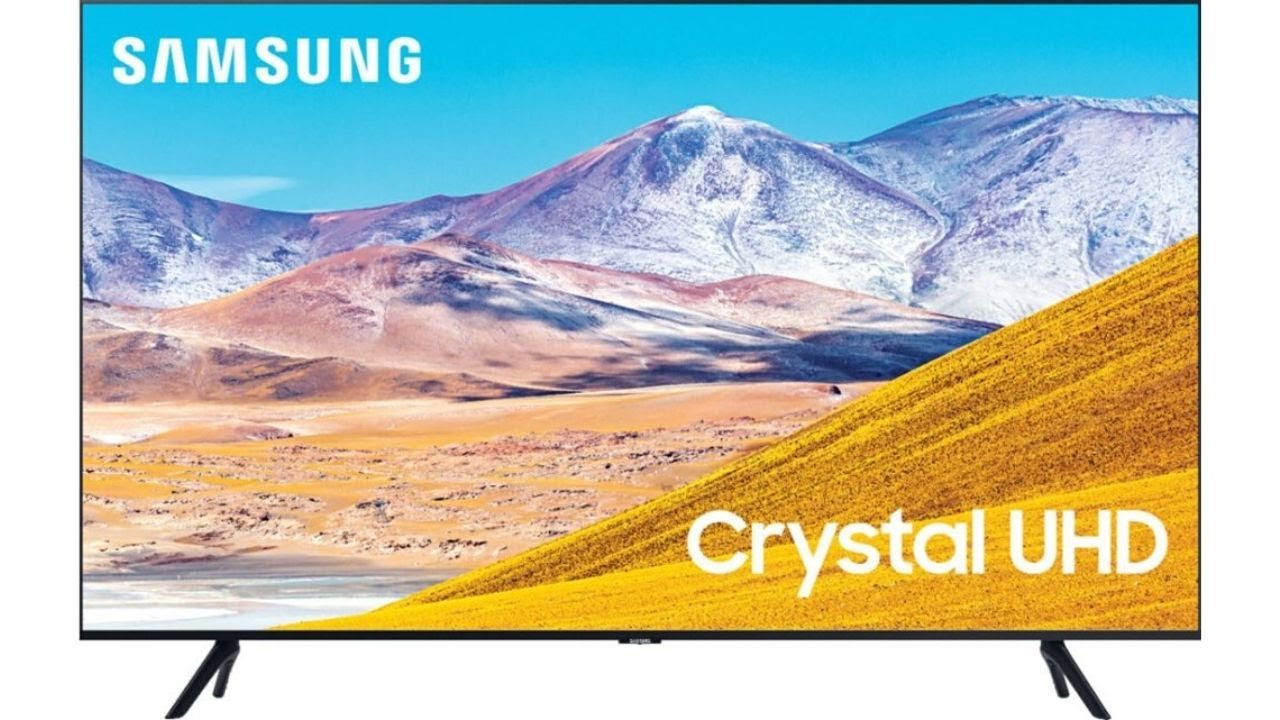
The Samsung U8000F is the design-led alternative to the newer U8000H. Its MetalStream Design uses a single metal sheet and slim bezel, reducing visual distractions around the image. That matters when the TV is mounted in a prominent living room or placed on a shallow piece of furniture where a simple silhouette is part of the appeal.
The Crystal UHD processor handles color mapping and 4K upscaling. Samsung says it can improve lower-resolution content, so older broadcasts and standard HD streams should look cleaner than they would without processing. Motion Xcelerator estimates movement between frames and supports smoother games and sports up to 60Hz.
The smart package is familiar and useful. Samsung TV Plus provides thousands of free channels and other streaming options, while Knox Security is designed to protect personal data, PINs, passwords and connected smart-home devices. Alexa is built in, which makes voice control more convenient for households already using compatible Alexa products.
Compared with the U8000H, the U8000F is the older model in this list and emphasizes its physical design more heavily. The U8000H has a newer release and highlights Color Booster and its Crystal Processor, while the U8000F answers with its slim bezel and MetalStream construction. Neither is the right choice for someone seeking Mini LED contrast, QLED color or high-refresh gaming.
The U8000F is best when the television needs to blend into the room and handle regular streaming without fuss. Buyers who are undecided between Samsung's two Crystal UHD options should choose this one for the design, not for advanced picture hardware.

How to choose best 43 inch tv
A 43-inch TV can be judged quickly if you focus on the picture system, motion handling, smart platform, connections and room conditions that shape everyday use.
Picture technology
Standard LED televisions such as the Insignia F50, Toshiba C350 and Sony BRAVIA 2 II use a conventional LED approach. QLED models such as the Hisense E6 and Samsung Q7F add a color-focused layer, while the Samsung M70H uses Mini LED technology aimed at brighter highlights and deeper blacks.
For a bright room or colorful content, a strong color system helps the image remain lively. For films watched with the lights down, contrast and local dimming matter more. The M70H has the most advanced picture hardware here, while the Hisense E6 covers the broadest range of named HDR formats.
HDR formats
HDR can improve highlight detail, shadow separation and color depth, but only when the TV supports the format used by the content. The Hisense E6 lists Dolby Vision, HDR10+ Adaptive, HDR10 and HLG. The Toshiba C350 supports Dolby Vision, and the Samsung Q7F and Amazon Ember list HDR10+.
A TV with only HDR10 support can still show HDR content, but it offers fewer format options. Look at the services and devices you already use rather than assuming every HDR label means the same thing.
HDR format support is useful only when it matches the films, shows and devices you actually watch.
Motion and gaming
Motion specifications need careful reading. The Samsung M70H lists Motion Xcelerator plus DLG 120Hz, making it the clearest high-refresh option here. The Samsung U8000H and U8000F specify motion performance up to 4K 60Hz, while the Toshiba C350 lists ALLM and VRR without giving a native refresh rate.
For console gaming, ALLM can switch the TV into a lower-latency mode and VRR can help reduce tearing when supported by the console. The Sony BRAVIA 2 II adds special PS5 features, while Samsung's M70H and Q7F include Gaming Hub. Casual players can use a 60Hz set comfortably, but competitive players should examine refresh and input features first.
Smart TV platform
Fire TV appears on the Insignia F50, Toshiba C350, Hisense E6 and Amazon Ember. It places apps and live content together and works naturally with Alexa voice controls. The Ember goes further with Alexa+ recommendations, Omnisense wake features and a refreshed interface.
Samsung's platform powers the U8000H, Q7F, M70H and U8000F. Samsung TV Plus adds free channels, and the Q7F and M70H include Gaming Hub. Sony uses Google TV with Google Cast and AirPlay 2, which is the more natural fit for households already using Google services or a mixture of mobile platforms.
For a closer look at software features in this screen size, how streaming platforms differ on compact televisions can help narrow the choice.
Connections and audio
Count the devices you plan to connect before choosing. The Insignia F50 is especially flexible with three HDMI ports, composite AV, optical audio, USB, headphone, Ethernet and coaxial connections. The Amazon Ember lists four HDMI inputs, while the Toshiba C350 includes eARC support for compatible audio equipment.
A television with eARC can send higher-quality audio to a compatible soundbar or receiver. Dolby Atmos support is listed on the Hisense E6 and Toshiba C350, but the feature only becomes meaningful with compatible content and external audio hardware.
Room size and placement
All nine picks use a 43-inch screen, but their physical details differ. The Samsung U8000H and U8000F are about 37.7 inches wide, the Sony BRAVIA 2 II is 37.75 inches wide and the Insignia F50 is 36.68 inches wide. Check the stand or wall space rather than relying on the diagonal screen measurement alone.
Viewing distance also affects whether 4K detail is easy to appreciate. If the room can accommodate a larger screen, how a larger panel changes viewing distance is useful before committing to a 43-inch model.

Frequently asked questions
Is a 43-inch TV large enough for a living room?
It can be, especially in a small living room, apartment, bedroom or den. The right size depends on seating distance, wall space and how much of the field of view you want the image to occupy. Measure the available width and account for the stand before ordering.
Which 43-inch TV is best for HDR movies?
The Hisense E6 is the most flexible choice because it lists Dolby Vision, HDR10+ Adaptive, HDR10 and HLG. The Toshiba C350 is another strong option with Dolby Vision and Dolby Atmos. The Samsung M70H is better suited to viewers who prioritize Mini LED contrast and fast motion.
Which model is best for gaming?
The Samsung M70H is the strongest general gaming choice because it lists DLG 120Hz and Gaming Hub. The Toshiba C350 adds ALLM and VRR, while the Sony BRAVIA 2 II has dedicated PS5 features. Check the console's supported refresh and variable refresh features before choosing.
Do all of these televisions support Alexa?
No. Alexa support is named on the Insignia F50, Toshiba C350, Hisense E6, Amazon Ember, Samsung Q7F and Samsung U8000F. Samsung's U8000H and M70H listings focus on Samsung's smart platform and do not specify Alexa support in the supplied details.
Is Google TV available on any of these models?
Yes. The Sony BRAVIA 2 II uses Google TV and supports Google Cast. It also supports Apple AirPlay 2, making it a flexible option for homes that use both Android and Apple devices.
Do I need a soundbar for a 43-inch TV?
Not necessarily, but a soundbar can improve dialogue clarity, bass and room-filling sound. The Hisense E6 and Toshiba C350 list Dolby Atmos support, and the Insignia F50 includes HDMI eARC and digital optical output for compatible audio equipment.
The bottom line
The Samsung M70H is the strongest Best 43 inch tv choice for buyers who want Mini LED contrast, 120Hz motion features, sports tools and gaming support in one compact screen. The Hisense E6 is the better alternative for broad HDR compatibility, Dolby Vision and automatic brightness adjustment.
The Toshiba C350 is the sensible Fire TV pick for console features and Dolby formats, while the Sony BRAVIA 2 II suits Google TV and PS5 households. Choose the Insignia F50 for connection flexibility, the Amazon Ember for Alexa-centered control, or one of Samsung's Crystal UHD models when straightforward everyday viewing is the priority.
If you are still undecided, choose the Samsung M70H for the most capable picture system, or the Hisense E6 when your streaming library uses several HDR formats.
As an Amazon Associate we earn from qualifying purchases.