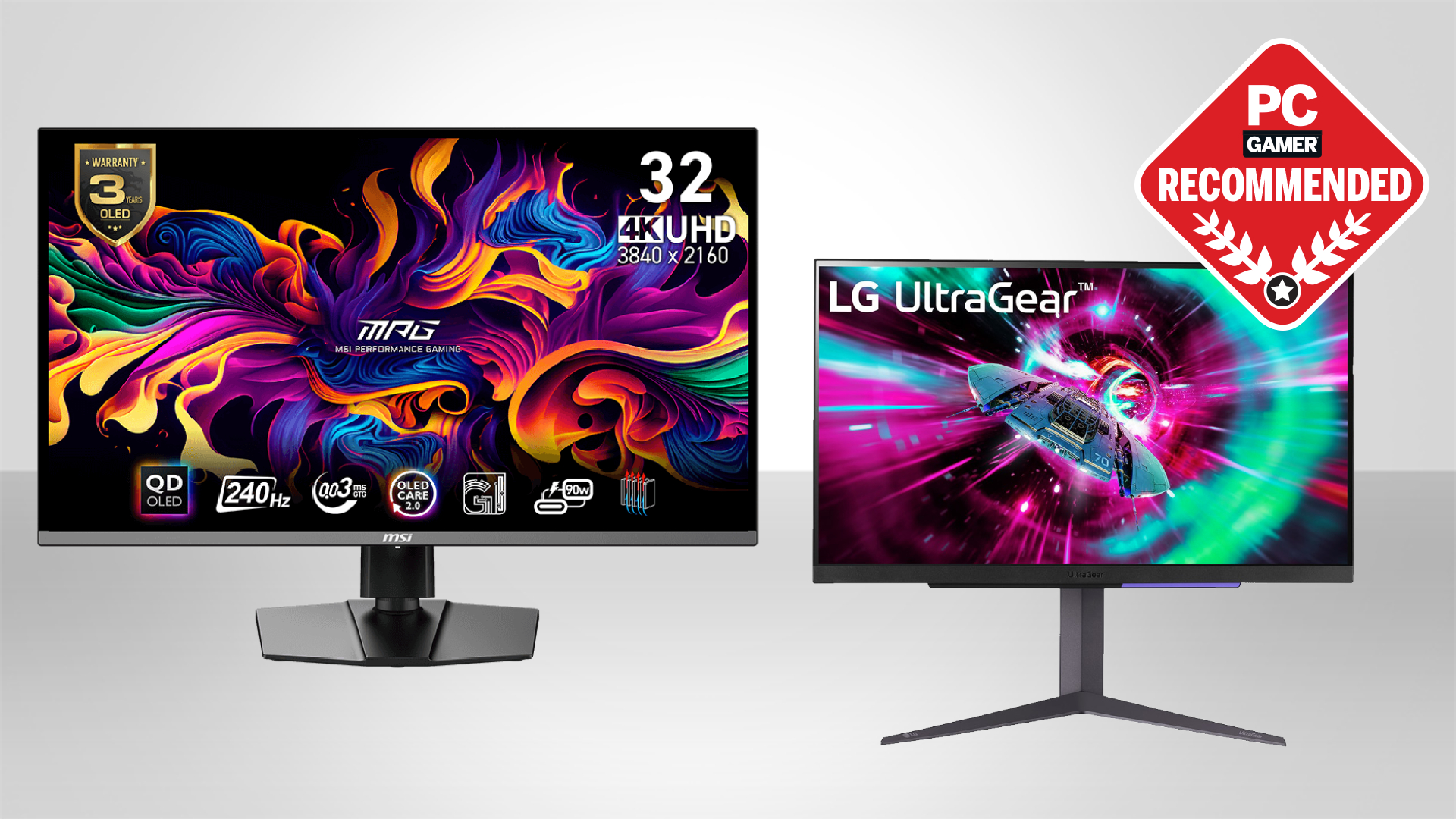

A 4K gaming monitor has to solve a tricky problem: sharp images are easy to find, but sharp images that stay smooth during fast play are not. A 60Hz screen can look excellent in a strategy game and still feel sluggish in a competitive shooter.
The Best 4k gaming monitor for most people is the Acer Nitro VG270K V4, thanks to its 4K 160Hz IPS panel and useful 1080p 320Hz mode. The list also includes QD-OLED flagships, a large curved Samsung, versatile ASUS displays, and a lower-refresh Acer for less demanding setups.
| # | Product | Award | Size | Panel | Refresh | Best for |
|---|---|---|---|---|---|---|
| 1 | Acer Nitro VG270K V4 | Best overall | 27-inch | IPS | 160Hz, 320Hz at 1080p | Fast 4K gaming |
| 2 | ASUS ROG PG32UCDM | Best QD-OLED | 32-inch | QD-OLED | 240Hz | HDR and contrast |
| 3 | Samsung Odyssey G5 G51F | Best for 1440p gaming | 27-inch | Not specified | 180Hz | High-refresh QHD play |
| 4 | Samsung Odyssey G7 G75F | Best large curved display | 37-inch | Not specified | 165Hz | Immersive single-screen play |
| 5 | ASUS TUF VG27UQ1A | Best motion control | 27-inch | Not specified | 160Hz | Tear-free action |
| 6 | ASUS ROG XG32UCWMG | Best dual-mode OLED | 32-inch | Glossy WOLED | 240Hz, 480Hz at 1080p | Competitive and cinematic play |
| 7 | ASUS ROG XG27UCSR | Best USB-C option | 27-inch | Fast IPS | 162Hz, 324Hz at 1080p | Gaming and laptop desks |
| 8 | ASUS ROG PG32UCDMR | Best connected OLED | 32-inch | QD-OLED | 240Hz | High-end hybrid use |
| 9 | Acer Nitro VG270K L1 | Best basic 4K screen | 27-inch | IPS | 72Hz, 144Hz at 1080p | Everyday 4K use |
1. Acer Nitro VG270K V4: Best Overall

Pros
- 4K resolution at 160Hz
- 320Hz mode for 1080p gaming
- FreeSync Premium and HDR10
- Near-bezel-less design
- DisplayPort 1.4 and HDMI 2.1
Cons
- IPS cannot match OLED black levels
- Stand offers tilt but not height adjustment
- DFR requires switching to 1080p
Best for: PC gamers who want fast 4K play without moving to an OLED panel.
The Acer Nitro VG270K V4 is the sensible starting point for this group. Its 27-inch IPS panel keeps desktop text and game worlds crisp at 3840 by 2160, while 160Hz makes camera movement and quick turns look noticeably more fluid than a conventional office display. The near-bezel-less ZeroFrame design also makes it easy to use beside a second screen.
Acer's DFR mode is the unusual feature here. At 4K, the panel runs at 160Hz. Switch to 1920 by 1080 and it reaches 320Hz, which gives competitive players a higher-refresh option when speed matters more than fine detail. That trade is more useful than a long list of gaming presets because it matches two genuinely different kinds of play.
The 1ms stated response time, with up to 0.5ms GTG, is aimed at reducing visible trailing. AMD FreeSync Premium helps the monitor follow the graphics card's frame delivery, while HDR10 and up to 90% DCI-P3 coverage add color range to supported games. The two HDMI 2.1 ports are a practical advantage for a desk that also connects a console.
The limitation is the IPS panel itself. It should produce a clean, colorful image, but it will not create the deep black separation of the ASUS OLED models. Its stand also lists ergonomic tilt from -5 to 25 degrees rather than height adjustment. Compared with the ASUS TUF VG27UQ1A, the Acer has the more interesting dual-refresh mode. Compared with the OLED picks, it is less dramatic in a dark room.
Readers deciding between a monitor and a larger television can also consider how screen size changes the distance you need. For a desk-focused player, this Acer remains the easiest recommendation.
2. ASUS ROG PG32UCDM: Best QD-OLED

Pros
- 32-inch 4K QD-OLED panel
- 240Hz refresh rate
- 0.03ms GTG response time
- 99% DCI-P3 and true 10-bit color
- 90W USB-C power delivery
Cons
- OLED needs more care with static content
- Smaller desks may struggle with the size
- No dual-mode resolution feature listed
Best for: players who want premium HDR contrast and extremely fast motion.
The ASUS ROG PG32UCDM is the display to choose when image quality matters as much as frame rate. Its 32-inch 4K QD-OLED panel puts more screen around the game without making individual pixels obvious at normal desk distance. OLED's self-lit pixels are especially effective in dark games, where a black sky or shadowed corridor should not look gray.
The 240Hz refresh rate leaves plenty of headroom for a powerful gaming PC, and the stated 0.03ms GTG response time is built for clean movement. G-SYNC Compatible support helps keep the panel and graphics card synchronized. Unlike the Acer Nitro VG270K V4, this ASUS does not offer a separate 1080p high-refresh mode, but it produces a much more striking image at its native resolution.
Color coverage reaches 99% of DCI-P3, with true 10-bit color and a claimed Delta E below 2. DisplayHDR 400 True Black certification speaks to the OLED's contrast rather than raw full-screen brightness. A uniform-brightness setting can keep luminance consistent across the panel, which is useful when moving between bright applications and games.
ASUS includes a custom heatsink, airflow design, graphene film, and OLED Care controls to manage heat and reduce burn-in risk. The three-year warranty includes advanced replacement and burn-in coverage, which gives this monitor a stronger ownership story than an OLED with no stated protection. Still, anyone who leaves a static desktop visible for long periods should use its care features and should consider an IPS screen instead.
The 90W USB-C connection can carry data and charge a compatible laptop through one cable. That makes the PG32UCDM more flexible than the Acer models, though the ASUS ROG PG32UCDMR goes further with DisplayPort 2.1 and a broader connection package.
3. Samsung Odyssey G5 G51F: Best for 1440p Gaming

Pros
- 180Hz refresh rate
- 1ms response time
- Adjustable stand with tilt, pivot, and height
- HDR10
- FreeSync and Black Equalizer
Cons
- QHD rather than 4K
- Panel type is not specified
- Not the right pick for native 4K detail
Best for: players who prioritize high-refresh 1440p gaming over 4K resolution.
The Samsung Odyssey G5 G51F is the outlier in this roundup, and that is exactly why it has a place here. It uses a 2560 by 1440 QHD resolution rather than 4K, but its 180Hz refresh rate is a better match for a midrange graphics card than many 4K panels. The result is a sharper and smoother experience than Full HD without asking the GPU to push 8.3 million pixels.
Samsung lists a 1ms response time and AMD FreeSync, so fast movement should remain stable when frame delivery varies. The Black Equalizer setting is aimed at lifting detail in dark areas, which can help reveal opponents in shadow-heavy scenes. HDR10 is supported, though the available data does not specify panel technology or peak brightness.
Its stand is more accommodating than the Acer Nitro VG270K V4. Tilt, pivot, and height adjustment make it easier to set the screen at a comfortable position, especially for long sessions. That flexibility can matter more than an extra resolution tier when the monitor doubles as a daily work display.
The obvious weakness is the resolution. Text, game assets, and desktop space will not have the same fine detail as the 4K ASUS and Acer models. If your PC and games are built around native 4K, skip this one. If you want a fast 27-inch screen and are comfortable with QHD, the G5 is more focused than the 4K alternatives.
For readers weighing the resolution trade-off, the practical differences between QHD and sharper panels are more useful than a specification label alone. The G5 belongs on the shortlist only when high frame rates take priority.
4. Samsung Odyssey G7 G75F: Best Large Curved Display

Pros
- Large 37-inch 4K UHD canvas
- 1000R curve
- 165Hz refresh rate
- VESA DisplayHDR 600
- 1ms response time
Cons
- Requires substantial desk space
- Curvature is not ideal for every game
- Much heavier than the 27-inch options
Best for: immersive single-screen gaming from a spacious desk.
The Samsung Odyssey G7 G75F changes the shape of the experience. Its 37-inch screen is large enough to fill peripheral vision without requiring two panels, and the 1000R curve pulls the edges toward the player. That is particularly compelling in racing games, open-world titles, and flight simulations where a wide field of view feels more involving.
It keeps the important gaming fundamentals intact. The 4K UHD resolution supplies dense detail, the 165Hz refresh rate keeps movement smooth, and the near-instant 1ms GTG response time is designed to limit lag and blur. This is not as fast on paper as the 240Hz OLED models, but 165Hz is still a strong fit for demanding 4K play.
VESA DisplayHDR 600 gives the G7 a stronger HDR specification than the Acer Nitro screens. Samsung describes it as providing deeper blacks and brighter whites for clearer dark scenes. The available information does not identify the panel type, so buyers should not expect the exact black-level behavior of a QD-OLED simply from the HDR label.
Desk planning is the real issue. The monitor is listed at 32.1 inches wide, 26.6 inches high, and 24.7 pounds. It needs more depth and sturdier support than the 27-inch monitors, and the curve can feel excessive for spreadsheets or shared viewing. The ASUS ROG PG32UCDM is smaller and faster, while the G7 offers a more enveloping physical format.
Choose this Samsung when the screen itself is part of the gaming setup. It is a confident pick for a spacious desk and a player who wants one expansive display rather than a multi-monitor arrangement.
5. ASUS TUF VG27UQ1A: Best Motion Control

Pros
- 4K resolution at 160Hz
- ELMB Sync works with variable refresh
- G-SYNC Compatible and FreeSync Premium
- 95% DCI-P3 coverage
- Three-year warranty
Cons
- Panel type is not specified
- No USB-C feature listed
- Less versatile than the dual-mode ASUS models
Best for: players who want strong motion handling across compatible graphics cards.
The ASUS TUF VG27UQ1A takes a disciplined approach to 4K gaming. Its 27-inch panel runs at 160Hz, matching the Acer Nitro VG270K V4's native refresh rate, but ASUS puts more emphasis on keeping motion clean when variable refresh is active. That makes it a natural fit for games that move between frame rates rather than holding one perfectly steady number.
The key feature is ELMB Sync. It allows ASUS's blur-reduction mode and variable-refresh technology to operate together, instead of forcing the player to choose one. G-SYNC Compatible support, AMD FreeSync Premium, and Variable Overdrive add further flexibility for different graphics hardware. The advertised 1ms response time supports the same goal, though response-time results can vary with settings and content.
Color coverage reaches 95% of DCI-P3, and HDR support is included. That gives the TUF a broader color target than a basic office display, while the 3840 by 2160 resolution keeps fine detail sharp. The monitor does not list OLED technology, so its contrast will not compete directly with the ASUS ROG PG32UCDM or PG32UCDMR.
The TUF also lacks the Acer's 1080p 320Hz mode and the ASUS ROG XG27UCSR's 4K and 1080p dual-mode design. Its strength is steadier motion control at native 4K, not a second competitive preset. A three-year warranty adds reassurance, but buyers seeking one-cable laptop connectivity should look elsewhere.
The VG27UQ1A is the better fit for someone who notices tearing, ghosting, or inconsistent motion and wants broad synchronization support. It is less exciting than the OLED models, but it is a focused, capable gaming screen.
6. ASUS ROG XG32UCWMG: Best Dual-Mode OLED

Pros
- 4K at 240Hz
- 1080p at 480Hz
- Glossy TrueBlack WOLED panel
- 0.03ms response time
- G-SYNC Compatible and HDMI 2.1
Cons
- Glossy surface can reflect room light
- OLED care remains necessary
- USB-C power delivery is limited to 15W
Best for: players who want one screen for cinematic 4K and serious competitive play.
The ASUS ROG XG32UCWMG is the most flexible gaming display in this list. Its 32-inch TrueBlack Glossy WOLED panel runs at 4K and 240Hz, then switches to 1920 by 1080 at 480Hz. That is a genuine change in use, not a small refresh-rate adjustment. Story-driven games can use the detailed 4K mode, while esports titles can favor the much faster 1080p setting.
The glossy panel is designed to reduce haze and sharpen the image, which should make contrast and fine detail look especially immediate in a controlled room. The 0.03ms response time and G-SYNC Compatible support fit the monitor's competitive ambitions. HDMI 2.1 and DisplayPort 1.4 with DSC cover modern gaming connections.
HDR performance is built around DisplayHDR 400 True Black, 99% DCI-P3, true 10-bit color, and a claimed Delta E below 2. Those specifications also make the monitor suitable for color-sensitive creative work, though a glossy surface may be distracting near a window or bright lamp. The ASUS ROG PG32UCDM offers the QD-OLED route, while this model wins on dual-mode speed.
ASUS OLED Care Pro includes a Neo Proximity Sensor that can switch the screen to black when the user steps away. That is a smart response to static-image risk, and the three-year warranty includes burn-in coverage. USB-C is present, but its 15W power delivery is far less useful for charging a laptop than the 90W offered by the PG32UCDM and PG32UCDMR.
This is the model for a player who refuses to choose between visual quality and competitive speed. Skip it if your room is bright or you do not need the dual-mode feature. For everyone else, it is one of the most capable displays here.
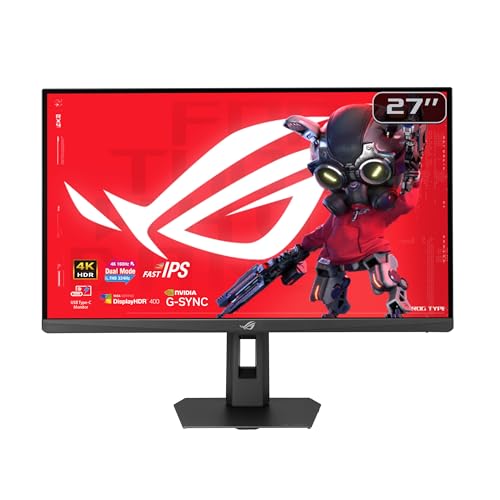
7. ASUS ROG XG27UCSR: Best USB-C Option
Pros
- 4K at 160Hz
- 1080p at 324Hz
- USB-C with DisplayPort Alt Mode
- 0.3ms Fast IPS response time
- Three-year warranty
Cons
- Not an OLED panel
- USB-C power delivery is not specified
- Smaller screen than the 32-inch OLED options
Best for: mixed gaming and laptop use at a compact desk.
The ASUS ROG XG27UCSR is a strong desk monitor for someone who switches between a gaming PC and a laptop. Its USB-C port supports DisplayPort Alt Mode, allowing a compatible device to connect without a separate video cable. ASUS does not specify charging power here, so treat it primarily as a cleaner display connection rather than a guaranteed one-cable charging dock.
The dual-mode panel is the headline feature. It runs at 3840 by 2160 and 160Hz, or at 1920 by 1080 and 324Hz. That makes the XG27UCSR a close relative to the Acer Nitro VG270K V4 in spirit, though the ASUS offers a different set of refresh options and a Fast IPS response time listed at 0.3ms minimum.
ELMB Sync works with variable refresh to reduce ghosting and tearing. ASUS Smart Pixel is intended to improve clarity at lower resolutions, while 95% DCI-P3 coverage and gray-scale tracking support more consistent color. DisplayWidget Center lets users adjust settings with a mouse instead of repeatedly using the monitor controls.
The compromises are clear. It is not OLED, the 27-inch size is less immersive than the ASUS ROG XG32UCWMG, and the data does not state USB-C charging output. The three-year advanced replacement and repair warranty is useful, as is the included three-month Adobe Creative Cloud access while that offer remains valid.
Choose this monitor when your desk needs to serve both a desktop PC and a portable computer. It is more versatile than the ASUS TUF VG27UQ1A, while the TUF remains the simpler choice for native 4K motion tuning.
8. ASUS ROG PG32UCDMR: Best Connected OLED

Pros
- 32-inch 4K QD-OLED display
- 240Hz refresh rate
- 0.03ms GTG response time
- DisplayPort 2.1 and HDMI 2.1
- 90W USB-C power delivery
Cons
- OLED care is still required
- Large footprint
- No dual-mode feature listed
Best for: high-end gaming setups that also need modern connectivity.
The ASUS ROG PG32UCDMR is the connected alternative to the PG32UCDM. Both use a 32-inch 4K QD-OLED panel with a 240Hz refresh rate and 0.03ms GTG response time, so both are built for the same combination of deep contrast and fast movement. The UCDMR separates itself with a newer connection set.
DisplayPort 2.1, HDMI 2.1, and USB-C with 90W power delivery make this the more useful monitor for a desk with several modern devices. The package includes DisplayPort 2.1, HDMI, USB, and USB-C cables, along with a VESA mount kit. That is a more complete setup than the Acer screens and a stronger laptop connection than the XG32UCWMG.
The picture credentials are substantial. ASUS lists DisplayHDR 400 True Black, 99% DCI-P3, true 10-bit color, and Delta E below 2. Uniform-brightness control can keep luminance more consistent across different content, while DisplayWidget Center provides mouse-based access to settings and OLED care features.
The Neo Proximity Sensor can switch the display to black when the user is away, reducing the time a static image remains visible. A three-year warranty includes advanced replacement and burn-in coverage. That does not make OLED maintenance irrelevant, and buyers who mainly use static office applications may still prefer an IPS screen.
The PG32UCDMR is a better fit than the PG32UCDM when DisplayPort 2.1 or a more complete laptop-friendly setup matters. If those connections are not part of your setup, the core gaming experience is very similar between the two.
9. Acer Nitro VG270K L1: Best Basic 4K Screen

Pros
- 27-inch 4K IPS panel
- Near-bezel-less design
- 72Hz at 4K
- 144Hz at 1080p
- FreeSync and HDR10
Cons
- Native 4K refresh is limited to 72Hz
- HDMI ports are HDMI 2.0
- No height adjustment listed
Best for: everyday 4K work and moderate gaming on a 27-inch screen.
The Acer Nitro VG270K L1 is the straightforward member of the Nitro pair. It gives you a 27-inch IPS panel at 3840 by 2160, which is valuable for crisp text, detailed game environments, and a roomy desktop. Its 72Hz native 4K mode is a modest step above standard 60Hz displays, while DFR can raise the refresh rate to 144Hz at 1920 by 1080.
That split tells you exactly who should buy it. The L1 favors resolution for single-player games, media, and general computing, then gives competitive players a faster Full HD mode. The VG270K V4 is much more compelling for fast 4K play because it reaches 160Hz at full resolution and 320Hz at 1080p.
Acer lists AMD FreeSync, a 1ms response time with up to 0.5ms GTG, HDR10, and up to 95% DCI-P3 coverage. The ZeroFrame design keeps the bezels narrow for a cleaner single-screen setup or a side-by-side arrangement. DisplayPort 1.4 and two HDMI 2.0 ports cover common connections, but they are less forward-looking than the V4's HDMI 2.1 ports.
The limitations are not hidden by the attractive feature list. Native 4K gaming is capped at 72Hz, the stand lists tilt from -5 to 25 degrees without height adjustment, and the panel is not OLED. The Samsung Odyssey G5 G51F is a better fit for high-refresh QHD gaming, while this Acer makes more sense for sharp everyday use.
Pick the VG270K L1 when 4K clarity comes first and your games do not need a high native refresh rate. If gaming is the main event, move up to the VG270K V4.
How to choose best 4k gaming monitor
The right display depends on the games you play, the graphics hardware driving it, and how much desk space you can give it.
Native resolution and refresh rate
A 4K panel has 3840 by 2160 pixels, producing sharper game scenes and more desktop space than QHD. The drawback is the graphics workload. A 160Hz 4K monitor is most useful when the PC can produce high frame rates, while a 72Hz display may be enough for slower games and general use.
Some screens offer a second mode. The Acer Nitro VG270K V4 and ASUS ROG XG27UCSR trade 4K resolution for much higher refresh rates at 1080p. That is useful when competitive play matters, but it is not the same as running high-refresh 4K.
Panel type and contrast
IPS panels such as the Acer models are a practical choice for sharp images and broad viewing angles. OLED panels offer individually lit pixels, deeper blacks, and faster stated response times, which is why the ASUS ROG models are especially compelling for HDR games.
OLED ownership requires care around static images. Look for built-in care features and clear warranty coverage if the monitor will also show a desktop for long periods. If that maintenance sounds inconvenient, IPS is the safer fit.
A high refresh rate only helps when the game and graphics card can feed it enough frames.
Variable refresh and motion
FreeSync and G-SYNC Compatible support help synchronize the monitor with the graphics card when frame rates move up and down. ASUS ELMB Sync adds blur reduction while variable refresh remains active, which is useful for fast camera movement.
Do not choose solely by the smallest response-time figure. The refresh rate, synchronization support, and the monitor's behavior at different settings all affect how motion feels. Dual-mode screens are useful because they let you choose clarity or speed based on the game.
HDR and color
HDR support is not identical across these monitors. The Samsung Odyssey G7 G75F lists DisplayHDR 600, while the OLED models list DisplayHDR 400 True Black. OLED's black-level advantage can make HDR look more dramatic even when the certification number is lower.
Color coverage also matters for games, editing, and video. The ASUS OLED displays list 99% DCI-P3 and true 10-bit color. The Acer Nitro VG270K V4 lists 90% DCI-P3, while the VG270K L1 reaches 95% DCI-P3.
Size, curve, and connections
A 27-inch screen is easier to place and keeps 4K pixels dense. A 32-inch panel feels more cinematic, and the Samsung Odyssey G7 G75F goes further with a 37-inch 1000R curved display. Measure desk width and depth before choosing the largest option.
Check ports against the rest of the setup. HDMI 2.1 is useful for newer gaming devices, USB-C with DisplayPort Alt Mode helps laptop users, and 90W USB-C power delivery can reduce cable clutter. The ASUS ROG PG32UCDMR has the broadest connection description in this group.
Frequently asked questions
Is 4K worth it for gaming?
4K is worthwhile when you want sharper game environments, cleaner text, and more desktop space. It places a heavier load on the graphics card than QHD, so a high-refresh 4K screen may require upscaling or reduced settings in demanding games.
Is 160Hz enough for a 4K gaming monitor?
Yes. 160Hz is a strong target for most fast games and is noticeably smoother than 60Hz. The 240Hz ASUS OLED models suit players with powerful systems and a particular interest in competitive motion, but they are not essential for every genre.
Should I choose OLED or IPS?
Choose OLED for deeper blacks, strong HDR contrast, and extremely fast response. Choose IPS if the monitor will show static desktop content for long periods, or if you prefer to avoid OLED care routines.
Do I need HDMI 2.1?
You need HDMI 2.1 when a connected source requires its bandwidth for high-resolution, high-refresh output. PC users may use DisplayPort instead, depending on the graphics card and monitor. Check the ports on both devices before buying.
What does a dual-mode monitor do?
A dual-mode monitor changes between a detailed native mode and a lower-resolution mode with a faster refresh rate. The Acer Nitro VG270K V4 switches from 4K 160Hz to 1080p 320Hz, while the ASUS ROG XG32UCWMG switches from 4K 240Hz to 1080p 480Hz.
Is a curved monitor better for gaming?
A curve can make a large screen feel more enveloping, especially in racing and simulation games. It is not automatically better for every game, and a strong 1000R curve may be less comfortable for shared viewing or flat-design work.
The bottom line
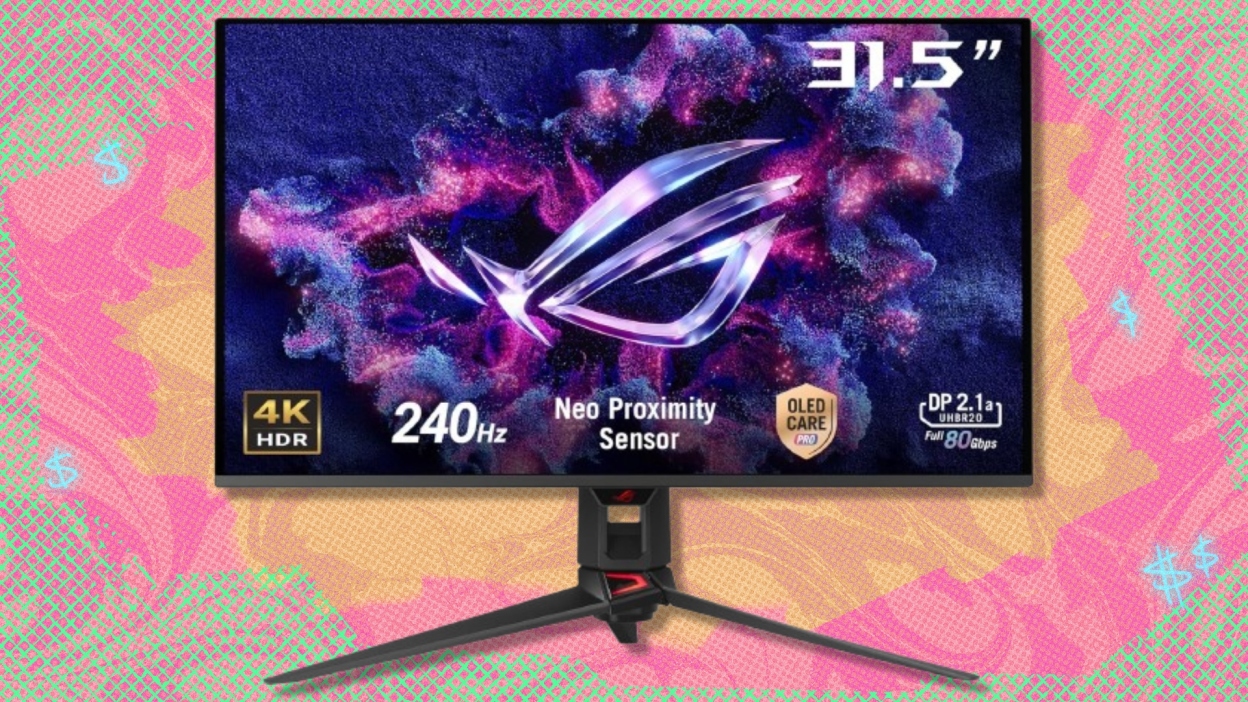
The Best 4k gaming monitor for most players is the Acer Nitro VG270K V4. Its 4K 160Hz IPS panel covers the main use case well, and its 1080p 320Hz mode gives competitive players a meaningful speed option. The ASUS ROG PG32UCDM is the stronger premium pick for OLED contrast, HDR impact, and 240Hz motion on a larger screen.
Choose the ASUS ROG XG32UCWMG if you want one display that can switch between 4K cinematic play and 1080p competitive speed. Choose the Samsung Odyssey G7 G75F if screen size and a deep curve matter more than OLED contrast.
If you are undecided, start with the Acer Nitro VG270K V4 unless your top priority is OLED image quality or a much larger curved display.
As an Amazon Associate we earn from qualifying purchases.