

A 55-inch television can turn a living room into a convincing home theater, but the wrong one can leave you fighting dim HDR, cluttered menus, or weak built-in sound. The panel type matters, yet so do the operating system, motion handling, voice controls, and the number of devices you need to connect.
Our Best 55 inch smart tv picks range from simple Roku models to fast Mini LED sets and an OLED designed for serious movie watching and gaming. We looked for meaningful differences in picture technology, HDR support, motion features, audio, and everyday usability.
The LG C5 OLED is our single best pick, while the other nine cover easier streaming, brighter rooms, stronger built-in sound, and different gaming priorities.
Comparison table
| # | Product | Award | Panel and picture | HDR | Smart platform | Best for |
|---|---|---|---|---|---|---|
| 1 | LG C5 OLED | Best overall | OLED, 4K | Dolby Vision, HDR10 | LG smart TV | Movies and gaming |
| 2 | Samsung M70H 144Hz | Best for fast gaming | Mini LED, 4K | Auto HDR remastering | Samsung smart TV | PC and console gaming |
| 3 | Roku Plus Series | Best Roku picture | QLED Mini LED, 4K | Dolby Vision | Roku TV | Simple streaming and strong sound |
| 4 | Samsung M70H 120Hz | Best Mini LED balance | Mini LED, 4K | Mini LED HDR | Samsung smart TV | Sports and bright rooms |
| 5 | Hisense E6 Cinema | Best HDR format support | Hi-QLED, 4K | Dolby Vision, HDR10+ Adaptive, HDR10, HLG | Fire TV | Mixed streaming libraries |
| 6 | LG QNED73 Mini LED | Best LG LCD | QNED Mini LED, 4K | HDR10 Pro | webOS | Bright rooms and LG fans |
| 7 | TCL Q65 QLED | Best Google TV option | QLED, 4K | Dolby Vision, HDR10+, HDR10, HLG | Google TV | App flexibility and dialogue |
| 8 | Roku Select Series | Best simple Roku set | QLED, 4K | HDR10 | Roku TV | Straightforward everyday viewing |
| 9 | Samsung U8000H | Best Samsung simplicity | Crystal UHD, 4K | Standard HDR features | Samsung smart TV | Samsung TV Plus users |
| 10 | Insignia QF Series | Best Fire TV connections | QLED, 4K | Dolby Vision | Fire TV | Multiple HDMI devices |
1. LG C5 OLED: Best Overall

Pros
- Self-lit OLED pixels produce perfect black
- Dolby Vision and Dolby Atmos support
- 0.1ms response time and up to 144Hz refresh rate
- Four HDMI 2.1 inputs
- Strong upscaling and Filmmaker Mode
Cons
- OLED is not the best fit for every exceptionally bright room
- Heavier than several LCD alternatives
- Sound benefits from a separate audio system
Best for: movie lovers and gamers who want the strongest all-around picture.
The LG C5 OLED is the television we would keep for a mixed household. Its picture has the clean, high-contrast look that makes dark films feel cinematic, while its gaming features keep it from being a movie-only specialist. The key difference is the OLED panel: its 8.3 million self-lit pixels can turn individual pixels off, so black areas do not depend on a shared backlight.
LG adds Brightness Booster technology to make highlights more forceful, and the set is described as Bright Room Ready with a UL glare-related verification. That does not make it immune to reflections, but it makes the C5 more versatile than older OLED designs. Dolby Vision handles compatible HDR films, HDR10 covers other common content, and Filmmaker Mode is available when you want the original picture intent rather than aggressive processing.
This is also the most capable gaming television here. A 0.1ms response time, a refresh rate up to 144Hz, VRR, NVIDIA G-Sync, and AMD FreeSync Premium address different parts of fast gameplay. Four HDMI 2.1 inputs give a setup with several current consoles, a PC, and an audio receiver much more room than the three HDMI inputs on the Insignia QF Series. The Samsung M70H 144Hz is a serious rival for PC gaming, but the C5 has the more convincing black level and broader home theater appeal.
The weakness is straightforward. OLED remains a panel choice that calls for some thought if the screen will display fixed interface elements for long periods. The C5 is also heavier than most of these LCD televisions, at 35.3 pounds, and the built-in speakers cannot create the same scale as a dedicated system. If you mainly watch bright daytime television and never use a console, the Samsung M70H 120Hz may be a more natural fit.
For buyers who want one screen for films, sports, streaming, and demanding games, the C5 is the most complete answer. It is the clearest starting point for the Best 55 inch smart tv shortlist.
2. Samsung M70H 144Hz: Best for Fast Gaming

Pros
- Mini LED backlighting with AI picture processing
- Up to 144Hz motion performance
- Variable Refresh Rate support
- One billion-color Pure Spectrum Color system
- Auto HDR remastering for SDR content
Cons
- Less explicit movie-format support than the LG C5
- Samsung interface is not as simple as Roku TV
- Built-in feature set is focused more on picture and gaming than sound
Best for: PC gamers and sports viewers who value smooth motion.
The Samsung M70H 144Hz is the performance-oriented Samsung in this group. Its Mini LED backlight is paired with AI Mode and the NQ4 AI Gen2 Processor, so the set is built to adjust clarity, color, contrast, and motion rather than simply display a fixed picture. That combination makes it especially interesting for content that moves quickly or changes dramatically from shot to shot.
Its headline feature is Motion Xcelerator 144Hz. Variable Refresh Rate can match the display to a game’s changing frame output, which helps reduce stutter and tearing. That is a more meaningful advantage for a gaming PC than for ordinary television, although sports fans can also benefit from a cleaner sense of movement. The C5 OLED remains the more persuasive choice for deep blacks and film presentation, but this Samsung has a sharper focus on high-refresh gaming.
Samsung’s Pure Spectrum Color system is specified to show one billion colors, while Auto HDR Remastering attempts to give standard dynamic range material a more HDR-like appearance. That can make an older game or ordinary broadcast feel more vivid, though viewers who prefer a restrained image may want to adjust the picture mode. The set also includes Samsung Gaming Hub, which brings console, cloud, and gaming app content into one place.
The main limitation is the information we have about its movie support. Unlike the LG C5, Hisense E6 Cinema, TCL Q65, and Insignia QF Series, the listing does not call out Dolby Vision. That does not prevent good 4K viewing, but it matters to a buyer with a large Dolby Vision library. The M70H 120Hz is the calmer alternative within the same family, while the 144Hz model is the one to choose when response and refresh are central.
Choose this Samsung if you are buying around a gaming PC, fast sports, and a bright, colorful picture. It is a better specialist than generalist, and that is exactly why it ranks so highly.
3. Roku Plus Series: Best Roku Picture

Pros
- Mini LED backlighting and QLED color
- Dolby Vision support
- Simple Roku home screen
- Built-in subwoofer and Dolby Atmos
- Voice remote with lost remote finder
Cons
- No gaming refresh specification is provided
- Larger rear depth than the thinnest sets
- Roku interface can encourage frequent content browsing
Best for: households that want easy streaming with better built-in sound.
The Roku Plus Series gets the important everyday experience right. Roku’s uncluttered home screen, quick setup, personalized picks, and straightforward remote reduce the small frustrations that make some smart televisions feel like computers attached to a screen. It is the set we would point to when several people in a household need to find apps and shows without a tutorial.
Picture hardware is stronger than the simplest Roku model. The Plus Series combines a QLED screen with Mini LED backlighting and Dolby Vision, giving it a more ambitious route to color, highlight detail, and contrast. Roku Smart Picture Max uses AI to clean up incoming signals and refine color and sharpness for different content. That should be useful for a mix of streaming quality, sports, and broadcast material, though it is not a replacement for the precise black control of the LG C5 OLED.
Audio is the reason this Roku stands apart. It has Dolby Atmos technology and a built-in subwoofer, a rare combination in this list. The result should give films and shows more weight than a typical flat-screen speaker system, while Bluetooth Headphone Mode lets one person listen privately. Roku also includes audio playback with the display turned off, which is handy for music or spoken content.
The compromise is that the listing does not provide a specific refresh rate or gaming response figure. The Samsung M70H 144Hz and LG C5 are more obvious choices for high-frame-rate games. At 27.4 pounds and with a listed depth of 11.7 inches, the Plus Series also needs a little more furniture depth than the slim TCL Q65 or Hisense E6 Cinema.
This is the Roku to choose when sound and picture both matter but menu simplicity remains non-negotiable. If you are considering an external speaker later, our guide to matching a sound system with a Roku television covers the practical next step.
4. Samsung M70H 120Hz: Best Mini LED Balance

Pros
- Mini LED HDR with Supreme Mini LED Dimming
- Up to 120Hz motion performance
- Dedicated Soccer Mode
- One billion-color Pure Color Spectrum
- Samsung Gaming Hub
Cons
- Not as gaming-focused as the 144Hz M70H
- Dolby Vision is not listed
- Samsung menus take more adjustment than Roku menus
Best for: sports fans and viewers who want bright highlights with controlled contrast.
The Samsung M70H 120Hz is the more balanced version of Samsung’s Mini LED pair. It uses the same 55-inch 4K format and the same general Mini LED approach, but its feature emphasis is less about the highest refresh figure and more about HDR, sports, and living-room viewing. Supreme Mini LED Dimming is designed to keep bright highlights from washing out nearby dark areas.
Motion Xcelerator plus DLG 120Hz gives this set a meaningful advantage for sports and action. Samsung’s Soccer Mode adds specialized treatment for the field and fast play, with the listing claiming clearer motion and more vivid greens. Those modes will not appeal to everyone, but they show that Samsung is targeting viewers who watch movement-heavy content rather than only films.
The Pure Color Spectrum system is specified to produce one billion colors, and the Mini LED HDR system aims for brighter highlights and deeper blacks than a traditional television. Samsung TV Plus adds more than 2, 700 free streaming options, including more than 750 subscription-free channels. The Samsung U8000H offers a similar content ecosystem, but the M70H has substantially more advanced picture hardware.
The M70H 144Hz is the better choice for a gaming PC because its refresh ceiling is higher. The LG C5 remains ahead for OLED black levels and Dolby Vision movie playback. This model is a better fit for a household that watches sports, streams a broad mix of content, and wants Mini LED contrast without making gaming the entire buying decision.
The listing does not identify Dolby Vision, and buyers with a format-specific film library should keep that in mind. For a bright room and regular sports viewing, though, the 120Hz M70H is a persuasive middle ground.
5. Hisense E6 Cinema: Best HDR Format Support

Pros
- Dolby Vision, HDR10+ Adaptive, HDR10, and HLG
- AI light sensor adjusts brightness
- Dolby Atmos support
- Fire TV with Alexa voice control
- Wi-Fi 6 and AI 4K upscaling
Cons
- No specific panel refresh rate is stated
- Fire TV home screen can be busy
- Picture processing may need adjustment for purists
Best for: viewers with varied HDR sources and a Fire TV household.
The Hisense E6 Cinema is built around format flexibility. Its Hi-QLED Color system aims for vivid, lifelike color, while the Total HDR Solution supports Dolby Vision, HDR10+ Adaptive, HDR10, and HLG. That broad coverage is useful when a family watches streaming films, live television, and discs from different sources without wanting to think about which standard each one uses.
An AI light sensor changes screen brightness in response to ambient light. A television in a room that moves from daylight to evening darkness can benefit from that kind of adjustment, although viewers who prefer a fixed calibrated look may turn automatic behavior off. AI 4K Upscaler works on lower-resolution material, and AI Smooth Motion uses MEMC and noise reduction to make rapid action appear cleaner.
The Fire TV interface brings live channels and apps together, with Alexa available for launching content, controlling the set, and handling general requests. Wi-Fi 6 is another practical feature for a crowded home network because it is designed for faster speeds, greater stability, and more capacity than Wi-Fi 5. The TCL Q65 has an appealing Google TV alternative, while the Hisense is the more natural fit for Alexa users.
The missing detail is a specific refresh rate. Hisense calls out Motion Rate 120, but that is not the same kind of clearly defined native refresh specification provided by the Samsung M70H models or the LG C5. Serious gamers should look at those sets first. The Fire TV interface can also feel more crowded than Roku’s home screen.
Choose the E6 Cinema if your priority is broad HDR compatibility, Alexa control, and automatic adjustment to changing room light. It is a flexible family television rather than a specialist gaming display.
6. LG QNED73 Mini LED: Best LG LCD

Pros
- Mini LED backlighting
- 100% Color Volume claim with Dynamic QNED Color
- HDR10 Pro and Filmmaker Mode
- webOS with LG Channels
- AMD FreeSync Premium and ALLM
Cons
- HDR support is less extensive than the Hisense E6 Cinema
- No refresh rate figure is listed
- OLED C5 has stronger black-level technology
Best for: LG households that want an LCD screen for a bright room.
The LG QNED73 is the sensible LCD companion to the LG C5 OLED. It uses QNED color technology with Mini LED backlighting, giving it a bright-room-friendly profile without asking the buyer to move to OLED. Dynamic QNED Color is claimed to provide 100% Color Volume, which should help keep saturated colors from looking flat as the image gets brighter.
The A7 AI Processor 4K Gen9 handles picture and sound processing, while AI 4K Super Upscaling is intended to improve lower-resolution material. HDR10 Pro changes brightness dynamically to reveal detail in bright and dark scenes. Filmmaker Mode is included for films, and Ambient Light Technology is mentioned alongside that mode, giving the set a more cinema-minded option than its broad smart features might suggest.
webOS keeps streaming access central, and LG Channels provides more than 400 free channels along with on-demand movies and shows. For gaming, AMD FreeSync Premium, ALLM, Game Dashboard, and Game Optimizer cover the basic features a console player is likely to want. The TCL Q65 offers more explicitly listed HDR formats, while the Samsung M70H models provide clearer high-refresh specifications.
The QNED73 is not the pick for a buyer chasing OLED black levels. Its listing also does not give a refresh rate figure, so it is harder to recommend for high-end PC gaming than the LG C5 or Samsung M70H 144Hz. The listed dimensions with stand are 48.3 inches wide by 30.6 inches high by 9.1 inches deep, so stand placement deserves attention.
If you like LG’s interface and processing but prefer Mini LED LCD behavior, this is the strongest LG alternative in the group. It suits bright living rooms, mixed streaming, and console gaming better than buyers who want the deepest possible cinema contrast.
7. TCL Q65 QLED: Best Google TV Option

Pros
- QLED color with High Brightness Plus backlight
- Dolby Vision, HDR10+, HDR10, and HLG
- Google TV platform
- Auto Game Mode and Game Accelerator features
- Enhanced Dialogue Mode and Dolby Atmos
Cons
- Older 2024 model in this lineup
- No Mini LED backlight
- Motion branding is clearer than the underlying refresh specification
Best for: households invested in Google services and varied streaming apps.
The TCL Q65 is a good example of a television that wins through breadth. Its QLED panel uses Quantum Dot technology to cover nearly the entire DCI-P3 color space, while the High Brightness Plus LED backlight is intended to keep the picture visible in ordinary living-room light. It does not have the Mini LED control of the Samsung models or Roku Plus Series, but it is more ambitious than a basic LED set.
HDR support is unusually broad. Dolby Vision, HDR10+, HDR10, and HLG are all listed, giving the Q65 a strong chance of displaying content in the format it was mastered for. TCL’s AIPQ Processor with Deep Learning AI works on color, contrast, and clarity, while Motion Rate 240 with MEMC Frame Insertion targets motion clarity. The name sounds impressive, but shoppers should not treat that figure as a direct substitute for a native refresh-rate specification.
Google TV is the central platform advantage. It is a useful choice for viewers who already organize content through Google services or prefer Google’s recommendations and voice search. The Hisense E6 Cinema and Insignia QF Series use Fire TV instead, while both Roku models are easier for people who want a less layered home screen.
TCL includes Auto Game Mode, designed to enable a low-latency mode automatically, along with Game Accelerator features. Dolby Atmos, DTS Virtual:X, and Enhanced Dialogue Mode give the built-in audio more flexibility than many thin televisions. The LG QNED73 is a stronger choice for an LG-centered smart home, and the Samsung M70H 144Hz remains more convincing for serious high-refresh gaming.
The Q65 is a 2024 model, and it lacks Mini LED backlighting. That makes it less compelling for a dark-room enthusiast than the LG C5 or a Mini LED rival. It is still a well-rounded choice for Google TV users who want broad HDR support and clearer dialogue without adding a separate box immediately.
8. Roku Select Series: Best Simple Roku Set

Pros
- Easy Roku setup and uncluttered navigation
- QLED color and 4K resolution
- HDR10 support
- Voice remote with lost remote finder
- AirPlay and multiple voice assistant options
Cons
- No Mini LED backlight
- No Dolby Vision listed
- Audio is less ambitious than the Roku Plus Series
Best for: first-time smart TV owners and uncomplicated streaming.
The Roku Select Series is the least complicated television here, and that is a genuine strength. Setup is designed to take minutes, the home screen is easy to navigate, and the remote keeps the core controls within reach. Someone replacing an older television does not need to learn a new approach to finding apps, live channels, or search.
Its QLED screen provides richer color than a conventional basic LED description would suggest, and 4K resolution gives compatible material more visible detail. HDR10 is supported, while Roku Smart Picture cleans up incoming signals, optimizes them, and selects a suitable picture mode. Those features help with a mixed stream of sources, though the Plus Series goes further with Mini LED backlighting and Dolby Vision.
Roku Voice handles searches and personal shortcuts, and the remote includes a lost remote finder. AirPlay makes it easy to share video, photos, and music from Apple devices, while Roku lists compatibility with Siri, Alexa, and Google Assistant. Free live television, news, sports, movies, and shows are also built into the platform, so the set does not feel dependent on one streaming service.
The compromises are clear when it sits beside the rest of this list. The Select Series does not list Dolby Vision, Mini LED, a gaming refresh specification, or the built-in subwoofer found in the Roku Plus Series. Its 20.5-pound weight is manageable, and its listed 48.3-inch width is typical for this class, but picture enthusiasts will see the Plus Series as the more complete Roku.
Choose the Select Series when menu simplicity matters more than advanced cinema features. It is the set we would recommend to a household that wants streaming to feel like a utility, not another hobby.
9. Samsung U8000H: Best Samsung Simplicity

Pros
- Crystal Processor with 4K upscaling
- Motion Xcelerator for sports and games
- Color Booster processing
- Samsung TV Plus access
- Compact 22.5-pound listed weight
Cons
- No QLED or Mini LED backlight is listed
- Motion performance is specified up to 4K 60Hz
- HDR format details are limited
Best for: viewers who want Samsung’s platform and free channel ecosystem.
The Samsung U8000H is the straightforward Samsung option. Its Crystal Processor is designed to enhance color, sharpen detail, and upscale lower-resolution material to 4K. That processing matters when the screen is used for older broadcasts, ordinary cable channels, and compressed streams rather than only pristine 4K content.
Motion Xcelerator estimates and adjusts frame transitions in real time, with the listing specifying performance up to 4K 60Hz. That is enough for normal television, films, and many console setups, but it puts this model behind the M70H models for fast games and behind the LG C5 for high-refresh play. Color Booster pushes intensity in reds and blues, which may appeal to viewers who like a vivid default picture.
Samsung TV Plus is a major part of the ownership experience. The listing describes more than 2, 700 free streaming options, including more than 750 subscription-free channels, with news, sports, movies, children’s programming, and reality shows. The platform is more extensive than the Roku Select description in some areas, though Roku’s interface remains easier for many people to navigate.
This television does not list QLED or Mini LED technology, and its HDR format information is less detailed than the TCL Q65 or Hisense E6 Cinema. The Samsung M70H 120Hz is the clear step up for Mini LED contrast and sports motion. The U8000H makes more sense when Samsung’s interface and free channel service matter more than advanced backlighting.
It is a sensible choice for casual viewing, streamed shows, and Samsung households that want a familiar platform. Buyers seeking a dramatic cinema picture or a gaming-first screen should move higher in the ranking.
10. Insignia QF Series: Best Fire TV Connections

Pros
- QLED color with direct LED backlight
- Dolby Vision and Dolby Atmos
- Three HDMI inputs, including one with eARC
- Fire TV and Alexa voice remote
- Bezel-less metal design
Cons
- No refresh rate specification is listed
- Direct LED is less advanced than Mini LED
- Fire TV navigation is busier than Roku TV
Best for: viewers connecting several devices to a Fire TV.
The Insignia QF Series is a practical television with a useful connection layout. Three HDMI inputs give room for a console, streaming box, and receiver, while one includes eARC for sending compatible audio formats to a soundbar or AV receiver. That is a meaningful advantage for a living room where the television has to serve as the connection hub.
The QLED panel uses Quantum Dot technology to improve brightness and color, and the direct LED backlight is designed for uniform brightness and contrast. The set supports Dolby Vision for compatible HDR content and Dolby Atmos audio processing. It will not provide the Mini LED control of the Roku Plus Series or Samsung M70H models, but its format support is more expansive than the Roku Select Series.
Fire TV brings apps, channels, and live content together, while the Alexa voice remote can search for shows and control the television. The platform supports a wide range of services, including Apple TV+, Disney+, Hulu, Netflix, Prime Video, Sling TV, and YouTube. Those specific app references make the Insignia a good fit for a household already using Alexa devices.
There is no listed refresh rate figure, so the QF Series is not the right recommendation for competitive gaming. The TCL Q65 is stronger for gaming controls and motion features, and the Hisense E6 Cinema adds an AI light sensor plus broader HDR support. The Insignia’s direct LED system also sits below Mini LED in backlight sophistication.
Choose it for the practical details: three HDMI inputs, eARC, Dolby Vision, and Alexa. If you plan to add a soundbar, the connection choices that affect TV audio are worth understanding before you settle on a setup.

How to choose best 55 inch smart tv
A good 55-inch television should match the room, the content you watch, and the devices you plan to connect. Start with the panel and picture hardware, then consider HDR, motion, software, and sound.
Panel and backlight
OLED pixels create their own light, which lets the LG C5 produce precise black areas without a shared backlight. Mini LED sets such as the Samsung M70H, Roku Plus Series, and LG QNED73 use many smaller backlight elements to improve brightness and contrast over conventional LED designs. QLED and QNED mainly describe color technologies, so do not assume every QLED television has Mini LED control.
For dark-room films, OLED has the clearest advantage. For a bright room, a strong Mini LED or LED television can be easier to live with, especially when the screen spends much of the day showing sports, news, or games.
HDR formats
HDR affects highlights, shadow detail, and color range, but the television needs to support the formats used by your sources. The Hisense E6 Cinema lists Dolby Vision, HDR10+ Adaptive, HDR10, and HLG. The TCL Q65 lists Dolby Vision, HDR10+, HDR10, and HLG, while the LG C5 includes Dolby Vision and HDR10.
A wide HDR format list helps, but better backlight control determines how convincing those formats look.
A format alone cannot overcome weak brightness or poor contrast. Look at the panel technology and processing alongside the supported standards.
Motion and gaming
The LG C5 lists a 0.1ms response time and refresh rates up to 144Hz, while the Samsung M70H 144Hz adds VRR for changing game frame rates. The other Samsung M70H lists DLG 120Hz, and the TCL Q65 includes Auto Game Mode and MEMC motion processing.
For console gaming, ALLM and responsive picture modes are useful. For a gaming PC, a clearly stated high refresh rate and VRR matter more. Be cautious with marketing terms such as Motion Rate because they do not always identify the panel’s native refresh behavior.
Smart TV platform
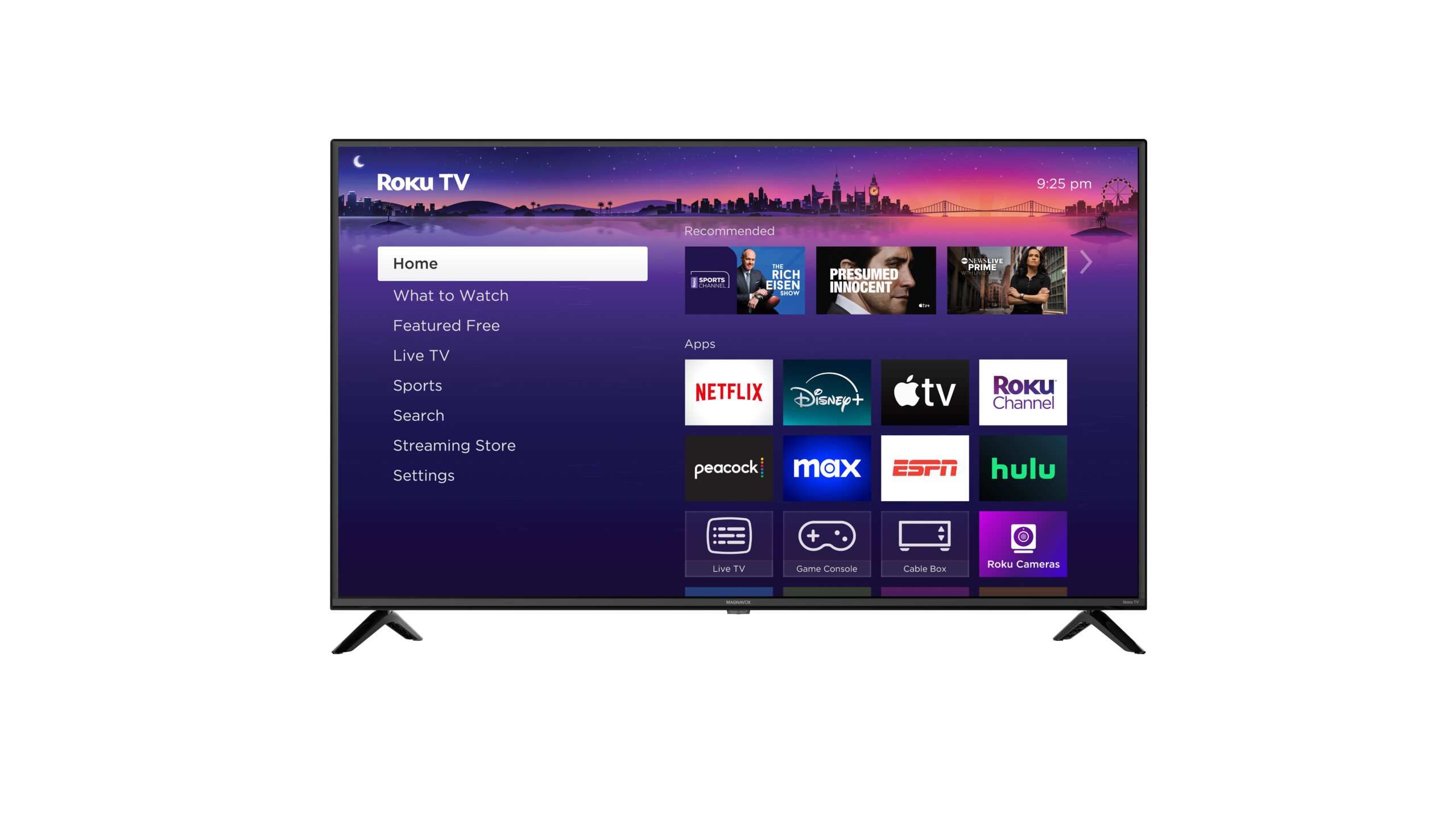
Roku TV is the easiest platform in this group for many households. Its home screen, voice search, AirPlay support, and remote finder make the Select and Plus Series models approachable. Fire TV is a better fit for Alexa users, while Google TV on the TCL Q65 suits people who prefer Google’s recommendations and services.
Samsung and LG offer their own ecosystems, with Samsung TV Plus and LG Channels supplying free content. The right platform is the one that puts your regular apps and devices within the fewest steps.
Audio and connections
Built-in television speakers remain limited by the thin cabinet. The Roku Plus Series adds a built-in subwoofer and Dolby Atmos, while the Insignia QF Series offers three HDMI inputs with eARC on one. Dolby Atmos processing appears on several models, but that does not mean the speakers will reproduce the scale of a separate sound system.
Count your sources before buying. A console, cable box, disc player, receiver, and streaming device can use every available HDMI input quickly.
Frequently asked questions
Is a 55-inch television a good size for a living room?
A 55-inch screen is large enough to make 4K detail worthwhile without overwhelming many living rooms. The right choice depends on seating distance, wall or stand space, and how much of the screen your viewing position fills. Measure the furniture and check the listed width before ordering.
Is OLED better than Mini LED for movies?
OLED usually has the advantage for black levels because each pixel can switch off independently. Mini LED models can produce strong brightness and contrast, which may be preferable in a bright room. The LG C5 is the strongest movie-focused option here, while the Samsung M70H models suit brighter rooms and faster content.
Which television is best for gaming?
The LG C5 is the most complete gaming television because it lists a 0.1ms response time, up to 144Hz, VRR, G-Sync, FreeSync Premium, and four HDMI 2.1 inputs. The Samsung M70H 144Hz is also a strong choice, especially for PC gaming. The TCL Q65 is a more basic gaming option with Auto Game Mode.
Do all of these televisions support Dolby Vision?
No. Dolby Vision is listed for the LG C5, Hisense E6 Cinema, Insignia QF Series, TCL Q65, and Roku Plus Series. It is not listed for the Roku Select Series or the Samsung models in this dataset. Buyers with a large Dolby Vision library should check that feature specifically.
Which smart TV platform is easiest to use?
Roku TV generally has the simplest navigation in this group. Fire TV is convenient for Alexa households, Google TV is useful for viewers invested in Google services, and Samsung and LG provide broader manufacturer ecosystems. Personal app habits matter more than the platform name alone.
Can these televisions replace a soundbar?
The Roku Plus Series has the most ambitious built-in audio here because it includes a built-in subwoofer and Dolby Atmos technology. The other sets can process formats such as Dolby Atmos, but thin television speakers still have limited physical scale. A separate soundbar or receiver is the better route for room-filling sound.
How many HDMI inputs do I need?
Count every device that will connect directly to the television. The Insignia QF Series lists three HDMI inputs, including one with eARC, while the LG C5 lists four HDMI 2.1 inputs. If you have several consoles and an audio receiver, more inputs can prevent constant cable swapping.

The bottom line
The LG C5 OLED is our top recommendation for the Best 55 inch smart tv because it combines OLED contrast, Dolby Vision, capable upscaling, excellent gaming specifications, and four HDMI 2.1 inputs. It is the most convincing choice for a buyer who watches films and plays games on the same screen.
The Samsung M70H 144Hz is the better specialist for PC gaming and fast sports, while the Roku Plus Series is the easiest recommendation for streaming households that also want stronger built-in sound. The Hisense E6 Cinema and TCL Q65 make sense when broad HDR support is more important than Mini LED or OLED technology.
If you are still undecided, choose the LG C5 for picture quality, Samsung M70H 144Hz for high-refresh gaming, or Roku Plus Series for simple streaming with better audio.
As an Amazon Associate we earn from qualifying purchases.