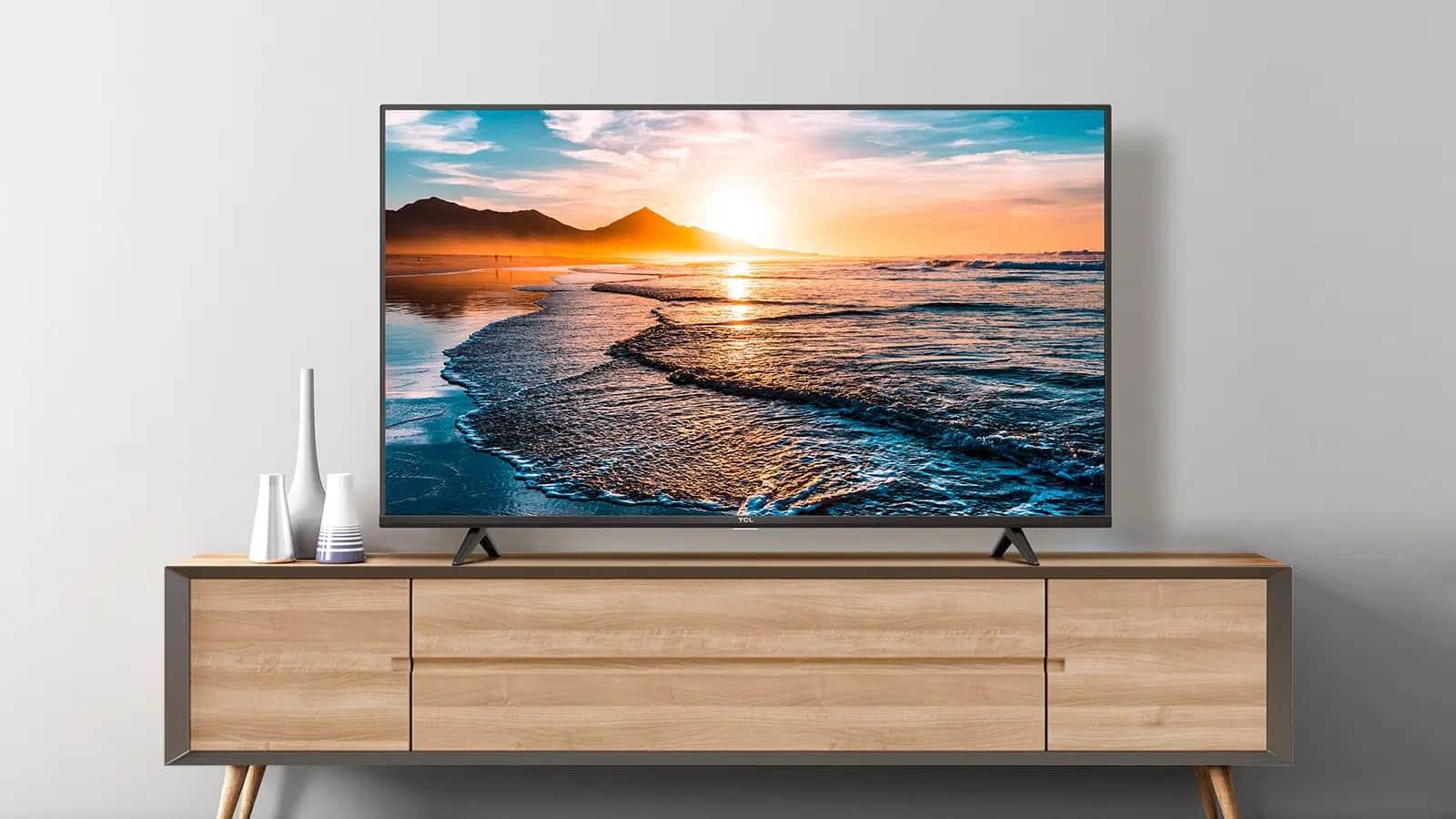

A 65-inch television can dominate a room, but a large screen also makes weak contrast, smeared motion, and clumsy software much harder to ignore. The right choice depends on whether you watch films in a dim room, follow sports in daylight, play fast games, or mainly want simple streaming.
Our Best 65 in TV picks range from straightforward LED models to high-refresh Mini-LED sets and a premium OLED. LG C5 OLED is the best overall choice, while the other nine cover simpler interfaces, brighter rooms, and more accessible gaming features.
Comparison table
| # | Product | Award | Panel and picture | Motion | HDR | Smart platform | Best for |
|---|---|---|---|---|---|---|---|
| 1 | LG C5 OLED | Best overall | OLED evo, 4K | Up to 144Hz | Dolby Vision, HDR10 | Smart TV, Alexa built-in | Film fans and serious gamers |
| 2 | Hisense U6 Pro | Best Mini-LED balance | Mini-LED ULED, Hi-QLED, 4K | Native 144Hz | Dolby Vision IQ, HDR10+ Adaptive, HDR10, HLG | Fire TV | Bright-room viewing and gaming |
| 3 | Hisense E7 Cinema | Best motion-focused QLED | Mini-LED Hi-QLED, 4K | Native 144Hz | Dolby Vision IQ, HDR10+ Adaptive, HDR10, HLG | Fire TV | Sports and fast games |
| 4 | TCL T7 | Best Google TV gaming pick | QLED, 4K | 144Hz, Motion Rate 480 | Dolby Vision, HDR10+, HDR10, HLG | Google TV | Multi-console households |
| 5 | Samsung M80H Mini LED | Best Samsung gaming upgrade | Mini LED, 4K | 144Hz, VRR | AI HDR remastering | Smart TV | Samsung fans and PC gamers |
| 6 | Hisense E6 Cinema | Best feature-rich Fire TV | Hi-QLED, 4K | Motion Rate 120, MEMC | Dolby Vision, HDR10+ Adaptive, HDR10, HLG | Fire TV | Streaming and mixed viewing |
| 7 | INSIGNIA QF Series | Best simple QLED Fire TV | QLED, direct LED, 4K | Not specified | Dolby Vision | Fire TV | Easy everyday viewing |
| 8 | Roku Select QLED | Best simple interface | QLED, 4K | Not specified | HDR10 | Roku TV | Roku households |
| 9 | Samsung U8000H | Best straightforward Samsung | Crystal UHD, 4K | Up to 60Hz | Not specified | Samsung Smart TV | Casual TV and Samsung users |
| 10 | INSIGNIA F50 Series | Best connected LED | LED, 4K | Not specified | HDR10 | Fire TV | Cable, consoles, and streaming |
1. LG C5 OLED: Best Overall

Pros
- OLED pixels produce perfect black
- Up to 144Hz refresh rate and 0.1ms response time
- Four HDMI 2.1 inputs
- Dolby Vision, Dolby Atmos, and Filmmaker Mode
- G-Sync, FreeSync Premium, and VRR support
Cons
- Premium model with more features than casual viewers need
- OLED is not the right fit for every extremely bright room
- Built-in sound still benefits from a dedicated audio system
Best for: film fans, console players, and anyone who wants the most refined picture in this group.
The LG C5 OLED is the one that makes a 65-inch screen feel genuinely cinematic rather than merely large. Its self-lit OLED pixels can turn individual areas of the image completely black, so a night sky, a shadowed room, or letterbox bars do not pick up the gray haze common on LED televisions. That precision is the reason it leads this list.
LG also gives the C5 unusually strong gaming hardware. The panel reaches up to 144Hz, and the stated 0.1ms response time is designed for quick transitions without the trailing effect that can make competitive games look soft. Variable refresh rate support, NVIDIA G-Sync, and AMD FreeSync Premium help the display stay synchronized with compatible sources. Four HDMI 2.1 inputs leave room for multiple consoles, a gaming PC, and an audio receiver without constantly swapping cables.
For films, Dolby Vision, Dolby Atmos, and Filmmaker Mode cover the formats and presentation modes most buyers will actually use. The Alpha 9 AI Processor Gen8 handles AI Super Upscaling, which is useful when older broadcasts or lower-resolution streams occupy a screen this large. Brightness Booster is intended to make the individual pixels more luminous, and LG says the set has been verified for reduced discomfort glare in bright rooms. That does not make it immune to reflections, but it gives the C5 more flexibility than older OLED designs.
The weakness is straightforward: this is a more deliberate purchase than the simpler televisions here. The Hisense U6 Pro and Hisense E7 Cinema offer Mini-LED backlighting and native 144Hz performance, while the TCL T7 gives gamers a similarly high refresh rate with Google TV. None matches the C5's pixel-level black control. Buyers who mostly watch daytime news or basic streaming may not notice the full advantage, and anyone who wants a very bright, reflection-free screen should examine the Mini-LED alternatives first.
If your priorities are movie quality, smooth gaming, and a polished feature set, the C5 is the Best 65 in TV choice in this group. It is the model we would keep for a dedicated living room or mixed-use media setup.
2. Hisense U6 Pro: Best Mini-LED Balance

Pros
- Mini-LED backlight with Hi-QLED color
- Native 144Hz refresh rate
- Anti-reflection and glare-free display
- Dolby Vision IQ and HDR10+ Adaptive
- Built-in subwoofer and IMAX Enhanced support
Cons
- Fire TV interface may feel busy to some viewers
- Larger and heavier than the simpler Hisense E6 Cinema
- OLED still has more exact black control
Best for: viewers who want bright, punchy HDR and fast gaming without moving to an OLED.
The Hisense U6 Pro is a strong middle ground between ordinary LED television and premium OLED. Mini-LED backlighting uses many small light sources and precise zones to improve the separation between bright highlights and dark areas. The Hi-QLED layer is aimed at richer, more accurate color, while the anti-reflection and glare-free screen address a common 65-inch problem: windows and lamps becoming part of the picture.
Its native 144Hz refresh rate is a meaningful feature, not just a decorative label. Fast sports pans should look easier to follow, and compatible games can take advantage of smoother movement and quicker response. The set also includes AI processing that adjusts the picture for different content types, so sports, movies, and games do not all need the same manual setup. Hisense lists support for Dolby Vision IQ, HDR10+ Adaptive, HDR10, and HLG, giving the TV broad HDR compatibility.
The built-in subwoofer is an unusual inclusion among these televisions. It cannot replace a properly positioned soundbar or receiver, but extra low-end support can give films and games more weight than thin TV speakers usually manage. IMAX Enhanced certification and DTS-powered audio are also present, and Fire TV brings recommendations, watchlists, voice control, and a live content guide into the same system. There is a lot here for a viewer who wants one box to handle the room.
The LG C5 remains better for absolute black levels and pixel-level precision, while the Hisense E7 Cinema offers a similar native 144Hz focus with its own Mini-LED approach. The U6 Pro's advantage is the glare-conscious design and built-in subwoofer. Its drawback is physical heft: the listed weight is 40.8 pounds, and the set is not as easy to handle as the lighter Hisense E6 Cinema. Fire TV is functional, but Roku's home screen is calmer and simpler.
Choose the U6 Pro if your room gets daylight, your viewing includes sports or games, and you want strong HDR format support. It is one of the most balanced picks for a buyer comparing the Best 65 in TV options by actual capability rather than brand familiarity.
3. Hisense E7 Cinema: Best Motion-Focused QLED

Pros
- Mini-LED Hi-QLED display
- Native 144Hz Game Mode
- AI picture and AI light sensor
- Dolby Vision IQ and Dolby Atmos
- Sports mode and MEMC motion processing
Cons
- Fire TV recommendations can take over the home screen
- No detailed connection list is provided in the product information
- OLED still offers cleaner shadow detail
Best for: sports viewers and gamers who want automatic picture adjustments with high-refresh motion.
The Hisense E7 Cinema is built around motion. Its native 144Hz Game Mode gives fast games and sports a smoother foundation than the 60Hz class televisions lower in this ranking. MEMC processing works on top of that panel capability to reduce blur in rapid transitions, while AI Sports Mode recognizes sports content and adjusts picture and sound for the action. Those features target a viewer who spends less time tuning a television and more time switching between live events, streaming shows, and games.
Mini-LED backlighting gives the E7 a more sophisticated contrast system than a basic direct LED television. Hisense pairs it with Hi-QLED color, which is intended to keep uniforms, grass, faces, and bright graphics vivid without making every scene look artificially intense. The AI Picture system analyzes content scene by scene and adjusts brightness, contrast, and color. The AI Light Sensor also changes backlight behavior based on ambient light, which can make a set more comfortable from afternoon viewing through late-night films.
HDR support is broad. Dolby Vision IQ, HDR10+ Adaptive, HDR10, and HLG cover the major formats listed for the TV. Filmmaker Mode is available when you want to avoid aggressive processing and preserve a movie's intended aspect ratio, color, frame rate, and sound. Dolby Vision and Dolby Atmos add the familiar cinema-focused options, although the television's own speakers will not create the same scale as a separate audio system.
The Hisense U6 Pro is the closer rival. Both use Mini-LED and offer native 144Hz performance, but the E7 leans harder into sports recognition, AI picture adjustments, and Filmmaker Mode. The TCL T7 is another capable motion pick and has four HDMI inputs plus Google TV, which may appeal more to households using several devices. The E7's main limitation is that the supplied information does not spell out its connection count, so buyers with a complicated home theater should verify that before ordering.
The E7 Cinema is a good fit when fast movement is the deciding factor. It is not the pure movie specialist that the LG C5 is, but its blend of Mini-LED contrast, adaptive picture tools, and high refresh makes it a compelling Best 65 in TV candidate for a sports-heavy room.
4. TCL T7: Best Google TV Gaming Pick

Pros
- 144Hz panel refresh rate
- Four HDMI inputs, including eARC
- QLED color and HDR PRO+
- Dolby Vision, HDR10+, HDR10, and HLG
- Height-adjustable feet
Cons
- Wi-Fi 5 is older than the Wi-Fi 6 listed on some Hisense models
- No Mini-LED backlight is specified
- Motion Rate processing is not the same as native panel refresh
Best for: gamers who need several inputs and prefer Google TV's app and voice ecosystem.
The TCL T7 is the most practical choice here for a household with several game systems. It has a 144Hz panel refresh rate and four HDMI inputs, with one supporting eARC. Four inputs give a console-heavy setup more breathing room than the three HDMI inputs listed for the INSIGNIA models. The height-adjustable feet are useful too, especially if a soundbar needs to sit in front of the screen.
TCL uses a QLED panel with color coverage described as nearly the entire DCI-P3 color space. That is a useful cinema and gaming trait because a broader color range can make saturated scenes look more expressive. The AIPQ Pro Processor handles color, contrast, and clarity adjustments for 4K HDR content. HDR PRO+ supports Dolby Vision, HDR10+, HDR10, and HLG, so the television is ready for a wide range of streaming and disc content.
Motion is where the T7 separates itself from straightforward living-room screens. The 144Hz panel is the core feature, while Motion Rate 480 with MEMC combines additional motion technologies to improve clarity. Those systems can make fast action more legible, though motion processing should be adjusted carefully for films because excessive smoothing can make cinema look unnatural. Google TV provides voice control through supported assistants and brings apps into a familiar recommendation-driven interface.
The Hisense E7 Cinema and Hisense U6 Pro add Mini-LED backlighting, which gives them a stronger contrast story in dark scenes. The LG C5 remains the obvious step up for black-level precision and response. The T7's counterargument is connectivity and flexibility. It offers four HDMI inputs, adjustable feet, and a platform that suits viewers already using Google services. The weaker point is Wi-Fi 5, which is not as current as the Wi-Fi 6 connection specified for the Hisense E6 Cinema.
Buyers comparing how many HDMI connections a living room setup really needs should give the T7 serious attention. It is the most convincing option for a multi-device gaming setup that does not want to live inside a single brand's ecosystem.
5. Samsung M80H Mini LED: Best Samsung Gaming Upgrade

Pros
- Mini LED backlighting
- 144Hz Motion Xcelerator
- Variable Refresh Rate support
- AI scene processing and 4K upscaling
- Pure Spectrum Color technology
Cons
- Product information does not list HDMI or audio connections
- HDR format support is not specified
- Smart TV platform details are less specific than Fire TV or Roku
Best for: Samsung users who want Mini-LED contrast and high-refresh gaming features.
The Samsung M80H Mini LED is the Samsung pick for buyers who want to step beyond a conventional Crystal UHD screen. Mini LED backlighting uses smaller light sources than ordinary LED systems, and Samsung combines that with AI Mode to analyze scenes and adjust clarity, color, and contrast. The stated Pure Spectrum Color technology targets one billion colors, which should help vivid scenes retain more gradation instead of collapsing into a few broad shades.
Gaming and sports receive the clearest upgrade. Motion Xcelerator reaches 144Hz, and Variable Refresh Rate technology is designed to match the display with the game's output to reduce stutter and tearing. That makes the M80H more suitable for fast play than the Samsung U8000H, whose Motion Xcelerator is specified for up to 4K 60Hz performance. Samsung also includes Auto HDR Remastering, which transforms SDR content toward an HDR-like presentation with brighter highlights and stronger color.
The NQ4 AI Gen2 Processor handles real-time enhancement and 4K upscaling. That matters on a 65-inch display because older broadcasts and lower-resolution streams can expose softness more readily than a smaller screen. The processor is also described as working on sound, though the supplied details do not identify a speaker arrangement or audio output set. The same gap applies to HDMI connections, so a buyer with a receiver and several consoles should confirm the port layout before committing.
The TCL T7 is easier to recommend for a device-heavy setup because its four HDMI inputs are clearly listed. The LG C5 provides more explicit gaming support with HDMI 2.1, G-Sync, FreeSync Premium, and VRR. The M80H's appeal is Samsung's processing and the combination of Mini LED with 144Hz, but its sparse connection information makes it less transparent than those rivals.
Pick the M80H when you already prefer Samsung's picture processing and smart TV environment, and when high-refresh gaming matters more than a long list of published connection details. It is a sensible Samsung-focused route into the upper tier of this Best 65 in TV roundup.
6. Hisense E6 Cinema: Best Feature-Rich Fire TV

Pros
- Hi-QLED color and 4K upscaling
- Dolby Vision, Dolby Atmos, HDR10+ Adaptive, HDR10, and HLG
- AI Light Sensor
- Filmmaker Mode and Game Mode Plus
- Wi-Fi 6
Cons
- Motion system is less advanced than the 144Hz picks
- No Mini-LED backlight is specified
- Built-in audio cannot match a dedicated system
Best for: households that want broad HDR support, Fire TV, and automatic brightness adjustment.
The Hisense E6 Cinema makes a convincing case for a television that handles a little of everything. Its Hi-QLED color system is designed for vivid, lifelike images, while AI 4K Upscaler works on lower-resolution broadcasts, older movies, and home videos. The result should be a more consistent picture across mixed sources, which is often more useful in a family room than a television optimized for only one type of content.
HDR support is unusually complete at this level. Dolby Vision, HDR10+ Adaptive, HDR10, and HLG are all listed, and Dolby Atmos handles compatible immersive audio tracks. Filmmaker Mode gives movie fans a way to preserve the original aspect ratio, frame rate, color, and audio presentation rather than accepting heavy television processing. Game Mode Plus is included for casual play, but the E6 is not positioned as a high-refresh gaming specialist.
The AI Light Sensor is one of the more practical features. It detects the room's ambient light and adjusts screen brightness, so the picture does not remain glaringly bright after sunset or look unnecessarily subdued during the day. Hisense also lists AI Smooth Motion with MEMC, AI Noise Reduction, and a responsive panel. Those tools can make sports and action easier to follow, although the listed Motion Rate 120 does not put the E6 in the same class as the native 144Hz Hisense E7 Cinema.
The E6's platform is Fire TV, with Alexa voice control for finding content and handling tasks beyond playback. Wi-Fi 6 is a useful modern connection for a busy smart home with multiple devices. Compared with the INSIGNIA QF Series, the E6 has a broader published HDR feature set and more image processing. Compared with the Roku Select QLED, it offers more cinema and brightness tools but a busier interface.
Buyers who need a high-refresh gaming display should move up to the TCL T7 or one of the Mini-LED Hisense models. For streaming, films, broadcast TV, and everyday family use, the E6 Cinema is one of the more complete choices in the Best 65 in TV field.
7. INSIGNIA QF Series: Best Simple QLED Fire TV

Pros
- QLED color with direct LED backlight
- Dolby Vision and Dolby Atmos
- Alexa voice remote
- Three HDMI inputs, including eARC
- Metal bezel-less design
Cons
- Motion refresh specification is not provided
- Direct LED lacks the local-light control of Mini-LED models
- Fire TV can feel crowded with recommendations
Best for: viewers who want a simple QLED television with familiar Fire TV controls.
The INSIGNIA QF Series is a straightforward step up from a conventional LED television. Its QLED layer is intended to improve brightness and color, while the direct LED backlight provides uniform illumination across the panel. That combination should make everyday streaming, broadcast TV, and animated content look more lively without asking the buyer to learn a complicated picture system.
The format support is solid. Dolby Vision covers compatible HDR streaming, and Dolby Atmos is available for compatible audio content. Fire TV puts streaming applications, live channels, and Alexa skills in one interface, with the voice remote handling searches and playback commands. Three HDMI inputs, including one with eARC, are enough for a typical console, cable box, and soundbar arrangement.
Its metal bezel-less design keeps attention on the image and gives the set a cleaner appearance than a thick-framed budget television. The published dimensions list a width of 56.9 inches and a height of 32.8 inches, before accounting for the stand arrangement. Those measurements are useful when planning a cabinet or wall position, though the product information does not provide a stand width or screen refresh specification.
The Hisense E6 Cinema is more ambitious with its AI Light Sensor, Wi-Fi 6, Filmmaker Mode, and wider HDR support. The Roku Select QLED is a better fit for a viewer who values an uncluttered home screen and headphone listening. The INSIGNIA QF Series sits between them, with a familiar Amazon-oriented interface and a clear connection layout. It is not the choice for fast gaming because no panel refresh rate is specified.
Choose the QF Series when you want QLED color, Dolby Vision, and Fire TV without moving into the more complex Mini-LED category. It is a sensible everyday television for viewers who care more about simple access than advanced motion controls.
8. Roku Select QLED: Best Simple Interface

Pros
- QLED color and HDR10
- Simple Roku home screen
- Voice remote with personal shortcuts
- Lost remote finder
- Bluetooth Headphone Mode and AirPlay
Cons
- HDR support is limited to HDR10 in the listed features
- Panel refresh rate is not specified
- Less cinema and gaming control than the premium picks
Best for: households that want a clean streaming interface and easy voice search.
The Roku Select QLED is about reducing friction. Roku's home screen is easy to understand, setup is described as taking only minutes, and the enhanced voice remote can search across apps or create shortcuts for favorite services. The lost remote finder is a small but genuinely useful touch in a busy household. If the goal is to turn on a 65-inch screen and get to a show without navigating layers of recommendations, this is the most convincing option here.
Picture quality starts with 4K resolution, QLED color, and HDR10. Roku Smart Picture is designed to optimize incoming signals and select an appropriate picture mode, which can help viewers who do not want to adjust settings for every source. The set also promises clear speech and louder sound, though no speaker power or audio channel details are supplied. Bluetooth Headphone Mode is particularly helpful for late-night viewing.
The Roku system also supports voice control through Roku Voice, Siri, Alexa, or Google Assistant, and AirPlay makes it easy to share photos, music, and video from Apple devices. Free live TV and personalized picks are built into the platform. Those features make it attractive for streaming-first homes, especially when more advanced gaming controls are not a priority.
The INSIGNIA QF Series supports Dolby Vision and Dolby Atmos, so it is the better fit for viewers with a library of compatible cinema content. The Hisense E6 Cinema adds an AI Light Sensor, wider HDR support, and Wi-Fi 6. The Roku's key advantage is the interface itself, not a high-end picture specification. Since the refresh rate is not stated, competitive gamers should choose the TCL T7, Hisense E7 Cinema, Samsung M80H, or LG C5 instead.
For anyone deciding between a simpler streaming home screen and more advanced picture controls, the Roku Select QLED makes the trade-off clear. It is the Best 65 in TV pick for people who value fast navigation and straightforward daily use above enthusiast-level image tuning.
9. Samsung U8000H: Best Straightforward Samsung

Pros
- Crystal Processor with 4K upscaling
- Color Booster processing
- Samsung TV Plus free content
- Motion Xcelerator for up to 4K 60Hz
- Relatively light 31.8-pound listed weight
Cons
- No QLED or Mini-LED backlight is specified
- Motion is limited to up to 4K 60Hz
- HDR format support is not detailed
Best for: casual viewers who want Samsung processing and a large, uncomplicated screen.
The Samsung U8000H takes a less ambitious route than the Samsung M80H Mini LED. It uses a Crystal Processor to sharpen detail and improve color in 4K content, while 4K upscaling helps lower-resolution shows look cleaner on the large panel. Color Booster is intended to give reds, blues, and other saturated shades more intensity, which can make everyday television look more energetic.
Motion Xcelerator supports up to 4K 60Hz performance. That is sufficient for standard broadcast television, films, and many console gaming setups, but it does not compete with the 144Hz panels in the TCL T7, Samsung M80H, or Hisense models. Sports viewers and PC gamers should keep that distinction in mind. The U8000H is designed more for dependable general viewing than for fast-action enthusiasts.
Samsung TV Plus adds more than 2, 700 free streaming options, including more than 750 subscription-free channels according to the listed features. That gives the built-in smart platform plenty to offer before adding individual subscriptions. The television is also relatively light at a listed 31.8 pounds, which may make installation less awkward than handling the 40.8-pound Hisense U6 Pro or LG C5.
The Roku Select QLED offers a simpler interface and QLED color, while the INSIGNIA F50 Series provides a more explicit connection list with three HDMI ports, composite inputs, optical output, USB, headphone, coaxial, and Ethernet connections. Samsung's strength is its processing and integrated content service. Its weakness is the absence of stated QLED, Mini-LED, or detailed HDR specifications, which limits its appeal for serious movie and gaming setups.
Choose the U8000H if you already like Samsung's software and want a large screen for familiar content without chasing advanced panel technology. It is a calm, practical pick, but not the one to buy for high-refresh gaming or the deepest HDR contrast.
10. INSIGNIA F50 Series: Best Connected LED

Pros
- 4K resolution with HDR10
- Three HDMI inputs and eARC
- Composite, optical, USB, headphone, coaxial, and Ethernet connections
- DTS Virtual:X sound processing
- VESA 400 by 300 wall-mount compatibility
Cons
- Standard LED panel rather than QLED or Mini-LED
- Motion refresh specification is not provided
- Older connection standards may matter to advanced gamers
Best for: buyers who need broad physical connectivity and a simple Fire TV setup.
The INSIGNIA F50 Series is the practical connector of this group. Along with three HDMI ports, it has composite AV inputs, digital optical output, USB, a headphone jack, coaxial, Ethernet, and Wi-Fi. That makes it unusually adaptable for a home with older equipment, an antenna, a cable box, a disc player, and a sound system. HDMI eARC can pass a full-resolution audio signal to compatible equipment.
The picture is based on a standard LED panel with 4K resolution and HDR10. The television can upscale existing content to Ultra HD-level quality, and its HDR system is intended to improve contrast between bright whites and darker areas. Those features are enough for ordinary streaming and broadcast viewing, but they do not put the F50 alongside the QLED, Mini-LED, or OLED models when contrast and color volume are the priority.
Fire TV brings services such as Prime Video, Netflix, Disney+, Hulu, HBO Max, and free ad-supported sources into one system. Alexa voice control is available through the remote, and the television can work with compatible smart-home devices. DTS Virtual:X processing aims to create a more spacious sound field from the built-in speakers. It is a useful feature for casual viewing, though a soundbar remains the better way to improve dialogue and scale.
The INSIGNIA QF Series is the obvious internal rival. It keeps the same Fire TV direction while adding QLED, Dolby Vision, Dolby Atmos, and a metal bezel-less design. The Roku Select QLED offers better interface simplicity, and the Samsung U8000H provides stronger brand-specific upscaling. The F50's case is its physical versatility, especially for households still using composite or coaxial equipment.
Pick the F50 Series when connections matter more than advanced panel technology. It is not the most exciting screen in the Best 65 in TV lineup, but it is one of the least restrictive for a mixed collection of old and new devices.
How to choose best 65 in tv
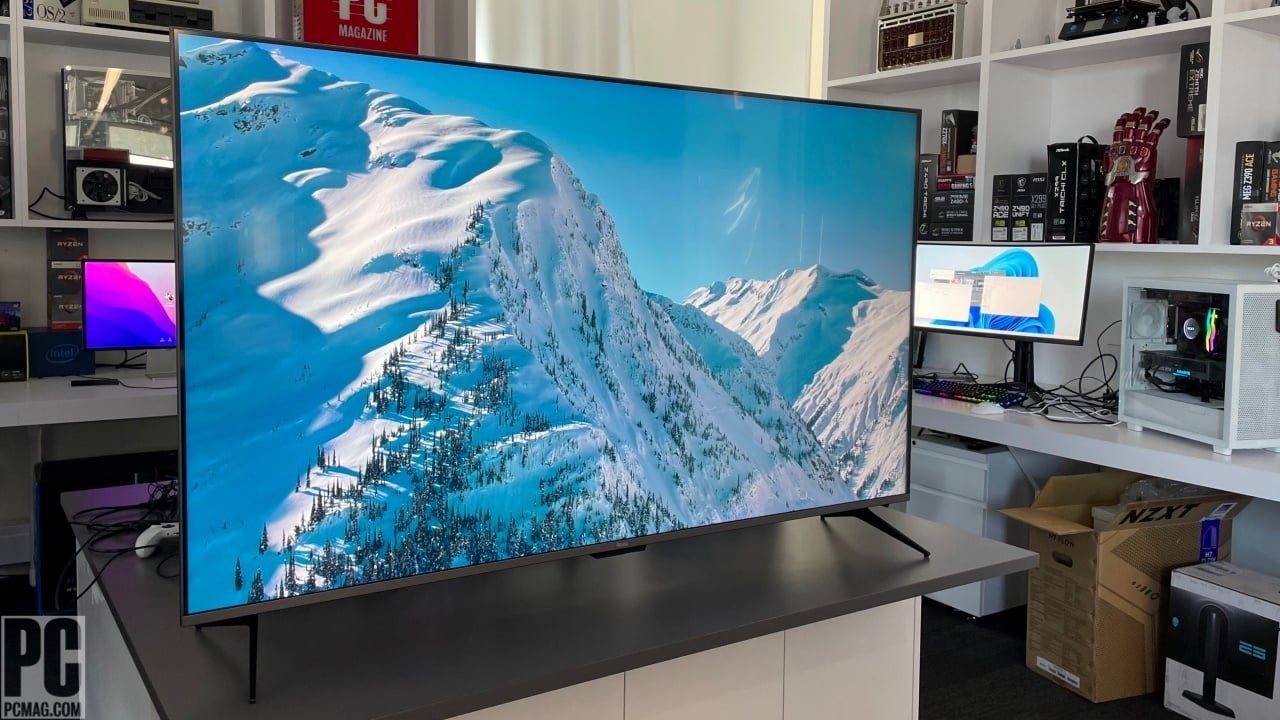
A 65-inch television should be judged by the room, the content, and the devices attached to it. These are the specifications that make the largest difference in daily use.
Panel and backlight
OLED uses self-lit pixels, which gives the LG C5 precise black levels and excellent contrast in dark scenes. QLED models such as the Roku Select, TCL T7, and INSIGNIA QF Series use quantum-dot color technology to produce more vivid color, while Mini-LED models such as the Hisense U6 Pro and Samsung M80H use smaller backlight sources to improve contrast without using OLED.
The bigger the screen, the less forgiving it is of weak black levels and uneven backlighting.
A bright room can favor a strong Mini-LED or QLED set, particularly when glare control is present. A dark movie room makes OLED's black precision easier to appreciate. Standard LED models still make sense for general viewing, but they sit below the other panel types for demanding cinema use.
Refresh rate and motion processing
Refresh rate affects how often the panel can update the image. The 144Hz televisions in this list, including the LG C5, Hisense U6 Pro, Hisense E7 Cinema, TCL T7, and Samsung M80H, are better suited to fast games and sports than the Samsung U8000H's stated up to 4K 60Hz performance.
MEMC, Motion Rate, and other processing systems can make motion appear smoother, but their names do not replace a native panel refresh specification. Look for native 120Hz or 144Hz when gaming is a priority. For films and ordinary television, a well-tuned 60Hz set can still be comfortable to watch.
HDR formats
HDR expands the range between dark and bright parts of an image, but the television also needs the right format for the content. Dolby Vision is listed on the LG C5, Hisense E6 Cinema, Hisense U6 Pro, Hisense E7 Cinema, INSIGNIA QF Series, and TCL T7. HDR10, HDR10+ Adaptive, HDR10+ and HLG appear across several of the QLED and Mini-LED models.
Format support is not the same as peak brightness or contrast performance. OLED may show more controlled dark detail, while Mini-LED can produce strong bright highlights. Choose a set that supports the formats used by your streaming services and disc collection, then consider how its panel handles the room.
Gaming connections
Gamers should count HDMI inputs as carefully as refresh-rate claims. The TCL T7 has four HDMI inputs, while the INSIGNIA F50 Series and QF Series list three. The LG C5 lists four HDMI 2.1 inputs and adds G-Sync, FreeSync Premium, and VRR support.
A high refresh panel has less practical value if the television lacks enough suitable inputs for your consoles and PC. eARC matters when a soundbar or receiver will handle audio, and VRR helps reduce stutter or tearing with compatible game sources.
Smart TV platform
Roku TV prioritizes a clean home screen and simple search. Fire TV integrates live channels, streaming apps, Alexa, and smart-home controls. Samsung's interface adds Samsung TV Plus and the company's processing ecosystem, while Google TV on the TCL T7 suits households already using Google services.
The best interface is the one that gets everyone in the household to the desired content quickly. Voice search, AirPlay, Bluetooth headphone support, and remote control design can matter more day to day than a small difference in processing power.
Frequently asked questions
Is a 65-inch TV large enough for a living room?
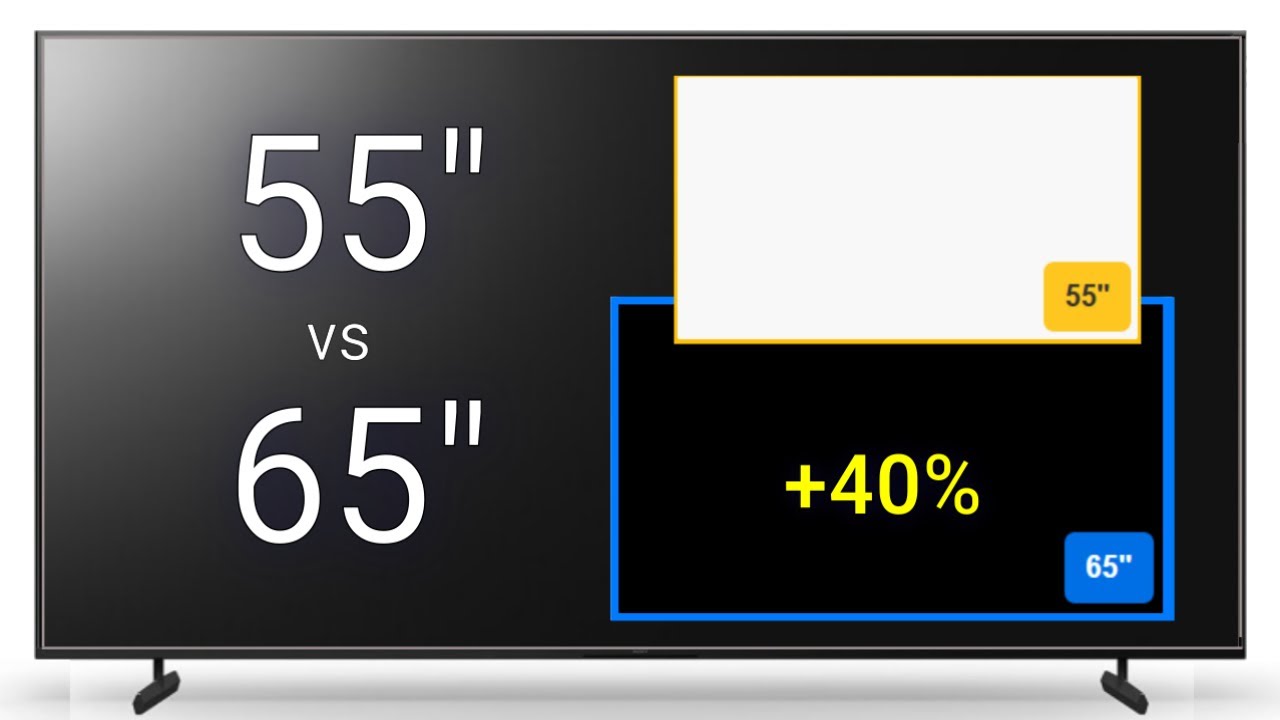
A 65-inch screen is large enough to create a cinema-like image in many living rooms without requiring the wall space of a larger set. The ideal viewing distance depends on resolution, eyesight, and personal preference. Measure the wall, cabinet, and viewing position before choosing a model.
Is OLED better than Mini-LED for films?
OLED has a clear advantage in pixel-level black control because each pixel can turn itself off. Mini-LED models such as the Hisense U6 Pro and Samsung M80H can produce bright highlights and strong contrast, which may suit a bright room better. The right choice depends on room lighting and how much you value dark-scene precision.
Which of these televisions is best for gaming?
The LG C5 is the strongest all-round gaming option because it lists up to 144Hz, a 0.1ms response time, VRR, G-Sync, FreeSync Premium, and four HDMI 2.1 inputs. The Hisense U6 Pro, Hisense E7 Cinema, TCL T7, and Samsung M80H also offer native or stated 144Hz performance. The Samsung U8000H and models without a published refresh rate are better suited to casual gaming.
Do all of these TVs support Dolby Vision?
No. Dolby Vision is listed for the LG C5, Hisense U6 Pro, Hisense E6 Cinema, Hisense E7 Cinema, INSIGNIA QF Series, and TCL T7. The Roku Select QLED lists HDR10, while the Samsung U8000H and Samsung M80H entries do not specify Dolby Vision support.
Do I need a soundbar with a 65-inch TV?
Not necessarily, but a soundbar can improve dialogue clarity, bass, and the sense of scale. The Hisense U6 Pro includes a built-in subwoofer, and several models list Dolby Atmos or DTS Virtual:X processing. Those features can improve compatible content, but they do not equal a separate speaker system.
Which TV is easiest to use for streaming?
The Roku Select QLED has the simplest interface in this group, with a clean home screen, voice search, personal shortcuts, and Bluetooth Headphone Mode. Fire TV models offer broad app access and Alexa control, while Samsung adds Samsung TV Plus. Interface preference matters, so consider the platform used by the rest of your household.
The bottom line
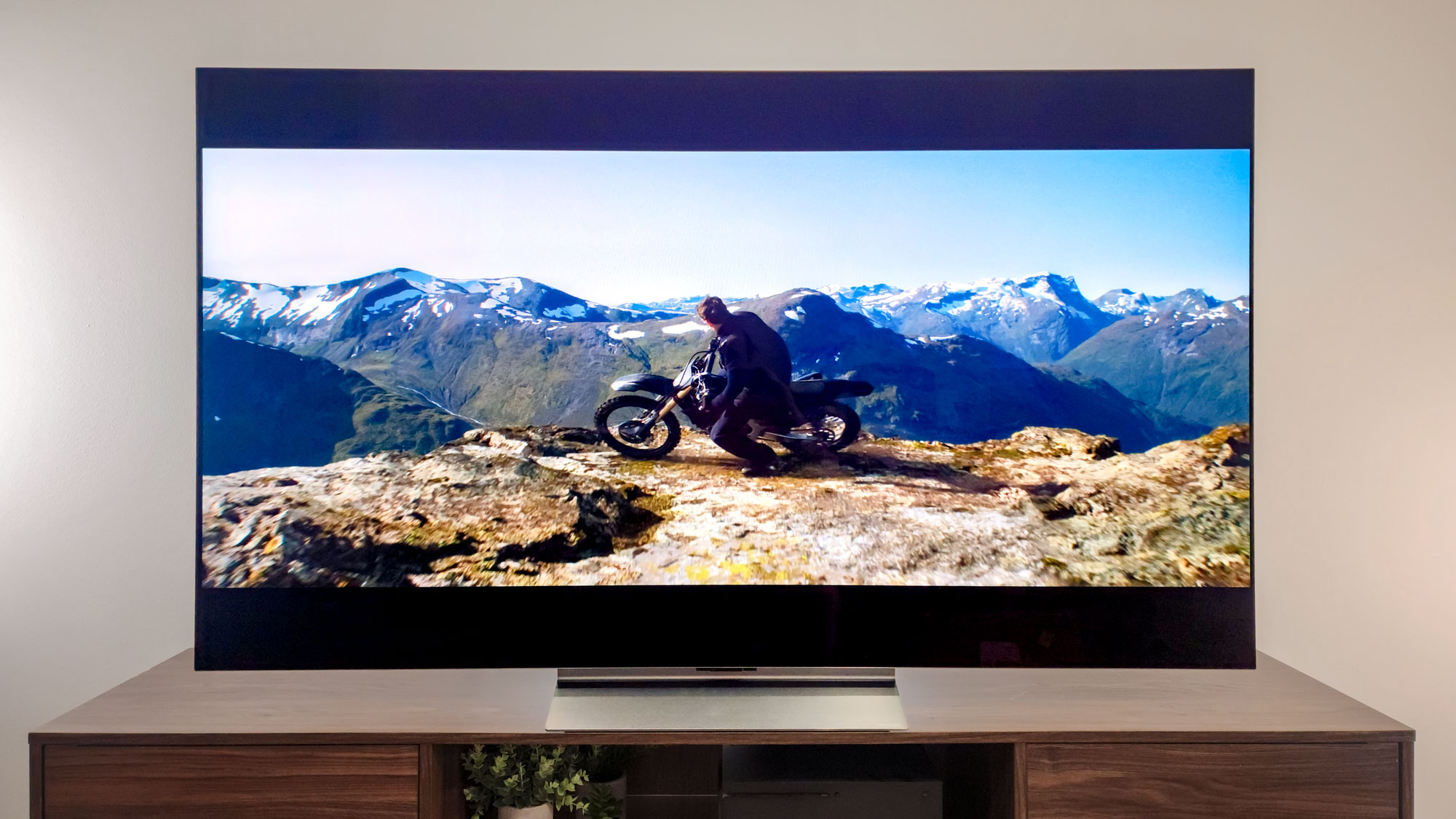
The Best 65 in TV for most demanding viewers is the LG C5 OLED. Its self-lit pixels, Dolby Vision support, up to 144Hz gaming, 0.1ms response time, and four HDMI 2.1 inputs make it the most complete choice for films, sports, and games.
The Hisense U6 Pro is the better fit for a bright room or a buyer who prefers Mini-LED, while the TCL T7 makes more sense for a gaming household that needs four HDMI inputs and Google TV. Choose the Roku Select QLED when a clean streaming interface matters more than advanced motion and HDR controls.
If you are undecided, start with your room lighting and the number of gaming or home theater devices you own, then choose the panel and platform that fit those two constraints.
As an Amazon Associate we earn from qualifying purchases.