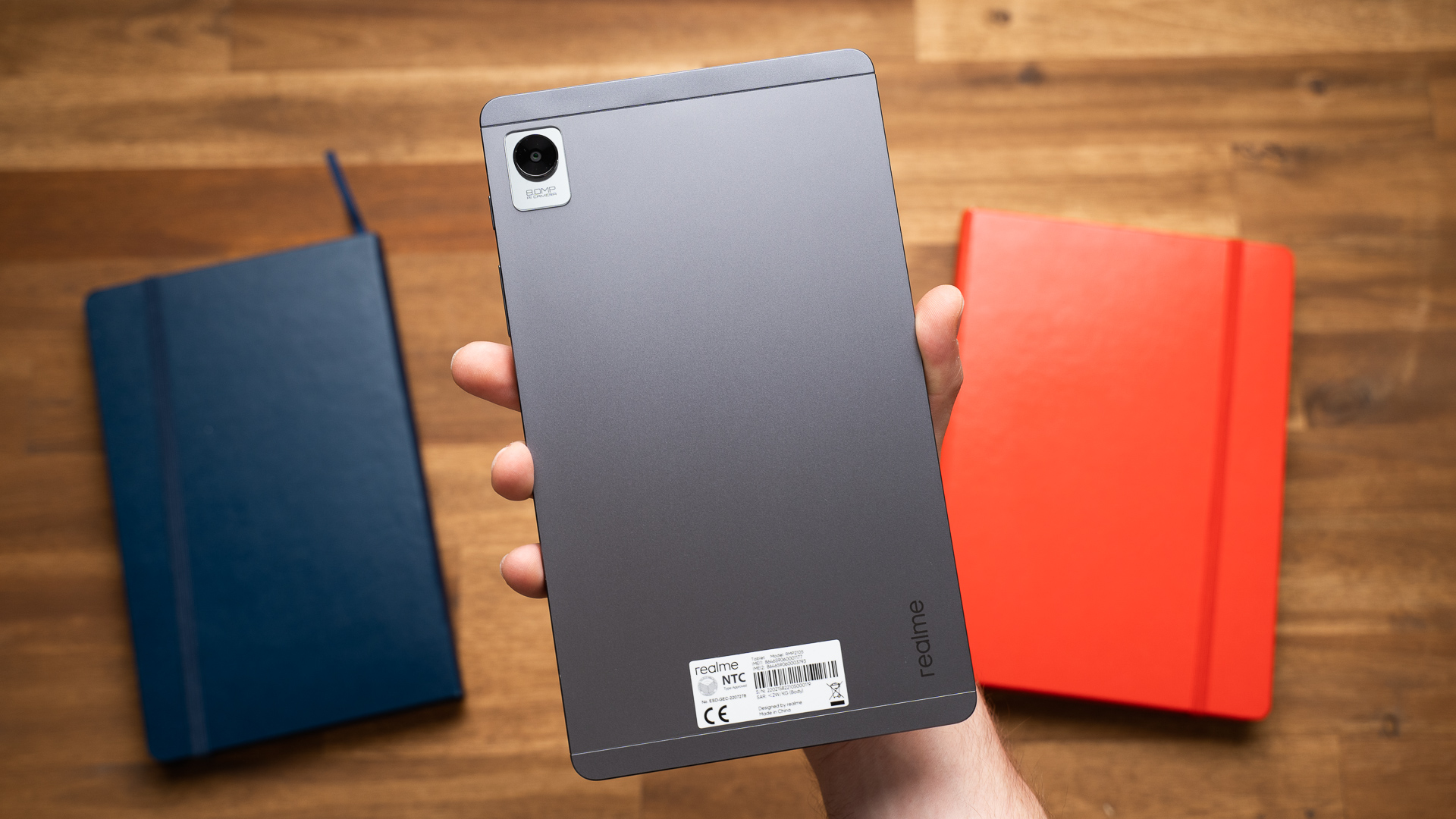

An 8-inch tablet has to earn its place by being genuinely easy to carry. A screen that slips into a small bag is useful for reading and travel, but only if the software stays responsive and the battery lasts through more than a short trip. The best 8 inch tablet options also differ sharply in app access, parental controls, storage, and connectivity.
We ranked these seven tablets by how well each one fits its intended job. Amazon's Fire HD 8 64GB is the best all-around pick, while Lenovo offers the strongest Android alternative. The list also includes a refurbished Fire tablet, two child-focused versions, a reading-oriented PRITOM, and a cellular HAOVM model.
Amazon Fire HD 8 64GB is our top pick, with options below for Android apps, young children, reading, and staying connected away from Wi-Fi.
Comparison table
| # | Product | Award | Display | Memory and storage | Battery | Best for |
|---|---|---|---|---|---|---|
| 1 | Amazon Fire HD 8 64GB | Best overall | 8-inch HD | 4GB, 64GB | Up to 13 hours | Streaming and general use |
| 2 | Lenovo Tab One | Best Android alternative | 8.7-inch HD, 480 nits | 4GB, 64GB | Up to 12.5 hours of YouTube streaming | Android apps and travel |
| 3 | Amazon Fire HD 8 Like-New | Best refurbished pick | 8-inch HD | 3GB, 32GB | Up to 13 hours | Basic Fire tablet use |
| 4 | Amazon Fire HD 8 Kids Blue | Best for young kids | 8-inch HD | 3GB, 32GB | Up to 13 hours | Children ages 3 to 7 |
| 5 | PRITOM L8 | Best reading display | 8-inch, 1280 by 800 IPS | 64GB | Up to 8 hours mixed use | Reading and light media |
| 6 | HAOVM 8-inch Tablet | Best cellular connectivity | 8-inch HD IPS | 12GB listed, 64GB | 5100mAh battery | GPS and mobile data |
| 7 | Amazon Fire HD 8 Kids Grape | Best color option | 8-inch HD | 3GB, 32GB | Up to 13 hours | Kids who want a distinctive case |
1. Amazon Fire HD 8 64GB: Best Overall

Pros
- 4GB of memory keeps everyday use responsive
- 64GB of built-in storage
- Up to 13 hours of battery life
- 5MP rear camera and Alexa features
- Supports storage expansion up to 1TB
Cons
- Google Play is not supported
- Some apps require subscriptions
- No bundled protective case is listed
Best for: anyone who wants a compact Fire tablet for streaming, reading, browsing, and casual games.
The Amazon Fire HD 8 64GB is the tablet we would hand to most people first. It is small enough to hold comfortably during a commute or beside the bed, yet it has enough storage and memory to avoid feeling like a stripped-down reader. The 8-inch HD screen is well suited to downloaded shows, ebooks, web pages, and casual games. Its thin body measures 7.95 by 5.41 by 0.37 inches and weighs 0.74 pounds, so it is genuinely portable rather than merely smaller than a full-size tablet.
The hardware balance is the key advantage. Amazon lists 4GB of memory, 64GB of storage, and a hexa-core processor, along with up to 1TB of expandable storage through a separately sold card. That combination gives this model more breathing room than the 3GB, 32GB Fire HD 8 Like-New. The extra storage matters if the tablet will hold downloaded video, games, or a large reading library. Battery life is rated at up to 13 hours for reading, browsing, video, gaming, and music, which covers a full day of mixed light use on paper.
It is also the most complete Fire tablet here for everyday entertainment. The 5MP rear camera is useful for quick snapshots, Alexa can handle reminders and smart home controls, and video calls work through Alexa or apps such as Zoom. Amazon's Appstore includes services such as Hulu, Facebook, Instagram, and TikTok, but Google Play is not supported. That limitation is the main reason the Lenovo Tab One is a better fit for readers who depend on the broader Android app catalog.
The Fire interface is easy to understand, especially for someone already using Amazon services, but it is not as flexible as standard Android. Some apps require subscriptions, and the tablet does not list a protective case in the box. If you want more freedom to install Android apps, how access to the wider Android app ecosystem changes tablet use is the important distinction to consider.
The Amazon Fire HD 8 64GB is the right pick for streaming, Alexa, reading, and uncomplicated family use. Skip it if Google Play access is essential or if cellular connectivity is a requirement.
2. Lenovo Tab One: Best Android Alternative

Pros
- 8.7-inch display is larger than the Fire HD 8 screens
- 480 nits of stated brightness
- MediaTek Helio G85 processor
- Dolby Atmos speakers
- Folio case with built-in stand included
Cons
- Battery claim is specifically for YouTube streaming
- Only two years of security patches are listed
- No cellular connectivity is listed
Best for: travelers who want standard Android apps, a larger compact screen, and a ready-to-use folio case.
The Lenovo Tab One is the most convincing alternative to Amazon's Fire platform. Its 8.7-inch HD display gives video and webpages slightly more room than the 8-inch Fire models, while the tablet remains easy to slip into a purse or backpack. At 0.704 pounds and 0.33 inches thick, it is also the lightest tablet in this group by the listed measurements. The included folio case adds useful protection and folds into a stand for hands-free viewing.
Lenovo gives this tablet 4GB of memory and 64GB of storage, matching the top Fire pick on those core figures. Its MediaTek Helio G85 processor and 60Hz refresh rate are aimed at smooth browsing, streaming, and responsive casual gaming rather than demanding tablet workloads. The screen is rated at 480 nits, a useful specification for indoor rooms and travel spaces where a dim display can become irritating. It does not turn the Tab One into an outdoor screen, but it gives the panel a stronger starting point than the data supplied for most of the other picks.
The audio setup is another reason to choose it. Dual Dolby Atmos speakers are designed to add depth to films, shows, and music without requiring headphones every time. Lenovo claims up to 12.5 hours of unplugged YouTube streaming and supports 15W charging. That battery figure is tied to a specific activity, so it should not be treated as a guarantee for gaming, brightness-heavy use, or constant multitasking.
Android 14 gives the Tab One access to the familiar Google app environment, and Google Kids Space is available for age-appropriate content. Lenovo lists two years of security patches, which is useful but more limited than the long ownership window some buyers expect from a tablet. Compared with the Amazon Fire HD 8 64GB, this is the better choice for Google services and the larger screen. The Fire wins on Alexa integration and its stated 13-hour mixed-use figure.
The Lenovo Tab One is the compact Android tablet to choose when app flexibility, sound, and the bundled stand matter more than Amazon's ecosystem. It is not the right choice for someone who needs mobile data or wants a tablet built around Alexa.
3. Amazon Fire HD 8 Like-New: Best Refurbished Pick

Pros
- Same 8-inch HD format as the new Fire HD 8
- Up to 13 hours of listed battery life
- 5MP rear camera
- Storage can expand up to 1TB
- Certified to look and work like new
Cons
- 3GB of memory instead of 4GB
- 32GB of built-in storage
- Google Play is not supported
Best for: readers and streamers who want the Fire experience with less built-in storage and a refurbished condition.
The Amazon Fire HD 8 Like-New is not a different tablet design. It uses the same compact 8-inch HD format as the new Fire HD 8 and retains the thin, light body that makes the series easy to carry. The important distinction is its condition and configuration. It is described as refurbished, tested, and certified to look and work like new, with the same limited warranty as a new device. Packaging may be generic Amazon-branded rather than the standard retail presentation.
Its 3GB of memory and 32GB of storage are enough for reading, streaming, browsing, and light games, but they leave less room than the 4GB and 64GB configuration in the top pick. Amazon says storage can expand up to 1TB with a separately sold card, which helps if downloaded media is part of the plan. The tablet also has a 5MP rear-facing camera and supports Alexa for reminders, music, news, weather, and video calls through compatible apps.
Battery life is listed at up to 13 hours for reading, browsing the web, watching videos, gaming, and listening to music. That broad mixed-use claim makes it a better travel companion than the PRITOM L8, whose listed mixed-use figure is up to 8 hours. The screen remains an HD panel, so it is suited to close viewing on a small device, though an 8-inch tablet is not the ideal canvas for split-screen work.
The software trade-off is the same as on the new Fire HD 8. Amazon's Appstore supports a range of popular services, but Google Play is not supported, and some apps require subscriptions. The Lenovo Tab One is the stronger choice for standard Android access, while the new Fire HD 8 64GB is better for people who expect heavier multitasking or need more space without immediately adding a card.
The condition also deserves attention. Refurbished products can be a sensible way to get this particular Fire experience, but buyers who want a factory-new device should choose the new Fire HD 8 instead. The Amazon Fire HD 8 Like-New makes sense for basic entertainment and reading when its lower memory and storage limits are acceptable.
4. Amazon Fire HD 8 Kids Blue: Best for Young Kids

Pros
- Designed for children ages 3 to 7
- Sturdy Kid-Proof Case with handle and stand
- Parental controls and activity review
- One year of Amazon Kids+ included
- Two-year worry-free guarantee
Cons
- Designed for a younger age range
- 32GB of built-in storage
- Kids+ renews after the included period unless canceled
Best for: families buying a first tablet for a child between ages 3 and 7.
The Amazon Fire HD 8 Kids Blue is the most parent-ready tablet in this group. The underlying device has an 8-inch HD display, 3GB of memory, 32GB of storage, and up to 13 hours of battery life. What separates it from the standard Fire HD 8 is the complete child-focused package around that hardware. A sturdy Kid-Proof Case, handle, stand, parental controls, and a one-year Amazon Kids+ subscription are included.
The case matters more than a small difference in processor performance when the tablet is going into a young child's hands. Amazon says the case is designed to protect against drops and bumps, and the screen uses strengthened aluminosilicate glass. The built-in handle makes it easier for a child to carry, while the stand supports hands-free viewing. The tablet remains a full-featured device rather than a toy, so it can handle books, videos, music, and compatible apps as the child grows within the intended age range.
The parental controls are the real reason to choose this model. Parents can review activity remotely, set time limits, and prioritize books or learning apps before entertainment. Amazon Kids+ supplies ad-free books, games, videos, and apps from brands including Disney, Nickelodeon, and PBS Kids. Its subscription renews after the included period unless canceled, so parents should keep track of that setting rather than treating the bundled access as permanent.
Compared with the Lenovo Tab One, the Fire HD 8 Kids Blue gives parents a more tightly managed environment and stronger included protection, but it does not offer Lenovo's standard Android app experience. Compared with the regular Amazon Fire HD 8 64GB, it has half the built-in storage and less memory, yet it is far better prepared for drops and supervised use. Families comparing child-focused devices may also want to consider which parental controls matter most for a child's first tablet.
The blue finish is only a cosmetic distinction from the Amazon Fire HD 8 Kids Grape, which has the same core feature set. Choose this version when the color suits your child, or when the included case and parental controls matter more than adult-oriented flexibility.
5. PRITOM L8: Best Reading Display

Pros
- 1280 by 800 IPS display
- Eye Health mode for reading
- Google Certified Android 13
- 64GB storage with support for up to 512GB TF card
- Headphone jack and dual cameras
Cons
- Listed battery life is up to 8 hours
- Quad-core processor is less ambitious than Lenovo's
- Camera quality is basic for modern video calls
Best for: readers who want Google-certified Android, expandable storage, and a dedicated eye comfort mode.
The PRITOM L8 has a clear purpose: it is a small Android tablet for ebooks, video, web browsing, and light entertainment. Its 8-inch 1280 by 800 IPS display is the most explicitly specified panel in the group. IPS technology supports consistent viewing across different angles, while the stated resolution gives text and menus a defined look at this screen size. PRITOM also includes an Eye Health mode that adjusts the backlight for more comfortable reading.
The tablet runs Android 13 and is described as Google Certified, which is a meaningful advantage over Fire OS for people who want access to familiar Android apps. Its 64GB of storage is enough for a sizeable reading and media library, and the micro TF slot supports a card up to 512GB. That expansion limit is lower than the capacities claimed by some rivals, but it is still useful for ebooks, music, pictures, and downloaded video.
The quad-core processor is described as energy-saving and suitable for quick app launches, smooth video, and general performance. Expectations should stay modest. This is a light-use tablet, not a serious gaming machine or a multitasking workstation. The Lenovo Tab One has the stronger named processor and a 60Hz refresh rate, while the PRITOM's strengths are its explicit display resolution, reading mode, Google certification, and headphone jack.
Battery life is listed at up to 8 hours of mixed reading, television viewing, web surfing, and light gaming. That is shorter than the up to 13 hours claimed for the Fire HD 8 models, so the PRITOM is better suited to a day around a charger than a long trip away from one. The 2MP front camera and 8MP rear camera cover basic calls and snapshots, but the supplied details do not suggest a camera-first experience.
The PRITOM L8 is the specialist pick for someone who wants a compact reading screen with Android app access. It is not the tablet to buy for the longest stated endurance, the fastest performance, or demanding games. For books, casual video, and a physical headphone connection, its feature set is unusually focused.
6. HAOVM 8-inch Tablet: Best Cellular Connectivity

Pros
- Unlocked 4G SIM support
- GPS with Google Maps and Waze support
- 64GB storage with TF expansion up to 2TB
- 5100mAh battery
- Bluetooth 5.0 and headphone jack
Cons
- Listed weight is 0.811 pounds
- Memory figure includes 8GB extended memory
- Brand and software support details are less extensive
Best for: travelers, cyclists, and outdoor users who need mobile data and GPS in a small tablet.
The HAOVM 8-inch Tablet is the outlier here because it does something the other six do not: it is built around 4G cellular connectivity. Its unlocked SIM slot can keep the tablet online away from Wi-Fi, and the integrated GPS supports navigation with Google Maps and Waze. That makes it a more practical companion for cycling, hiking, travel, or emergency access than a Wi-Fi-only tablet.
The hardware list is broad. HAOVM specifies a MediaTek CPU running at 2.0GHz, an octa-core design, 64GB of built-in storage, and 12GB of listed memory, with the description clarifying that the memory includes 4GB plus 8GB extended memory. That distinction matters. Extended memory is not the same as having 12GB of physical RAM, so buyers should not assume it will behave like a premium tablet with 12GB of hardware memory. The TF slot is listed as supporting expansion up to 2TB, giving this model the biggest stated storage ceiling in the group.
The 8-inch HD IPS screen is described as supporting 16.7 million colors, with read and eye comfort modes. Stereo speakers, Bluetooth 5.0, and a 3.5mm headphone jack provide several ways to handle audio. Cameras include an 8MP rear unit and a 5MP front unit, and the tablet supports HD video calls over a 4G LTE connection. The 5100mAh battery is the largest stated battery capacity in this roundup, though the supplied details do not provide an hours-based endurance estimate.
There are compromises. At a listed 0.811 pounds, the HAOVM is heavier than the Lenovo Tab One and the Fire HD 8 models. The product description also includes kid-focused software such as Google Kids Space and YouTube Kids, but the cellular and GPS features are more compelling for adults who travel than for a child's first tablet. Families should look at the Amazon Fire HD 8 Kids Blue instead if supervision, content controls, and drop protection are the priority.
The HAOVM 8-inch Tablet is the right specialist choice when Wi-Fi independence and navigation matter more than polished ecosystem integration. Skip it if you only need a simple home streaming tablet and do not want to think about SIM compatibility or cellular service.
7. Amazon Fire HD 8 Kids Grape: Best Color Option

Pros
- Full Fire HD 8 Kids feature set
- Kid-Proof Case with handle and stand
- One year of Amazon Kids+ included
- Parental controls and remote activity review
- Up to 13 hours of listed battery life
Cons
- 32GB of built-in storage
- Intended for ages 3 to 7
- Kids+ renews after the included period unless canceled
Best for: young children who want the grape-colored version of Amazon's protected Fire tablet.
The Amazon Fire HD 8 Kids Grape is functionally the twin of the blue version above. Its 8-inch HD screen, 3GB of memory, 32GB of storage, and up to 13 hours of battery life are the same. The reason to choose it is simple: the grape color offers a different presentation for a child, while the important protective and parental features remain intact.
The included Kid-Proof Case is the heart of the package. It has a handle for carrying and a stand for watching video, and it is designed to protect the tablet from everyday drops and bumps. Amazon also lists strengthened aluminosilicate glass and a two-year worry-free guarantee that covers replacement if the tablet breaks. Those protections are more useful for a preschool or early elementary user than a faster processor would be.
Amazon Kids+ supplies ad-free books, games, videos, and apps, including content from Disney, Nickelodeon, and PBS Kids. Parental controls let adults review activity, set time limits, and move learning content ahead of entertainment. The included subscription renews after its initial period unless canceled, so the adult setting up the tablet should check the renewal terms and manage them through the parent dashboard.
The Grape model has the same limitations as the Amazon Fire HD 8 Kids Blue. It is designed for ages 3 to 7, uses Amazon's software environment, and offers 32GB of built-in storage. The Lenovo Tab One is more flexible for general Android use, while the Kids Grape is much more convenient when the tablet belongs to a child and needs a protective case immediately.
Choose the Amazon Fire HD 8 Kids Grape when its color is the deciding detail. If color does not matter, compare it directly with the blue version and select whichever fits the child's preferences.
How to choose the best 8 inch tablet
Choosing the best 8 inch tablet means deciding which compromises fit your routine. Screen size is similar across the group, but operating system, battery claims, storage, protection, and connectivity create very different experiences.
Operating system and app access
Amazon Fire tablets use Fire OS and Amazon's Appstore. They work well for Amazon services, Alexa, streaming, reading, and child-focused controls, but Google Play is not supported. Android tablets such as the Lenovo Tab One, PRITOM L8, and HAOVM provide a more familiar Google-oriented app environment.
Choose Fire OS if your content already lives in Amazon's ecosystem and you want a straightforward interface. Choose Android if installing Google apps and using a broader selection of tablet software is central to the purchase.
Display and reading comfort
An 8-inch screen is compact, so resolution and viewing comfort matter. The PRITOM L8 specifies a 1280 by 800 IPS panel and includes an Eye Health mode. Lenovo lists an 8.7-inch HD display with 480 nits of brightness, giving it more physical room and a clearer brightness target for indoor use.
For reading, look for a display with a comfortable backlight mode and crisp text. For video, brightness and viewing angles matter more. A small screen is convenient, but it is less suitable than a larger tablet for split-screen work or detailed documents.
Memory and storage
Memory affects how comfortably a tablet handles multiple open apps, while storage holds downloads, photos, games, and ebooks. The Amazon Fire HD 8 64GB and Lenovo Tab One both list 4GB of memory and 64GB of storage. The Fire HD 8 Like-New and both Kids models list 3GB and 32GB.
Expandable storage can reduce the pressure on built-in space. Amazon lists support for up to 1TB on its Fire HD 8 models, PRITOM lists up to 512GB, and HAOVM lists TF expansion up to 2TB. Cards add capacity, but they do not change the tablet's processor or memory.
A large storage ceiling helps only if the tablet's operating system and app catalog suit what you plan to download.
Battery life
Battery claims need context. Amazon's Fire HD 8 models list up to 13 hours across reading, browsing, video, gaming, and music. Lenovo's figure is up to 12.5 hours specifically for YouTube streaming, while PRITOM lists up to 8 hours of mixed use. HAOVM specifies a 5100mAh battery but does not provide an hours-based estimate.
Use activity-specific claims as a guide rather than a promise. Streaming at high brightness, gaming, cellular data, GPS, and video calls can all reduce endurance. A tablet with a longer stated run time is useful for travel, but a charging routine still matters.
Cellular connectivity and protection
Most tablets here are Wi-Fi devices. The HAOVM stands apart with an unlocked 4G SIM slot and GPS, which can keep maps and data available away from a wireless network. Check cellular compatibility before relying on it for travel.
For children, protection and supervision matter more than cellular access. The Fire HD 8 Kids models include Kid-Proof Cases, parental controls, Amazon Kids+, and a two-year worry-free guarantee. Adults choosing a standard tablet should budget attention for a separate case because the regular Fire HD 8 does not list one as included.
Frequently asked questions
Is an 8-inch tablet large enough for streaming?
Yes. An 8-inch HD display is well suited to shows, ebooks, browsing, and casual games when portability matters. It is less comfortable for split-screen work, detailed spreadsheets, or long typing sessions.
Which tablet has the broadest Android app access?
The Lenovo Tab One, PRITOM L8, and HAOVM use Android-based software and are the better fits for people who want Google-oriented apps. The Fire HD 8 models use Amazon's Appstore, and Google Play is not supported on them.
Are the two Fire HD 8 Kids tablets different internally?
The blue and grape versions list the same core features, including an 8-inch HD display, 3GB of memory, 32GB of storage, up to 13 hours of battery life, parental controls, and a Kid-Proof Case. The primary distinction in this set is the case color.
Can these tablets store downloaded movies and books?
Yes, all seven have built-in storage, though the listed capacity ranges from 32GB to 64GB. The Fire HD 8 models support expansion up to 1TB, PRITOM lists up to 512GB through a TF card, and HAOVM lists support up to 2TB.
Which tablet is best for use without Wi-Fi?
The HAOVM 8-inch Tablet is the only model here with an unlocked 4G SIM feature and GPS. The other tablets are intended for Wi-Fi connectivity, so offline downloads are important when traveling with them.
Is the refurbished Fire HD 8 Like-New the same size as the new model?
The Like-New model has the same listed 8-inch display size and the same 7.95 by 5.41 by 0.37-inch body measurements as the new Amazon Fire HD 8 64GB. Its main differences are the refurbished condition, 3GB of memory, and 32GB of storage.
The bottom line
The Amazon Fire HD 8 64GB is the best 8 inch tablet for most people who want simple portable entertainment, reading, browsing, and Alexa features. Its 4GB of memory and 64GB of storage give it more room than the lower-capacity Fire models, while the up to 13-hour battery claim suits travel and everyday use.
Choose the Lenovo Tab One if Google-oriented Android apps, a brighter listed display, Dolby Atmos speakers, and an included folio case matter more than Amazon's ecosystem. For children ages 3 to 7, either Fire Kids model is the more sensible purchase because the case, parental controls, Kids+ content, and guarantee are already built into the package.
If you are still undecided, choose Amazon for simplicity, Lenovo for Android flexibility, or HAOVM when cellular data and GPS are essential.
As an Amazon Associate we earn from qualifying purchases.