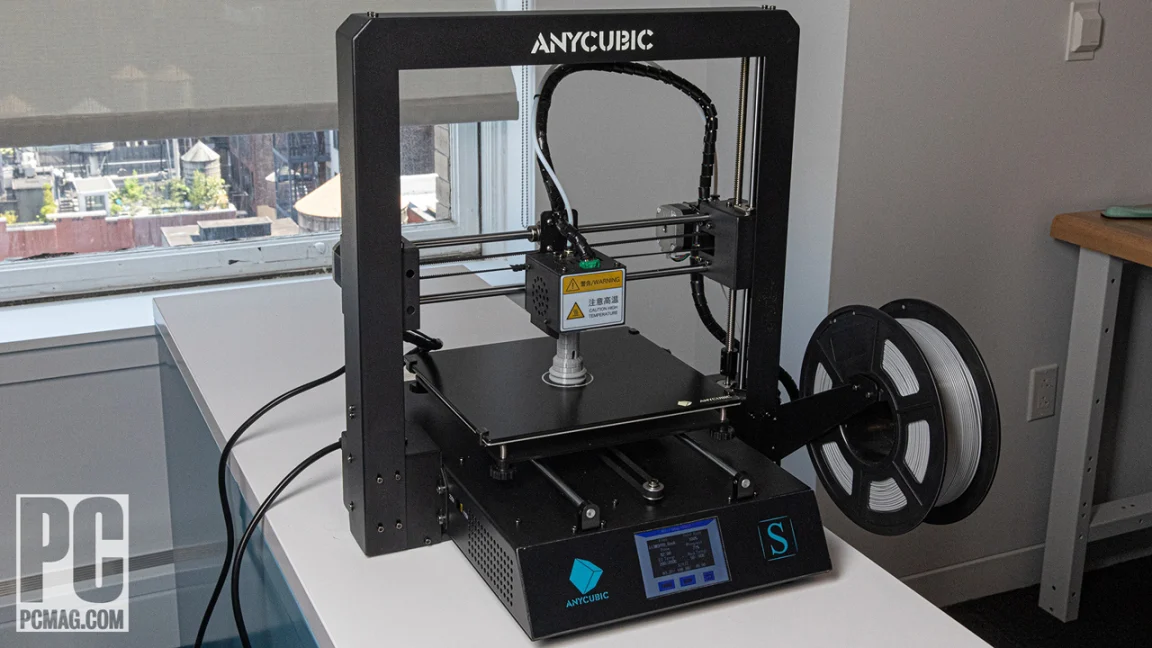

A first 3D printer can turn into a frustrating desk ornament when leveling, nozzle changes, and failed first layers get in the way of the thing you actually wanted to make. The right machine removes enough of that friction without boxing you into tiny models or basic materials.
Our Best affordable 3d printer picks range from compact enclosed machines for children to fast CoreXY models with automatic calibration and multicolor support. We have also included machines for functional parts, miniature work, and makers who want to experiment with several materials.
For most people, the FLASHFORGE Adventurer 5M is the one to buy. The group covers simple starter machines, fast single-color printers, enclosed models, and serious multicolor systems.
Comparison table
| # | Product | Award | Max speed | Key feature | Best for |
|---|---|---|---|---|---|
| 1 | FLASHFORGE Adventurer 5M | Best overall | 600mm/s | CoreXY frame, auto leveling | Most home makers |
| 2 | FLASHFORGE AD5X | Best multicolor starter | 600mm/s | Up to four colors | Colorful models |
| 3 | FLASHFORGE Adventurer 5M Pro | Best enclosed workhorse | 600mm/s | Enclosed design, broad filament support | Advanced materials |
| 4 | FLASHFORGE Creator 5 | Best toolhead system | 600mm/s | Four independent toolheads | Multimaterial projects |
| 5 | Bambu Lab P1S | Best ready-to-use enclosure | 500mm/s | Enclosed body, optional AMS | Reliable home printing |
| 6 | Magic Jimmy | Best for children | 400mm/s | AI design tools, enclosed chamber | Kids and STEM projects |
| 7 | Creality SPARKX i7 | Best large-format beginner model | 500mm/s | 260 x 260 x 255mm volume | Larger colorful prints |
| 8 | Entina Tina2C | Best compact starter | Not specified | Wi-Fi, app, auto leveling | Small projects and classrooms |
| 9 | FLASHFORGE AD5M | Best for easy maintenance | 600mm/s | Three-second nozzle swap | Tinkerers and beginners |
1. FLASHFORGE Adventurer 5M: Best Overall

Pros
- Fast CoreXY motion system
- Automatic bed leveling
- Quick nozzle changes
- Double-sided PEI build plate
- Remote monitoring through the Flash Maker app
Cons
- Open-frame design is less suitable for demanding materials
- The build area is limited to 220 x 220 x 220mm
- Regular nozzle and platform cleaning is still required
Best for: home makers who want fast, low-fuss single-color printing.
The Adventurer 5M gets the important part right: it makes the transition from model file to first layer feel less like a calibration project. Automatic bed leveling removes one of the most common beginner obstacles, and the CoreXY structure gives the printer a stable foundation for fast movement. It is a practical machine for someone who wants to make brackets, organizers, toys, and prototypes without spending every session adjusting the bed.
Its 220 x 220 x 220mm build volume is a useful middle ground. It is large enough for many household parts and multi-piece models, while the compact footprint remains manageable on a desk or sturdy workbench. The printer can travel at up to 600mm/s, with acceleration up to 20, 000mm/s². Those numbers matter most when printing several small objects or rough prototypes, where reduced motion time can make a noticeable difference. Fine-detail work still depends on the slicer profile and the chosen nozzle.
The 280°C direct extruder gives it room to work with common materials, while the supplied nozzle options range from 0.25mm to 0.8mm. A 0.25mm nozzle favors small details, and a wider 0.6mm or 0.8mm nozzle can make sturdy, less detailed parts faster. The advertised 32mm³/s high-flow nozzle and 35-second warm-up to 200°C reinforce its speed-focused design. The flexible PEI platform also makes finished parts easier to remove by bending the plate.
Compared with the FLASHFORGE AD5M, this model offers a similar fast CoreXY concept but packages the feature set in a more clearly positioned everyday machine. The FLASHFORGE Adventurer 5M Pro is the better fit when enclosure and wider material support matter. The weakness here is the open frame, which is not the first choice for users who expect to print temperature-sensitive materials in a controlled environment. For everyone else, the Adventurer 5M is the balanced starting point in this group.
2. FLASHFORGE AD5X: Best Multicolor Starter

Pros
- Supports up to four colors simultaneously
- 300°C direct-drive extruder
- Automatic filament feeding and retraction
- Power-loss recovery
- Remote control through the Flash Maker app
Cons
- Multicolor printing requires more setup than single-color work
- No enclosed body is listed
- The 220mm cube build volume limits oversized models
Best for: makers who want multicolor printing without moving to a larger professional machine.
The AD5X is the natural step up from a basic single-color printer for anyone who wants color changes to be part of the creative process. Its headline feature is support for up to four colors at once, but the more important detail is that the machine also keeps the familiar 220 x 220 x 220mm build volume and CoreXY layout. It is still a desktop printer, not a machine that needs its own workshop corner.
A 600mm/s maximum speed and 20, 000mm/s² acceleration give it the same fast-moving character as several other Flashforge models here. The dual-channel cooling fan and vibration compensation are useful companions to that speed because they address cooling and motion artifacts rather than treating speed as a standalone feature. The printer also includes automatic filament feeding and retraction, which reduces the number of manual steps when switching between materials or colors.
The 300°C direct-drive extruder is one of its meaningful advantages over the Adventurer 5M. It provides more headroom for materials that need higher nozzle temperatures, though the listed machine features do not make every material equally effortless. Four nozzle sizes, from 0.25mm to 0.8mm, let the user choose between miniature detail and faster, stronger parts. The built-in resume function can continue a job after a power interruption, a useful safeguard for long multicolor prints.
The AD5X makes more sense than the FLASHFORGE Adventurer 5M when color is central to the project. The FLASHFORGE Creator 5 goes further with four independent toolheads and cleaner material changes, but it is a more elaborate machine. The AD5X's real limitation is that multicolor printing adds process complexity, even with automatic feeding. Choose it if the color capability will be used regularly, not simply because it appears on the feature list.
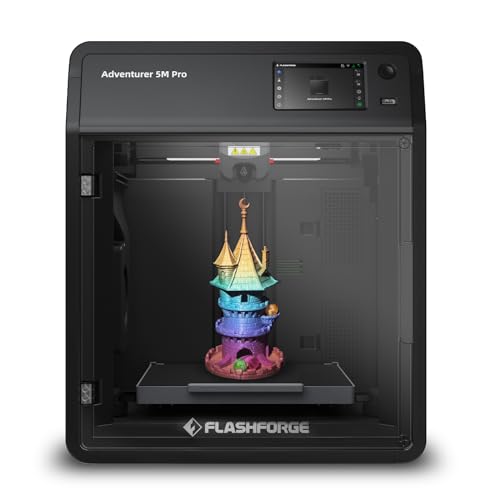
3. FLASHFORGE Adventurer 5M Pro: Best Enclosed Workhorse
Pros
- Fully enclosed CoreXY structure
- Automatic pressure-based leveling
- Supports a broad range of listed filaments
- Quick-detachable nozzle
- Remote video monitoring
Cons
- Heavier than the standard Adventurer 5M
- The build volume remains 220 x 220 x 220mm
- Enclosure takes more space around the printer
Best for: users who want fast printing with more control over the printing environment.
The Adventurer 5M Pro is the more serious version of the standard 5M, and the enclosure is the reason to choose it. An enclosed body helps maintain a more consistent environment around the print and makes the machine a better fit for users moving beyond basic PLA projects. It also gives the printer a more contained, finished feel in a shared room or home office.
The printer uses a full-metal CoreXY structure and can reach 600mm/s with acceleration up to 20, 000mm/s². As with the other high-speed machines in this roundup, the maximum is best understood as a capability rather than a setting to use for every model. The rigid frame, vibration compensation, and automatic calibration are more important when speed rises. Pressure-based auto leveling measures the platform height and removes manual Z-axis adjustment from setup.
The 280°C all-metal direct extruder supports PLA, ABS, PETG, ASA, TPU, PC, PLA-CF, and PETG-CF according to the listed specifications. That range gives it more flexibility than the FLASHFORGE Adventurer 5M, while the 0.25mm, 0.4mm, 0.6mm, and 0.8mm nozzle options let the user tune detail or throughput. The dual-sided PEI platform helps with removal, and the claimed ten-minute setup is appealing to anyone who does not want an assembly project first.
Its 35-second warm-up to 200°C and Flash Maker app support round out a machine designed for repeat use. The app allows remote control, live video monitoring, and adjustments while a print is running. The trade-off is size and weight. At more than 32 pounds, this is not the printer to move frequently, and its enclosure does not make a 220mm build area any larger. Pick it over the Bambu Lab P1S when the listed nozzle options and Flashforge workflow fit your plans better.
4. FLASHFORGE Creator 5: Best Toolhead System

Pros
- Four independent toolheads
- Supports multicolor and multimaterial printing
- Seven-second FlashSwap changes
- Dedicated support-material toolhead
- Automatic calibration and vibration compensation
Cons
- More complex than a single-toolhead printer
- Larger and heavier than compact starter models
- Its advanced workflow may be unnecessary for simple PLA prints
Best for: experienced makers who need clean color and material changes in one job.
The Creator 5 is built around a different answer to multicolor printing. Rather than repeatedly loading and purging one nozzle, it uses four independent toolheads. That approach is compelling for models with several colors or materials because the active toolhead is already dedicated to its filament. It is the printer in this list for people who see tool changes as a core part of their work rather than an occasional novelty.
Flashforge lists seven-second FlashSwap changes, with toolheads preheating in the background. The benefit is not just speed. Separate toolheads avoid the color mixing and clogging concerns associated with constantly pushing different filaments through one nozzle, and the company describes the design as reducing waste by up to 80 percent compared with single-nozzle multicolor systems. Actual results will depend on the model and slicer settings, but the architecture clearly targets cleaner transitions.
The machine can print PLA, PETG, TPU, PETG-CF, and support materials in a single job. Assigning one toolhead to specialized support filament can make complex shapes easier to finish because supports are designed to separate cleanly rather than being carved away from the model. Its CoreXY motion system reaches 600mm/s, while automatic calibration, flow calibration, and active vibration compensation help preserve surface quality as movement speeds increase.
The Creator 5 is more capable than the FLASHFORGE AD5X for multimaterial work, and its independent toolheads are a more fundamental solution than simply adding colors to one extrusion path. The weakness is that this sophistication brings more to learn and more hardware to manage. Someone printing occasional organizers or single-color toys should choose the FLASHFORGE Adventurer 5M instead. The Creator 5 belongs with makers who will use its toolhead system often enough to justify the added complexity.
5. Bambu Lab P1S: Best Ready-to-Use Enclosure

Pros
- Enclosed body
- Automatic bed leveling
- Ready-to-use setup in 15 minutes
- Up to 500mm/s printing speed
- Optional multicolor and multimaterial expansion
Cons
- AMS is required for the advertised multicolor capability
- Carbon and glass fiber reinforced polymer are not recommended
- It is one of the heavier machines here
Best for: users who want a polished enclosed printer with a clear path to multicolor work.
The P1S has the reassuring shape of a machine intended to be used regularly. Its body is fully enclosed, automatic bed leveling handles a key setup task, and the listed setup time is 15 minutes. Those details make it a sensible choice for someone who wants to spend more time choosing models and less time preparing the printer.
Its 500mm/s maximum speed and 20, 000mm/s² acceleration put it close to the fastest machines in this roundup. The enclosed design is more important than the 100mm/s difference between its advertised maximum and the 600mm/s figures on the Flashforge CoreXY models. It creates a more controlled workspace for the listed advanced materials, including PETG, TPU, PVA, PET ABS, and ASA. The machine is also listed as capable of PA and PC, while carbon and glass fiber reinforced polymers are not recommended.
The P1S can reach up to 16 colors or materials, but connecting a Bambu Lab AMS is required. That distinction matters when comparing it with the FLASHFORGE Creator 5, which is built around four independent toolheads. The P1S offers an expansion path rather than including every multicolor component in the base printer. For someone who starts with single-color work and may add color later, that can be a useful progression.
The P1S is heavier than the FLASHFORGE Adventurer 5M, so it is better treated as a permanent workstation fixture. Its enclosure, automatic leveling, and ready-to-use design make it one of the least intimidating machines for a growing collection of materials. Skip it if you specifically need the quickest nozzle swap or want a lightweight printer that can be easily relocated. If you are setting up a dedicated home printing area, the features that make an enclosed printer easier to live with deserve close attention, and the P1S has many of them.
6. Magic Jimmy: Best for Children

Pros
- Fully assembled
- Enclosed child-safe design
- AI design tools for sketches and photos
- Built-in camera and time-lapse recording
- Large model library
Cons
- Limited to non-toxic PLA filament
- The child-focused workflow may feel restrictive to advanced makers
- Build volume is not specified in the available product details
Best for: families who want a guided, creative introduction to 3D printing.
Magic Jimmy is less like a conventional tinkering machine and more like a creative appliance for children. It arrives fully assembled, uses an enclosed printing chamber, and is designed so a child can browse, design, and print without first learning bed calibration or mechanical assembly. That focus is its main advantage over the larger open workflow of the FLASHFORGE Adventurer 5M.
The AI tools are unusually central to the product. AI Craft turns sketches or text into printable models, while AI Doodle, AI MiniMe, and MiniMakie provide other ways to turn an idea or image into a creation. The listed library contains more than 8, 000 toy models, with options for animals, vehicles, toys, and STEM projects. That gives a young user something to do immediately instead of requiring a separate search for printable files.
Safety choices shape the machine's capabilities. The chamber keeps hot parts and moving components enclosed, the exterior is designed to stay cool to the touch, and the printer is intended for non-toxic PLA filament only. A magnetic build plate makes removal simpler. The printer can reach 400mm/s, and the built-in camera records a time-lapse of each print. Small models may finish in as little as 20 minutes, while library models are listed at one to three hours.
The weakness is that this is not the right tool for a maker who wants to explore ABS, TPU, or detailed slicer control. The Entina Tina2C is another beginner-friendly option, but its compact app and offline workflow feel more open-ended, while Magic Jimmy puts more emphasis on guided creativity and child safety. Choose Magic Jimmy for a supervised family workspace where the goal is learning through making, not maximizing material range.
7. Creality SPARKX i7: Best Large-Format Beginner Model

Pros
- 260 x 260 x 255mm build volume
- Automatic leveling, Z-offset, and input shaping
- AI camera for print monitoring
- Up to 500mm/s speed
- Quiet night mode and RGB status lighting
Cons
- CFS is required for multicolor printing
- Larger footprint than most machines here
- Some AI features depend on the supported workflow
Best for: beginners who want more build space and the option to add multicolor printing.
The SPARKX i7 stands out because it gives the beginner category more room to grow. Its 260 x 260 x 255mm build volume is larger than the 220mm cube offered by several Flashforge models and considerably larger than the Tina2C's compact 3.9 x 3.9 x 3.9 inch print volume. That extra space matters for helmets, larger household parts, and models that would otherwise need to be split.
Setup is intended to be largely automatic. The printer is described as 95 percent pre-assembled and handles bed leveling, nozzle Z-offset, and input shaping before a print. Pressure Advance is intended to reduce oozing and corner blobs, while input shaping counters vibration that can create ringing on walls. At up to 500mm/s, it is fast enough for quick prototypes, though the useful result will depend on the model and print settings.
The built-in AI camera can monitor prints, detect common problems such as spaghetti prints and filament entanglement, and send alerts. Creality also lists AI photo-to-model creation through CubeMe, which turns portraits into personalized 3D models. Multicolor work is supported through the CFS, which is required, and the printer's stated design cuts purging waste by 50 percent. RGB lighting shows print status, while night mode turns off the lights and is designed for quieter overnight operation.
The SPARKX i7 is a better fit than the Entina Tina2C when project size matters, and it offers more physical room than the Magic Jimmy. Its weakness is the larger footprint, measuring 17.9 inches wide, 16.6 inches long, and 18.5 inches high. It is also not a complete multicolor solution without the CFS. Choose it when the extra build area will be used regularly, not simply because a larger number looks impressive on a product page.
8. Entina Tina2C: Best Compact Starter

Pros
- Fully assembled
- Start-first-print workflow in as little as eight minutes
- Wi-Fi and TF card printing
- Auto leveling and power-loss recovery
- Compact 3.9 x 3.9 x 3.9 inch print volume
Cons
- Small build area
- Not designed for large functional parts
- App-based features may not suit every workflow
Best for: beginners, children, and classrooms working on small models.
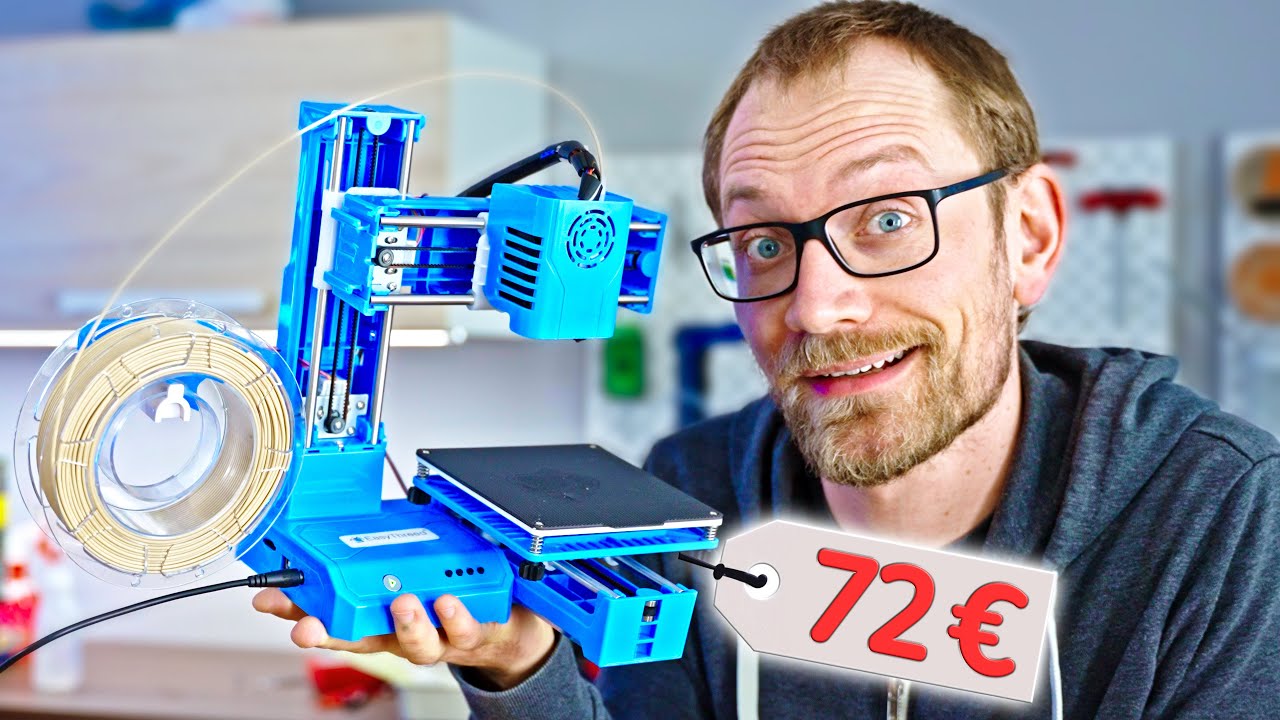
The Tina2C makes a strong case for starting small. Its body measures 8 inches long, 6.5 inches wide, and 10 inches high, so it can fit where a full-size printer would overwhelm a desk. It is fully assembled, and the Poloprint Cloud app guides the setup toward a first print in as little as eight minutes. That simplicity is more important for a child or first-time user than a long list of advanced motion settings.
The compact 3.9 x 3.9 x 3.9 inch print volume defines the machine. It is well suited to small figures, classroom projects, simple toys, and decorative parts, but large household components will need to be divided into sections or printed elsewhere. The small footprint also means less room for a large model to fail, which can make early experiments more manageable.
Tina2C supports 2.4G Wi-Fi printing and TF card offline printing. That gives families a choice between app-led projects and a more traditional file-based workflow. The app includes AI-powered search, photo-to-print features, and more than 20 creative modules, while the broader library is listed at more than 3, 000 models. Compatibility with Windows, macOS, Linux, and Chromebook, plus Cura and Simplify3D support, gives the user a path toward more control later.
Auto leveling, power-loss recovery, a self-cleaning nozzle, and a quick-swap printhead reduce routine maintenance. The flexible magnetic build plate can be bent to release a model, and low-noise operation with integrated LED lighting suits a classroom or shared room. The Magic Jimmy is more engaging for children who want AI-driven character and toy creation, while the Creality SPARKX i7 is the clear step up for larger projects. Select the Tina2C when desk space and a gentle learning curve matter most.
9. FLASHFORGE AD5M: Best for Easy Maintenance

Pros
- Fully automatic one-click leveling
- Three-second quick-release nozzle
- CoreXY all-metal structure
- Double-sided PEI steel plate
- Print recovery after power loss
Cons
- Open design offers less environmental control
- Build volume is limited to 220 x 220 x 220mm
- Material flexibility is narrower than the Adventurer 5M Pro
Best for: users who want fast printing and simple access to routine maintenance.
The AD5M is aimed at the person who would rather replace a nozzle than wrestle with it. Its patent quick-release design allows a tool-free swap in as little as three seconds, and the printer supports 0.25mm, 0.4mm, 0.6mm, and 0.8mm nozzle diameters. That makes maintenance less disruptive and lets the user choose between small details and faster, heavier parts.
It uses an all-metal CoreXY motion structure with fully automatic one-click calibration. The maximum travel speed is 600mm/s, with the frame designed to keep movement stable and relatively quiet at high speed. The 220 x 220 x 220mm build size is the same practical desktop class as the other Adventurer models, so it handles ordinary home projects without making unusually large objects.
The double-sided PEI steel plate makes model removal easier by flexing the surface. One side is specifically designed for PETG printing, and the printer can resume an interrupted job after a power outage by saving the current layer. Orca-Flashforge software supports one-click batch file transmission and multi-printer monitoring, while the Flash Maker app provides remote status checks and control.
Compared with the FLASHFORGE Adventurer 5M, the AD5M has the sharper maintenance story, while the FLASHFORGE Adventurer 5M Pro is the better choice for enclosure and broader filament support. Its open design is the main reason to skip it if you plan to print materials that benefit from a controlled environment. For a first printer that will be used often and maintained without drama, the AD5M remains a sensible final pick.

How to choose best affordable 3d printer
The right 3D printer depends less on the largest speed claim than on the combination of build space, calibration, materials, and the amount of supervision you want to provide.
Build volume
Build volume determines the largest object you can print in one piece. A 220 x 220 x 220mm space, used by several Flashforge models, handles a wide range of household parts, toys, and prototypes. The SPARKX i7's 260 x 260 x 255mm area is a better fit for larger models, while the Tina2C's 3.9-inch cube is intentionally aimed at small projects.
Measure the printer's full footprint, not just its print area. Leave room for access to the build plate, filament, cables, and moving parts. A printer that technically fits on a shelf may be awkward to use if the door or plate cannot open fully.
Automatic calibration
Automatic leveling measures the distance between the nozzle and build plate so the first layer has a better chance of adhering evenly. It is one of the most useful features for a new user because a poor first layer can ruin an otherwise correct model.
Look for a machine that combines leveling with other automatic checks, such as Z-offset or input shaping. The SPARKX i7 handles several of these tasks, while the Adventurer 5M and AD5M emphasize one-click automatic leveling. No calibration system eliminates the need to keep the plate clean.
Fast printing is useful only after the first layer is reliable.
Motion system and speed
CoreXY designs appear throughout the upper half of this group because they are built for fast movement while keeping the moving mass controlled. Speeds from 400mm/s to 600mm/s can shorten prototypes and batches, but the best setting changes with the model, nozzle, layer height, and filament.
A wider nozzle can reduce print time for large, sturdy parts, while a 0.25mm nozzle favors small details. Do not choose solely by the maximum speed. A stable frame, vibration compensation, and a slicer profile that matches the printer matter just as much.
Extruder and materials
A direct-drive extruder keeps the filament path short and can be useful for flexible materials. Higher nozzle temperatures give a printer more room to work with demanding filaments, though the rest of the machine must also suit those materials.
The Adventurer 5M Pro lists support for PLA, ABS, PETG, ASA, TPU, PC, PLA-CF, and PETG-CF with its 280°C extruder. The AD5X lists a 300°C extruder, while the P1S lists PLA, PETG, TPU, PVA, PET ABS, ASA, PA, and PC with different capability and recommendation levels. Check the manufacturer's material guidance before assuming a printer is suitable for a particular filament.
Multicolor systems
Multicolor printing can mean several different things. The AD5X supports up to four colors, the P1S can reach up to 16 colors or materials with an AMS, and the SPARKX i7 requires a CFS for multicolor printing. The Creator 5 uses four independent toolheads, which avoids repeatedly pushing different colors through one nozzle.
Think about waste, changeover time, and support material. Independent toolheads are attractive for projects that use several materials in one print, while a simpler single-color printer is easier to maintain when color is not central to the work.
Frequently asked questions
What is the best affordable 3D printer for a first-time user?
The FLASHFORGE Adventurer 5M is the strongest general starting point because it combines automatic leveling, a useful 220mm cube build volume, fast CoreXY movement, and a quick-change nozzle. The Entina Tina2C is easier to fit into a small room and better suited to small, guided projects.
Is an enclosed 3D printer better for home use?
An enclosure can help maintain a more consistent printing environment and keeps moving and hot components more contained. The FLASHFORGE Adventurer 5M Pro, Bambu Lab P1S, and Magic Jimmy are the clearest enclosed choices here. An enclosure does not automatically make every material safe or suitable, so follow the printer's material guidance.
Which printer has the largest build area?
The Creality SPARKX i7 has the largest listed build volume in this group at 260 x 260 x 255mm. The standard-size Flashforge machines provide 220 x 220 x 220mm, while the Entina Tina2C is designed for much smaller models.
Do all of these printers support multicolor printing?
No. The AD5X supports up to four colors, the Creator 5 uses four independent toolheads, and the P1S can reach up to 16 colors or materials when paired with a Bambu Lab AMS. The SPARKX i7 requires a CFS for multicolor printing. The remaining models are better understood as single-color printers.
Are high-speed 3D printers suitable for children?
Speed alone does not determine suitability. For children, an enclosed design, guided software, and a simple material workflow matter more. Magic Jimmy is the most specifically child-focused option, while the Tina2C is a compact beginner machine that can also suit family and classroom use.
What nozzle size should a beginner use?
The 0.4mm nozzle is the general-purpose starting point because it balances detail and print time. A 0.25mm nozzle can help with miniature details, while 0.6mm and 0.8mm nozzles favor larger, sturdier parts and shorter print times. Several Flashforge models support all four sizes listed here.
How much setup does a first 3D printer need?
Fully assembled machines reduce mechanical setup, but every printer still needs a suitable location, filament, software, and a clean build plate. Tina2C lists a first-print setup of as little as eight minutes, Magic Jimmy arrives fully assembled, and the Adventurer 5M Pro lists a ten-minute setup from unboxing to first print.
The bottom line
The FLASHFORGE Adventurer 5M is the most convincing all-purpose Best affordable 3d printer in this group. Automatic leveling, a capable 220mm cube build area, quick nozzle changes, and fast CoreXY motion give it the right balance for home makers. The Bambu Lab P1S is the better alternative when an enclosed body and a future path to multicolor work matter more than simple maintenance.
For color, choose the FLASHFORGE AD5X or step up to the FLASHFORGE Creator 5 when independent toolheads and multimaterial support justify a more involved setup. Families should look first at Magic Jimmy or Entina Tina2C, while the Creality SPARKX i7 is the pick for larger beginner projects.
If you are undecided, buy the Adventurer 5M unless your first priority is an enclosure, child-focused design, or multicolor printing.
As an Amazon Associate we earn from qualifying purchases.