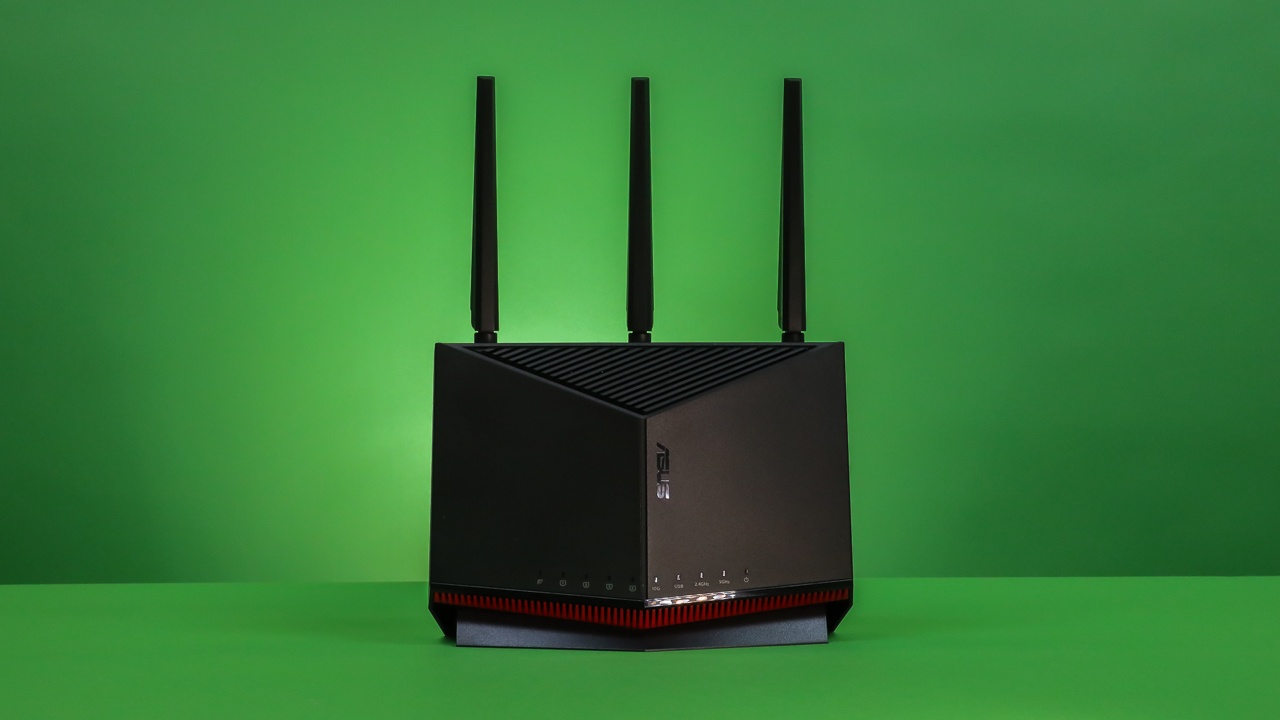

A router can look fast on the box and still leave a house full of phones, consoles, cameras, and smart-home devices fighting for airtime. The right choice depends on more than the headline wireless speed. Band count, wired ports, WiFi generation, WAN flexibility, security tools, and the shape of your home all matter.
Our Best Asus Router picks range from the compact WiFi 6 RT-AX1800S to the extreme quad-band ROG Rapture GT-BE98 Pro. ASUS RT-BE9700 is the strongest all-around choice, with tri-band WiFi 7, 6GHz support, versatile WAN options, AiMesh, and a useful security package.
Comparison table
| # | Product | Award | Wireless | Wired networking | Best for |
|---|---|---|---|---|---|
| 1 | ASUS RT-BE9700 | Best overall | Tri-band WiFi 7, up to 9.7 Gbps | Dual WAN, USB tethering | Most homes wanting WiFi 7 headroom |
| 2 | ASUS RT-BE88U | Best wired connectivity | WiFi 7, up to 7.2 Gbps | 10G SFP+ and 10G WAN/LAN | Fast wired networks |
| 3 | ASUS RT-BE92U | Best tri-band alternative | Tri-band WiFi 7, up to 9.7 Gbps | Dual WAN, USB tethering | 6GHz users building an AiMesh network |
| 4 | ASUS ROG Rapture GT-BE98 Pro | Best for gaming | Quad-band WiFi 7, up to 30 Gbps | Dual 10G, four 2.5G | Serious gaming setups |
| 5 | ASUS RT-BE86U | Best 10G gaming router | Dual-band WiFi 7, up to 6.8 Gbps | 10G WAN/LAN, 2.5G WAN options | Gaming and high-speed wired links |
| 6 | ASUS RT-BE82U | Best multi-gig home router | Dual-band WiFi 7, up to 6.5 Gbps | Five 2.5GbE ports | Homes with several wired devices |
| 7 | ASUS RT-BE59 | Best compact WiFi 7 pick | Dual-band WiFi 7, up to 5 Gbps | 2.5G port | Smaller homes and apartments |
| 8 | ASUS RT-BE58U | Best for dual WAN | Dual-band WiFi 7, up to 3.6 Gbps | Dual-WAN support | Connection redundancy |
| 9 | ASUS RT-AX3000S | Best WiFi 6 upgrade | Dual-band WiFi 6, about 3 Gbps | AiMesh compatible | Busy WiFi 6 households |
| 10 | ASUS RT-AX1800S | Best simple WiFi 6 router | Dual-band WiFi 6, up to 1.8 Gbps | One gigabit WAN, four gigabit LAN | Smaller networks and basic streaming |
1. ASUS RT-BE9700: Best Overall

Pros
- Tri-band WiFi 7 includes the 6GHz band
- Up to 9.7 Gbps wireless throughput
- Flexible WAN setup and USB mobile tethering
- AiMesh support for whole-home roaming
- Subscription-free triple-level network protection
Cons
- Large footprint for a basic apartment setup
- WiFi 7 benefits depend on compatible client devices
- Its feature set may be more than a small household needs
Best for: households that want a fast, flexible WiFi 7 foundation with room to expand.
The ASUS RT-BE9700 is the router we would keep for a mixed household. It has enough range of features to suit streaming, gaming, work devices, and smart-home equipment without being built around one narrow use case. The tri-band design adds 6GHz, and that extra band gives newer devices a cleaner place to connect instead of making every device compete on 2.4GHz and 5GHz.
ASUS lists wireless throughput up to 9.7 Gbps, supported by 320MHz channels in the 6GHz band and 4096-QAM. Those figures are not a promise that an internet plan will run at that speed. They describe the router's wireless capacity under suitable conditions, but they matter when multiple local transfers, high-resolution streams, and fast client devices are active at the same time. Multi-Link Operation can use more than one band to help maintain a stable connection.
The WAN options make this more adaptable than the dual-band models below it. AI WAN detection can help keep an always-on setup running, while the USB port supports 4G LTE and 5G mobile tethering. AiMesh also lets you add compatible ASUS routers for a seamless whole-home network. If you are still deciding how much coverage you need, the layout choices that make a home network more reliable are worth considering before adding another node.
The weakness is physical and practical. At 11.3 inches long and 9.7 inches high, it needs a proper shelf rather than a cramped corner, and WiFi 7's biggest advantages require newer client hardware. The RT-BE88U has stronger wired networking, while the RT-BE92U offers a similar tri-band concept, but the RT-BE9700 has the most balanced combination of wireless capacity, WAN flexibility, security, and expansion.
2. ASUS RT-BE88U: Best Wired Connectivity

Pros
- WiFi 7 throughput up to 7.2 Gbps
- One 10G SFP+ port and one 10G WAN/LAN port
- Five SSIDs through Guest Network Pro
- Quad-core 2.6GHz 64-bit processor
- AiProtection Pro and AiMesh support
Cons
- Wired ports are the main reason to choose it
- Larger and heavier than simpler dual-band models
- 6GHz is not listed among its wireless bands
Best for: users connecting a fast NAS, desktop, switch, or other multi-gig equipment.
The ASUS RT-BE88U is the clear specialist in this group. Its appeal is not just WiFi 7. It is the router to choose when the wired side of the network matters as much as the wireless side. One 10G SFP+ port and one standard 10G WAN/LAN port can support a much faster wired backbone than the ordinary gigabit ports found on older routers.
ASUS describes total wireless throughput up to 7.2 Gbps, with Multi-Link Operation and 4096-QAM supporting that WiFi 7 performance. The router also has a quad-core 2.6GHz 64-bit CPU, which gives it the processing headroom expected for demanding WiFi 7 and 10G applications. That combination suits a home office with fast storage or a network where a wired desktop and access point need to move large files quickly.
Guest Network Pro can create up to five SSIDs for separating guests, smart-home devices, VPN connections, and parental-control groups. AiProtection Pro, one-tap security scanning, Safe Browsing, and site-to-site VPN support add more control than the basic RT-AX1800S. AiMesh support means it can also act as the center of a broader ASUS setup.
The trade-off is that the RT-BE88U is a wired-first design. Someone who mainly wants a 6GHz wireless network should look at the RT-BE9700 or RT-BE92U instead. At 11.8 inches high and 2.5 pounds, it is also a substantial piece of hardware. Choose it over the RT-BE82U when 10G or SFP+ connectivity is central, and choose the RT-BE82U when five 2.5GbE ports are more useful than two 10G connections.
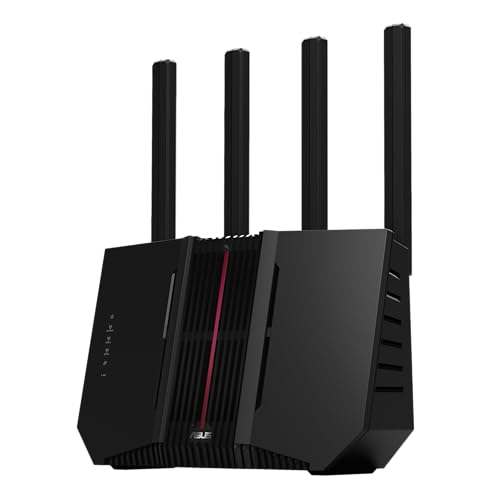
3. ASUS RT-BE92U: Best Tri-Band Alternative
Pros
- Tri-band WiFi 7 with 6GHz support
- Up to 9.7 Gbps wireless throughput
- Multi-Link Operation and 320MHz channels
- USB support for mobile tethering
- AiProtection Pro and AiMesh support
Cons
- Large chassis
- Dual-band routers can be simpler for older devices
- Product availability and condition should be checked carefully
Best for: users who want 6GHz and AiMesh capability in a high-capacity tri-band design.
The ASUS RT-BE92U is very close to the RT-BE9700 on paper, which makes the distinction between them important. Both use tri-band WiFi 7, include the 6GHz band, and list throughput up to 9.7 Gbps. That makes the RT-BE92U a compelling fit for a home with newer phones, laptops, and wireless adapters that can make use of the additional spectrum.
The 320MHz 6GHz channels and 4096-QAM are designed to increase capacity and throughput. In practical terms, 6GHz can reduce congestion for compatible devices, while older equipment can continue using the other bands. Multi-Link Operation can link multiple bands to support steadier connections and more efficient transfers. Those features matter more in a busy home than they do in a small space with only a handful of active devices.
AI WAN detection and USB-based 4G LTE or 5G tethering give the RT-BE92U useful fallback options. Smart Home Master supports up to three SSIDs for IoT setup, VPN connections, and parental controls. AiProtection Pro adds commercial-grade network security, one-tap scanning, and Safe Browsing, while AiMesh allows seamless roaming with compatible ASUS routers. For readers comparing wider wireless coverage, the practical differences between a single router and several connected points can help explain whether AiMesh is useful.
The RT-BE9700 remains our first pick because it presents the more complete package, but the RT-BE92U is a strong alternative when its particular configuration suits your home. Its 11.3-inch length and 9.73-inch height are not subtle, and dual-band models such as the RT-BE82U can be easier to place. Skip this one if your devices are mostly WiFi 5 or WiFi 6 and you have no need for 6GHz.
4. ASUS ROG Rapture GT-BE98 Pro: Best for Gaming

Pros
- Quad-band WiFi 7 design
- Up to 30 Gbps advertised wireless throughput
- Dual 10G ports and four 2.5G ports
- Triple-level game acceleration
- External dual-feeding antennas
Cons
- Very large and heavy
- Gaming-focused features are unnecessary for many homes
- Requires substantial network hardware to exploit fully
Best for: competitive players and households with several high-speed wired and wireless devices.
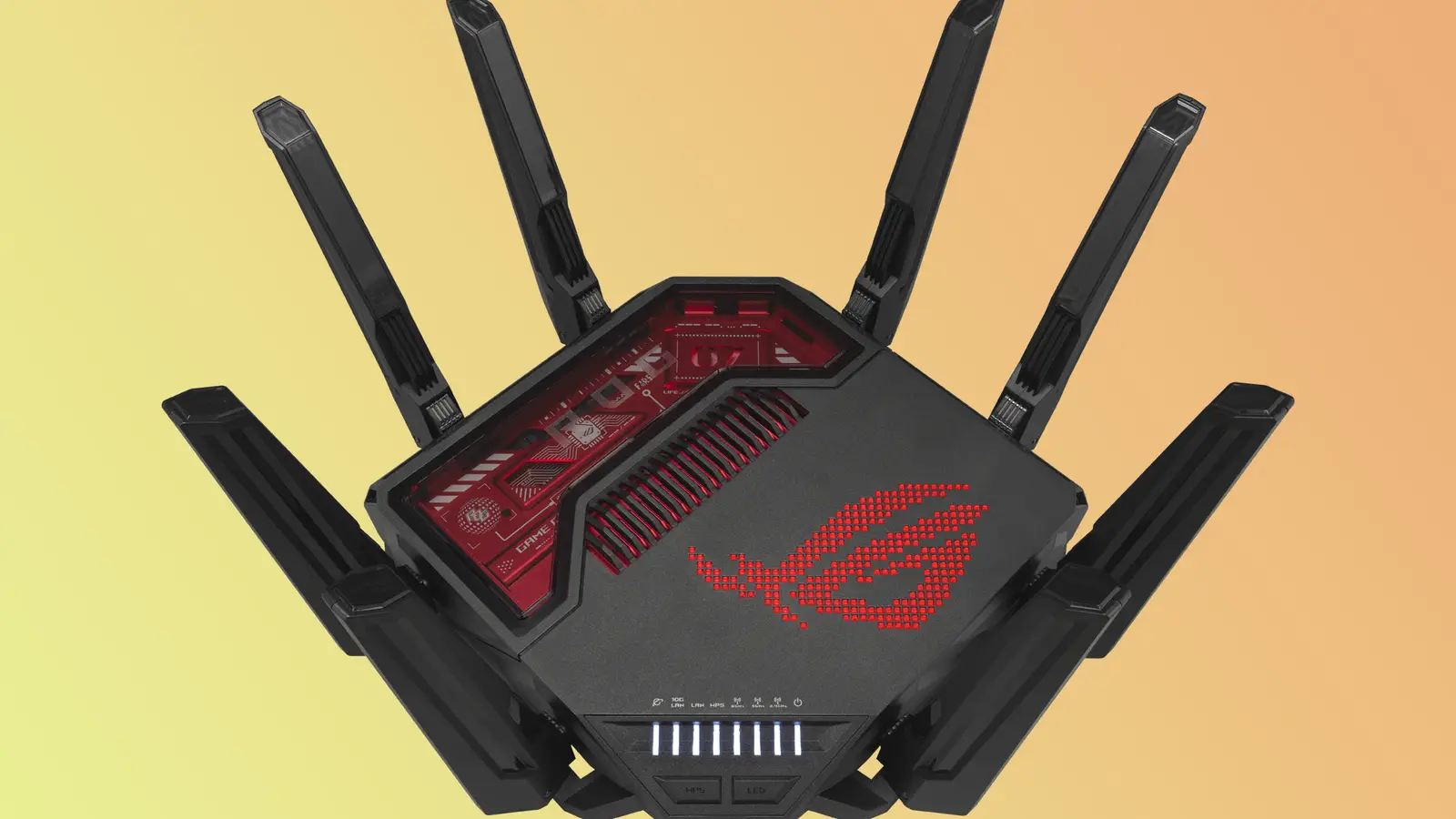
The ASUS ROG Rapture GT-BE98 Pro is the no-compromise gaming router here. Its quad-band WiFi 7 design and advertised throughput up to 30 Gbps put it in a different class from ordinary dual-band routers. The point is not that a game will suddenly use 30 Gbps. The point is that the router has substantial capacity for game traffic, streams, downloads, wireless clients, and wired devices operating at the same time.
The wired layout is unusually strong. There are dual 10G ports alongside four 2.5G ports, so a gaming desktop, high-speed internet connection, storage device, and several other multi-gig clients can remain on fast wired links. The external dual-feeding antennas are designed to improve coverage and signal strength. For an enthusiast setup with a dedicated gaming room, that combination is more meaningful than a basic speed claim.
Triple-level game acceleration is the feature that separates this ROG model from the RT-BE86U. ASUS describes the system as boosting PC gaming traffic from the gaming PC through to the game server. The router also supports Multi-Link Operation, which can link multiple bands for stable connections. It is built for people who want to tune network behavior around gaming rather than simply connect devices and forget about the router.
The size is the obvious downside. At 13.7 inches high and wide, 8.6 inches wide, and 4.4 pounds, it needs open space and a stable surface. The RT-BE86U is a more restrained gaming option, while the RT-BE88U makes more sense for a wired office or storage-heavy network. Choose the GT-BE98 Pro only if its gaming controls, four-band capacity, and port selection will actually be used.
5. ASUS RT-BE86U: Best 10G Gaming Router

Pros
- WiFi 7 throughput up to 6.8 Gbps
- 10G WAN/LAN port
- Quad-core 2.6GHz 64-bit processor
- USB mobile tethering support
- Up to five SSIDs through Guest Network Pro
Cons
- Dual-band rather than tri-band
- Gaming features are less extensive than the ROG model
- Broad, low-profile chassis needs desk or shelf space
Best for: gamers who need a 10G connection without moving to the larger quad-band ROG design.
The ASUS RT-BE86U hits a useful middle ground. It has gaming credentials and a 10G WAN/LAN port, but it avoids the enormous footprint of the GT-BE98 Pro. That makes it easier to justify in a home where a fast wired connection matters, but a full enthusiast router would be excessive.
Its dual-band WiFi 7 system supports Multi-Link Operation across 2.4GHz and 5GHz, along with 4096-QAM, for advertised throughput up to 6.8 Gbps. The 10G port can serve as either WAN or LAN, and ASUS describes total wired capacity up to 20G when the relevant connections are in use. A quad-core 2.6GHz 64-bit CPU supports demanding wireless and 10G applications.
Guest Network Pro can create up to five SSIDs, which is useful for keeping smart-home devices, guests, VPN connections, and household devices organized. AI WAN detection works with 2.5G or 10G WAN/LAN options, and the USB port supports 4G LTE and 5G mobile tethering. Those details make it more versatile than a router that only focuses on low-latency gaming.
The lack of a third band is its main limitation. The RT-BE9700 and RT-BE92U are better fits for homes with many 6GHz clients, while the RT-BE86U is more compelling when a fast wired connection is the priority. It is 12.4 inches long and 9.3 inches wide, so it is not tiny, but its 3.5-inch height gives it a less imposing profile than the ROG model.
6. ASUS RT-BE82U: Best Multi-Gig Home Router

Pros
- WiFi 7 throughput up to 6.5 Gbps
- Five 2.5GbE ports
- AiMesh whole-home expansion
- AiProtection Pro security
- Multi-Link Operation support
Cons
- No 6GHz band listed
- No 10G port
- Long, narrow body may not suit every shelf
Best for: homes with several wired multi-gig devices and no need for 10G networking.
The ASUS RT-BE82U makes a strong case for choosing ports over headline wireless complexity. It has five 2.5GbE ports, giving a home office, media room, or small studio plenty of fast wired connections without requiring a separate multi-gig switch right away. That is a practical advantage over routers that offer only one faster port.
Wireless throughput is listed up to 6.5 Gbps. The dual-band WiFi 7 design uses 4096-QAM and Multi-Link Operation to improve throughput and connection efficiency. It will not provide the 6GHz band offered by the RT-BE9700 or RT-BE92U, but dual-band WiFi 7 is still a sensible fit when most current devices use 2.4GHz and 5GHz.
AiMesh gives the RT-BE82U a path to whole-home roaming, and AiProtection Pro includes Trend Micro-powered security, one-tap scanning, and Safe Browsing. Its five 2.5GbE ports make it the better choice than the RT-BE58U when several wired clients need more than gigabit networking. The RT-BE88U is the step up for 10G and SFP+ connections.
The RT-BE82U is long at 13.94 inches, though its listed height is only 0.89 inches. That shape may fit under some furniture but can be awkward on a narrow shelf. It is also a less obvious choice for gamers than the RT-BE86U. Pick it for a busy wired home network, not because every device needs the maximum possible WiFi specification.
7. ASUS RT-BE59: Best Compact WiFi 7 Pick

Pros
- WiFi 7 throughput up to 5 Gbps
- 2.5G port
- Four external and one internal antenna
- AiMesh coverage expansion
- Smart Home Master supports three SSIDs
Cons
- Dual-band design
- Fewer advanced wired options than larger models
- Coverage depends heavily on the home and placement
Best for: apartments and smaller homes that want WiFi 7 without a large high-end router.
The ASUS RT-BE59 is the approachable WiFi 7 option in this lineup. It does not try to compete with the GT-BE98 Pro's quad-band capacity or the RT-BE88U's 10G connectivity. Instead, it gives a smaller household the main advantages of WiFi 7 in a relatively straightforward dual-band router.
ASUS lists throughput up to 5 Gbps, with Multi-Link Operation and 4K-QAM. The 2.5G port is the important wired detail, since it allows a compatible internet connection or local device to move beyond gigabit Ethernet. Four external antennas and one internal antenna are designed to reduce dead zones, although walls, floor plans, and interference still determine the real result.
AiMesh can extend coverage to up to 2, 300 square feet according to the product feature description, and compatible ASUS routers can be added for whole-home roaming. Smart Home Master supports up to three SSIDs for parental controls and IoT devices. That separation is useful when a home has a growing collection of smart plugs, cameras, speakers, and appliances.
The RT-BE59 gives up the third band and the broad port selection found on the higher-ranked models. The RT-BE58U offers dual WAN and similar compact-home appeal, while the RT-BE82U is better for several wired multi-gig devices. Choose the RT-BE59 when the priority is a clean WiFi 7 upgrade in a smaller space, not a central router for a demanding wired network.
8. ASUS RT-BE58U: Best for Dual WAN

Pros
- Dual-WAN support
- WiFi 7 throughput up to 3.6 Gbps
- Multi-Link Operation
- AiProtection Pro and Safe Browsing
- Smart Home Master with up to three SSIDs
Cons
- Lower wireless capacity than the RT-BE59
- Dual-band only
- No 6GHz band listed
Best for: households that need WAN flexibility and practical network controls.
The ASUS RT-BE58U is not the fastest router here, but it has a feature that can matter more than another step up in wireless throughput: dual WAN. That makes it a sensible choice for users who want connection redundancy or more flexibility in how their internet services are arranged. AI WAN detection and USB tethering support add to that adaptable approach.
Its dual-band WiFi 7 system is rated up to 3.6 Gbps, with 4096-QAM increasing single-band transmission speed and Multi-Link Operation using multiple bands for steadier connections. Those features are useful for a home with newer WiFi devices, though the absence of 6GHz means it cannot offer the same low-congestion band as the RT-BE9700 or RT-BE92U.
Smart Home Master supports up to three SSIDs for IoT devices, instant VPN connections, and parental controls. AiProtection Pro, powered by Trend Micro, adds a security scan and Safe Browsing. That is a stronger control set than the basic RT-AX1800S, and it gives the RT-BE58U a clear role in a household that cares about device separation and network management.
The RT-BE59 is faster on paper and includes a 2.5G port, so it is the better pick for straightforward WiFi 7 performance. The RT-BE58U wins when dual WAN is the deciding feature. Its 9.37-inch height and 7.6-inch length are manageable, but users who need a larger wired backbone should move up to the RT-BE82U or RT-BE88U.
9. ASUS RT-AX3000S: Best WiFi 6 Upgrade

Pros
- Dual-band WiFi 6
- About 3 Gbps total networking speed
- 574 Mbps on 2.4GHz and 2402 Mbps on 5GHz
- OFDMA and MU-MIMO
- AiMesh compatibility
Cons
- Not a WiFi 7 router
- No 6GHz band
- Product features are less extensive than the newer models
Best for: households upgrading from older WiFi equipment without needing WiFi 7.
The ASUS RT-AX3000S is the sensible step for a household that needs a better organized WiFi network but does not have a collection of WiFi 7 devices. WiFi 6 remains capable for phones, televisions, laptops, and smart-home equipment, and this model has a useful balance between 2.4GHz and 5GHz capacity.
ASUS lists total networking speed of about 3 Gbps, divided into 574 Mbps on 2.4GHz and 2402 Mbps on 5GHz. That split matters because 5GHz handles the higher-throughput devices, while 2.4GHz remains useful for longer-range connections and many smart-home products. OFDMA and MU-MIMO help the router communicate with multiple devices more efficiently instead of treating every connection as a separate turn.
AiMesh compatibility is the RT-AX3000S's most important expansion feature. It can work with another compatible ASUS router to create seamless roaming across a larger home. If you are weighing wireless range against wired backhaul, the network layout decisions that affect coverage from room to room provide a useful starting point.
The RT-BE59 is the more future-facing choice, while the RT-AX3000S is easier to justify when existing devices are all WiFi 6 or older. It does not include the newer models' 6GHz band or WiFi 7 features. At 9.1 inches long and 5.3 inches high, it remains reasonably easy to place, and it is a good fit for a normal family network that needs dependable capacity rather than an enthusiast feature set.
10. ASUS RT-AX1800S: Best Simple WiFi 6 Router

Pros
- WiFi 6 with OFDMA and MU-MIMO
- One gigabit WAN and four gigabit LAN ports
- AiProtection Classic security
- Instant Guard secure VPN access
- AiMesh compatibility
Cons
- Lower wireless capacity than the RT-AX3000S
- No multi-gigabit Ethernet
- No 6GHz or WiFi 7 support
Best for: smaller households with ordinary broadband speeds and a modest device count.
The ASUS RT-AX1800S is the straightforward option. It provides WiFi 6, sensible security controls, and enough wired ports for a typical small home without trying to be a multi-gig network core. The compact 0.82-pound body is easier to place than the larger WiFi 7 models, which can matter in an apartment or on a crowded media shelf.
Its advertised wireless capacity reaches 1.8 Gbps, and 1024-QAM, OFDMA, and MU-MIMO are intended to improve efficiency when multiple devices connect at once. The wired layout is simple: one gigabit WAN port and four gigabit LAN ports. That is suitable for ordinary wired computers, televisions, and consoles, but it leaves no room for a faster-than-gigabit backbone.
AiProtection Classic, powered by Trend Micro, provides network security, and ASUS Instant Guard offers one-click secure VPN access away from home. AiMesh compatibility also leaves a route to wider coverage if a single router cannot reach every room. Those controls make it more useful than a bare-bones wireless access point.
The RT-AX3000S is the better WiFi 6 choice for a busier home, and every WiFi 7 model above it offers more capacity or flexibility. The RT-AX1800S makes sense when the network is small, the internet connection does not require multi-gig hardware, and simple setup matters most. Users planning to keep the router through several device upgrades should start with the RT-BE59 instead.

How to choose the Best Asus Router
The right ASUS router depends on the devices you own now, the connection entering the home, and how much control you want over coverage and traffic.
WiFi generation and bands
WiFi 6 is still suitable for many homes, especially when most devices are older or the internet connection is modest. WiFi 7 adds Multi-Link Operation, higher-order modulation, and, on tri-band models, access to 6GHz. A tri-band router such as the RT-BE9700 or RT-BE92U has more spectrum available than the dual-band models, but compatible client devices are needed to see the biggest gains.
Wireless capacity
The throughput number describes the router's theoretical wireless capacity, not a guaranteed internet speed. Higher-capacity models make more sense when many devices transfer data simultaneously, when local file transfers are common, or when several people stream and work at once. A smaller household may gain more from good placement than from moving to the largest specification.
Choose the band layout for the devices you actually use, not for the biggest number printed on the box.
Wired ports
Count the devices that will use Ethernet before choosing a router. The RT-AX1800S has one gigabit WAN port and four gigabit LAN ports, while the RT-BE82U offers five 2.5GbE ports. The RT-BE88U and GT-BE98 Pro go further with 10G connections. Faster ports matter for multi-gig internet, network storage, wired gaming PCs, and access points.
WAN flexibility
Dual WAN can help users with two internet services or a backup connection. USB tethering is useful when a router supports 4G LTE or 5G mobile connections through its USB port. The RT-BE9700, RT-BE58U, RT-BE86U, RT-BE88U, and RT-BE92U have particularly flexible WAN-related features.
Security and network management
Look for the security package, VPN options, guest controls, and device-separation tools rather than treating them as interchangeable. AiProtection Pro appears on several newer models, while the RT-AX1800S uses AiProtection Classic. Guest Network Pro and Smart Home Master can make it easier to separate smart-home devices, visitors, and family devices.
AiMesh expansion
AiMesh lets compatible ASUS routers work together for broader coverage and roaming. It is useful in long homes, multi-floor layouts, and spaces where one router cannot reach every room. A second router cannot fix poor placement or severe building interference by itself, so start by positioning the main router in an open, central location.
Frequently asked questions
Is WiFi 7 worth choosing over WiFi 6?
WiFi 7 is most useful when you have newer phones, laptops, adapters, or other compatible devices and want more capacity for future upgrades. WiFi 6 models such as the RT-AX3000S and RT-AX1800S remain suitable for many ordinary homes. The decision should follow your devices and network demands, not the generation label alone.
Which ASUS router is best for 6GHz WiFi?
The RT-BE9700 and RT-BE92U are the tri-band picks in this group with 6GHz support. They also list 320MHz channels in the 6GHz band and up to 9.7 Gbps wireless throughput. The 6GHz band has shorter range than lower frequencies, so placement and device compatibility still matter.
Do these ASUS routers support AiMesh?
Many of the routers in this roundup support AiMesh, including the RT-BE9700, RT-BE88U, RT-BE92U, RT-BE59, RT-BE58U, RT-BE82U, RT-AX3000S, and RT-AX1800S. AiMesh lets compatible ASUS routers form a whole-home network with roaming. Check the specific model's current firmware and compatibility details before mixing devices.
Which model has the strongest wired connectivity?
The GT-BE98 Pro has dual 10G ports and four 2.5G ports. The RT-BE88U has one 10G SFP+ port and one 10G WAN/LAN port, making it especially attractive for a wired office or network storage setup. The RT-BE82U is a better fit if five 2.5GbE ports are more useful than 10G connectivity.
Can an ASUS router use a mobile connection?
Several models include a USB port for 4G LTE and 5G mobile tethering. The RT-BE9700, RT-BE88U, RT-BE58U, RT-BE86U, and RT-BE92U list this capability. The exact modem, tethering setup, and mobile service determine how well the fallback connection works.
Is a gaming ASUS router better for ordinary streaming?
Not necessarily. Gaming models add traffic-management features and often provide more powerful wired connectivity, but a general-purpose router such as the RT-BE9700 can handle a mixed household well. The ROG Rapture GT-BE98 Pro makes the most sense when gaming controls and high-capacity ports are central to the network.

The bottom line
The Best Asus Router for most demanding households is the ASUS RT-BE9700. Its tri-band WiFi 7 design, 6GHz support, 9.7 Gbps wireless capacity, flexible WAN tools, security features, and AiMesh expansion give it the broadest range of useful abilities without turning the purchase into a specialist gaming decision.
The ASUS RT-BE88U is the better pick for a wired-heavy setup, while the ASUS ROG Rapture GT-BE98 Pro is the right tool for serious gaming networks with multiple 10G and 2.5G devices. For a smaller home, the RT-BE59 offers a simpler WiFi 7 path, and the RT-AX3000S remains a sensible WiFi 6 upgrade.
If you are undecided, choose the RT-BE9700 for flexibility, the RT-BE88U for wired networking, or the RT-AX3000S when WiFi 6 is enough.
As an Amazon Associate we earn from qualifying purchases.