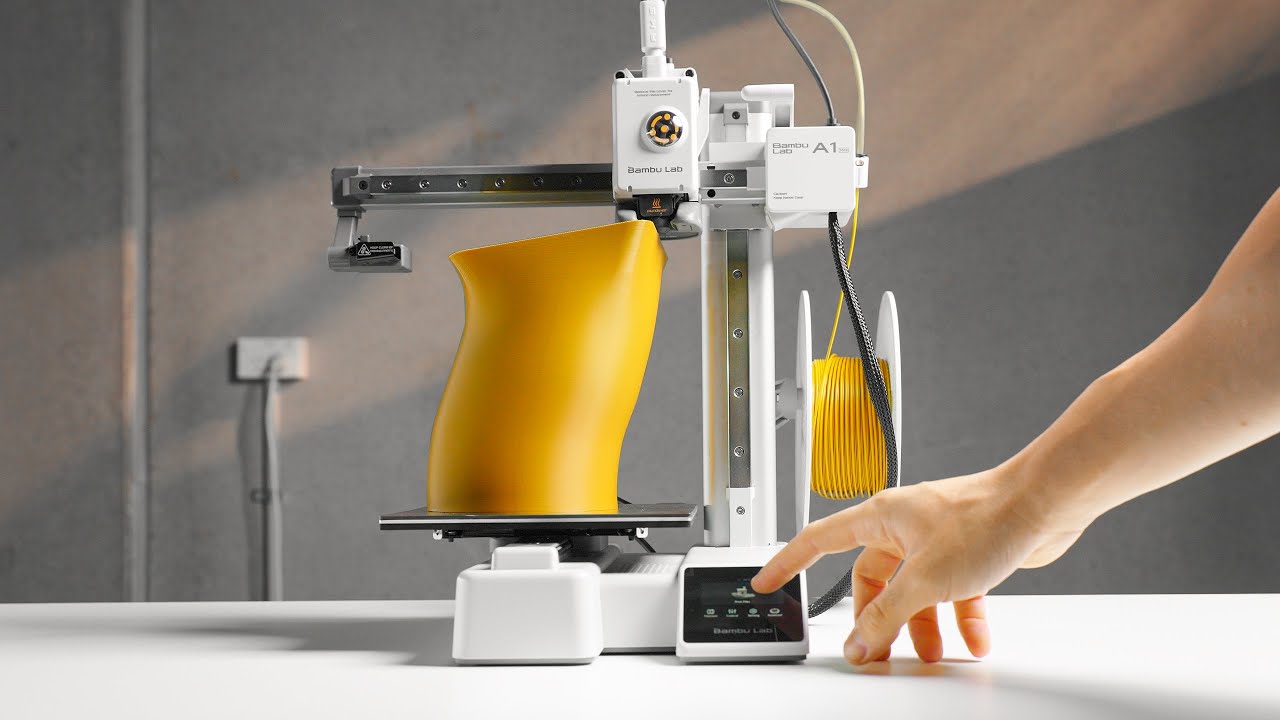

A 3D printer can look simple on the product page, then demand decisions about calibration, filament, build plates, and failed first layers before it produces anything useful. Bambu Lab removes much of that friction, but the range still spans enclosed high-speed machines, compact beginner printers, and accessories that determine how pleasant the hobby becomes.
Our Best best bambu 3d printer picks include the P1S and P2S families, the open-frame A1 models, and the practical supplies that make a Bambu setup easier to maintain. The Bambu Lab P1S Combo is our top pick, with the P2S Combo close behind for users who want newer airflow and extrusion features.
Comparison table
| # | Product | Award | Enclosure | Speed or material detail | Best for |
|---|---|---|---|---|---|
| 1 | Bambu Lab P1S Combo | Best overall | Enclosed | Up to 500 mm/s, AMS multi-color | Most serious home users |
| 2 | Bambu Lab P2S Combo | Best advanced combo | Enclosed | Up to 600 mm/s, 65°C filament drying | Engineering-focused workflows |
| 3 | Bambu Lab P1S | Best standalone enclosed printer | Enclosed | Up to 500 mm/s | Users adding AMS later |
| 4 | Bambu Lab P2S | Best smart standalone printer | Enclosed | Up to 600 mm/s, 50°C chamber | Beginners wanting newer automation |
| 5 | Bambu Lab A1 mini | Best compact beginner printer | Open frame | Quiet operation, automatic calibration | Small spaces and simple projects |
| 6 | Bambu Lab A1 | Best open-frame printer | Open frame | 10, 000 mm/s² acceleration | Families and larger everyday prints |
| 7 | Intarsio 68-Piece Tool Kit | Best maintenance kit | Accessory | 68 tools, 10 drill bits | Print cleanup and maintenance |
| 8 | Dynta Six-Color PLA | Best color starter pack | Filament | 1.75 mm, ±0.02 mm, six 250 g spools | Beginners trying multiple colors |
| 9 | Bambu Lab Black PLA | Best integrated PLA | Filament | 1.75 mm, RFID, 1 kg spool | Bambu users wanting a straightforward refill |
| 10 | Wefuit 3D Printer Glue | Best liquid bed adhesive | Accessory | 60 ml, water-soluble | Extra first-layer adhesion |
1. Bambu Lab P1S Combo: Best Overall

Pros
- Enclosed design handles a broad range of common filaments
- AMS bundle enables multi-color and multi-material printing
- Automatic bed leveling simplifies setup
- Claimed 500 mm/s printing speed
- Ready to set up in about 15 minutes
Cons
- Large and heavy on a desk
- AMS is required for multi-color printing
- Carbon and glass fiber reinforced polymers are not recommended
Best for: home makers who want one capable Bambu Lab system without assembling a separate color-printing setup.
The P1S Combo is the machine we would choose for the widest mix of practical projects. Its enclosed body makes it feel more like a contained appliance than an exposed workshop mechanism, and automatic bed leveling removes one of the most tiresome setup chores. The included AMS turns the printer into a multi-color system, although the printer needs that AMS connection before it can use the color feature.
Its headline speed is up to 500 mm/s with acceleration up to 20, 000 mm/s². Those figures matter most when a print has many travel moves or when you are producing a series of parts, since the printer can spend less time moving between details. The enclosure also improves performance with advanced filaments. The listed ideal materials include PLA, PETG, TPU, PVA, PET, ABS, and ASA, while PA and PC are listed as capable materials.
The P1S Combo is easier to recommend than the standalone Bambu Lab P1S because the color workflow is already part of the package. It is also a less specialized choice than the newer Bambu Lab P2S Combo, whose active airflow and servo extruder target more demanding control. For ordinary models, functional parts, toys, and decorative prints, the P1S has the more settled and uncomplicated character.
There are practical limits. This is a 47.52-pound machine measuring about 18.03 inches wide, 15.31 inches deep, and 15.31 inches high, so it needs a sturdy, generous surface. The listing also says carbon and glass fiber reinforced polymer is not recommended. Skip it if you specifically need those abrasive composites or want the latest airflow system.
For someone choosing a first enclosed Bambu printer, the P1S Combo strikes the best balance between automation, material flexibility, and multi-color capability. It is the right pick for the reader who wants to print more and troubleshoot less.
2. Bambu Lab P2S Combo: Best Advanced Combo

Pros
- Up to 600 mm/s listed printing speed
- Active flowrate compensation supports consistent layers
- AMS 2 Pro includes filament drying up to 65°C
- Adaptive airflow can maintain a 50°C chamber
- AI failure detection and quick-swap nozzles
Cons
- Bigger footprint than the P1S models
- Multi-color printing requires the Combo version
- Advanced controls may be unnecessary for simple PLA work
Best for: experienced users who want Bambu's newest listed automation and chamber-management features.
The P2S Combo is the most technically ambitious machine here. The useful distinction is not simply its 600 mm/s headline speed. It combines a PMSM servo extruder with active flowrate compensation, features intended to keep extrusion more consistent through corners, fine details, and changing print speeds.
The AMS 2 Pro adds a capability that can matter more than color changes: filament drying up to 65°C. Moisture can make filament behave unpredictably, so having drying built into the material-handling system creates a cleaner workflow for spools that have been stored for a while. The Combo is the version to choose for multi-color or multi-material work. The standalone Bambu Lab P2S does not support multi-color printing by itself.
Adaptive airflow is the other major differentiator. The listing says the system can prioritize cooling for crisp overhangs or maintain a 50°C chamber for engineering-grade materials, with a carbon filter included. That gives the P2S Combo a broader operating range than the P1S Combo on paper. It also includes AI failure detection, automatic calibration, and quick-swap nozzles, useful touches for someone who prints frequently.
The compromise is size. At 22 inches wide, 18 inches long, and 18 inches high, it asks for a serious amount of bench space. The extra automation can also make the printer feel excessive if your work consists of occasional PLA figures. The Bambu Lab P1S Combo remains the simpler recommendation for most homes, while the P2S earns its place when airflow, drying, and material control matter.
Choose this model for a demanding maker workflow, especially one involving varied filament types and repeated production. It is the strongest feature set in the group, but not the most compact or easiest machine to justify for basic prints.
3. Bambu Lab P1S: Best Standalone Enclosed Printer

Pros
- Enclosed body supports more than basic PLA
- Automatic bed leveling
- Up to 500 mm/s speed claim
- Setup is listed at about 15 minutes
- AMS can be added for multi-color printing
Cons
- No AMS included
- Heavy 39.02-pound design
- Carbon and glass fiber reinforced filaments are not recommended
Best for: users who want the P1S platform now and may add multi-color printing later.
The standalone P1S has the same basic appeal as the Combo, but it is a more focused purchase. You get the enclosed printer, automatic bed leveling, fast movement, and a short setup path without committing to the AMS immediately. That makes sense for someone whose prints are mostly one color or who already understands that multi-color printing is a later expansion.
The printer is listed at up to 500 mm/s and 20, 000 mm/s² acceleration. In practical use, that means a project can move quickly through infill and travel sections, while automatic leveling helps keep the first layer consistent. The enclosed design is useful for materials beyond PLA, including PETG, TPU, PVA, ABS, and ASA. PA and PC are listed as capable, but reinforced carbon and glass fiber materials are not recommended.
Compared with the Bambu Lab A1, the P1S is the more adaptable choice for materials that benefit from an enclosure. Compared with the Bambu Lab P1S Combo, it gives up immediate multi-color convenience. That difference is substantial if you regularly use contrasting colors, but minor if most of your work is black, white, or single-color functional parts.
The 39.02-pound weight is a reminder that this is not a printer to move around casually. Its dimensions are about 18.03 inches wide, 15.31 inches long, and 15.31 inches high. The lack of an included AMS also means the full multi-color experience requires another purchase and more space.
This is the P1S to buy when enclosure and future expansion matter more than having every accessory on day one. It is a sensible foundation for a growing workshop, though the Combo is more convenient for color-first projects.
4. Bambu Lab P2S: Best Smart Standalone Printer

Pros
- Up to 600 mm/s listed speed
- AI failure detection
- Active flowrate compensation
- Quick-swap nozzles and automatic calibration
- Adaptive airflow with a listed 50°C chamber capability
Cons
- No AMS included
- Does not support multi-color printing alone
- 22-inch width needs substantial bench space
Best for: beginners who want a modern enclosed printer without starting with a multi-color bundle.
The P2S is the more intelligent standalone alternative to the P1S. Its appeal comes from the collection of small interventions that can prevent avoidable problems: automatic calibration, AI failure detection, a quick-swap nozzle design, and active flowrate compensation. For a beginner, those features address the moments that normally turn a short print into a troubleshooting session.
Bambu lists a maximum speed of 600 mm/s. The PMSM servo extruder and flow compensation are meant to preserve sharp corners and smooth layers as the printer moves quickly. The adaptive airflow system can shift between cooling overhangs and retaining heat, with a listed chamber capability of 50°C. That makes the P2S more interesting for users who expect to progress beyond basic PLA.
The critical limitation is easy to miss. The P2S alone does not support multi-color printing. The Bambu Lab P2S Combo adds the AMS 2 Pro, including filament drying up to 65°C, and is the proper choice for color changes or multi-material work. The Bambu Lab P1S is also a strong alternative if you prefer a simpler, established enclosed platform.
Its 18 by 18 by 21-inch dimensions make it a substantial piece of equipment, even before leaving room for filament and ventilation. The feature set is excellent for a newcomer, but someone printing only small models may never use the more advanced airflow controls.
Pick the P2S when smart automation and future material experimentation matter, but color printing does not. It is a particularly good fit for a beginner who wants to learn the craft without immediately managing an AMS.
5. Bambu Lab A1 mini: Best Compact Beginner Printer

Pros
- Automatic calibration
- Compact 12.13-pound design
- Quiet operation for home use
- LED Lamp Kit supports functional creative projects
- Connected MakerWorld and Bambu Handy workflow
Cons
- Open-frame design offers less environmental control
- Smaller format than the P1S and P2S machines
- The LED kit is a specialized bundle
Best for: first-time users, children with supervision, and anyone working with limited desk space.
The A1 mini is the least intimidating printer in this group. It is compact, quiet, and designed to get a beginner from unboxing to a finished object without turning calibration into a separate project. The included LED Lamp Kit gives the bundle a more immediate creative purpose than a printer that arrives as a blank canvas.
Automatic calibration is the key feature here. It lets a new user spend time choosing models and learning basic slicing rather than repeatedly adjusting the machine. The MakerWorld library and Bambu Handy app add a connected route from a ready-to-print design to the printer, which is useful for families and classrooms.
The open-frame design keeps the A1 mini approachable, but it also separates it from the enclosed Bambu Lab P1S and Bambu Lab P2S. Those machines are better suited to a wider range of advanced filaments. The A1 mini is strongest for everyday creative objects, toys, décor, and personalized gifts where compact operation and quiet behavior matter more than chamber control.
At 15.21 inches long, 16.77 inches wide, 17.94 inches high, and 12.13 pounds, it is much easier to place and relocate than the enclosed printers. The trade-off is limited room for large projects, and the listing does not provide a print volume figure to quantify that limitation. Buyers should think of it as a compact starting point, not a replacement for a full-size production machine.
This is the one we would put in a small home office or supervised family workspace. Choose the A1 mini when simplicity and footprint matter most, and choose the A1 when the same approachable workflow needs more physical room.
6. Bambu Lab A1: Best Open-Frame Printer

Pros
- Full automatic calibration
- 10, 000 mm/s² acceleration
- Active flowrate compensation
- Quiet motor noise canceling
- One-clip quick-swap nozzle
Cons
- AMS lite is not included
- Open frame is less suited to heat-retaining materials
- Wide footprint for an open printer
Best for: families, beginners, and makers who need more room than the A1 mini provides.
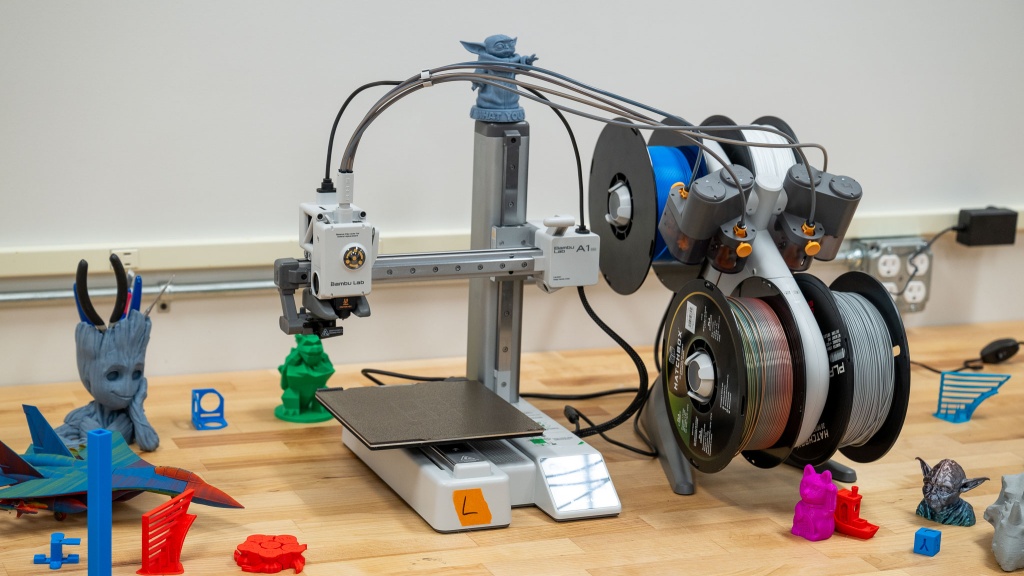
The A1 takes the friendly approach of the A1 mini and gives it a larger physical presence. Its full-auto calibration covers Z-offset, bed leveling, and related adjustments, while active flowrate compensation aims to keep extrusion smooth. That combination gives the printer a reassuringly managed feel for someone who does not want to begin with manual tuning.
Bambu lists acceleration up to 10, 000 mm/s², which helps the printer move briskly without making speed the only story. The one-clip quick-swap nozzle is a useful maintenance feature, especially when a family or classroom printer sees varied use. Active motor noise canceling also makes it better suited to a shared room than a machine that constantly announces every movement.
The A1 can do multi-color printing with an AMS lite, but that accessory is not included here. The Bambu Lab A1 mini bundle includes an LED Lamp Kit instead, while the Bambu Lab P1S Combo includes an AMS and an enclosure. The A1 therefore sits between those choices: more open and accessible than the P1S, but more spacious than the mini.
Its footprint is about 21.76 inches long, 20.83 inches wide, and 12.87 inches high, with a weight of 22.05 pounds. That wide base needs a stable surface. Since the printer is open frame, it is not the model to select for projects that depend on the heat retention of an enclosure.
Choose the A1 when the A1 mini feels too constrained but the P1S feels too involved. It is a quiet, automated general-purpose printer for PLA-centered work and an excellent family machine when used with appropriate supervision.
7. Intarsio 68-Piece Tool Kit: Best Maintenance Kit

Pros
- Broad set of cleanup and maintenance tools
- Includes scrapers, files, brushes, tweezers, and drill bits
- Nozzle needles from 0.2 mm to 0.4 mm
- 900D Oxford fabric storage case
- One-year warranty listed
Cons
- Accessory kit, not a printer
- Many tools may be unnecessary for occasional users
- Sharp blades require careful storage and handling
Best for: Bambu owners who want one organized kit for print removal, cleanup, and routine maintenance.
The Intarsio kit is the practical outlier in this roundup, but it addresses the part of 3D printing that printer marketing tends to ignore. Finished models often need support removal, edge cleanup, light drilling, or nozzle attention. Having those tools together is easier than improvising with a kitchen knife, random tweezers, and a file borrowed from another toolbox.
The 68-piece set includes wire cutters, needle-nose pliers, a hand drill with 10 drill bits, five types of metal files, engraving knives, and a 360-degree swivel-head deburring tool. The stainless steel removal scraper is listed as 0.5 mm thick with a 15-degree angle, while a smaller scraper includes 10 extra-thin blades. Those details point to two different jobs: leverage for larger pieces and controlled access around small models.
Maintenance tools are also unusually specific. The kit includes nozzle cleaning needles in 0.2 mm, 0.25 mm, 0.3 mm, 0.35 mm, and 0.4 mm sizes, along with brass, stainless steel, and nylon brushes. Bent, straight, and flat-tip tweezers cover different cleaning angles. That is more useful alongside a printer such as the Bambu Lab A1, whose quick-swap nozzle design makes maintenance approachable, though every printer benefits from basic cleanup tools.
The weakness is not a missing feature so much as excess. A casual A1 mini owner may use the scraper, cutters, and tweezers while leaving many of the specialized pieces untouched. The sharp accessories also need sensible storage, which is why the included case matters. The kit weighs about 2.27 pounds and includes four cut-resistant finger cots.
Buy this after choosing a printer, not instead of one. For anyone building a working Bambu setup, it is the accessory here most likely to prevent small maintenance jobs from becoming frustrating interruptions.
8. Dynta Six-Color PLA: Best Color Starter Pack

Pros
- Six colors in separate 250 g spools
- 1.75 mm filament with listed ±0.02 mm accuracy
- Vacuum-sealed with desiccant
- Recommended nozzle range of 190°C to 230°C
- Useful for beginners and educational projects
Cons
- Narrow 53 mm spool bore needs fit checking
- Smaller spools run out sooner than a full spool
- Best used within three months of opening
Best for: beginners who want to try several colors without committing to a single large spool.
Dynta's appeal is variety. Six 250 g spools provide black, white, red, green, blue, and purple filament, so a new owner can make colorful models without starting with six full-size rolls. That suits the A1 mini, family projects, and early experimentation particularly well.
The filament is 1.75 mm with a listed dimensional accuracy of ±0.02 mm. Consistent diameter helps the extruder push a predictable amount of material, which can reduce uneven extrusion when the printer and slicer settings are already well matched. Dynta recommends a nozzle temperature from 190°C to 230°C and a heated bed from 45°C to 60°C.
Storage is handled thoughtfully. Each spool is vacuum-sealed with desiccant, and the filament is described as mechanically wound to reduce tangles and bubbles. The listing says the universal spool has a 53 mm inner bore and fits most printer spool axles up to 53 mm, including the Bambu Lab A1 mini. That measurement should be checked before ordering, especially if your particular spool holder has a thicker axle.
Compared with the Bambu Lab Black PLA, this pack trades a full 1 kg spool and RFID identification for a selection of colors and smaller portions. The black Bambu spool is the more natural fit for a Bambu-centered automated workflow, while Dynta makes more sense for learning, school projects, and decorative models.
The storage advice is important: the listing recommends using the filament within three months of opening for optimal performance. Choose Dynta when color experimentation is the point. It is a useful companion to an A1 or A1 mini, provided the spool fit and storage routine are handled correctly.
For a deeper look at the material decisions behind these options, how filament choice changes a Bambu printer workflow is a useful next step.
9. Bambu Lab Black PLA: Best Integrated PLA

Pros
- Bambu Lab branded PLA
- 1.75 mm filament format
- RFID identification
- Full 1 kg spool
- Includes a spool
Cons
- Only black is listed
- Product data provides few performance details
- Not a multi-color solution on its own
Best for: Bambu owners who want a simple black PLA refill with the brand's RFID feature.
The Bambu Lab Black PLA is the least complicated filament choice in the list. It is a single black spool in the familiar 1.75 mm format, supplied on a spool and identified with RFID. For a Bambu owner who wants a dependable-looking default material for brackets, organizers, prototypes, and dark display pieces, that simplicity has real appeal.
The available product data is sparse, so it would be wrong to attach unsupported claims about temperature, finish, strength, or print behavior. What is clear is the 1.75 mm size, 1 kg quantity, black color, RFID feature, and included spool. Those details are enough to distinguish it from Dynta's six-color assortment.
RFID matters most in a connected Bambu workflow because it can make material identification less manual. It does not turn black PLA into a different class of plastic, and it does not solve every issue caused by moisture, an unsuitable profile, or a dirty build plate. It simply fits the brand ecosystem more naturally than a generic roll.
The Dynta Six-Color PLA is more interesting for beginners who want to explore color, and the Bambu Lab P1S Combo is the better printer for users who want automatic color changes. This spool makes more sense as a straightforward consumable for a single-color workflow. The listing does not provide a broad compatibility or recommended-temperature table, so users should follow the appropriate material profile for their printer.
Choose it when black PLA is what you actually need and the RFID workflow is useful to you. If you are still deciding between materials, the filament traits that matter for Bambu Lab printers can help narrow the choice without focusing only on color.
10. Wefuit 3D Printer Glue: Best Liquid Bed Adhesive

Pros
- Water-soluble cleanup
- 60 ml liquid bottle
- Designed for thin, even application
- Listed compatibility with PLA, PETG, ABS, ASA, and TPU
- Works with several build plate surfaces
Cons
- Extra step before printing
- Adhesive is not necessary for every material or plate
- Applicator technique affects coverage
Best for: users dealing with lifting or first-layer adhesion problems on compatible build surfaces.
The Wefuit adhesive is a small accessory aimed at a very specific annoyance: a print that lifts at the edges or refuses to stay attached through a long job. It is a liquid rather than a solid glue stick, with an applicator head intended to spread a thin coat over the printing area.
The bottle holds 60 ml, and the listing says it is compatible with PLA, PETG, PET, ABS, ASA, and TPU. It also lists textured and smooth build plates, glass, PEI, PEO, PET, BuildTak, and aluminum surfaces. That is a broad compatibility claim, but the correct amount and the suitability of adhesive still depend on the plate and material being used.
Cleanup is the strongest practical feature. The adhesive is described as water-soluble, so a wet rag or water can remove it. The listing also says it leaves practically no residue on the plate or print. That makes it less burdensome than an adhesive that turns every finished model into a scrubbing project.
It should not be the first response to every failed print. Bed cleanliness, leveling, temperature, cooling, and the correct material profile still matter. The Intarsio 68-Piece Tool Kit can help with general cleanup and maintenance, while the Bambu Lab A1 and Bambu Lab P1S already provide automatic calibration that addresses some setup issues. Adhesive is a targeted aid, not a substitute for correct printer preparation.
Buy this if first-layer adhesion is a recurring problem or if a particular material needs extra help. For everyone else, it belongs in the drawer until a stubborn print gives you a reason to use it.
How to choose best bambu 3d printer
The right choice depends less on a headline speed figure than on enclosure, automation, material plans, and the space available for the machine.
Enclosure and material range
An enclosed printer such as the Bambu Lab P1S or Bambu Lab P2S helps retain heat around the print and gives advanced filaments a more controlled environment. The P1S lists PLA, PETG, TPU, PVA, PET, ABS, and ASA as ideal materials, with PA and PC listed as capable. The P2S adds adaptive airflow and a listed 50°C chamber capability.
Open-frame A1 models are easier to place and approachable for PLA-centered projects. They are not the natural choice when your priority is experimenting with materials that benefit from controlled chamber conditions.
Multi-color hardware
Multi-color printing is not automatic just because the printer belongs to the Bambu Lab range. The P1S Combo includes an AMS, while the P2S Combo includes an AMS 2 Pro. The standalone P1S and P2S need the appropriate accessory for this workflow, and the A1 requires an AMS lite for multi-color printing.
Choose the printer and material-handling system together if color changes are central to your projects.
Calibration and maintenance
Automatic bed leveling and full-auto calibration make the A1 series approachable. The P2S adds AI failure detection, active flowrate compensation, and quick-swap nozzles, while the P1S emphasizes a shorter setup path and automatic leveling.
Maintenance still matters. Scrapers, brushes, nozzle needles, tweezers, and cutters are the tools you will reach for after a print finishes or a nozzle needs attention. A kit such as the Intarsio set is useful when you want all of those jobs covered in one case.
Footprint and weight
Measure the shelf before ordering. The A1 mini is about 15.21 inches long, 16.77 inches wide, and 17.94 inches high, while the P2S Combo measures 22 inches wide, 18 inches long, and 18 inches high. The P1S Combo weighs 47.52 pounds, so its location should be treated as semi-permanent.
A smaller printer is not automatically easier if it leaves no room for filament, ventilation, or access. Leave space around the machine for loading material and cleaning the build surface.
Filament and bed adhesion
The Dynta pack offers six 250 g colors in 1.75 mm filament with listed ±0.02 mm accuracy. The Bambu Lab spool provides 1 kg of black PLA with RFID. Consider how often you change colors, how much storage you have, and whether automated material identification matters.
Adhesive can help with lifting, but it should follow sensible bed preparation rather than replace it. A thin, even layer of Wefuit glue is easier to clean than a heavy coating, and the correct material and plate settings remain important.

Frequently asked questions
Which Bambu Lab printer is best for a first purchase?
The Bambu Lab P1S Combo is the strongest all-round starting point because it combines an enclosure, automatic bed leveling, high-speed printing, and an AMS. The Bambu Lab A1 mini is easier to place and simpler for small PLA projects.
Is the P1S Combo better than the P2S Combo?
The P1S Combo is the simpler recommendation for general home printing and already includes multi-color capability. The P2S Combo is better suited to users who want newer extrusion control, adaptive airflow, AI failure detection, and filament drying through the AMS 2 Pro.
Can the standalone P2S print in multiple colors?
No. The listing states that the P2S does not support multi-color printing alone. The P2S Combo is the version that includes the AMS 2 Pro for that workflow.
Does the Bambu Lab A1 include an AMS lite?
No. The A1 supports multi-color printing with an AMS lite, but the product listed here is the standalone A1. Choose an A1 Combo or obtain the compatible accessory separately if color changes are important.
Is the A1 mini suitable for children?
The A1 mini is designed for beginners and quiet home use, but it remains a machine with hot components and moving parts. Children should use it with active adult supervision and should not handle hot nozzles, fresh prints, or sharp maintenance tools.
What filament size do these printers use?
The Dynta and Bambu Lab filament listed here are both 1.75 mm. Spool dimensions still matter, especially with the Dynta pack, whose 53 mm inner bore should be checked against the printer's spool axle.
Do I need glue on a Bambu build plate?
Not for every print. Clean surfaces, correct calibration, and suitable settings may provide enough adhesion, but liquid glue can help when a material or model is prone to lifting. Use a thin layer and clean it with water when needed.
The bottom line
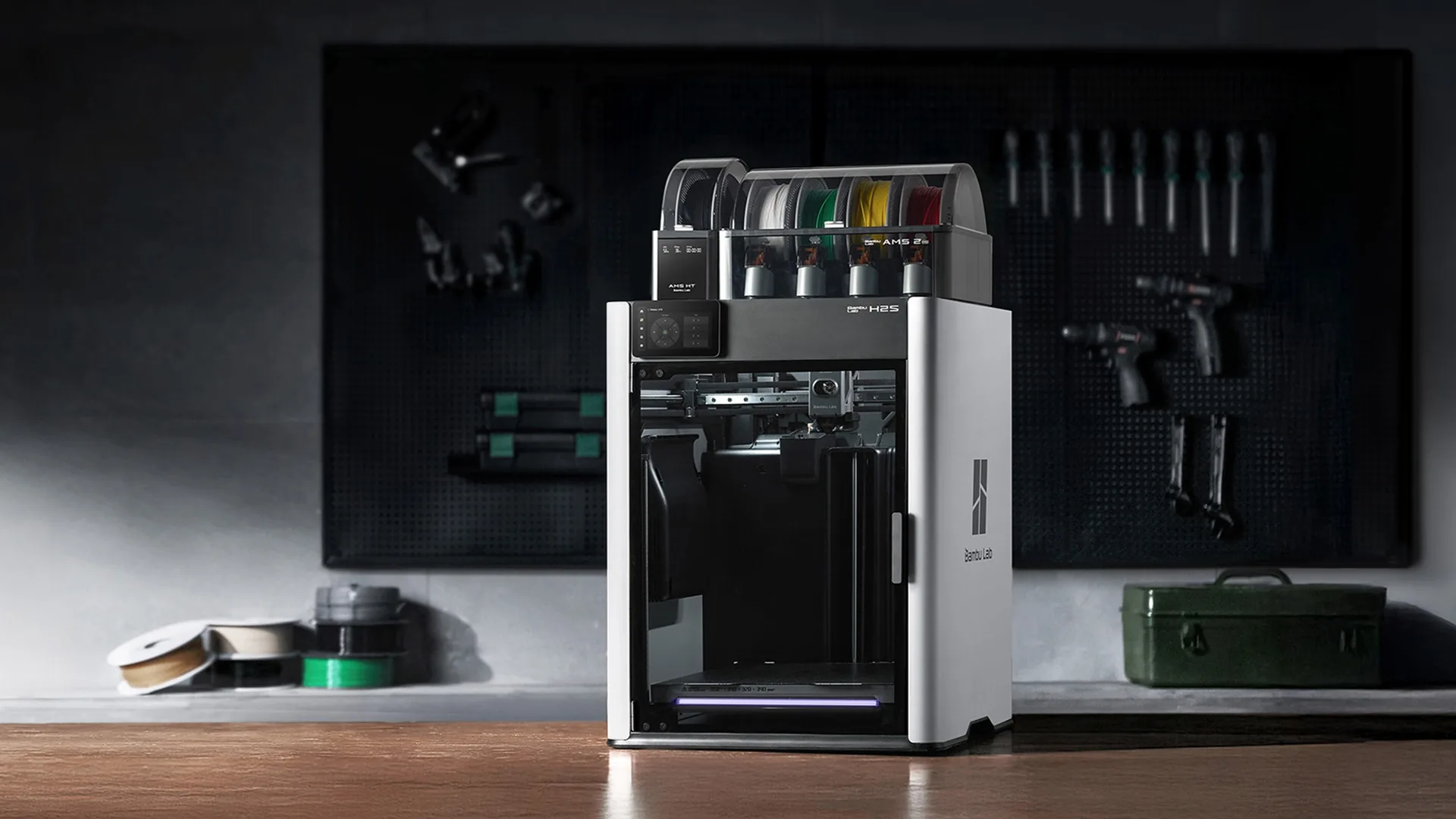
The Bambu Lab P1S Combo is our top recommendation for the Best best bambu 3d printer search because it combines an enclosure, automatic leveling, fast printing, broad listed filament support, and an included AMS. The Bambu Lab P2S Combo is the better advanced choice when active airflow, a 50°C chamber capability, AI failure detection, and filament drying matter more than keeping the setup simple.
For smaller projects, the Bambu Lab A1 mini is the easiest machine to live with, while the Bambu Lab A1 gives beginners more room without moving to an enclosed platform. Add the Intarsio tool kit for maintenance, Dynta PLA for color variety, or Bambu Lab Black PLA for a straightforward RFID-equipped refill.
If you are undecided, choose the P1S Combo for the broadest mix of projects, or the A1 mini when desk space and simplicity come first.
As an Amazon Associate we earn from qualifying purchases.