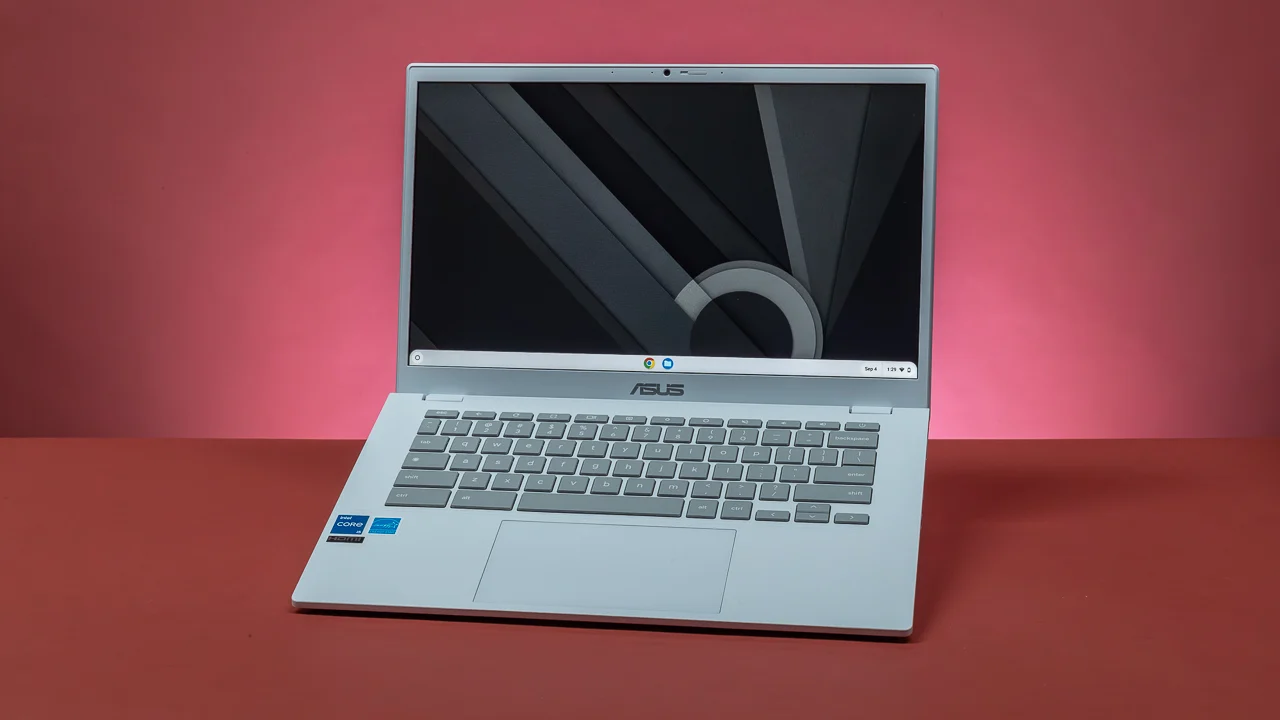

A basic laptop should make everyday work feel uneventful. It needs to open a browser without hesitation, keep documents and video calls manageable, and avoid turning a simple school assignment into a storage or memory problem. The challenge is that this category mixes Windows laptops with Chromebooks, large screens with compact designs, and modern hardware with older models that have much less room to grow.
Our Best best basic laptop picks cover that spread. The HP OmniBook 3 17.3-inch Laptop is the one to buy for the most complete everyday setup, while the ASUS and Samsung Chromebooks make more sense for browser-first users. Smaller and simpler options round out the list.
Comparison table
| # | Product | Award | Display | Memory and storage | Operating system | Best for |
|---|---|---|---|---|---|---|
| 1 | HP OmniBook 3 17.3-inch Laptop | Best overall | 17.3-inch FHD IPS | 8GB, 512GB PCIe NVMe SSD | Windows 11 Home | A full-size Windows workstation |
| 2 | ASUS 15-inch Chromebook | Best large Chromebook | 15-inch FHD IPS | 4GB, 128GB | ChromeOS | Browser-based work on a larger screen |
| 3 | Samsung Galaxy Chromebook Go | Best for students | 14-inch | 4GB, 64GB | ChromeOS | Carrying between classes and home |
| 4 | HP 14-inch N150 Laptop | Best storage flexibility | 14-inch HD anti-glare | 8GB, 256GB SSD plus 128GB UFS | Windows 11 Home in S Mode | Everyday Windows multitasking |
| 5 | HP Chromebook 14 N4120 | Best battery claim | 14-inch HD | 4GB, 64GB eMMC | ChromeOS | Long sessions away from an outlet |
| 6 | HP 14-inch Ultralight Laptop | Best port selection | 14-inch HD | 8GB, 64GB eMMC plus 128GB SD card | Windows 11 S | Students needing common ports |
| 7 | Dell Chromebook 11 3100 | Best compact Chromebook | 11.6-inch, 1366 x 768 | 4GB, 16GB flash | ChromeOS | Small bags and basic web tasks |
| 8 | HP 14-inch Celeron Laptop | Best simple Windows laptop | 14-inch HD, 1366 x 768 | 4GB, 64GB SSD | Windows 11 | Familiar Windows basics |
| 9 | Amzboy 15.6-inch Laptop | Best silent design | 15.6-inch FHD anti-glare | 4GB, 128GB eMMC | Windows 11 | Quiet browsing and video calls |
1. HP OmniBook 3 17.3-inch Laptop: Best Overall

Pros
- Large FHD IPS screen with wide viewing angles
- 8GB LPDDR5 memory and a 512GB PCIe NVMe SSD
- Fast Charge reaches 50% in approximately 45 minutes
- FHD HDR camera and advanced voice noise reduction
- Wi-Fi 6 and Bluetooth 5.4
Cons
- Large 17.3-inch chassis is less convenient for frequent travel
- Integrated Radeon 610M graphics are for light use, not demanding games
- Windows 11 Home in a full-size design may be more laptop than some buyers need
Best for: someone who wants a capable Windows laptop with a spacious display.
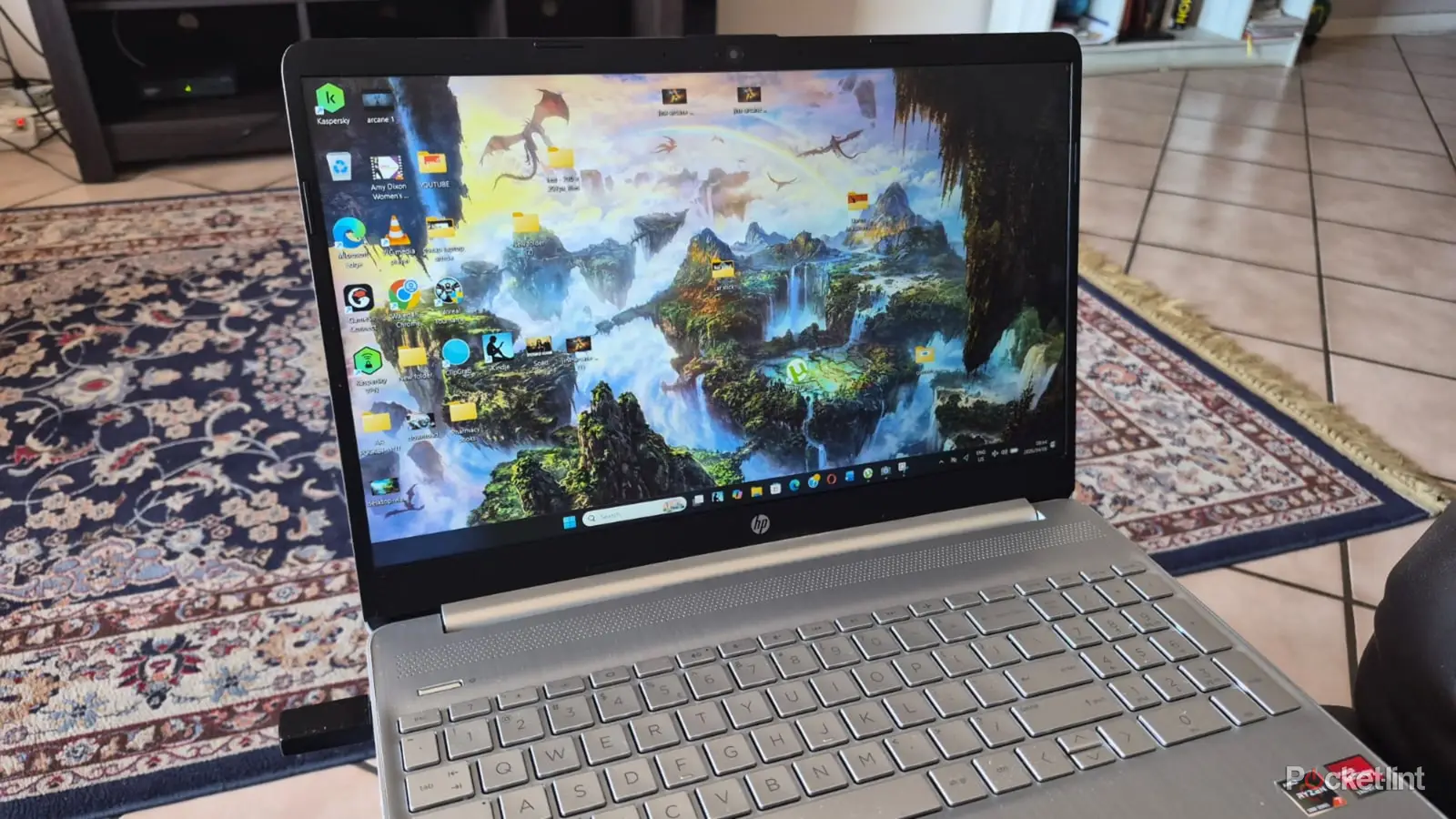
The HP OmniBook 3 17.3-inch Laptop is the easiest recommendation here because it feels like a complete computer rather than a narrowly defined browser machine. Its 17.3-inch FHD IPS display gives documents, spreadsheets, and two windows side by side more breathing room than the smaller HP and Samsung models. The 178-degree viewing angles also make the screen easier to share across a desk.
The internal specification is unusually well balanced for ordinary computing. AMD Ryzen 3 30 processing, 8GB of LPDDR5 memory, and a 512GB PCIe NVMe M.2 SSD give Windows 11 Home enough headroom for browser tabs, office software, streaming, and light photo editing. The SSD is particularly important because it provides substantially more working space than the 64GB and 128GB storage arrangements elsewhere in this list.
HP also gives this model a better communications setup than most of the simpler options. The FHD camera includes HDR auto-switching for difficult backlighting, while Advanced Personal Mode is designed to isolate the speaker's voice during calls. Wi-Fi 6 and Bluetooth 5.4 keep the wireless specification current, and the Copilot key provides a direct shortcut to Microsoft's assistant.
The weakness is physical rather than functional. At 4.43 pounds and with a 17.3-inch screen, this is better suited to a desk or a large backpack than constant commuting. Its Radeon 610M graphics are intended for streaming, multitasking, and light entertainment, not serious gaming. Buyers who want a smaller computer should look at the Samsung Galaxy Chromebook Go, while those who need Windows in a more compact form should consider the HP 14-inch N150 Laptop.
For a home office, shared family computer, or student who wants one machine for documents and entertainment, this is the strongest all-rounder. It is the pick we would keep when the goal is to avoid the tight limits of entry-level hardware.
2. ASUS 15-inch Chromebook: Best Large Chromebook

Pros
- FHD IPS display gives ChromeOS work more room
- HDMI, USB-C, USB-A, and audio connectivity
- 128GB of storage
- Integrated webcam and fast Wi-Fi
- Straightforward ChromeOS interface
Cons
- 4GB of memory limits heavier multitasking
- Renewed listing requires closer condition checking
- ChromeOS is not a replacement for full Windows software
Best for: browser-first users who want a spacious screen and useful ports.
The ASUS 15-inch Chromebook is the Chromebook to choose when screen space matters more than compactness. Its 15-inch FHD IPS panel is a clear step up in working area from the 11.6-inch Dell and offers a sharper canvas than the 14-inch HD displays in several other entries. It is a sensible shape for Google Docs, web research, and video playback.
The Intel processor is listed at up to 2.80GHz and works with 4GB of DDR4 memory. That combination is aimed at a modest ChromeOS workload: a reasonable number of browser tabs, email, documents, and streaming. It should not be treated as a heavy multitasking machine, but ChromeOS keeps the experience focused on web applications rather than a large collection of installed desktop programs.
Connectivity is one of the ASUS's strongest points. It includes one USB Type-C port, one USB Type-A port, an HDMI output, and a headphone and microphone combo jack. That gives it a useful relationship with an external display or classroom projector, and it avoids making every accessory depend on a single connector. Fast Wi-Fi, Bluetooth, and an integrated webcam complete the basic setup.
The main limitation is the operating system and memory combination. ChromeOS is excellent when the services you use live in a browser, but it cannot stand in for Windows-only applications. The 4GB memory also makes this a poor fit for many open tabs and demanding web tools. The listing identifies it as renewed, so buyers should pay attention to the condition details.
Compared with the Samsung Galaxy Chromebook Go, the ASUS gives you a larger, sharper display and more storage. The Samsung is lighter and better suited to daily carrying. Choose the ASUS for a desk, dorm, or home workspace where its screen and HDMI port will see regular use.
3. Samsung Galaxy Chromebook Go: Best for Students

Pros
- Lightweight 3.2-pound design
- Claimed 12-hour battery life
- Built to withstand an occasional drop or ding
- ChromeOS with integrated Google applications
- Phone and Chromebook file-transfer features
Cons
- 64GB storage is restrictive
- 4GB RAM is best for light workloads
- Display resolution is not provided in the listing
Best for: students who need a light Chromebook for schoolwork and commuting.
The Samsung Galaxy Chromebook Go gets the basics right for a student who carries a computer throughout the day. At 3.2 pounds, it is noticeably easier to move between a bedroom, classroom, library, and kitchen table than the HP OmniBook 3. The 14-inch format also avoids the cramped feel of the Dell without becoming a large-screen desktop replacement.
Its Intel Celeron N4500 processor, 4GB of RAM, and 64GB of storage point toward a focused ChromeOS workload. Google Docs, Gmail, classroom portals, and streaming are the natural fit. ChromeOS provides built-in access to Google applications, and the listing highlights file transfers between the Chromebook and a phone, which can simplify moving school documents and photos.
Samsung claims up to 12 hours of battery life, a useful figure for a school day, though actual endurance depends on the workload and screen settings. The design is also described as military tough, intended to withstand an occasional drop or ding. That does not make it indestructible, but it gives this model a more reassuring school-bag profile than a fragile, desk-bound machine.
The limitations are straightforward. Sixty-four gigabytes leaves little room for local files, and 4GB of memory is not ideal for a large collection of demanding browser tabs. The listing does not provide the display resolution, so buyers who care about text sharpness should consider the ASUS's specified FHD IPS screen instead. Windows software users should skip this Chromebook entirely.
The Samsung is more portable than the ASUS and more capable of carrying school duties than the Dell Chromebook 11 3100. It is the right choice for a student who wants ChromeOS, needs a reasonably sized screen, and values a lighter chassis over expansive storage.
4. HP 14-inch N150 Laptop: Best Storage Flexibility

Pros
- 8GB DDR4 RAM
- 256GB SSD plus 128GB UFS storage
- Wi-Fi 6 and Bluetooth 5.4
- USB-C, two USB-A ports, HDMI, and privacy-shutter camera
- 14-inch anti-glare display
Cons
- HD resolution is lower than the ASUS and Amzboy
- Windows 11 is supplied in S Mode
- The listing provides conflicting product naming details
Best for: Windows users who want generous storage and modern connectivity in a compact size.
The HP 14-inch N150 Laptop is the practical middle ground in this group. It keeps the chassis manageable at 14 inches, but its 8GB of DDR4 memory and dual-storage arrangement are more comfortable than the 4GB and small flash storage used by several rivals. For documents, browser work, and video streaming, that difference matters more than a flashy feature list.
The listing identifies an Intel N150 quad-core processor with speeds up to 3.6GHz and integrated Intel UHD Graphics. The 256GB SSD is the primary drive, with another 128GB of UFS storage available for additional files. That gives Windows more room for applications and personal data than the HP Chromebook 14 or HP 14-inch Celeron Laptop.
The 14-inch HD anti-glare display has a stated 1366 x 768 resolution and 250 nits brightness. Anti-glare treatment can make long document sessions more comfortable, though the resolution is modest for a modern 14-inch panel. The port selection is strong: USB-C, two USB-A ports, HDMI, and a headphone and microphone combo jack. Wi-Fi 6 and Bluetooth 5.4 are also useful signs of a current connection setup.
There are two caveats. Windows 11 comes in S Mode, which restricts software installation to compatible apps from Microsoft's store unless the user changes that setting. The listing also describes a 1-year Microsoft 365 Personal subscription, but buyers should check the current listing terms before relying on that inclusion. The screen is less detailed than the ASUS's FHD panel, and this HP is not the choice for creative display work.
Against the HP 14-inch Ultralight Laptop, this model has a clearer SSD-based primary drive and newer listed wireless standards. Against the HP OmniBook 3, it gives up the larger FHD display and stronger overall configuration. It is the sensible Windows pick for someone whose priority is usable storage in a conventional 14-inch shape.
5. HP Chromebook 14 N4120: Best Battery Claim

Pros
- Claimed battery life of up to 14 hours
- Fast Charge reaches 50% in approximately 45 minutes
- Quad-core Intel Celeron N4120
- Four-finger touchpad gestures
- One-year limited hardware warranty listed
Cons
- 4GB RAM and 64GB eMMC storage
- 1366 x 768 display resolution
- Older platform than the leading picks
Best for: a ChromeOS user who values long unplugged sessions.
The HP Chromebook 14 N4120 is built around a simple promise: stay useful for a long stretch without reaching for the charger. HP lists up to 14 hours of battery life and says Fast Charge can take the machine from zero to 50% in approximately 45 minutes. Those claims make it attractive for reading, schoolwork, and travel days.
The 14-inch HD anti-glare display uses a 1366 x 768 resolution. That is enough for web pages and documents, but it does not provide the crisp workspace of the ASUS FHD IPS screen. Its micro-edge design helps the panel feel less boxed in, while the thin 3.24-pound body remains easy to carry.
An Intel Celeron N4120 quad-core processor, 4GB of RAM, and 64GB of eMMC storage keep the intended workload clear. ChromeOS should feel at home with browser-based assignments, email, streaming, and Google applications. Intel UHD Graphics 600 is listed as capable of 4K streaming, but the laptop's own screen remains HD, so external content and playback capability should not be confused with local panel resolution.
The storage and memory are the real constraints. Sixty-four gigabytes is enough for a browser-centered Chromebook, but local downloads can consume it quickly. Four gigabytes of RAM also calls for restraint with tabs and apps. The four-finger touchpad support is a nice usability detail, and HP lists a one-year limited hardware warranty.
This model beats the Samsung on its stated battery claim and the Dell on screen size, but Samsung is lighter and newer in its listed release information. Readers comparing Chromebook models should also consider how much local storage a browser-first computer really needs before choosing. The HP fits buyers who primarily work online and want the longest stated unplugged runtime in this group.
6. HP 14-inch Ultralight Laptop: Best Port Selection

Pros
- 8GB DDR4 memory
- USB-C, two USB-A ports, HDMI, and microSD slot
- 14-inch micro-edge display
- Portable 3.24-pound design
- Windows 11 S
Cons
- 64GB eMMC plus SD-card storage is less seamless than an SSD
- Intel Celeron processor is aimed at basic tasks
- Display resolution is not specified
Best for: students and home-office users who connect several common accessories.
The HP 14-inch Ultralight Laptop stands out for its ports and its memory capacity. Many entry-level laptops force the buyer to choose between USB accessories, a display connection, and expandable storage. This one lists USB-C, two USB-A ports, HDMI, a headphone and microphone combo jack, and a microSD slot.
Its 8GB of DDR4 memory is a meaningful advantage over the 4GB Chromebooks and Windows models here. It should make ordinary multitasking more comfortable, although the Intel Celeron processor is still positioned for browsing, document editing, and video streaming rather than demanding software. Windows 11 S keeps the experience controlled and straightforward.
Storage is split between 64GB of eMMC and a supplied 128GB Ghost Manta SD card. That gives the user more room than the internal eMMC figure suggests, but an SD card is not as seamless as a larger internal SSD. It is best used for documents, photos, and other files rather than treated as a full replacement for fast primary storage.
The 14-inch micro-edge HD display is designed to maximize the visible area in a portable chassis, but the listing does not provide its resolution. At 3.24 pounds, the laptop is suitably manageable for a backpack. The listing also mentions a 1-year Office 365 inclusion, though current terms should be confirmed before purchase.
The HP 14-inch N150 Laptop is the stronger choice if internal SSD speed and clearly specified storage matter more. This Ultralight model makes more sense when HDMI, multiple USB ports, and a microSD slot will be used every week. For readers comparing machines for home study, the features that make a laptop easier to live with at home are more relevant than processor branding alone.
7. Dell Chromebook 11 3100: Best Compact Chromebook

Pros
- Compact 11.6-inch design
- 2.85-pound weight
- ChromeOS is simple for web tasks
- 1366 x 768 display resolution is specified
- Bluetooth included
Cons
- Only 16GB of flash storage
- 4GB RAM limits multitasking
- Small screen is less comfortable for extended work
- Renewed listing
Best for: children, travelers, and users who need the smallest computer here.
The Dell Chromebook 11 3100 is the deliberately small option. Its 11.6-inch screen and 2.85-pound weight make it easy to carry, store, or hand to a younger user. It is much less demanding on bag space than the 17.3-inch HP OmniBook 3 and more compact than every 14-inch model in this roundup.
The hardware is basic even by Chromebook standards. Dell lists an Intel Celeron N4020, 4GB of RAM, and just 16GB of flash memory. ChromeOS can keep the software experience tidy, but that storage figure leaves little room for local files or offline media. It is a device for web applications, not a personal archive.
The 1366 x 768 resolution is clearly stated, and the screen size makes that resolution workable for short sessions. Extended spreadsheet work or side-by-side documents will feel constrained, however. ChromeOS, Intel HD Graphics, Bluetooth, and an English US keyboard cover the essentials without adding much complexity.
The small dimensions are also the central weakness. A compact screen is helpful in a crowded backpack, but less pleasant for several hours of writing or research. The listing identifies this unit as renewed, another reason to inspect the condition information carefully. Users who need more local storage should move to the Samsung or ASUS.
The Dell is not competing with the HP OmniBook 3 as a general home computer. It is competing with the idea of carrying a full-size laptop at all. Choose it when portability is the deciding factor and the work will stay firmly in the browser.
8. HP 14-inch Celeron Laptop: Best Simple Windows Laptop

Pros
- Familiar Windows 11 environment
- 14-inch HD BrightView display
- Three USB Type-A ports
- SD card reader
- Integrated webcam and digital microphone
Cons
- 4GB RAM and 64GB SSD are limiting
- Older dual-core Celeron platform
- Renewed listing
- Display resolution is 1366 x 768
Best for: users who need Windows for straightforward documents and browsing.
The HP 14-inch Celeron Laptop is a conventional Windows machine with few surprises. It has the familiar Windows 11 interface, a 14-inch screen, and a standard set of connectors. For email, web browsing, simple documents, and occasional video calls, that directness can be exactly what a buyer wants.
Its Intel Celeron dual-core processor is listed at up to 2.60GHz, paired with 4GB of RAM and a 64GB SSD. The SSD should keep basic startup and file access more responsive than older mechanical storage, but the capacity is still tight once Windows and applications occupy their share. Four gigabytes of RAM also means that heavy browser multitasking will require patience.
The 14-inch BrightView WLED-backlit display has a 1366 x 768 resolution. It is suitable for everyday text and video, though the HD panel provides less workspace than the ASUS's FHD display. Connectivity is a bright spot: three USB Type-A ports, an SD card reader, and a headphone and microphone connection cover many common accessories without an adapter.
The age of the platform shows in comparison with the HP 14-inch N150 Laptop. That newer HP has twice the memory and a much roomier storage arrangement, while the Celeron model is more restricted. It is also listed as renewed, so buyers should review the condition details and should not expect it to suit demanding creative or professional applications.
This HP makes sense when the user specifically needs Windows and has a narrow, uncomplicated workload. Those who mainly use Gmail, Docs, and browser services should choose one of the Chromebooks instead. Those who want familiar software with basic ports and a conventional keyboard can still find a place for this model.
9. Amzboy 15.6-inch Laptop: Best Silent Design

Pros
- 15.6-inch FHD anti-glare display
- Fanless design for silent operation
- 128GB eMMC storage
- Type-C charging with a 45W PD adapter
- TF card expansion support up to 1TB
Cons
- 4GB RAM is restrictive
- N4020 processor is intended for light tasks
- 128GB eMMC is slower in design than an SSD
- Less established option than the HP, ASUS, Samsung, or Dell models
Best for: users who want a quiet Windows laptop for basic daily work.
The Amzboy 15.6-inch Laptop brings two useful traits to the entry-level category: a large FHD screen and a fanless design. The 15.6-inch 1920 x 1080 anti-glare panel provides more workspace and sharper text than the 14-inch HD displays used by several HP models. At 3.3 pounds, it is also lighter than its screen size might suggest.
An Intel N4020 CPU and 4GB of RAM make the intended use clear. The laptop is suited to browsing, documents, streaming, and Zoom classes, but not ambitious multitasking. Its fanless solid-state design should operate quietly, which is helpful in a bedroom, study space, or shared room where fan noise would be distracting.
Storage is handled by a 128GB eMMC drive, with a TF card slot that supports expansion up to 1TB. That is a practical way to carry more photos, documents, or media, but eMMC is not the same as an SSD for system responsiveness. The 45W Type-C PD charging setup is convenient because the adapter can also fit into a broader USB-C travel kit.
Port selection includes dual Type-C and USB 3.2 ports. Windows 11 is installed, giving this machine broader software compatibility than the Chromebooks. The trade-off is that 4GB of memory and the N4020 processor leave less room for demanding Windows workloads than the HP OmniBook 3 or HP 14-inch N150 Laptop.
The Amzboy's FHD screen is its clearest advantage, while the HP OmniBook 3 remains stronger for overall performance, camera features, memory, and internal SSD storage. Choose the Amzboy when silent operation and a sharp large display matter more than multitasking headroom. It is a focused basic Windows computer, not a general-purpose powerhouse.
How to choose best basic laptop
The right basic laptop depends less on a long feature list than on how much software, storage, screen space, and portability your routine actually requires.
Operating system
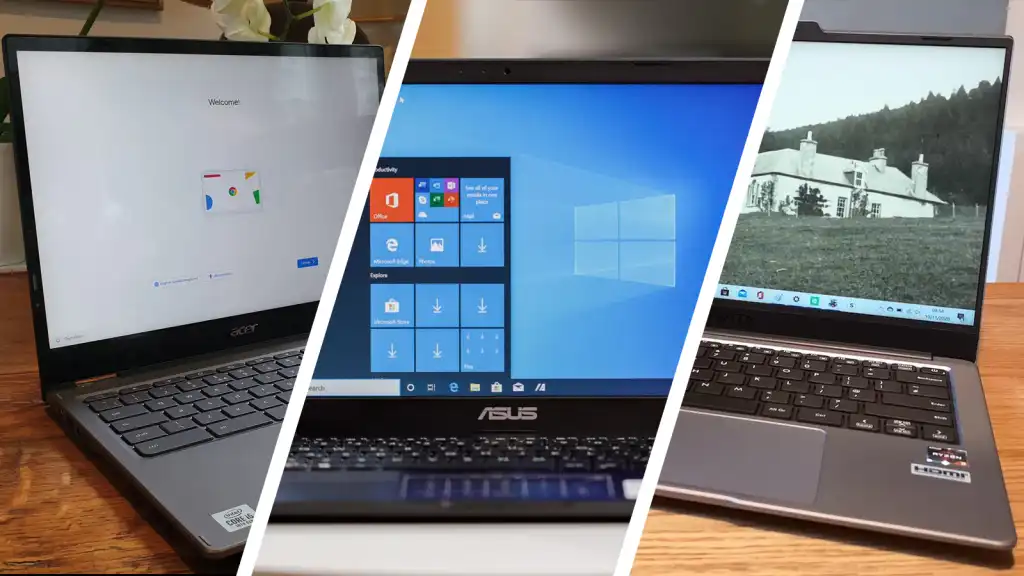
Windows 11 is the safer choice for traditional desktop applications, while ChromeOS is cleaner for browser-based work, Google services, and simple school tasks. Windows 11 S Mode adds more restrictions around software installation. A Chromebook can be the better fit for a user who never needs Windows-only programs, but it is the wrong choice for someone who depends on specialized desktop software.
Memory and processor
Four gigabytes of RAM is workable for light browsing and documents, but it leaves little margin when many tabs and applications are open. Eight gigabytes, as found in the HP OmniBook 3, HP 14-inch N150 Laptop, and HP 14-inch Ultralight Laptop, gives ordinary multitasking more breathing room. Processor names matter less than the workload, though the N4020 and older Celeron models should be reserved for basic tasks.
Storage type and capacity
A 512GB PCIe NVMe SSD offers much more room and faster system behavior than 16GB flash, 64GB eMMC, or 128GB eMMC. SD and TF card expansion can help with files, but removable storage does not fully replace a larger internal drive. Think about whether documents and media will stay online or need to be available offline.
For a basic laptop, storage limits become frustrating long before a modest processor becomes unusable.
Display size and resolution
A 14-inch display is the useful middle ground for portability and comfortable reading. The 15-inch ASUS and Amzboy models offer more workspace, while the HP OmniBook 3's 17.3-inch panel is best for a desk. FHD resolution is noticeably more spacious than 1366 x 768 HD, especially for documents and side-by-side windows.
Ports and portability
Check the connections before buying. HDMI, USB-C, USB-A, an SD or microSD slot, and an audio jack can remove the need for adapters. Weight matters if the laptop travels daily, while a larger chassis can be preferable when it mostly stays at home. Readers comparing different screen sizes should also consider how much room a laptop really needs on a desk.
Frequently asked questions
Is a Chromebook suitable for basic laptop use?
A Chromebook is suitable when most work happens in a web browser or Google application. It is less suitable for Windows-only software, some professional tools, and workflows that require extensive offline storage.
How much RAM does a basic laptop need?
Four gigabytes can handle light browser work, email, and documents, but it is a restrictive starting point. Eight gigabytes is a more comfortable target for several tabs, office applications, and video calls.
Is 64GB enough laptop storage?
It can be enough for a Chromebook that relies on cloud storage, but it leaves little room for offline files and downloads. Windows laptops with 64GB storage are more difficult to manage because the operating system and applications consume more space.
Is an SSD important in a basic laptop?
Yes. An SSD generally provides faster startup and application loading than older storage designs. The HP OmniBook 3 and HP 14-inch N150 Laptop have especially useful SSD configurations in this group.
Should I choose a 14-inch or 15.6-inch laptop?
Choose 14 inches for a balance of portability and workspace. A 15.6-inch model is better when documents, video, and side-by-side windows matter more than compact carrying.
Can a basic laptop handle video calls?
The laptops in this list include webcam features or integrated webcams, so they are intended to support ordinary video calls. Call quality still depends on lighting, network conditions, and the specific camera, with the HP OmniBook 3 listing a more advanced FHD HDR camera.

The bottom line
The Best best basic laptop for most buyers is the HP OmniBook 3 17.3-inch Laptop. Its FHD IPS display, 8GB memory, 512GB SSD, modern wireless connections, and Windows 11 Home make it the least compromised choice for home work, school, documents, and streaming.
For browser-first users, the ASUS 15-inch Chromebook is the strongest alternative because its FHD IPS display, HDMI output, and 128GB storage are well suited to ChromeOS. The Samsung Galaxy Chromebook Go is the better travel and student option when lower weight and a long stated battery life matter most.
If you are undecided, choose Windows for traditional software and ChromeOS for a browser-centered routine.
As an Amazon Associate we earn from qualifying purchases.