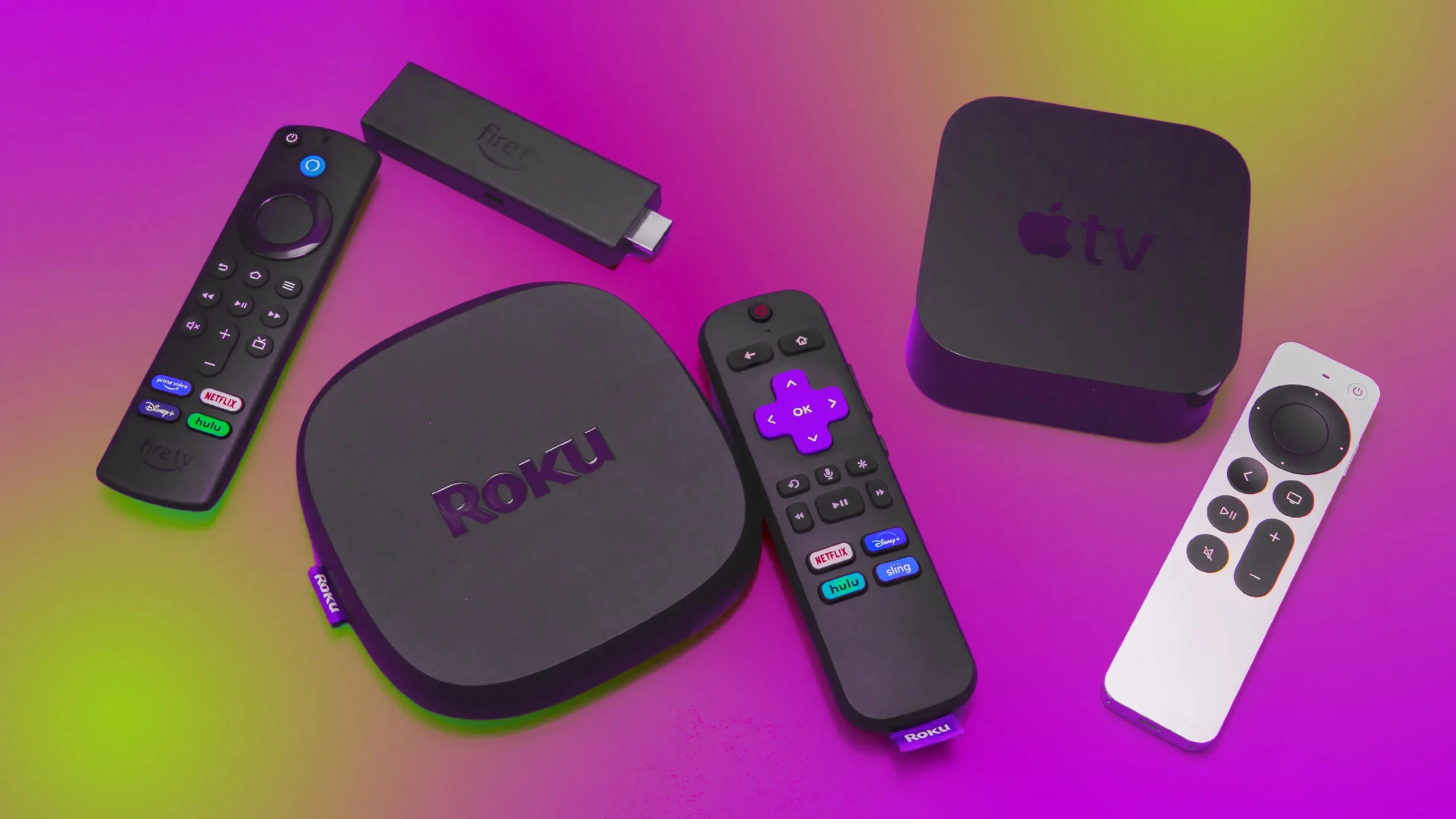

A streaming stick should disappear behind the television, start quickly, and make it obvious where your shows are. A capture card has a different job entirely: it sends video from a console, camera, or older media source to a computer for recording or live broadcasting. Mixing those categories without explaining the distinction is a fast way to buy the wrong device.
Our Best budget streaming devices picks cover both kinds of hardware represented here. Roku dominates the straightforward TV options, while Rybozen, Dcyfol, Audio Express, and ClearClick target creators who need HDMI or analog video on a computer.
Roku Streaming Stick HD is the best pick for most people, with the Roku Streaming Stick 4K close behind for compatible 4K televisions. The rest of the list covers HDR, built-in sound, cloud gaming, console capture, and digitizing older video.
Comparison table
| # | Product | Award | Output | Input | Best for |
|---|---|---|---|---|---|
| 1 | Roku Streaming Stick HD | Best overall | HD streaming | TV HDMI | Simple TV streaming |
| 2 | Rybozen HDMI Capture Card | Best for game capture | Up to 2K at 30 Hz output | 4K input, HDMI loop-out | Console and camera streaming |
| 3 | Roku Streaming Stick 4K | Best 4K stick | 4K, Dolby Vision, HDR10+ | TV HDMI | 4K Roku streaming |
| 4 | Google TV Streamer 4K | Best for Google homes | 4K HDR, Dolby Vision | TV HDMI | Personalized recommendations |
| 5 | Fire TV Stick 4K Max | Best for apps and gaming | 4K, Dolby Vision, HDR10+ | TV HDMI | Alexa and cloud gaming |
| 6 | Roku Streambar SE | Best streaming soundbar | 4K HDR | TV HDMI | Small TVs and clearer dialogue |
| 7 | Dcyfol HDMI Capture Card | Best portable capture card | 1080p at 60 fps | 4K HDMI input | Travel and live streaming |
| 8 | Roku Streaming Stick 4K Renewed | Best renewed 4K option | 4K, Dolby Vision, HDR10+ | TV HDMI | Roku 4K on a second TV |
| 9 | Audio Express AXHDCAP | Best compact capture card | 1080p at 30 fps | 4K HDMI input | Basic webcam-style capture |
| 10 | ClearClick Video Capture | Best for old video | Up to 1080p | HDMI, AV, RCA, S-Video | VHS and camcorder conversion |
1. Roku Streaming Stick HD: Best Overall

Pros
- Small enough to hide behind the TV
- Can draw power from the TV
- Voice remote controls power and volume
- Simple Roku home screen
- Includes access to free live TV and movies
Cons
- Limited to HD output
- No long-range Wi-Fi feature listed
- Requires a TV with an available HDMI connection
Best for: anyone who wants uncomplicated streaming on an HD television.
The Roku Streaming Stick HD gets the central streaming-stick idea right. It is small, unobtrusive, and designed to plug directly into the back of a television rather than occupy a shelf. At 3.7 inches long, 0.8 inches wide, and 0.5 inches high, it should fit around neighboring HDMI connections more easily than a box-shaped player. Roku also says it can draw power from the TV, which keeps the installation tidy when the television can supply it.
Its limitation is also its reason for existing: this is an HD player, not a 4K upgrade. On an older or smaller TV, that is a sensible match. The home screen is built around a straightforward app layout, personalized picks, search, and access to free movies, shows, news, sports, and live TV. The voice remote can search for entertainment, power the TV, and adjust volume, so the usual two-remote shuffle is less necessary.
Roku's interface is the cleanest fit for a household that does not want to learn a new ecosystem. It supports sign-ups and subscription management for services such as Max, Paramount+, and Apple TV+ through a Roku account, with more than 70 subscriptions listed in the product information. The Sports Zone also brings game locations, reminders, scores, and highlights into one place. Those touches matter more than flashy hardware when the goal is simply to find something to watch.
The Roku Streaming Stick 4K is a better technical choice for a 4K television, and the Fire TV Stick 4K Max is more capable for gaming and app storage. The HD model is easier to recommend for a secondary set because it does not ask the owner to pay for features an HD panel cannot display. For a broader look at interface differences, the features that separate everyday streaming players are useful to consider before choosing an ecosystem.
The weakness is straightforward. There is no 4K, Dolby Vision, or HDR10+ support in the supplied specifications, and the product information does not list an Ethernet connection or advanced wireless feature. Skip it if the TV is 4K and you expect to replace that TV soon. For an HD bedroom set, guest room, or travel setup, this is the one we'd keep.
2. Rybozen HDMI Capture Card: Best for Game Capture

Pros
- USB 3.0 connection
- HDMI loop-out for playing without added delay
- Accepts 4K input at 30 or 60 Hz
- Works with Windows and Mac OS
- Includes a microphone input for commentary
Cons
- Capture output is not 4K
- Microphone input accepts only a 3.5 mm TRS standard headset
- Not a TV streaming stick
Best for: console players and camera users sending HDMI video into OBS or similar software.
The Rybozen HDMI Capture Card belongs in this roundup for a different reason than the Roku players. It does not add streaming apps to a television. It turns an HDMI source into a computer input, appearing automatically as a webcam on compatible systems. That makes it a practical starting point for a console stream, camera broadcast, or recording setup.
The input side supports 4K at 30 or 60 Hz, along with 1080p at 120 or 144 Hz, according to the supplied features. The output side is more limited, reaching up to 2K at 30 Hz. That distinction is important. The source can be high resolution, but the computer capture is not a 4K recording workflow. Buyers focused on smooth HD streams should care more about the USB 3.0 connection and the claimed low-latency performance.
The HDMI loop-out is the feature that separates this model from the simplest capture dongles. It sends the signal onward to a display, so the player can watch the game on a television or monitor rather than relying only on the preview inside streaming software. Rybozen says the loop-out avoids game delay, while the USB connection handles the signal sent to Twitch, YouTube, Facebook, Twitter, OBS, Potplayer, or VLC.
Setup is aimed at beginners. No driver or external power supply is required, and the card is compatible with Windows and Mac OS. The microphone input can add commentary, but it is not a universal audio socket. The listing specifies a 3.5 mm TRS standard microphone headset, so anyone using a different headset arrangement should check that detail first.
Compared with the Dcyfol HDMI Capture Card, Rybozen has the more clearly defined loop-out and microphone features. Dcyfol is smaller and better suited to moving between setups, while this one makes more sense as a fixed console station. It is a capture accessory rather than one of the Best budget streaming devices for direct television viewing, but it is the strongest creator-oriented pick in this list.
3. Roku Streaming Stick 4K: Best 4K Stick

Pros
- 4K output
- Dolby Vision and HDR10+ support
- Long-range Wi-Fi receiver
- Compact design leaves neighboring HDMI ports clear
- Voice remote controls the TV and player
Cons
- Not the newest Roku model in this list
- Requires a compatible 4K HDR television to show its advantages
- No soundbar or built-in speaker upgrade
Best for: viewers who want Roku's interface with 4K HDR picture quality.
The Roku Streaming Stick 4K is the natural step up from the HD model. Its compact body still hides behind the television, but it adds 4K resolution, Dolby Vision, and HDR10+. On a compatible display, that means finer detail and a wider range of brightness and color than an HD-only player can provide.
The long-range Wi-Fi receiver is a particularly useful feature for a stick. A television in a back bedroom or on another floor may have a weaker connection than the main living-room set, and Roku says this model is designed to keep streaming smooth in rooms farther from the router. It does not eliminate a poor home network, but it addresses one of the more common frustrations with small streaming players.
The remote controls the Roku device, television power, and volume. Voice search reduces the need to type long film titles with directional buttons, while the Roku home screen keeps apps, personalized suggestions, and free live content in one place. It also supports travel use, so the stick can move with the owner without requiring a login on someone else's streaming device.
The newer Roku Streaming Stick 4K listing is a better fit than the standard Roku Streaming Stick HD when the television is 4K. The Fire TV Stick 4K Max has more storage and a stronger emphasis on Alexa, while the Google TV Streamer 4K offers a larger 32 GB storage figure and tighter Google home integration. Roku remains the calmer choice for people who want a simple interface rather than a recommendation-heavy home screen.
A potential weakness is that the Roku Streaming Stick 4K does not include a sound upgrade. The Roku Streambar SE costs attention for a small television because it combines streaming and speakers, though it is much larger. If picture quality and a hidden installation matter more than audio, this Roku is the better fit. Readers comparing form factors can also see how a stick fits into a compact TV setup before choosing.
4. Google TV Streamer 4K: Best for Google Homes

Pros
- Up to 4K HDR with Dolby Vision
- 32 GB of storage
- Personalized recommendations for household members
- Access to more than 800 free channels
- Supports Dolby Atmos with compatible speakers
Cons
- HDMI 2.1 cable required and sold separately
- Larger than a typical streaming stick
- Recommendations may feel busier than Roku's interface
Best for: households that use Google search, Google TV, or compatible smart home devices.
The Google TV Streamer 4K is a different shape and a different philosophy from Roku's sticks. Its 6.4-inch length, 3-inch width, and 1-inch height make it a small console rather than a hidden HDMI dongle. That takes up more room, but the design accommodates a more substantial streaming platform and a listed 32 GB of storage.
Google's main advantage is organization across services. Movies and shows from different subscriptions appear from one home screen, while recommendations can be tailored to the interests and viewing habits of people in the home. A title found on a phone or through Google search can be added to a watchlist for later. That is useful for households that discover entertainment away from the TV and want it ready when they sit down.
Picture support reaches 4K HDR with Dolby Vision. Compatible speakers can also provide Dolby Atmos, giving this player a path to more immersive sound without relying on the television's built-in speakers. The listing specifies that an HDMI 2.1 cable is required and sold separately, so the connection should be checked before installation.
Google TV Streamer 4K is more storage-oriented than Roku Streaming Stick 4K, and its recommendations are more central to the experience. The Fire TV Stick 4K Max counters with Alexa+, dedicated channel controls, and cloud gaming options. Roku is the easier pick for a household that wants a sparse interface. Google is the better choice when watchlists, shared recommendations, and smart home control matter.
The main drawback is its shape and setup requirement. It will not hide behind the television like Roku's sticks, and the cable requirement adds one more item to plan for. The Google TV Streamer 4K is also more than an HD television needs. It belongs on a 4K set in a Google-centered home where the larger storage and cross-service discovery will be used.
5. Fire TV Stick 4K Max: Best for Apps and Gaming

Pros
- 4K Ultra HD output
- Dolby Vision, HDR10+, and Dolby Atmos support
- 16 GB of storage
- Wi-Fi 6E support
- Alexa+ voice search and smart home controls
Cons
- Amazon's interface puts recommendations and services front and center
- Cloud gaming requires a compatible controller and subscription
- Its feature set is excessive for basic HD streaming
Best for: viewers who want a fast app experience, Alexa control, and cloud gaming access.
The Fire TV Stick 4K Max is the most ambitious stick here. It supports 4K Ultra HD, Dolby Vision, HDR10+, and Dolby Atmos, while the supplied information lists Wi-Fi 6E and 16 GB of storage. That combination gives it room for more apps and games than the simpler Roku sticks, and the powerful processor is intended to make app starts and navigation feel fluid.
The remote is built around voice control. Alexa+ can search across apps, answer broader questions, manage compatible smart home devices, and offer personalized recommendations. Dedicated channel controls and a recents button make live TV easier to move through than on a basic remote. The Fire TV Ambient Experience can also display more than 2, 000 pieces of art and photography when the television is idle.
Gaming is the feature that changes the recommendation. The listing says Xbox games such as Call of Duty: Black Ops 7 and Hogwarts Legacy can be streamed through Xbox Game Pass, with a compatible controller and subscription required. Amazon Luna is another route to games. This is cloud gaming, not a replacement for a console, but the extra storage and processor make the Fire TV Stick 4K Max more flexible than a basic app player.
Roku Streaming Stick 4K has a simpler home screen, while Google TV Streamer 4K offers more storage and a roomier device design. The Fire TV model wins for Alexa households and anyone who intends to install games. It loses some of its appeal for a viewer who only wants Netflix, live channels, and a remote that stays out of the way. For help matching a player to a television, the connection details that matter on a TV are worth checking before setup.
Amazon's interface is the real weakness. It is full of content suggestions and Amazon services, and people who prefer Roku's neutral presentation may find it busy. The Fire TV Stick 4K Max is the right pick for an active app library, Alexa routines, or cloud gaming. It is not the one we'd choose for a basic spare-room television.
6. Roku Streambar SE: Best Streaming Soundbar

Pros
- Combines a soundbar and 4K streamer
- Two speakers and a dedicated bass port
- Enhanced speech clarity
- Bluetooth headphone and music support
- Automatic volume adjustment
Cons
- Much larger and heavier than a streaming stick
- Not suitable when the TV already has a strong sound system
- Less discreet than a hidden streaming device
Best for: small TVs that need both clearer sound and built-in 4K streaming.
The Roku Streambar SE solves two problems at once. It adds a Roku streaming interface and a front-facing sound system, making it a sensible choice for a bedroom, office, or small living space where the TV sounds thin. Its 9.6-inch length, 3.5-inch width, and 2.4-inch height are substantial beside a hidden stick, but still manageable on a narrow media shelf.
Roku says the Streambar SE uses two speakers and a dedicated bass port. The result should be a fuller presentation than the television's built-in speakers, while enhanced speech clarity is aimed at the common problem of dialogue getting lost in busy scenes. Presets for music and movies give the owner a little control, and automatic volume adjustment can raise speech clarity while reducing sudden loud commercials.
Streaming is handled through the familiar Roku interface, with 4K HDR playback, free live TV, and voice remote control. The same remote can power the television, change volume, and navigate apps. Bluetooth support adds a private-listening option with headphones and lets the soundbar play music from a compatible device.
The Roku Streambar SE is the only product here that improves sound without requiring a separate audio purchase. Roku Streaming Stick 4K is a better fit when the television already sounds good, while the Fire TV Stick 4K Max is more capable for Alexa and gaming. The Streambar is the pick for a smaller set where fewer boxes and clearer voices matter more than hiding the hardware.
Its limitation is physical. At 2 pounds, it is not something to toss behind the television, and it may look undersized or underpowered in a large room. It also does not make sense if a separate soundbar or receiver already handles audio. Choose it for a compact TV and a viewer who wants streaming and dialogue improvement in one unit.
7. Dcyfol HDMI Capture Card: Best Portable Capture Card

Pros
- 1080p capture at 60 fps
- 4K HDMI input
- USB 3.0 connection
- Plug and play with OBS, Streamlabs, and XSplit
- Compact design for travel
Cons
- Does not capture in 4K
- The listing provides limited physical detail about loop-out connections
- Intended for computer streaming, not TV app playback
Best for: creators who move between consoles, cameras, and streaming locations.
The Dcyfol HDMI Capture Card is built around portability. The supplied product information lists a 2.7-inch height, 1-inch length, and 1-inch width, with a lightweight design intended for changing gaming setups, events, LAN parties, and studio sessions. That makes it easier to keep in a laptop bag than a larger capture interface.
Its headline workflow is 1080p at 60 fps capture from a 4K HDMI source. That is the right target for smooth game streams and YouTube footage, where fluid motion often matters more than preserving a 4K recording. Dcyfol also describes low-latency performance and passthrough, though the supplied features do not provide a separate output specification.
Setup is intended to be immediate. The card requires no drivers, works with OBS Studio, Streamlabs, and XSplit, and is compatible with PS5, Xbox Series X, Nintendo Switch, DSLR cameras, and PCs. It connects over USB 3.0 and is designed to work with a laptop or desktop rather than a television by itself.
The Rybozen HDMI Capture Card is a stronger choice for a permanent console arrangement because its HDMI loop-out and 3.5 mm microphone input are explicitly described. Dcyfol is more appealing when the same capture card will travel between devices. Audio Express AXHDCAP is smaller in some setups but is limited to 1080p at 30 fps output, so it is not the better choice for fast gameplay.
The missing detail around exact passthrough behavior is the main reason to choose carefully. Buyers should confirm that their console, computer, and streaming software match the intended signal path. For a creator who wants a compact USB 3.0 card and smooth HD capture without driver installation, Dcyfol is the most practical mobile pick.
8. Roku Streaming Stick 4K Renewed: Best Renewed 4K Option

Pros
- 4K, Dolby Vision, and HDR10+ support
- Long-range Wi-Fi
- Voice remote with TV controls
- Compact stick design
- Supports Siri, Alexa, and Google Assistant
Cons
- Renewed condition may not suit buyers who require new hardware
- No sound upgrade
- The listing gives fewer details than the current Roku HD model
Best for: adding Roku 4K streaming to another television while keeping the same interface.
The Roku Streaming Stick 4K Renewed has the core picture features needed for a modern 4K television. It supports 4K, Dolby Vision, and HDR10+, and its long-range Wi-Fi is designed to maintain a strong connection in rooms farther from the router. The stick plugs into the TV and hides behind it, keeping the installation clean.
Its voice remote can search for programs, control the Roku player, and power or adjust the volume on the television. Roku's software provides access to major streaming apps, free and live TV, Roku Originals, and more than 200 free live TV channels through The Roku Channel. Support for Siri, Alexa, and Google Assistant also gives it flexibility in a mixed smart-home setup.
The word Renewed is the important qualifier. This is not the same proposition as buying a new Roku Streaming Stick 4K. Some buyers will be comfortable using a renewed unit on a bedroom or guest-room TV, while others will prefer the new Roku model for a primary set. The supplied data does not provide a warranty or renewed-condition detail, so those expectations should be checked on the product page.
Picture support is close to the new Roku Streaming Stick 4K, and both are better suited to 4K HDR televisions than the Roku Streaming Stick HD. The new version is the safer recommendation when condition matters. This renewed entry makes more sense as a second-room player, where long-range Wi-Fi and the same Roku interface are useful without adding a larger box.
The weakness is not performance on paper. It is uncertainty around the condition and the absence of a sound feature such as the Streambar SE provides. Skip it if you want a new device with the clearest product history. Choose it when you specifically want Roku 4K features for another TV and are comfortable with renewed hardware.
9. Audio Express AXHDCAP: Best Compact Capture Card

Pros
- Accepts HDMI input up to 4K at 30 Hz
- Plug and play with no external power
- Compatible with Windows, Mac OS, and Linux
- Works with OBS, Zoom, VLC, and other software
- Supports stereo sound
Cons
- USB 2.0 only
- Output is limited to 1080p at 30 fps
- Not compatible with USB 3.0 recording speeds
Best for: basic camera, conference, teaching, and screen capture where 30 fps is sufficient.
The Audio Express AXHDCAP is a small HDMI-to-USB capture device for straightforward computer input. It accepts HDMI sources such as a DSLR, camcorder, or action camera and can send the signal to Windows, Mac OS, or Linux. No driver or external power supply is required, which keeps a simple video call or recording setup easy to assemble.
The input specification reaches 3840 by 2160 at 30 Hz, but the capture output tops out at 1920 by 1080 at 30 Hz. That is adequate for teaching, video conferencing, presentations, and a slower camera feed. It is not the right choice for smooth 60 fps game capture, and the listing explicitly says it cannot provide USB 3.0 recording speeds or formats beyond 1080p at 30 fps.
The device supports stereo sound and real-time preview, with software compatibility including Twitch, YouTube, OBS, Zoom, Potplayer, and VLC. Its low-latency feature is aimed at keeping preview and recording responsive. Thermal dissipation and post-purchase support are also mentioned, though the supplied data does not provide a detailed performance test or a separate capture application.
Rybozen and Dcyfol are better for gaming because they use USB 3.0 and offer 60 fps HD capture. Audio Express is more appropriate when the source is a camera or presentation and the user wants a compact plug-and-play connection. ClearClick is the more capable choice for analog sources, with HDMI, AV, RCA, and S-Video inputs.
The most important limitation is easy to overlook because the listing uses 4K in its name. The card receives a 4K signal, but it does not record 4K, and its output is limited to 30 fps. Skip it for fast games or high-frame-rate production. For an inexpensive secondary capture path, classroom recording, or video conference input, those limits are manageable.
10. ClearClick Video Capture: Best for Old Video

Pros
- Handles HDMI and analog video
- Supports AV, RCA, and S-Video
- Useful for VHS, VCR, DVD, and camcorder sources
- USB-C plug and play
- Includes software, instructions, warranty, and technical support
Cons
- Limited to 1080p capture
- Does not support copyright-protected HDMI sources
- Larger and heavier than a simple capture dongle
Best for: digitizing VHS, camcorder tapes, older DVDs, and mixed analog media.
The ClearClick Video Capture is the specialist on this list. It is not aimed at someone who wants to stream a console in 4K. Its appeal is the range of older connections: HDMI, AV, RCA, and S-Video. That allows it to handle VCRs, VHS players, camcorders, Video8, Hi8, DVDs, and older gaming systems that would be awkward to connect to a modern computer.
For HDMI sources, it can record or live stream up to 1080p from sources reaching 4K at 30 fps. For analog video, the device automatically upscales to HD resolution. Upscaling cannot restore detail that was never present on a tape, but it makes the resulting files easier to use on current computers and displays.
The USB-C connection is plug and play, and a full-size USB-A adapter is included. ClearClick says the device works with Windows 10, Windows 11, Windows 12, OS X 11.0 or higher, and Ubuntu 14.04 or higher. Software and step-by-step instructions are included, which gives it a more complete digitizing workflow than the bare HDMI dongles here.
The Audio Express AXHDCAP is smaller and simpler for one HDMI camera, while Rybozen is better for a console setup with loop-out and microphone commentary. ClearClick wins when the source collection is mixed or old. It is also the only product here that explicitly includes a one-year warranty and technical support from the manufacturer.
There are two important boundaries. It does not accept copyright-protected HDMI sources, and its capture ceiling is 1080p. At 0.9 inches high, 3 inches long, and 2.8 inches wide, it is also less pocketable than the Audio Express device. Those are fair compromises for a person converting a box of tapes or connecting several generations of video equipment.
How to choose best budget streaming devices
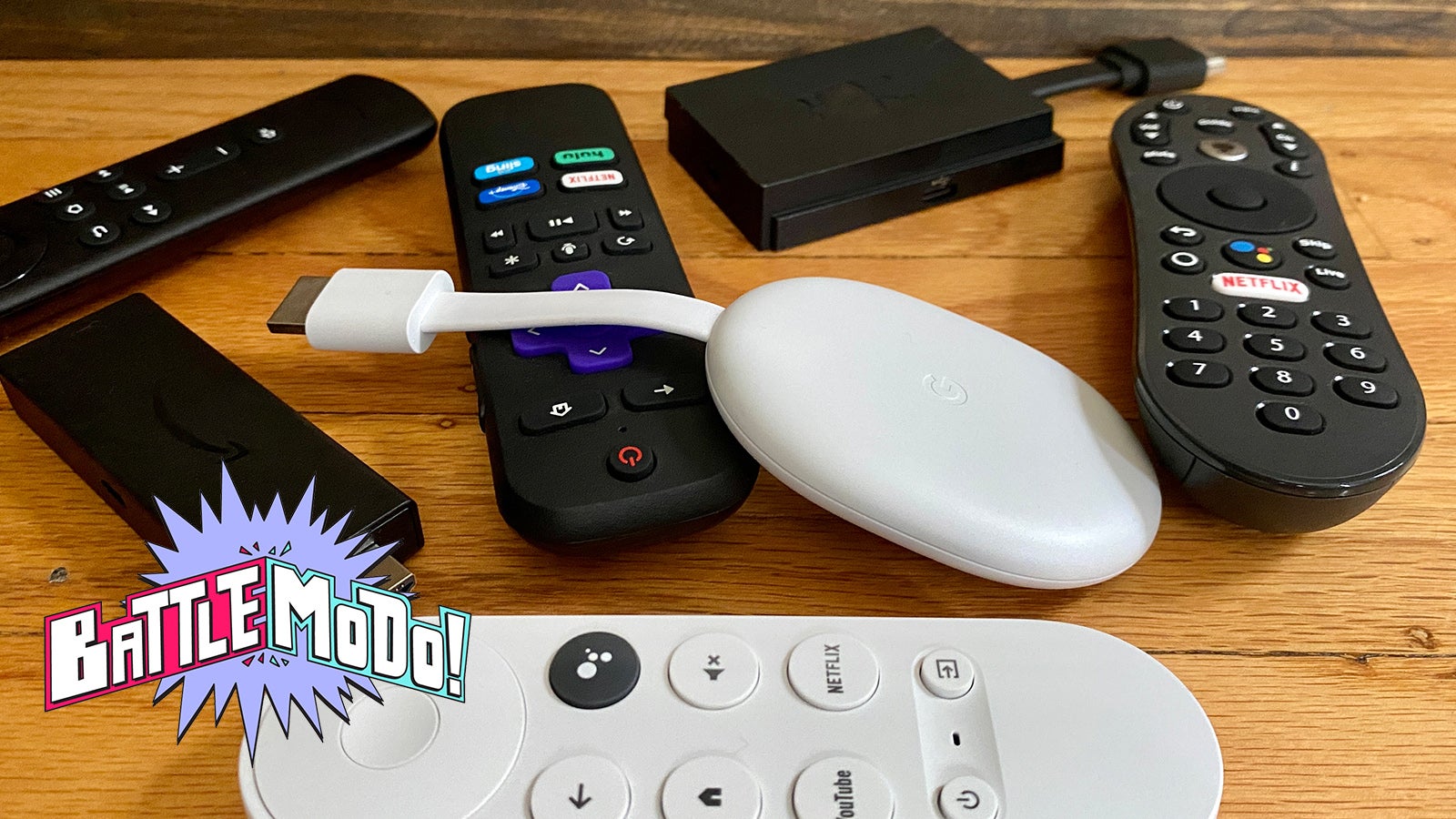
The first decision is whether you need a player for a television or a capture device for a computer. Once that is clear, resolution, connection type, wireless performance, sound, and software support narrow the list quickly.
Television output
HD is enough for an older or smaller television, which makes the Roku Streaming Stick HD a clean choice. A 4K TV should be paired with a player that supports 4K, and HDR formats such as Dolby Vision or HDR10+ can improve contrast and color when the television supports them.
Do not choose a capture card because its title mentions 4K if your goal is TV streaming. Capture cards send a source to a computer, and their input resolution can be higher than their actual recording output.
Input and connection type
Streaming sticks use HDMI to receive a television signal path. Capture cards use HDMI input to receive a console or camera, then USB to send video to a computer. ClearClick adds AV, RCA, and S-Video, making it the obvious option for older media.
The right connection matters more than a big resolution number. A 4K capture input is useless if the real job is playing VHS tapes.
Capture frame rate
For fast games, 1080p at 60 fps is a sensible target. Rybozen and Dcyfol are the strongest matches here because their supplied features specify 1080p at 60 fps. Audio Express is limited to 1080p at 30 fps, which is more suitable for presentations, calls, and slower camera footage.
Wireless performance
A streaming stick depends on the home network. Long-range Wi-Fi, included on both Roku 4K models in this list, can help when the television is far from the router. Wi-Fi 6E support gives the Fire TV Stick 4K Max a newer wireless capability, but the home router and room layout still determine the actual result.
Remote and platform
Roku has the simplest interface and useful voice search. Fire TV adds Alexa+, smart home control, app storage, and cloud gaming. Google TV is strongest when recommendations, watchlists, and Google services are central to the household. A soundbar such as Roku Streambar SE adds clearer dialogue and Bluetooth headphone support, but it takes up more space than a stick.
Frequently asked questions
Are capture cards the same as streaming sticks?
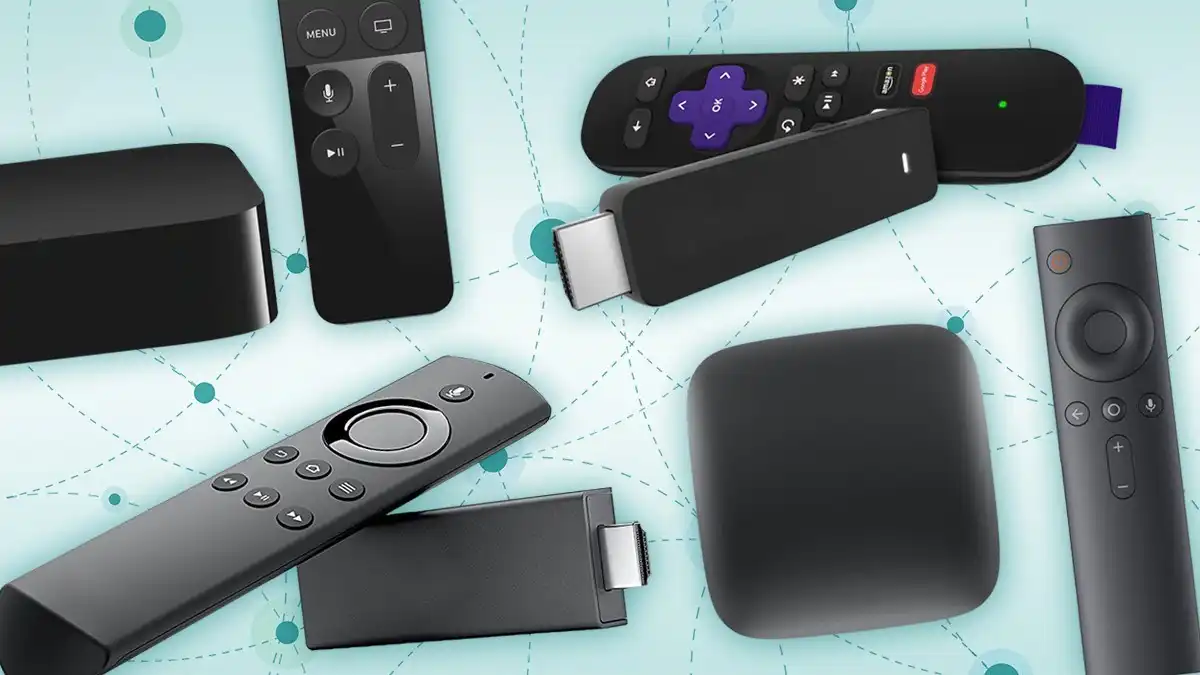
No. A streaming stick adds apps and online video services to a television. A capture card sends video from a console, camera, or other source to a computer for recording or live broadcasting.
Which device is best for an HD television?
The Roku Streaming Stick HD is the simplest match. It supports HD streaming, fits behind the TV, can draw power from the television, and includes a voice remote with power and volume controls.
Which device supports Dolby Vision?
The Roku Streaming Stick 4K, Roku Streaming Stick 4K Renewed, Google TV Streamer 4K, and Fire TV Stick 4K Max list Dolby Vision support. The television and the content service must also support the format for it to appear.
Can these devices stream live TV without cable?
The Roku players provide access to free live TV, news, sports, movies, and shows through their platform. Google TV Streamer 4K lists access to more than 800 free channels, while Fire TV includes free and live TV options. Channel availability can vary by service and location.
Which capture card is best for PS5 or Xbox streaming?
Rybozen and Dcyfol are the strongest matches in this list. Both accept HDMI sources and support USB 3.0 workflows, while Rybozen adds an HDMI loop-out and microphone input for commentary.
Can the Audio Express AXHDCAP record 4K?
No. Its HDMI input can reach 3840 by 2160 at 30 Hz, but its video output is limited to 1920 by 1080 at 30 Hz. It is not compatible with USB 3.0 recording speeds.
Which device should I use for VHS tapes?
The ClearClick Video Capture is the clear fit because it supports AV, RCA, and S-Video inputs, along with VCR, VHS, camcorder, Video8, Hi8, and DVD sources. It also includes software and step-by-step instructions for the conversion process.
The bottom line
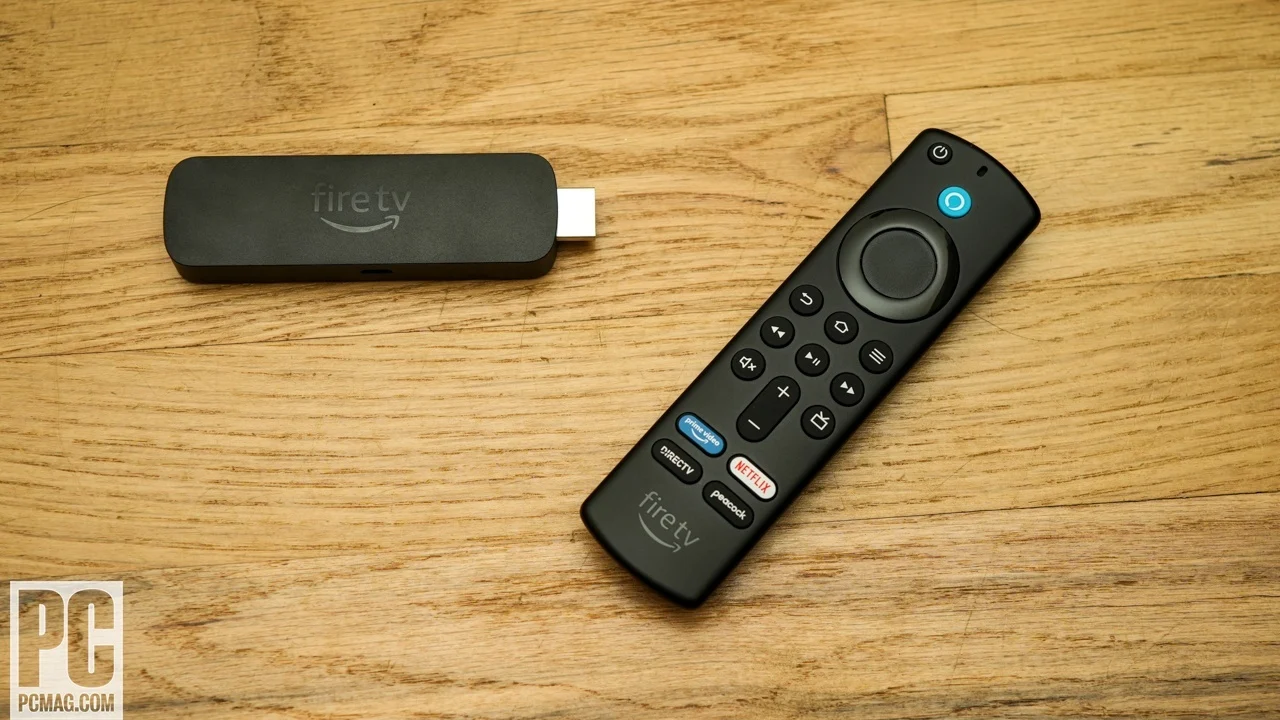
The Best budget streaming devices choice for ordinary TV viewing is the Roku Streaming Stick HD when the television is HD, and the Roku Streaming Stick 4K when it is a compatible 4K HDR set. Both are compact and easy to control, while Roku's interface avoids the clutter that can make other platforms feel busy.
For a different kind of streaming, the Rybozen HDMI Capture Card is the strongest console and camera option because of its USB 3.0 connection, loop-out, and microphone input. The ClearClick Video Capture is the specialist pick for VHS, camcorders, and older analog equipment.
If you are undecided, choose the Roku Streaming Stick HD for an HD TV, the Roku Streaming Stick 4K for 4K HDR, and a capture card only when a computer needs to receive video from another device.
As an Amazon Associate we earn from qualifying purchases.