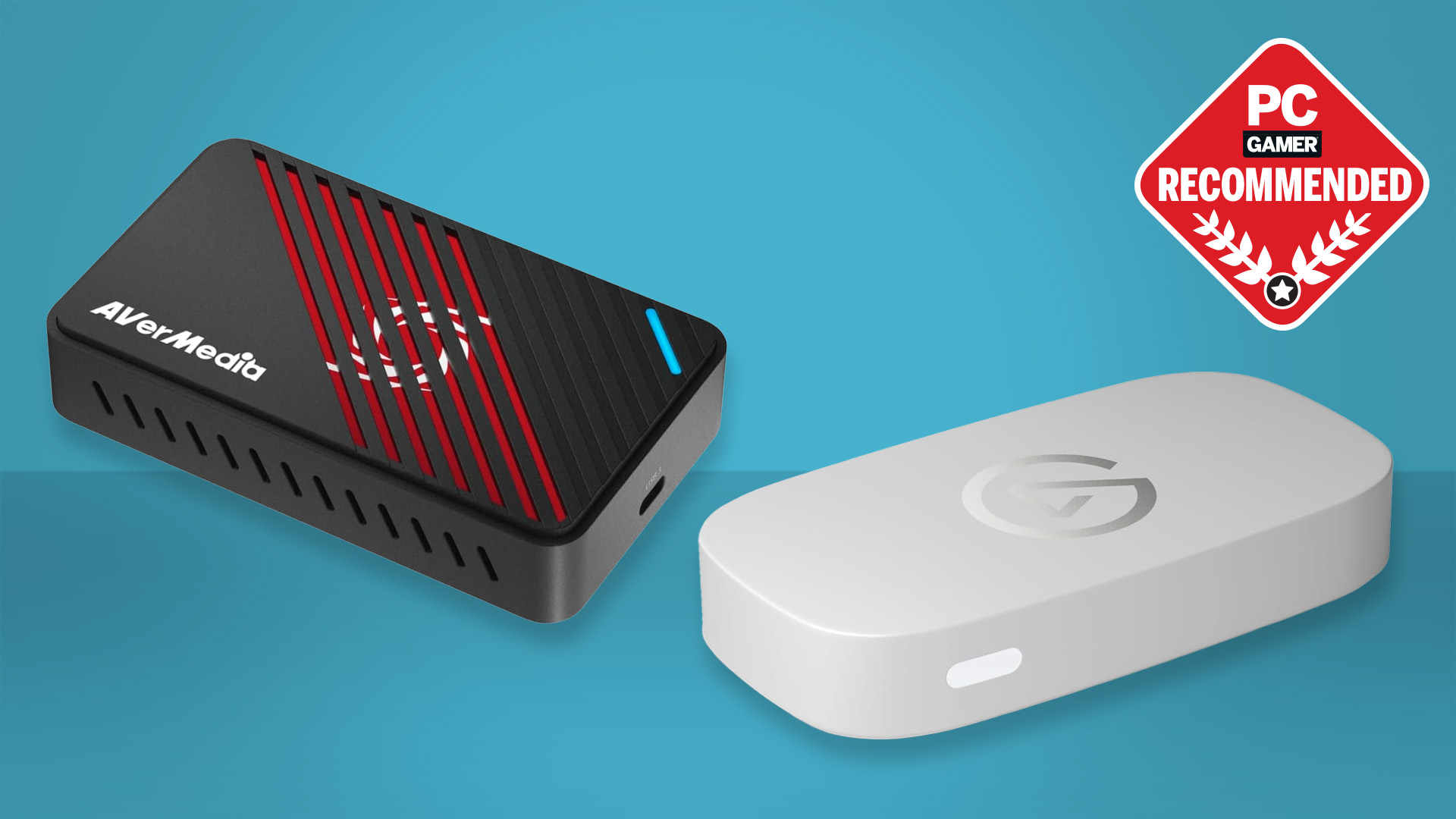

A capture card has one job: move clean HDMI video into your streaming computer without making your gameplay feel delayed. The trouble starts when product listings blur input resolution, recording resolution, passthrough, and frame rate into one long string of numbers. A card that accepts a 4K signal may still record only 1080p, while another can let you play at 4K60 HDR as it sends a 1080p stream to OBS.
The Best capture cards for streaming cover a wide range of setups. Some are simple USB devices for a first stream, while others support high-refresh gaming, HDR, VRR, commentary audio, or multiple operating systems. We ranked these ten by capability, connection flexibility, and how clearly each one fits a real streaming job.
Elgato 4K S is the best single pick for most console streamers, with AVerMedia's higher-end models close behind for demanding 4K and ultrawide setups.
Comparison table
| # | Product | Award | Input | Capture | Passthrough | Best for |
|---|---|---|---|---|---|---|
| 1 | Elgato 4K S | Best overall | 4K60 | 4K60 | 1440p120, 1080p240 | Console streamers who want high-refresh support |
| 2 | AVerMedia StreamLine MINI+ | Best compact 4K passthrough | 4K60 HDR | 1080p60 | 4K60 HDR | Current-generation console streaming |
| 3 | AVerMedia Live Gamer Ultra S | Best for 4K and ultrawide | 4K60 HDR, VRR | 4K or 1080p | 4K60 HDR, VRR | High-end PC and console setups |
| 4 | Rybozen 1080p60 Capture Card | Best simple loop-out model | 4K30, 4K60 | 1080p60 | Up to 2K30 output | Straightforward HDMI streaming |
| 5 | XIIXMASK Loop Out Capture Card | Best for commentary | 4K60 | 1080p60, 2K30 | 4K60 | Streamers using a headset or mic |
| 6 | Acer USB 3.0 Capture Card | Best plug and play option | 4K input | 1080p60 | 4K loop-out | Beginners who want direct setup |
| 7 | Guermok USB C Capture Card | Best portable USB C model | 4K30 | 1080p60, 2K30 | Not specified | Mobile and laptop streaming |
| 8 | VIXLW USB C Capture Card | Best lightweight USB C pick | 4K30 | 1080p60, 2K30 | Not specified | Compact recording setups |
| 9 | Dcyfol 1080p60 Capture Card | Best travel-friendly starter | Not specified | 1080p60 | Passthrough supported | New streamers and LAN setups |
| 10 | VIXLW Cam Link Capture Card | Best basic camera link | 1080p | 1080p | HDMI loop-out | Camera and console webcam use |
1. Elgato 4K S: Best Overall

Pros
- Captures at 4K60
- Supports 1440p120 and 1080p240
- HDR10 support with tone mapping on Windows
- 3.5mm analog audio input
- Works with PS5, Xbox Series X/S, and Switch 2
Cons
- Its feature set may be more than a basic 1080p stream needs
- HDR tone mapping is specified for Windows
- No technical details are provided for its passthrough behavior
Best for: console streamers who want a flexible card for both high-resolution recording and high-refresh play.
The Elgato 4K S is the pick that makes the fewest compromises for a current console. It can record 4K video at 60 frames per second, so footage retains the detail and smooth motion that make a PS5, Xbox Series X/S, or Switch 2 look good on a large screen. It also includes a 3.5mm analog audio input, which gives streamers a direct route for game chat or commentary without depending entirely on the computer's audio setup.
Its high-frame-rate support is the feature that separates it from the cheaper cards here. The 4K S supports 1440p at 120 frames per second and 1080p at 240 frames per second. That matters to competitive players who want their local display to stay responsive while the stream runs at a more practical output. The card also supports HDR10 capture, with tone mapping on Windows, giving it a more complete video workflow than models limited to standard 1080p.
The AVerMedia StreamLine MINI+ is a strong alternative if 4K60 HDR passthrough matters more than 4K recording. The Elgato goes further for creators who want to preserve 4K60 footage, while the AVerMedia Live Gamer Ultra S adds VRR and ultrawide support. The Elgato sits between those two approaches, with broad console compatibility and unusually useful high-refresh support in a small device measuring about 4.41 by 2.83 by 0.67 inches and weighing about 0.2 pounds.
There are limits. The supplied information does not specify a passthrough resolution, so buyers who need a particular 4K HDR or VRR display path should check the listing carefully. HDR tone mapping is also identified specifically for Windows. Skip it if all you need is an uncomplicated 1080p60 feed from one console. For anyone building a more ambitious console stream, the 4K S is the card we'd keep.
2. AVerMedia StreamLine MINI+: Best Compact 4K Passthrough

Pros
- 4K60 HDR passthrough
- Records at 1080p60
- Supports 1440p144 and 1080p240 gameplay
- Ultra-low-latency design
- Streaming Center offers a three-step setup
Cons
- Capture is limited to 1080p60
- Its strongest features are aimed at modern gaming hardware
- It offers fewer capture-resolution options than the Elgato 4K S
Best for: PS5, Xbox, and Switch 2 players who want to keep a 4K HDR display while sending a 1080p stream to the computer.
The AVerMedia StreamLine MINI+ understands the way many streamers actually play. Your monitor or television can receive a 4K60 HDR signal while the computer records a manageable 1080p60 feed. That division keeps the local game looking sharp without asking the streaming software to handle a 4K broadcast every time.
High-refresh support gives the MINI+ more headroom than its 1080p capture limit suggests. It supports gameplay at 1440p144 and 1080p240, alongside 4K60 HDR passthrough. The near-instant response described for the device is important for competitive games, where a delayed preview can make the capture setup feel disconnected from the screen being played on.
Setup is designed to be approachable. The card does not need drivers, works with OBS and CameraFi as well as AVerMedia's own Streaming Center, and the software offers a three-step route to streaming on YouTube, Twitch, Facebook, and other platforms. Its 4.43 by 2.6 by 0.82-inch body is compact enough for a permanent desk setup without becoming another large box beside the computer.
The compromise is straightforward: this is a 1080p60 recording device, not the choice for creators who want native 4K recordings. The Elgato 4K S is better for that job, while the Live Gamer Ultra S is more capable for ultrawide and VRR systems. Choose the MINI+ when your priority is smooth 4K HDR play with a clean, conventional 1080p stream.
3. AVerMedia Live Gamer Ultra S: Best for 4K and Ultrawide

Pros
- 4K60 HDR and VRR passthrough
- Supports 4K capture
- Ultra-low-latency operation
- Handles 3440x1440 and 2560x1080 formats
- Works with Windows, Mac, and iPadOS
Cons
- More capability than a basic 1080p stream requires
- Compatibility is specified for newer operating systems
- The product dimensions listed are unusually large and should be checked before placing it in a tight setup
Best for: creators with 4K, VRR, or ultrawide gaming systems who want the most flexible video path here.
The AVerMedia Live Gamer Ultra S is the specialist pick for a setup that does not fit the standard 16:9, 1080p60 template. It supports 4K60 HDR and VRR passthrough, making it a natural match for PS5, PS5 Pro, Xbox Series X/S, and PC gaming where display smoothness matters as much as the stream image.
Its capture options are broader than those of the StreamLine MINI+. The product is described as supporting 4K and 1080p capture, while its passthrough handles 4K60 HDR and VRR. It also supports 3440x1440 and 2560x1080 ultrawide resolutions. Those formats make a real difference for PC creators who do not want to abandon an ultrawide display whenever they go live.
The card is plug and play, with no extra drivers or external power listed as necessary. It supports OBS and Twitch, plus Windows 10 and 11, Mac 13 and 14, and iPadOS 17 or later. RGB 24 true-to-life color and uncompressed video support are also called out, which gives it a stronger fit for creators who care about maintaining the character of the source image.
This is not the most sensible choice for a simple console stream at 1080p. The Elgato 4K S is easier to recommend for mixed 4K recording and high-refresh console use, and the StreamLine MINI+ is a more focused match for 4K HDR passthrough with 1080p output. Pick the Ultra S when VRR, ultrawide support, or 4K capture is central to the setup, not merely listed on a wish list.
4. Rybozen 1080p60 Capture Card: Best Simple Loop-Out Model

Pros
- 1080p60 capture
- Accepts 4K30 and 4K60 HDMI input
- HDMI loop-out for direct gameplay
- 3.5mm microphone input
- Plug and play on Windows and Mac
Cons
- Output is limited to 1080p60 capture and up to 2K30 output
- The microphone input accepts 3.5mm TRS equipment
- It does not support 4K120 or 4K144 input
Best for: streamers who need a conventional HDMI loop-out and 1080p60 capture without a complicated setup.
The Rybozen 1080p60 Capture Card keeps the basic signal path easy to understand. HDMI goes in, USB 3.0 carries the feed to a Windows or Mac computer, and HDMI loop-out sends the game to a display. That arrangement is still useful for anyone who wants to play on a television or monitor rather than rely on a software preview.
The input specification is more generous than the recording specification. It accepts 4K30 and 4K60 input, along with 1080p120 and 1080p144, but captures up to 1080p60. The listed output support reaches up to 2K30. That makes it suitable for a 1080p stream sourced from a modern console, but not for preserving a 4K recording or passing through every high-refresh format.
A 3.5mm microphone input adds useful flexibility for commentary. It is specified for a standard 3.5mm TRS microphone headset, so buyers should not assume every headset wiring arrangement will behave the same way. The device identifies itself as a webcam, needs no driver or external power, and works with OBS, PotPlayer, VLC, Twitch, YouTube, Facebook, and other listed platforms.
The Elgato 4K S is clearly ahead for 4K recording and advanced high-refresh support. The Acer USB 3.0 Capture Card is a similar plug and play idea with 4K loop-out, while the Rybozen gives clearer microphone and input details. Its roughly 3 by 2 by 1-inch body is practical, but the 0.4-pound weight is more than some of the slim USB C models. It is the sensible choice for a traditional two-screen streaming layout.
5. XIIXMASK Loop Out Capture Card: Best for Commentary

Pros
- 4K60 HDMI loop-out
- 1080p60 and 2K30 capture
- 3.5mm headset or microphone input
- USB A and USB C connectivity
- Aluminum alloy construction
Cons
- Microphone input does not record party chat
- Capture does not reach 4K
- OBS may need a restart after audio setup
Best for: streamers who want direct microphone input and 4K60 loop-out in a compact external card.
The XIIXMASK Loop Out Capture Card is built around a useful streamer detail: commentary can enter through the device itself. Its 3.5mm input accepts a headset or microphone, which is convenient for a simple console setup with fewer separate audio connections. The important caveat is that the listing says it does not record party chats.
Video handling is well judged for a 1080p stream. The card accepts 4K60 HDMI and can loop that signal out at 4K60, while the USB output supports 1080p60 or 2K30. That lets a player keep a high-resolution display path while sending a standard full HD feed to OBS. It also supports YUY2, and the aluminum alloy body is intended to help with heat dissipation.
Connectivity is flexible. The package includes a USB 3.0 to USB A or USB C cable, and the product is listed for Windows, Mac, Linux, Android, cameras, consoles, OBS, VLC, and Zoom. Audio setup has one extra wrinkle: the instructions say OBS should be restarted after audio configuration, or sound may not appear.
The Rybozen is the cleaner choice if you want a more conventional 1080p60 card with a defined 3.5mm TRS microphone path. The XIIXMASK wins when 4K60 loop-out and 2K30 capture matter more. Skip it if party chat is a core part of your content or if you want native 4K recordings. For solo commentary and console streaming, its mix of inputs is unusually practical.
6. Acer USB 3.0 Capture Card: Best Plug and Play Option

Pros
- 4K HDMI input
- 1080p60 output
- 4K HDMI loop-out
- YUY2 support
- Built-in microphone input
Cons
- Capture is limited to 1080p60
- No detailed operating-system limits are provided
- Its feature set is less extensive than the AVerMedia cards
Best for: beginners who want a recognizable plug and play setup with commentary input and loop-out.
The Acer USB 3.0 Capture Card is a straightforward bridge between a console or camera and streaming software. It accepts a 4K HDMI source, outputs 1080p at 60Hz, and includes 4K HDMI loop-out. That combination gives a new streamer the familiar arrangement of playing on a direct display while the computer handles the broadcast.
Acer highlights YUY2 processing rather than MJPEG. The listing says this produces richer colors and low latency, though the exact format behavior will still depend on the capture software and source. For a standard 1080p60 stream, the important point is that the card is designed to keep the video feed smooth while avoiding an unnecessarily complex installation.
The microphone input is one of its better practical touches. A headset or microphone can connect directly for gaming commentary, online classes, or voice recording. The card is also described as driver-free and externally powered without an extra supply, with support for OBS, XSplit, VLC, YouTube, Facebook, Twitter, Switch, Switch 2, PS5, PS4, Xbox, DSLR cameras, macOS, and Android.
Its weakness is not hidden by the brand name. This is a 1080p60 capture device, so it cannot replace the Elgato 4K S or AVerMedia Live Gamer Ultra S for 4K recording. The Rybozen and XIIXMASK offer similarly useful loop-out concepts with more detailed audio notes. Choose the Acer when simple setup, 4K loop-out, and a direct microphone connection matter more than advanced capture formats.
7. Guermok USB C Capture Card: Best Portable USB C Model

Pros
- 1080p60 and 2K30 capture
- 4K30 input
- USB C and USB 3.0 compatibility
- Lightweight aluminum alloy body
- Broad Windows, Mac, Linux, and Android support
Cons
- It is for capture only and not direct screen casting
- One-way HDMI to USB C transmission
- The included adapter may require careful USB 3.0 orientation
Best for: laptop users and mobile creators who need a small USB C capture device.
The Guermok USB C Capture Card is the most travel-oriented option in this group. Its listed weight is about 0.07 pounds, and the slim body is designed to disappear into a laptop bag. That is useful for creators who move between a home desk, an event, and a second streaming setup.
It accepts video up to 4K at 30Hz and captures either 1080p at 60Hz or 2K at 30Hz. The distinction matters: a 4K console source does not become a 4K recording here. The practical target is a smooth full HD stream, with 2K30 available when sharper but less fluid footage suits the project better.
The USB C and USB 3.0 approach works across a wide list of systems and software, including Windows, Mac OS, Linux, Android, OBS, VLC, PotPlayer, Zoom, and the major streaming platforms named in the listing. It needs no driver or external power. The aluminum alloy housing is intended to improve heat dissipation during live use.
Guermok is less suitable for a television-based setup because the product is explicitly for capture and is not intended for direct screen casting to a monitor or TV. The included USB 3.0 to USB C adapter also comes with a warning that the connection can be recognized as USB 2.0 if used incorrectly. Compared with the VIXLW USB C Capture Card, Guermok provides more explicit compatibility notes and a lighter design. It is the better fit for a portable computer-first workflow.
A camera feed can make the biggest difference to a stream once the HDMI path is stable. If you are pairing this kind of card with a dedicated camera, choosing a camera that works cleanly with OBS should come before adding more capture hardware.
8. VIXLW USB C Capture Card: Best Lightweight USB C Pick

Pros
- 4K30 HDMI input
- 2K30 and 1080p60 recording
- USB 3.0 and USB C connection options
- No driver or external power required
- Supports Windows, macOS, Linux, and Android
Cons
- No passthrough specification is provided
- It does not capture at 4K
- Tablet use requires OTG support
Best for: creators who want a small USB C card for 1080p streaming and occasional 2K recording.
The VIXLW USB C Capture Card follows the compact dongle formula but gives the output choices more clearly than many generic cards. It accepts up to 4K30 through HDMI and records at either 2K30 or 1080p60. That makes it useful for a smooth live broadcast or a sharper recording when motion is less important.
Its aluminum alloy shell and high-speed USB 3.0 connection are aimed at stable, low-latency transfer. The listing also mentions dual-channel audio, which suits a basic game or camera stream where the source audio should arrive with the video. No driver or external power is required, so the setup can remain small.
Compatibility is broad, covering Windows 7 through 11, macOS, Linux, Android, OBS, Zoom, VLC, Twitch Studio, PS4, PS5, Xbox, Switch, DSLR cameras, and television boxes. A USB 3.0 to USB C adapter is included. Tablet users need to enable OTG, and the listing recommends checking the HDMI device with a monitor before connecting it to the capture card.
The missing passthrough information is the deciding limitation. If you want to keep playing on a direct display, the Rybozen, XIIXMASK, Acer, or AVerMedia options provide a clearer path. Guermok is lighter and gives more detailed warnings about its one-way design, while VIXLW offers a similarly portable setup with 2K30 capture. Choose this model for a laptop-centered stream where USB C convenience matters more than a local loop-out.
9. Dcyfol 1080p60 Capture Card: Best Travel-Friendly Starter

Pros
- 1080p60 capture
- Plug and play operation
- Passthrough support
- Compatible with OBS, Streamlabs, and XSplit
- Compact design for travel
Cons
- Input resolution is not specified
- Passthrough resolution is not specified
- No dedicated audio-input detail is provided
Best for: first-time streamers who need a simple USB 3.0 card for console or camera capture.
The Dcyfol 1080p60 Capture Card is aimed at the uncomplicated end of streaming. Its stated target is smooth 1080p60 video, with plug and play operation and support for OBS Studio, Streamlabs, and XSplit. For a new creator, that means fewer software decisions before the first test broadcast.
The device is described as supporting PS5, Xbox Series X, Nintendo Switch, DSLR cameras, and PCs with HDMI output. It also supports passthrough, allowing gameplay to remain on a direct display while the computer receives the capture feed. The listing calls its performance low latency, but it does not give a passthrough resolution or an input frame-rate range, so buyers should treat it as a 1080p-focused option.
Portability is the main practical advantage. The body measures about 2.7 by 1 by 1 inches and weighs roughly 0.46 pounds. It is small enough for a travel kit or LAN setup, though the Guermok and VIXLW USB C cards are lighter. The Dcyfol still has an advantage for users who want a more traditional external capture device rather than a very thin adapter.
The lack of precise signal specifications keeps it behind the Rybozen and Acer. Those models explain their 4K input and loop-out capabilities more clearly, while Dcyfol's listing leans on general compatibility. It is a reasonable starter for a standard 1080p stream, but skip it if you need HDR, VRR, high-refresh passthrough, or 4K recording.
10. VIXLW Cam Link Capture Card: Best Basic Camera Link

Pros
- 1080p capture
- HDMI loop-out
- Plug and play design
- 3.5mm microphone input
- Works with consoles, cameras, Windows, and Mac
Cons
- Input and capture are limited to 1080p
- The microphone input accepts 3.5mm TRS equipment
- It offers fewer resolution options than the other VIXLW model
Best for: camera owners and casual console streamers who only need a 1080p webcam-style feed.
The VIXLW Cam Link Capture Card is the most narrowly defined product in this roundup. It treats an HDMI camera, console, or other source as a webcam for the computer, with 1080p capture and USB 3.0 connectivity. That is enough for a talking-head stream, a camera feed in OBS, or a conventional console broadcast.
HDMI loop-out is included, so the card is not limited to a software preview. A player can send the signal to a display while the computer sees the capture feed. The listing also says the card identifies itself automatically, does not need drivers or external power, and works with OBS, PotPlayer, VLC, YouTube, Twitch, Facebook, and other listed software.
A 3.5mm microphone input lets users add commentary directly. As with the Rybozen, the listing specifies a 3.5mm TRS standard microphone headset, so headset compatibility deserves attention before building the entire audio setup around it. The product supports Windows and Mac and works with Switch, Xbox, PS4, PS5, DSLR cameras, and PCs.
The VIXLW USB C Capture Card is the better VIXLW choice for 4K input and 2K30 recording, while this Cam Link model is simpler when 1080p is all the camera can provide. It has no reason to appeal to a 4K console enthusiast, and its listed weight of about 0.66 pounds is not especially light. For a basic camera-to-OBS connection with loop-out and direct microphone input, though, it covers the essentials.
A clean voice track matters just as much as a clean picture once the camera is on screen. Streamers adding a separate microphone should think about where commentary audio enters the streaming setup before choosing between a capture card mic input and a dedicated audio interface.
How to choose best capture cards for streaming
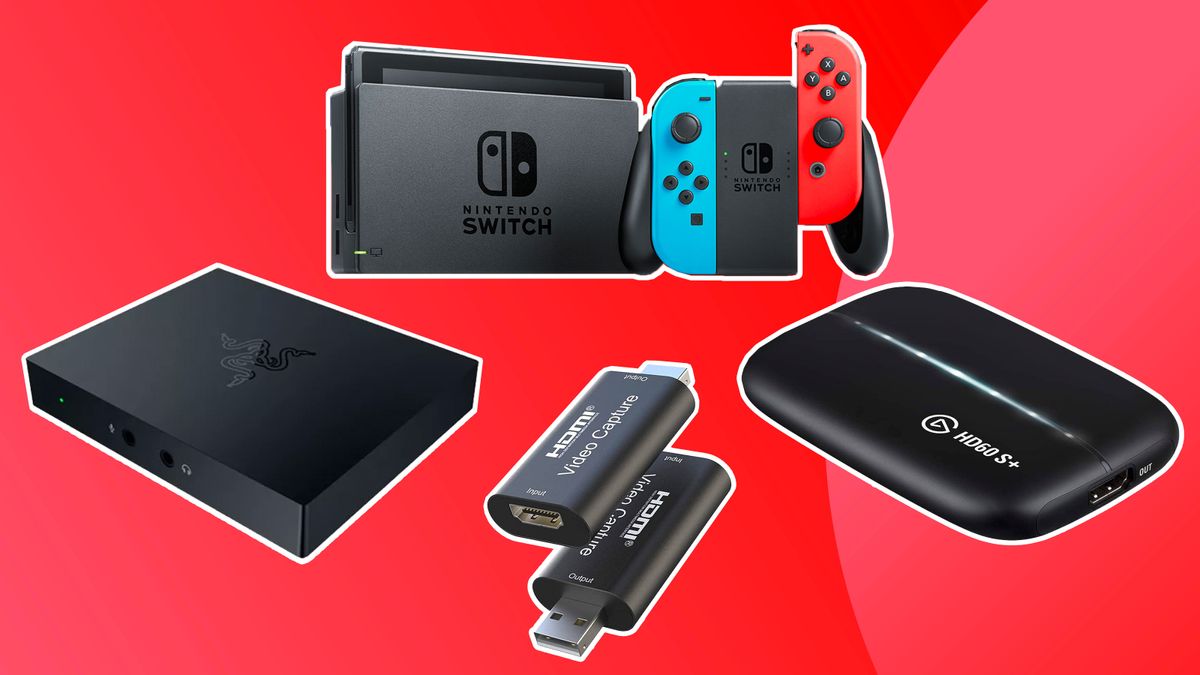
The right card depends on the signal you play, the signal you want viewers to receive, and whether your computer or display handles the more demanding part of the workflow.
Capture resolution and frame rate
Capture resolution describes what the computer can record or send to streaming software. A card that accepts 4K input may still capture only 1080p60, as with the AVerMedia StreamLine MINI+, Acer, and several compact models. For most live streams, 1080p60 is a sensible target because it combines clear detail with smooth movement.
Passthrough
Passthrough sends the HDMI signal to a television or monitor while the capture card feeds the computer. Look for a stated 4K60, HDR, VRR, or high-refresh passthrough mode if you play on a modern console or gaming monitor. The Elgato 4K S supports high-refresh formats, while the AVerMedia cards provide the clearest 4K HDR options.
A 4K input label does not mean the stream or recording is 4K.
Latency
Latency is the delay between the source device and what reaches the display or preview. A direct passthrough connection is preferable for gameplay because it avoids making the software preview your only screen. Product listings describe the Elgato, both AVerMedia models, Acer, XIIXMASK, Guermok, and VIXLW USB C card as low-latency options, but the exact experience also depends on the computer, cable, software, and selected video format.
USB connection
USB 3.0 provides the bandwidth expected for 1080p60 capture. USB C can make sense for newer laptops and tablets, but check whether the device includes an adapter and whether the connection is actually negotiating USB 3.0. Guermok specifically warns that its adapter can be recognized as USB 2.0 in some orientations.
Audio inputs
A 3.5mm mic input can simplify commentary, especially when a console, headset, and streaming laptop share a small desk. The Rybozen, XIIXMASK, Acer, and VIXLW Cam Link list microphone support. Check the connector type and party-chat behavior, since XIIXMASK states that its microphone path does not record party chats.
Frequently asked questions
Do capture cards record in 4K?
Some do, but not all cards with 4K HDMI input record in 4K. The Elgato 4K S and AVerMedia Live Gamer Ultra S are the strongest choices here for 4K capture, while the StreamLine MINI+, Rybozen, Acer, and compact USB C models focus on 1080p or 2K output.
Is 1080p60 enough for streaming?
For most Twitch, YouTube, and similar live broadcasts, 1080p60 is a practical format. It keeps motion smooth and is supported by nearly every capture card in this list. A 4K recording card is more useful when you want higher-resolution local footage, not because every live stream needs a 4K feed.
Does a capture card reduce gaming latency?
A capture card can provide a direct HDMI passthrough path so you do not have to play from the software preview. The Elgato and AVerMedia models are aimed at low-latency play, while the smaller cards also describe low-latency operation. Cable quality, display settings, USB bandwidth, and streaming software can still affect the result.
Can these cards work with OBS?
Yes. Every product in this roundup lists OBS compatibility directly or describes use with common streaming software that includes OBS. The Dcyfol also lists Streamlabs and XSplit, while the AVerMedia StreamLine MINI+ includes its own Streaming Center alongside OBS.
Do I need a capture card for a PC stream?
Not always. A capture card is useful when the source is a console, camera, second computer, or another HDMI device. PC games can often be captured directly through software, though a card can still help when you want to separate the gaming machine from the streaming machine.
Can a capture card capture party chat?
Do not assume it can. XIIXMASK specifically says its microphone input does not record party chats, and other products do not provide enough detail to promise party-chat capture. Check the console audio routing and the card's stated audio support before relying on it for group broadcasts.
Can I use a camera with a capture card?
Yes, if the camera provides a compatible HDMI output. The Rybozen, Dcyfol, Acer, VIXLW models, Guermok, and the AVerMedia cards list camera compatibility. A camera may also need a clean HDMI mode and a way to remain powered for long streams, details that are not specified for every model here.
The bottom line
The Best capture cards for streaming start with Elgato 4K S, which combines 4K60 capture, high-refresh support, HDR10, broad console compatibility, and analog audio input. It is the most balanced choice for a streamer who wants room to grow without immediately moving to a more specialized setup.
Choose AVerMedia StreamLine MINI+ if 4K60 HDR passthrough and easy 1080p60 streaming are the priority. For 4K capture, VRR, or ultrawide gaming, AVerMedia Live Gamer Ultra S is the more capable choice. The Rybozen, XIIXMASK, and Acer are better fits for simpler 1080p systems with loop-out, while Guermok and VIXLW suit compact laptop kits.
If you are undecided, choose the Elgato 4K S unless your setup specifically needs HDR passthrough, VRR, or ultrawide support.
As an Amazon Associate we earn from qualifying purchases.