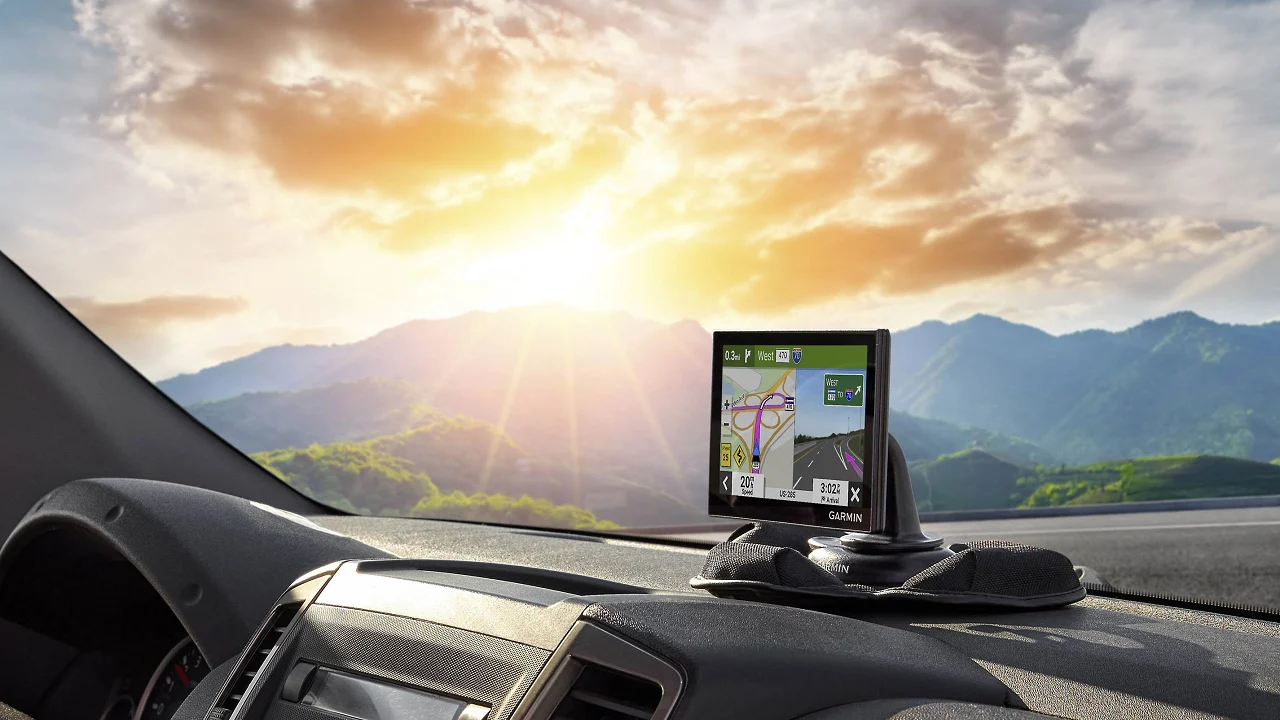

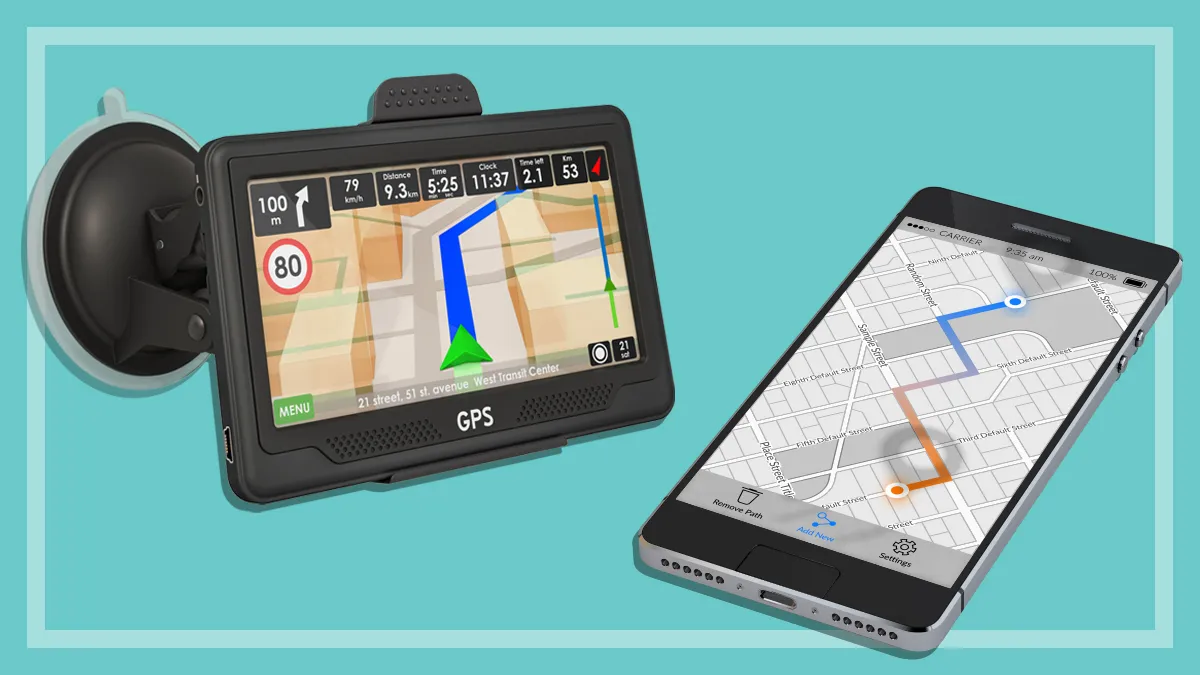
A phone can navigate, but it also brings calls, notifications, weak signal areas and a screen that may go dark at the worst moment. A dedicated navigator keeps directions in one place, while a tracker solves a different problem: knowing where a vehicle is after it leaves the driveway. Our Best car GPS picks separate those two jobs clearly.
Garmin dominates the navigation side with readable maps, spoken landmark directions and useful driver alerts. The large-screen third-party units add truck and RV routing, while LandAirSea and Bouncie are vehicle trackers rather than turn-by-turn navigators. For most drivers, the Garmin DriveSmart 66 is the strongest balance of screen size, connected features and ease of use. The rest of the list ranges from compact navigation to oversized displays and discreet location tracking.
Comparison table
| # | Product | Award | Screen or tracking format | Standout capability | Best for |
|---|---|---|---|---|---|
| 1 | Garmin DriveSmart 66 | Best overall | 6-inch display | Voice assist and Wi-Fi updates | Most drivers |
| 2 | Garmin Drive 53 | Best simple navigator | 5-inch touchscreen | Real Directions guidance | Straightforward navigation |
| 3 | Garmin DriveSmart 86 | Best large screen | 8-inch display | Dual orientation and voice assist | Easy viewing |
| 4 | Garmin DriveSmart 76 | Best middle size | 7-inch display | Connected road-trip tools | Frequent travelers |
| 5 | LMCOWRE 7-Inch Truck Navigator | Best truck routing | 7-inch touchscreen | Vehicle dimension routing | Truck and RV drivers |
| 6 | HINYFVOZ 9-Inch Navigator | Best oversized display | 9-inch HD touchscreen | Camera alerts and FM transmission | Drivers who want large text |
| 7 | Garmin Drive 53 Renewed | Best renewed Garmin | 5-inch touchscreen | Simple menus and driver alerts | Basic Garmin navigation |
| 8 | LandAirSea 54 Tracker | Best discreet tracker | 2.25-inch tracker | Magnetic, waterproof design | Asset and vehicle tracking |
| 9 | Bouncie Vehicle Tracker | Best OBD tracker | Plug-in vehicle tracker | Vehicle health and driving data | Family and fleet oversight |
| 10 | LMCOWRE 7-Inch Navigator | Best route-mode flexibility | 7-inch touchscreen | Car, truck, RV and more modes | Mixed vehicle use |
1. Garmin DriveSmart 66: Best Overall

Pros
- Crisp 6-inch high-resolution display
- Garmin voice assist and hands-free calling
- Wi-Fi map and software updates
- Useful driver alerts and road-trip directories
- Dual USB charger adds a second charging port
Cons
- Live traffic and connected services require a compatible smartphone
- Smaller viewing area than the DriveSmart 76 and 86
- Alexa features also depend on the phone connection
Best for: drivers who want a polished dedicated navigator without an oversized dashboard display.
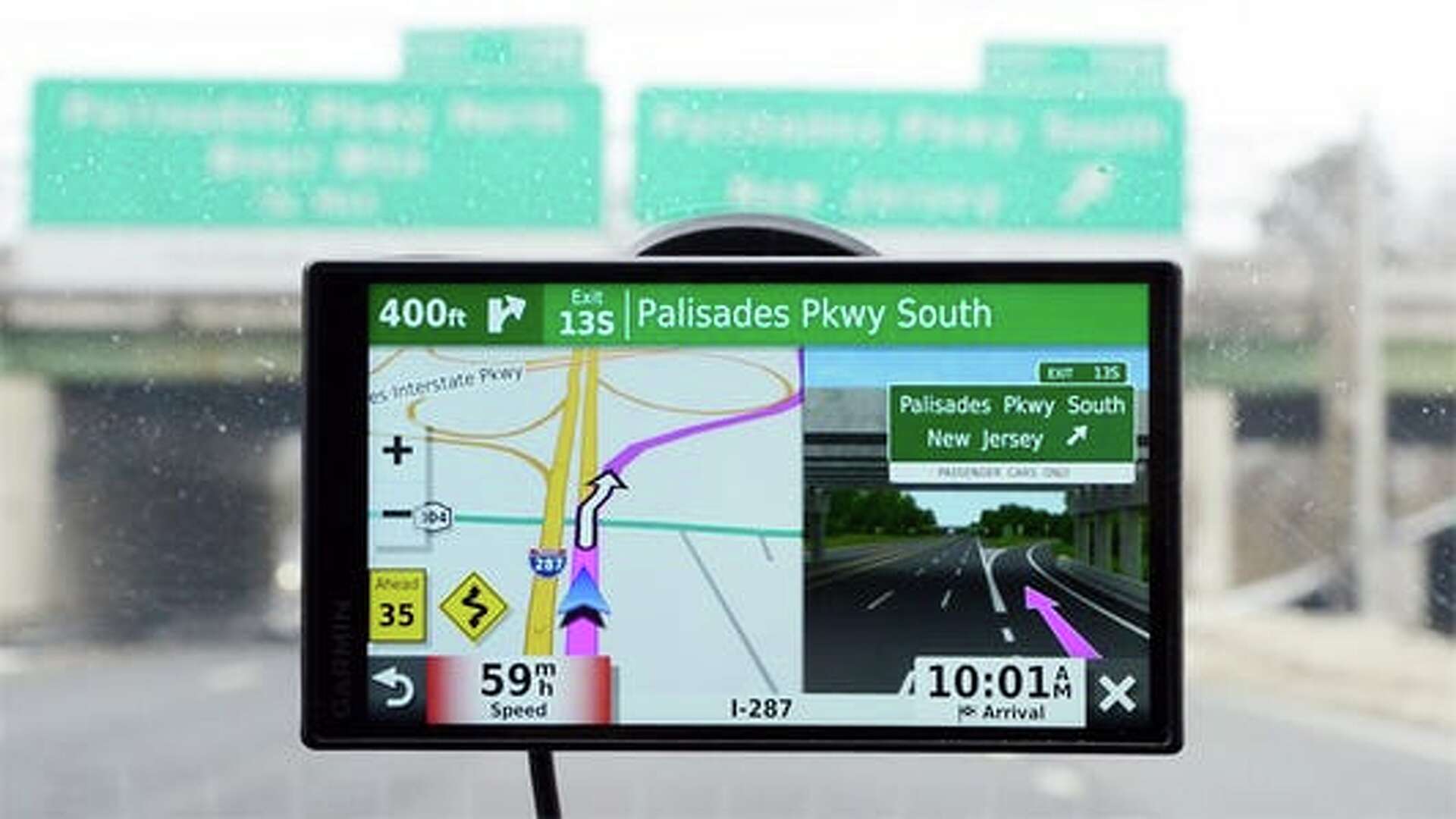
The Garmin DriveSmart 66 is the one that makes the most sense for the widest range of cars. Its 6-inch screen is large enough to read at a glance, but it does not dominate the windshield or make a compact dashboard feel crowded. The high-resolution map view gives the route a clean, legible presentation, and the dedicated format means navigation stays available without turning a phone into the center of the car.
Garmin’s voice assist is the main reason to choose this model over the simpler Garmin Drive 53. You can ask for directions to places, and Bluetooth pairing adds hands-free calling. The navigator also includes spoken turn-by-turn guidance with landmark-oriented Real Directions, which is more useful than hearing only a road name when a turn is approaching. When paired with the Garmin Drive app, it can show live traffic, weather, parking, fuel information and smart notifications.
The built-in Wi-Fi is a small feature with a large effect on ownership. Map and software updates can happen without connecting the navigator to a computer. North America map updates are included, and the device adds road-trip context through a national parks directory, the HISTORY database of notable sites, Tripadvisor travel information and Foursquare points of interest. That makes it more useful on unfamiliar trips than a basic route-only unit. If you are weighing Garmin models specifically, the navigation features that matter on long car trips are concentrated here more effectively than on the basic Drive line.
The weakness is the reliance on a compatible smartphone for live data and some voice features. It is not a fully independent connected assistant, and the 6-inch screen cannot match the visual comfort of the Garmin DriveSmart 86. Still, that compromise is easier to live with than a huge unit in a small car. This is the Best car GPS choice for someone who wants clear dedicated directions, helpful alerts and a mature feature set without stepping into a larger display.
2. Garmin Drive 53: Best Simple Navigator

Pros
- Bright 5-inch glass capacitive touchscreen
- Simple on-screen route presentation
- Real Directions landmark guidance
- North America map updates included
- Alerts for school zones, curves and speed changes
Cons
- No voice assistant listed
- No built-in Wi-Fi listed
- Smaller display than the DriveSmart models
Best for: drivers who want a dedicated Garmin navigator with a focused set of directions and alerts.
The Garmin Drive 53 takes the sensible, uncluttered approach. Its 5-inch glass capacitive touchscreen is compact, and the menus are built around the information a driver needs first: the route, the next turn and the surrounding road context. It is a good fit for a smaller vehicle where a 7-inch or 8-inch screen would take up too much visual space.
This model speaks turn-by-turn directions and uses Garmin Real Directions to describe landmarks as well as roads. That can make an unfamiliar interchange easier to understand because the instruction has a physical reference point. The display also shows food, fuel and rest areas along the active route, upcoming cities and milestones. Those additions are useful without turning the unit into a sprawling infotainment system.
The Drive 53 includes detailed North America map updates and a U.S. national parks directory. It also surfaces Tripadvisor travel information for restaurants, hotels and attractions. Driver alerts cover school zones, speed changes and sharp curves, giving the navigator a safety-oriented role beyond announcing the next street. It is more limited than the Garmin DriveSmart 66, which adds smartphone-linked traffic, voice assist and Wi-Fi updating, but that simplicity is exactly what some drivers prefer.
The 5-inch screen is the clear limitation. It demands a little more attention than the larger Garmin displays, especially when several roads appear close together. There is also no listed voice assistant or Wi-Fi feature, so it is less convenient for hands-free searching and maintenance. Choose it if you want a straightforward navigator with readable maps and spoken guidance, not a connected dashboard companion.
3. Garmin DriveSmart 86: Best Large Screen

Pros
- Spacious 8-inch high-resolution display
- Dual-orientation screen
- Garmin voice assist and hands-free calling
- Wi-Fi updates without a computer
- Strong road-trip and connected features
Cons
- Takes more dashboard space than smaller navigators
- Smartphone pairing is needed for live services
- Heavier than the compact Drive models
Best for: drivers who prioritize map readability and have room for a substantial windshield-mounted unit.
The Garmin DriveSmart 86 is a visual upgrade first. Its 8-inch high-resolution display gives route lines, upcoming turns and surrounding roads more breathing room, which matters when the navigator is mounted farther from the driver or used by someone who prefers larger text. The screen supports dual orientation, so it can be arranged to suit the dashboard and mount position rather than forcing one fixed shape.
It shares the DriveSmart family’s useful connected features. Garmin voice assist lets you ask for directions, while Bluetooth supports hands-free calling. Pairing with the Garmin Drive app brings live traffic, weather, parking, fuel information and smart notifications to the screen. Built-in Wi-Fi handles map and software updates without a computer, and the included dual USB charger gives another device a charging port.
The road-trip features are unusually complete for a standalone navigator. The national parks directory helps locate entrances, visitor centers and landmarks, while the HISTORY database, Tripadvisor travel information and Foursquare points of interest make spontaneous stops easier to find. Alexa Built-in can handle music, audiobooks and news when safely used with the companion phone. These extras put it well ahead of the Garmin Drive 53 for long-distance touring.
Large screens have a practical cost in dashboard real estate. The 8-inch unit can obstruct more of the forward view if it is mounted carelessly, and its larger body is less discreet when left in the vehicle. The Garmin DriveSmart 76 is a better compromise for many cars, while the 86 is the one to choose when visibility is the priority. It is the Best car GPS for drivers who want the map to remain easy to interpret at a glance.
4. Garmin DriveSmart 76: Best Middle Size

Pros
- Comfortable 7-inch high-resolution display
- Voice assist, hands-free calling and Alexa Built-in
- Wi-Fi map and software updates
- Live traffic, weather and parking when paired
- Dual USB charger included
Cons
- Still larger than a compact 5-inch unit
- Connected functions require a compatible phone
- The core map experience is close to the smaller DriveSmart 66
Best for: road trippers who want a larger map without moving all the way to an 8-inch screen.
The Garmin DriveSmart 76 occupies the most useful middle ground in Garmin’s lineup. A 7-inch screen is noticeably easier to read than the Drive 53’s 5-inch panel, but it is less imposing than the DriveSmart 86. For a family sedan, crossover or rental vehicle, that balance can make installation less awkward while still giving the route enough room to stay clear.
The feature set is much closer to the DriveSmart 66 and 86 than to the basic Drive line. Voice assist lets you search for destinations without typing every request, and Bluetooth enables hands-free calling. The Garmin Drive app can provide live traffic, fuel prices, parking, weather and smart notifications. Wi-Fi updates are especially convenient for a navigator that may be stored for months between trips.
Garmin also includes its road-trip tools here. The national parks directory, HISTORY database, Tripadvisor travel information and millions of Foursquare points of interest help turn the navigator into a travel planning aid. Driver alerts call attention to school zones, sharp curves and speed changes. Spoken Real Directions landmark guidance adds another layer of clarity when the road layout is busy. Compared with the Garmin DriveSmart 66, the main gain is screen area. Compared with the 86, the main gain is a less dominant physical presence.
The 76 is not the right pick for someone who wants the smallest possible device. Its connected services also depend on pairing with a compatible smartphone, and drivers who rarely take long trips may not use the extra travel tools. Still, it is an easy recommendation for regular travelers who want Garmin’s richer experience without the largest display.
5. LMCOWRE 7-Inch Truck Navigator: Best Truck Routing

Pros
- 7-inch touchscreen
- Car, truck and RV route customization
- Height, width and weight restrictions considered
- 2026 North America maps with listed lifetime updates
- FM transmitter for voice prompts
Cons
- Less established software ecosystem than Garmin
- FM transmission only sends audio, it is not a radio tuner
- Product specifications are less detailed than the Garmin units
Best for: truck and RV drivers who need vehicle-specific routing on a dedicated screen.
The defining feature of the LMCOWRE 7-Inch Truck Navigator is not the display. It is the ability to customize a route around the vehicle using height, width and weight restrictions. That matters to a truck or RV driver in a way that a normal car navigator may not. A route that works for a sedan can become unusable near a low bridge, narrow lane or weight-restricted road.
The 7-inch touchscreen gives the map enough room for ordinary car use, and the device offers several route choices: fastest, shortest, eco-friendly and easiest. Destinations can be searched by address, point of interest, postal code or coordinates. Voice announcements cover turns and lane changes, while alerts include speed zones, intersections, turns and school zones.
The unit comes with 2026 North America maps and a listed lifetime free update service. Its built-in FM transmitter can broadcast navigation prompts through the vehicle’s speakers, which may help in a noisy cabin. That function transmits audio only, so it should not be confused with a standalone FM radio. Compared with the Garmin DriveSmart 76, this model gives up Garmin’s connected traffic, weather and travel databases, but it adds a more explicit focus on vehicle dimensions.
The trade-off is confidence in the software experience. Garmin’s menus, landmark guidance and companion app are more mature, while this navigator provides less detail about its hardware and update process. Drivers with a standard car may prefer the smoother Garmin interface. Truck, bus and RV owners who need restriction-aware routing should look here first, especially if screen size and vehicle profiles matter more than connected extras.
6. HINYFVOZ 9-Inch Navigator: Best Oversized Display
Pros
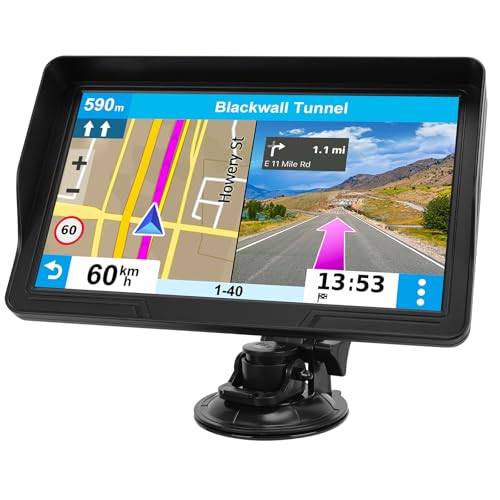
- Large 9-inch HD touchscreen
- Car, truck and RV route planning
- Speed, red-light camera and school-zone alerts
- 2026 North America maps with listed lifetime updates
- FM transmission to the vehicle audio system
Cons
- Takes substantial dashboard or windshield space
- Brand and software ecosystem are less established
- FM transmission is audio-only
Best for: drivers who want the largest readable route display and truck-style routing options.
The HINYFVOZ 9-Inch Navigator is designed for drivers who find ordinary portable screens too cramped. Its 9-inch HD touchscreen provides a broad map view and larger menu targets, which can be useful in a truck cab, RV or vehicle where the navigator sits farther away. The size is also the main reason to buy it, because it is far more conspicuous than the 5-inch and 6-inch Garmin options.
Its routing tools support cars, trucks and RVs. After vehicle dimensions are entered, the system is designed to avoid low bridges, weight restrictions and narrow passages. Search works by address, ZIP code or point of interest, and voice guidance announces turns. Safety prompts include speed limit reminders, red-light camera warnings and school-zone alerts.
The device includes 2026 North America maps and a listed free lifetime update service. Its FM transmitter sends voice prompts through the car’s audio system, which can make spoken directions easier to hear. It is only a transmitter, not a radio tuner. The LMCOWRE 7-Inch Truck Navigator offers a similar vehicle-routing idea in a smaller package, while the Garmin models provide a more developed set of connected road-trip features.
The 9-inch body can be too much for a small windshield. Mounting position becomes important because a screen this large can interfere with the forward view if placed carelessly. It also lacks the Garmin DriveSmart family’s listed smartphone services, Wi-Fi updating and Alexa integration. Choose it for visual scale and vehicle-aware routing, not for a polished connected ecosystem.
7. Garmin Drive 53 Renewed: Best Renewed Garmin
Pros
- Compact 5-inch glass touchscreen
- Simple menus and easy-to-see maps
- Spoken Real Directions guidance
- Driver alerts for curves, school zones and speed changes
- North America map updates included
Cons
- Renewed condition may vary from a new unit
- No listed Wi-Fi updating
- No listed voice assist or smartphone traffic features
Best for: drivers who want the Drive 53 experience in a renewed unit and can accept less predictable cosmetic condition.
The Garmin Drive 53 Renewed is functionally aimed at the same driver as the new Drive 53. It has a 5-inch high-resolution glass capacitive touchscreen, simple menus and maps that are easy to interpret without a large display taking over the dashboard. The compact dimensions and low listed weight make it a practical fit for smaller vehicles.
Spoken turn-by-turn directions use Garmin Real Directions, so prompts can refer to landmarks as well as street names. The navigator shows food, fuel and rest areas along an active route, plus upcoming cities and milestones. Driver alerts cover speed changes, sharp curves and school zones. These are the useful core features, and they are enough for drivers who want a dedicated route device rather than a connected assistant.
The unit includes North America map updates, a U.S. national parks directory and Tripadvisor travel information for restaurants, hotels and attractions. The new Garmin Drive 53 is the safer choice for anyone who wants a new condition product, while this renewed version suits a buyer who is comfortable with the condition caveat. It also remains less capable than the Garmin DriveSmart 66, which adds voice assist, Wi-Fi and phone-linked live services.
A renewed product deserves a little more scrutiny before purchase because cosmetic condition and included accessories can be less predictable than with a new unit. The small screen and basic connectivity also limit it for long road trips. If those boundaries are acceptable, this is a compact way to get Garmin’s clear map presentation and landmark guidance.
8. LandAirSea 54 Tracker: Best Discreet Tracker

Pros
- Compact magnetic design
- Waterproof construction
- Global tracking
- Location updates as fast as every 3 seconds
- Geofencing and historical playback
Cons
- Subscription required
- It tracks location rather than providing turn-by-turn navigation
- Battery life depends on movement and usage
Best for: owners who need discreet, live vehicle or asset location tracking.
The LandAirSea 54 Tracker belongs on this list for a different reason than the navigators above. It does not show a route to a destination. Instead, it reports where a vehicle or other asset is, making it useful for cars, ATVs, golf carts and equipment that need to be located remotely.
Its compact body measures 2.25 by 2.25 by 0.8 inches and weighs 0.3 pounds. An internal magnet makes attachment straightforward, while the waterproof construction helps it tolerate exposure that would be risky for a screen-based navigator. The tracker uses a web platform or SilverCloud app to map movement, with updates as fast as every 3 seconds and historical playback for up to one year.
Motion activation lets the device sleep when it is not moving, which is intended to preserve battery life. Geofencing can alert you when an asset enters or leaves a defined area. The tracker also includes a lifetime warranty covering manufacturing defects during normal use. Those features make it more suitable for remote oversight than a dashboard GPS.
The important limitation is the required subscription. That ongoing service is not optional, and it changes the ownership experience compared with a standalone navigator. If your need is keeping track of a vehicle after it leaves your driveway, the LandAirSea 54 is more relevant than any Garmin here. Skip it if you need spoken directions, a map screen or route planning from the driver’s seat.
9. Bouncie Vehicle Tracker: Best OBD Tracker

Pros
- Simple OBD2 installation
- Real-time location and unlimited trip history
- Speed, acceleration, braking and idle data
- Vehicle health monitoring
- Geofencing and accident detection
Cons
- Subscription required
- Requires an available OBD2 port
- It is not a turn-by-turn navigator
Best for: families and small fleets that want location, driving behavior and vehicle information in one service.
The Bouncie Vehicle Tracker is easier to install than a hardwired tracking system because it plugs directly into a vehicle’s OBD2 port. The device is designed to work with most vehicles from 1996 onward. Once connected, it reports real-time location and records trips with routes, addresses, idle time, speed data and driving patterns.
Its usefulness goes beyond a map dot. Bouncie monitors speed, acceleration, hard braking and idle time, then sends alerts about unsafe driving behavior. The service also monitors diagnostic engine data and can flag potential maintenance issues. For a family vehicle or small fleet, that combination gives the owner a clearer picture of how a car is being used.
Geofencing notifications can show when a vehicle enters or leaves a designated area, and accident detection can send SMS alerts after an impact. Unlimited trip history supports longer-term review, while color-coded speed bands and indicator icons make patterns easier to understand. This is a very different product from the Garmin DriveSmart 66, which is built for the driver looking at a route in real time.
The OBD2 connection is both the strength and the restriction. It installs quickly, but it needs an accessible port and may be more visible than the magnetic LandAirSea 54. A monthly subscription is required, and there is no navigation screen or spoken turn guidance. For readers comparing the information a vehicle tracker can reveal, Bouncie is the stronger fit for driving insights and vehicle health.
10. LMCOWRE 7-Inch Navigator: Best Route-Mode Flexibility
Pros
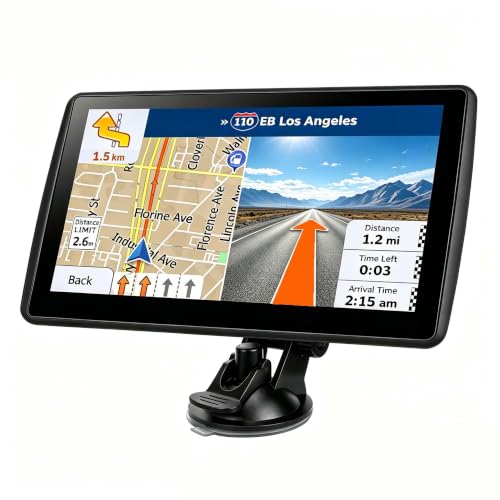
- 7-inch high-definition touchscreen
- Car, truck, bus, RV, bicycle and pedestrian modes
- 2026 North America maps with listed lifetime updates
- Speed and school-zone alerts
- FM broadcast to the vehicle audio system
Cons
- Less connected than the Garmin models
- FM function transmits audio only
- Truck and RV routing depends on entering accurate vehicle details
Best for: households that want one portable navigator with several vehicle and travel modes.
The second LMCOWRE navigator is more versatile in its route modes than its title suggests. The 7-inch high-definition touchscreen supports car, truck, bus, RV, bicycle and pedestrian settings. That makes it a practical shared device for a household with different travel needs, although each mode is only useful when the route assumptions match the way you are traveling.
The navigator displays current speed, remaining distance and other trip information continuously. Destination search accepts an address, postal code, coordinates or point of interest, and route choices include fastest, shortest, most economical and simplest. Voice guidance handles turns, while alerts cover speed limits and school zones.
It includes 2026 North America maps and a listed lifetime update service. In truck and RV mode, the system is designed to avoid low bridges, weight-restricted roads and narrow lanes. The built-in FM transmitter can send spoken directions through the car’s speakers, but it is not an FM radio tuner. Compared with the LMCOWRE 7-Inch Truck Navigator, this unit adds bicycle and pedestrian modes, while the truck-focused model emphasizes vehicle dimensions and route customization.
The main gap is the lack of the Garmin ecosystem. There is no listed companion app for live traffic, weather or smart notifications, and the software experience is less documented. The Garmin DriveSmart 76 is the better pick for connected road trips, but this LMCOWRE is more adaptable across vehicle types. It suits buyers who want one dedicated screen for varied travel modes and can live without smartphone-linked services.
How to choose best car gps
A good dedicated navigator should make the next decision obvious without demanding more attention than the road allows. Focus on the display, map support, routing logic and the difference between navigation and tracking.
Screen size and readability
A 5-inch screen, such as the one on the Garmin Drive 53, takes up little space and works well in compact cars. A 6-inch or 7-inch screen offers a more comfortable map view, while the 8-inch and 9-inch models are easier to read from farther away. The trade-off is dashboard space and a greater chance of obstructing the windshield.
High-resolution maps matter because route lines, turn arrows and labels need to remain distinct in bright conditions. Mount the screen where it can be read with a quick glance, not where it forces you to look away from traffic.
Map updates
Map coverage is the foundation of any standalone navigator. The Garmin models include North America map updates, while the LMCOWRE and HINYFVOZ units list 2026 North America maps and lifetime updates. Wi-Fi updating on the DriveSmart models removes the need for a computer, which is a meaningful convenience if the device is used regularly.
Look for the geographic area you actually drive in. A North America map set is not the same as worldwide coverage, and the LMCOWRE 7-Inch Navigator notes that other regions require contacting the seller for downloads.
The largest screen cannot rescue an outdated map or a route that ignores your vehicle’s height.
Vehicle-aware routing
Standard car routing is enough for most sedans and crossovers. Trucks and RVs need more: bridge clearance, weight limits, width restrictions and narrow roads can turn an ordinary route into a serious problem. The LMCOWRE and HINYFVOZ models let drivers enter vehicle dimensions or choose vehicle types.
Do not treat a truck mode as automatic protection from every road hazard. Enter accurate height, width and weight information, then pay attention to signs and local restrictions.
Connected services and voice control
Garmin DriveSmart models pair with a compatible smartphone for live traffic, weather, parking, fuel information and smart notifications. Voice assist and hands-free calling reduce the need to type while driving. The basic Drive 53 models keep the experience more focused, but they do not list the same connected features.
A phone connection is not inherently better for every driver. It introduces another device and another point of failure. If you want a navigator that mostly handles its core job by itself, a simpler model may be easier to manage.
Navigation versus tracking
A navigator guides the person behind the wheel. A tracker reports a vehicle’s location to someone elsewhere. The LandAirSea 54 Tracker uses a magnetic waterproof design and can update location rapidly, while the Bouncie Vehicle Tracker plugs into an OBD2 port and adds driving and vehicle health information.
Both trackers require subscriptions. Neither replaces a dashboard navigator, and neither is the right choice for spoken turn-by-turn directions. If your main concern is where a family car, fleet vehicle or parked asset has gone, tracking is the category to consider.
Frequently asked questions
Do dedicated car GPS units work without a phone?
The Garmin Drive 53 and the LMCOWRE navigation units are designed as dedicated navigators with built-in maps and spoken directions. DriveSmart models can work with a phone for live traffic, weather, parking and other connected services. Phone pairing is needed for some features, but the core navigation function is separate.
Which screen size is easiest to read in a car?
Larger screens are generally easier to read, but they occupy more dashboard or windshield space. A 6-inch or 7-inch display is a balanced choice for many vehicles. The 8-inch Garmin DriveSmart 86 and 9-inch HINYFVOZ model suit drivers who want large map elements and have room to mount them safely.
Can these GPS units route trucks and RVs?
The LMCOWRE 7-Inch Truck Navigator, HINYFVOZ 9-Inch Navigator and LMCOWRE 7-Inch Navigator list truck or RV routing. They use vehicle types or dimensions to avoid roads with unsuitable clearance, width or weight limits. The Garmin models in this roundup are general car navigators and do not list the same custom truck-routing feature.
Do the trackers provide turn-by-turn directions?
No. The LandAirSea 54 and Bouncie Vehicle Tracker report location and vehicle information rather than guiding a driver to a destination. Use one of the screen-based navigators for route planning and spoken turns.
How do Garmin driver alerts work?
Garmin lists alerts for conditions such as school zones, sharp curves and speed changes. These prompts are intended to improve situational awareness, not replace attention to road signs or local conditions. The exact alerts available depend on the model and its included features.
Do the portable navigators have FM radio?
The LMCOWRE and HINYFVOZ units include FM transmitters for sending voice guidance through a vehicle’s speakers. Their listings clarify that the function transmits audio and is not a standalone FM radio tuner. The Garmin models list a dual USB charger on several DriveSmart models, but not an FM radio function.
Which tracker is easier to install?
Bouncie plugs into an OBD2 port and is designed for most vehicles from 1996 onward. LandAirSea 54 uses an internal magnet and can attach discreetly to a vehicle or other asset. Both require a subscription, so installation is only one part of the ownership decision.
The bottom line
The Best car GPS for most drivers is the Garmin DriveSmart 66. It combines a readable 6-inch display with voice assist, hands-free calling, Wi-Fi updates, driver alerts and useful connected services. Choose the Garmin DriveSmart 76 if you want more screen area, or the Garmin DriveSmart 86 when maximum map visibility matters more than a discreet installation.
Truck and RV drivers should look closely at the LMCOWRE 7-Inch Truck Navigator or HINYFVOZ 9-Inch Navigator because their vehicle-aware routing is more relevant than Garmin’s connected extras. If the real need is monitoring a vehicle remotely, choose the LandAirSea 54 Tracker for discreet placement or the Bouncie Vehicle Tracker for OBD-based driving and vehicle health data.
If you are undecided, buy the Garmin DriveSmart 66 for navigation, and choose a tracker only when you need to know where the vehicle is away from the driver.
As an Amazon Associate we earn from qualifying purchases.