

A television can be perfectly useful without turning a simple replacement into a research project. The real challenge is separating a genuinely capable small or mid-size screen from one that saves space by cutting away the features you will notice every day. The Best cheap tv options now include 4K panels, voice remotes, free streaming channels, and useful connections.
This list covers everything from compact 24-inch bedroom screens to a 55-inch QLED model for a main room. Roku is the simpler platform, while Fire TV gives Alexa users deeper voice and smart-home integration. Resolution matters too, especially when a screen is large enough for soft HD content to look obvious.
Our top pick is the Insignia F50 50-inch, with the Roku Select 55-inch QLED as the larger-screen alternative.
Comparison table
| # | Product | Award | Resolution | Smart platform | Best for |
|---|---|---|---|---|---|
| 1 | Insignia F50 50-inch | Best overall | 4K UHD, HDR10 | Fire TV, Alexa | Main living rooms |
| 2 | Insignia F50 43-inch | Best mid-size 4K | 4K UHD, HDR10 | Fire TV, Alexa | Smaller living rooms |
| 3 | Roku Select 24-inch | Best compact Roku | 720p HD | Roku TV | Bedrooms and kitchens |
| 4 | Insignia FE 40-inch | Best simple Fire TV | 1080p Full HD | Fire TV, Alexa | Bedrooms and apartments |
| 5 | Insignia F20 24-inch | Best small Fire TV | 720p HD | Fire TV, Alexa | Compact spaces |
| 6 | Roku Select 40-inch | Best easy-to-use 40-inch | 1080p Full HD | Roku TV | Streaming and casual viewing |
| 7 | Roku Select 55-inch QLED | Best large-screen picture | 4K UHD, QLED, HDR10 | Roku TV | Large rooms |
| 8 | Toshiba C350 43-inch | Best for motion | 4K UHD, Dolby Vision | Fire TV, Alexa | Sports and gaming |
| 9 | Insignia F40 40-inch | Best straightforward 40-inch | 1080p Full HD | Fire TV, Alexa | Everyday TV |
| 10 | Roku Select 32-inch | Best small Full HD | 1080p Full HD | Roku TV | Small rooms and desks |
1. Insignia F50 50-inch: Best Overall

Pros
- 4K detail with HDR10 support
- Three HDMI ports and HDMI eARC
- Fire TV and Alexa voice control
- DTS Virtual-X sound processing
- Useful mix of legacy and modern connections
Cons
- Larger footprint than the 43-inch version
- Standard LED screen rather than QLED
- Some streaming services require subscriptions
Best for: someone who wants a capable 4K Fire TV for a main living room.
The Insignia F50 50-inch is the easiest television here to recommend as a default. It has enough screen area to feel like a real living-room upgrade, but it does not pile on specialized features that make the interface harder to use. Fire TV puts apps, live channels, and connected devices in one place, while the Alexa voice remote is useful when typing a title with an on-screen keyboard would become tedious.
Its 4K Ultra HD resolution uses 2160p, so fine details in supported movies and shows have four times the pixel count of Full HD. The F50 also supports HDR10, which can expand highlight detail and contrast when the source is mastered for HDR. It can upscale lower-resolution content as well, although that should be viewed as cleanup rather than a replacement for native 4K. A 50-inch screen makes resolution differences easier to see than a 24-inch bedroom TV.
The connection selection is unusually practical for this group. Three HDMI ports leave room for a streaming box, game console, and soundbar without constant cable swapping. HDMI eARC can pass a full-resolution audio signal to compatible equipment, and there are also composite AV inputs, a digital optical output, USB, a headphone jack, coaxial, Ethernet, and Wi-Fi. DTS Virtual-X processing tries to create a broader, more three-dimensional effect from the built-in speakers.
Compared with the Insignia F50 43-inch, this model is the better choice when the seating distance and wall space support a larger screen. The 43-inch version is easier to place, but the picture fundamentals and smart features are closely matched. The Roku Select 55-inch QLED has a more ambitious display design, while the Toshiba C350 43-inch offers more motion and gaming-oriented processing. The F50 50-inch wins by balancing size, connections, and straightforward operation.
The weakness is that it remains a conventional LED television, not a QLED model, so readers chasing richer color should look toward the Roku Select 55-inch QLED. Its 43.8-inch width and 27.5-inch height also require a proper piece of furniture or a VESA 200 by 200 wall mount. Choose this model when you want a full-size smart TV without giving up useful physical inputs.
2. Insignia F50 43-inch: Best Mid-Size 4K

Pros
- 4K UHD resolution and HDR10
- Three HDMI ports
- Alexa voice remote
- HDMI eARC for compatible audio gear
- Compact footprint for a 4K living-room TV
Cons
- Conventional LED panel
- Smaller image than the 50-inch F50
- Subscription services are separate from free channels
Best for: viewers who want 4K detail in a modest living room or bedroom.
The Insignia F50 43-inch makes the most sense when a 50-inch television would dominate the room. Its 36.68-inch width is easier to accommodate on a narrow cabinet, yet it keeps the feature set that makes the larger F50 appealing. Fire TV provides the familiar app-centered home screen, and Alexa can search for programs, open apps, switch inputs, and handle compatible smart-home commands.
This is a 4K UHD set with 2160p resolution and HDR10 support. On a 43-inch screen, the extra detail is most apparent with close seating, high-quality streaming, and 4K game or movie sources. The TV can upscale existing content toward Ultra HD quality, which helps older HD material look cleaner, but it cannot create the same texture as a native 4K signal. HDR10 can improve bright and dark areas when the content supports it.
Three HDMI ports are a useful advantage over the smaller televisions here. One can serve a console, one a soundbar or receiver, and one another player or streaming device. HDMI eARC is designed to send the original full-resolution audio signal to compatible equipment. Composite AV, digital optical, USB, headphone, coaxial, Ethernet, and Wi-Fi connections give the set a broad range of uses, including older cable or antenna arrangements.
The Insignia F50 50-inch is the stronger pick when the room can handle a wider screen, while the Toshiba C350 43-inch is more interesting for sports and gaming because its feature list includes motion processing, ALLM, and VRR. The F50 43-inch is less specialized. It is the quieter recommendation for someone who wants a normal smart TV that handles streaming, television inputs, and a sound system without fuss. If simple navigation matters more than picture experimentation, it is also a more direct alternative to the Roku models.
The compromise is the standard LED display. It supports HDR10, but the data does not identify a QLED layer or advanced local contrast system. Its listed dimensions are 36.68 inches wide, 23.6 inches high, and 8.27 inches deep. Measure the stand or furniture area before choosing it, especially if the TV will sit in a tight bedroom cabinet. This is the right F50 when size discipline matters.
3. Roku Select 24-inch: Best Compact Roku

Pros
- Compact 24-inch screen
- Simple Roku home screen
- 720p HD picture
- Voice control and Apple AirPlay
- Bluetooth headphone mode
Cons
- Lower resolution than the larger Roku models
- Small screen for a main room
- Fewer listed connections than the Insignia sets
Best for: bedrooms, kitchens, guest rooms, and other spaces where a full-size TV would be awkward.
The Roku Select 24-inch is built around convenience rather than cinematic scale. It is small enough for a kitchen counter area, guest room, or bedroom dresser, and its 21.1-inch width makes placement much easier than any 40-inch model. Setup is designed to take only minutes, and the uncluttered Roku home screen keeps apps, live channels, and search close at hand.
Its 720p HD resolution is a sensible match for this screen size and for the distances at which people normally watch a compact television. The Roku Smart Picture feature cleans up incoming signals and selects a suitable picture mode, which is helpful when different sources vary in quality. It will not provide the fine detail of the 1080p Roku Select 32-inch or the 4K Insignia models, but the limitation is less conspicuous on a 24-inch screen.
Roku's software is the main attraction. Personalized recommendations sit on the home screen, voice search works across thousands of apps, and free live television, news, sports, movies, and shows are easy to reach. The TV supports Roku Voice, Siri, Alexa, and Google Assistant control, and Apple AirPlay can share photos, videos, and music from compatible Apple devices. Bluetooth Headphone Mode is a thoughtful bedroom feature because it allows private listening without disturbing other people.
The Insignia F20 24-inch is the direct rival. Both screens use 720p HD resolution and a compact format, but the Insignia uses Fire TV, Alexa, and two HDMI ports, while this Roku emphasizes a cleaner interface and wireless headphone support. The Roku Select 32-inch gives more screen area and 1080p resolution, so it is the better choice if the room can accommodate a wider television.
The limitation is obvious: this is not a main-room television for a group sitting far away. The listed body dimensions are 21.1 inches wide, 14 inches high, and 5.7 inches deep, with a listed weight of 4.9 pounds. For a small space, those proportions are the point. Pick it when easy streaming and a restrained footprint matter more than high resolution or large-screen impact.
4. Insignia FE 40-inch: Best Simple Fire TV

Pros
- 40-inch screen in a manageable size
- 1080p Full HD resolution
- Alexa voice remote
- Fire TV app access and live TV
- LED-backlit LCD display
Cons
- No 4K resolution
- Feature list is less extensive than the F50 models
- Only two HDMI ports are specified
Best for: a bedroom, apartment, or secondary room that needs a mid-size Fire TV without 4K.
The Insignia FE 40-inch is a deliberately uncomplicated television. It gives you a screen large enough for ordinary couch viewing while keeping the operation familiar to anyone already using Fire TV. The Alexa voice remote makes it easier to find a program, switch an input, or launch an app without navigating every menu manually.
Its LED-backlit LCD screen has 1080p resolution. That is Full HD rather than 4K, but it remains a reasonable fit for a 40-inch secondary television, especially when viewers sit several feet away. The set is intended for movies, shows, live television, games, and music, with access to Fire TV applications including major streaming services. Subscription fees may apply to individual services, while availability can vary by content provider.
The FE model has a less elaborate feature list than the Insignia F50 43-inch. The F50 adds 4K UHD, HDR10, HDMI eARC, DTS Virtual-X, and a broader connection description. The FE instead keeps the essentials visible: Fire TV, Alexa, LED-backlit LCD picture, and access to live and streaming entertainment. That simplicity can be an advantage for a guest room or apartment where the television is not expected to serve as a home theater hub.
The Insignia F40 40-inch is the closest alternative. It also uses 1080p resolution, Alexa, Fire TV, DTS Virtual-X, HDMI ARC, and a more detailed set of physical connections. Choose the FE when you want the cleanest basic description and a 40-inch screen, but choose the F40 when audio connection flexibility and parental controls are priorities. The Roku Select 40-inch is a better fit for someone who prefers Roku's interface and Bluetooth headphone feature.
The FE's main weakness is its ceiling. There is no 4K detail in the listed features, and only two HDMI ports are specified. Its dimensions are 35.1 inches wide, 20 inches high, and 3 inches deep. It suits everyday viewing well, but readers planning to connect several devices or sit close to a large source library should step up to one of the 4K sets.
5. Insignia F20 24-inch: Best Small Fire TV

Pros
- Compact 24-inch size
- Alexa Voice Remote
- Fire TV access to streaming apps
- DTS Virtual-X sound processing
- HDMI ARC and two HDMI ports
Cons
- 720p resolution
- Less screen area than the 32-inch Roku
- Compact speakers cannot replace a full sound system
Best for: a small bedroom, kitchen, dorm room, or child’s room.
The Insignia F20 24-inch is the Fire TV answer to the compact Roku Select. Its 21.14-inch width makes it easy to place on a narrow surface, and the Alexa Voice Remote keeps the small screen from becoming frustrating when searching for a show. Pressing and holding the voice button can find content, launch apps, switch inputs, and control compatible entertainment functions.
The panel uses 720p resolution. That is HD rather than Full HD, so text and fine textures will not look as defined as they do on the Roku Select 32-inch or the 40-inch Full HD models. At 24 inches, however, the lower pixel count is a manageable compromise for typical bedroom or kitchen viewing. It also helps keep the product focused on the situations where compact dimensions matter more than a highly detailed picture.
Connections are more generous than the size suggests. The F20 lists two HDMI ports, composite AV, digital optical output, USB, headphone, coaxial, and Wi-Fi. HDMI ARC can send audio to a compatible soundbar or AV receiver through the HDMI connection. DTS Virtual-X processing is intended to create a broader sound field from the built-in speakers, though a small television still has physical limits on bass and room-filling volume.
The Roku Select 24-inch has a cleaner Roku interface and Bluetooth Headphone Mode, making it the better private-viewing choice. The F20 counters with Fire TV, Alexa, HDMI ARC, and a broad app selection. Its parental controls can block content by rating or entire channels with a PIN, which makes it worth considering for a child’s room. Readers who can fit a wider screen should compare it with the Roku Select 32-inch, whose 1080p resolution is a notable step up.
The compromise is the modest display and small chassis. The F20 measures 21.14 inches wide, 12.53 inches high, and 2.33 inches deep, and it supports a VESA 100 by 100 wall mount. Skip it if the screen will be viewed from across a large room or if you want a detailed console display. For close, casual viewing in a confined space, it is a sensible compact Fire TV.
6. Roku Select 40-inch: Best Easy-to-Use 40-inch

Pros
- 1080p Full HD resolution
- Straightforward Roku home screen
- Voice control and AirPlay
- Bluetooth Headphone Mode
- Smart Picture processing
Cons
- Not a 4K television
- Only the Roku platform is described
- Larger and heavier than the compact Roku models
Best for: viewers who want a simple streaming television for a bedroom or smaller living room.
The Roku Select 40-inch gets the basics right without requiring much setup knowledge. Roku's home screen is uncluttered, apps launch quickly, and search is designed to reduce the time spent moving through individual services. That makes this a strong choice for a household where several people need to operate the television without a manual.
The 40-inch panel uses 1080p Full HD resolution. It is sharper than the 720p 24-inch Roku and Insignia F20, while avoiding the extra processing focus of the 4K models. Roku Smart Picture optimizes incoming signals and selects a picture mode, which should help when switching between streaming apps, live TV, and connected equipment. The size works well for a bedroom or a modest seating area, but it is not as immersive as the 50-inch or 55-inch options.
Roku supplies voice search across thousands of apps, with support for Roku Voice, Siri, Alexa, and Google Assistant. Apple AirPlay can share media from Apple devices, and Bluetooth Headphone Mode permits private listening. The TV also includes a feature that turns off the display while leaving audio playing through a remote shortcut. Those details make it more flexible for late-night viewing than the Insignia FE 40-inch, whose listed features do not mention Bluetooth headphone support.
The Roku Select 32-inch offers the same general software experience in a smaller body and still has 1080p resolution. The Roku Select 55-inch QLED is the clear picture upgrade, with 4K, QLED, and HDR10, but it belongs in a much larger room. Compared with the Insignia F40 40-inch, this Roku is less focused on HDMI ARC, optical audio, and legacy inputs, but its interface is easier to recommend to a streaming-first household.
The limitation is that 1080p leaves less room for close-up detail than a 4K model. The listed dimensions are 35.1 inches wide, 21.9 inches high, and 7.1 inches deep, with a listed weight of 10.6 pounds. It is a practical middle ground, not a showcase display. Choose it when the way you find and watch content matters more than HDR or 4K capability.
7. Roku Select 55-inch QLED: Best Large-Screen Picture

Pros
- 55-inch screen
- 4K resolution with QLED
- HDR10 support
- Frameless design
- Enhanced voice remote with lost remote finder
Cons
- Requires significantly more wall or cabinet space
- Heavier than the smaller Roku models
- Roku interface may not suit households centered on Alexa
Best for: a larger living room where screen size, color, and simple streaming are the priorities.
The Roku Select 55-inch QLED is the most ambitious display in this group. Its 55-inch screen is wide enough to create a proper living-room focal point, and the frameless design keeps attention on the picture rather than a thick border. This is the model to choose when a compact television would look lost in the room and you want the image to feel more substantial.
QLED and HDR10 are the important picture features. QLED is intended to produce richer, more accurate color than a basic LED screen, while HDR10 can add more range between bright highlights and darker areas when the source supports it. The 4K panel also provides 2160p detail, which is useful at this screen size because viewers are more likely to notice softness in HD material. Roku Smart Picture handles incoming signals and chooses a suitable picture mode.
The Roku experience is consistent with the smaller Select models. The home screen provides personalized picks, live channels, free entertainment, and app search. The enhanced voice remote adds personal shortcuts and a lost remote finder, while voice control can search across thousands of apps. Siri, Alexa, Google Assistant, and Apple AirPlay support make it adaptable to different homes. Bluetooth Headphone Mode remains available for quieter listening.
For a broader discussion of choosing a large television, the room distance that makes a large screen comfortable is more important than simply choosing the biggest panel that fits a wall. The Insignia F50 50-inch is the more balanced recommendation if you want Fire TV, Alexa, three HDMI ports, and HDMI eARC. The Roku is the stronger display choice, while the Toshiba C350 43-inch has the more interesting motion and gaming feature list despite being smaller.
The 48.3-inch width, 30.5-inch height, and 12.7-inch depth demand careful planning. At a listed 20.5 pounds, it is also a more substantial wall-mounting or furniture decision than the compact sets. Do not choose it for a narrow bedroom or close desk viewing. Choose it for a main room where the large 4K QLED picture and Roku's low-friction interface can be appreciated.
8. Toshiba C350 43-inch: Best for Motion

Pros
- 4K resolution
- Dolby Vision and Dolby Atmos support
- Motion processing for fast scenes
- Game Mode with ALLM, VRR, and eARC
- Sports Mode
Cons
- Smaller than the large Roku
- Fire TV interface may be less appealing to Roku users
- Feature list does not specify the number of HDMI ports
Best for: sports fans and casual gamers who want motion-focused features in a mid-size 4K set.
The Toshiba C350 43-inch stands apart because it speaks directly to fast-moving content. Many televisions in this group concentrate on resolution and streaming access, while the C350 adds dedicated modes and processing for sports and games. It is still a normal Fire TV, but the picture feature set gives it a clearer personality than the basic Insignia models.
Toshiba's REGZA Engine ZR analyzes scenes to drive the 4K picture, and its AI 4K Upscaler is designed to improve Full HD content by considering neighboring colors and textures. That should be useful for mixed libraries where not every show is available in native 4K. Dolby Vision adds a supported HDR format, while Dolby Atmos is intended to create more engaging sound with compatible content and equipment.
The motion features are the reason to consider it over the Insignia F50 43-inch. Ultimate Motion is designed to reduce blur in fast scenes, and Sports Mode adjusts processing for game action. Game Mode includes ALLM, VRR, and eARC, giving compatible gaming equipment a way to reduce latency, vary refresh behavior, and send audio to a receiver or soundbar. The data does not provide a refresh-rate number, so this should not be treated as a high-refresh gaming display.
Fire TV places apps and live television on one main home screen. That makes it familiar for Amazon households, and the Alexa voice remote adds hands-free search and control. The Roku Select 55-inch QLED is the stronger pick for size and QLED color, while the Insignia F50 50-inch offers a more clearly specified connection set with three HDMI ports, optical output, USB, and Ethernet. The C350 is the specialist choice for motion features, not the universal winner.
Its listed dimensions are 37.9 inches wide, 23.9 inches high, and 8.9 inches deep. That is a manageable footprint for a 43-inch television, but the stand or wall position still needs measuring. Skip it if you want the simplest interface or if your priority is a frameless large-screen design. Pick it when sports, action films, or compatible console features matter more than having the broadest connection information.
9. Insignia F40 40-inch: Best Straightforward 40-inch

Pros
- 1080p Full HD resolution
- Alexa voice control
- DTS Virtual-X sound processing
- HDMI ARC and optical audio
- Parental controls and multiple legacy inputs
Cons
- No 4K resolution
- Two HDMI ports
- Heavier listed weight than the comparable Roku
Best for: everyday viewing when Fire TV and flexible audio connections matter.
The Insignia F40 40-inch is a practical television for people who still connect more than a single streaming device. It uses Fire TV for apps and live channels, and the Alexa Voice Remote handles content search, input switching, and basic control. The interface is familiar, but the physical connections are what make this model more useful than its simple name suggests.
The LED display has 1080p Full HD resolution. That is appropriate for a 40-inch bedroom or apartment screen, particularly when the viewing distance is not close enough to reveal every missing 4K detail. The set is intended for streaming movies and shows, live TV, and games. DTS Virtual-X processing attempts to widen the speaker presentation, while HDMI ARC can pass audio to a compatible soundbar or AV receiver.
The connection list includes two HDMI ports, composite AV, digital optical output, USB, headphone, coaxial, and Wi-Fi. Two HDMI inputs are enough for a modest setup, but they require more planning than the three on the Insignia F50 50-inch. The optical output is useful for older sound equipment, and the coaxial input keeps the TV compatible with traditional cable or antenna arrangements. Parental controls can restrict content by rating or block whole channels with a PIN.
The Insignia FE 40-inch is the simpler sibling, with the same screen size and resolution but a shorter feature list. The Roku Select 40-inch is preferable for Bluetooth headphones, AirPlay, and Roku's streamlined navigation. The F40 makes more sense when you already use Alexa or need ARC, optical, composite, and headphone connections in one television.
The main drawback is that this is not a 4K set, and its listed weight is 35.27 pounds. Its body measures 35.2 inches wide, 21.7 inches high, and 8.3 inches deep, so it deserves a sturdy surface. Skip it if the television will be used as a close-up 4K monitor or if you want the lightest 40-inch option. For normal shows, live television, and a varied collection of older devices, it remains a well-defined choice.
10. Roku Select 32-inch: Best Small Full HD

Pros
- 1080p Full HD resolution
- Compact 32-inch format
- Roku Voice and AirPlay
- Bluetooth Headphone Mode
- Clear interface with free live content
Cons
- Not 4K
- Smaller picture than the 40-inch Roku
- Fewer listed connection details than the Insignia models
Best for: a small room that needs sharper detail than a compact 720p television.
The Roku Select 32-inch occupies a useful middle position. It is still easy to fit into a bedroom, office, or small living room, but its 1080p resolution avoids the softer picture associated with the 720p compact models. The 28.3-inch width gives it considerably more presence than the 24-inch Roku without committing the room to a 40-inch screen.
Roku Smart Picture cleans up incoming signals and selects a suitable picture mode. That matters when the TV moves between streaming applications, live channels, and a connected game system. The 1080p panel is Full HD, so it provides more fine detail than the Roku Select 24-inch and Insignia F20 24-inch. It does not have the 4K resolution of the Insignia F50 models, Toshiba C350, or Roku Select 55-inch QLED.
The platform remains one of the set's strongest features. A simple home screen, personalized recommendations, quick search, free live channels, and automatic updates make it easy to operate. Voice control works with Roku Voice, Siri, Alexa, and Google Assistant, while AirPlay supports sharing from Apple devices. Bluetooth Headphone Mode is particularly helpful in a bedroom, and the remote can turn off the display while continuing audio playback.
The Roku Select 40-inch gives a larger image using the same 1080p resolution and software approach. Choose the 32-inch when furniture or viewing distance makes the larger model excessive. The Insignia FE 40-inch is the better alternative if you need Fire TV and Alexa, while the Insignia F20 24-inch is easier to place but gives up Full HD detail.
Its listed dimensions are 28.3 inches wide, 18.4 inches high, and 7.1 inches deep, with a listed weight of 7.7 pounds. The set is not intended to compete with the large 4K models for cinematic impact. It is a careful choice for a smaller room, especially when you want the convenience of Roku and enough resolution to keep menus, faces, and text looking clean.

How to choose best cheap tv
The right television depends less on a long feature list than on the room, viewing distance, source quality, and devices you plan to connect.
Screen size and viewing distance
Screen size should match both the room and the distance from the seating position. A 24-inch model is appropriate for a kitchen, bedroom, or guest room, while 32 inches can work as a small-room main screen. The 40-inch to 43-inch models are more comfortable for a modest living room, and 50 inches or more makes sense when the seating area has enough distance and wall space.
Measure the television's listed width and depth, not just its diagonal size. Stands, cabinets, wall mounts, and cable clearance all affect placement. A larger screen is not automatically better if viewers must sit too close or if the furniture cannot support it securely.
Resolution
Resolution determines how much fine detail the panel can show. The 720p televisions here, including the Roku Select 24-inch and Insignia F20 24-inch, are suited to compact viewing. Full HD 1080p is a stronger middle ground for 32-inch and 40-inch screens. 4K UHD is most useful on the 43-inch, 50-inch, and 55-inch models, especially when viewers sit close enough to see the additional detail.
Upscaling can improve HD material, but it cannot turn an older source into native 4K. If most of your viewing comes from live channels or older shows, a well-placed Full HD set may be perfectly practical.
Picture technologies
Basic LED screens cover most of the list. The Roku Select 55-inch adds QLED and HDR10, which are designed to improve color and highlight range. The Toshiba C350 adds Dolby Vision, contrast processing, motion features, and a dedicated Sports Mode. These features matter most when you watch supported HDR movies, sports, or fast action.
HDR labels alone do not guarantee a dramatic picture. Room lighting, source quality, and the panel's overall image processing still affect what you see. Consider advanced formats useful enhancements, not substitutes for choosing the right size and placement.
Buy the resolution and screen size your room can reveal, not the most impressive label on the box.
Smart TV platform
Roku emphasizes a clean home screen, fast access to apps, voice search, AirPlay, and Bluetooth Headphone Mode. Fire TV is a natural fit for people who already use Alexa and want voice control, smart-home features, and Amazon's streaming environment in one place.
Both platforms provide access to free channels and paid streaming services. App availability and content access can change, so choose the interface your household will actually enjoy navigating. If several people use the television, a simple home screen may matter more than a specialized picture mode.
Connections and audio
Count HDMI ports before buying. The Insignia F50 models list three HDMI ports, while several smaller Insignia televisions list two. HDMI ARC or eARC is important if you plan to use a soundbar or receiver. Optical output, composite AV, coaxial, USB, and a headphone jack can also matter when reusing older equipment.
Built-in sound processing such as DTS Virtual-X or Dolby Atmos support may make dialogue and spaciousness more convincing, but a television's thin enclosure limits bass. Roku's Bluetooth Headphone Mode is the more relevant feature for private listening.

Frequently asked questions
Is a 4K television necessary for a small room?
Not always. A 720p or 1080p television can look clear when the screen is small and viewers sit several feet away. 4K becomes more useful as the screen grows or when you sit close to the panel.
Which TV platform is easier to use, Roku or Fire TV?
Roku generally keeps the home screen and search experience simple. Fire TV is a strong choice for households that use Alexa or compatible smart-home devices. The better platform is usually the one that matches the other services and voice assistant in your home.
Can these televisions stream without cable?
Yes. The Roku and Fire TV models include streaming platforms with access to apps and free ad-supported channels. Paid services may require their own subscriptions, and content availability can vary.
Do these TVs work with soundbars?
Several do. The Insignia F50 models list HDMI eARC, while the Insignia F20 and F40 list HDMI ARC. The Toshiba C350 also lists eARC, and compatible optical or HDMI connections may be useful depending on the soundbar.
Which model is best for gaming?
The Toshiba C350 43-inch has the most gaming-focused feature list, including Game Mode, ALLM, VRR, and eARC. The other televisions can still display games, but the available data does not describe the same collection of gaming features.
Is a 24-inch TV suitable for a bedroom?
Yes, particularly for close viewing from a bed or chair. The Roku Select 24-inch and Insignia F20 24-inch are compact and easier to place than larger models. Choose a 32-inch set if you want more detail and have the additional width available.
Can these TVs be wall mounted?
Several models specify VESA compatibility. The 50-inch Insignia F50 lists 200 by 200, the 43-inch F50 lists 200 by 300, and the Insignia F20 lists 100 by 100. Check the exact mount pattern and wall support before installation, especially with the larger televisions.
The bottom line
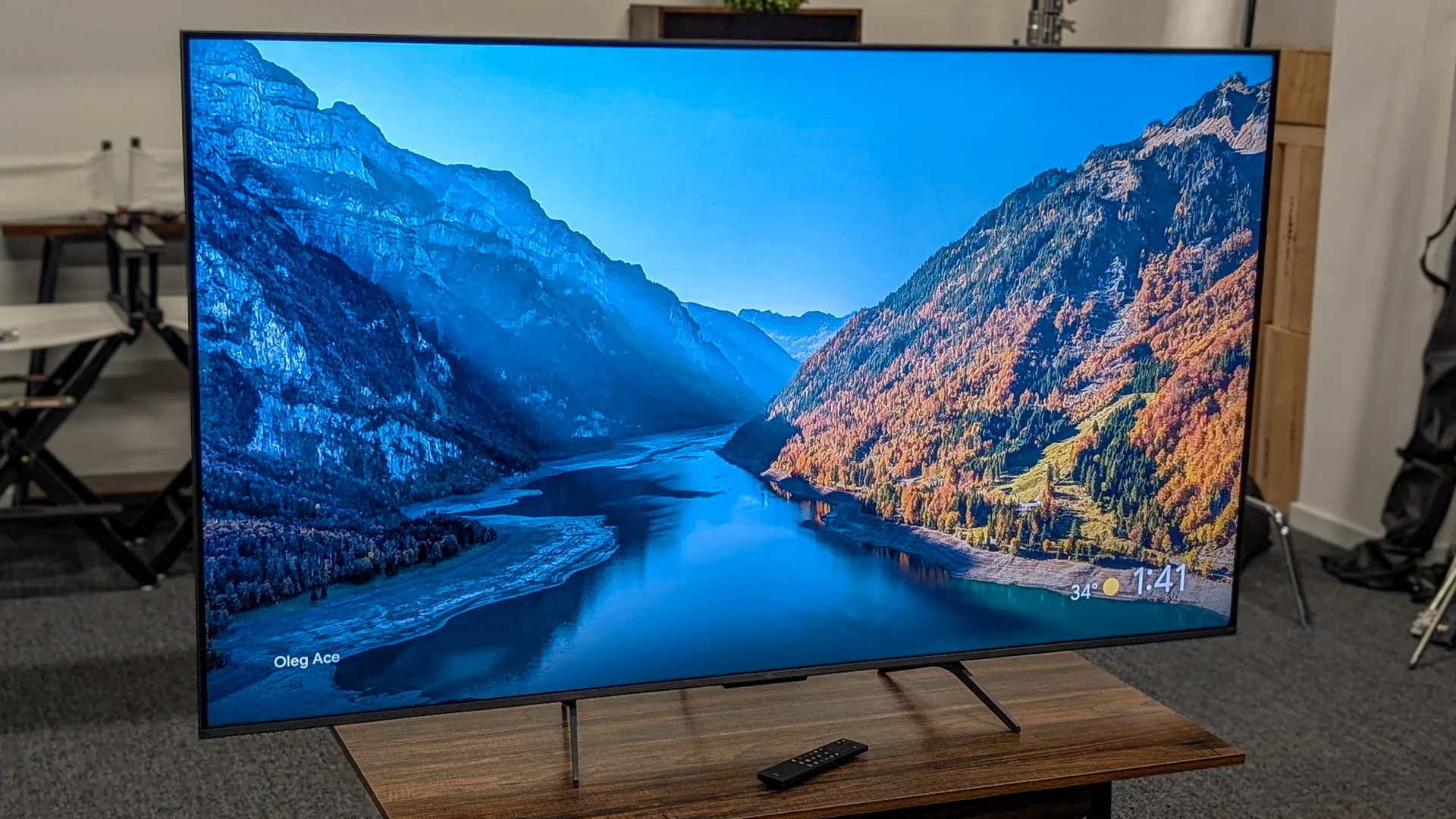
The Insignia F50 50-inch is the strongest all-purpose pick in the Best cheap tv category because it combines 4K UHD, HDR10, Fire TV, Alexa, three HDMI ports, and HDMI eARC. It is the television we would choose for a normal living room when the room can accommodate its width. The Insignia F50 43-inch keeps the same core strengths in a more manageable format.
For a different kind of upgrade, the Roku Select 55-inch QLED has the most ambitious display here, with 4K, QLED, HDR10, a frameless design, and Roku's easy interface. Smaller spaces are better served by the Roku Select 32-inch or the compact Roku Select 24-inch, while sports fans and casual gamers should give the Toshiba C350 43-inch a close look.
If you are undecided, choose the largest 4K screen your room can comfortably support, then pick Roku or Fire TV based on the interface your household already uses.
As an Amazon Associate we earn from qualifying purchases.