
College work rarely stays at a desk. A typical day can mean a video lecture, a dozen browser tabs, a presentation, a walk across campus, and a late-night paper, all on the same machine. The Best computers for college need to balance portability with enough memory and storage for the work students actually do.
This list includes six Windows or ChromeOS laptops, one MacBook, and three laptop backpacks. The backpacks cannot replace a computer, but they matter when your computer has to survive a full day of classes, commuting, and library work. For most students, the Apple MacBook Neo 13-inch is the strongest laptop here. The other picks cover Windows, ChromeOS, larger displays, long battery life, and practical campus carry.
Comparison table
| # | Product | Award | Type | Screen or capacity | Best for |
|---|---|---|---|---|---|
| 1 | Apple MacBook Neo 13-inch | Best overall | macOS laptop | 13-inch Liquid Retina, 512GB SSD | Students who want a compact, long-lasting Mac |
| 2 | HP 14-inch N150 Laptop | Best Windows laptop | Windows 11 laptop | 14-inch HD, 256GB SSD plus 128GB UFS | Everyday coursework and portability |
| 3 | HP Pavilion 15.6-inch Laptop | Best multitasking Windows laptop | Windows 11 laptop | 15.6-inch Full HD, 16GB RAM | Many tabs, documents, and video calls |
| 4 | HP 14-inch N150 Office Laptop | Best battery-focused laptop | Windows 11 laptop | 14-inch, 128GB UFS | Students moving between classes |
| 5 | NIAKUN 15.6-inch Windows Pro Laptop | Best large-screen starter laptop | Windows 11 Pro laptop | 15.6-inch Full HD IPS, 256GB SSD | A larger workspace for papers and media |
| 6 | Samsung Galaxy Chromebook Go | Best Chromebook | ChromeOS laptop | 14-inch, 64GB storage | Google-based schoolwork and web apps |
| 7 | MATEIN 15.6-inch Travel Backpack | Best general laptop backpack | Laptop backpack | Fits laptops up to 15.6 inches | Campus and air travel |
| 8 | LOVEVOOK 15.6-inch Backpack | Best organized backpack | Laptop backpack | 19 pockets, 40-ounce bottle holder | Students carrying lots of daily gear |
| 9 | MATEIN HER 17-inch Backpack | Best large-laptop backpack | Laptop backpack | Fits a 17-inch computer | Larger laptops, lunch, and commuting |
1. Apple MacBook Neo 13-inch: Best Overall

Pros
- Compact aluminum design
- Up to 16 hours of battery life
- 512GB SSD gives school files room to grow
- 1080p camera and Touch ID
- Strong fit for iPhone users
Cons
- macOS may not suit software tied to Windows
- Smaller display than the 15.6-inch laptops
- 8GB unified memory leaves less headroom for demanding workloads
Best for: students who want a polished, portable Mac for writing, research, presentations, and video calls.
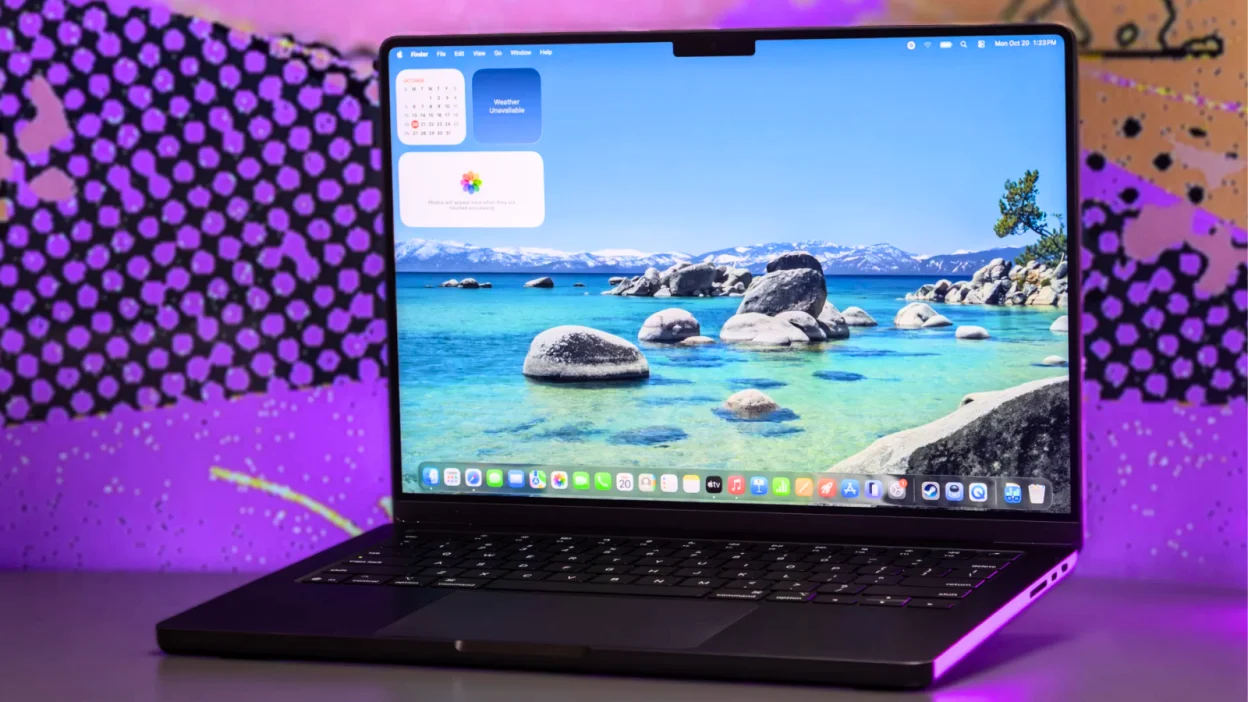
The MacBook Neo is the one that makes the least fuss about student life. Its 13-inch size slips easily into a campus bag, while the aluminum enclosure gives it a more substantial feel than the entry-level Windows machines here. At 2.71 pounds, it is not weightless, but it is easy to carry from a lecture hall to the library without turning the computer into a burden.
The A18 Pro chip is aimed at everyday assignments and Apple Intelligence features rather than workstation workloads. That is a sensible fit for writing papers, building presentations, browsing research, and joining class calls. Its Liquid Retina display supports 1 billion colors, which makes text and media look cleaner than the basic 1366 by 768 panel on the HP 14-inch N150 Laptop. The display is also 13 inches, so students who live in spreadsheets may prefer the broader workspace of the HP Pavilion 15.6-inch Laptop.
Battery life is the MacBook Neo's clearest advantage. Apple lists up to 16 hours, enough to make a full day of classes and study sessions less dependent on finding an outlet. The 512GB SSD is also the roomiest laptop storage in this group. Add the 1080p FaceTime HD camera, dual microphones, speakers, and Touch ID, and the machine feels ready for remote lectures and shared projects rather than merely capable of opening them.
The weakness is compatibility. Some departments require Windows-only applications, and macOS is not the right answer for every technical course. The 8GB unified memory is adequate for ordinary student work, but students planning heavy creative production or complex development workloads should look beyond this group. For anyone already using an iPhone, the continuity features make the MacBook Neo especially appealing. Our broader guide to choosing a computer around daily campus work can help if you are still deciding between operating systems.
2. HP 14-inch N150 Laptop: Best Windows Laptop

Pros
- Four-core Intel N150 processor
- 256GB SSD plus 128GB UFS storage
- Wi-Fi 6 and Bluetooth 5.4
- Privacy-shutter camera
- Portable 14-inch format
Cons
- HD resolution is modest
- Windows 11 Home is in S Mode
- 8GB RAM limits demanding multitasking
Best for: students who want a compact Windows laptop with useful ports and extra local storage.
The HP 14-inch N150 Laptop is the straightforward Windows pick. It has the familiar shape and software support many students expect, but remains compact enough for a narrow dorm desk or crowded lecture table. The 14-inch display is a practical middle ground, and the listed one-pound product weight makes it unusually easy to carry if that specification is accurate for the configuration.
Its Intel N150 processor has four cores and reaches up to 3.6GHz. That is appropriate for web browsing, document editing, online learning, and video streaming. The 8GB of DDR4 RAM should handle ordinary coursework, though keeping a large number of browser tabs open alongside several heavier applications will expose the limit sooner than it would on the HP Pavilion 15.6-inch Laptop with 16GB.
Storage is better thought out than the headline capacity suggests. A 256GB SSD handles the operating system and applications, while the additional 128GB UFS storage can hold documents, photos, and media. The 14-inch HD panel runs at 1366 by 768 and reaches 250 nits, with an anti-glare coating that should help in bright rooms. It is functional, but the Full HD displays on the NIAKUN and HP Pavilion are more comfortable for reading dense pages and fitting more content on screen.
Connectivity is a strong point. Wi-Fi 6, Bluetooth 5.4, one USB-C port, two USB-A ports, HDMI 1.4, and a headset jack cover the usual student accessories. The 720p camera includes a privacy shutter, and the dual microphones use noise reduction for calls. Windows 11 Home in S Mode is the catch because it can restrict software installation. Choose this HP for mainstream coursework and portability, not specialized applications that need unrestricted Windows.
3. HP Pavilion 15.6-inch Laptop: Best Multitasking Windows Laptop

Pros
- 16GB DDR4 RAM
- Full HD anti-glare display
- Wi-Fi 6 and Bluetooth 5.3
- Numeric keypad and privacy shutter
- USB-C, USB-A, HDMI, and audio ports
Cons
- Larger footprint than the 14-inch HP models
- Intel N100 is designed for everyday work
- The listed features contain conflicting SSD capacities
Best for: students who keep many browser tabs, documents, and video-call tools open together.
The HP Pavilion 15.6-inch Laptop is the practical choice when screen space and memory matter more than the smallest possible bag. Its 15.6-inch display gives papers, spreadsheets, and split-screen work more breathing room than the 13-inch MacBook Neo or 14-inch HP options. The anti-glare finish is useful for long sessions under overhead lighting.
The Intel N100 has four cores and reaches up to 3.4GHz. It is not a performance chip for demanding editing or advanced 3D work, but it is well matched to online classes, email, document editing, research, and light multitasking. The key specification is the 16GB of DDR4 RAM. That gives this HP more room than the 8GB machines when a student has a research portal, reference documents, messaging, and a video call open at once.
The display runs at 1920 by 1080, so text and application layouts have more usable space than on the HP 14-inch N150 Laptop's HD panel. There is also a numeric keypad, which students working with statistics or accounting may appreciate. USB-C, two USB-A ports, HDMI, and an audio jack make it easy to connect a monitor, drive, or classroom accessory. Wi-Fi 6 and Bluetooth 5.3 keep the wireless specification current.
One detail needs caution: the feature text mentions both a 256GB NVMe SSD and a 512GB PCIe NVMe SSD. The product information identifies the configuration as 256GB PCIe SSD, so buyers should verify the exact storage before ordering. At 3.64 pounds and 0.73 inches thick, it is still carryable, but it feels more like a desk-and-backpack computer than the MacBook Neo. Students who value open-tab multitasking and a spacious keyboard should choose it over the smaller HP models.
4. HP 14-inch N150 Office Laptop: Best Battery-Focused Laptop

Pros
- Up to 11 hours of battery life
- Wi-Fi 6 and HDMI output
- Microsoft 365 included for one year
- 14-inch portable frame
- 720p camera
Cons
- 128GB UFS storage is limited
- 8GB RAM is basic for multitasking
- Windows 11 Home is in S Mode
Best for: students who spend long stretches away from outlets and mainly use Office, browsers, and video calls.
The HP 14-inch N150 Office Laptop is built around mobility. It weighs 3.24 pounds, measures 0.71 inches thick, and lists up to 11 hours of battery life. Those figures make it a sensible companion for back-to-back lectures, especially for students who do not want to plan their day around charging stations.
The Intel N150 has four cores and can reach up to 3.6GHz. Paired with 8GB of RAM, it is suited to papers, browsing, online meetings, and ordinary Office work. A one-year Microsoft 365 subscription includes Word, Excel, and PowerPoint, which reduces the setup work for students whose coursework depends on those applications. Wi-Fi 6 and Bluetooth support help it fit into modern campus networks and accessory setups.
There is a useful HDMI 1.4 output alongside USB-C, making it possible to connect an external display for a dorm room or presentation. The 720p camera is ordinary rather than special, but it is enough for study groups and remote lectures. The main compromise is storage. The 128GB UFS drive leaves much less room than the HP 14-inch N150 Laptop's combined storage or the MacBook Neo's 512GB SSD.
Windows 11 Home in S Mode can also be restrictive if a course requires software outside its approved installation path. The machine is a better fit for cloud-based work and standard productivity than for large media libraries or specialized programs. Pick it when battery life and a manageable 14-inch frame matter more than display resolution and storage headroom.
5. NIAKUN 15.6-inch Windows Pro Laptop: Best Large-Screen Starter Laptop

Pros
- 15.6-inch 1920 by 1080 IPS display
- Windows 11 Pro
- 256GB SSD and 8GB RAM
- 180-degree hinge
- Mini HDMI and Micro TF card slot
Cons
- Listed battery life is up to 6 hours
- Intel Pentium processor is aimed at everyday tasks
- Heavier than the smaller laptop picks
Best for: students who want a large Full HD workspace and Windows Pro features for ordinary schoolwork.
The NIAKUN 15.6-inch Windows Pro Laptop gives students the largest conventional workspace among the main Windows laptops here. Its 1920 by 1080 IPS display is a better match for reading long documents, arranging two windows, and watching lectures than a low-resolution HD panel. The 180-degree hinge also lets the screen fold flat when sharing a page with a classmate.
An Intel Pentium processor and 8GB of RAM keep the intended workload clear. This is a machine for browser research, documents, presentations, video, and office tasks, not for heavy creative or technical software. The 256GB SSD should make startup and application loading feel more responsive than a system based entirely on slower storage.
The connection selection is useful for a student setup. There are two USB 3.0 ports, Mini HDMI, a headphone and microphone jack, and a Micro TF card slot. The integrated camera, microphone, and speakers cover video calls. Windows 11 Pro may also suit students who need its additional management and security options, though many will not use those features directly.
The NIAKUN lists up to six hours of mixed-use battery life, which is notably less than the HP 14-inch N150 Office Laptop or Samsung Galaxy Chromebook Go. At 3.53 pounds and 0.8 inches thick, it is portable but not especially light. It makes sense for students who prioritize a large Full HD screen and flexible hinge over all-day unplugged use.
6. Samsung Galaxy Chromebook Go: Best Chromebook

Pros
- ChromeOS is simple and secure
- Up to 12 hours of battery life
- Designed to work with Google apps
- Claimed military-tough construction
- Compact 14-inch design
Cons
- 4GB RAM limits multitasking
- 64GB storage is the smallest here
- ChromeOS cannot run every Windows application
Best for: students whose classes rely on Google Docs, web portals, Gmail, and browser-based tools.
The Samsung Galaxy Chromebook Go is the simplest laptop in this group to understand. ChromeOS puts the emphasis on web applications, Google services, and quick access to cloud files. For a student who writes in Docs, submits through a browser portal, checks Gmail, and streams lectures, that simplicity can be an advantage.
Its Intel Celeron N4500 processor and 4GB of RAM are modest. A few tabs and ordinary documents are fine, but large numbers of tabs or simultaneous applications will feel constrained sooner than on the HP Pavilion's 16GB system. The 64GB of storage is also limited, so this Samsung makes the most sense for a student who keeps most files in the cloud rather than storing large media collections locally.
Battery life is the bright spot. Samsung lists up to 12 hours, which gives it strong campus endurance and puts it ahead of the Windows laptops that list shorter runtimes. The machine is also described as slim, lightweight, and military tough, with a 14-inch format that stays manageable in a backpack. Its connection to a phone can make transferring files and controlling the phone more convenient.
The deciding question is software compatibility. ChromeOS is not a substitute for Windows when a department requires a Windows-only application, and the low memory ceiling makes heavy multitasking a poor fit. Students working primarily in Google's ecosystem should consider it carefully. Students in engineering, design, or other software-intensive programs should verify application requirements first.
7. MATEIN 15.6-inch Travel Backpack: Best General Laptop Backpack

Pros
- Laptop compartment fits up to 15.6 inches
- Multiple organizer pockets
- Luggage strap and hidden back pocket
- Padded back and shoulder straps
- Water-resistant polyester fabric
Cons
- Larger than a simple laptop sleeve
- Designed around 15.6-inch computers, not 17-inch models
- Water-resistant is not waterproof
Best for: students carrying a laptop, chargers, books, and travel essentials between campus and home.
The MATEIN 15.6-inch Travel Backpack is the most balanced carry option in this list. Its separate laptop compartment fits computers up to 15.6 inches, including the NIAKUN and HP Pavilion. A spacious main compartment handles everyday items, while the front organizer adds pockets for pens, cables, and smaller accessories.
Travel details make it more useful than a basic school bag. The listed dimensions are 18 by 12 by 7.8 inches, and the luggage strap slides over a suitcase handle. A hidden back pocket gives valuables a less obvious place to sit. The bag is also described as meeting common personal-item dimensions for Frontier travel, though airline rules can vary.
Comfort comes from a padded, ventilated back panel, adjustable padded shoulder straps, and a foam-padded top handle. The water-resistant polyester fabric and metal zippers should handle ordinary commuting conditions, but the material should not be treated as protection against heavy rain. The 1.56-pound listed weight keeps the bag from adding too much to the load.
Compared with the LOVEVOOK 15.6-inch Backpack, this MATEIN is more understated and travel-oriented. The LOVEVOOK offers more pockets and a large bottle holder, while the MATEIN has a simpler organization scheme that is easier to pack quickly. Choose this one for a conventional laptop backpack that can move from lecture halls to airports without changing roles.
8. LOVEVOOK 15.6-inch Backpack: Best Organized Backpack

Pros
- Fits a 15.6-inch laptop
- 19 pockets across two compartments
- Large 40-ounce tumbler holder
- Luggage pass-through strap
- Padded laptop sleeve and back
Cons
- Organization can become crowded
- Not designed for 17-inch computers
- Water-resistant fabric is not fully waterproof
Best for: students who carry a large bottle, laptop accessories, teaching or nursing supplies, and daily essentials.
The LOVEVOOK 15.6-inch Backpack is built for students who carry more than a computer. Its standout feature is the oversized side holder, which is designed for a 40-ounce tumbler. That is a small detail until a bottle is rolling around inside a main compartment or refusing to fit in a narrow side pocket.
The bag measures 12 by 16 by 7.5 inches and weighs 1.83 pounds. It has two compartments and 19 pockets, including a padded laptop sleeve, charger and pen pockets, and a hidden back pocket. The rectangular frame opening lets it stand on its own while you search for a document, which is more useful in a library or classroom than it sounds.
For travel, there is a luggage pass-through strap, and the product is described as suitable for use as a personal item. Foam padding in the shoulder straps and back is intended to reduce pressure during longer walks. The fabric is water-resistant and wear-resistant, so it should cope with light rain and spills, but it is not a dry bag.
The trade-off is density. Nineteen pockets can keep a load orderly, but they also encourage students to fill every available space. The MATEIN 15.6-inch Travel Backpack is a cleaner choice for a lighter, more traditional setup. Pick LOVEVOOK when bottle capacity and detailed organization matter more than a low-profile shape.
9. MATEIN HER 17-inch Backpack: Best Large-Laptop Backpack

Pros
- Padded sleeve fits a 17-inch computer
- Separate insulated lunch compartment
- TSA lay-flat design
- Chest buckle and padded S-shoulder straps
- Bottle pockets fit large containers
Cons
- Larger than the other backpack picks
- Lunch compartment uses space that some students may not need
- Pink finish will not suit every preference
Best for: students with a large laptop who also carry lunch, bottles, and commuting essentials.
The MATEIN HER 17-inch Backpack is the specialist option for students whose computers do not fit in a standard 15.6-inch bag. Its padded sleeve is designed for a 17-inch computer and includes a securing strap and corner cushioning. That makes it the natural partner for a larger laptop, rather than a bag that merely claims to hold one in the main compartment.
Its most distinctive feature is the insulated lunch pocket. The side-opening compartment separates food from books and electronics, which is convenient for students spending a full day on campus. The main compartment handles larger items, while a front organizer includes an RFID pocket, key leash, and multiple sections. Side pockets are designed for 40-ounce bottles.
Travel features include a luggage strap, a TSA lay-flat design, and dimensions of 18 by 14 by 8 inches. The padded S-shoulder straps, chest buckle, and sunglasses loop are aimed at all-day carrying. The listed weight is 1.6 pounds, and the tear-resistant Oxford fabric is intended to handle light rain and splashes.
The bag is larger than the MATEIN 15.6-inch Travel Backpack and less neutral than the LOVEVOOK. Students carrying a 13-inch MacBook Neo may find it unnecessarily roomy, while students with a large Windows laptop, lunch, and commuting gear will appreciate the extra capacity. It is the right choice when the computer size determines the bag, not the other way around.

How to choose best computers for college
The Best computers for college should match the software, screen, battery expectations, and carrying routine of the student using them.
Operating system
Windows offers the broadest compatibility with school portals, productivity software, and specialized applications. macOS is a strong fit for students already using Apple devices, while ChromeOS works best when nearly everything happens in a browser or Google's apps. Check course requirements before choosing a platform, especially for engineering, design, and technical programs.
Memory and processor
The processor affects how quickly the computer handles active work, while RAM affects how many things can stay open comfortably. The 8GB laptops here suit writing, browsing, and video calls. The HP Pavilion's 16GB gives it more breathing room for research-heavy multitasking. Entry-level processors are fine for everyday coursework, but they are not intended for demanding rendering or advanced gaming.
Display size and resolution
A 13-inch or 14-inch computer is easier to carry, while a 15.6-inch display gives papers, spreadsheets, and split-screen work more room. Full HD resolution is preferable for dense reading because it places more information on screen than 1366 by 768 HD. Anti-glare treatment helps in bright classrooms, though it cannot compensate for a display that is too small for the student's workflow.
Battery life
A long battery estimate matters most for students moving between lectures, libraries, and study spaces. The Samsung Galaxy Chromebook Go lists up to 12 hours, the HP 14-inch N150 Office Laptop lists up to 11 hours, and the MacBook Neo lists up to 16 hours. Actual runtime changes with brightness, applications, wireless use, and video playback, so treat these figures as directional.
The right student laptop is the one that meets the course software requirements before it wins on portability.
Storage and carrying setup
An SSD makes starting the computer and opening applications feel responsive. Capacity determines how much coursework, media, and local software can stay on the machine. Students with a 17-inch laptop should choose a compatible bag such as the MATEIN HER, while a 13-inch or 14-inch laptop can fit comfortably in smaller designs. For more advice on matching a laptop to a student's workload, focus first on the applications used every week.
Frequently asked questions
Is a MacBook good for college?
The Apple MacBook Neo is a strong fit for writing, research, presentations, video calls, and students who use iPhones. Its listed battery life reaches up to 16 hours, and its 512GB SSD gives it useful storage headroom. Check whether your course requires Windows-only software before buying.
Is 8GB of RAM enough for college?
8GB is sufficient for ordinary browsing, documents, email, streaming, and online classes. It becomes less comfortable when many browser tabs, large files, and several applications remain open together. The HP Pavilion's 16GB gives multitasking students more room.
Are Chromebooks suitable for college students?
A Chromebook works well when assignments use Google Docs, web portals, Gmail, and other browser-based services. The Samsung Galaxy Chromebook Go is less suitable for Windows-only applications and demanding local software. Verify your department's requirements before choosing ChromeOS.
How much storage should a college laptop have?
Storage needs depend on whether files live locally or in cloud services. The 64GB Samsung Chromebook Go is best for cloud-focused use, while the 128GB HP model requires more careful file management. A 256GB drive is more flexible, and the MacBook Neo's 512GB SSD gives the most room in this selection.
Is a 14-inch or 15.6-inch laptop better for college?
A 14-inch laptop is easier to carry through a full day of classes. A 15.6-inch model provides more room for split-screen work, spreadsheets, and long documents. Students who work mostly at a desk may prefer the larger HP Pavilion or NIAKUN, while frequent commuters may prefer one of the 14-inch options.
Do I need a laptop backpack for college?
A backpack protects the computer while giving chargers, notebooks, bottles, and other items their own places. The MATEIN 15.6-inch Travel Backpack suits most standard laptops, while the MATEIN HER is designed for computers up to 17 inches. A sleeve may be enough for students who already carry a separate school bag.
The bottom line
The Best computers for college start with the Apple MacBook Neo 13-inch for students who want excellent portability, long battery life, a sharp display, and a roomy SSD. The HP 14-inch N150 Laptop is the better Windows choice for everyday coursework, useful connectivity, and a compact format.
Choose the HP Pavilion 15.6-inch Laptop when multitasking and screen space matter most, or the Samsung Galaxy Chromebook Go when your work lives almost entirely in Google's web apps. For carrying gear, the MATEIN 15.6-inch Travel Backpack is the most adaptable option, while the MATEIN HER 17-inch Backpack makes sense for larger computers and full-day supplies.
If you are undecided, choose the operating system your courses require first, then select the lightest laptop that gives you enough memory and storage.
As an Amazon Associate we earn from qualifying purchases.