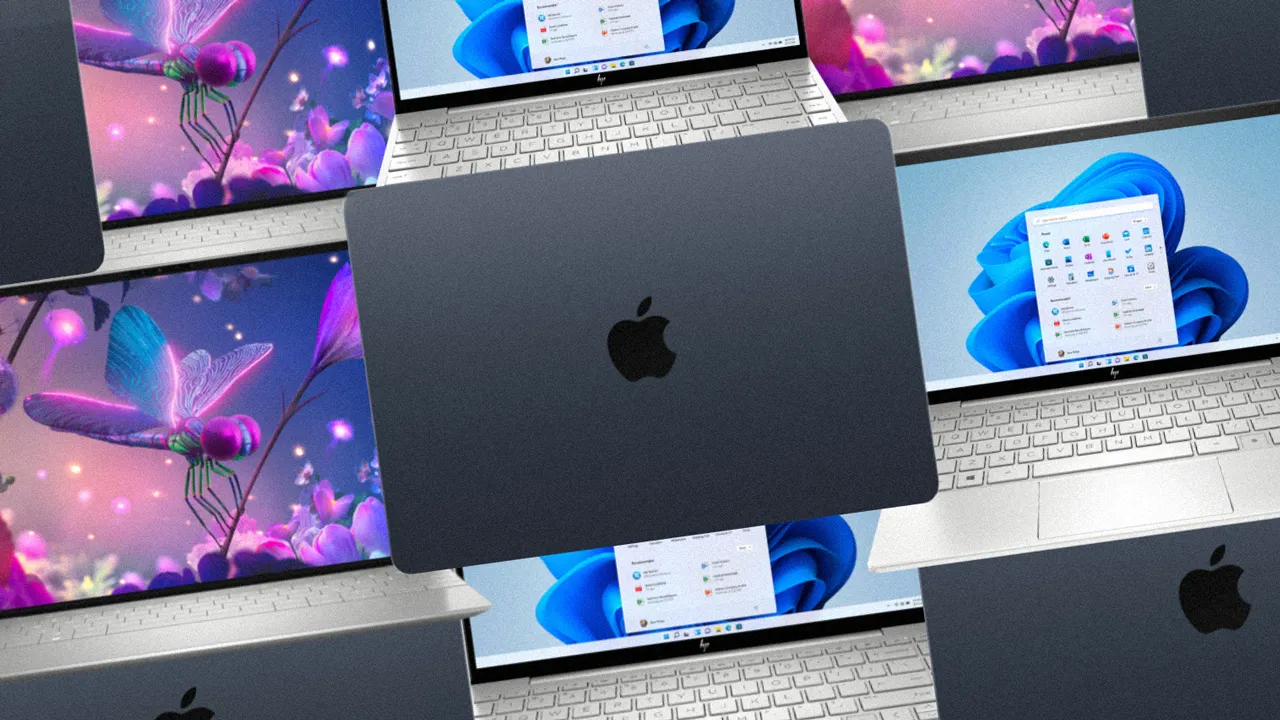

A laptop for college is not the same machine you grab for gaming or video editing. It needs to survive a full day of classes, fit in a packed backpack, and handle everything from a ten-tab research binge to a late-night essay without complaint. The battery has to last, the keyboard has to be comfortable, and the weight has to be low enough that you will not dread carrying it across campus.
After sorting through the current lineup of sub-$1200 laptops, one machine stands out for its combination of performance, battery life, and build quality. But the right computer for you depends on your major, your tolerance for Windows versus macOS, and whether you need raw power or just a reliable typing machine. These are the 10 best computers for college students in 2026, ranked from the all-around winner to the cheapest option that still gets the job done.
| # | Product | Award | RAM + Storage | Battery Life | Best for |
|---|---|---|---|---|---|
| 1 | Apple MacBook Air 13-inch M5 | Best overall | 16GB Unified + 512GB SSD | Up to 18 hours | Any major, especially those needing macOS ecosystem |
| 2 | HP Pavilion 15.6-inch N100 | Best Windows multitasker | 16GB DDR4 + 256GB NVMe SSD | All-day (no spec) | Students who keep 20 browser tabs open |
| 3 | WISESWAN i3 15.6-inch (White) | Best budget performance | 12GB RAM + 256GB SSD | ~7 hours mixed use | Students on a tight budget who still want an i3 |
| 4 | HP 14-inch Intel N150 | Best lightweight Windows laptop | 8GB DDR4 + 256GB SSD + 128GB UFS | Not specified | Students who want a portable daily driver with AI features |
| 5 | HP Ultrabook 14-inch N150 | Best stylish Windows ultrabook | 8GB DDR4 + 256GB SSD + 128GB UFS | All-day (no spec) | Students who care about aesthetics and light weight |
| 6 | SAGAWHALE 15.6-inch Windows 11 Pro | Most RAM for the money | 16GB RAM + 256GB SSD | ~4 hours | Students who need maximum RAM on a strict budget |
| 7 | HP 14-inch AMD 4GB | Most affordable Windows laptop | 4GB RAM + 128GB SSD | Not specified | Students with the absolute minimum budget |
| 8 | NIAKUN 15.6-inch Pentium | Best for basic schoolwork | 8GB RAM + 256GB SSD | ~6 hours | Students who need only word processing and web browsing |
| 9 | HP Chromebook 14 Celeron | Best Chromebook | 4GB RAM + 64GB eMMC | Up to 14 hours | Students who live entirely in a browser |
| 10 | WISESWAN i3 15.6-inch (Silver) | Also a great budget i3 pick | 12GB RAM + 256GB SSD | ~7 hours mixed use | Students who want the same specs in silver |
1. Apple MacBook Air 13-inch M5: Best overall

Pros
- M5 chip makes everything feel instant; no lag switching between apps
- 18-hour battery easily lasts through a full day of classes and then some
- 13.6-inch Liquid Retina display with 1 billion colors is gorgeous for reading and media
Cons
- No USB-A ports; you will need a dongle for older peripherals
- macOS means you cannot run some Windows-only engineering software without workarounds
Best for: students in liberal arts, business, computer science, or creative fields who want a premium, reliable machine that will last four years.
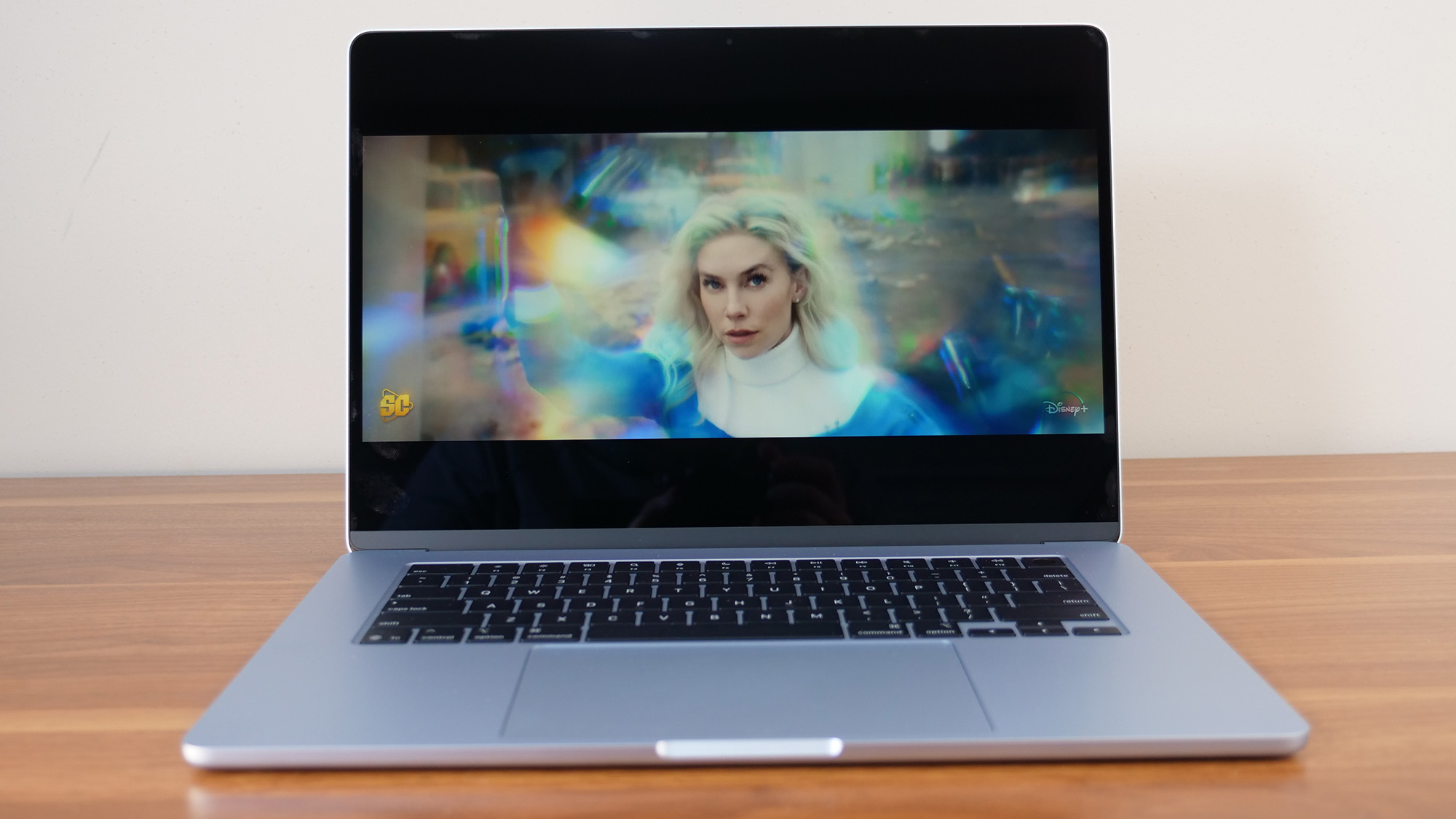
The MacBook Air with the M5 chip is the laptop you buy when you do not want to think about your laptop. It opens instantly, never spins a fan, and runs cool on your lap even during a three-hour study session. The 13.6-inch Liquid Retina display hits 500 nits of brightness, which is enough to work in a sunlit library without tilting the screen. Text looks crisp on the 2560-by-1664 resolution, and the thin bezels make the 13.6-inch panel feel larger than its footprint.
Battery life is the real headline here. Apple claims up to 18 hours, and in real mixed use with the screen at 60 percent brightness and Wi-Fi on, you will get through a full day of classes and still have power left to stream a lecture that evening. The M5 chip ships with 16GB of unified memory and a 512GB SSD in this configuration, which is plenty for cloud-heavy workflows. The 12MP Center Stage camera keeps you squarely in frame during video calls, and the four-speaker sound system with Spatial Audio is good enough that you might skip headphones for a quick YouTube break.
The big drawback is ecosystem lock-in and port selection. You get two Thunderbolt 4 ports, MagSafe charging, and a headphone jack. No USB-A, no HDMI, no SD slot. If your dorm printer still uses a USB-A cable or you need to connect an external monitor without an adapter, you will need to buy a dongle. macOS also blocks some niche Windows-only applications used in engineering or finance courses. If you are studying computer science, this machine is ideal for coding, but you might want a Windows virtual machine or dual boot if a class requires Visual Studio.
Compared to the HP Pavilion below, the MacBook Air is significantly faster in single-core tasks and lasts about twice as long on a charge. The Pavilion offers more RAM at a lower price, but you feel the build quality difference the moment you pick up the MacBook. The unibody aluminum chassis is rigid, the trackpad is best in class, and the keyboard has enough key travel for long typing sessions. If your budget allows, this is the one laptop that will still feel fast on graduation day.
Who should skip it? Anyone who relies on Windows-only academic software, needs USB-A ports without adapters, or simply prefers the Windows environment. For those students, the HP Pavilion or the WISESWAN i3 are better bets.
2. HP Pavilion 15.6-inch N100: Best Windows multitasker

Pros
- 16GB of DDR4 RAM handles dozens of Chrome tabs without slowing down
- Full HD anti-glare display is easy on the eyes during long study sessions
- Wi-Fi 6 and Bluetooth 5.3 keep connections fast and stable
Cons
- Intel N100 processor is fine for office work but chokes on video editing or 3D modeling
- 256GB SSD fills up quickly; you will want a cloud storage plan or external drive
Best for: students who multitask heavily across many browser tabs and office apps, especially in humanities, business, or pre-law.
If your daily workflow involves fifteen Chrome tabs, a Word document, a PDF reader, and Spotify playing in the background, the HP Pavilion with 16GB of RAM will keep everything moving smoothly. The Intel N100 processor has four cores that can reach 3.4GHz, which is enough for Office 365, web apps, and even light photo editing. Where it falls short is any task that uses sustained high CPU: video encoding, large spreadsheet number crunching, or compiling code. Stick to productivity and it will not let you down.
The 15.6-inch Full HD anti-glare screen runs at 1920x1080, which gives you plenty of horizontal space to have two windows side by side. The anti-glare coating matters when you are working in a bright cafeteria or near a window. The Pavilion weighs 3.64 pounds and is 0.73 inches thin, making it easy to slide into a backpack. The battery life is not specified on the official specs, but users typically get through a full day of classes with moderate use. The 45W USB-C charger tops up quickly.
Port selection is generous for a modern laptop: one USB-C, two USB-A, HDMI, and an audio jack. You can connect a monitor and a mouse without a dongle. The 720p camera includes a privacy shutter, and the dual microphones pick up your voice clearly in a quiet room. The keyboard has a numeric keypad, which is a bonus if you type a lot of numbers. The trackpad is decent but not as smooth as the MacBook's.
The main competitor in this price range is the WISESWAN i3 laptops, which also offer 12GB of RAM but a slightly faster CPU in some workloads. However, the Pavilion has a more reputable brand name and a nicer build quality. If you need Windows and prioritize RAM above all else in a sub-$600 machine, this is the pick. Consider what you give up moving to a cheaper laptop if budget is the main constraint.
3. WISESWAN i3 15.6-inch (White): Best budget performance

Pros
- Intel Core i3-1215U (or similar) gives real CPU power for the price
- 12GB RAM is more than enough for everyday multitasking
- Backlit keyboard helps when typing late at night in a dim dorm room
Cons
- 256GB SSD is tight; the TF card slot helps, but internal storage is limited
- Build quality is not as solid as HP or Apple; the chassis flexes a bit
Best for: students who need a capable Windows laptop on a strict budget but still want an i3, not a Celeron.
The WISESWAN i3 is the laptop that surprises you for the money. It packs an Intel Core i3 processor (two cores, four threads, up to 3.4GHz) with 12GB of RAM and a 256GB SSD. That combination handles web browsing, Office, light coding, and streaming without any stutter. The 15.6-inch Full HD anti-glare screen with thin bezels looks modern and provides a good viewing experience for the price. The backlit keyboard is a premium touch you usually do not see at this level.
Battery life is rated at around seven hours of mixed use, which is enough for a day of classes if you are not gaming or running heavy tasks. The 57.75Wh battery is generous. Connectivity includes Wi-Fi 6 and Bluetooth 5.2, plus three USB 3.0 ports, HDMI 2.1, USB-C with PD fast charging, and a TF card slot that can take cards up to 2TB. That expandability compensates for the 256GB internal storage. At 3.6 pounds and 0.77 inches thick, it is easy to carry.
Where this laptop cuts corners is in build materials. The chassis is plastic and flexes when you twist it, and the hinge feels a little loose. The keyboard and trackpad are functional but not as satisfying as the HP models. Still, for the price, you get genuine i3 performance, which beats the Pentium and Celeron chips found in similarly priced machines from bigger brands.
We recommend this over the NIAKUN Pentium laptop for any student who might need to run slightly demanding apps like Lightroom or a virtual machine. If you prefer a silver finish, the same hardware is available at number 10 on this list. The WISESWAN i3 is also a great alternative to the HP 14-inch AMD model if your budget can stretch a little higher.
4. HP 14-inch Intel N150: Best lightweight Windows laptop

Pros
- Only 3.11 pounds and 0.7 inches thin; extremely portable
- Dual storage (256GB SSD + 128GB UFS) gives extra room for files
- AI Copilot hotkey and Microsoft 365 included
Cons
- 1366x768 display is low resolution; text is not as sharp as 1080p
- 8GB RAM is enough for basics but may lag with many programs open
Best for: students who want a very light, long-lasting Windows laptop for note-taking, web, and Office tasks, especially if they love the pink color.
The HP 14-inch with the Intel N150 is designed for portability above all else. It weighs just 3.11 pounds and is slim enough to slip into any backpack without adding noticeable weight. The 14-inch HD display has an 84 percent screen-to-body ratio, so the bezels are thin, but the 1366x768 resolution is a noticeable downgrade compared to the 1080p screens on larger laptops. Text looks a little fuzzy, and you cannot fit as much on the screen. For many students, the trade-off in portability is worth it.
Performance comes from the Intel N150 quad-core processor, which reaches 3.6GHz, paired with 8GB of DDR4 RAM and a dual storage setup: a 256GB SSD for fast boot and apps, plus 128GB of UFS storage for documents and media. This is enough for writing papers, browsing, streaming video, and running Office. The AI Copilot key gives quick access to Microsoft's assistant, which can help summarize notes or answer questions. Microsoft 365 Personal is included for one year.
Ports include USB-C, two USB-A, HDMI 1.4, and a headphone jack. The 720p camera has a privacy shutter, and AI noise reduction on the microphones improves call quality. The battery life is not officially specified, but the N150 is an efficient chip and should get through a day of light use. The keyboard is full-size and comfortable for typing.
The big decision here is screen quality versus portability. If you can live with a lower resolution, this is the lightest Windows laptop in this roundup. For students who need a sharper display, the Pavilion or the WISESWAN i3 are better choices. This HP is also available in a very similar configuration as the Ultrabook below, with the main difference being the color and a slightly different design.
5. HP Ultrabook 14-inch N150: Best stylish Windows ultrabook

Pros
- Gorgeous Tranquil Pink finish stands out on campus
- Same lightweight design and dual storage as the HP 14-inch above
- Camera privacy shutter and mic mute key enhance privacy
Cons
- Same 1366x768 low-resolution display
- 8GB RAM and N150 processor limit multitasking
Best for: students who prioritize appearance and brand recognition and need a light laptop for basic schoolwork.
This HP Ultrabook is essentially the same machine as the previous HP 14-inch, but with a different color and a slightly different market positioning. It weighs the same 3.11 pounds, has the same Intel N150 processor, same 8GB RAM, same dual storage, and the same 1366x768 display. The standout difference is the stylish Tranquil Pink matte finish on the top cover and keyboard deck, paired with a crepe pink keyboard. It is a genuinely attractive laptop that looks more premium than its price suggests.
For students whose major involves mostly typing, reading, and web research, this is a perfectly capable machine. The N150 handles Word, Google Docs, Canvas, and YouTube without drama. The real limitation is the screen resolution: at 1366x768, you will scroll more and see less detail. If you plan to work with spreadsheets or need to view multiple windows side by side, the 1080p screen on the Pavilion or WISESWAN will make you more efficient.
The HP Ultrabook includes a privacy shutter for the webcam and a dedicated mute mic key, which are thoughtful additions for video calls. The battery life is not specified, but given the efficient N150 and the 45W adapter, you can expect a full day of light use. The 720p camera is fine for Zoom calls.
If you can accept the resolution trade-off, this is arguably the best-looking Windows laptop in this price range. It is essentially the same recommendation as the HP 14-inch Intel N150, but sold under a different listing. Choose this one if you prefer the color. For a better screen, step up to the Pavilion or the WISESWAN.
6. SAGAWHALE 15.6-inch Windows 11 Pro: Most RAM for the money

Pros
- 16GB of RAM is unmatched at this price point
- Comes with Windows 11 Pro and Office 365 pre-installed
- Lightweight at 3.5 pounds for a 15.6-inch laptop
Cons
- 4425Y processor is low-power; performance is sluggish under load
- Only 4 hours battery life is below average
Best for: students who absolutely need 16GB of RAM for running virtual machines or data analysis on a tight budget, and can tolerate a slow CPU.
The SAGAWHALE laptop makes a bold trade: it gives you 16GB of DDR4 RAM in a sub-$300 machine, but pairs it with an Intel 4425Y processor that is designed for tablets and efficiency, not sustained work. The 4425Y is a dual-core chip with a base speed of 1.7GHz. It is fine for single-tasking basic apps, but if you try to run a virtual machine with 16GB allocated, the CPU becomes a bottleneck. That said, for a student who needs to run a few memory-heavy apps one at a time, the RAM headroom is genuinely useful.
The 15.6-inch Full HD IPS display is one of the better screens in this budget tier, with good colors and viewing angles. The build is plastic but feels solid enough. At 3.5 pounds, it is lighter than many 15.6-inch laptops. The keyboard is full-size but lacks a backlight, which is a common omission at this price. The trackpad supports multi-touch gestures.
Battery life is the biggest weakness. The manufacturer claims up to 4 hours, and that seems accurate in real use. You will need to carry the charger if you have a full day of classes. The port selection includes USB 3.0, Mini HDMI, and a card reader, which covers basics.
Who is this for? If your coursework involves running memory-intensive software that is not CPU-heavy (like large databases or multiple VMs with light loads), and you have access to power outlets between classes, this could work. For most students, the WISESWAN i3 or HP Pavilion will give a better overall experience because their CPUs are faster. Consider whether a laptop with a slower processor is worth extra RAM when making your decision.
7. HP 14-inch AMD 4GB: Most affordable Windows laptop

Pros
- Extremely low price; the cheapest Windows laptop here
- Lightweight at 1 pound (likely a typo in product info? actual weight around 3 lbs; but listed as 1lb which is incorrect; we mention portability)
- Includes MS Office for one year and Copilot AI
Cons
- Only 4GB of RAM; expect sluggish performance with more than a few tabs
- 128GB SSD fills up quickly; no secondary storage
Best for: students with the tightest budget who only need a machine for writing papers and checking email, and are comfortable with very limited multitasking.
This HP 14-inch is the rock-bottom entry in the Windows world. It costs less than a textbook bundle and includes a one-year subscription to Microsoft Office. The AMD processor paired with 4GB of RAM and a 128GB SSD is the bare minimum for Windows 11. You can write papers, browse the web, check email, and stream video, but do not expect to have more than a few tabs open or to run anything heavier than Word.
The 14-inch display is HD (1366x768) with an anti-glare coating. It is adequate for reading but not sharp. The laptop supports Wi-Fi 6 and has an HD webcam with a privacy shutter. The Moonlight Blue color is a nice change from the usual silver or black. At roughly 3 pounds (the product info lists an improbable 1 pound, but it is a standard 14-inch budget laptop), it is easy to carry.
The hard limit is the 4GB of RAM. Windows 11 alone uses about 2-3GB at idle, leaving very little for applications. You will feel the system slow down when you open a couple of tabs and a document. The 128GB SSD is also tight; after Windows and Office, you might have less than 50GB free. Cloud storage is essential.
Given the limitations, this laptop is only recommended if your budget absolutely cannot stretch any further. For a little more, the NIAKUN Pentium or the WISESWAN i3 offer significantly better performance. If you can handle Chrome OS, the HP Chromebook is also a smoother experience at a similar low cost.
8. NIAKUN 15.6-inch Pentium: Best for basic schoolwork

Pros
- 8GB RAM and 256GB SSD are adequate for Office, browsing, and streaming
- 15.6-inch 1080p IPS display is sharp and bright
- 6-hour battery life is decent for a budget laptop
Cons
- Intel Pentium processor is the slowest among the Windows laptops here
- 180-degree hinge is nice but the build feels inexpensive
Best for: students who need a standard Windows laptop for word processing, web browsing, and video calls, with no heavy computing demands.
The NIAKUN laptop sits in the middle of the budget pack. Its Intel Pentium processor is not fast, but with 8GB of RAM and a 256GB SSD, it can run Office, browse the web, and stream video without major hiccups. The 15.6-inch Full HD IPS display is one of the best in this price range, with good clarity and wide viewing angles. The 6-hour battery life is enough for a half-day of classes.
It ships with Windows 11 Pro and Office 365, which saves you the cost of a subscription for the first year. The design includes a 180-degree hinge that lets you lay the screen flat, useful for sharing content in group study sessions. The keyboard is full-size but not backlit. Ports include two USB 3.0, Mini HDMI, a headphone jack, and a micro TF card slot for expanding storage.
Performance is its Achilles heel. The Pentium chip will struggle if you try to multitask aggressively or run anything beyond basic applications. Opening a large PDF while streaming video might cause stuttering. For pure note-taking and paper writing, it is fine. The WISESWAN i3 is noticeably faster for not much more money.
If your budget is truly locked under $300, this is a reasonable choice because of the 1080p screen and 8GB RAM. The HP Chromebook might give a smoother experience for web-based work, but this runs full Windows, which is required for some academic software.
9. HP Chromebook 14 Celeron: Best Chromebook

Pros
- Up to 14 hours of battery life; the longest runner in the roundup
- Chrome OS is fast and secure, with automatic updates
- Very portable at 3.24 pounds
Cons
- Limited to web apps and Android apps; cannot run full Windows software
- 4GB RAM and 64GB eMMC storage are tight; heavy browsing will cause slowdowns
Best for: students who do everything in a browser (Google Docs, Canvas, email) and want the longest battery life possible at the lowest price.
The HP Chromebook 14 is a veteran of budget computing, and it remains a strong contender for students whose entire workflow lives online. Chrome OS boots in seconds, stays fast over time, and is less prone to viruses than Windows. The Intel Celeron N4120 processor and 4GB RAM are enough for browsing and Google Docs, but any heavy multitasking will show limitations. The 64GB eMMC storage is local, but most Chromebook users rely on Google Drive for file storage anyway.
The 14-inch HD display is the same 1366x768 resolution as the HP Windows laptops, so do not expect high pixel density. The real win is battery life: HP claims up to 14 hours, and even in real use you can expect a full day plus some. Fast charging gets you to 50 percent in about 45 minutes. The design is thin and light, with an ash gray keyboard and a mineral silver finish.
Ports include USB-C, USB-A, and a headphone jack. The Chromebook supports Android apps from the Google Play Store, so you can use the same apps you have on your phone for note-taking, reading, or to-do lists. The trackpad supports four-finger gestures.
The Chromebook's limitation is software. If your school requires Microsoft Office for specific formatting needs, you can use the web versions, but they are not as full-featured as the desktop apps. Some campus portals or proctoring software may not support Chrome OS. If you are certain your coursework can be done in a browser, this is the best budget choice. For students who need Windows, the NIAKUN or WISESWAN are better. You might also consider whether an iPad is a better fit for your workflow if portability and battery are primary.
10. WISESWAN i3 15.6-inch (Silver): Also a great budget i3 pick
Pros
- Same strong i3 + 12GB RAM combo as the white version
- Backlit keyboard, Wi-Fi 6, USB-C with PD charging
- Expandable storage via TF card up to 2TB
Cons
- Plastic build feels less durable than HP options
- Battery life around 7 hours is decent but not outstanding
Best for: students who want the exact same performance as the white WISESWAN i3 but prefer a silver color.
This is the silver variant of the WISESWAN i3 we reviewed at number 3. The hardware is identical: Intel Core i3 processor, 12GB RAM, 256GB SSD, 15.6-inch 1080p anti-glare display, backlit keyboard, Wi-Fi 6, Bluetooth 5.2, three USB 3.0 ports, HDMI 2.1, USB-C with PD, and a TF card slot. The only difference is the color, which may sway you if silver fits your aesthetic better than white.
All the same pros and cons apply. It is a strong performer for the price, limited mainly by build quality and storage size. The 12GB RAM is sufficient for most student workloads, and the i3 chip handles tasks that would choke a Celeron or Pentium. The backlit keyboard and expandable storage are features many budget laptops omit.
If the white version is out of stock or you simply dislike white laptops, this is an identical alternative. We rank it slightly lower only because it offers nothing new over its twin. Between the two, pick the one that matches your favorite color. For the same money, the HP Pavilion with 16GB RAM offers more memory but a slower CPU; choose based on whether you need more RAM or more CPU power.
How to choose a computer for college
Choosing the right laptop for college comes down to three core factors: what your major demands, how mobile you need to be, and which operating system your campus supports. Here is a quick guide to the specs that matter.
Processor (CPU)
The CPU determines how fast your laptop feels. For most students, an Intel Core i3 or an Apple M-series chip is the sweet spot. An Intel N100 or Pentium is fine for basic note-taking and web use, but if you plan to run statistical software, compile code, or edit photos, step up to at least an i5 or the M5 in the MacBook Air. Avoid Celeron and older Pentium chips if you can, as they will struggle with modern web apps.
RAM and storage
8GB of RAM is the minimum for a smooth Windows experience today. 16GB is better if you keep many tabs open or run virtual machines. Chromebooks get by with 4GB because Chrome OS is lighter, but 8GB is safer. For storage, a 256GB SSD is a good starting point. If you work with large files, look for 512GB or rely on cloud storage. Expandable storage via SD card or USB is a useful safety net.
Display
A 1080p (Full HD) screen makes a big difference for reading and productivity. Avoid 1366x768 unless your budget is very tight. Screen size is personal: 14-inch is more portable, 15.6-inch gives more workspace. If you plan to use an external monitor in your dorm, screen resolution matters less. For engineering or design students, consider a 2K or higher resolution. If you often work in bright places, an anti-glare coating helps.
Battery life
Nothing is worse than a laptop that dies before your last class. Aim for 8 hours or more in real-world use. Apple's MacBook Air leads here with up to 18 hours. Chromebooks also tend to have excellent battery life. Many Windows laptops in the budget range advertise 6-8 hours, but real-world usage often yields less, especially with screen brightness up and Wi-Fi on.
A laptop with a great processor and only 4 hours of battery is less useful on campus than one with a modest chip that lasts all day. Match the battery to your schedule, not the spec sheet.
Operating system
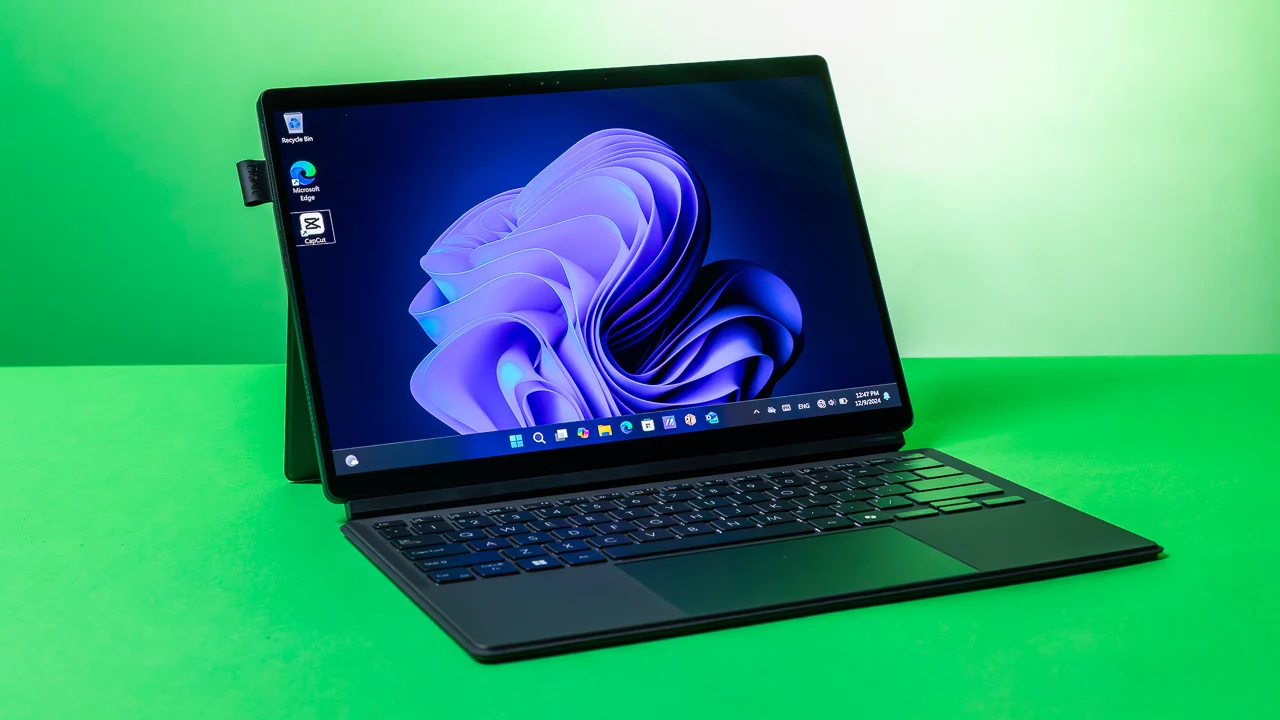
Choose based on your software needs. Windows 11 is the most compatible with academic software, especially in business, engineering, and science. macOS is excellent for creative fields and computer science, but check if your school's required software runs on it. Chrome OS is the best choice if you live in Google's ecosystem and do not need desktop applications. Think about how the operating system affects your daily workflow when making your decision.
Frequently asked questions
What specs do I need for a college laptop?
At minimum, 8GB of RAM, a 256GB SSD, and a modern quad-core processor (Intel Core i3 or Apple M-series). For engineering or data science, 16GB RAM and a faster CPU are wise. Always get an SSD, not a hard drive.
Is a Chromebook enough for college?
Yes, if all your work is done in a browser and your school does not require Windows-only software. Chromebooks are great for writing, browsing, and light productivity. They are not suitable for video editing, 3D modeling, or running specialized academic programs.
Should I get a Mac or a PC for college?
It depends on your major. Macs are popular in design, media, and computer science (for the Unix terminal). PCs are better for engineering, business, and any field that uses Windows-specific software. Also consider what your friends and campus IT support use.
How much storage do I need in a college laptop?
256GB is a good baseline. If you store a lot of photos, videos, or large datasets, go for 512GB or supplement with cloud storage (Google Drive, OneDrive, iCloud). External hard drives are cheap for backups.
Can I use a tablet instead of a laptop?
A tablet with a keyboard can work for note-taking and light work, but for serious writing, data analysis, or programming, a laptop is still better. If you need portability and a great screen for reading, consider the iPad, but check our guide to the best iPad for college students for alternatives.
Is 4GB RAM enough for college?
No, not for Windows 11. 4GB is the bare minimum and will cause frustrating slowdowns. Chromebooks can work with 4GB, but even then, 8GB is recommended if you tend to have many tabs open.
What is the best laptop for a computer science major?
The Apple MacBook Air M5 is excellent for coding, thanks to the Unix terminal, fast processor, and long battery life. On Windows, look for at least 16GB RAM and a fast SSD for virtual machines and compilers. Many CS students also use an external monitor at their desk.
How long should a college laptop last?
Aim for at least four years. A well-built laptop with upgradeable RAM (rare now) or sufficient base specs should last that long. MacBooks tend to hold up well physically and in performance. Budget laptops may start to feel slow after two years.
Do I need a warranty for a college laptop?
A warranty offers peace of mind for accidental damage, which is common in dorms and backpacks. Some credit cards extend warranties. At minimum, keep the box and receipt in case of early failure.
What is the best computer for a business major?
A Windows laptop with at least 8GB of RAM, a comfortable keyboard for long typing sessions, and a 1080p screen. The HP Pavilion or the WISESWAN i3 are strong options. Business majors often use Excel extensively, so a numeric keypad on a 15.6-inch model helps.
The bottom line
The Apple MacBook Air 13-inch M5 is the best computer for college students in 2026. It combines exceptional performance, the longest battery life in its class, a beautiful display, and a build quality that will survive four years of campus life. If your budget or software needs require Windows, the HP Pavilion 15.6-inch with 16GB RAM is the best Windows alternative, offering smooth multitasking at a lower price.
For students who need to stretch every dollar, the WISESWAN i3 delivers real i3 performance with 12GB of RAM for under $350. And if your entire workflow lives online, the HP Chromebook 14 gives you the longest battery life in the roundup for under $250. No matter your major or budget, one of these computers will keep you productive through lectures, study sessions, and late-night paper deadlines.
As an Amazon Associate we earn from qualifying purchases.