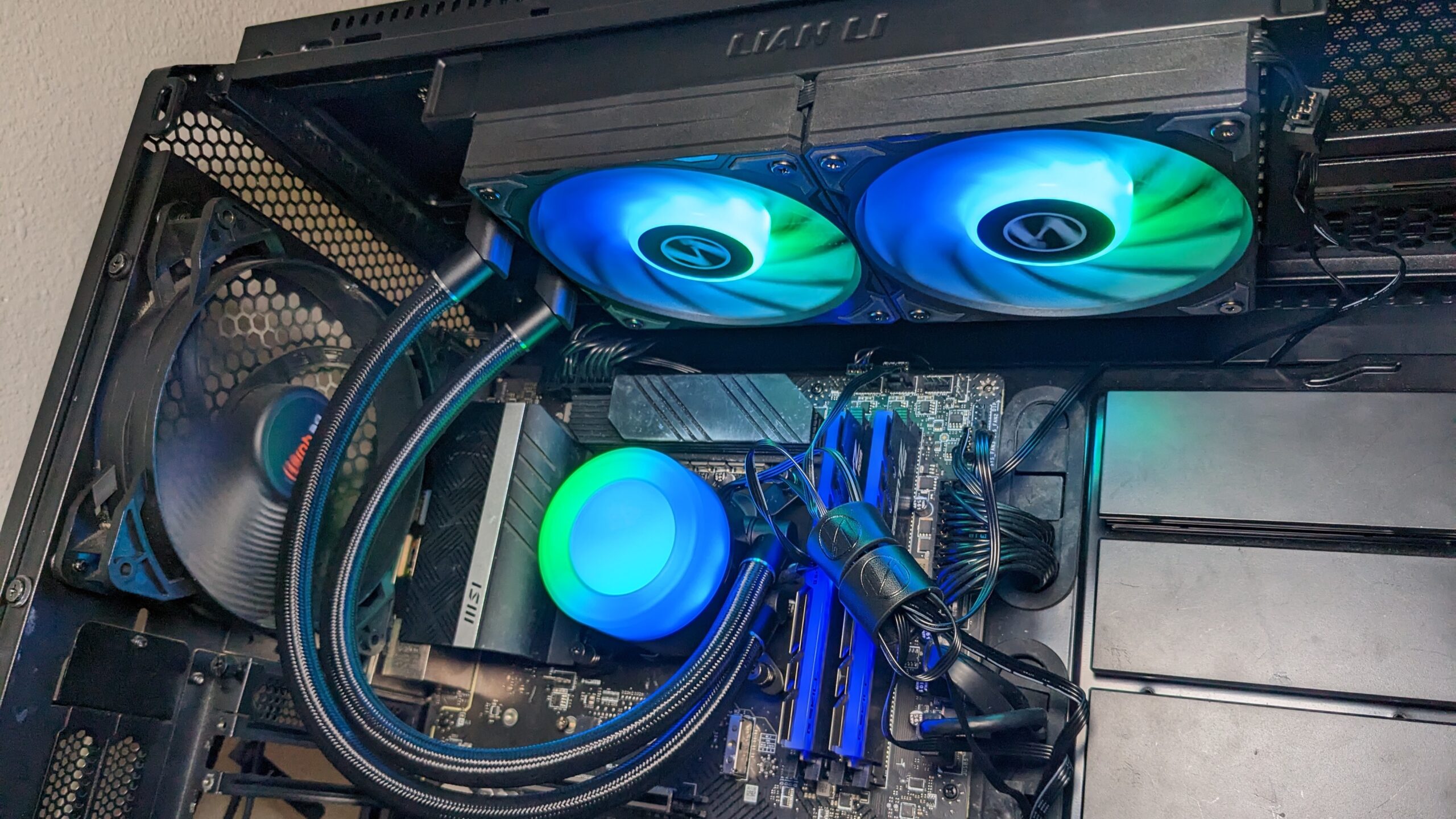

A hot gaming CPU can throttle at the worst possible moment, while an oversized cooler can collide with your memory, side panel, or graphics card. The right cooler has to match the processor, case, socket, and noise tolerance, not just promise impressive heat dissipation.
Our Best CPU cooler for gaming picks cover compact single-tower air coolers, large dual-tower designs, and 360mm liquid coolers. The Thermalright Peerless Assassin 120 SE is the best all-around choice, with the ARCTIC and Corsair models making sense for builders who have room for a large radiator.
Comparison table
| # | Product | Award | Cooling design | Fans | Compatibility | Best for |
|---|---|---|---|---|---|---|
| 1 | Thermalright Peerless Assassin 120 SE | Best overall | Dual tower, 6 heat pipes | 2 x 120mm PWM | AM4, AM5, LGA 115X, 1200, 1700, 1851 | Most gaming PCs |
| 2 | Thermalright Assassin X120 Refined SE | Best compact air cooler | Single tower, 4 heat pipes | 1 x 120mm PWM | AM4, AM5, LGA 1150, 1151, 1155, 1156, 1200, 1700, 1851 | Smaller cases |
| 3 | ARCTIC Liquid Freezer III Pro 360 | Best liquid cooler | 360mm AIO | 3 x 120mm P12 Pro | Intel LGA 1700, 1851, AMD platforms | High-load CPUs |
| 4 | Cooler Master Hyper 212 Spectrum V3 | Best RGB air cooler | Single tower, 4 heat pipes | 1 x 120mm PWM | AM5, LGA 1700, LGA 1851 | Straightforward RGB builds |
| 5 | Rangale TUF Laptop Cooling Fan | Best laptop replacement | Replacement CPU and GPU fans | Pair of replacement fans | Select Asus TUF Gaming models | Asus TUF laptop repairs |
| 6 | ARCTIC Liquid Freezer III Pro 360 A-RGB | Best RGB liquid cooler | 360mm AIO | 3 x 120mm P12 Pro | Intel LGA 1700, 1851, AMD platforms | High-performance RGB builds |
| 7 | CORSAIR Nautilus 360 RS ARGB | Best cable-conscious AIO | 360mm AIO | 3 x RS120 ARGB | Intel LGA 1700, 1851, AMD AM4, AM5 | Clean, low-clutter builds |
| 8 | Thermalright Peerless Assassin 120 SE ARGB | Best RGB dual tower | Dual tower, 6 heat pipes | 2 x 120mm PWM | AM4, AM5, LGA 115X, 1200, 1700, 1851 | Air-cooled RGB systems |
1. Thermalright Peerless Assassin 120 SE: Best Overall

Pros
- Six heat pipes and a dual-tower heatsink
- Two 120mm PWM fans included
- Broad AMD and Intel socket support
- Fan noise is listed at no more than 25.6dB(A)
Cons
- Large 155mm height can limit case compatibility
- No integrated RGB lighting
- AMD installation uses the motherboard's original backplate
Best for: gamers who want strong air cooling without moving to a liquid system.
The Thermalright Peerless Assassin 120 SE is the cooler we'd put in the widest range of gaming builds. Its dual-tower layout gives it a serious amount of fin area without introducing a pump, radiator, or liquid-filled tubing. That makes the ownership experience simple: mount it, connect the two fans to PWM control, and let the motherboard adjust airflow as the CPU load changes.
The hardware is substantial. Six 6mm copper heat pipes run through the aluminum heatsink, and Thermalright uses its AGHP design to address the effect of cooler orientation. Two TL-C12C fans move up to 66.17 CFM each, with a rated speed of 1, 550 RPM plus or minus 10 percent. The listed noise ceiling is 25.6dB(A), so the cooler has room to move air under a gaming load without relying on extreme fan speeds all the time.
Its dimensions are the main thing to check before ordering. At 125mm long, 135mm wide, and 155mm high, it is not a small cooler, even though the front fan layout leaves room for memory modules. The metal mounting hardware supports AM4, AM5, Intel LGA 115X, LGA 1200, LGA 1700, and LGA 1851. On AMD systems, the original motherboard backplate is required because it is not included.
Compared with the Thermalright Assassin X120 Refined SE, this model has the extra tower, two additional heat pipes, and a second fan, making it the better fit for processors that run hard during long gaming sessions. The ARCTIC Liquid Freezer III Pro 360 can offer a stronger path for sustained high-load work, but it requires a case with a suitable 360mm radiator position and adds pump hardware to the build.
The weakness is physical clearance. A 155mm-tall cooler can meet the side panel in a compact case, and the dual-tower shape deserves a careful look at motherboard and memory spacing. Skip it if your case is narrow or if you specifically want lighting. For a conventional gaming desktop with enough room, though, this is the Best CPU cooler for gaming in this group because it balances cooling hardware, socket coverage, and uncomplicated maintenance.
2. Thermalright Assassin X120 Refined SE: Best Compact Air Cooler

Pros
- Compact single-tower design
- Four 6mm heat pipes
- 148mm height suits more mid-sized cases
- AM4, AM5, and current Intel support
Cons
- One fan and one tower provide less cooling headroom
- No RGB lighting
- Not intended for the most demanding sustained loads
Best for: a mainstream gaming PC where case clearance matters more than maximum cooling capacity.
The Thermalright Assassin X120 Refined SE is the sensible answer when a full dual-tower cooler feels like too much hardware. It uses a conventional single tower and one 120mm fan, so it is easier to place around memory and less likely to dominate the upper half of a compact gaming case. The aluminum heatsink is still a proper tower cooler rather than a low-profile design.
Four 6mm heat pipes carry heat into the fin stack, and the TL-C12C PWM fan is rated at up to 1, 550 RPM plus or minus 10 percent. It can move up to 66.17 CFM, with a listed noise level of no more than 25.6dB(A). Those numbers describe a cooler that can respond to changing game loads while keeping the fan under motherboard control instead of running at one fixed speed.
The 148mm height is the useful detail here. The cooler measures 125mm long and 71mm wide, with a listed weight of 1.42 pounds. It supports Intel sockets from LGA 1150 through LGA 1851, including LGA 1151, 1155, 1200, and 1700, as well as AMD AM4 and AM5. That broad mounting support makes it a practical replacement for a stock cooler across several generations of systems.
The Cooler Master Hyper 212 Spectrum V3 is the closest alternative in this list. Both use a single tower, four heat pipes, and one 120mm fan, but the Cooler Master adds ARGB lighting and a higher stated fan range of 650 to 1, 750 RPM. The Assassin X120 Refined SE is the quieter-looking, less decorative choice on paper, while the Peerless Assassin 120 SE is the clear step up when the CPU needs more thermal headroom.
Do not choose this one for a build where the processor will spend long periods at maximum power or where overclocking is central. Its single-tower design simply has less surface area than Thermalright's larger model. It is a better match for a restrained gaming system, a medium-sized case, or anyone who wants an uncomplicated cooler that does not crowd the motherboard.
3. ARCTIC Liquid Freezer III Pro 360: Best Liquid Cooler

Pros
- 360mm radiator with three P12 Pro fans
- Native offset mounting for Intel and AMD
- Integrated VRM fan
- Fan cables are integrated into the hose sheathing
Cons
- Requires a case with 360mm radiator support
- Larger and more involved than an air cooler
- No RGB lighting listed
Best for: powerful gaming systems that can accommodate a large radiator and need sustained cooling capacity.
The ARCTIC Liquid Freezer III Pro 360 is built for the enthusiast who has already chosen a case with space for a large radiator. It replaces the compact simplicity of an air cooler with a 360mm water-cooling loop, three 120mm fans, and several details intended to improve contact around the CPU socket. It is a serious option for gaming systems that also run demanding creative or productivity workloads.
ARCTIC's P12 Pro fans are designed to provide more power across their speed range, with a higher maximum speed for heavy loads and stronger low-speed performance than the company's standard P12 design. The radiator is 15.7 inches long, 4.7 inches wide, and 2.9 inches high in the listed product dimensions. That is a substantial installation footprint, so radiator placement and clearance should be checked before the cooler goes into the case.
The cold plate uses native offset mounting for Intel and AMD processors, shifting the contact area toward the CPU hotspot. On Intel LGA 1851 and LGA 1700 systems, the included contact frame is designed to distribute mounting pressure more evenly. There is also a PWM-controlled VRM fan on the pump area, which can send airflow across the voltage converters around the socket rather than cooling only the processor.
Cable management is a genuine advantage. The radiator fan PWM cables are integrated into the hose sheathing, leaving one visible connection to the motherboard. That is cleaner than routing three separate fan leads across the top of the board. The cooler is listed at 4.45 pounds, so the radiator and tubing are not a minor addition to the system, but the layout keeps much of that hardware at the case edge.
The black model is more understated than the ARGB version, while the CORSAIR Nautilus 360 RS ARGB offers lighting and a different approach to fan connections. The Peerless Assassin 120 SE remains easier to install and maintain, but it cannot match the radiator surface area of this ARCTIC cooler. Readers still choosing the processor should also consider how much cooling a gaming CPU really needs before committing to a 360mm system.
The real limitation is not cooling ambition but case fit. A 360mm radiator can conflict with the motherboard, memory, or graphics card depending on where the case places its mounting points. Skip it for a compact enclosure or a build where a simple air cooler already meets the processor's needs. Choose it when sustained CPU load and radiator capacity matter more than a quick installation.
4. Cooler Master Hyper 212 Spectrum V3: Best RGB Air Cooler

Pros
- Four heat pipes with a nickel-plated copper base
- ARGB fan lighting
- PWM range from 650 to 1, 750 RPM
- Brackets designed for AM5 and LGA 1700 installation
Cons
- Single-tower design has limited high-load headroom
- Nearly 6 inches tall
- Lighting adds appeal but not cooling capacity
Best for: RGB-focused gaming builds using a moderate-performance processor.
The Cooler Master Hyper 212 Spectrum V3 keeps the familiar single-tower air-cooler shape and adds a visible lighting feature. It is a straightforward choice for someone who wants the cooler to contribute to the look of a gaming PC without installing a liquid loop. The fan's frosted blade design is intended to spread the ARGB effect across the spinning blades.
Cooling comes from four heat pipes and a silver nickel-plated copper base. Cooler Master pairs them with a 120mm Spectrum fan and a 4-pin PWM connection. The stated speed range runs from 650 to 1, 750 RPM, allowing the motherboard to keep it subdued at idle and raise airflow as the CPU warms up. That range gives it more adjustment room than a fan with a narrow fixed operating band.
The cooler measures 124mm by 73mm by 152mm, with a listed weight of 1.43 pounds. At 152mm tall, it is slightly shorter than the Peerless Assassin models but still needs a case that supports a conventional tower cooler. The redesigned brackets simplify installation on AM5 and Intel LGA 1851 and LGA 1700 platforms, which is useful for a new build or a platform upgrade.
Against the Thermalright Assassin X120 Refined SE, the Hyper 212 has a similar basic cooling layout but gives up some of the quieter, more restrained presentation for ARGB illumination. The Thermalright Peerless Assassin 120 SE ARGB is the stronger pick for a high-output CPU because its second tower, six heat pipes, and two fans provide substantially more cooling hardware. This Cooler Master model makes more sense when the case interior is on display and the processor's demands are moderate.
The main weakness is the single tower. A 1, 750 RPM ceiling can help it handle bursts, but it does not turn the cooler into a dual-tower design. It also needs enough vertical clearance for its 152mm height. Gamers who care more about raw thermal headroom than lighting should choose the Peerless Assassin instead. For a clean, conventional RGB build, the Hyper 212 remains easy to understand and easy to integrate.
5. Rangale TUF Laptop Cooling Fan: Best Laptop Replacement

Pros
- Designed as a replacement part for selected Asus TUF models
- Includes a CPU and GPU fan pair
- Compact internal dimensions
- Targets both processor and graphics cooling
Cons
- Not compatible with ordinary desktop PCs
- Model matching is critical
- The listing provides limited performance information
Best for: owners repairing a compatible 2020 Asus TUF Gaming laptop.
The Rangale TUF Laptop Cooling Fan is the outlier in this roundup, and it should be treated as a replacement assembly rather than a desktop CPU cooler. It is intended for selected 2020 Asus TUF Gaming A15 and F15 machines, including the FA506, FA506IV, FA506IU, FX506LI, FX506LU, and FX506IH series named in the product information. That narrow fit is the reason to consider it, not a reason to use it in a custom desktop.
The package is described as one pair of new replacement CPU and GPU cooling fans. The product information lists two items and dimensions of approximately 4.72 inches long, 3.94 inches wide, and 0.39 inches high. Those measurements make sense for a laptop cooling assembly, where the fans sit inside a tightly shaped heat pipe and fin system rather than attaching directly to a desktop CPU socket.
Compatibility deserves more attention than cooling claims here. The listing also identifies the DFS5K12304363H FMIU and DFS5K12114262H FM1V fan references. Those identifiers should be compared with the labels and existing hardware in the laptop before disassembly. A similar-looking fan with a different connector, screw position, or blade arrangement may not be a safe substitute.
This is not competing directly with the Thermalright Assassin X120 Refined SE or Cooler Master Hyper 212 Spectrum V3. Those products are desktop heatsink assemblies, while Rangale supplies the small fans that work within a particular laptop's existing thermal system. It also cannot replace a complete laptop heatsink, thermal interface material, or damaged control board. The listing does not provide a fan speed, airflow figure, or noise rating, so there is no honest basis for comparing its acoustic performance with the tower coolers.
The weakness is the limited information and narrow application. A desktop builder should skip it entirely. A TUF owner should buy only after confirming the exact laptop model and fan references, then treat the work as an internal repair rather than a routine cooler swap. It is included because it is a real CPU cooling component, but it is the right pick only for the Asus laptops named in its compatibility details.
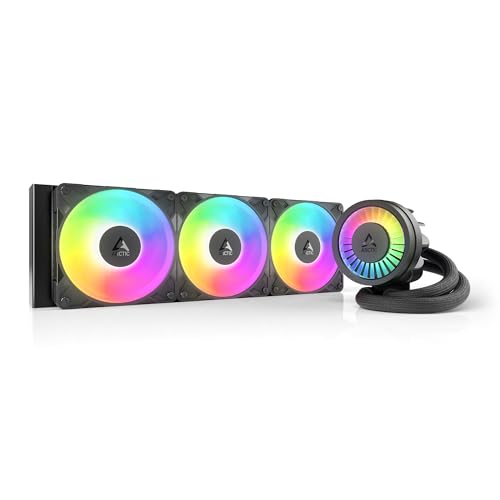
6. ARCTIC Liquid Freezer III Pro 360 A-RGB: Best RGB Liquid Cooler
Pros
- 360mm radiator and three P12 Pro fans
- Offset cold plate mounting
- Integrated VRM fan
- ARGB lighting for showcase systems
- Integrated radiator fan cabling
Cons
- Needs substantial case radiator space
- More installation complexity than air cooling
- The listed dimensions are large for compact cases
Best for: an RGB gaming PC with a powerful processor and generous radiator clearance.
The ARCTIC Liquid Freezer III Pro 360 A-RGB gives the strongest air-cooler alternative in this list a more visual, more elaborate competitor. Its core design is the same as the non-lit Liquid Freezer III Pro 360: a 360mm radiator, three 120mm P12 Pro fans, offset mounting, a contact frame for selected Intel sockets, and an auxiliary VRM fan. The difference is the ARGB treatment for builders who want the cooler to be part of the system's presentation.
The P12 Pro fan design is aimed at strong airflow across a wide speed range. ARCTIC says the fan provides more power at any speed, with a higher maximum speed available when the CPU is under a heavy load. Since the radiator measures 15.7 inches long, 4.7 inches wide, and 2.9 inches high, the case must have a proper 360mm mounting position. The listed cooler weight is 4.45 pounds, another reminder that this is substantial hardware.
The offset cold plate is one of the more meaningful design details. By shifting the contact area toward the processor hotspot, the cooler is designed to transfer heat more efficiently from the part of the chip that needs it most. The integrated VRM fan directs PWM-controlled airflow toward the voltage converters around the CPU socket, which can be useful in a high-power build with a crowded motherboard area.
Cable routing is tidier than the usual three-fan arrangement because the radiator fan PWM wiring is integrated into the hose sheathing. Only one visible cable reaches the motherboard from the radiator fan group. That is a small feature, but it can make a large 360mm installation look more deliberate. If your wider system build also needs a processor upgrade, it helps to settle which CPU platform fits your gaming system before selecting the mounting hardware.
The ARCTIC Liquid Freezer III Pro 360 is the better choice if lighting is irrelevant, while the CORSAIR Nautilus 360 RS ARGB offers a more explicitly cable-conscious approach with daisy-chained fans. The Thermalright Peerless Assassin 120 SE ARGB is easier to install and avoids pump hardware altogether, but it cannot provide the same radiator surface area.
The ARGB model's weakness is the same as its advantage: it is a large system component. It is a poor fit for a compact case, and the lighting is not a substitute for checking radiator and motherboard clearance. Choose it for a showcase desktop with sustained CPU loads and room to mount a 360mm radiator. Skip it if a quiet, simple dual-tower cooler already meets the processor's requirements.
7. CORSAIR Nautilus 360 RS ARGB: Best Cable-Conscious AIO

Pros
- 360mm radiator with three RS120 ARGB fans
- 20dBA pump specification
- Daisy-chain fan connections
- Pre-applied thermal paste
- Supports modern Intel and AMD sockets
Cons
- Requires a large radiator-compatible case
- ARGB requires a compatible 5V header
- Less suitable for compact systems
Best for: builders who want a 360mm AIO with simplified fan wiring.
The CORSAIR Nautilus 360 RS ARGB is aimed at a builder who wants large liquid-cooling capacity without filling the case with separate fan leads. It includes three RS120 ARGB fans on a 360mm radiator and supports Intel LGA 1700 and LGA 1851 as well as AMD AM4 and AM5. The white finish is the only visual distinction needed here, since the short model name already separates it from the black ARCTIC units.
Its connection scheme is the standout feature. The RS ARGB fans can be daisy-chained, reducing the fan group to one 4-pin PWM fan header and one 5V ARGB header on a compatible motherboard. That does not eliminate every cable in a liquid cooler installation, but it makes the top or front radiator area easier to route. AirGuide technology and magnetic dome bearings are used in the fans, which are designed for airflow, static pressure, and controlled noise.
The pump is specified at 20dBA, and the cold plate has a slightly convex shape intended to maximize contact with the CPU's integrated heat spreader. Thermal paste is pre-applied in an optimized pattern, shortening one part of the installation. Those details make the Nautilus approachable for a first AIO installation, although mounting a 360mm radiator still demands more planning than fitting an air cooler.
The dimensions are substantial: 15.59 inches long, 4.72 inches wide, and 1.06 inches high in the listed product information, with a weight of 3.53 pounds. The case must support the radiator, and the chosen position must leave room for the motherboard and memory. The ARGB lighting also requires the appropriate 5V header, so builders should not confuse it with a 12V RGB connection.
The ARCTIC Liquid Freezer III Pro 360 A-RGB adds an integrated VRM fan, native offset mounting, and contact-frame support for Intel LGA 1700 and LGA 1851. The Nautilus counters with pre-applied paste and simpler fan connections. The Peerless Assassin 120 SE ARGB avoids radiator planning and pump maintenance, but the Corsair is the more natural pick for a large liquid-cooled build with a clean interior.
Its weakness is case dependence. A 360mm AIO is unnecessary hardware for a small or moderately powered gaming system, and an empty ARGB header can complicate the lighting setup. Choose it when the case already has the right radiator space and the motherboard supports the required connections. For someone comparing the practical trade-offs of liquid CPU cooling, this model is the tidy, straightforward option in the group.
8. Thermalright Peerless Assassin 120 SE ARGB: Best RGB Dual Tower

Pros
- Six heat pipes and dual-tower design
- Two 120mm ARGB PWM fans
- Up to 66.17 CFM airflow per fan
- Broad AM4, AM5, and Intel support
- Listed cooling capacity from 120W to 245W
Cons
- 155mm height requires case clearance
- Heavier than a compact single-tower cooler
- Lighting adds an extra motherboard connection
Best for: gamers who want the Peerless Assassin's cooling layout with a more colorful interior.
The Thermalright Peerless Assassin 120 SE ARGB is the visual counterpart to our top pick. It uses the same broad dual-tower concept, but its two TL-C12C-S fans add colorful ARGB lighting. That makes it a good fit for a glass-sided gaming case where the cooler is part of the build rather than hidden behind a solid side panel.
The cooling hardware is substantial. Six 6mm copper heat pipes pass through the aluminum heatsink, with a pure copper base and the AGHP design intended to reduce the effect of cooler orientation. Each 120mm fan is rated at up to 1, 500 RPM plus or minus 10 percent and up to 66.17 CFM of airflow. The listed noise level is no more than 25.6dB(A), while the product information identifies a stated cooling range of 120W to 245W.
The dimensions are 125mm long, 135mm wide, and 155mm high, with a listed weight of about 2.1 pounds. The front fan arrangement is designed to leave room for memory, but the overall width still deserves a motherboard check. Socket support covers AMD AM4 and AM5, plus Intel LGA 115X, 1200, 1700, and 1851. AMD installation uses the original motherboard backplate, which is not supplied with the cooler.
Compared with the non-ARGB Thermalright Peerless Assassin 120 SE, this version gives up a small amount of stated fan speed, moving from 1, 550 RPM to 1, 500 RPM, while adding lighting and a different fan model. That distinction is unlikely to matter as much as the case, processor, and fan curve. The Cooler Master Hyper 212 Spectrum V3 is slimmer and also offers lighting, but its single tower and four heat pipes provide less hardware for sustained CPU loads.
The weakness is the same physical footprint that makes it capable. A 155mm tower can fail a case side-panel clearance check, and a dual-tower cooler can make access around the socket less comfortable during installation. The ARGB leads also need a compatible motherboard connection. Skip it if your case is narrow or you want the fewest cables possible. Choose it when you want strong air cooling and the build's lighting scheme matters as much as the cooler's thermal design.
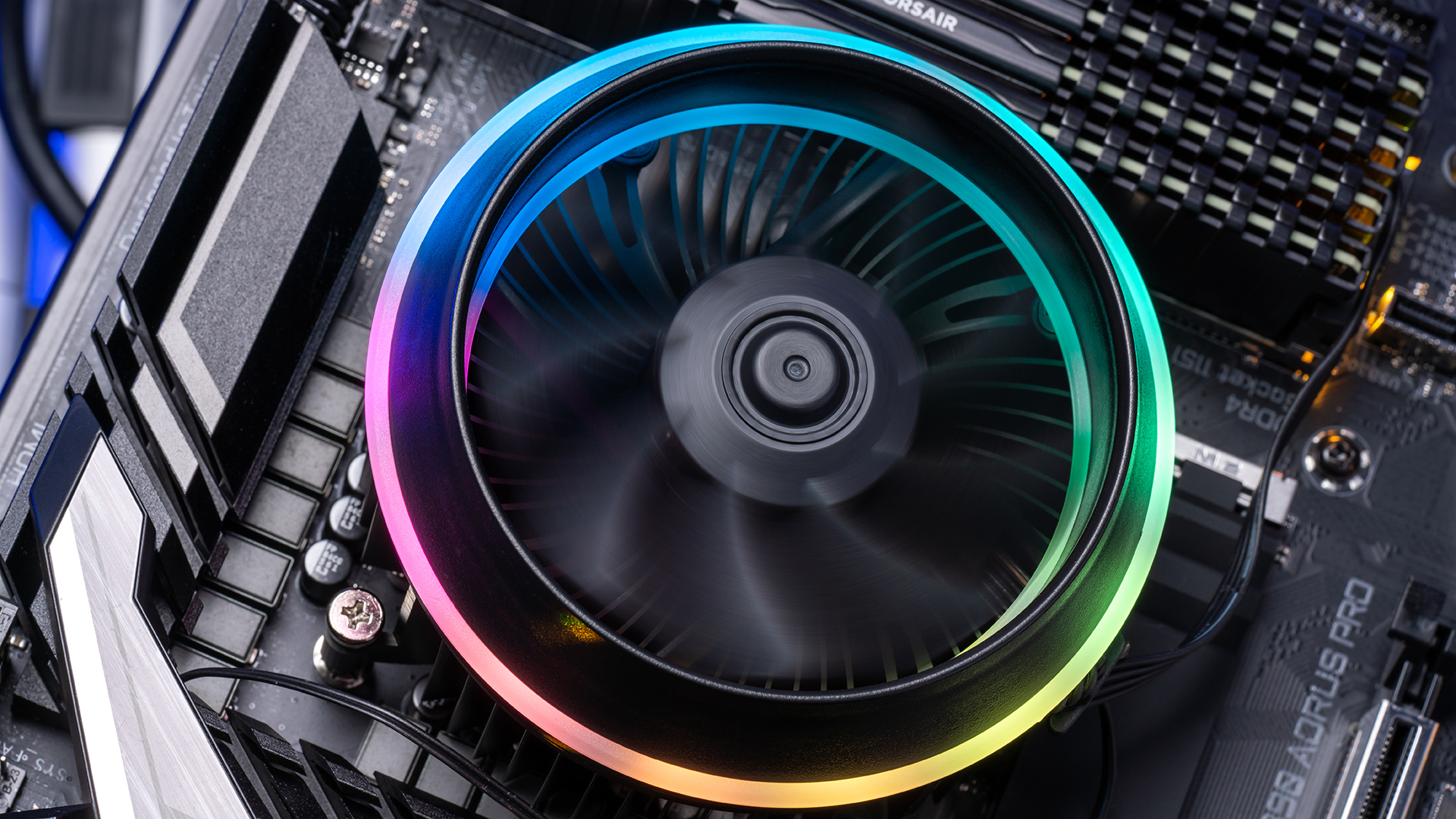
How to choose best cpu cooler for gaming
Start with the processor's heat output and your case's clearance, then decide whether the simplicity of air cooling or the capacity of a radiator better suits the build.
Cooling design
Air coolers use heat pipes and fin stacks to move heat away from the CPU, while AIO liquid coolers move it to a radiator elsewhere in the case. A single tower such as the Thermalright Assassin X120 Refined SE is easier to fit, while a dual tower such as the Peerless Assassin 120 SE has more cooling hardware. A 360mm AIO has the largest radiator in this group, but only makes sense if the case can mount it properly.
The strongest cooler is the wrong cooler if the case cannot close around it.
Case clearance
Tower height is a hard limit. The Peerless Assassin models stand 155mm high, the Cooler Master reaches 152mm, and the Assassin X120 Refined SE is 148mm tall. Compare those figures with the case's maximum CPU cooler height, then check radiator length and thickness separately if you are considering an AIO.
Heat pipes and radiator area
More heat pipes and a larger fin stack generally give an air cooler more ability to spread heat before the fan must speed up. The six heat pipes in the Peerless Assassin models give them more thermal hardware than the four-pipe single towers. For liquid coolers, the key equivalent is radiator size, with the ARCTIC and Corsair models using 360mm radiators and three 120mm fans.
Fan control and noise
PWM fans let the motherboard adjust speed with CPU temperature. The Thermalright fans are rated around 1, 500 to 1, 550 RPM, while the Cooler Master fan spans 650 to 1, 750 RPM. The Corsair pump is specified at 20dBA, and the Thermalright single and dual-tower fans list noise up to 25.6dB(A). Treat these as useful reference points, not guarantees of the noise you will hear in every case.
Socket and platform support
Check the exact socket before buying. The air coolers here cover AM4, AM5, and several Intel LGA sockets, while the AIO models list Intel LGA 1700 and 1851 plus AMD AM4 and AM5. The Rangale replacement fan is different: it is for particular Asus TUF Gaming laptop families and cannot be substituted for a desktop socket cooler.

Frequently asked questions
Is the Peerless Assassin 120 SE suitable for gaming?
Yes. Its dual towers, six heat pipes, and two 120mm PWM fans give it substantial cooling hardware for a gaming desktop. The important caveat is its 155mm height, so confirm the case clearance before installation.
Is a 360mm AIO better than a dual-tower air cooler?
A 360mm AIO provides a large radiator and can be a strong fit for sustained high CPU loads. It also needs more case planning and introduces a pump and tubing. A dual-tower air cooler is simpler and can be the better match when the case has no 360mm radiator mount.
Do these coolers support AMD AM5?
The Thermalright Peerless Assassin 120 SE, Thermalright Assassin X120 Refined SE, and Peerless Assassin 120 SE ARGB list AMD AM5 support. The ARCTIC and Corsair liquid coolers also list AMD AM5 compatibility. Always verify the included mounting hardware and the motherboard's socket before starting installation.
Do I need RGB lighting on a gaming CPU cooler?
No. RGB affects appearance, not the fundamental cooling design. The ARGB versions are useful when the cooler is visible through a case window, while the non-lit models are simpler choices for systems where lighting is not part of the build.
Can the Rangale fan cool a desktop CPU?
No. The Rangale model is a replacement CPU and GPU fan pair for selected Asus TUF Gaming laptops. It is not a desktop heatsink or a socket-mounted CPU cooler.
What case size is needed for a 360mm AIO?
The case needs a compatible 360mm radiator mounting position with enough room for the radiator, fans, motherboard, memory, and other nearby components. Check the case manufacturer's radiator support rather than assuming that a large mid-tower will fit every 360mm cooler.
How should I compare CPU cooling with the processor itself?
The cooler should match the processor's sustained workload, socket, and power behavior. Before choosing a cooler, settle the processor first by comparing the CPU features that affect gaming performance, then check whether your case can accommodate the required cooler.

The bottom line
The Thermalright Peerless Assassin 120 SE is the Best CPU cooler for gaming in this roundup for most desktop builders. Its six heat pipes, dual 120mm fans, wide socket support, and straightforward air-cooled design make it more versatile than the single-tower models without requiring a 360mm radiator. Choose the ARGB version instead if lighting is an important part of the build.
For a high-load processor in a case designed for large radiators, the ARCTIC Liquid Freezer III Pro 360 is the stronger liquid-cooling choice, while the CORSAIR Nautilus 360 RS ARGB is appealing when daisy-chained fan connections and a tidy interior matter most. If you are undecided, measure the case first, then choose the largest cooler that fits without forcing compromises elsewhere.
As an Amazon Associate we earn from qualifying purchases.