

A sharp, hollow clack can ruin an otherwise comfortable keyboard. The right combination of switches, dampening, keycaps, and case design turns each press into a softer, fuller sound instead. We compared 10 real options to find the Best creamy sounding keyboard for compact desks, number-pad users, wireless setups, and mechanical keyboard newcomers.
The strongest boards here use gasket structures, pre-lubricated linear switches, layered foam, and PBT keycaps. A few take a different route, including membrane models that prioritize a retro appearance and quiet everyday typing over switch customization.
Our top pick is the AULA F75 Pro Reaper, while the Redragon K719 Pro is the more feature-rich wireless alternative. The list also includes full-size layouts, wired choices, display-equipped boards, and approachable options for anyone who wants a softer typing sound without building a keyboard from scratch.
Comparison table
| # | Product | Award | Layout | Connection | Key sound features | Best for |
|---|---|---|---|---|---|---|
| 1 | AULA F75 Pro Reaper | Best overall | 75%, 81 keys | Bluetooth 5.0, 2.4GHz, USB | Reaper switches, five-layer dampening | Most mechanical keyboard buyers |
| 2 | Redragon K719 Pro | Best wireless features | 95-key | Bluetooth, 2.4GHz, USB-C | Gasket mount, thick-lubed linear switches | Wireless multitaskers |
| 3 | RK Royal Kludge R98 Pro | Best wired number pad | 96%, 98 keys | USB | Cream switches, five-layer foam | Workstations needing a numpad |
| 4 | SOLAKAKA A99 Pro | Best display-equipped | 96%, 97 keys | Bluetooth 5.0, 2.4GHz, USB-C | Star Vector switches, gasket mount | Customization fans |
| 5 | AULA F75 Pro Star Vector | Best compact white board | 75%, 81 keys | Bluetooth 5.0, 2.4GHz, USB | Star Vector switches, five-layer dampening | Clean desk setups |
| 6 | AULA F75 | Best classic F75 | 75%, 81 keys | Bluetooth 5.0, 2.4GHz, USB | Reaper switches, layered dampening | Compact wireless gaming |
| 7 | HUO JI E-Yooso | Best wired 96% board | 96%, 99 keys | USB-C to USB-A | Linear switches, five-layer foam | Plug-and-play users |
| 8 | AULA S99 Green | Best membrane layout | 96% | Bluetooth 5.0, 2.4GHz, USB-C | Membrane construction | Retro-style everyday typing |
| 9 | AULA S99 Purple | Best programmable membrane board | 96%, 99 keys | Bluetooth 5.0, 2.4GHz, USB-C | Membrane construction | Wireless numpad users |
| 10 | Meidosa AK96 | Best simple wired option | 96 keys | USB-C to USB | Red switches, PBT keycaps | Basic wired setups |
1. AULA F75 Pro Reaper: Best Overall

Pros
- Soft, muted sound from layered internal dampening
- Smooth pre-lubricated Reaper switches
- Tri-mode wireless connectivity
- Useful dual-purpose control knob
- Hot-swappable switch support
Cons
- No dedicated number pad
- The compact layout takes adjustment for spreadsheet work
- Wireless features add complexity compared with a wired board
Best for: anyone who wants the most complete mix of creamy sound, compact size, customization, and wireless flexibility.
The AULA F75 Pro Reaper gets the central idea right: it feels soft and substantial without turning the typing experience mushy. Its 75% layout keeps the arrow keys and function row while cutting away the number pad, leaving more room for a mouse. The 81-key design suits gaming and ordinary writing equally well, and the board has enough internal structure to sound intentionally muted rather than merely quiet.
The sound comes from several parts working together. AULA uses pre-lubricated LEOBOG Reaper switches, pre-lubricated stabilizers, five layers of filling, an integrated silicone pad, and PCB single-key slotting. That combination is important because a creamy sound is not created by the switch alone. The dampening reduces the hollow case resonance, while the linear switch keeps the key travel smooth and free of a tactile bump.
It is also unusually adaptable. Bluetooth 5.0, 2.4GHz wireless, and USB connectivity cover a desktop, laptop, tablet, or console, and the board can connect with up to five devices. The 4000mAh battery supports the wireless design, although the dataset does not specify a runtime. The knob changes roles between lighting control and media control, and a five-second press switches modes. RGB includes 16 preset effects, ten music-rhythm effects through the driver, adjustable brightness, and adjustable speed.
Compared with the AULA F75, the Pro Reaper has the more fully described structure and the same strong compact format, while the Redragon K719 Pro adds a display and a 95-key arrangement. The AULA is the better fit if sound and a straightforward 75% layout matter more than screen-based extras. Its weakness is the missing number pad, and the driver is part of the experience if you want to use the macros and rhythm lighting. Skip it if you need dedicated numeric entry or prefer a completely uncomplicated wired keyboard.
For most people, this is the board we would keep. It offers the soft mechanical character that makes a creamy keyboard appealing, but it does not sacrifice connectivity, customization, or useful controls to get there.
2. Redragon K719 Pro: Best Wireless Features

Pros
- TFT screen shows useful keyboard information
- Gasket mount and five-layer dampening
- Bluetooth, 2.4GHz, and USB-C connections
- Dedicated knob for lighting and media
- Swap-ready switch socket
Cons
- The screen adds another feature to configure
- 95 keys still omit a conventional number pad
- Less compact than a 75% board
Best for: people who want a soft wireless keyboard with a screen, knob, and more keys than a compact layout.
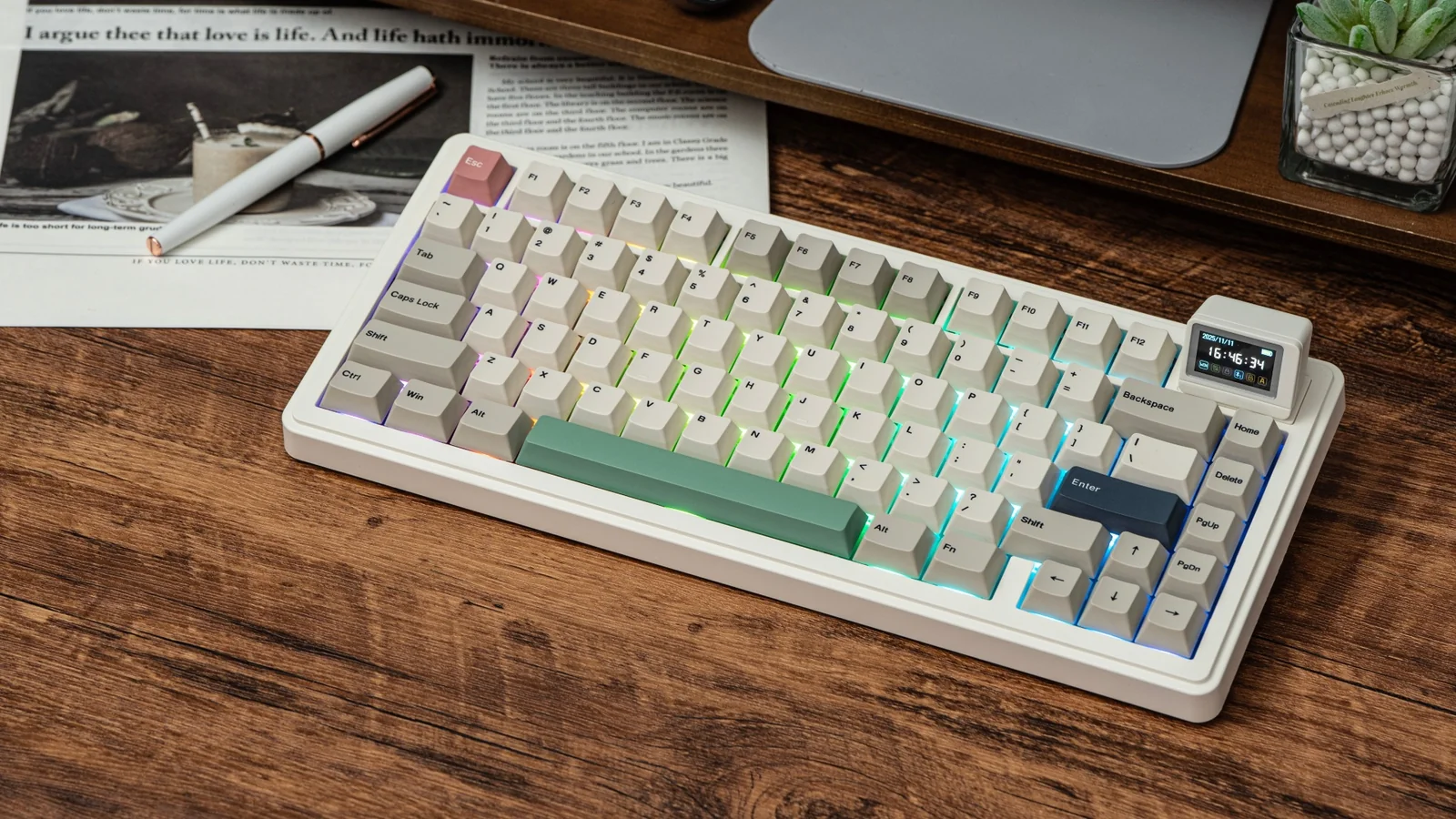
The Redragon K719 Pro feels like the choice for someone who wants creamy typing but does not want a plain-looking board. Its jade and white design is calmer than the typical gaming keyboard, while the built-in TFT display gives the top edge a more distinctive purpose. It can show battery status, connection mode, and typing status, and it supports custom GIFs or memes for users who enjoy personalizing their desk.
The acoustic hardware is strong on paper. The gasket-mounted construction gives the plate some flexibility, thick-lubed custom linear switches keep the keypress smooth, and five layers of noise dampening address the hollow resonance that often makes inexpensive mechanical boards sound sharp. The upgraded socket accepts a broad selection of replacement switches, so the starting sound does not have to be the final sound.
This is a 95-key layout, which sits between the compact F75 boards and the numpad-equipped 96% designs. It gives you more of the familiar desktop arrangement without taking up the full width of a traditional full-size keyboard. The control knob handles backlight brightness and media playback, reducing the need to remember function-layer shortcuts. Tri-mode connectivity lets it move between USB-C, Bluetooth, and 2.4GHz wireless, and Redragon describes switching between devices without re-pairing.
The AULA F75 Pro Reaper is smaller and simpler, while the SOLAKAKA A99 Pro offers an even more information-heavy display and a larger 96% layout. The Redragon occupies the useful middle ground. Its real drawback is that the display and software are central to its appeal, so anyone who wants a keyboard that works with no interest in customization may find those features unnecessary. The 95-key layout also does not replace a true number pad for heavy spreadsheet use.
Choose this one when the desk is shared between work, gaming, and multiple devices. It has the creamy mechanical foundation to satisfy sound-focused buyers, but the screen and knob make it feel more like a control center than a basic typing tool.
3. RK Royal Kludge R98 Pro: Best Wired Number Pad

Pros
- Compact 96% layout retains a number pad
- Pre-lubricated cream linear switches
- MDA-profile double-shot PBT keycaps
- Five layers of sound-absorbing foam
- Detachable metal volume knob
Cons
- Wired-only design
- Larger footprint than a 75% board
- No wireless flexibility
Best for: desk users who need a number pad and want a quieter, softer mechanical typing sound.
The RK Royal Kludge R98 Pro is the practical pick for people who like compact keyboards but cannot give up the number pad. Its 96% arrangement keeps the numeric block, arrow keys, and most important function keys while avoiding the separated gaps of a traditional full-size board. That makes it a strong work keyboard for anyone who moves between writing, data entry, and games.
Its creamy character is built around pre-lubricated cream linear switches and five layers of sound-absorbing foam. The switches provide a smooth, uninterrupted press, while the foam reduces the empty case sound that can make a board feel cheap or excessively loud. The gasket mount adds a softer response, although buyers should remember that the actual sound will still change with desk surface, typing force, and room acoustics.
The keycaps are a notable part of the package. MDA profile keycaps offer a rounded, finger-wrapping shape, and the double-shot PBT construction is intended to resist fading. A detachable aluminum CNC metal knob controls volume, and four indicator lights show Num Lock, Caps Lock, Win Lock, and Mac mode. RGB has more than 20 modes, with custom settings available through RK's online driver on Windows and Mac.
Compared with the HUO JI E-Yooso, the R98 Pro has the more explicitly enthusiast-oriented keycap profile and a metal knob, while the HUO JI offers a similar 96% idea with a simpler wired setup. The SOLAKAKA A99 Pro is more versatile because it adds wireless connections and a display. The R98 Pro's weakness is clear: it is wired only. That is a benefit for people who want a direct desktop connection, but a deal breaker for anyone switching between a computer and mobile devices.
If you need a number pad every day, this is the mechanical board to choose first. It preserves the desk-friendly proportions of a compact layout while giving the switches, foam, stabilizers, and keycaps enough attention to create a rounded typing sound.
4. SOLAKAKA A99 Pro: Best Display-Equipped

Pros
- LCD screen shows system and connection information
- Metal knob controls many keyboard functions
- 8000mAh rechargeable battery
- Gasket mount with five layers of cushioning
- Full hot-swap support for three-pin and five-pin switches
Cons
- Larger 96% layout takes more desk space
- Display and software may be more than some users need
- Backlit battery figures vary by lighting mode
Best for: enthusiasts who want a number pad, wireless connectivity, a display, and extensive customization in one board.
The SOLAKAKA A99 Pro is the most feature-dense board in this group. Its 96% layout gives you 97 keys, including a numeric keypad, arrow keys, and essential function controls, while the LCD display adds a quick visual readout for date, time, battery level, system, and connection mode. This is not a keyboard that disappears into the desk. It is meant to be customized and noticed.
The sound design is more serious than the display might suggest. The gasket structure uses five layers of cushioning, PCB single-key slotting, and noise-dampening cotton between the internal layers and positioning plate. LEOBOG Star Vector switches and pre-lubricated stabilizers form the typing core. Together, those parts aim for the soft, rounded sound associated with creamy boards rather than the sharp top-out and case echo of a lightly damped keyboard.
Connectivity is another strength. Bluetooth 5.0, 2.4GHz wireless, and USB-C wired modes support Windows, iOS, Mac, and Android, with up to five saved devices. The metal knob does much more than adjust volume. It can change systems, lighting modes, colors, brightness, and other functions through rotation, short presses, and long presses. The web driver handles key mapping, macros, GIFs, lighting, sleep timing, and key sensitivity, but it must be accessed through a wired connection.
The 8000mAh battery is unusually large for this group. SOLAKAKA states approximately 61 hours with backlighting and approximately 170 hours without it, using the supplied data cable. Those figures make the board more practical as a wireless workstation, though heavy RGB use naturally reduces endurance. The Redragon K719 Pro offers a smaller 95-key footprint and a similarly useful screen, while the AULA F75 Pro Reaper is easier to place on a crowded desk.
The A99 Pro's weakness is its abundance. If you only want quiet typing, its many display, knob, and software functions can feel like a distraction. Pick it when you genuinely want to tune the board and use the number pad, not when you are seeking the simplest route to a muted mechanical sound.
5. AULA F75 Pro Star Vector: Best Compact White Board

Pros
- Compact 75% layout with arrow keys
- Star Vector switches and pre-lubricated stabilizers
- Gasket structure with five layers of dampening
- Tri-mode wireless connectivity
- Durable side-printed PBT keycaps
Cons
- No number pad
- The white design may show desk grime more readily
- Driver access is needed for deeper customization
Best for: buyers who want the F75 Pro experience in a clean white design with a soft, controlled sound.
The AULA F75 Pro Star Vector is the cleanest-looking version of AULA's compact formula. Its 75% layout has 81 keys, retains the arrow cluster, and leaves noticeably more room for a mouse than a 96% board. The line-white styling makes the board feel less like conventional gaming hardware, even though the internal design is aimed squarely at gaming and enthusiast typing.
This model uses LEOBOG Star Vector switches rather than the Reaper switches in the higher-ranked AULA F75 Pro. Both are described as pre-lubricated and creamy sounding, and this version pairs them with pre-lubricated stabilizers, gasket structure, an integrated silicone pad, and five layers of filling. The result should be a cushioned keypress with less cavity noise. The product information does not provide a switch force or travel figure, so it is better to judge this board by its sound and construction than by unsupported precision.
Its side-printed PBT keycaps are a distinctive touch. The legends are placed on the sides, and AULA describes a double-injection and heat-sublimation process intended to resist fading and sweat. The design also lets the RGB glow through the lettering in a different way from conventional top-printed caps. RGB offers 16 preset effects, and the driver adds ten music-rhythm effects, along with brightness and speed adjustment.
The wireless setup is complete: Bluetooth 5.0, 2.4GHz, and USB wired modes are available, with connections for up to five devices. A 4000mAh battery supports the wireless operation. The knob switches between lighting and media modes, with a long press changing the mode. The AULA F75 shares the same 75% approach and Reaper switch family, while the AULA F75 Pro Reaper has the stronger all-around case for buyers who are less concerned with the white finish.
The limitation is layout, not capability. Anyone who enters numbers constantly should choose the RK Royal Kludge R98 Pro or SOLAKAKA A99 Pro instead. For a smaller desk and a bright, coordinated setup, this AULA is a polished way to get the softer sound without surrendering wireless flexibility.
6. AULA F75: Best Classic F75

Pros
- Compact 81-key layout
- Pre-lubricated Reaper switches
- Five layers of internal dampening
- Bluetooth, 2.4GHz, and USB connectivity
- Knob controls lighting and media
Cons
- No number pad
- Fewer described refinements than the Pro version
- Wireless battery runtime is not specified
Best for: compact-desk users who want a familiar AULA sound and tri-mode wireless setup.
The AULA F75 is the straightforward member of the F75 family. It uses the same useful 75% layout as the Pro models, so you retain arrow keys and a function row while reducing the keyboard's width. That arrangement is especially comfortable for gaming because the mouse can sit closer to the board, but it remains sensible for everyday writing and browsing.
AULA equips it with LEOBOG Reaper switches and pre-lubricated stabilizers. The internal design includes an integrated silicone pad, PCB single-key slotting, and five layers of filling intended to reduce cavity noise. Those details matter more than RGB when the goal is a creamy sound. A board can have attractive lighting and still sound thin, while this F75's construction is built around a softer response and a more controlled case resonance.
The board has 16.8 million RGB colors, 16 lighting effects, and ten music-rhythm effects through the driver. The knob adjusts lighting brightness and effects in gaming mode, then changes to volume and playback control in office mode. Tri-mode connectivity covers Bluetooth 5.0, 2.4GHz wireless, and USB, and AULA says it can connect to up to five devices. The rechargeable battery capacity is 4000mAh, though no runtime is supplied.
The AULA F75 Pro Reaper has a more developed feature set and is the stronger pick when its extra controls and construction details matter. The AULA F75 Pro Star Vector changes the switch family and appearance while keeping much of the same formula. This standard F75 makes the most sense when you want the core experience without needing every Pro designation. Its biggest weakness is the missing number pad, followed by the lack of a stated battery runtime.
For a compact wireless mechanical keyboard with a deliberately soft sound, this remains an easy board to understand. It is not the most versatile option in the roundup, but its layout, switch, dampening, and knob all point in the same direction.
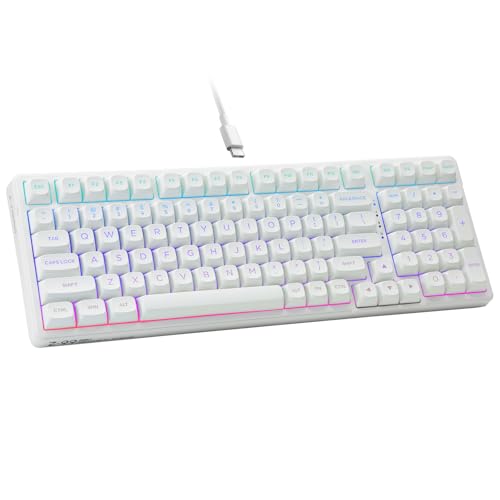
7. HUO JI E-Yooso: Best Wired 96% Board
Pros
- 99-key 96% layout retains full keyboard functions
- Hot-swappable three-pin and five-pin support
- Five layers of foam and silicone dampening
- Pre-lubricated linear switches
- Double-shot PBT keycaps
Cons
- Wired only
- No dedicated wireless modes
- Fewer customization controls than display-equipped boards
Best for: users who want a compact number pad layout and a simple USB connection.
The HUO JI E-Yooso takes a practical route to creamy typing. Its 99-key, 96% layout keeps the number pad and full working functionality while shrinking the overall footprint to 39 by 13.5 by 4 centimeters according to the product description. That makes it a useful middle ground for a home office where a 75% board feels too restrictive but a traditional full-size model takes more room than necessary.
The internal parts are well chosen for the category. Pre-lubricated linear switches keep the press smooth, and the hot-swappable PCB accepts both three-pin and five-pin switches without soldering. Five layers of thicker sound-absorbing foam plus a silicone dampener pad are intended to reduce noise and remove hollow case sound. HUO JI claims a 40 percent noise reduction and 80 percent reduction in hollow sound, but those figures are product claims rather than independent measurements.
Double-shot PBT keycaps add a durable surface and keep the legends from fading. RGB includes 15 backlight effects and eight solid color options, with adjustable brightness and speed. The board uses a pluggable USB-C to USB-A cable, and full anti-ghosting with N-key rollover is designed to register simultaneous presses during games. There is no wireless mode, so the E-Yooso is best treated as a fixed desktop keyboard.
The RK Royal Kludge R98 Pro is the more enthusiast-focused wired number-pad option, with MDA keycaps, a metal volume knob, and a more clearly specified driver. The AULA F75 is much smaller and wireless, but loses the numeric block. The E-Yooso's weakness is its basic control scheme and wired-only design. Skip it if you regularly move between devices or want a knob, display, or wireless switching.
For someone who wants to plug in one keyboard and leave it on a desk, this is a convincing design. It gives the sound-dampening essentials, switch replacement, durable keycaps, and a number pad without making the setup complicated.
8. AULA S99 Green: Best Membrane Layout

Pros
- Wireless and wired connection options
- 96% layout includes a numeric keypad
- Foldable two-stage stand
- Three programmable shortcut keys
- Knob controls volume, audio, and lighting
Cons
- Membrane construction is not hot-swappable
- Less mechanical feel than the other leading picks
- Large footprint for a compact layout
Best for: buyers who prefer a retro appearance, quiet membrane typing, and a full set of everyday keys.
The AULA S99 Green is an important outlier in this roundup because it is a membrane keyboard, not a mechanical one. That distinction changes the feel and the customization options, but it does not make the board irrelevant to someone searching for a creamy sounding keyboard. Its softer membrane action may appeal to users who want a subdued, less mechanical press and a retro board appearance.
The 96% layout includes an integrated numeric keypad while saving some desk space compared with a traditional full-size arrangement. A foldable two-stage stand lets you adjust the typing angle, and the keyboard measures 17.4 inches long and 7.28 inches wide according to the product information. That is a broad footprint, so the compact label should not be mistaken for a small desk accessory.
AULA supports Bluetooth 5.0, 2.4GHz wireless, and USB-C wired connectivity. The dual-mode knob controls volume, audio, and lighting, while three programmable shortcut keys provide quick access to personalized functions. The board supports full-key macro programming and works with Windows, Mac, Android, and iOS. The product description also specifies a one-year after-sales service period.
The key limitation is the membrane design. It does not support hot-swapping, and the switches cannot be changed. That makes it fundamentally different from the HUO JI E-Yooso, AULA F75, and Redragon K719 Pro, all of which are mechanical boards built for switch customization. It also may not satisfy someone looking specifically for the deep, controlled sound of a gasket-mounted mechanical keyboard.
Choose this S99 when the retro styling, number pad, and quiet membrane feel are more important than mechanical modding. For readers deciding between keyboard types, the trade-offs between wired and wireless setups can help clarify whether the S99's connection flexibility matters more than its non-mechanical construction.
9. AULA S99 Purple: Best Programmable Membrane Board

Pros
- 99-key layout with numeric keypad
- Bluetooth 5.0, 2.4GHz, and USB-C
- Full-key macro customization
- Three programmable M1, M2, and M3 keys
- Adjustable two-stage kickstand
Cons
- Membrane keyboard with no hot-swap support
- Larger and heavier than compact mechanical boards
- Less suitable for buyers seeking a mechanical switch feel
Best for: users who want wireless convenience, a full number pad, and extensive shortcut programming in a membrane design.
The AULA S99 Purple is the closest companion to the green S99, but its feature emphasis makes it a slightly different recommendation. It has a 99-key 96% layout, a numeric keypad, and the same retro-inspired shape. The board weighs 2.64 pounds and measures 17.4 inches long by 7.28 inches wide, so it has a stable desktop presence rather than the light, minimal feel of a 75% board.
Its membrane construction produces a different kind of softness from the mechanical picks. There is no hot-swap socket and no switch replacement path, but that can be perfectly acceptable for an office or home setup where the main goal is a quieter, less resonant typing experience. The two-stage kickstand offers two typing angles, and the broad layout keeps the navigation and number keys easy to find.
The connection options are generous. Bluetooth 5.0, 2.4GHz wireless, and USB-C wired modes support Windows, Mac, Android, and iOS. A rotary knob handles volume, audio, and lighting, while M1, M2, and M3 provide programmable shortcuts. AULA also describes full-key macro customization, which is useful for repeated commands in games or productivity software. System switching uses function-key combinations for Android, iOS, and Mac.
The AULA S99 Green is the better match if you want the same general design with a more understated color treatment, while this purple version makes the desk styling more prominent. The Meidosa AK96 is smaller in one dimension and mechanical, but it gives up wireless connections and macro features. The S99 Purple's weakness is the same as the green model's: it cannot satisfy buyers who want to tune switches or chase a classic mechanical creamy sound.
This is a sensible choice for a wireless number-pad setup where shortcut access matters. It belongs lower in a mechanical-focused ranking, but it earns its place for readers who prefer the feel and broad compatibility of a membrane keyboard.
10. Meidosa AK96: Best Simple Wired Option

Pros
- 96-key layout retains a number pad
- Red switches provide a linear mechanical press
- PBT keycaps resist fading
- 17 RGB lighting modes
- Two adjustable kickstands
Cons
- Wired only
- No hot-swap feature is listed
- No wireless device switching
Best for: anyone who wants a basic mechanical number-pad keyboard with RGB and a direct USB connection.
The Meidosa AK96 keeps the formula simple. It is a wired 96-key mechanical keyboard with a number pad, arrow keys, RGB lighting, and dedicated media controls. That makes it easier to recommend to someone replacing a standard desktop keyboard than to an enthusiast building a heavily customized board.
The product uses red switches, which provide a linear press without a tactile bump. The listing describes the switches as responsive for typing and gaming, and the PBT keycaps are intended to resist fading. The board's 17 RGB modes can be adjusted with function shortcuts, including brightness and speed. It also has dual-side LEDs, which add a little more lighting around the case.
Ergonomics are covered by two adjustable kickstands and non-slip rubber pads. The keyboard measures 16.9 inches wide, 5.7 inches deep, and 1.7 inches high according to the product information. It connects through a USB-C to USB cable and supports PC and Mac. Full-key rollover is included, and dedicated media keys handle volume and playback without requiring a software layer.
The HUO JI E-Yooso is the stronger choice for buyers who want hot-swappable switches and layered dampening, while the RK Royal Kludge R98 Pro adds a more enthusiast-oriented keycap profile, knob, and software support. The Meidosa's weakness is the limited customization story. The listing does not specify hot-swap support, wireless operation, or internal gasket construction, so it should not be chosen by someone planning a switch-tuning project.
For a fixed desk and a straightforward mechanical typing experience, it covers the essentials. It is less refined than the top picks, but the number pad, linear switches, PBT keycaps, and RGB give it a clear purpose.
How to choose best creamy sounding keyboard
A creamy keyboard sound comes from the complete system, not one magic switch. Focus on the following factors before choosing between these layouts and connection types.
Switch type
Linear switches are usually the most natural starting point for a soft, smooth sound because they do not add a tactile bump or click mechanism. Pre-lubricated switches can make the press feel less scratchy, while the exact sound still depends on the keycap material, plate, foam, and typing force. The AULA F75 models, HUO JI E-Yooso, RK Royal Kludge R98 Pro, and SOLAKAKA A99 Pro all use linear-oriented switch designs.
Membrane boards such as the AULA S99 models create a different kind of quiet, cushioned response. They cannot be tuned like mechanical boards, but some users may prefer their less resonant feel.
Internal dampening
Foam, silicone, cotton, and gasket structures reduce the empty sound inside a keyboard case. The best designs use several layers to address different sources of noise, including the space beneath the PCB, the plate, and the switch area. Five-layer dampening appears across several of the strongest mechanical options here.
A board with no stated dampening may still sound pleasant, but it gives you less confidence that the case has been designed to control resonance. For a rounded, muted result, look for gasket construction paired with foam or silicone rather than relying on the switch description alone.
A creamy sound is a case-and-keycap result as much as it is a switch result.
Layout
A 75% keyboard such as the AULA F75 keeps the arrow keys and function row while removing the number pad. It is the easiest format for freeing mouse space and keeping a gaming desk tidy. A 96% or 99-key keyboard such as the HUO JI E-Yooso or SOLAKAKA A99 Pro retains numeric entry in a tighter arrangement than a traditional full-size board.
The AULA S99 models also keep the number pad, but their membrane construction puts them in a different category from the mechanical 96% boards. Choose the layout around your daily work first. A compact board is not compact if you spend every day reaching for a separate number pad.
Connection options
Wired USB is the simplest route and avoids battery management. It is well suited to a fixed desktop, especially with a board such as the Meidosa AK96 or HUO JI E-Yooso. Tri-mode boards add Bluetooth, 2.4GHz wireless, and USB, which is more useful if the keyboard moves between a desktop, laptop, tablet, or console.
Wireless flexibility can make a board more convenient, but it also introduces pairing, charging, and mode-switching controls. If you are comparing connection types more broadly, the practical differences between a wired and wireless keyboard are worth considering before choosing a layout.
Keycaps and stabilizers
PBT keycaps tend to resist shine and legend wear better than basic ABS caps, while their thickness and profile influence the sound. MDA keycaps on the RK Royal Kludge R98 Pro have a rounded, finger-wrapping shape, and the AULA Pro models use side-printed PBT keycaps for a distinct appearance.
Stabilizers matter on long keys such as the space bar, shift, and enter keys. Pre-lubricated stabilizers can reduce rattle and give those larger keys a more even sound. A keyboard can have excellent switches but still sound uneven if its stabilizers are loose or noisy.
Frequently asked questions
What makes a keyboard sound creamy?
A creamy sound usually comes from smooth linear switches combined with dampening that reduces hollow case resonance. Gasket structures, foam, silicone, lubricated stabilizers, and thicker keycaps can all contribute. The final result also changes with typing force and the surface beneath the keyboard.
Are creamy sounding keyboards mechanical?
Many are, but not all. The AULA S99 Green and AULA S99 Purple use membrane construction, while the other leading choices in this roundup use mechanical designs. Membrane boards can sound and feel soft, but they do not offer the same switch replacement options.
Is a 75% keyboard large enough for work?
A 75% keyboard includes the main letter keys, arrow keys, and function row, so it works well for writing, browsing, and most office tasks. It does not include a dedicated number pad. People who enter numbers frequently may prefer a 96% board such as the RK Royal Kludge R98 Pro or SOLAKAKA A99 Pro.
Do hot-swappable switches matter?
Hot-swap support lets you replace compatible switches without soldering. That is useful if you want to change the sound or feel later, and it makes experimentation easier for beginners. It is not essential if you already like the installed switch and do not plan to modify the keyboard.
Is wireless connectivity important for a gaming keyboard?
A 2.4GHz connection can provide a convenient wireless desktop setup, while Bluetooth is useful for laptops, tablets, and phones. USB remains the simplest option for a fixed desk. The AULA F75, Redragon K719 Pro, and SOLAKAKA A99 Pro offer all three connection modes.
Do RGB lights affect the typing sound?
RGB lighting itself does not determine the sound. The parts around it can matter, however, since the case, PCB, plate, dampening, and keycaps all influence both lighting and acoustics. A keyboard with attractive RGB can still sound hollow if its internal construction is basic.
Can a creamy keyboard be used for competitive gaming?
Yes. Linear switches and full-key rollover can work well for gaming, and several boards here include N-key rollover or Win-key lock features. Layout is the more important question. A 75% board leaves more mouse room, while a 96% board is preferable if you need a number pad during work.
The bottom line
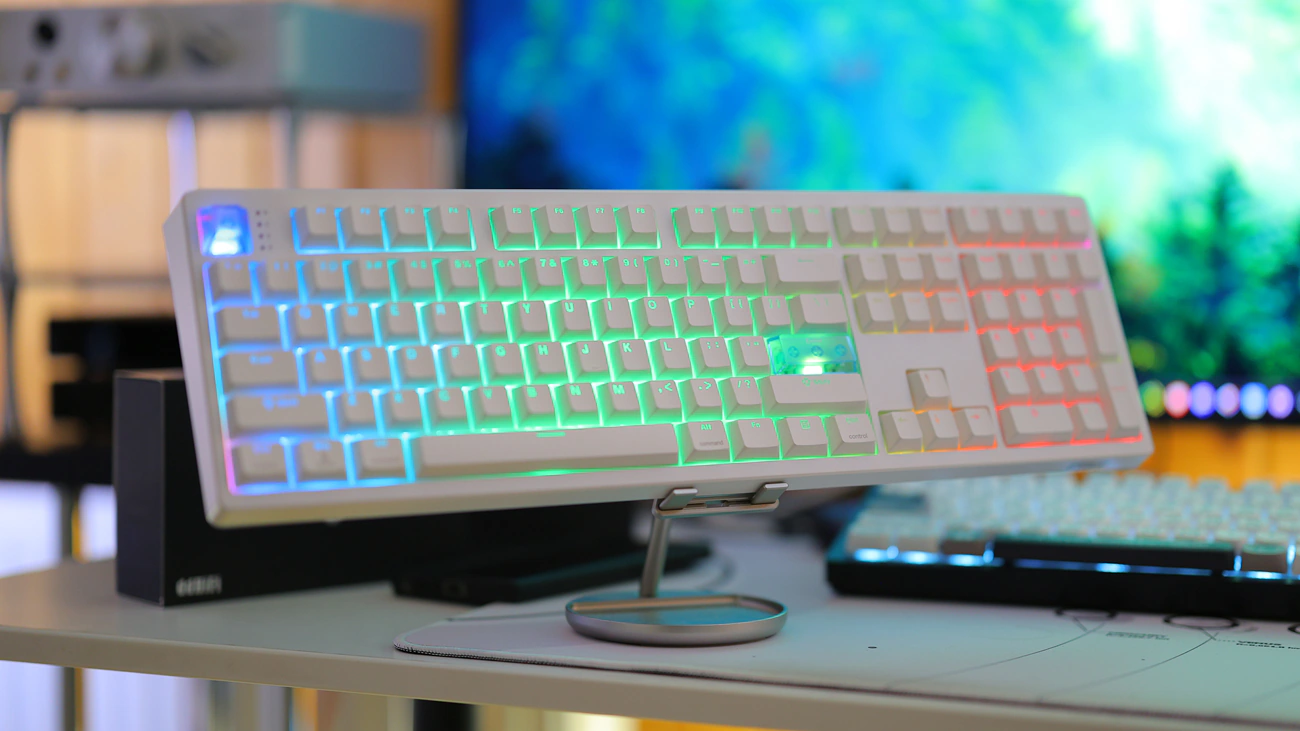
The AULA F75 Pro Reaper is the Best creamy sounding keyboard for most buyers because it combines a compact 81-key layout, smooth Reaper switches, five layers of dampening, hot-swap support, a knob, and three connection modes. It has a real weakness in the missing number pad, but that is the trade-off that makes the format so comfortable on a gaming or small office desk.
Choose the Redragon K719 Pro if a TFT display and 95-key layout matter more, or the SOLAKAKA A99 Pro if you want a number pad, LCD screen, large battery, and extensive software customization. The RK Royal Kludge R98 Pro is the cleaner wired choice for workstations that need numeric entry, while the AULA S99 models suit shoppers who prefer a membrane feel.
If you are undecided, pick the AULA F75 Pro Reaper for compact wireless typing, or choose the RK Royal Kludge R98 Pro when a dedicated number pad is non-negotiable.
As an Amazon Associate we earn from qualifying purchases.