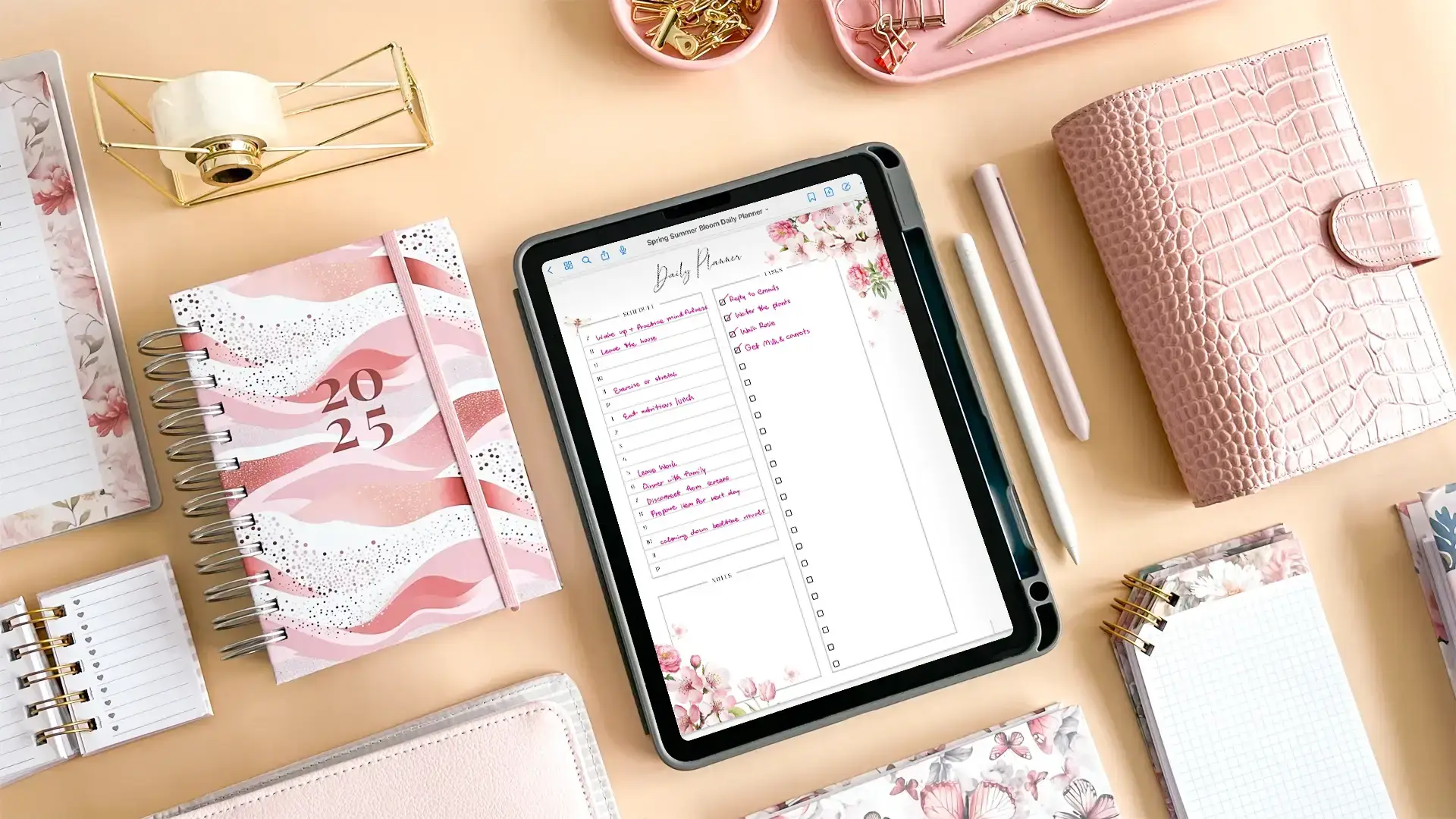

A family calendar only works when people can actually see it. Paper plans disappear under school notices, phone calendars stay trapped in individual accounts, and a handwritten chore list rarely survives a busy week. A wall-mounted touchscreen puts appointments, tasks, meals, and reminders in the part of the home where everyone passes by.
The Best digital planner picks below range from compact 10.1-inch displays to a large 21.5-inch family command center. Some focus on simple calendar syncing, while others add photo slideshows, reward-based chores, Android apps, or generous storage. Skylight Calendar 2 is the strongest all-around choice, while the original Skylight Calendar remains a compelling alternative for households that want meal planning and chores built in.
Comparison table
| # | Product | Award | Screen | Key features | Best for |
|---|---|---|---|---|---|
| 1 | Skylight Calendar 2 | Best overall | 15-inch Full HD | Calendar sync, chores, lists, app | Most families |
| 2 | Skylight Calendar | Best for meal planning | 15.4-inch HD | Chores, meals, lists, five calendar services | Family routines |
| 3 | ApoloSign 21.5-inch Calendar | Best large display | 21.5-inch | Android mode, apps, widgets, voice assistant | Large shared dashboards |
| 4 | Yemsd 15.6-inch Calendar | Best storage | 15.6-inch HD | 32GB, photo frame, chores, meals | Photo-heavy households |
| 5 | CYPID 10.1-inch Calendar | Best compact command center | 10.1-inch | Dual-band Wi-Fi, chores, meals, lists | Counters and desks |
| 6 | BQQJDD 15.6-inch Calendar | Best for photo storage | 15.6-inch | 32GB, wall or desk mount, meals | Digital photo displays |
| 7 | Dragon Touch 10.1-inch Calendar | Best 10.1-inch family planner | 10.1-inch | Calendar sync, chores, dinner, grocery list | Small family spaces |
| 8 | Dragon Touch 10.1-inch White Calendar | Best white compact model | 10.1-inch | Calendar sync, chores, dinner, photos | Bright interiors |
| 9 | TIKVITO 10.1-inch Calendar | Best lightweight option | 10.1-inch | Weather, reminders, meals, lists | Portable planning |
| 10 | LQN 10.1-inch Calendar | Best photo-frame hybrid | 10.1-inch | Two-way sync, chores, photo frame | Simple schedules and photos |
1. Skylight Calendar 2: Best Overall

Pros
- Bright 15-inch Full HD display
- Magnetic Snap Frame and adjustable stand
- Syncs with several major calendar platforms
- Includes chores, tasks, and lists
- 4GB of RAM for responsive operation
Cons
- Some features require the optional Plus Plan
- Less flexible than a full Android display
- Larger footprint than the compact models
Best for: families that want a polished shared calendar without turning the wall into a general-purpose tablet.
The Skylight Calendar 2 is the one we would put in the busiest part of the house. Its interface is built around the information a family actually needs to see: appointments, tasks, lists, and routines. It feels more like a dedicated household board than a tablet that happens to run a calendar, which keeps the experience focused when someone is checking the morning schedule in a hurry.
The 15-inch Full HD display gives the Calendar 2 enough room to show a family schedule clearly without making the device enormous. Full HD matters here because text and colored calendar blocks need to remain legible from across a kitchen or hallway. The 4GB of RAM is another useful distinction. It is not a headline feature for a calendar, but it supports the fast syncing and responsive interaction that make a touchscreen planner less frustrating to use.
Setup is straightforward. Connect the display to Wi-Fi, link the calendars, and bring multiple schedules into one view. The device supports Google, iCloud, Outlook, and other calendar connections, while the companion app lets household members manage events away from the display. A removable magnetic Snap Frame, 180-degree adjustable stand, and wall mount with a built-in level give it more placement flexibility than most of the smaller entries here.
Compared with the original Skylight Calendar, this model has the more refined physical design and a sharper stated display. The original offers a strong meal-planning feature set, but the Calendar 2 feels like the better long-term centerpiece for a family that wants a clean, readable schedule first. ApoloSign 21.5-inch Calendar is more expandable because it adds Android apps and widgets, but it is also a much larger and more involved device.
The weakness is the subscription boundary. The core calendar, tasks, and lists are useful, but features such as the photo screensaver, meal planning, rewards, and Magic Import are tied to the optional Plus Plan. Skip this one if you want a completely open Android dashboard or if you dislike having premium features layered onto a dedicated appliance. For everyone else, this is the most balanced and approachable pick in the group.
2. Skylight Calendar: Best for Meal Planning

Pros
- Large 15.4-inch touchscreen
- Meal planning and chore chart are built in
- Syncs Google, iCloud, Outlook, Cozi, and Yahoo
- Works on a wall, counter, or desk
- Includes lists and shared tasks
Cons
- Premium features require the optional Plus Plan
- Older design than the Calendar 2
- No stated RAM or Full HD specification
Best for: households that want meals, chores, and shared appointments in one dedicated display.
The original Skylight Calendar has a clear purpose: make the family routine visible. Its 15.4-inch touchscreen is large enough for a central kitchen or hallway position, and the layout brings appointments, chores, lists, and meal plans together instead of forcing everyone to jump between separate tools. It is especially easy to recommend to families whose main problem is coordination rather than a lack of digital features.
Calendar compatibility is one of its strongest practical traits. It connects with Google, iCloud, Outlook, Cozi, and Yahoo, so it can gather schedules from different members of a household. Events can be added on the display or through the Skylight app. That two-location workflow is important: the wall display handles quick visibility, while the phone handles planning when nobody is standing in front of it.
The chore chart is more than a static checklist. Family members can receive color-coded tasks, and the display is designed to make progress visible. Meal planning gives the device another daily role. A weekly dinner plan can sit alongside the calendar, which is useful when the household schedule changes constantly and dinner decisions otherwise become a separate conversation every evening.
The 15.4-inch screen is slightly larger than the Calendar 2's stated 15-inch display, but the newer model has the clearer hardware story with Full HD resolution and 4GB of RAM. The original counters with its well-defined meal-planning focus and broad calendar compatibility. If you are comparing it with the compact TIKVITO 10.1-inch Calendar, Skylight is easier to read from across a room, though the TIKVITO takes up less space and adds local weather.
The main limitation is the same premium-feature divide found on the newer Skylight. The optional Plus Plan unlocks Magic Import, photo screensavers, rewards, and additional meal-planning functionality. That makes the base experience less complete than the feature list might suggest. Still, the original Skylight is the better pick for a household that wants a dedicated routine board and does not need app-install flexibility.
For a broader look at the category, our guide to bringing multiple household schedules into one shared display covers the family coordination question behind devices like this.
3. ApoloSign 21.5-inch Calendar: Best Large Display

Pros
- Largest screen in this roundup
- Calendar and Android modes
- Supports apps, widgets, and custom layouts
- Includes wall mount
- Voice assistant and smart-home control features
Cons
- Takes substantially more wall space
- More complex than a dedicated calendar
- Extra capabilities can make setup less focused
Best for: families that want a large wall dashboard with room for schedules, apps, photos, and smart-home controls.
The ApoloSign 21.5-inch Calendar is in a different class physically. Its screen is much larger than the 10.1-inch and 15-inch displays here, so it behaves more like a wall-mounted family dashboard than a digital picture frame with calendar functions. That extra area matters when several people need to scan appointments, chores, meal plans, and reminders at the same time.
Its key advantage is the dual-mode design. Calendar Mode keeps the device dedicated to family scheduling, while Android Mode opens the door to apps and widgets. You can add weather, clocks, music, smart-home controls, and other dashboard elements, then arrange the screen around the way your household operates. The calendar sync feature supports Google Calendar, iCloud, Outlook, and other shared schedules.
The extra capability extends beyond planning. The feature set includes Google Play app support, Google Photos slideshows, auto-brightness, sleep mode, and a built-in Google Gemini voice assistant. The assistant can check schedules, set reminders, report weather, and control compatible devices such as lights, cameras, and doorbells. Those functions make this the most ambitious product in the roundup, although the data does not specify its RAM, storage, or display resolution.
The large screen is a clear step up from Skylight Calendar 2 when visibility and expansion matter most. Skylight is easier to understand because it keeps the interface narrow and purpose-built. ApoloSign wins for families that want one wall display to serve as a planner, photo screen, Android dashboard, and smart-home control point. It also has the most obvious installation commitment, despite the included wall mount.
A device this capable can be too much for a family that only needs shared appointments and chores. More apps mean more settings, and the 21.5-inch format demands a suitable wall or open area. It is not the choice for a small counter or a minimalist household. Pick it when the screen itself is the priority and you want room to grow into a more connected family dashboard.
4. Yemsd 15.6-inch Calendar: Best Storage

Pros
- 15.6-inch glare-free HD touchscreen
- 32GB of built-in storage
- Supports wall and desk placement
- Syncs Google, Outlook, and iCloud
- Includes photo, meal, and chore functions
Cons
- Batteries are not included
- Some feature claims are broad
- Product dimensions listed in the data are inconsistent
Best for: households that want a large planning screen with substantial space for photos and videos.
The Yemsd 15.6-inch Calendar makes a strong case for households that want the display to remain useful after the day's scheduling is done. It combines a family calendar with meal planning, chores, and a digital photo frame, then adds 32GB of storage for photos and videos. That gives it a more pronounced memory-display role than the Skylight models.
The 15.6-inch glare-free HD touchscreen should be comfortable in a kitchen or shared room where overhead light can make glossy screens annoying. Its size sits between the 15-inch Skylight models and the much larger ApoloSign. It is large enough to keep a family schedule visible, while the included mounting hardware supports either a wall-mounted installation or desk placement.
Calendar syncing covers Google, Outlook, iCloud, and other platforms, with real-time updates and simultaneous editing described in the feature set. Chore tracking adds reward points for completed tasks, and the meal planner puts weekly food planning beside the schedule. Those are the functions that make a digital planner useful as a household hub rather than just a large electronic calendar.
The 32GB storage is the product's most distinctive capability. The device is designed to cycle through photos when it is not showing the schedule, and the listing says the storage is expandable. BQQJDD 15.6-inch Calendar also offers 32GB, so the choice between them comes down to the surrounding feature set. Yemsd emphasizes glare-free viewing, real-time calendar coordination, and a stated two-year warranty, while BQQJDD leans more heavily into photo and video storage.
There are caveats. The listing says batteries are not included, and the product dimensions supplied are unusually inconsistent, so installation planning should be done carefully rather than relying on the listed measurements. The feature set also uses broad language around AI photo restoration without explaining how it works. Skip this one if you want the simplest possible interface. Choose it if your wall display should alternate naturally between family logistics and a substantial photo collection.
A calendar display can also become a living-room object when it is not showing appointments, and choosing a screen that works well as a photo display is useful when that second role matters as much as scheduling.
5. CYPID 10.1-inch Calendar: Best Compact Command Center
Pros
- Compact 10.1-inch format
- Dual-band Wi-Fi
- Syncs Google, iCloud, Outlook, Cozi, and Yahoo
- Includes chores, meals, lists, and photos
- Supports wall or desk placement
Cons
- Smaller viewing area than the 15-inch models
- Limited hardware details are provided
- Compact size may feel crowded for large households
Best for: families that need a full set of planning tools on a counter, desk, or modest wall.
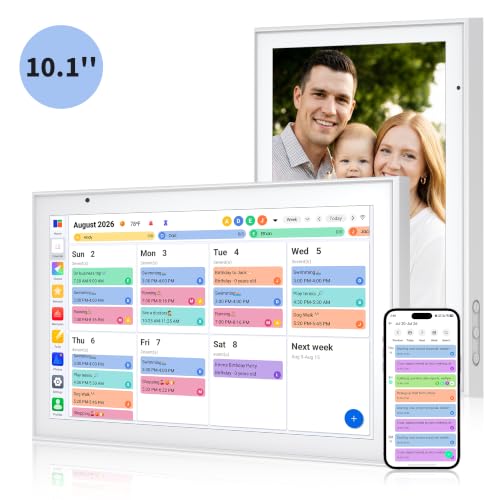
The CYPID 10.1-inch Calendar is a sensible middle ground for a small home. It includes the features people usually want from a family planner, but its compact format is easier to place near a kitchen counter, desk, or entryway. The display is not trying to dominate a wall. It is meant to sit close enough that someone can tap through chores or check the next appointment without crossing the room.
Its calendar support is unusually broad for a small device. It can merge Google, iCloud, Outlook, Cozi, and Yahoo calendars, with custom colors for each family member. Dual-band Wi-Fi is also specified, which gives it a more flexible network connection than products that only mention Wi-Fi without identifying the band support.
The planning tools cover chores, meals, and to-do lists. Children can tap to mark chores complete, while the meal planner and grocery-related tasks keep household preparation in the same place as the schedule. The companion app can upload photos and videos, allowing the screen to become a photo frame when it is not being used for appointments.
The compact size is both its advantage and its compromise. Skylight Calendar 2 is much easier to read when several people are standing in front of the display, but it needs more wall or counter space. TIKVITO 10.1-inch Calendar is another close rival, with weather and automatic sleep mode, while CYPID makes the stronger case for broad calendar compatibility and a command-center feature set.
The listing does not provide a display resolution or detailed hardware specifications, so this is not the model for buyers who need a carefully documented screen. It can also feel crowded if a household has many overlapping schedules. For a couple, small family, or home office that needs shared visibility without a large installation, CYPID is a practical fit.
6. BQQJDD 15.6-inch Calendar: Best for Photo Storage
Pros
- 32GB built-in memory
- 15.6-inch touchscreen
- Wall and desk mounting options
- Supports Google, iCloud, Outlook, and Cozi
- Includes meals, chores, and photo slideshows
Cons
- Resolution is not specified
- The feature set is less detailed than the Skylight models
- Large display needs a deliberate placement
Best for: users who want an electronic family calendar that can also hold a large local photo collection.
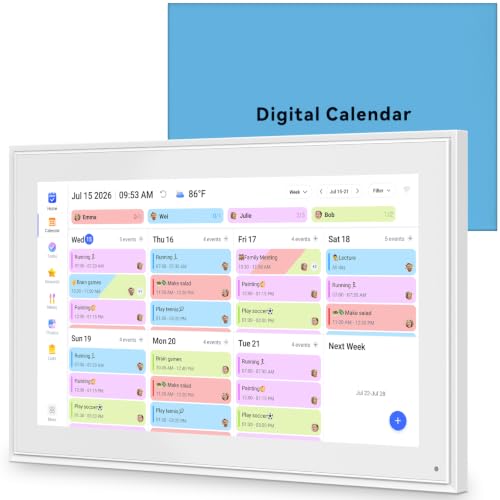
The BQQJDD 15.6-inch Calendar is built around a straightforward idea: a family planner should not become useless when nobody is checking the schedule. Its 32GB of built-in memory is intended to store thousands of photos and videos, and the display can switch into a digital photo album through the companion app.
As a planner, it covers the essentials. Calendar syncing works with Google, iCloud, Outlook, and Cozi, and the system supports individualized colors for household members. A touchscreen lets people edit events, review to-do lists, and mark chores complete from the display itself. The feature set also includes weekly meal planning, which keeps dinner decisions connected to the same central board.
The 15.6-inch screen is large enough to serve as a wall display, yet the included desk stand gives it another placement option. That flexibility is useful if you are testing the idea of a shared screen before committing to a permanent installation. The listing does not state the resolution, so the screen should be judged as a large planning surface rather than a documented high-definition media display.
Compared with Yemsd 15.6-inch Calendar, BQQJDD has the same 32GB storage headline and similar wall or desk positioning. Yemsd offers a stated glare-free HD touchscreen and calls out a two-year warranty, while BQQJDD puts more emphasis on its photo capacity and gift-oriented design. CYPID 10.1-inch Calendar is easier to fit into a small room, but its smaller display cannot provide the same at-a-glance family view.
The weakness is that the product description leaves important hardware details unspecified. Buyers who care about display clarity, responsiveness, or long-term software support will find less to evaluate here than with Skylight. It is also too large to hide casually on a crowded counter. Pick it when the photo-frame function is central and you want a broad schedule surface without moving up to the 21.5-inch ApoloSign.
7. Dragon Touch 10.1-inch Calendar: Best 10.1-inch Family Planner

Pros
- Clear 10.1-inch touchscreen
- Syncs multiple iOS and Google calendars
- Includes chores, dinner, and grocery tools
- Companion app supports remote management
- Doubles as a photo frame
Cons
- Smaller than the large family displays
- Advanced Magic Import features are paid
- Resolution is not specified
Best for: households that want a compact, dedicated schedule display with family chores and dinner planning.
The Dragon Touch 10.1-inch Calendar is a focused family organizer with a compact footprint. It brings schedules, chores, dinner plans, grocery lists, and photos into one touchscreen interface, making it a good fit for a kitchen counter or smaller wall where a 15-inch screen would be excessive.
Multiple calendars can be combined through the mobile app, including iOS and Google calendars. Family members can receive different colors and tasks, which makes a small display easier to scan. The app also supports remote management, so a parent can update the household board without walking over to the device every time an appointment changes.
The chore chart and dinner planner are the most useful additions beyond ordinary calendar syncing. A chore can be assigned to a person and tracked on the shared display, while dinner planning keeps the evening routine visible. When the calendar is not in use, the 10.1-inch touchscreen can show family photos as a digital frame.
This model is closely related in capability to Dragon Touch 10.1-inch White Calendar, which appears later in the list. The two share the same stated screen size and nearly identical feature descriptions. This version has a black finish and dimensions of 13.39 by 7.76 by 0.99 inches, while the white model has a smaller stated footprint. LQN 10.1-inch Calendar also combines two-way syncing with photo display, but Dragon Touch gives more attention to dinner and grocery planning.
The drawback is the size. A 10.1-inch screen can show a compact family schedule, but it will not have the same room for overlapping events as Skylight Calendar. The listing also says advanced Magic Import tools are paid functions, and it does not provide a display resolution. Choose this Dragon Touch when your priority is a familiar family-planner feature set in a smaller format.
8. Dragon Touch 10.1-inch White Calendar: Best White Compact Model

Pros
- Compact 10.1-inch touchscreen
- White finish suits bright interiors
- Syncs iOS and Google calendars
- Includes chores, dinner, groceries, and photos
- Can sit on a desk or work as a wall display
Cons
- Small screen limits dense schedules
- Some advanced tools are paid
- Resolution and memory are not specified
Best for: users who want a compact family calendar that blends into a light-colored room.
The Dragon Touch 10.1-inch White Calendar is the quieter-looking version of the Dragon Touch compact planner. Its white finish makes it a natural match for a bright kitchen, hallway, or home office, while the 10.1-inch touchscreen keeps the device small enough for a desk or a limited wall area.
The software focus is familiar and useful. It gathers multiple personal calendars into one interface, assigns colors and tasks to family members, and lets people manage the display through a mobile app. The setup process is described as plug in, connect to Wi-Fi, and link the calendar, which is the right level of complexity for a device intended to be used by the whole household.
Chores and dinner planning give it more practical value than a basic date display. The grocery list is another useful touch, especially for households that want the kitchen screen to support the evening routine as well as the weekly schedule. Its photo-frame mode gives the display something to do between planning sessions.
The stated dimensions are 10.53 by 7.33 by 0.99 inches, making it a little more compact on paper than the black Dragon Touch 10.1-inch Calendar. The two otherwise overlap heavily in their feature descriptions. Choose the white model for the finish and smaller stated footprint, not because it offers a radically different planning system. LQN 10.1-inch Calendar has a similar photo-frame angle and emphasizes two-way sync, while this Dragon Touch leans more clearly into family chores and dinner.
The compromises are predictable. The screen is not large enough for a complex schedule with many simultaneous events, and the listing gives no resolution or storage detail. The optional paid Magic Import functions also mean the advertised feature set is not entirely part of the basic experience. It suits a small household that wants a discreet shared planner rather than a full wall command center.
9. TIKVITO 10.1-inch Calendar: Best Lightweight Option

Pros
- Compact 10.1-inch screen
- Listed weight of 1.44 pounds
- Syncs Google, iCloud, and Outlook
- Includes weather, meals, lists, and reminders
- Wall-mountable design
Cons
- Smaller display than the main Skylight picks
- Resolution is not specified
- Feature descriptions are less precise
Best for: users who want a portable, compact family planner with weather and reminders.
The TIKVITO 10.1-inch Calendar is the easiest model here to move around. The listed weight is 1.44 pounds, and its 10.1-inch size works on a counter, desk, or wall. That makes it appealing for renters, small homes, or anyone who wants to experiment with placement instead of installing a large centerpiece immediately.
Its calendar tools cover Google, iCloud, and Outlook, with real-time synchronization and color coding for family members. The chore tracker adds points for completed tasks, while the meal planner and grocery lists keep practical household information close to the schedule. It is a broad feature set for a compact display.
TIKVITO also adds local weather, reminders, and an automatic sleep mode. Those details make it feel more like a small household information screen than a simple calendar. The photo slideshow mode can show family pictures when the planner is idle, giving the screen a decorative role in a common room.
The compact design compares well with CYPID 10.1-inch Calendar, which has dual-band Wi-Fi and broader calendar compatibility including Cozi and Yahoo. TIKVITO counters with the clearly stated weight, weather display, auto-sleep mode, and wall-mounting emphasis. The larger Skylight Calendar 2 is easier for a group to read, but TIKVITO takes less space and is less imposing.
The product description does not specify display resolution, storage, or detailed hardware. Its dimensions are also listed as 10.6 by 10.6 by 7.5 inches, an unusual format that may not correspond neatly to the visible screen, so check the physical design before choosing a wall location. It is best for light, everyday coordination rather than a dense schedule shared by many people.
If your household mainly needs to keep appointments visible across devices, the difference between shared and personal scheduling systems is a useful question to settle before buying any touchscreen planner.
10. LQN 10.1-inch Calendar: Best Photo-Frame Hybrid

Pros
- Compact 10.1-inch format
- Two-way synchronization with family accounts
- Chore rewards and meal planning
- Works as a cloud-connected photo frame
- Designed for countertop and coffee-table use
Cons
- Smaller schedule area
- Resolution and storage are not specified
- Some meal-planning claims are unusually broad
Best for: users who want a small shared calendar that spends much of its idle time showing photos.
The LQN 10.1-inch Calendar is the most photo-frame-oriented product in the group. It is designed to move between schedule mode and a cloud-uploaded photo slideshow, so it can sit on a kitchen counter or coffee table without looking like an inactive piece of office equipment.
Its two-way synchronization is the notable calendar feature. Multiple family accounts can connect to the device, and events added through those accounts appear on the display. Changes made on the device are sent back to the connected apps. That bidirectional workflow is useful when some household members prefer their phones while others use the shared screen.
The planner includes chores with a star-based reward system, along with meal planning. The listing also describes an AI-generated catering plan based on personal information and dietary goals. That claim is more ambitious than the basic scheduling features, and the description does not explain the underlying process, so it should be treated as an extra rather than the reason to buy this device.
Compared with Dragon Touch 10.1-inch Calendar, LQN places more emphasis on two-way account synchronization and the photo-frame role. Dragon Touch has a more clearly described dinner planner, grocery list, and remote management workflow. TIKVITO 10.1-inch Calendar offers weather and reminders, while LQN is more appealing if the display will spend a lot of time showing family memories.
The small screen remains the central limitation. A 10.1-inch display can handle a compact schedule, but it is not ideal for a large household with overlapping calendars. The listing does not provide resolution, storage, or mounting details beyond its compact design. Select LQN when photo display is nearly as important as the calendar, and choose one of the 15-inch models when the schedule must be readable from farther away.
How to choose the best digital planner
The right digital planner is less about having the longest feature list and more about matching screen size, calendar support, and household habits.
Screen size and placement
A 10.1-inch display is easier to fit on a kitchen counter or desk, but it shows less information at once. It works well for a couple or a small household with a relatively simple schedule. The 15-inch class gives family calendars more breathing room, while the 21.5-inch ApoloSign is the clearest option for a busy wall where several people will check the board together.
Placement matters just as much as diagonal size. A counter model can be moved and viewed at close range. A wall display needs readable text, a comfortable height, and a nearby power connection. Measure the available area before choosing a large screen.
Calendar synchronization
Look for compatibility with the services your household already uses. Skylight supports Google, iCloud, Outlook, Cozi, and Yahoo, while several smaller models list only some of those platforms. Two-way synchronization is especially useful because it lets people edit events from both the display and their phones.
A planner is not helpful if one person's appointments remain trapped in a separate account. Check every calendar service used by the household, then consider whether the device supports color coding and multiple accounts.
A shared calendar only reduces confusion when every important schedule can reach the same screen.
Chore and meal tools
A family planner should make routine information easy to act on. Chore charts are most useful when they identify the person responsible, show completion status, and offer a clear reward or progress system. Meal planners and grocery lists matter when the display will live in the kitchen and support daily decisions.
Skylight and Dragon Touch put particular emphasis on chores and dinner planning. ApoloSign expands the idea into routines, shopping lists, widgets, and apps. A smaller device may be enough for a simple task list, but a large family with many responsibilities benefits from more screen space.
Photo display features
Many of these products become digital frames when they are not showing appointments. That can make a dedicated planner feel more natural in a living space, but the quality of the photo experience varies. Look for stated storage, app-based uploads, slideshow support, and any information about cloud connections.
Yemsd and BQQJDD stand out with 32GB of storage. LQN and Dragon Touch emphasize photo-frame modes without providing a storage figure. If photos are the main secondary use, storage and transfer methods deserve as much attention as the calendar interface.
Software flexibility
Dedicated calendar systems are usually easier for a family to understand because they limit distractions. Skylight focuses on calendars, tasks, lists, chores, and meals. Android-based products such as ApoloSign can add apps, widgets, music, weather, and smart-home controls.
The trade-off is complexity. A flexible Android dashboard may need more setup and maintenance, while a purpose-built calendar can be ready for daily use with fewer decisions. Choose the open approach only if the household will actually use the extra functions.
Frequently asked questions
Can a digital planner sync with Google Calendar?
Several products in this roundup support Google Calendar synchronization. Skylight, Dragon Touch, TIKVITO, Yemsd, BQQJDD, CYPID, and ApoloSign all describe Google calendar support, though the exact setup and supported account arrangements can differ.
Can multiple family members use one digital planner?
Yes. The products are designed to combine multiple calendars or accounts into one shared display. Color coding and individual tasks help distinguish each person's schedule, while companion apps allow updates away from the main screen.
Are digital planners wall mountable?
Many of the models here support wall mounting, including both Skylight models, ApoloSign, Yemsd, BQQJDD, CYPID, and TIKVITO. Some also include a stand for a desk or countertop. Confirm the mounting hardware and choose a location near a power outlet.
Do these devices include chore charts?
Most of the products include a chore chart or task tracker. Some add points, stars, or rewards for completed tasks, while others focus on assigning and checking off responsibilities. ApoloSign, Skylight, Dragon Touch, TIKVITO, Yemsd, BQQJDD, and CYPID all advertise chore functions.
Can a digital planner display photos?
Yes. Every product in this roundup includes a photo-frame or slideshow function in its feature description. Storage, upload methods, and cloud support vary, so buyers who care about photos should pay attention to whether the listing states built-in memory or only app-based uploads.
Is a 10.1-inch screen large enough for a family calendar?
It can be enough for a small household with a straightforward schedule, especially when the device sits on a counter or desk. A 15-inch display is easier to read from across a kitchen, and the 21.5-inch ApoloSign is better when several people need to view dense schedules at once.
Do all features come without an optional plan?
No. The Skylight products identify an optional Plus Plan that unlocks features such as Magic Import, photo screensavers, meal planning, and rewards. Some other listings mention paid advanced functions as well. Check the current product terms before assuming every advertised feature is included.
The bottom line
The Skylight Calendar 2 is the strongest Best digital planner for most families because it combines a readable 15-inch Full HD display, broad calendar syncing, chores, lists, and a polished mounting system. The original Skylight Calendar is the better alternative when meal planning and the slightly larger 15.4-inch display matter more than the newer model's hardware refinements.
Choose ApoloSign 21.5-inch Calendar when a large wall dashboard, Android apps, widgets, and smart-home controls are central to the plan. For a smaller setup, CYPID 10.1-inch Calendar offers a useful combination of calendar compatibility, chores, meals, and lists without demanding a large wall.
If you are undecided, buy the largest screen that your household can comfortably place and read, then verify calendar compatibility before anything else.
As an Amazon Associate we earn from qualifying purchases.