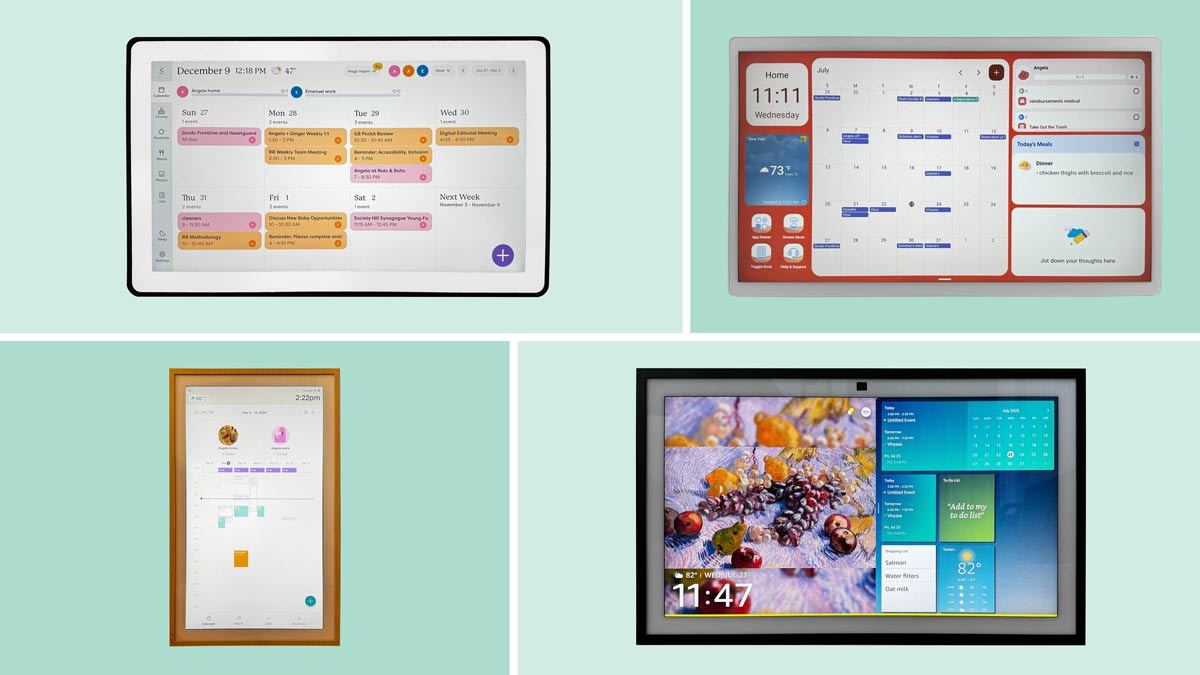

A paper calendar cannot update itself when school pickup changes, a chore gets reassigned, or dinner plans move to Thursday. A wall-mounted touchscreen can put those changes where everyone sees them, while still letting a parent update the schedule from a phone.
The Best digital wall calendar options range from compact 10.1-inch displays to a room-filling 27-inch screen. Some focus on a simple shared calendar, while others add Android apps, photo slideshows, meal planning, chores, rewards, and shopping lists.
Our top pick is the Skylight Calendar 2, with the original Skylight Calendar close behind. The rest cover larger displays, subscription-free operation, Android flexibility, and smaller spaces.
Comparison table
| # | Product | Award | Screen | Sync and planning | Best for |
|---|---|---|---|---|---|
| 1 | Skylight Calendar 2 | Best overall | 15-inch Full HD | Google, iCloud, Outlook, Yahoo, Cozi; chores and lists | Families wanting a polished shared planner |
| 2 | Skylight Calendar 15 | Best established design | 15.4-inch HD | Google, iCloud, Outlook, Cozi, Yahoo; chores and meals | Households that want a focused family hub |
| 3 | Yemsd 15.6-inch Calendar | Best photo storage | 15.6-inch glare-free HD | Google, Outlook, iCloud; chores, meals, rewards | Families that want photos alongside schedules |
| 4 | Dragon Touch 10.1 Calendar | Best compact pick | 10.1-inch touchscreen | iOS and Google; chores, dinner, lists | Smaller kitchens and desks |
| 5 | Boyuevi 15.6-inch Calendar | Best for reminders | 15.6-inch, 1080p photo mode | Google, iCloud, Outlook, Yahoo, Cozi; tasks and reminders | Busy households with school schedules |
| 6 | Skylight Calendar Max 27 | Best large screen | 27-inch HD | Google, Apple, Outlook, Yahoo, Cozi; chores and tasks | Large kitchens and command centers |
| 7 | ApoloSign 15.6 Calendar | Best Android flexibility | 15.6-inch HD | Google, iCloud, Outlook; Android apps and widgets | Smart-home households |
| 8 | ApoloSign 21.5 Calendar | Best large Android display | 21.5-inch HD | Google, iCloud, Outlook; Android apps and widgets | Families wanting a bigger customizable dashboard |
| 9 | Airzeen 15.6 Calendar | Best subscription-free option | 15.6-inch 1080p | Google, iCloud, Outlook, Cozi, Yahoo; tasks and meals | Families avoiding ongoing fees |
1. Skylight Calendar 2: Best Overall

Pros
- Bright 15-inch Full HD display
- Removable magnetic Snap Frame
- Includes a wall mount and adjustable stand
- Syncs with five major calendar services
- 4GB of RAM for responsive operation
Cons
- Premium features require the optional Plus Plan
- Smaller than the Skylight Calendar Max
- Its focused interface is less flexible than Android-based alternatives
Best for: families that want a clean, dependable shared planner without turning the wall into a general-purpose tablet.
The Skylight Calendar 2 gets the important family-calendar decision right: it makes the schedule easy to see without burying it beneath unrelated apps. The 15-inch Full HD display gives dates, tasks, and color-coded family events enough space to remain legible from across a kitchen. It feels like a dedicated household noticeboard rather than a tablet that happens to show appointments.
Setup is straightforward. Connect it to Wi-Fi, link the calendars, and the display pulls together Google, iCloud, Outlook, Yahoo, and Cozi schedules. The 4GB of RAM is a meaningful hardware detail here because the interface has to switch between calendar views, tasks, and lists without feeling sluggish. The built-in chores and lists keep the main planning functions in one place, while the app allows updates away from home.
The physical design is unusually useful. A removable magnetic Snap Frame gives the screen a more finished appearance, and the included 180-degree adjustable stand means it can live on a counter before moving to the wall. The wall mount includes a built-in level, a small touch that makes installation less frustrating. Compared with the original Skylight Calendar 15, the Calendar 2 has the more refined frame and stronger stated hardware. Compared with the ApoloSign 15.6 Calendar, it is less open-ended, but that restraint makes it easier for a family to understand quickly.
The limitation is the optional Plus Plan. Features such as Magic Import, the photo screensaver, meal planning, and rewards sit behind that upgrade, so households that want every function included should look closely at the subscription-free Airzeen 15.6 Calendar. The Calendar 2 is also not the right pick for someone who wants Google Play apps or a weather and smart-home dashboard. For everyone else, it is the clearest, most balanced family planner here.
2. Skylight Calendar 15: Best Established Design

Pros
- 15.4-inch touchscreen fits common wall spaces
- Syncs with Google, iCloud, Outlook, Cozi, and Yahoo
- Includes chores, tasks, lists, and meal planning
- Can stand on a counter or mount on a wall
- Focused interface is easy to understand
Cons
- Optional Plus Plan unlocks several extras
- HD display is not specified as Full HD
- The newer Calendar 2 has a more adjustable design
Best for: households that want a dedicated calendar, chore chart, and meal-planning screen in one compact family hub.
The original Skylight Calendar 15 remains appealing because it does not try to be everything. Its 15.4-inch touchscreen is large enough for a family to read in a kitchen or hallway, yet its 15.8 by 9.9-inch footprint is easier to place than the huge Calendar Max. The basic experience centers on shared schedules, chores, tasks, and lists, which is exactly what many families need from a wall planner.
Calendar syncing is its strongest practical feature. It works with Google, iCloud, Outlook, Cozi, and Yahoo, so a household with mixed phones and accounts can bring existing appointments into one view. Updates can be made on the device or through the Skylight app. That removes the main weakness of paper planning, where a change written in one place is easily missed everywhere else.
The touchscreen also handles personalized chores and weekly meal plans. Those features matter because the display can become part of the household routine instead of a screen that only gets checked on Sunday night. It can sit on a kitchen countertop, hallway table, or home office desk, or serve as a permanent wall calendar. If you are deciding between a dedicated planner and a photo display, the difference is useful to consider alongside how a shared household screen should handle photos and schedules.
The original model gives up some polish to the Skylight Calendar 2. The newer model specifies a Full HD screen, 4GB of RAM, a removable frame, and a 180-degree stand, while this model lists an HD smart display and a simpler mounting description. It also has the same important caveat around the optional Plus Plan, which adds Magic Import, a photo screensaver, meal planning, and rewards. Choose this one when the dedicated calendar workflow matters more than the latest physical refinements.
3. Yemsd 15.6-inch Calendar: Best Photo Storage

Pros
- 15.6-inch glare-free HD touchscreen
- 32GB of expandable storage
- Includes chore rewards and meal planning
- Syncs with Google, Outlook, and iCloud
- Two-year warranty and 24/7 support are specified
Cons
- Batteries are not included
- Calendar service coverage is narrower than Skylight
- Product dimensions appear inconsistent with the stated screen size
Best for: families that want a calendar display to double as a substantial digital photo frame.
The Yemsd 15.6-inch Calendar is the more photo-focused alternative in this group. It treats the display as a family command center when people need the schedule, then as a photo frame when the screen is idle. That makes sense in a living room or kitchen where a black screen would feel out of place. The 15.6-inch glare-free HD touchscreen should be easier to view under typical indoor lighting than a glossy panel.
Its most distinctive specification is 32GB of expandable storage. That gives it a clearer role for households that want photos stored on the device rather than simply shown as an occasional screensaver. The listing also describes AI photo restoration, although it does not explain the supported formats or expansion method, so buyers should not assume every photo workflow will behave the same way. For dedicated picture-frame duties, the questions to ask before choosing a family photo display are just as relevant as calendar features.
The planning tools are broad. It synchronizes with Google, Outlook, and iCloud, supports simultaneous family edits, and includes meal planning, a shopping function, and a chore chart with reward points. That makes it more engaging for children than a simple event grid. The Boyuevi 15.6-inch Calendar offers a similar screen size with Yahoo and Cozi support, plus timezone-aware reminders and class schedules, but the Yemsd is the more convincing choice if local photo storage is the priority.
There are two details to keep in mind. The listing says batteries are not included, which matters because this is a wall-mounted electronic device that needs a dependable power arrangement. Its product dimensions are also listed as roughly one inch on each side, a measurement that does not align with a 15.6-inch display, so the physical measurements should be confirmed before planning a tight installation. The stated two-year warranty and 24/7 support are reassuring, but households seeking the cleanest calendar-first experience should choose Skylight instead.
4. Dragon Touch 10.1 Calendar: Best Compact Pick

Pros
- Compact 10.1-inch touchscreen
- Combines schedules, chores, dinner plans, and lists
- Supports multiple personal calendars
- Can switch to a photo-frame display
- App supports remote management
Cons
- Smaller viewing area than every other calendar here
- The listing does not specify a wall-mount option
- Advanced Magic Import functions are paid
Best for: apartments, compact kitchens, desks, and households that do not need a large wall command center.
The Dragon Touch 10.1 Calendar is the sensible small-screen choice. Its 10.1-inch display and 13.39 by 7.76-inch body take up much less wall or counter space than the 15-inch class models. That makes it easier to place near an entryway or on a desk, though the smaller canvas means a busy family calendar will require more scrolling or tighter text.
The core software is not stripped down. It combines multiple personal calendars from iOS and Google into one view, assigns colors and tasks to family members, and adds a dinner planner, grocery list, and chore chart. The eCalendar app allows changes while away from home. For a couple, a small family, or anyone with a compact kitchen, those functions may matter more than having a large monthly grid.
It also changes into a digital picture frame when it is not displaying the schedule. The touchscreen is described as clear, and the photo mode gives the device a second role in a room. Compared with the Yemsd 15.6-inch Calendar, it offers less storage detail and considerably less screen area, but the smaller footprint is a genuine advantage. Compared with the Skylight Calendar 15, it has a less clearly dedicated wall-planner design, yet it keeps the useful family basics together.
The main weakness is visibility. Ten inches can work well at close range, but it is not the display to choose if several people need to read appointments from across a large kitchen. The listing also does not specify a wall-mount option, so installation should be checked before purchase. Its paid Magic Import functions are another limitation, though the listing identifies the photo frame, chores, dinner plan, and grocery list as free features.
5. Boyuevi 15.6-inch Calendar: Best for Reminders

Pros
- 15.6-inch display with 1080p photo mode
- Supports five calendar services
- Timezone-aware reminders and class schedules
- Wall mounting and desktop placement
- Includes tasks, shopping lists, and meal planning
Cons
- Listed weight is 6.72 pounds
- The Zical app adds another software ecosystem
- Less established interface than the Skylight models
Best for: households tracking school activities, classes, appointments, and reminders across several calendars.
The Boyuevi 15.6-inch Calendar stands out for the number of reminders it tries to make useful. It supports timezone-aware event alerts, school schedules, class activities, and to-do notifications, so it is aimed at a household with more than a simple work and dinner calendar. The 15.6-inch screen gives those details room to breathe without needing the wall space of a 21.5-inch or 27-inch display.
It syncs with Google, iCloud, Outlook, Yahoo, and Cozi, which is a strong combination for a mixed-device family. Each person can receive a color or avatar, and the display brings schedules, events, tasks, shopping lists, and reminders into one planner. The free Zical app handles remote management, while the screen itself supports wall mounting or desktop use.
The 1080p photo-frame mode is a useful secondary feature. When the planner is idle, it can show photos from a phone, so the device does not become dead wall space. The Yemsd 15.6-inch Calendar offers more stated storage and photo enhancement, but Boyuevi has the broader calendar-service list and more explicit emphasis on class and timezone reminders.
The hardware needs more planning than the thin body suggests. The listed dimensions are 15.5 by 9.6 by 0.9 inches, but the listed weight is 6.72 pounds, so the wall hardware and location deserve attention. It is also less familiar as a platform than Skylight, whose interface is more focused. Choose Boyuevi when alerts and school logistics are central; skip it if you want the simplest possible calendar with the fewest app decisions.
6. Skylight Calendar Max 27: Best Large Screen

Pros
- Huge 27-inch touchscreen
- Portrait and landscape orientation
- Syncs with Google, Apple, Outlook, Yahoo, and Cozi
- Chores and tasks remain easy to view
- Swappable frame styles and included mounting guide
Cons
- 22.66-pound weight requires careful installation
- Takes considerably more wall space
- Optional Plus Plan unlocks several features
Best for: large kitchens, entryways, and family command centers where visibility from a distance matters most.
The Skylight Calendar Max 27 solves a problem the smaller models cannot: seeing the family schedule without walking up to the wall. Its 27-inch HD touchscreen is the largest display here, and it can automatically adjust between portrait and landscape orientation. In a large kitchen, hallway, or dedicated command center, that extra surface should make appointments and chores readable at a glance.
The software keeps the same focused approach as the smaller Skylight models. It syncs with Google, Apple, Outlook, Yahoo, and Cozi, while the app lets family members make changes from anywhere. Chores, tasks, and routines stay at the center of the experience. The optional Plus Plan adds Magic Import, photo screensavers, meal planning, and stars and rewards, so it can expand beyond the basic calendar when a family wants those tools.
The physical scale is both the point and the constraint. The listed dimensions are 29.6 by 18.7 by 4.13 inches, and the weight is 22.66 pounds. That is not a casual counter accessory. It needs a wall with suitable support and enough clearance, and the included installation guide should be treated as part of the setup rather than an afterthought. Swappable frame styles help it look more like home decor, but they cannot make it disappear.
Compared with the Skylight Calendar 2, the Max is far easier to read across a room, but it is much harder to place. Compared with the ApoloSign 21.5 Calendar, it gives up Android apps and widgets in favor of a cleaner dedicated planner. Skip it for a small apartment or a narrow hallway. If several people need to see the same schedule at once, though, no other pick here makes that information as physically prominent.
7. ApoloSign 15.6 Calendar: Best Android Flexibility

Pros
- Calendar Mode and Android Mode
- Google Play apps and customizable widgets
- Supports weather, clocks, meals, music, and smart-home controls
- Chores, rewards, shopping lists, and meal planning
- Auto-brightness and sleep mode
Cons
- More complicated than a dedicated calendar
- Product dimensions are not useful for planning the screen footprint
- Smart-home features depend on compatible devices
Best for: households that want a family calendar with the flexibility of an Android dashboard.
The ApoloSign 15.6 Calendar is the most flexible 15-inch option here. It has a dedicated Calendar Mode for schedules and an Android Mode for apps and widgets. That split matters: a household can keep the display focused during the morning rush, then add weather, music, clocks, or smart-home controls when the screen needs to do more.
Calendar syncing covers Google Calendar, iCloud, Outlook, and more. The ApoloSign calendar app adds shared schedules, reminders, chores, rewards, grocery and shopping lists, wish lists, and weekly meal planning. The touchscreen also supports photo and video slideshows from Google Photos. This is closer to a wall-mounted family dashboard than a single-purpose planner.
The built-in Google Gemini voice assistant adds another layer. The listing says it can check schedules, set reminders, show weather, manage tasks, and control compatible lights, cameras, and doorbells. That could be useful when hands are full, but it also means the experience depends on the household's existing smart-home setup. The anti-glare HD touchscreen, auto-brightness, and sleep mode are sensible touches for a screen that may stay in a shared room all day.
Compared with the Skylight Calendar 2, ApoloSign offers much more customization but requires more decisions and maintenance. Compared with the Airzeen 15.6 Calendar, it is the better fit for app and widget users, while Airzeen is simpler and explicitly subscription-free. The listing's product dimensions are inconsistent with the stated 15.6-inch size, so verify the physical footprint before mounting. Choose ApoloSign if Android flexibility is the reason you want a digital wall calendar in the first place.
8. ApoloSign 21.5 Calendar: Best Large Android Display

Pros
- Larger 21.5-inch touchscreen
- Calendar Mode and Android Mode
- Google Play apps and customizable widgets
- Includes wall mount
- Supports family planning and smart-home controls
Cons
- More involved than a dedicated planner
- Larger wall footprint than the 15.6-inch ApoloSign
- Smart-home control requires compatible devices
Best for: families that want a large shared calendar and a customizable Android information screen.
The ApoloSign 21.5 Calendar takes the 15.6-inch ApoloSign concept and gives it more room. A 21.5-inch screen is better suited to a shared kitchen wall where people may read schedules from several feet away. The larger format also gives widgets, meal plans, photos, and smart-home controls more breathing room instead of forcing everything into a crowded dashboard.
Its two modes remain the defining feature. Calendar Mode keeps family events, chores, reminders, and shared calendars accessible, while Android Mode supports Google Play apps and widgets. The listing calls out weather, clocks, music, meals, and smart-home controls, along with photo and video slideshows through Google Photos. It is a strong match for a household that wants one central screen to replace several smaller information displays.
Planning tools include reward-based chore tracking, grocery and shopping lists, wish lists, and weekly meal planning. Sync support includes Google Calendar, iCloud, Outlook, and more. The included wall mount is useful because the 21.5-inch form needs a deliberate installation. The listed dimensions are 21.56 by 13.35 by 13.35 inches, so buyers should confirm how those measurements correspond to the assembled unit before choosing a location.
The Skylight Calendar Max 27 is still the better pick when maximum visibility and a dedicated planner matter most. The ApoloSign 15.6 Calendar is easier to place and offers the same Android idea in a smaller body. This 21.5-inch version makes sense for people who specifically want apps and widgets at a larger scale. Skip it if the household wants a simple calendar that never tempts anyone to tinker with the dashboard.
9. Airzeen 15.6 Calendar: Best Subscription-Free Option

Pros
- Subscription-free feature set
- 15.6-inch 1080p HD touchscreen
- Syncs with five calendar services
- Includes tasks, rewards, meals, photos, and weather
- Supports multi-page layouts and widgets
Cons
- Newer platform with less established interface information
- Product format is listed as a desk calendar
- Wall installation details are less specific than Skylight's
Best for: families that want shared planning features without an ongoing subscription.
The Airzeen 15.6 Calendar makes one promise unusually clearly: its listed features do not require monthly fees. Tasks, rewards, meal planning, to-do lists, photos, weather, widgets, and multi-page layouts are all presented as part of the device's core experience. That makes it a direct alternative to the Skylight models for households that want the full family-planning toolkit without an optional service layered over it.
The 15.6-inch 1080p touchscreen is a useful middle size. It should provide sharper photo and schedule presentation than an unspecified HD panel, while staying much easier to place than the 27-inch Skylight. The display can show bright, clear photos from any angle, and the interface supports color-coded schedules and customizable avatars so family members can identify events quickly.
Sync support is broad. Google, iCloud, Outlook, Cozi, and Yahoo are all listed, and events can be added from a phone or directly on the screen. Meal planning, shopping lists, wish lists, tasks, and rewards give it the same household-routine focus found on the Skylight Calendar 2. The difference is that Airzeen emphasizes customization through widgets and multiple pages, while Skylight emphasizes a more controlled, calendar-first interface.
The trade-off is confidence in the surrounding details. Airzeen is a newer platform in this group, and the product format is listed as a desk calendar even though the title calls it a smart wall calendar. The listing gives fewer specific installation details than Skylight, so confirm the mounting arrangement and physical placement before committing. Choose Airzeen when subscription-free operation and broad built-in features matter more than the most polished dedicated-calendar experience.
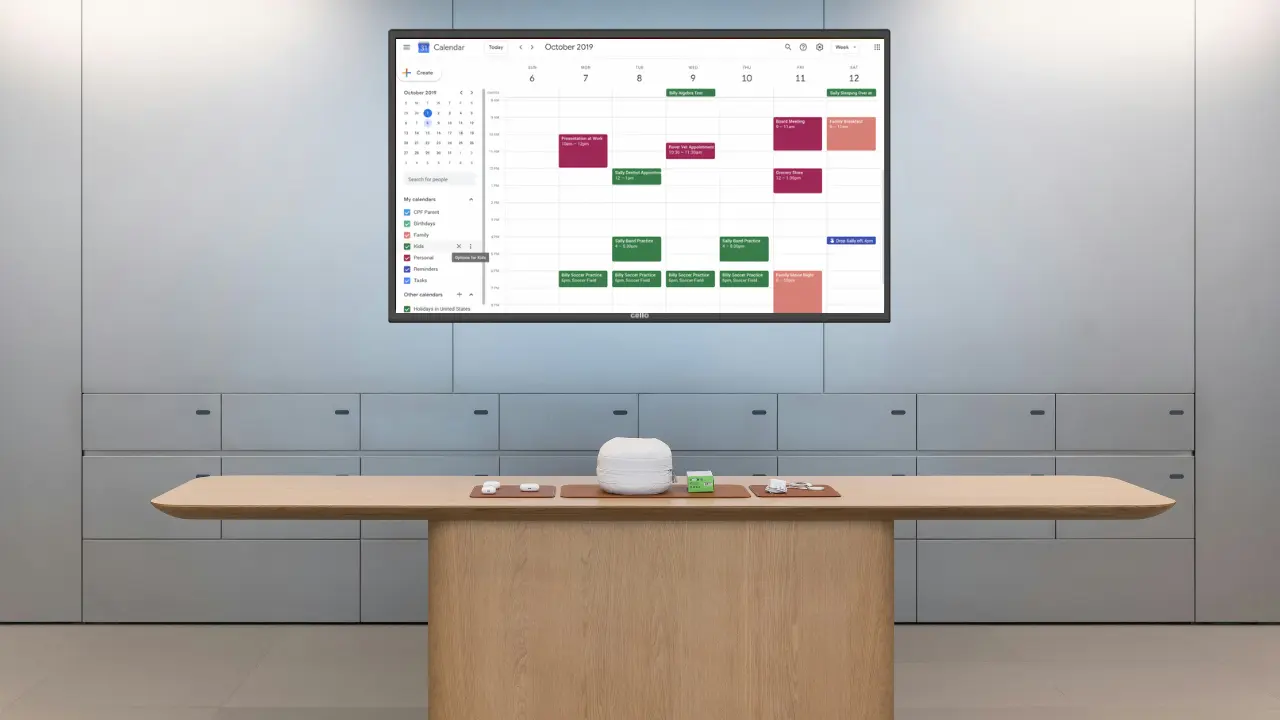
How to choose best digital wall calendar
A good family calendar is not just a screen with dates. It needs to be readable, easy to update, compatible with the household's existing calendars, and useful enough that everyone keeps checking it.
Screen size and readability
A 10.1-inch display can work near a desk or in a small kitchen, but it gives a busy family less room for simultaneous events. The 15-inch class is the practical middle ground, while the 21.5-inch and 27-inch models make more sense when people need to read the schedule from across a room.
Resolution also affects clarity, particularly for small calendar text and photos. The listings specify Full HD for the Skylight Calendar 2 and 1080p photo modes for Boyuevi and Airzeen. An HD screen can still be usable, but a larger display benefits from a clearer image.
Choose the smallest screen that keeps the whole household's schedule readable from the doorway.
Calendar synchronization
Look at the services everyone already uses before considering extra features. Skylight Calendar 2 and the original Skylight model support Google, iCloud, Outlook, Yahoo, and Cozi. Boyuevi and Airzeen offer the same broad mix, while Dragon Touch is described around iOS and Google. ApoloSign supports Google, iCloud, Outlook, and more.
A good sync system should update events on the wall and in the mobile app without forcing someone to re-enter every appointment. Shared editing also matters when more than one person manages the family schedule.
Chores, meals, and lists
A calendar becomes more useful when it handles the tasks around an event. Chore charts can assign work and track rewards, while meal planners and shopping lists connect the schedule to daily routines. Skylight, Dragon Touch, Boyuevi, ApoloSign, Yemsd, and Airzeen all include some combination of these tools.
Check the exact feature boundary. Skylight places several extras behind its optional Plus Plan, while Airzeen describes its tasks, rewards, meal planning, photos, and weather as subscription-free. That difference can change which platform fits your household.
Mounting and placement
The screen needs to live where people naturally pass it. Countertop placement is useful for testing a calendar, but a wall mount gives it better visibility in a busy kitchen or hallway. Skylight Calendar 2 includes a wall mount with a built-in level and a 180-degree adjustable stand. Skylight Max includes an installation guide and supports portrait or landscape orientation.
Large models deserve extra care. The Skylight Calendar Max is listed at 22.66 pounds, so it needs a suitable wall and careful positioning. Always verify the physical dimensions and mounting details when the listing gives measurements that appear inconsistent.
Android features and customization
ApoloSign is the clear choice for people who want apps, widgets, Google Play access, smart-home controls, and a customizable dashboard. Its Android Mode can show weather, clocks, music, meals, and compatible device controls.
That flexibility is not automatically better. A dedicated calendar such as Skylight Calendar 2 has fewer distractions and a more predictable family workflow. Choose Android only if someone in the household will actually maintain the dashboard.
Frequently asked questions
Do digital wall calendars need Wi-Fi?
The products in this roundup are designed to connect to Wi-Fi for calendar syncing and remote updates. Setup generally involves plugging in the display, connecting it to the network, and linking supported calendar services. A dependable connection is especially important when family members update events from their phones.
Can these calendars show chores and meal plans?
Yes. Skylight, Yemsd, Dragon Touch, Boyuevi, ApoloSign, and Airzeen list chore features, and several also include meal planning, shopping lists, or rewards. The exact feature set varies, and some Skylight extras require the optional Plus Plan.
Which digital wall calendar has the largest screen?
The Skylight Calendar Max has a 27-inch display, making it the largest model here. It supports portrait and landscape orientation, but its size and listed 22.66-pound weight mean installation needs more planning than a 15-inch model.
Can a digital calendar replace a paper family planner?
It can replace the shared visibility of a paper planner, especially when everyone already uses online calendars. The main advantage is automatic synchronization and remote editing. A digital calendar still needs to be placed somewhere people actually look and configured with the right family accounts.
Are any of these calendars subscription-free?
Airzeen explicitly describes its calendar, tasks, rewards, meal planning, to-do lists, photos, weather, and widgets as subscription-free. Several other models list paid extras, so check which functions are included before choosing a platform.
Can these devices also work as digital photo frames?
Yes. Skylight models can use photo screensavers with the optional Plus Plan, while Yemsd, Dragon Touch, Boyuevi, ApoloSign, and Airzeen describe photo-frame functions. Storage, photo sources, and enhancement features differ between products.
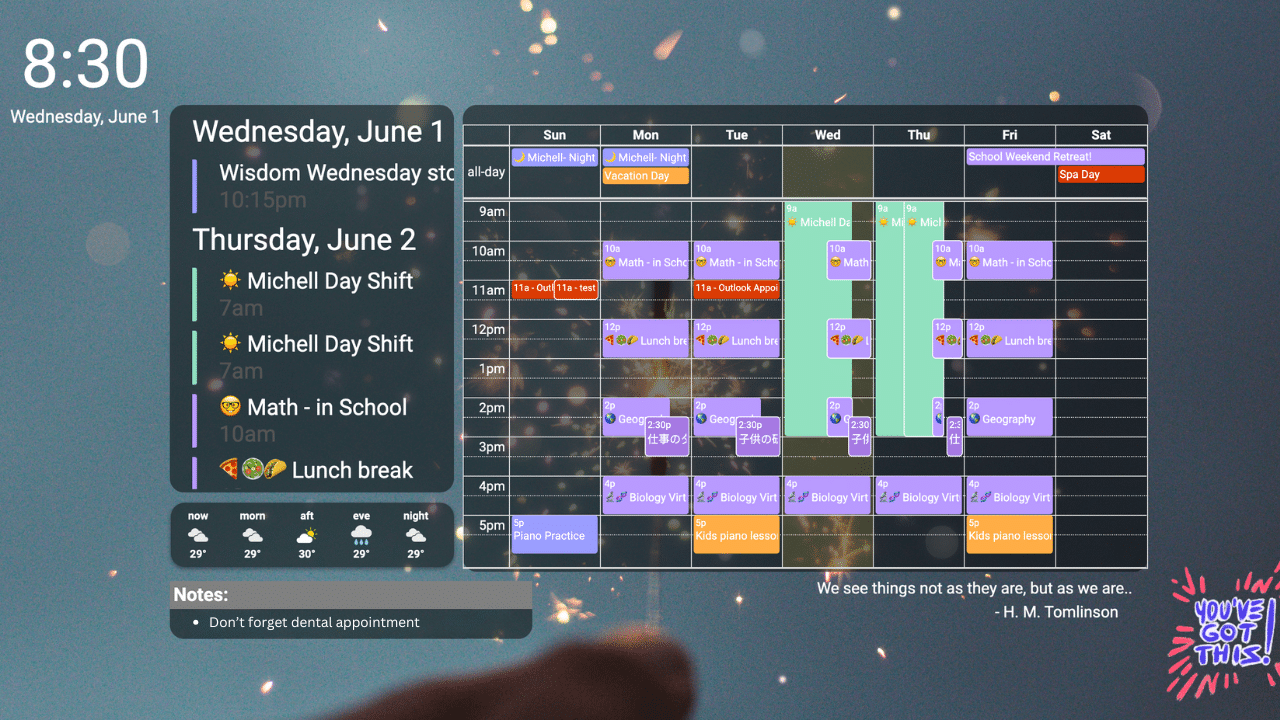
The bottom line
The Best digital wall calendar for most families is the Skylight Calendar 2. Its 15-inch Full HD screen, wide calendar synchronization, removable frame, adjustable stand, and focused interface make it easier to use than the more customizable Android alternatives. The Skylight Calendar 15 remains a good fit for a household that wants the same dedicated calendar approach in the original design.
Choose the Skylight Calendar Max 27 when visibility across a large room matters more than compact installation. Choose the Airzeen 15.6 Calendar when subscription-free planning is the priority, or the ApoloSign 15.6 Calendar when apps, widgets, and smart-home controls are essential.
If you are undecided, choose a 15-inch dedicated planner unless your room clearly calls for a larger screen or your household specifically needs Android flexibility.
As an Amazon Associate we earn from qualifying purchases.