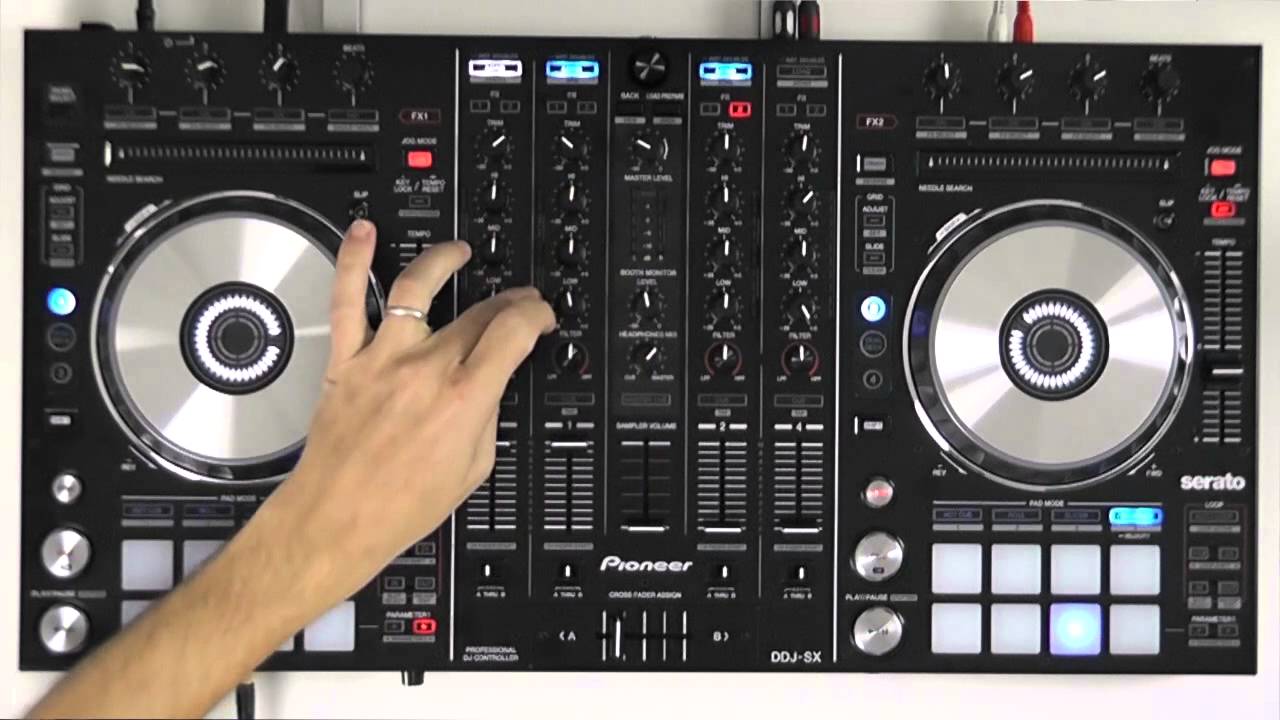

A good Serato setup should make the next transition feel easier, not leave you hunting through menus or guessing which control does what. The right layout matters just as much as jog wheel feel, software support, audio connections and room to grow.
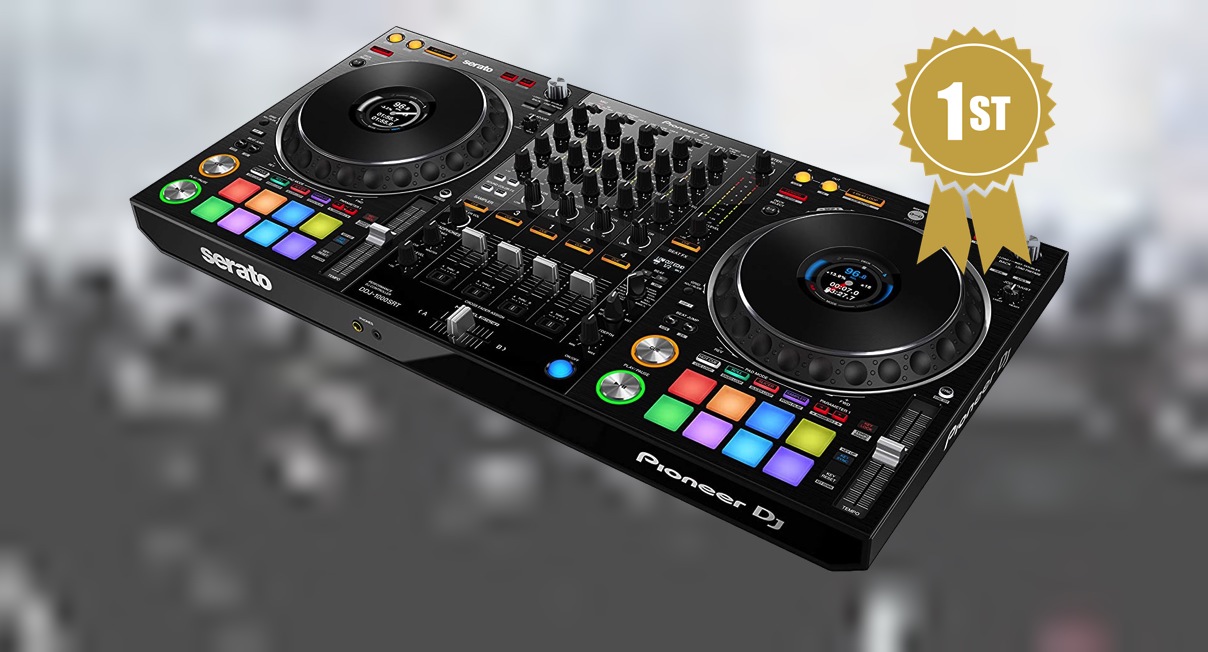
Our Best DJ Controller for Serato picks range from pocket-sized two-deck units to four-channel professional hardware and a standalone system that can run without a laptop. The Pioneer DJ DDJ-FLX4 is the best starting point for most people, while the list also includes stronger choices for scratch DJs, stems-heavy sets, mobile performances and serious club work.
Comparison table
| # | Product | Award | Decks | Performance controls | Connectivity | Best for |
|---|---|---|---|---|---|---|
| 1 | Pioneer DJ DDJ-FLX4 | Best overall | 2 | 16 pads | USB, Bluetooth, built-in sound card | Learning and growing |
| 2 | Hercules DJControl Inpulse 200 MK3 | Best learning tools | 2 | Beatmatch Guide, stems controls | USB, built-in sound card | First-time DJs |
| 3 | Numark Mixtrack Platinum FX | Best four-deck control | 4 | 8 pads per deck, FX paddles | USB, RCA, microphone input | Layered mixes |
| 4 | Pioneer DJ DDJ-REV1 | Best for scratching | 2 | Tall pitch faders, scratch routines | USB, Serato DJ Lite | Battle-style mixing |
| 5 | Hercules DJControl Inpulse 500 | Best hardware mixer | 2 | 16 RGB pads, vinyl function | USB, audio inputs | Home and event setups |
| 6 | Numark Party Mix III | Best party features | 2 | 8 pads per deck, stems | USB-C, Bluetooth MIDI | Casual parties |
| 7 | Hercules DJControl Starlight | Best pocket controller | 2 | Pressure-sensitive jogs, pads | USB, built-in sound card | Travel |
| 8 | Numark Mixtrack Go | Best compact stems control | 2 | 8 pads per deck, stems | USB-C, Bluetooth MIDI | Mobile practice |
| 9 | RANE FOUR | Best professional stems controller | 4 | Stem controls, 24 main FX | Dual USB, XLR, TRS, RCA | Performers and clubs |
| 10 | Denon DJ SC LIVE 4 | Best standalone system | 4 | Touchscreen, standalone stems | Wi-Fi, USB, SD, XLR | Laptop-free sets |
1. Pioneer DJ DDJ-FLX4: Best Overall

Pros
- Familiar layout that leaves room to grow
- 16 pads support cues, effects, beat jumps and samples
- Smart Fader helps new DJs blend tracks
- Works with computers, mobile devices and Bluetooth
- Built-in sound card simplifies speaker connections
Cons
- Two-channel design limits larger sets
- Smart Fader is a learning aid, not a replacement for manual mixing
- No standalone operation
Best for: someone who wants a flexible first controller that will remain useful after the basics are mastered.
The DDJ-FLX4 is the controller we would hand to a new Serato DJ who wants to learn properly without starting on a toy. Its controls are arranged in a straightforward two-channel, two-deck layout, and the design language feels close to Pioneer DJ's larger equipment. That familiarity matters when moving to more advanced hardware later. At 18.98 inches wide, 10.74 inches deep and about 6.17 pounds, it is easy to keep on a desk without turning the room into a permanent DJ booth.
The 16 performance pads give each deck access to Hot Cues, Pad FX, Beat Jump and Sampler functions. That is enough hands-on control for basic transitions, cue juggling and more expressive sets. The Smart Fader adjusts volume, bass and BPM as a blend is made, which can help a beginner hear how a transition should develop. We would use it as training wheels, then gradually take over those jobs manually.
It also has unusual flexibility for this group. The built-in sound card handles speaker output, and the controller can connect to a PC, Mac, iPhone, iPad or Android device by USB or Bluetooth. The ability to mix from services such as Apple Music, Tidal and Beatport broadens how you can build a set, while streaming and MC functions keep the hardware useful beyond private practice.
Compared with the Hercules DJControl Inpulse 200 MK3, the FLX4 offers a more substantial long-term layout and broader device support. The Numark Mixtrack Platinum FX beats it for four-deck control and larger jog wheels, while the Pioneer DJ DDJ-REV1 is more specialized for scratch routines. The FLX4's weakness is that it remains a two-channel laptop or mobile controller. Choose it when you want the most balanced path from first mix to confident home performance.
2. Hercules DJControl Inpulse 200 MK3: Best Learning Tools
Pros
- Beatmatch Guide LEDs provide direct timing help
- DJ Academy tutorials support a structured start
- Compact 2.2-pound design travels easily
- Stem separation adds creative options
- Supports several streaming services
Cons
- Smaller footprint leaves less room for expansive controls
- Serato Lite limits the software experience compared with advanced systems
- The learning aids may feel restrictive to experienced DJs
Best for: a complete beginner who wants guided lessons and visual help while learning to mix.
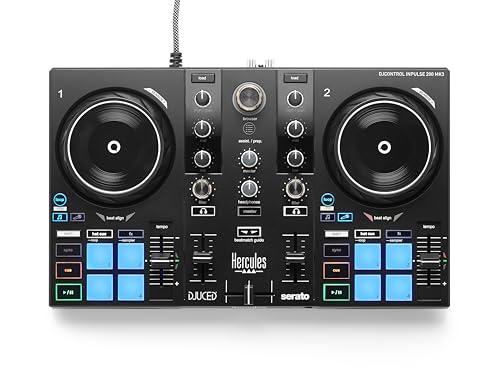
The Inpulse 200 MK3 takes a more instructional approach than most controllers here. Its Beatmatch Guide LEDs sit near the jog wheels and tempo faders, showing when tracks are aligned instead of leaving a first-time DJ to decode every mistake by ear. The included DJ Academy tutorials make the first sessions feel more like a sequence of lessons than an open-ended software experiment.
This is a compact two-channel controller measuring 15.6 inches wide and 10.4 inches across its depth, with a listed weight of about 2.2 pounds. It fits comfortably into a small setup and is easy to move between a bedroom, classroom or casual gathering. Its built-in virtual sound card supports a simple USB connection, and the controller can stream from Spotify, Apple Music, Beatport, SoundCloud GO+, Tidal and Beatsource through the supported software ecosystem.
Hercules also gives this small controller more creative reach than its training focus suggests. Stem separation can isolate vocals and instrumentals across both decks, letting a beginner experiment with mashups while learning the fundamentals. The Intelligent Music Assistant suggests a next track based on BPM and energy, which can help keep a practice session moving when the music library is unfamiliar.
The compromise is physical scale. The Pioneer DJ DDJ-FLX4 gives your hands more room and offers a more natural upgrade path, while the Inpulse 200 MK3 is easier to carry and more immediately instructional. It is not the pick for an experienced DJ who already knows beatmatching, but its guided layout is unusually useful for someone who wants feedback rather than a blank control surface.
3. Numark Mixtrack Platinum FX: Best Four-Deck Control

Pros
- Four decks support layered performances
- 6-inch jog wheels include color displays
- Dedicated FX paddles and loop controls
- Built-in 24-bit audio interface
- Microphone input expands event use
Cons
- Larger footprint than entry-level alternatives
- Four-deck control takes time to learn
- The design is less focused than a simple two-deck layout
Best for: DJs who want to run four decks and see track information directly on the controller.
The Mixtrack Platinum FX is the most convincing step up for a DJ who has already outgrown two decks but is not ready for professional four-channel hardware. Its four-deck control lets you layer acapellas, loops, alternate versions and effects without constantly abandoning one track. That extra flexibility changes the way a set is planned, especially for open-format mixes and creative transitions.
The two 6-inch capacitive jog wheels are the physical highlight. Their high-resolution color displays show BPM, platter position, beats remaining, pitch adjustment and key, so you can glance down without relying entirely on the laptop screen. Eight performance pads per deck cover cues, loops, fader cuts and samples, while dedicated instant-loop controls and six quick-launch effects make the controller feel performance-oriented rather than purely instructional.
The mixer section includes three-band EQ, filter knobs, channel faders and a crossfader. A built-in 24-bit audio interface handles the main output, and the microphone input gives the controller a useful role at small events. Serato DJ Lite is included, with access to streaming services including Apple Music, Tidal, Spotify, SoundCloud, Beatport Link and Beatsource Link through the software.
The Pioneer DJ DDJ-FLX4 is easier to understand at first, and the Hercules DJControl Inpulse 500 feels more focused as a conventional two-deck mixer. The Mixtrack Platinum FX wins when the set itself needs four active decks. Its 21.61-inch width and roughly 5.3-pound weight make it less convenient for cramped desks, and beginners may spend more time managing layers than learning clean transitions. Pick it for expansion, not simplicity.
4. Pioneer DJ DDJ-REV1: Best for Scratching

Pros
- Battle-style layout suits scratch techniques
- Tall pitch faders are easy to reach
- Dedicated effects support quick moves
- Tracking Scratch simplifies scratch routines
- Serato DJ Lite is ready to use
Cons
- Less natural for traditional club-style mixing
- Two-deck layout limits layered sets
- Scratch-focused controls may not suit every beginner
Best for: hip-hop, battle and open-format beginners who want to build scratch technique.
The DDJ-REV1 makes a strong case for choosing a controller around musical technique rather than general features. Its open battle-style layout mirrors a turntable and battle mixer arrangement, placing the decks and mixer in a configuration that makes scratching feel more deliberate. A conventional controller can scratch, but the REV1 makes that activity the center of the design.
Tall pitch faders put tempo control within easy reach, and the quick effect controls help add movement without interrupting a routine. Tracking Scratch can trigger scratch routines with one motion, which gives a beginner a way to practice the timing and phrasing of scratches before mastering every manual movement. Serato DJ Lite is included, so the setup is aimed squarely at immediate practice.
The hardware measures 21 inches wide, 10 inches deep and 2 inches high, with a listed weight of 5 pounds. That is still manageable for a home setup, though it takes more desk space than the Hercules DJControl Starlight or Numark Mixtrack Go. The two-deck design keeps the surface focused, but it also means that DJs who want four independent decks should look toward the Numark Mixtrack Platinum FX or RANE FOUR.
The DDJ-FLX4 is the safer all-purpose recommendation, especially for house, pop and standard club transitions. The REV1 is more rewarding when scratch moves, battle cuts and hip-hop routines are the reason you are buying. Skip it if you want a traditional layout or expect to spend most of your time blending long melodic tracks.
5. Hercules DJControl Inpulse 500: Best Hardware Mixer
Pros
- Built-in audio interface and hardware input mixer
- 16 backlit RGB pads
- Large touch-detection jog wheels
- Retractable feet raise the controller above spills
- Vinyl function and dedicated loop controls
Cons
- Heavy for a portable two-deck controller
- Large dimensions require a proper surface
- More hardware than a first-time DJ may need
Best for: home DJs and mobile performers who want a sturdy two-deck mixer with practical event features.
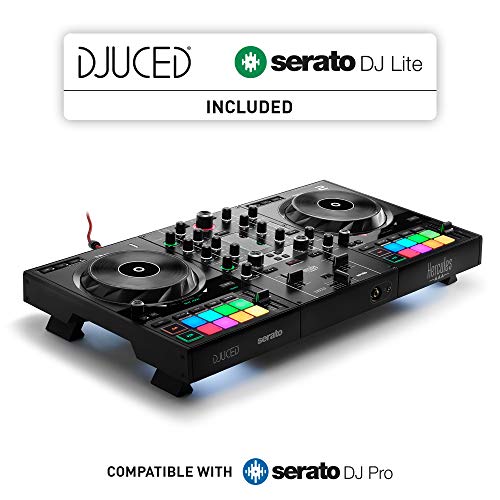
The Inpulse 500 feels like a controller designed to stay in one setup rather than disappear into a backpack. Its built-in audio interface and hardware input mixer give it a more complete mixer character than the smaller Hercules models. The retractable feet are a smart physical detail, raising the controller above the surface when spilled drinks are a realistic concern at a party or event.
Its two large jog wheels have touch detection for scratching, and the 16 backlit RGB pads provide Hot Cue and performance control. Vinyl function, Loop In and Loop Out buttons, plus the filter and FX area, give the main controls clear jobs without forcing every action through the laptop. That makes it a comfortable bridge between software DJing and a more hardware-led workflow.
The dimensions listed for this model are unusual, with a height of 10.54 inches, length of 5.12 inches and width of 20.26 inches. Its listed weight is 11.6 pounds, so it is substantially heavier than the DDJ-FLX4, Inpulse 200 MK3 or either compact Numark. That weight can be an advantage on a table, where a controller that stays put is easier to use, but it works against frequent travel.
The Pioneer DJ DDJ-FLX4 is more versatile across devices, and the Numark Mixtrack Platinum FX offers four-deck control. The Inpulse 500 instead makes sense for someone who values a substantial two-deck surface, hardware audio inputs and physical protection from the occasional messy venue. It is a poor fit for a tiny desk or a DJ who wants the lightest possible kit.
6. Numark Party Mix III: Best Party Features

Pros
- Beat-synchronized built-in light show
- USB-C power and Bluetooth MIDI
- Eight pads per deck with stems controls
- Beat Align indicators help beginners
- Includes headphone and RCA outputs
Cons
- Light show is not a substitute for deeper mixing control
- Compact controls may feel limiting for advanced users
- Primarily a two-deck system
Best for: casual DJs who want music control and an instant visual party atmosphere.
The Party Mix III is built around the moment when someone says, “Put on a set, ” and expects the room to look different immediately. Its integrated LED light show projects colorful patterns in time with the music, so the controller contributes atmosphere as well as playback control. That makes it more engaging at informal gatherings than a plain two-deck surface.
The core controls are more serious than the lighting suggests. Each deck has eight backlit performance pads for Hot Cues, Auto Loops, Samples and effects, along with dedicated stems controls for isolating vocals, drums and instruments. Two touch-capacitive jog wheels, three-band EQ, channel filters and a crossfader cover the essential manual mixing tasks. Beat Align indicators and automatic Fade FX give beginners help without removing all of the physical interaction.
USB-C connectivity powers the unit, and Bluetooth MIDI allows wireless operation with the Algoriddim djay app on compatible iOS and Android devices. Serato DJ Lite is included for Mac and Windows, and the built-in sound card provides an RCA main output plus a 1/8-inch headphone output. The 13.31-inch width and 2.42-pound weight keep it easy to move, while the included smartphone or tablet stand makes the mobile angle practical.
The Numark Mixtrack Go is the quieter, more stripped-back alternative, with a similar emphasis on portability and stems. The DDJ-FLX4 feels more polished for a DJ building a serious long-term workflow. The Party Mix III is the better fit when the light show is part of the brief, but DJs focused on technique may find its novelty less important after the first few sessions.
7. Hercules DJControl Starlight: Best Pocket Controller

Pros
- Extremely light and portable
- Built-in sound card supports headphones and speakers
- Pressure-sensitive jog wheels
- Includes essential bass, filter, cue, loop, FX and sampler controls
- RGB and strobe effects sync with the mix
Cons
- Very small layout limits hand space
- Two-deck controls are necessarily compact
- Less suitable for extended professional sets
Best for: DJs who need a controller that can travel in almost any small bag.
The Starlight is the controller to choose when portability is the first question. At 13.4 inches long, 3.9 inches wide and 1.93 inches high, it takes up remarkably little room. Its listed weight is only 1.1 pounds, making it suitable for practice away from home, quick demonstrations or a laptop bag that already carries too much.
The small chassis still includes the essentials. Pressure-sensitive jog wheels handle navigation, pitch movement and scratching, while the controls cover bass, filter, Hot Cue modes, loops, effects and sampler functions. The built-in sound card provides both headphone pre-listening and speaker output, so it does not require a separate audio interface for basic mixing.
Hercules adds RGB and strobe lighting beneath the base, with effects that sync to the rhythm of the mix. That feature is less about serious stage lighting and more about making a small practice setup feel alive. Serato DJ Lite is included, keeping the software path simple for a beginner who wants to connect a laptop and start learning.
The Numark Mixtrack Go offers a wider feature set for stems and a more conventional surface, while the DDJ-FLX4 gives your hands much more space and offers broader device support. The Starlight wins only when its tiny footprint matters. It is not the controller we would choose for long sets, frequent scratching or detailed mixer work, but it is an excellent portable introduction to Serato.
8. Numark Mixtrack Go: Best Compact Stems Control

Pros
- Lightweight two-deck design
- USB-C power works with mobile devices and power banks
- Bluetooth MIDI supports compatible mobile DJing
- Dedicated stems controls
- Separate speaker and headphone outputs
Cons
- 1/8-inch main output is less convenient for some speaker setups
- Small surface leaves limited room for complex performances
- No standalone operation
Best for: mobile DJs who want stems, basic mixing and flexible USB-C power in a compact package.
The Mixtrack Go is a practical travel companion rather than a scaled-down club deck. It measures 12.76 inches wide, 3.67 inches deep and 1.57 inches high, with a listed weight of 1.1 pounds. That makes it easy to pack for a gathering, outdoor session or practice away from a desk. USB-C power can come from a laptop, tablet, smartphone or standard power bank.
Its two capacitive-touch jog wheels provide a more familiar feel than the smallest pocket controllers, and the mixer keeps the main controls recognizable. There are dedicated filter knobs, channel gain, master volume and a crossfader. Eight backlit pads per deck handle Hot Cues, Loops, Samples and Stems, with dedicated controls for isolating or removing vocals, drums and instruments in real time.
Bluetooth MIDI lets it work wirelessly with the Algoriddim djay app on compatible iOS and Android devices. Serato DJ Lite is included, and the controller also supports Serato DJ Pro and VirtualDJ. An integrated audio interface supplies a 1/8-inch main output and a separate 1/8-inch headphone output for cueing, so the basic setup remains compact from source to speakers.
The Hercules DJControl Starlight is even smaller, but the Mixtrack Go is easier to recommend for modern remixing because its stems controls are more prominent. The Numark Party Mix III adds built-in lights and an RCA main output, while the Mixtrack Go keeps the emphasis on travel and clean utility. Its biggest limitation is the compact surface, which becomes apparent when a set needs several simultaneous actions.
9. RANE FOUR: Best Professional Stems Controller

Pros
- Four-channel mixer built for advanced performances
- Dedicated Serato Stems controls and Stem-Split
- 8.5-inch jog wheels with color displays
- 24 main FX and four channel FX
- Dual laptop support and extensive outputs
- Solid construction and MAG FOUR crossfader
Cons
- Heavy and wide
- More control than a beginner needs
- Requires a substantial performance space
Best for: working DJs who want deep Serato Stems control and professional audio connectivity.
The RANE FOUR is a professional instrument in the fullest sense. It is 30.8 inches wide, 15.9 inches deep and 4.2 inches high, with a listed weight of 18.25 pounds. This is not a controller to slide onto a narrow desk for an occasional mix. It needs a dedicated surface, but the size creates room for four-channel mixing, large jog wheels and controls that can be reached without crowding.
Serato Stems is the reason to choose it. Dedicated instrumental and acapella buttons, Stem Level EQ control, Stem-Split and a dedicated stems pad mode put vocal, melody, bass and drum manipulation directly under the fingers. The internal FX suite includes 24 paddle-triggered Main FX and four knob-controlled Channel FX, with the option to switch between hardware effects and Serato software effects.
The 8.5-inch high-resolution jog wheels show BPM, waveform information, Hot Cue markers, deck number, loop size, pitch range, pitch percentage, beat jump value, key and time. That screen density helps keep the laptop less central during a busy performance. The four-channel mixer includes full EQ control and FX assignment, while DVS support, two USB laptop connections and included Serato DJ Pro support give it a clear professional role.
Connectivity is extensive: phono or line input, booth and zone output, dual microphone inputs, RCA and XLR main outputs, and stereo or mono switching. The Denon DJ SC LIVE 4 is more self-contained and includes a touchscreen and built-in speakers, but the RANE FOUR is the sharper choice for laptop-based Serato performance. The weakness is obvious: its size, weight and deep feature set are excessive for a beginner. Choose it when stems and live control are central to the work.
10. Denon DJ SC LIVE 4: Best Standalone System

Pros
- Performs without a laptop
- 7-inch touchscreen simplifies browsing
- Built-in speakers support mobile setups
- Wi-Fi streaming and multiple media inputs
- Four-channel layout with Serato integration
- Standalone stems and lighting control
Cons
- Large and heavy for regular transport
- Standalone stems require preparation through Engine DJ Desktop
- Less focused on a pure laptop and Serato workflow
Best for: DJs who want a complete booth that can switch between standalone and computer-based operation.
The SC LIVE 4 solves a different problem from the other Best DJ Controller for Serato picks. It can run Engine DJ OS without a computer, allowing tracks to be loaded from an SD card or two USB inputs and browsed on a 7-inch touchscreen. That makes it useful for a mobile DJ who wants fewer separate devices, especially when the built-in speakers can handle practice or a small informal setting.
It is also a four-channel system, with 3-band EQ and multiple moving waveforms when used with Serato. Serato Pro hardware integration includes effects and mixer control, and the unit is compatible with VirtualDJ. Wireless connectivity brings streaming from Amazon Music Unlimited, Apple Music, Tidal, Beatsource, Beatport and SoundCloud Go+, while Bluetooth audio input adds another way to bring sound into the setup.
The connection panel is ready for more than bedroom practice. There are two USB inputs and an SD slot, two microphone inputs, two RCA main outputs, a 1/4-inch booth output and an XLR main output. Built-in speakers make the whole 28.35-inch-wide, 15.94-inch-deep system more self-contained, though its listed 13.6-pound weight means it is still a substantial piece of equipment.
Standalone stems can be prepared with Engine DJ Desktop and then imported for performance, so the workflow differs from the immediate laptop-based stem control on the RANE FOUR. The RANE is more direct for advanced Serato Stems manipulation, while the SC LIVE 4 wins for independence, browsing and event flexibility. Skip it if you want a small controller dedicated solely to Serato on a computer.
How to choose best dj controller for serato
The Best DJ Controller for Serato depends on the kind of set you want to play, not simply the number of pads on the product page. Focus on the physical workflow, software support and connections you will use every session.
Deck and channel layout
Two decks are enough for learning transitions, standard mixes and most home practice. Four-deck control becomes useful when you want to layer acapellas, loops, alternate tracks or stems without giving up the music already playing. The DDJ-FLX4 and DDJ-REV1 keep the workflow focused, while the Mixtrack Platinum FX, RANE FOUR and SC LIVE 4 provide more room for layered sets.
Jog wheels and pitch controls
Jog wheels affect track nudging, scratching and navigation. Touch-sensitive or capacitive wheels allow the surface to respond to a hand, while larger wheels generally leave more room for deliberate scratch movements. The RANE FOUR has 8.5-inch jog wheels, the Mixtrack Platinum FX has 6-inch wheels, and the DDJ-REV1 prioritizes a battle-style layout with tall pitch faders.
Performance pads and stems
Pads should match the music you intend to play. Hot Cues and loops support quick transitions, samples add texture, and stems controls let you isolate vocals, drums, bass or instruments. Eight pads per deck is common among the smaller Numark models, while the DDJ-FLX4 and Inpulse 500 offer 16 pads across the two-deck layout. Dedicated stems controls matter more than pad count when live mashups are a major part of your sets.
Choose the controller whose most-used gesture is easiest to reach, because software features cannot fix an awkward physical workflow.
Audio outputs and inputs
A built-in sound card lets the controller handle speaker output and headphone cueing without another interface. Check the output type before buying: RCA is common on home controllers, while XLR and booth outputs are more useful for event and club setups. Microphone inputs and hardware input mixers, found on models such as the Inpulse 500, Mixtrack Platinum FX, RANE FOUR and SC LIVE 4, expand what the system can handle at an event.
Portability and power
A compact controller is easier to practice with, but small controls can become cramped during a long set. The Hercules DJControl Starlight and Numark Mixtrack Go weigh about 1.1 pounds, while the RANE FOUR weighs 18.25 pounds. USB-C power and Bluetooth MIDI are helpful for mobile sessions, while standalone operation on the SC LIVE 4 removes the laptop entirely.
If the controller will share a computer with production software, consider how much computer power music software needs before choosing a portable setup. A controller can be compact while the laptop still becomes the limiting part of the system.
Frequently asked questions
Do these controllers work with Serato DJ?
The listed models are designed for Serato workflows, with Serato DJ Lite included on several of the entry-level and midrange controllers. The RANE FOUR unlocks Serato DJ Pro and the SC LIVE 4 supports Serato Pro hardware integration. Always check the software version and operating system requirements before setting up a session.
Is a two-deck controller enough for a beginner?
Yes. Two decks provide the essential workflow for loading tracks, cueing, beatmatching, adjusting EQ and making transitions. The Pioneer DJ DDJ-FLX4 and Hercules DJControl Inpulse 200 MK3 are especially approachable because they keep the surface focused.
Which controller is suited to scratching?
The Pioneer DJ DDJ-REV1 is the clearest fit because its open battle-style layout, tall pitch faders, quick effects and Tracking Scratch feature are built around scratch-oriented use. The Hercules DJControl Inpulse 500 also has touch-detection jog wheels and a vinyl function, but its layout is more general-purpose.
Can these controllers mix music from streaming services?
Several models support streaming through their compatible software. The DDJ-FLX4 lists Apple Music, Tidal and Beatport support, while the Inpulse 200 MK3 and Mixtrack Platinum FX list a wider selection that includes Spotify, SoundCloud and Beatsource. Streaming availability can depend on the software, account and device being used.
What is the advantage of stems control?
Stems control lets you separate musical elements such as vocals, drums, bass or instruments during a performance. It can help create mashups and cleaner transitions, but it also adds another layer of technique. The RANE FOUR has the deepest dedicated stems workflow here, while the smaller Numark controllers bring the feature to compact setups.
Can a DJ controller work without a laptop?
The Denon DJ SC LIVE 4 can perform without a laptop using Engine DJ OS, an SD card or USB media. The other controllers in this list are primarily computer or mobile-device controllers. Some support Bluetooth MIDI, but that is not the same as standalone operation.
Do I need a separate audio interface?
Not for basic use with these controllers. Each listed model includes an integrated audio interface or sound card, with outputs for speakers and headphones. The exact connection type varies, so a separate adapter or cable may still be needed for a particular speaker system.
The bottom line
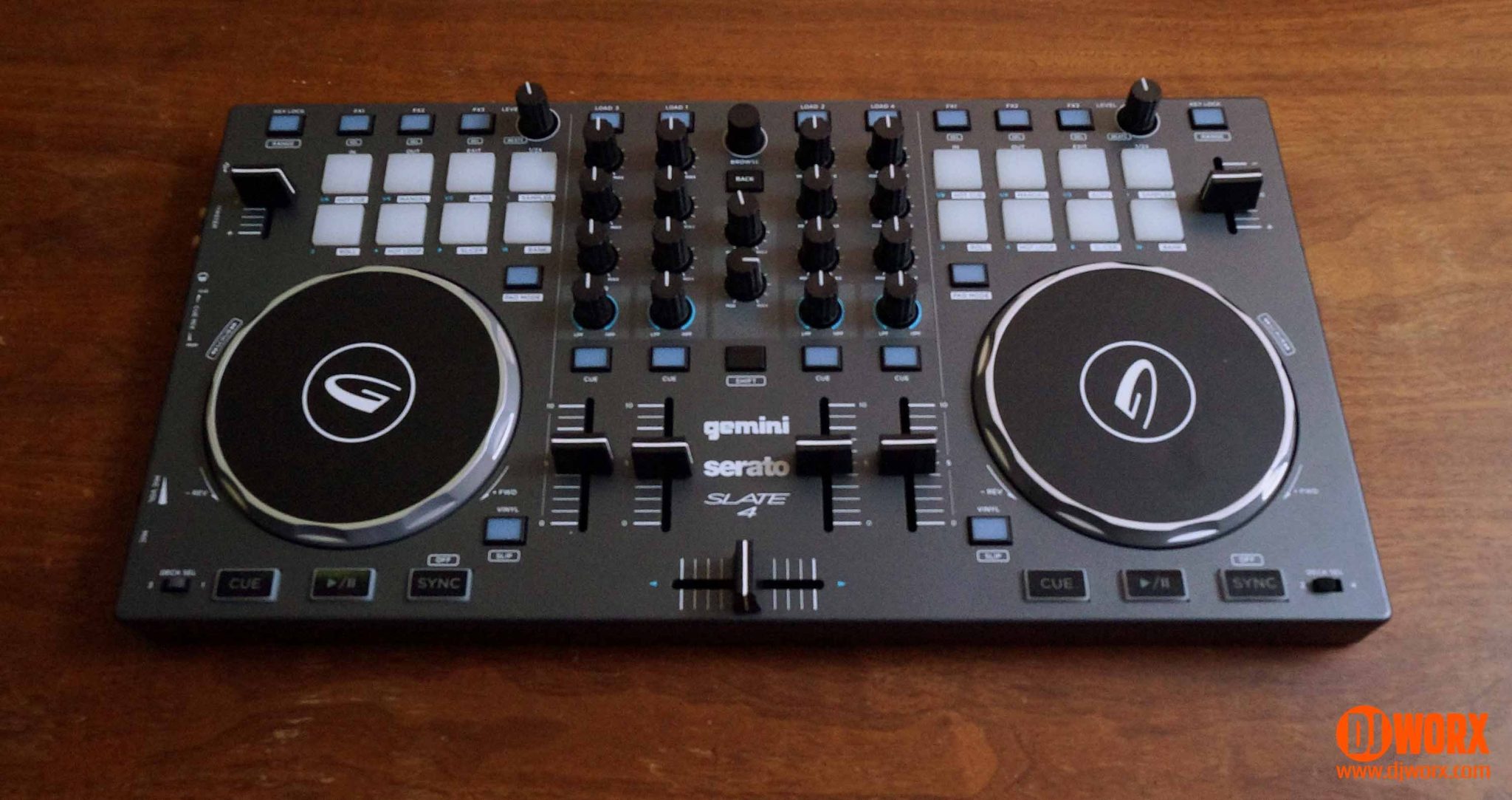
The Best DJ Controller for Serato for most people is the Pioneer DJ DDJ-FLX4. It has a clear two-deck layout, 16 performance pads, useful beginner assistance, broad device support and enough flexibility to remain relevant as your technique improves. Choose the Hercules DJControl Inpulse 200 MK3 instead if guided lessons and Beatmatch Guide feedback matter more than having a larger, more expandable surface.
For advanced work, the RANE FOUR is the specialist pick for four-channel Serato Stems performances, while the Denon DJ SC LIVE 4 is the stronger choice for laptop-free sets and mobile event flexibility. If you are undecided, buy the DDJ-FLX4 unless scratching, stems or standalone operation is the feature that will shape every set.
As an Amazon Associate we earn from qualifying purchases.