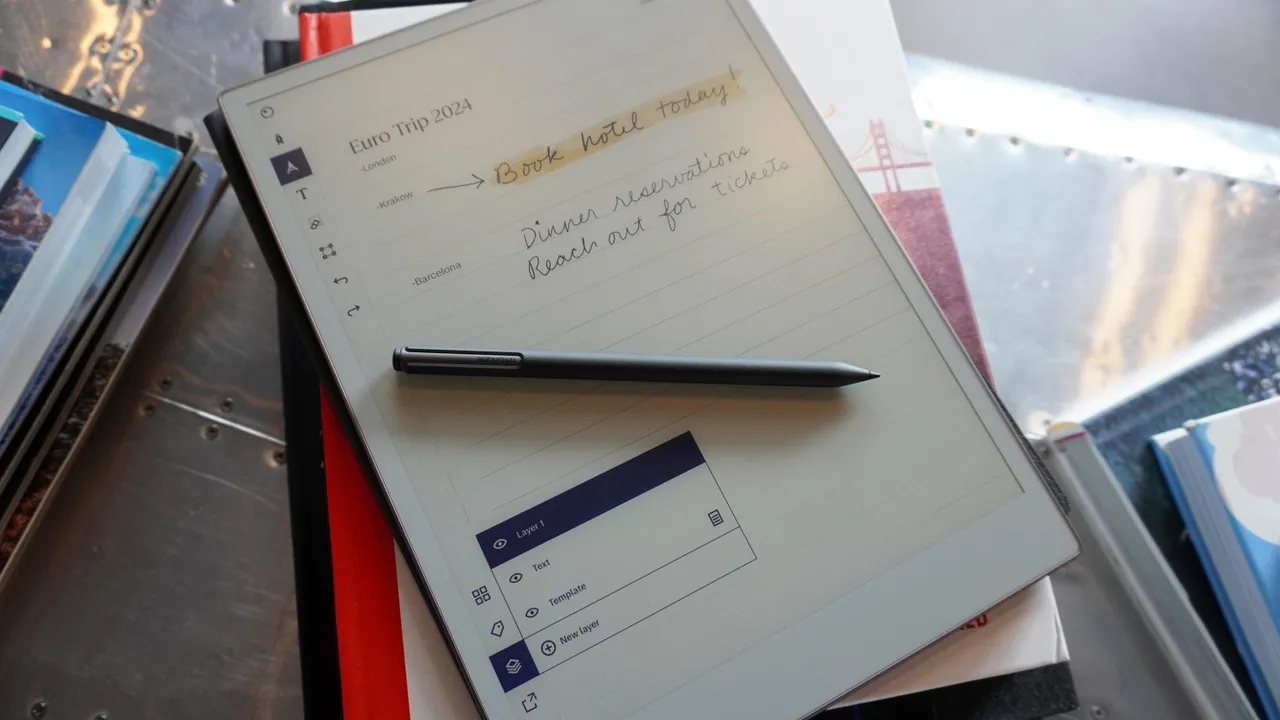

A disposable notepad is easy to grab, but it also means a growing stack of scraps, forgotten shopping lists, and meeting notes that vanish into a drawer. An electronic notepad keeps the familiar pressure-sensitive writing experience while making the erase step instant.
The Best electronic notepads range from simple LCD boards that never save a page to the HUION Note, which captures handwriting in an app and can record audio alongside it. Screen size, visibility in room light, and whether your notes need to survive an erase matter more than flashy tablet features.
For most people, the HUION Note is the most capable pick, while the Szhsk 16-inch two-pack is the better fit for large, private, paperless desk notes. The rest cover everything from pocket-sized doodle boards to protected 11.5-inch writing surfaces.
Comparison table
| # | Product | Award | Screen or format | Key feature | Best for |
|---|---|---|---|---|---|
| 1 | HUION Note | Best overall | A5 notebook, 9.5 x 7 inches | Bluetooth 5.0 app capture | Digital copies of handwritten notes |
| 2 | Szhsk 16-inch Writing Tablet 2-Pack Black | Best large two-pack | 16-inch screen | Replaceable coin battery | Meetings and shared desks |
| 3 | CozyKittens 11.5-inch Bezel-Free Tablet | Best large single board | 11.5-inch screen | Fine tip and erase guard | Desk planning and larger handwriting |
| 4 | Amoretti Sonnet 11.5-inch Drawing Tablet | Best for protected desk use | 11.5-inch screen | Case that becomes a stand | Sketches and hands-free writing |
| 5 | JSJGETYI 10-inch Tablet Case | Best case included | 10-inch screen | Foldable PU cover | Notes and study work on the go |
| 6 | Ksequ 6.5-inch Double-Sided Tablet | Best double-sided design | 6.5-inch and 6-inch displays | Full-screen writing on both sides | Carrying two note surfaces |
| 7 | Amoretti Sonnet 6.5-inch Double Display | Best pocket two-sided board | Dual 6.5-inch displays | Independent erase controls | Lists and quick reminders |
| 8 | CozyKittens 6.5-inch Fine-Tip Tablet | Best fine-tip compact board | 6.5-inch screen | Palm-mark rejection and lock | Legible small handwriting |
| 9 | AYIYAKE 6.5-inch Writing Tablet | Best for children | 6.5-inch screen | Lightweight 2.65-ounce design | Doodling, spelling, and travel |
| 10 | Szhsk 16-inch Writing Tablet 2-Pack Blue and Black | Best shared color set | 16-inch screen | Two reusable boards | Home and office separation |
1. HUION Note: Best Overall

Pros
- Captures handwriting in real time
- Bluetooth 5.0 connection to the mobile app
- Can sync audio with written notes
- Works as a graphics tablet with a PC
- Includes an A5 notebook and refills
Cons
- Requires an app and a compatible mobile device for digital capture
- Heavier and more involved than a simple erase board
- Battery life is limited to 18 hours of use
Best for: students, meeting-heavy professionals, and artists who need handwritten pages in digital form.
The HUION Note is the only product here that behaves like a real paper notebook and a digital capture system at the same time. You write on the included A5 paper with its digital pen, and the companion app captures the strokes as you make them. That distinction matters. The other LCD boards are excellent temporary surfaces, but their pages disappear when you press erase.
The notebook measures 9.5 by 7 inches, a familiar format for class notes and meeting pages without becoming awkward to carry. Bluetooth 5.0 connects it to the Huion Note app on iOS or Android. From there, handwritten material can be shared as images, PDF files, or MP4 files, and pages can be merged, split, moved, highlighted, or grouped. That organization makes it much more useful after a meeting than a stack of erased LCD scribbles. Readers comparing more dedicated hardware should also consider how digital pages can fit into a broader note system.
The audio feature is the standout. The device can record audio and sync it with your notes, so a written phrase can lead back to the relevant part of a lecture or conversation. The pen is battery-free, and the box includes a USB-C cable, a magnetic pen sleeve, three ballpoint refills, and three plastic pen nibs. Replace the inner pages with the supplied panel and connect the unit to a PC, and it becomes a drawing tablet.
There is a catch: this is not a simple slate. You need the app for the core digital benefits, and the 18-hour use rating means it eventually needs charging, unlike the replaceable-battery LCD boards. Its standby time is about 30 days, but that does not remove the need to manage the battery. The HUION Note is the one to buy when keeping a searchable or shareable record matters. Skip it if you only want a quick surface for grocery lists.
2. Szhsk 16-inch Writing Tablet 2-Pack Black: Best Large Two-Pack

Pros
- Large 16-inch writing area
- Two boards for separate locations
- Replaceable coin battery included
- No internet connection or file storage
- Glare-free, blue-light-free writing surface
Cons
- Erasing removes the entire page
- Notes cannot be saved or transferred
- The large body takes up substantial bag space
Best for: offices, households, and anyone who wants a separate large board at the desk and at home.
The Szhsk 16-inch Writing Tablet 2-Pack Black is the practical answer to a very specific problem: needing a lot of writing space in more than one place. A 16-inch board gives meeting notes, diagrams, daily tasks, and large handwriting room to breathe. Having two means one can stay on an office desk while the other handles the kitchen counter or a second workstation.
The listed dimensions are 13 inches wide by 10 inches high, and each board weighs 0.8 pounds. That is light enough to move around the house, but the size is better suited to a desk, conference table, or lap than to a small shoulder bag. The pressure-sensitive LCD surface uses reflected room light rather than a backlight, and the design is described as glare-free and free of blue light. It does not need a startup sequence or a charger.
The one-click erase button clears the board, while the replaceable coin battery keeps it ready without a charging cable. The privacy benefit is real: the tablet does not connect to the internet and does not save files. Sensitive notes remain on the surface until you clear them. That makes it a sensible communication board for people who need fast written exchanges, including seniors and patients who may not want to navigate a phone.
The same simplicity defines its limitation. There is no partial erase, handwriting conversion, app connection, or way to retrieve a cleared page. The HUION Note is vastly better for archiving notes, and the CozyKittens 11.5-inch board is easier to carry when one larger surface is enough. Choose this Szhsk set when physical writing area and two locations matter more than digital storage.
3. CozyKittens 11.5-inch Bezel-Free Tablet: Best Large Single Board

Pros
- Edge-to-edge 11.5-inch writing area
- Fine-tip writing across the screen
- Included case folds into a stand
- Palm-mark rejection
- Locking erase button
Cons
- Needs a well-lit room for clear visibility
- The screen cannot save or export pages
- The case adds bulk compared with an unprotected board
Best for: people who want a roomy single writing surface with protection for commuting.
The CozyKittens 11.5-inch Bezel-Free Tablet strikes a useful middle ground between a tiny memo board and the broad 16-inch Szhsk pair. Its edge-to-edge display puts more of the front surface to work, so the 11.5-inch area feels designed for writing rather than surrounded by a large unused border. The included case protects it in a bag and folds into a stand for desk use.
At 14.3 inches long and 9.5 inches wide, this is a substantial board, though its listed weight is only about 0.41 pounds. The 0.2-inch profile keeps it easy to hold in one hand. Fine-tip writing is the feature that gives it an advantage over generic doodle boards. Small planning notes, equations, and sketches should remain more legible than they would with a thick marker-style line. Palm rejection lets you rest your hand on the screen without adding stray marks.
A flush erase-button design helps guard against accidental clearing, and the replaceable battery is described as lasting months. The LCD is blue-light-free and flicker-free, but it depends on ambient light. The product specifically recommends bright offices, classrooms, and sunny rooms. It is not a glowing screen for a dark bedroom, and that is an important distinction for anyone expecting tablet-like illumination.
Compared with the Amoretti Sonnet 11.5-inch Drawing Tablet, the CozyKittens version has the same broad format and case-stand concept, but its presentation emphasizes the bezel-free screen and a one-year warranty. Neither replaces the HUION Note for saved pages. The right buyer is someone who wants a protected, paper-like surface for current notes and drawings, then is happy to erase them when the task is finished.
4. Amoretti Sonnet 11.5-inch Drawing Tablet: Best for Protected Desk Use

Pros
- Large 11.5-inch bezel-free screen
- Case converts to a stand
- Fine-tip stylus support
- Palm-mark rejection and erase guard
- Replaceable battery
Cons
- Visibility depends on bright surroundings
- Erasing does not preserve a digital copy
- Nearly one pound with the listed product weight
Best for: desk users who want a large sketching and writing board that can stand upright.
The Amoretti Sonnet 11.5-inch Drawing Tablet is built around a useful desk habit: leave the board protected in its case, fold that case into a stand, and keep it ready for the next note or sketch. The 11.5-inch bezel-free screen offers a broad canvas without the visual interruption of a thick border. It is a natural fit for planning pages, diagrams, and handwriting that needs more room than a pocket board allows.
The tablet is listed at 11.5 inches and about 0.86 pounds, with a slim profile. Its stylus produces fine, consistent lines across the screen, which makes the surface more useful for math, design sketches, and lecture notes than a toy-like doodle pad. Palm rejection means the writing hand can rest naturally, and the erase guard helps protect a page from an accidental press.
The case is more than a cover. It folds into a stand for hands-free viewing and writing, which is helpful when the board is used as a visible task list or a shared sketch surface. A replaceable battery powers the board, and the product says one battery lasts months. The screen is blue-light-free and flicker-free, but it needs a bright room because it is not an illuminated display.
Its key weakness is the same one found on the other simple LCD boards: it cannot turn a page into a file. The HUION Note is the clear choice for digital copies, while the CozyKittens 11.5-inch tablet is a close alternative with similar stand and fine-tip priorities. Choose the Amoretti Sonnet when the case and upright desk position are central to how you plan to write.
5. JSJGETYI 10-inch Tablet Case: Best Case Included

Pros
- 10-inch writing surface
- Protective PU cover included
- Cover folds into a stable stand
- Lock switch prevents accidental erasure
- Brighter blue-green writing lines
Cons
- Cannot connect to phones or computers
- Does not save notes internally
- Requires good room light
Best for: adults and students who want a mid-sized board protected by a folding cover.
The JSJGETYI 10-inch Tablet Case is a straightforward writing board made more practical by its cover. The 10-inch flexible LCD gives enough room for notes, arithmetic, spelling practice, and rough sketches without taking over a desk. Its PU case wraps around the device and folds into a stable stand, so it can travel in a bag and still work as a small upright memo board.
The screen uses a monochrome blue-green line and is described as brighter and thicker than earlier versions of the product. That should make ordinary handwriting easier to see at a glance, though it remains dependent on room light. The pressure-sensitive surface does not glow in the dark, and the manufacturer specifically recommends a well-lit area. Its listed dimensions are about 9.25 by 7 inches, with a weight of roughly 0.73 pounds.
A lock function keeps the erase button from clearing a page when the tablet is being carried or used by a child. When the page is finished, one key deletes it. That is the whole workflow, and it is refreshingly uncomplicated. There is no software to configure, no account to create, and no charging routine described.
The important limitation is explicit: it cannot connect to a phone or computer. If you need to keep notes, you must photograph or scan the screen before deleting it. That puts it behind the HUION Note for serious note-taking and behind the 11.5-inch boards for expansive sketches, but its case makes it easier to protect than many basic boards. It suits a buyer who wants a covered, portable surface rather than a digital archive.
6. Ksequ 6.5-inch Double-Sided Tablet: Best Double-Sided Design

Pros
- Writing surfaces on both sides
- Extremely light and thin
- Full-screen design
- One-click erase
- Includes a stylus
Cons
- Weak visibility in low light
- Small writing areas
- Does not preserve pages after erasing
Best for: commuters and students who want two quick note surfaces in one tiny device.
The Ksequ 6.5-inch Double-Sided Tablet has a clever answer to the usual small-board problem: turn it over. The product describes a 6.5-inch and 6-inch double-sided full-screen design, allowing one side to hold a task list while the other carries a phone message, calculation, or sketch. It is much more useful for quick separation of notes than a single small display.
Its listed body is about 6.25 inches long, 3.38 inches wide, and 0.43 inches thick, with a weight of 0.125 pounds. That is genuinely easy to slip into a scheduler, briefcase, or backpack. The attached pen keeps the basic writing setup together, and the one-click clear button makes the board reusable without paper scraps. The product claims 50, 000 to 100, 000 writing cycles, though there is no way to retrieve a cleared page.
The tablet is a good reminder that LCD writing boards are ambient-light devices. The listing warns that visibility is poor in weak light, so this is a bright-room tool rather than a nightstand screen. For anyone considering a small board for classes, the more important question is how much writing space a portable note surface really needs, especially when a page may include diagrams instead of just a few words.
The Ksequ is thinner and more versatile than the single-sided AYIYAKE, while the Amoretti Sonnet double-display model offers a similar two-sided idea with separate erase controls. None can compete with the HUION Note for saving work. Pick Ksequ when the dual surfaces and very low carrying weight matter more than fine archival features.
7. Amoretti Sonnet 6.5-inch Double Display: Best Pocket Two-Sided Board

Pros
- Two 6.5-inch writing displays
- Separate erase button for each side
- Lock and unlock control
- Magnetic stylus
- Very thin and light
Cons
- Needs well-lit surroundings
- No file storage or app connection
- Small surface for long notes
Best for: quick lists, reminders, and people who want separate personal and work notes.
The Amoretti Sonnet 6.5-inch Double Display is a pocket memo board with a useful party trick. Each side has a 6.5-inch screen, so you can keep two types of information available without erasing one to make room for another. One side might hold a shopping list while the other carries a short checklist or a child’s drawing.
The body is listed at 6 inches long by 3 inches wide and 0.2 inches thick. At 0.11 pounds, it is light enough to use in one hand and unobtrusive in a bag. The magnetic stylus creates blue-green lines, and the anti-fingerprint surface is intended to keep the board looking cleaner during regular handling. Those details make it better for quick, visible reminders than for pages of dense handwriting.
Each side has its own erase button, and the lock switch helps keep a note from disappearing accidentally. The stylus can also trigger erasure at the designated area. The product says the board can be used more than 100, 000 times and uses a replaceable battery, but those figures do not change the fundamental rule: clearing a side removes its content.
The Ksequ is similarly portable and also uses two sides, but Amoretti Sonnet gives each display its own clear control. The CozyKittens 6.5-inch Fine-Tip Tablet is better for carefully legible single-page writing, and the HUION Note is the obvious step up for saved notes. This is the pick for people who want two tiny, always-ready surfaces and do not need a digital record.
8. CozyKittens 6.5-inch Fine-Tip Tablet: Best Fine-Tip Compact Board

Pros
- Fine-tip lines for small handwriting
- Palm and finger marks are rejected
- Protective leather case included
- Lock switch protects notes
- Replaceable battery
Cons
- Small screen limits long notes
- Visibility is best in bright spaces
- Erased content cannot be recovered
Best for: adults who want compact handwriting that looks cleaner than a thick doodle-board line.
The CozyKittens 6.5-inch Fine-Tip Tablet focuses on the detail that matters most on a small board: whether handwriting stays readable. Its fine-tip stylus is designed for thin lines rather than the broad strokes associated with children’s doodle boards. That makes the 6.5-inch display more suitable for short lists, math work, workshop notes, and compact planning.
The tablet measures about 6.2 by 3.5 inches and weighs roughly 0.2 pounds. It is small enough for a pocket or purse, and the included leather case adds protection while giving the stylus a place to attach. Palm rejection means the display responds to the stylus tip rather than the resting hand, which should reduce accidental marks when writing in a more natural position.
A lock switch keeps the erase button from being pressed accidentally. When unlocked, the erase action is instant, and the product includes a replaceable battery. Like the larger CozyKittens model, this board is intended for well-lit offices, classrooms, workshops, and bright rooms. It is not a backlit device, so the fine writing cannot compensate for a dim environment.
The trade-off is obvious once the first few notes are written: 6.5 inches is compact. The Szhsk boards and 11.5-inch alternatives give you much more room, while the Amoretti double-display board gives you a second surface. Choose CozyKittens when legible small writing and the protective case matter more than maximum capacity. Skip it if your notes regularly run beyond a short list.
9. AYIYAKE 6.5-inch Writing Tablet: Best for Children

Pros
- Very light 6.5-inch design
- Suitable for drawing and spelling practice
- No glare from a backlight
- Portable for travel
- Reusable writing surface
Cons
- Not designed to save or transfer notes
- Small for adult planning
- Needs ambient light to see the screen
Best for: children’s doodling, early writing practice, and keeping a young traveler occupied.
The AYIYAKE 6.5-inch Writing Tablet is the most clearly child-oriented board in this group, though adults can use it for quick reminders. Its role is simple: give a child a place to draw, count, spell, and practice without handing over a phone or filling the floor with paper. The LCD surface has no glare or radiation according to the product description, and it is designed for repeated doodling.
The listed body is 6 inches long by 3 inches wide and weighs 2.65 ounces. That makes it easy to pack for a car ride, airplane trip, classroom, or backpack. A 6.5-inch screen is enough for letters, simple shapes, and short messages, but not for a long adult meeting record. The small form is an advantage for a young child who needs something easy to hold.
The product says the board can be reused 100, 000 times and can act as a drawing board, handwriting pad, or fridge notepad. Those uses make sense for a device that does not connect to a phone or computer. It is a temporary surface, not a way to build a digital notebook. For an adult comparing more capable tools, a larger writing surface for extended handwriting will be a better fit.
Compared with the CozyKittens fine-tip model, AYIYAKE is more naturally aimed at doodling and learning than compact adult handwriting. The Ksequ and Amoretti double-display boards offer more flexibility for adults who want two note areas. Choose AYIYAKE for a child, a travel activity, or a refrigerator message board, and do not buy it expecting document capture.
10. Szhsk 16-inch Writing Tablet 2-Pack Blue and Black: Best Shared Color Set

Pros
- Large 16-inch writing area
- Two boards in different colors
- Replaceable coin batteries
- Private operation without internet storage
- Useful for office and home separation
Cons
- Very large for small bags
- Whole-screen erase only
- Cannot export handwritten notes
Best for: households or teams that want two large boards with an easy visual distinction.
The Szhsk 16-inch Writing Tablet 2-Pack Blue and Black is the color-separated version of the other Szhsk set. The practical difference is that one board is blue and the other is black, which helps a household or office assign each tablet to a person or location. Both provide the same broad 16-inch writing area for meeting notes, diagrams, lists, and communication.
Each board measures 13 inches wide by 10 inches high and weighs 0.8 pounds. That is a manageable weight, but the footprint is closer to a small desk pad than a pocket notebook. The boards use pressure-sensitive LCD writing and reflected light, so they avoid the glare and blue light associated with a conventional illuminated screen. A replaceable coin battery keeps them available without a charging dock.
The one-click erase button clears the writing when the page is finished. The boards do not connect to the internet or save files, which is useful for confidential reminders and meeting notes that should not be copied into an account. They can also work as communication tools for people who need a large, immediately visible writing surface.
As with the black two-pack, there is no partial erase and no digital backup. The HUION Note is the right choice for anyone who needs searchable pages, while the CozyKittens 11.5-inch board is a better single-board option for carrying between rooms. Choose this set when the two colors make shared use easier and the size is an asset, not a burden.
How to choose best electronic notepads
The right electronic notepad depends on whether you need a temporary writing surface or a record you can retrieve later. These are the factors that separate the useful options from the frustrating ones.
Digital capture
Simple LCD boards erase the page and stop there. They are ideal for temporary notes, lists, calculations, and doodles, but they cannot provide a history of what you wrote. The HUION Note is different because its app captures handwriting as you write and can share pages as images, PDF files, or MP4 files.
If notes must survive a meeting or class, choose a product with genuine app capture rather than assuming every electronic writing pad stores data. If privacy and simplicity matter more, a non-connected board avoids accounts, pairing, and cloud storage.
Screen size
A 6.5-inch board works for short reminders and children’s drawings. It becomes cramped for full meeting notes or diagrams. The 10-inch JSJGETYI and 11.5-inch boards offer a more comfortable middle ground, while the 16-inch Szhsk boards are best when large handwriting and broad sketches matter.
Remember that screen size affects portability as much as writing comfort. A board that stays on a desk because it is awkward to carry is less useful as a travel notepad than a smaller model you actually keep nearby.
Choose the smallest screen that lets you write without compressing your normal handwriting.
Ambient-light performance
These LCD writing boards are not tablets with glowing displays. They use reflected light, so visibility depends on the room. Several listings specifically warn that the screen is difficult to read in weak light. A bright office, classroom, or sunny room is a better setting than a dark bedroom.
The eye-comfort claims, including no blue light, no glare, and no flicker, describe the display behavior. They do not mean the board can be read without light. If you regularly write at night, check this limitation before choosing a model.
Erase protection
Most products use a single button to clear the entire page. A lock switch or erase guard is therefore more important than it might appear. It keeps a finished list or diagram from disappearing while the board is in a bag.
The Ksequ and Amoretti Sonnet double-display models add another useful distinction: separate surfaces and, on the Amoretti, separate erase controls. That lets you preserve one side while clearing the other. No simple LCD model here offers the selective erasing of a conventional tablet app.
Portability and protection
Thickness, weight, and a case determine whether a board is comfortable to carry. The compact models range from pocket-friendly to extremely light, while the 11.5-inch and 16-inch products are more naturally desk tools. A case adds protection and can improve usability when it folds into a stand, as it does on the JSJGETYI, CozyKittens, and Amoretti Sonnet larger boards.
For travel, a stylus attachment is also useful because a missing pen can make the whole board inconvenient. The HUION Note takes a different approach with a digital pen, magnetic sleeve, refills, and a notebook designed for its capture system.
Frequently asked questions
Do electronic notepads save handwritten notes?
Most simple LCD writing tablets in this roundup do not save or export anything. Pressing erase removes the visible page. The HUION Note is the exception, using its mobile app to capture handwriting and organize it digitally.
Do LCD writing tablets need charging?
The simple LCD boards use replaceable batteries and do not require charging. The HUION Note has a rechargeable battery with a listed 18-hour use time and about 30 days of standby. Check the product type carefully, because an app-connected notebook has different power needs from a basic erase board.
Can these notepads be used in the dark?
No. The LCD boards depend on ambient light and are not described as backlit displays. The product listings recommend well-lit rooms, and one specifically warns that visibility is poor in weak light.
Can an electronic notepad erase only part of a page?
The simple boards use whole-screen erasing. Lock switches prevent accidental clearing, but they do not provide an eraser tool for individual words or lines. The HUION Note offers editing tools in its app after the handwriting has been captured.
Which screen size is easiest to carry?
The 6.5-inch models are the most portable and can fit in a pocket, purse, scheduler, or small bag. The 10-inch and 11.5-inch boards are better for longer writing but take up more space. The 16-inch Szhsk models are primarily desk or table devices.
Are electronic notepads suitable for children?
Yes, especially the AYIYAKE 6.5-inch model, which is described for drawing, spelling, counting, and travel entertainment. Adults should supervise use according to the child’s age and remember that these boards do not create a saved record of the child’s work.
Can these writing tablets connect to a phone or computer?
The HUION Note connects to mobile devices through Bluetooth 5.0 and can also work as a graphics tablet with a PC. The simple LCD boards do not generally connect to phones or computers. The JSJGETYI listing specifically says that its notes can only be saved by photographing or scanning the screen.
The bottom line
The Best electronic notepads are not all trying to do the same job. The HUION Note is the clear top pick for students, professionals, and artists who need handwritten pages to become shareable digital files. Its app, audio synchronization, organization tools, and graphics tablet mode give it capabilities the erase-only boards cannot match.
For a private, always-ready writing surface, the Szhsk 16-inch Writing Tablet 2-Pack Black is the strongest alternative. Its broad screen and two-board setup make it useful for meetings, home reminders, and shared desks, while the CozyKittens 11.5-inch and Amoretti Sonnet 11.5-inch models make more sense when one protected board needs to travel.
If you are undecided, choose HUION when you need to keep the page, and choose a simple LCD board when erasing it is the point.
As an Amazon Associate we earn from qualifying purchases.