

A small 4 by 4 inch hoop is enough for monograms, but it quickly becomes restrictive when a project grows to a sweatshirt front, jacket back, or large tote. The right machine depends on how often you embroider, whether you also sew, and how much manual thread changing you can tolerate.
Our Best embroidery machine picks range from compact Brother models for beginners to multi-needle commercial machines designed for hats, uniforms, and repeated orders. The Brother SE700 is the best starting point for most home makers, while the Poolin EOM 15 Needle is the serious production choice.
Comparison table
| # | Product | Award | Embroidery area | Needles | Best for |
|---|---|---|---|---|---|
| 1 | Brother SE700 | Best overall | 4 x 4 inches | Single needle | Sewing and embroidery at home |
| 2 | Brother SE700 Hoop Bundle | Best bundle | 4 x 4, 4 x 6.75, and 1 x 2.5 inches | Single needle | New owners who need supplies |
| 3 | Smartstitch S-1001 | Best commercial starter | 9.5 x 14.2 inches | 10 needles | Small-scale custom work |
| 4 | Brother SE2000 | Best larger combo | 5 x 7 inches | Single needle | Larger home embroidery |
| 5 | Brother PE900 | Best embroidery-only upgrade | 5 x 7 inches | Single needle | Dedicated embroidery users |
| 6 | Brother Skitch | Best compact pick | 4 x 4 inches | Single needle | Small craft spaces |
| 7 | Poolin EOC05 | Best large-field beginner machine | 4 x 9.25 inches | Not specified | Shirts, bags, and home gifts |
| 8 | Brother PE545 | Best simple 4 x 4 machine | 4 x 4 inches | Single needle | Straightforward embroidery |
| 9 | Brother SE700 Accessory Bundle | Best accessory bundle | 4 x 4 inches | Single needle | Sewing and embroidery beginners |
| 10 | Poolin EOM 15 Needle | Best production setup | 14.2 x 9.5 inches | 15 needles | Small embroidery businesses |
1. Brother SE700: Best Overall

Pros
- Combines sewing and embroidery
- Wireless design transfer
- 135 built-in embroidery designs
- 103 built-in sewing stitches
- Automatic needle threading
Cons
- Embroidery field is limited to 4 x 4 inches
- Single-needle design requires manual color changes
- Intended for 120-volt US use
Best for: home makers who want one approachable machine for both sewing and embroidery.
The Brother SE700 is the machine we would put in front of most first-time buyers because it avoids forcing a choice between sewing and embroidery. It has a familiar home-machine footprint, weighs 15.6 pounds, and includes an embroidery arm, a 4 by 4 inch hoop, and eight sewing feet. That makes it practical for a craft table that has to serve more than one project.
Its embroidery features are unusually well balanced for home use. The 135 built-in designs and 10 embroidery lettering fonts give you plenty to start with, while the 103 sewing stitches and 10 one-step auto-size buttonhole styles make it useful after the novelty of embroidery wears off. The 3.7-inch color touchscreen lets you preview and edit designs before stitching, including basic positioning and personalization.
Wireless LAN is the feature that makes this SE700 feel less dated than a basic entry machine. Design Database Transfer can send files from a computer, and the Artspira app can be used to draw or download designs and transfer them wirelessly. USB remains available when you prefer a direct connection. If you are deciding whether a combo machine suits your wider sewing plans, the features that matter for everyday garment sewing are useful to settle before choosing a specialist model.
The limitation is the hoop. A 4 by 4 inch field is fine for pockets, cuffs, children’s clothing, and small monograms, but larger artwork requires repositioning or a different machine. The SE700 also uses one needle, so multicolor work means stopping to change thread. Those limits make the Brother SE2000 and Brother PE900 better for larger designs, but the SE700 remains the most sensible all-rounder for a home user who wants sewing included.
2. Brother SE700 Hoop Bundle: Best Bundle

Pros
- Includes three different hoop sizes
- Comes with 40 polyester thread spools
- Includes sewing feet and embroidery accessories
- Wireless LAN and Artspira support
- Combines sewing and embroidery
Cons
- The core machine still has a 4 x 4 inch standard field
- Single needle means manual thread changes
- Bundle contents can be more than a casual user needs
Best for: a new owner who wants thread, hoops, and basic supplies ready from the start.
The Brother SE700 Hoop Bundle is fundamentally the same kind of home combo machine as the first SE700, but its contents change the buying decision. Instead of opening the box and immediately assembling a separate supply list, you get two 4 by 4 inch hoops, a 4 by 6.75 inch hoop, and a smaller 1 by 2.5 inch hoop. That gives you more placement options than the standard package.
The 40 polyester embroidery thread spools are the practical highlight. A new embroiderer can begin experimenting with lettering, borders, and color combinations without first collecting a full thread palette. The accessory list also includes the zigzag, monogramming, overcasting, zipper, blind stitch, button fitting, buttonhole, and embroidery feet, along with needles, bobbins, scissors, a seam ripper, and cleaning tools.
The machine itself retains the SE700 platform’s 135 built-in embroidery designs, 10 embroidery lettering fonts, and 103 sewing stitches. Wireless LAN, USB, iBroidery compatibility, and Artspira make design transfer flexible. The included design cards add another source of artwork, though the sheer number of extras may feel excessive if you already own sewing supplies.
Do not buy this bundle expecting commercial-scale embroidery. The embroidery area is still centered on a 4 by 4 inch field, and a single needle requires manual color changes. The larger included hoop can expand placement options, but it does not turn the machine into a 5 by 7 or multi-needle model. Compared with the standard Brother SE700, this is the more convenient package for a first setup. Compared with the Brother SE700 Accessory Bundle, it offers a more extensive embroidery-focused selection.
3. Smartstitch S-1001: Best Commercial Starter

Pros
- Ten needles reduce manual color changes
- Large 9.5 x 14.2 inch embroidery area
- Automatic color changing and thread trimming
- Thread break detection
- Supports flat and specialty materials
Cons
- Large, heavy machine for a home craft room
- Commercial workflow requires more setup knowledge
- Return packaging must be retained for a period after delivery
Best for: a maker moving from occasional projects into repeat custom work.
The Smartstitch S-1001 belongs in a different class from the Brother home machines. Its 10-needle layout is designed around keeping multiple colors loaded, so a design with frequent color changes does not require the same stop, thread, and restart routine as a single-needle machine. That is the difference a small custom-work operation notices first.
The 9.5 by 14.2 inch embroidery area gives it room for larger artwork on shirts, bags, denim, canvas, leather, and vinyl. The listed maximum speed is 1, 200 stitches per minute, while the machine also includes automatic thread trimming, automatic color changing, thread break detection, laser embroidery positioning, and a self-lubrication system. Those features target consistency and reduced interruption rather than casual experimentation.
The control system uses a 7-inch touchscreen, with physical buttons added to the newer design. Files can move to the machine through USB or Wi-Fi, and the machine supports DST and DSB files from a computer. Smartstitch also includes machine embroidery threads, stabilizers, and bobbin threads in its starter pack, plus manuals, video training, and technical support. Buyers should allow room for a 34-inch-wide, 33-inch-high machine that weighs 93 pounds.
The S-1001 is too much machine for someone who only wants names on towels a few times a year. It also demands more attention to placement, file preparation, materials, and maintenance than the Brother SE2000. Its advantage appears when larger designs and repeated multicolor jobs are the point of the purchase. For a small apparel operation, it is the more capable commercial starting point. For a home hobbyist, the size and workflow are unnecessary obstacles.
4. Brother SE2000: Best Larger Combo

Pros
- 5 x 7 inch embroidery field
- Sewing and embroidery in one machine
- 241 sewing stitches
- Wireless transfer and Artspira support
- Automatic color sorting and jump stitch trimming
Cons
- Heavier than the smaller Brother combo machines
- Single-needle embroidery
- Does not match multi-needle production speed
Best for: home users who want larger embroidery without giving up a full sewing machine.
The Brother SE2000 is the natural step up from the SE700 when 4 by 4 inches starts to feel cramped. Its 5 by 7 inch embroidery field gives designs more breathing room on shirts, panels, and larger gifts, while the machine remains a combo unit for ordinary sewing. At 38 pounds, it is not a machine you casually move after every project, so it suits a dedicated sewing station better than a temporary dining-table setup.
Brother gives this model a strong design library. There are more than 190 built-in embroidery designs, 50 downloadable designs through Artspira, and 13 embroidery fonts. On the sewing side, 241 stitches provide a much broader range than the SE700. Advanced Color Sort can rearrange the order of a multicolor design to reduce thread changes, and Jump Stitch Trimming cuts excess jumps within a color.
The 3.7-inch touchscreen handles zooming, resizing, rotating, repositioning, combining designs, and lettering edits. Wireless LAN supports Design Database Transfer from a computer, while USB remains available. The Artspira app can also turn a drawing on a mobile device into a custom pattern. Those tools make it easier to prepare a design without relying entirely on a separate computer program.
The weakness is still the single needle. Color sorting reduces interruptions, but it does not eliminate them, and the machine cannot match the workflow of the Smartstitch S-1001 or Poolin EOM 15 Needle. The SE2000 is also more machine than a beginner needs if every project will fit inside 4 by 4 inches. Choose it over the Brother PE900 when sewing matters. Choose the PE900 when embroidery is the only job.
5. Brother PE900: Best Embroidery-Only Upgrade

Pros
- 5 x 7 inch embroidery field
- 193 built-in designs
- 13 lettering fonts
- Wireless LAN and USB transfer
- Automatic color sorting and jump stitch trimming
Cons
- Cannot sew
- Single-needle design
- Takes more space than a compact 4 x 4 machine
Best for: dedicated embroiderers who do not need traditional sewing functions.
The Brother PE900 is the focused alternative to the SE2000. It removes the sewing side and puts the available space and controls toward embroidery, which makes sense for someone who already owns a sewing machine or has no interest in garment construction. Its 5 by 7 inch maximum field is large enough for many shirt fronts, quilt panels, and substantial decorative designs.
The built-in library includes 193 embroidery designs, covering scrollwork, florals, and quilt patterns, plus 13 lettering fonts across English, Japanese, and Cyrillic options. The 3.7-inch color touchscreen supports drag and drop positioning, resizing, rotating, and other editing tasks. A 7.4-inch space from the needle to the arm gives larger projects room to sit without immediately feeling boxed in.
Wireless LAN allows files to transfer from a computer through Design Database Transfer, and the Artspira app supports drawing, downloading, and wireless delivery. USB gives you a direct alternative. Advanced Color Sort can reduce the number of color changes in a design, while Jump Stitch Trimming handles excess thread jumps within a color. Those features help a single-needle machine feel less laborious during detailed work.
The PE900 should be skipped by anyone who expects one machine to sew seams, alter clothing, and embroider. The Brother SE2000 is the better fit for that buyer. It is also not a multi-needle machine, so users producing repeated multicolor orders will still spend time managing thread. For an embroidery-only workspace, though, the PE900 offers a larger field and a more useful design library than the PE545 without the commercial scale of the Smartstitch.
6. Brother Skitch: Best Compact Pick

Pros
- Compact embroidery-focused design
- Supports designs up to 4 x 4 inches
- Bluetooth and Artspira connection
- Imports PES, PHC, PHX, and DST files
- Suitable for ready-made clothing
Cons
- Embroidery only, with no traditional sewing
- Requires the Artspira app
- Maximum speed is 400 stitches per minute
Best for: beginners who want personal embroidery in a limited craft space.
The Brother Skitch is the least intimidating machine here. It is built around a compact footprint and an app-led workflow, making it a reasonable way to personalize jeans, towels, blankets, and other finished items without setting aside a full sewing room. Its embroidery area reaches 4 by 4 inches, which keeps projects in the monogram and small-design category.
The trade-off is speed and independence. Brother lists a maximum speed of 400 stitches per minute, well below the 1, 200 stitches per minute listed for the Smartstitch S-1001. Skitch also does not operate as a traditional sewing machine. It is a dedicated embroidery tool, not a replacement for a general sewing machine.
The required Artspira app is central to the experience. Users can draw a design in the app, import PES, PHC, PHX, or DST files, and store up to 20 designs in the unpaid version, adding and removing them as needed. Bluetooth keeps the machine connection simple, but buyers who prefer a large built-in library and an on-machine editing workflow may be happier with the Brother PE545.
The Skitch makes sense when available space matters more than embroidery throughput. Its 22.05-pound listed weight is manageable, though its 17.19-inch length and 9.02-inch width still require a stable surface. Skip it if you need 5 by 7 inch designs, automatic color handling, or traditional sewing. Keep it in consideration if the goal is making purchased clothing and household textiles feel personal.
7. Poolin EOC05: Best Large-Field Beginner Machine

Pros
- Long 4 x 9.25 inch embroidery area
- 7-inch color touchscreen
- Beginner-focused controls
- Wi-Fi and USB design transfer
- Free design software and training support
Cons
- Embroidery only
- Not intended for commercial mass production
- Larger footprint than basic 4 x 4 machines
Best for: beginners who want a long embroidery field for shirts, hoodies, bags, and gifts.
The Poolin EOC05 takes a different approach to beginner embroidery. Rather than limiting the user to a compact 4 by 4 field, it provides a 4 by 9.25 inch area that is better suited to long lettering, shirt designs, hoodie placements, and bag panels. That extra length matters when the design needs to stretch across fabric instead of sitting inside a small square.
A 7-inch color touchscreen is the main control surface, and the Institch OS2 system is designed around simple navigation. Poolin describes the machine as embroidery-only, which removes the sewing controls that can make a combo machine feel busy to someone learning the craft. Wi-Fi design transfer and USB give users more than one route for moving files.
The included free design software helps beginners create and edit projects, while Poolin offers one-to-one training, tutorial videos, and a user group for guidance. The machine is intended for personal projects such as clothing, accessories, home décor, and handmade gifts. That positioning is important: the EOC05 is aimed at home use, not the repeated production workflow of the Poolin EOM 15 Needle.
Its main weakness is the absence of a traditional sewing function and the lack of commercial automation. It also takes up a 22.44-inch-wide by 22.44-inch-long footprint, so the larger field needs a proper work surface. Compared with the Brother PE545, it offers more vertical design room and a larger touchscreen. Compared with the Brother SE700, it gives up sewing but makes larger embroidery easier. It is the better beginner choice when embroidery size matters more than versatility.
8. Brother PE545: Best Simple 4 x 4 Machine

Pros
- Wireless LAN and USB transfer
- 135 built-in designs
- Ten built-in fonts
- Touchscreen tutorials and design positioning
- Light 14.07-pound body
Cons
- Embroidery only
- 4 x 4 inch field limits design size
- Single-needle color changes are manual
Best for: a user who wants a straightforward dedicated embroidery machine for small designs.
The Brother PE545 is a clean, focused alternative to the combo machines. It handles embroidery and nothing else, with a 4 by 4 inch field, a 3.7-inch color LCD touchscreen, and a relatively light 14.07-pound body. That combination makes it easier to place on a craft table and put away when the project is finished.
Brother includes 135 built-in embroidery patterns, including children’s designs, holiday motifs, and florals. Ten built-in fonts, including seven English and three Japanese fonts, cover basic personalization. The touchscreen supports drag and drop positioning, design edits, and previews, and it includes tutorial videos that can help a new user understand the controls.
Wireless LAN lets you transfer files from a computer through Design Database Transfer. Artspira adds mobile drawing and downloadable patterns, while the built-in USB port remains useful for direct file transfer. The included accessory pouch contains needles, pre-wound bobbins, spool caps, a seam ripper, scissors, and guides, so the machine is not dependent on a separate sewing setup.
The PE545 loses ground to the Brother SE700 when you need ordinary sewing, and the Brother PE900 is better when 5 by 7 inch designs are a regular goal. Its 4 by 4 field also rules out many larger layouts. Still, the PE545 is a sensible dedicated machine for names, small motifs, children’s clothing, and gifts. It is also easier to understand than a commercial multi-needle machine, which is precisely its appeal.
9. Brother SE700 Accessory Bundle: Best Accessory Bundle

Pros
- Includes more than 40 accessories
- Sewing and embroidery in one machine
- 135 built-in embroidery designs
- 103 built-in sewing stitches
- Wireless LAN and Artspira compatibility
Cons
- Standard embroidery field is 4 x 4 inches
- Single-needle operation
- Bundle does not provide a larger embroidery platform
Best for: a beginner who wants the SE700 platform plus a broad set of basic accessories.
The Brother SE700 Accessory Bundle is another version of the SE700, but it is assembled for buyers who want a broad starter kit rather than the machine alone. The bundle includes more than 40 accessories, including sewing feet, needles, bobbins, scissors, a seam ripper, cleaning tools, screwdrivers, spool caps, and the embroidery frame set. That makes the first few sewing and embroidery projects less dependent on separate purchases.
The underlying machine remains capable for home use. It has a 4 by 4 inch embroidery field, 135 built-in embroidery designs, 103 built-in sewing stitches, and a 3.2 by 1.8 inch LCD color touchscreen. The Artspira app adds downloadable and custom designs, and the package includes access to additional Artspira designs and fonts. Wireless LAN and iBroidery compatibility give the machine a modern transfer path.
The accessory selection is particularly useful for someone who wants to alternate between sewing tasks and embroidery. The zigzag, monogramming, overcasting, zipper, blind stitch, button fitting, buttonhole, and embroidery feet cover a broad set of ordinary projects. If your next step after embroidery is learning garment construction, choosing the right beginner sewing setup can help you decide whether this combo format fits.
The weakness is not the bundle, but the platform’s limits. The 4 by 4 embroidery field remains small for large artwork, and one needle means multicolor designs need manual changes. The Brother SE700 Hoop Bundle is a stronger option if thread and multiple embroidery hoops are the priority. This version is more attractive to a sewing beginner who wants the wider set of feet and general-purpose accessories.
10. Poolin EOM 15 Needle: Best Production Setup

Pros
- Fifteen-needle color capacity
- 14.2 x 9.5 inch embroidery area
- Automatic color change and trimming
- Supports hats, caps, and 3D puff work
- Includes stand, hoops, and cap equipment
Cons
- Very large and heavy
- Excessive for occasional home projects
- Commercial workflow needs dedicated space and support
Best for: a small embroidery business handling repeat orders and multiple materials.
The Poolin EOM 15 Needle is the most production-oriented machine in this roundup. Its 15 needles let an operator keep many colors loaded at once, which is a major workflow advantage when a design changes color repeatedly or when several jobs need to run in succession. This is not a scaled-up home machine. It is equipment for a dedicated studio or small embroidery shop.
The 14.2 by 9.5 inch embroidery area accommodates jackets, hoodies, tote bags, and back patches. Poolin lists support for custom and third-party hoops, and the package includes five standard hoops, a cap station, and two cap hoops. The machine is also designed for structured hats, caps, and 3D puff work, extending its usefulness beyond flat garments.
Automatic color changing, thread trimming, thread break detection, and laser alignment reduce the interruptions that define single-needle operation. Files can transfer through Wi-Fi or USB, and the InStitch OS4 system is designed around production controls. The included starter kit contains embroidery threads, stabilizers, and 25 pre-wound size L bobbins, so the machine arrives with supplies for initial setup.
The physical demands are substantial. The EOM measures 28.4 inches wide, 21.3 inches long, and 59 inches high, and it weighs 165 pounds. It needs stable floor space and a clear production area, not a folding table. Poolin also recommends keeping the wooden pallet, accessory boxes, brackets, and bolts for a period after unpacking. Choose this over the Smartstitch S-1001 when 15 needles, a stand, cap equipment, and a larger production workflow matter. Skip it if your projects are occasional monograms.
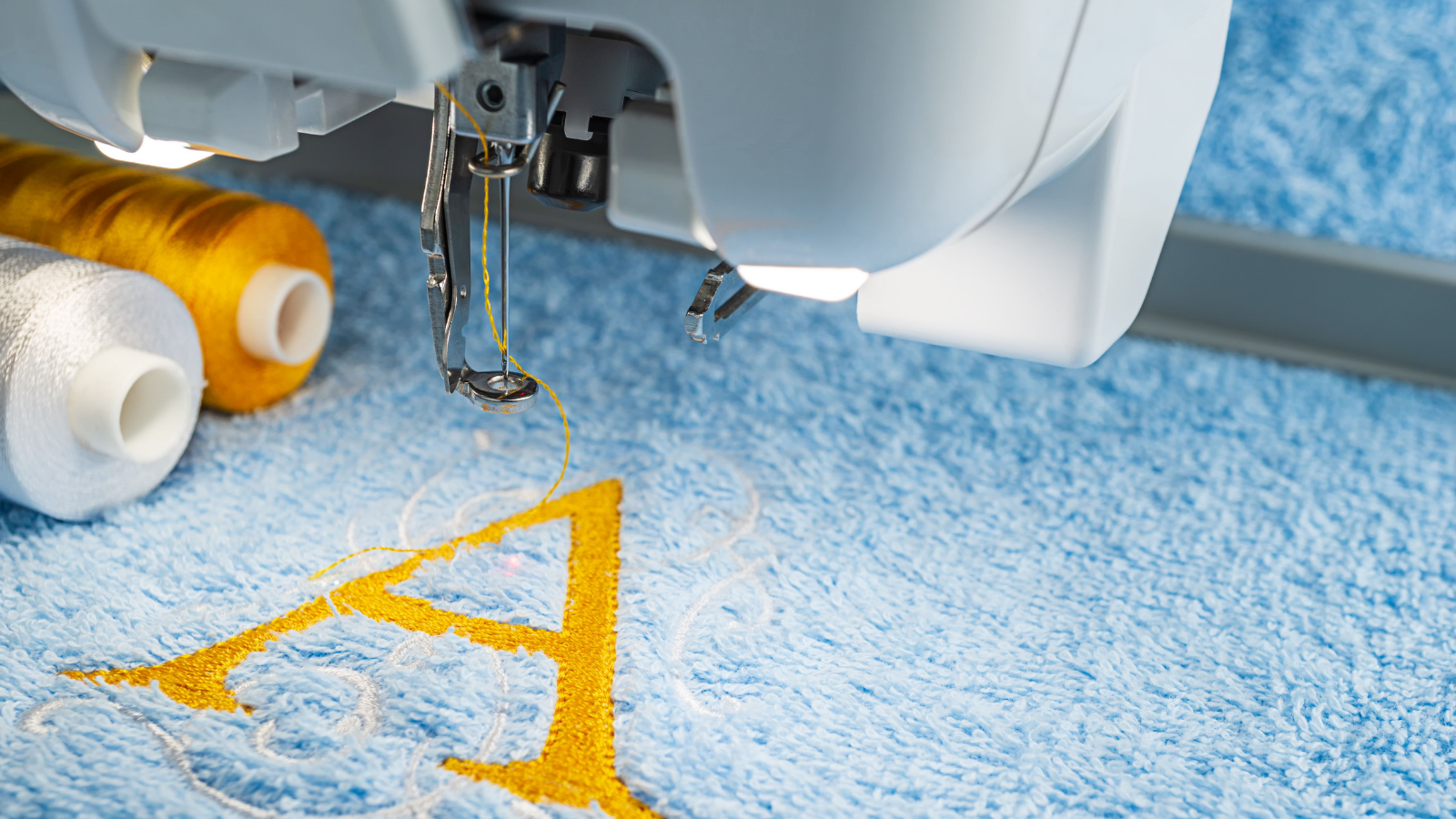
How to choose best embroidery machine
The right embroidery machine is defined less by the number of built-in patterns than by the size of the designs, the amount of thread management, and the type of fabric you plan to decorate.
Embroidery field
The hoop or embroidery field determines the maximum design size the machine can stitch in one setup. A 4 by 4 inch field works well for names, cuffs, pockets, small motifs, and children’s clothing. A 5 by 7 inch field gives larger shirt and quilt designs more room, while the Poolin and commercial machines offer long or wide fields for hoodies, bags, jackets, and back patches.
A larger field does not automatically make every project better. It also requires more workspace and can make the machine less convenient for a small craft table. Choose the smallest field that comfortably handles your usual designs, unless large garments are a regular part of the plan.
A bigger hoop matters only when your projects regularly outgrow a smaller one.
Single needle or multiple needles
Single-needle machines require you to stop and change thread colors manually. Color sorting can reduce the number of changes, but it cannot remove the operator from the process. That arrangement is perfectly manageable for occasional names and small designs.
Multi-needle machines such as the Smartstitch S-1001 and Poolin EOM 15 Needle keep many colors ready at once. They are better suited to repeated orders, detailed multicolor designs, and businesses where setup interruptions accumulate across a day. They also require more space, more training, and a clearer production workflow.
Sewing and embroidery functions
Combo machines such as the Brother SE700 and Brother SE2000 can sew seams, buttonholes, and decorative stitches as well as embroider. That makes them useful in a home sewing room where one machine must handle several jobs.
Embroidery-only machines such as the Brother PE545, Brother PE900, Brother Skitch, and Poolin EOC05 are more focused. They are the better fit when sewing is already covered elsewhere or is not part of the plan. Do not choose an embroidery-only machine expecting it to alter garments or replace a traditional sewing machine.
Design transfer and editing
Wireless LAN, Bluetooth, USB, and mobile apps determine how easily a design gets from an idea to the hoop. Brother machines in this roundup support combinations of Artspira, Design Database Transfer, USB, and file compatibility. The Brother Skitch relies more heavily on the Artspira workflow, while the commercial models support USB and Wi-Fi transfers from a computer.
On-machine editing is useful for positioning, rotating, resizing, combining, and lettering. A touchscreen that previews the design before stitching can prevent a poorly placed monogram. Check the supported file formats and transfer method before assuming a design downloaded elsewhere will work without conversion.
Materials and workflow
A machine intended for towels and cotton shirts does not need the same production features as one used for caps, denim, leather, vinyl, or structured hats. The Smartstitch S-1001 lists support for denim, canvas, leather, vinyl, caps, shoes, and bags. The Poolin EOM adds cap equipment and 3D puff support.
Also consider the physical setup. The compact Brother models can fit into a home craft area, while the commercial Poolin and Smartstitch machines need dedicated room. For a workshop that also involves other equipment, how to plan a small creative workspace is worth considering before committing to a large production machine.

Frequently asked questions
What size embroidery machine should a beginner buy?
A 4 by 4 inch machine is enough for names, small motifs, cuffs, pockets, and many gifts. If you expect to embroider hoodie fronts, larger shirt designs, or long lettering, a 4 by 9.25 inch or 5 by 7 inch field will be less restrictive.
Is a sewing and embroidery combo machine better?
It is better when you want one machine for ordinary sewing and embroidery. The Brother SE700 and Brother SE2000 are useful in that role. If embroidery is your only interest, a dedicated model such as the Brother PE545 or Brother PE900 avoids paying attention to sewing controls you will not use.
Are multi-needle machines necessary for home embroidery?
No. A single-needle machine is suitable for occasional projects and small designs, though you will change colors manually. Multi-needle machines become more useful when you repeat multicolor jobs, handle customer orders, or need to reduce interruptions during production.
Can these machines embroider hats?
The commercial Smartstitch S-1001 and Poolin EOM 15 Needle are the clearest choices in this group for hats and caps. The Poolin EOM specifically includes a cap station and cap hoops. The smaller Brother machines are better suited to flat garments and household textiles.
Do embroidery machines sew regular seams?
Only the combo machines do. The Brother SE700, Brother SE700 Hoop Bundle, Brother SE2000, and Brother SE700 Accessory Bundle combine sewing with embroidery. The PE545, PE900, Skitch, EOC05, S-1001, and EOM 15 Needle are embroidery-focused machines and should not be treated as traditional sewing machines.
Do I need a computer for wireless embroidery?
Not always. Brother’s Artspira app can create or download designs and transfer them wirelessly on supported models. USB remains available on several machines, and commercial models can transfer DST or DSB files from a computer. The best method depends on the design software and file types you already use.

The bottom line
The Brother SE700 is the Best embroidery machine for most home users because it combines a manageable footprint, sewing functions, wireless design transfer, a touchscreen, and a useful built-in library. Its 4 by 4 inch field is the important compromise, but it keeps the machine approachable for names, gifts, and everyday sewing projects.
Choose the Brother SE2000 if larger 5 by 7 inch embroidery matters and you still want a sewing machine. For dedicated embroidery, the Brother PE900 is the cleaner choice. For repeat commercial work, the Poolin EOM 15 Needle has the needle capacity, hoop range, cap equipment, and production controls the smaller machines lack.
If you are undecided, choose the Brother SE700 for mixed home use, the Brother PE900 for embroidery only, or the Poolin EOM 15 Needle only when you have genuine production work to justify its size.
As an Amazon Associate we earn from qualifying purchases.