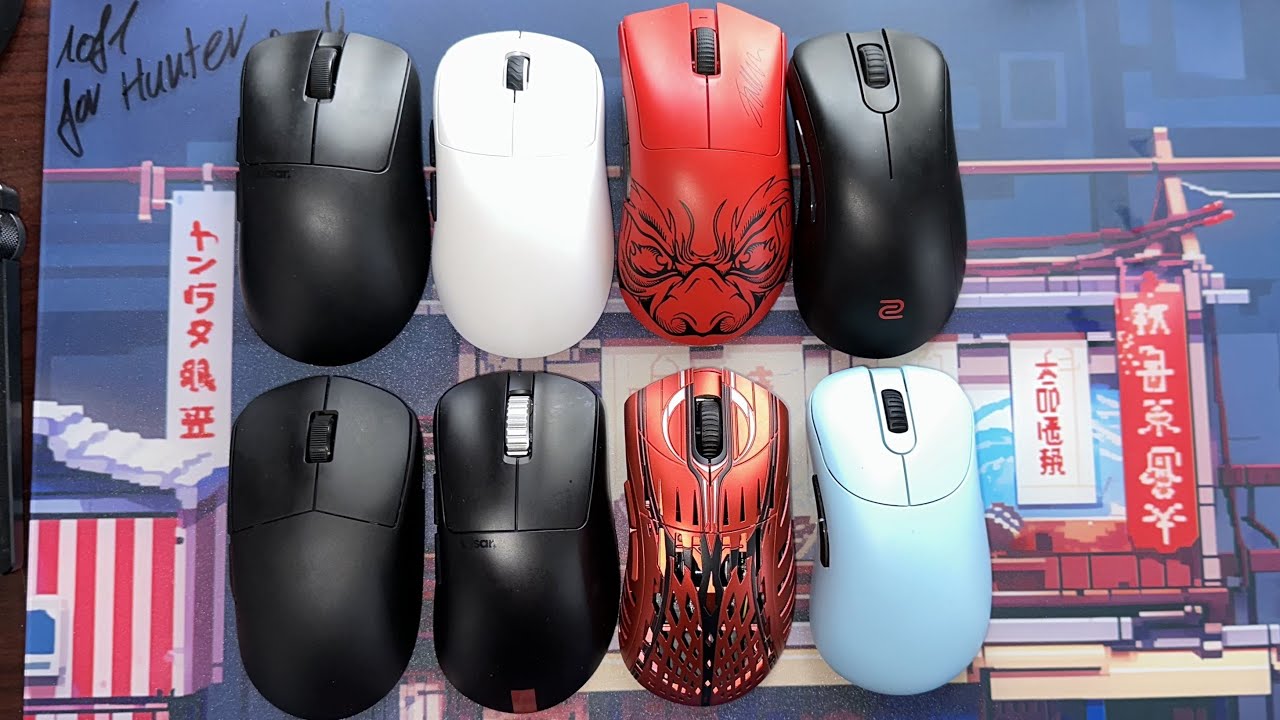

Long gaming sessions expose every bad mouse shape. A flat shell can leave your wrist twisted, while a crowded layout can force your thumb and fingers into awkward positions just to reach the buttons. The best ergonomic gaming mouse should make aiming, movement, and everyday control feel natural without sacrificing the features that make a gaming mouse useful.
This list includes conventional right-handed gaming shapes, true vertical mice, and productivity models that can still handle casual gaming. Razer Basilisk V3 is the single best pick for most players, while the other seven cover wireless play, vertical wrist positioning, extensive button layouts, and quiet office-friendly use.
Comparison table
| # | Product | Award | DPI | Controls | Connection | Best for |
|---|---|---|---|---|---|---|
| 1 | Razer Basilisk V3 | Best overall | 26, 000 | 11 programmable | Wired | Most PC gamers |
| 2 | Razer Basilisk V3 Pro 35K | Best wireless gaming pick | 35, 000 | 13 customizable | Wireless | Cable-free performance |
| 3 | Logitech G502 Hero | Best wired alternative | 25, 600 | 11 programmable | Wired | Adjustable weight |
| 4 | Attoe 5D Rocker Mouse | Best vertical gaming layout | 24, 000 | 12 programmable | Tri-mode | MMO and MOBA controls |
| 5 | Razer Pro Click V2 Vertical | Best vertical premium design | 30, 000 | 6 buttons | Wireless | Work and gaming crossover |
| 6 | Logitech MX Vertical | Best for wrist posture | 4, 000 | Not specified | Wireless | General productivity |
| 7 | Logitech MX Master 3S | Best for quiet workspaces | 8, 000 | Not specified | Wireless | Office and creative work |
| 8 | ProtoArc EM11 NL | Best compact vertical option | 2, 400 | Basic controls | Wireless | Small to medium hands |
1. Razer Basilisk V3: Best Overall

Pros
- Comfortable thumb-rest shape
- 11 programmable buttons
- Flexible scroll wheel with tactile and free-spin modes
- Highly precise 26, 000 DPI sensor
- Crisp optical switches
Cons
- Wired connection limits desk flexibility
- Right-handed shape is not ambidextrous
- Software is needed for deeper customization
Best for: PC gamers who want a comfortable traditional shape with extensive controls.
The Razer Basilisk V3 gets the important ergonomic decision right without making the mouse feel unfamiliar. It has the familiar palm-friendly profile that many players prefer, with a thumb rest that gives the hand a defined place to settle. The shape is still recognizably a gaming mouse, so the transition is much easier than it is with a steep vertical design.
Its Focus Plus optical sensor reaches 26, 000 DPI and is described as tracking without smoothing. That ceiling is far beyond what most people need, but the practical advantage is consistency at ordinary sensitivity settings. The 11 programmable buttons give this mouse more flexibility for push-to-talk, pings, ability shortcuts, and application commands. Razer's second-generation optical switches are rated for a 0.2 ms actuation time and up to 70 million clicks, which makes the buttons feel deliberately built for repeated use.
The scroll wheel is a standout feature. It can switch between tactile scrolling and free-spinning movement, and the tilt function adds two more directions for shortcuts. That makes the Basilisk V3 useful outside games, especially when moving through long documents or browsing large menus. Its 11-zone Chroma RGB system can use millions of colors and react with more than 150 integrated games, although the lighting is a secondary benefit rather than a reason to buy it.
Compared with the Logitech G502 Hero, the Basilisk V3 offers a similarly capable button layout in a slightly more modern package, while the Logitech counters with adjustable weights. The wireless Razer Basilisk V3 Pro 35K is the more polished choice if cable-free play matters, but it is also heavier and adds features many players will not use. The wired cable is this model's clearest weakness, and anyone determined to keep a clean wireless setup should skip it.
For most right-handed PC gamers, the Basilisk V3 is the easiest recommendation because it combines a conventional hand position, excellent tracking, useful controls, and a scroll wheel that works well for both play and work. It is the one we'd keep for a mixed library of shooters, strategy games, and everyday desktop use.
2. Razer Basilisk V3 Pro 35K: Best Wireless Gaming Pick

Pros
- Up to 140 hours of battery life
- 13 customizable controls
- 35, 000 DPI sensor with one-DPI adjustments
- Smooth or tactile Hyperscroll wheel
- Gen 3 optical switches
Cons
- Heavier than the wired Basilisk V3
- Full 8, 000 Hz polling requires separate accessories
- Razer Synapse is needed for customization
Best for: players who want a feature-rich wireless gaming mouse with a familiar ergonomic shape.
The Razer Basilisk V3 Pro 35K is the wireless version to choose when the cable is the thing you most want to remove. It keeps the broad, right-handed Basilisk concept but expands the control layout and tracking specification. The result feels less like a stripped-down wireless compromise and more like a fully featured desktop mouse that happens to run without a cable.
The Focus Pro 35K optical sensor supports one-DPI adjustments, so sensitivity can be tuned with unusual granularity. That precision matters most to players who already know exactly how they want their aim to feel. The mouse also claims tracking across a wider range of surfaces, including glass. Its 13 controls include the multifunction trigger, giving MMO and productivity users more assignable inputs than the wired Basilisk V3.
Battery life is the defining practical advantage. Razer lists up to 140 hours on HyperSpeed wireless, enough to make charging an occasional task rather than a daily interruption. The mouse can reach an 8, 000 Hz polling rate with the Mouse Dock Pro or HyperPolling Wireless Dongle, but those accessories are sold separately. At its standard wireless setting, the important point is a cable-free connection designed for play, not that optional headline mode.
The Hyperscroll wheel switches between free-spin and tactile scrolling, with a Smart-Reel mode that can change behavior based on scroll speed. Thirteen Chroma lighting zones include a full underglow and can respond to more than 200 integrated games. Gen 3 optical switches are rated for a 0.2 ms actuation time and a 90-million-click lifecycle. These are meaningful durability and responsiveness details, though they do not change the fact that this is a fairly substantial mouse at about 0.95 pounds.
The Razer Basilisk V3 is lighter and simpler, while the Logitech G502 Hero offers adjustable weights but stays wired. The Pro 35K is the better fit for someone who values wireless freedom and extensive customization more than minimum weight. Competitive players who prefer a very light shell should look elsewhere, and anyone who does not need wireless play can get the same basic Basilisk ergonomics from the wired model.
3. Logitech G502 Hero: Best Wired Alternative
Pros
- 11 programmable buttons
- Adjustable weight and balance
- 25, 600 DPI HERO sensor
- Dual-mode scroll wheel
- Mechanical button tensioning
Cons
- Wired-only design
- Adjustable weights add complexity and bulk
- Older design than the Basilisk V3
Best for: players who want a substantial wired mouse with customizable weight.
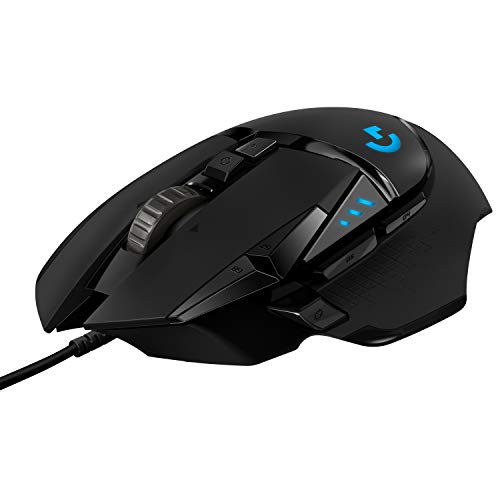
The Logitech G502 Hero remains a distinctive choice because it treats weight as part of the ergonomic setup. Rather than forcing every player into the same balance, it includes up to five 3.6 gram weights that can be arranged to change how the mouse feels during broad sweeps or small corrections. That is unusual among the other conventional gaming mice here and useful for people who know they prefer a heavier, planted pointer.
Its HERO sensor tracks up to 25, 600 DPI with no smoothing, filtering, or acceleration. The number itself is not the selling point for most users, but the sensor's ability to maintain accurate movement gives the mouse a reliable foundation for low and high sensitivity play. Eleven programmable buttons cover the usual game commands and macros, while the dual-mode wheel can move quickly through long pages or provide tactile input when precision matters.
The physical button design also deserves attention. A metal spring tensioning system and metal pivot hinges are intended to produce crisp clicks and rapid feedback. The mouse weighs about 0.27 pounds before any optional weights are installed, and its dimensions create a larger, fuller hand feel than the compact vertical models. That can be comfortable for a palm grip, but smaller hands may find some of the controls less immediate.
The Razer Basilisk V3 is the more current all-rounder, with a higher listed sensor ceiling and more advanced RGB controls. The G502 Hero fights back with adjustable balance, a familiar thumb-rest profile, and a strong click mechanism. Both are wired, so the choice is mainly between Razer's newer feature set and Logitech's tunable physical feel. People who dislike a heavy mouse or want wireless play should skip the G502 Hero.
If you prefer a mouse that can be configured as part of your hand and desk setup, the G502 Hero makes more sense than a lighter fixed-weight design. It is especially suited to palm-grip players and games where a generous collection of thumb and index-finger commands is more useful than the lowest possible weight.
4. Attoe 5D Rocker Mouse: Best Vertical Gaming Layout

Pros
- Five-direction thumb rocker
- 12 programmable buttons
- Tri-mode wireless and wired connectivity
- Up to 24, 000 DPI
- Supports small to large hands
Cons
- Vertical shape has a learning curve
- Configuration software may need security approval
- Right-handed design only
Best for: MMO and MOBA players who want a vertical grip with many game commands.
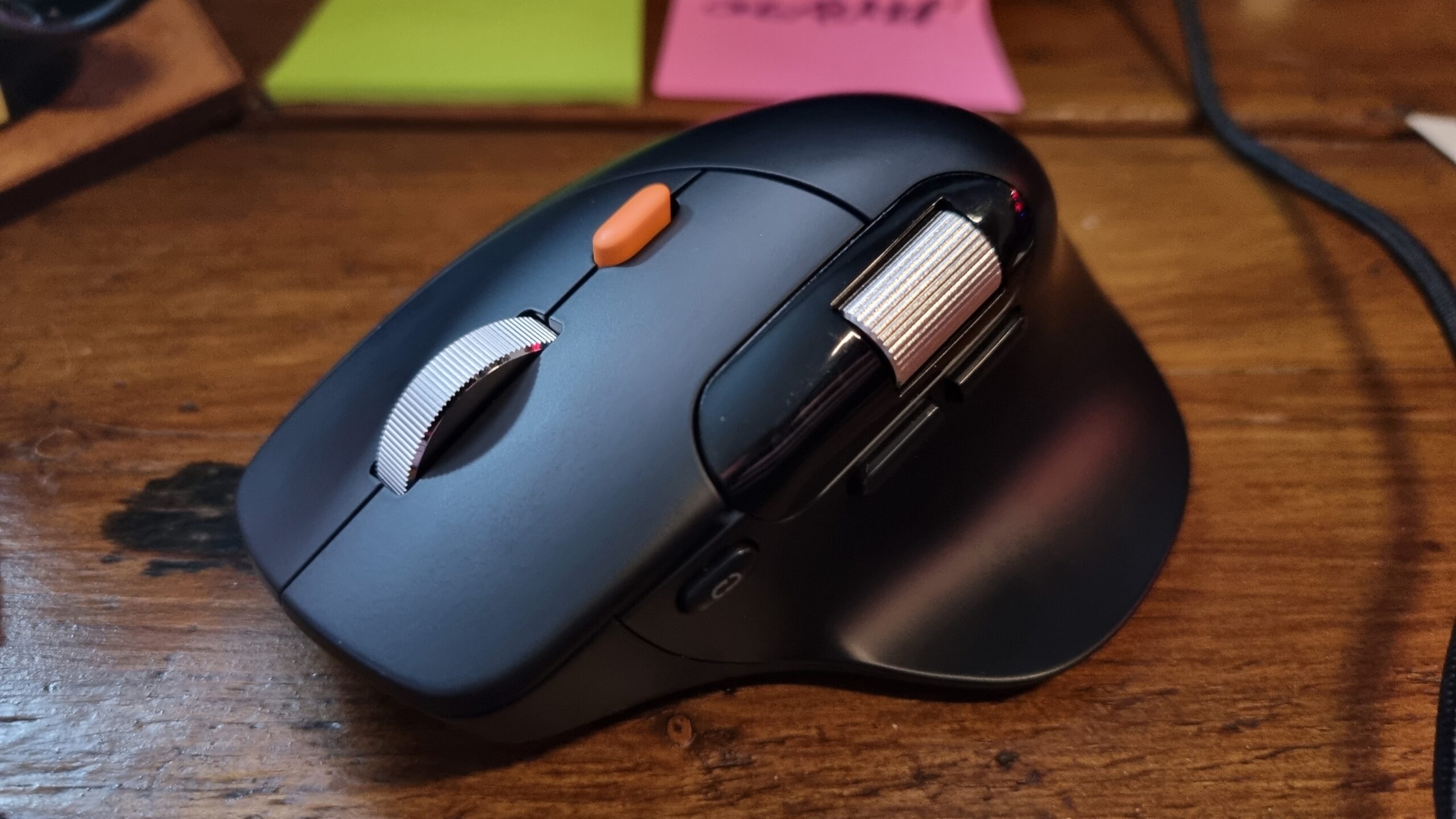
The Attoe 5D Rocker Mouse is the most unusual gaming design in this group. It places the hand in a vertical, handshake-style position, then adds a thumb-operated rocker intended to cover forward, backward, left, right, and click inputs. That is a bold layout, but it has a clear purpose: it lets a player access movement or ability commands without relying on a standard row of side buttons.
The mouse provides 12 programmable buttons, with macros and saved settings handled through its configuration software. Its sensor offers five listed DPI presets: 1, 600, 2, 400, 3, 200, 4, 800, and 24, 000. The wide gap between the ordinary settings and the top preset is less important than having quick sensitivity choices available, particularly for switching between precise aiming and faster camera movement.
Connectivity is unusually flexible. The Attoe can run through 2.4 GHz wireless, Bluetooth 5.0, or USB-C wired mode, with a stated wireless range of up to 33 feet. That lets it move between a gaming PC, laptop, and tablet without committing to one connection type. The side RGB strips offer five dynamic effects, adding some gaming character without taking over the entire shell.
At roughly 4.3 inches long and 2.8 inches wide, it is not a tiny mouse, yet the feature description says the contoured shape is intended for small to large hands. The vertical grip is the real dividing line. Someone accustomed to the Razer Basilisk V3 will need time to retrain thumb and wrist movement, and the included software may be blocked by security tools until it is approved. Players who want the simplest plug-and-play competitive mouse should skip it.
The Attoe is compelling for a particular kind of player rather than a universal recommendation. It makes the most sense for MMO, MOBA, and strategy users who can take advantage of the rocker and 12-button layout, while its three connection modes make it more adaptable than the wired Logitech G502 Hero.
5. Razer Pro Click V2 Vertical: Best Vertical Premium Design

Pros
- Natural handshake grip with base support
- 30, 000 DPI sensor
- Connects with up to five devices
- Six-button layout
- Quick charging feature
Cons
- Vertical design is not ideal for every game
- Relatively heavy
- Six controls are less extensive than the Attoe's layout
Best for: users who want a vertical mouse for work with enough performance for gaming.
The Razer Pro Click V2 Vertical takes the vertical concept more seriously as an all-day shape. Its base support elevates the wrist and is designed to reduce friction while moving the mouse. That makes it feel more like a purpose-built ergonomic tool than a conventional gaming mouse rotated on its side. The grip will appeal to users who feel strain from a flat mouse, though it asks for a longer adjustment period than a Basilisk.
Razer gives it a Focus Pro 30K optical sensor with a stated 99.8% resolution accuracy and tracking support even on glass. Those capabilities are more than enough for gaming and make the mouse versatile across different work surfaces. Six buttons provide a controlled set of game and workflow shortcuts, but this is not the model to choose if you need a large bank of MMO commands.
The connectivity options are broad. It can use 2.4 GHz HyperSpeed Wireless, Bluetooth for three hosts, or a wired mode, with up to five devices supported in total. The battery is rated for up to six months under standard test conditions, and Razer says five minutes of charging can provide three working days of use. That combination suits a desk shared between several computers, especially when switching between work and play matters more than minimizing every gram.
Its 18-zone lighting and full underglow can respond to notifications and more than 300 integrated games through Chroma. Mechanical switches are rated for a 60-million-click lifecycle. At about 0.9 pounds, it is substantially heavier than the Razer Basilisk V3, so fast, low-sensitivity players may find it tiring to reposition during long matches.
The Pro Click V2 Vertical is a better productivity crossover than the gaming-first Attoe 5D Rocker Mouse, with a simpler control layout and a more deliberate base-supported posture. It is not the first choice for competitive shooters, but it is a strong fit for someone who wants one wireless vertical mouse for spreadsheets, creative work, and occasional gaming.
6. Logitech MX Vertical: Best for Wrist Posture

Pros
- 57-degree vertical angle
- Handshake grip
- Cursor speed switch
- Textured surface and thumb rest
- Designed for medium to large hands
Cons
- 4, 000 DPI ceiling is modest for gaming
- Limited gaming controls
- Vertical shape takes adjustment
Best for: users prioritizing a natural wrist position over gaming-specific controls.
The Logitech MX Vertical is the clearest posture-first option in this roundup. Its 57-degree angle puts the hand into a handshake position, with the thumb resting along the side rather than pressing flat against the desk. That does not guarantee relief for every person, but it is a more direct approach to reducing the wrist rotation that some users find uncomfortable with a conventional mouse.
Logitech lists a 4, 000 DPI sensor and a dedicated cursor speed switch. The company says the sensor can require four times less hand movement than a traditional 1, 000 DPI mouse, which explains the focus on fatigue reduction rather than esports-level sensitivity. For desktop navigation and many casual games, the tracking specification is adequate. Players who want fine-tuned shooter sensitivity or a large set of game commands will find the Basilisk models much better equipped.
The shell is shaped for medium to large hands and measures about 4.724 inches long, 3.11 inches wide, and 3.09 inches high. That tall, broad profile gives the palm plenty of support, while the textured rubber surface helps maintain a relaxed grip. It is also a relatively substantial mouse at about half a pound, so it feels stable but not especially nimble.
The Razer Pro Click V2 Vertical is the more capable gaming-oriented vertical option, with a 30, 000 DPI sensor, six buttons, RGB lighting, and more extensive device connectivity. The MX Vertical is quieter in spirit and simpler in operation. Its weakness is not a flaw in execution, but a mismatch for players who need rapid access to many controls. Competitive gamers should skip it unless wrist posture is the overriding concern.
For people whose main goal is to make long computer sessions more comfortable, the MX Vertical remains a sensible choice. If you are still deciding between a conventional and vertical design, the hand position that changes wrist movement most is the trade-off to understand before choosing.
7. Logitech MX Master 3S: Best for Quiet Workspaces

Pros
- Quiet Click buttons
- 8, 000 DPI tracking
- MagSpeed wheel
- Supports up to three Bluetooth devices
- Flow cross-computer control
Cons
- Not designed around gaming controls
- Large shape may not suit small hands
- Back and forward controls are not specified as programmable
Best for: people who need a comfortable work mouse that can handle light gaming.
The Logitech MX Master 3S is a productivity mouse first, and that distinction matters. Its broad shape, thumb support, and quiet buttons make it comfortable in an office or shared room, but it does not try to imitate a dedicated gaming layout. For someone who plays strategy games, simulations, or relaxed single-player titles after work, that may be exactly the right balance.
Its 8, 000 DPI sensor is designed to track on any surface, including glass according to Logitech's feature description. The adjustable sensitivity is useful when moving between a large monitor and a cramped laptop setup. The MagSpeed wheel is the star of the design, combining fast, near-silent scrolling with more precise control when needed. That is excellent for documents, timelines, and web pages, but it does not replace the tactile weapon-switching feel of the gaming wheels on the Basilisk models.
The mouse connects with up to three devices through Bluetooth and supports Flow for moving text, images, and files between Windows and macOS computers. The supplied Logi Bolt receiver and USB-C cable add another path for desk setups, although the product information also contains conflicting receiver wording, so buyers should confirm the contents they receive. Quiet Clicks are rated as producing 90 percent less click noise than the standard design, while the middle wheel and back and forward buttons are not silent.
Compared with the Logitech MX Vertical, the MX Master 3S has a less pronounced posture angle but a more useful wheel and stronger multi-computer workflow. Compared with the Razer Pro Click V2 Vertical, it is quieter and more office-focused, but less suited to fast action games. The lack of a gaming-oriented button system is the reason to skip it if your priority is competitive play.
The MX Master 3S belongs on this list for people who want one mouse to cover work first and gaming second. It is an especially good fit for quiet environments, multiple computers, and users who find conventional gaming clicks distracting during the day.
8. ProtoArc EM11 NL: Best Compact Vertical Option

Pros
- Vertical handshake design
- Rechargeable 500mAh battery
- Bluetooth and USB-A receiver modes
- Supports up to three devices
- Quiet left and right clicks
Cons
- Intended for hands under 7.5 inches
- DPI options stop at 2, 400
- Buttons are not programmable
- Forward and back buttons do not work with Mac OS
Best for: small to medium hands that want a simple rechargeable vertical mouse.
The ProtoArc EM11 NL is the least gaming-focused mouse here, but it fills an important ergonomic gap. It is designed for hand lengths under 7.5 inches, making it a more approachable vertical option for users who find large ergonomic mice unwieldy. The handshake shell aims to keep the wrist and forearm in a relaxed position, though the manufacturer warns that new users may need one to two weeks to adjust.
Its sensor offers three DPI levels: 1, 000, 1, 600, and 2, 400. That is enough for ordinary navigation and slower-paced games, but far below the ranges offered by the Attoe and Razer gaming models. The back and forward buttons make browsing easier, while the product specifically says that buttons are not programmable. Forward and back controls also are not compatible with Mac OS, an important limitation for a mixed-device setup.
The EM11 NL has a built-in 500mAh lithium-ion battery and charges over the included USB-C cable. It can connect through Bluetooth or the included USB-A receiver, and it supports up to three devices through two Bluetooth connections and 2.4 GHz wireless. The USB-C cable is for charging only, and there is no USB-C receiver, so newer laptops without USB-A may need another connection method.
Quiet left and right clicks make it well suited to an office or bedroom, but the scroll wheel and back and forward buttons are not silent. At about 3.54 inches long and 2.76 inches wide, it is smaller than the Logitech MX Vertical, and the hand-size guidance is more specific. The trade-off is a much simpler control system and less speed for gaming.
The ProtoArc is a sensible starting point for someone who wants to try a vertical shape without committing to a gaming-heavy layout. It should be skipped by MMO players, Mac users who rely on side navigation buttons, and anyone who needs high sensitivity. For general comfort and quiet use, however, its rechargeable design and smaller fit are useful strengths.

How to choose best ergonomic gaming mouse
The right mouse depends on how much posture correction you need, how many commands your games require, and whether you prefer a light conventional shell or a more supportive vertical grip.
Grip angle and hand support
A conventional ergonomic gaming mouse, such as the Razer Basilisk V3, keeps the hand close to the position most players already know while adding a thumb rest and fuller palm support. Vertical models rotate the hand toward a handshake position, which can reduce wrist rotation for some users but also changes how aiming and side-button access feel.
Look for a shape that lets the palm rest without forcing the fingers to stretch. The Logitech MX Vertical uses a 57-degree angle, while the Razer Pro Click V2 Vertical adds base support beneath the wrist. A more extreme angle is not automatically better if it makes your control less precise.
The best ergonomic shape is the one that keeps your wrist relaxed without making your thumb hunt for every important command.
Sensor range and sensitivity
DPI describes how much cursor movement the mouse reports for a given physical movement. The Razer Basilisk V3 Pro 35K reaches 35, 000 DPI, while the Attoe reaches 24, 000 and the Logitech G502 Hero reaches 25, 600. Those maximums are far higher than most players need, but adjustable sensitivity and consistent tracking matter when changing games.
Vertical productivity mice usually offer more modest ranges. The ProtoArc EM11 NL has 1, 000, 1, 600, and 2, 400 DPI settings, and the MX Vertical reaches 4, 000 DPI. Those ranges work for browsing and slower games, but players using very high sensitivity or large displays should choose one of the gaming-specific sensors.
Button layout
Button count matters most in games with abilities, inventory commands, or frequent shortcuts. The Attoe has 12 programmable buttons plus a five-direction rocker, while the Basilisk V3 Pro 35K has 13 customizable controls. The Basilisk V3 and G502 Hero each provide 11 programmable buttons.
A smaller layout can be easier to learn and less likely to cause accidental presses. The Razer Pro Click V2 Vertical has six buttons, while the ProtoArc's controls are not programmable. Choose the simplest layout that covers your games instead of treating the largest button count as automatically superior.
Wired and wireless connection
Wired mice avoid charging and maintain a direct physical connection, which is why the Basilisk V3 and G502 Hero remain straightforward choices. Wireless models are more convenient on a crowded desk and can switch between devices, but they introduce battery management and receiver considerations.
The Attoe supports Bluetooth, 2.4 GHz wireless, and USB-C wired mode. The Razer Pro Click V2 Vertical supports 2.4 GHz, Bluetooth, and wired use, with up to five devices. The ProtoArc uses Bluetooth or a USB-A receiver only, so check your computer's available ports before choosing it. If you are weighing cable-free play against a fixed connection, the trade-offs between wireless and wired control are more important than lighting or maximum DPI.
Hand size and weight
A mouse that is too large can make the fingers reach for buttons, while one that is too small can leave the palm unsupported. ProtoArc specifies hands under 7.5 inches for the EM11 NL, and Logitech lists the MX Vertical for medium to large hands. Those details are more useful than a generic claim that a shape fits everyone.
Weight affects how easily the mouse starts, stops, and changes direction. The G502 Hero can be adjusted with five optional 3.6 gram weights, while the Razer Basilisk V3 weighs about 0.2225 pounds. Heavier vertical models can feel stable during office use but less agile during repeated gaming swipes.
Frequently asked questions
Are vertical mice good for gaming?
Vertical mice can be comfortable for gaming when wrist posture is the main concern, but their angled grip changes aiming and thumb movement. The Attoe 5D Rocker Mouse is the most gaming-oriented vertical design here because it adds 12 programmable buttons and a five-direction rocker. Conventional models such as the Razer Basilisk V3 are easier for fast competitive play.
Which mouse has the most programmable controls?
The Razer Basilisk V3 Pro 35K has 13 customizable controls. The Attoe 5D Rocker Mouse has 12 programmable buttons plus its five-direction rocker, while the Razer Basilisk V3 and Logitech G502 Hero each have 11 programmable buttons.
Can an ergonomic gaming mouse be wireless?
Yes. The Razer Basilisk V3 Pro 35K uses HyperSpeed wireless and lists up to 140 hours of battery life. The Attoe, Razer Pro Click V2 Vertical, Logitech MX Vertical, Logitech MX Master 3S, and ProtoArc EM11 NL also provide wireless connection options, though their gaming features differ.
Is a vertical mouse suitable for first-person shooters?
It can be, but the learning curve is significant because the hand and thumb move differently. The Razer Pro Click V2 Vertical has a 30, 000 DPI sensor and six buttons, making it the strongest vertical option for mixing work with gaming. Players focused on fast competitive shooters will usually adapt more easily to the Basilisk V3 or G502 Hero.
Do higher DPI settings make a mouse more accurate?
A higher maximum DPI does not automatically make a mouse more accurate. It gives you a wider sensitivity range, while sensor consistency, software settings, grip, and surface also affect control. The listed 35, 000 DPI of the Basilisk V3 Pro 35K is useful for granular adjustment, but many players will use a much lower setting.
Are ergonomic mice good for small hands?
Some are, but large vertical shells can be uncomfortable for smaller hands. ProtoArc specifically designs the EM11 NL for hand lengths under 7.5 inches, while the Logitech MX Vertical is intended for medium to large hands. Check the stated hand-size guidance and dimensions rather than assuming every ergonomic mouse fits the same way.

The bottom line
The Razer Basilisk V3 is the best ergonomic gaming mouse for most right-handed PC players because its thumb rest and palm-friendly shape feel familiar, while its 11 programmable buttons, 26, 000 DPI sensor, and flexible wheel cover serious gaming and everyday use. Choose the Razer Basilisk V3 Pro 35K instead if wireless freedom, 13 controls, and long battery life matter more than a lighter body.
For wrist posture above all else, the Razer Pro Click V2 Vertical is the most capable vertical option, while the Logitech MX Vertical is the simpler posture-first pick. The Attoe is the specialist choice for players who can use its rocker and dense control layout, and the ProtoArc is the better fit for smaller hands and quiet general use.
If you are undecided, start with the Razer Basilisk V3 unless you specifically need a vertical grip or wireless connection.
As an Amazon Associate we earn from qualifying purchases.