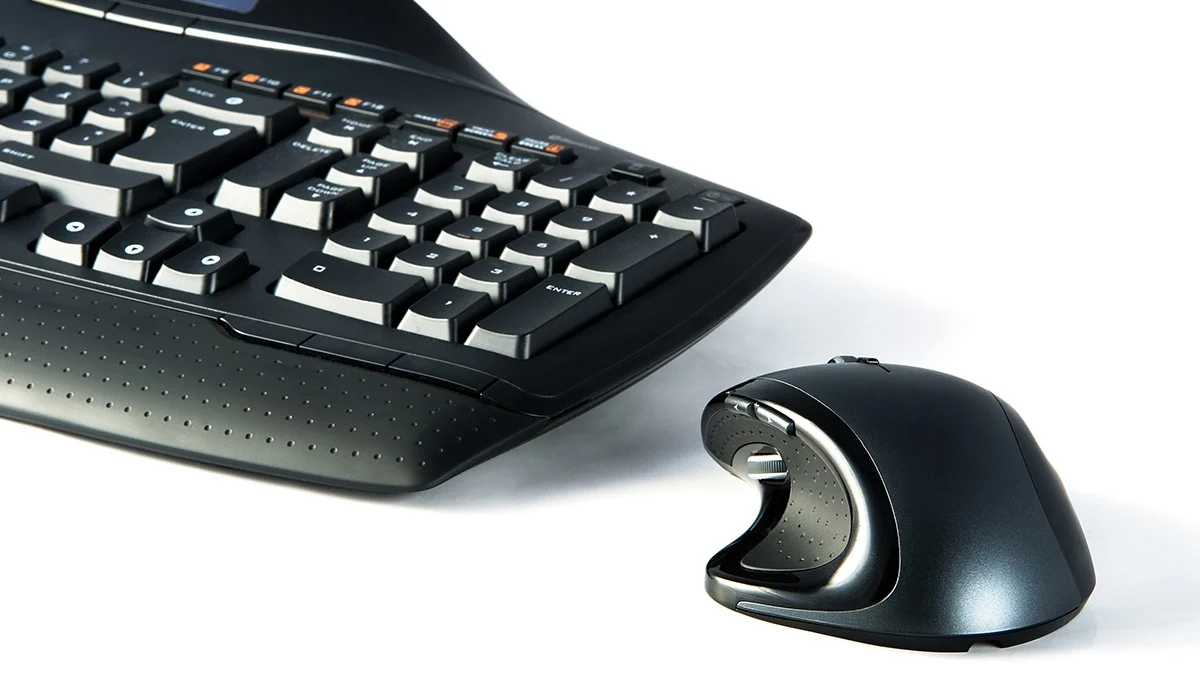

Long hours at a desk expose the weak points in an ordinary keyboard and mouse quickly. Wrists bend outward, shoulders creep forward, and a flat palm rest does little to help by the end of the day. The Best ergonomic keyboard and mouse setups address those problems in different ways, from gently curved wave layouts to split keyboards and vertical mice.
We compared the ten options here by their layouts, wrist support, mouse shape, connection options, power systems, and useful extras. Logitech has the most polished pairings, while ProtoArc, MEETION, SABLUTE, and ULSOU offer more aggressive ergonomic designs or broader feature sets.
Our top pick is the Logitech Wave Keys Lift Combo Graphite, with the Logitech Ergo K860 close behind for people who want a more pronounced split layout. The rest of the list covers quiet office setups, rechargeable combos, backlit keyboards, and vertical mice.
Comparison table
| # | Product | Award | Keyboard design | Mouse design | Connection | Best for |
|---|---|---|---|---|---|---|
| 1 | Logitech Wave Keys Lift Combo Graphite | Best overall | Wave layout, memory foam rest | 57° vertical | Bluetooth | Most office users |
| 2 | Logitech Ergo K860 | Best split keyboard | Curved split frame | Not included | Bluetooth or receiver | Posture-focused typists |
| 3 | Logitech Wave Keys M550 Combo | Best quiet combo | Compact wave layout | SilentTouch mouse | Bluetooth or Logi Bolt | Quiet shared offices |
| 4 | Logitech Wave Keys Lift Combo Rose | Best small-hand combo | Wave layout, memory foam rest | 57° vertical | Bluetooth | Small to medium hands |
| 5 | ProtoArc EKM01 Plus | Best multi-device setup | Full-size split frame | 2000 DPI contoured mouse | Up to 3 devices | Multi-device desks |
| 6 | MEETION Director-C | Best vertical mouse combo | Split design | Vertical, up to 2400 DPI | USB receiver | Users wanting stronger mouse support |
| 7 | SABLUTE Backlit Wave Combo | Best backlit combo | Full-size wave layout | Six-button RGB mouse | 2.4GHz | Evening workstations |
| 8 | Logitech Wave Keys Rose | Best keyboard-only pick | Compact wave layout | Not included | Bluetooth or Logi Bolt | Buyers who already own a mouse |
| 9 | SABLUTE MA41 Wave Combo | Best quiet full-size combo | Wave layout, leather rest | Quiet wireless mouse | 2.4GHz | Shared workspaces |
| 10 | ULSOU Wave Combo | Best simple setup | Wave layout, adjustable stand | Right-handed contoured mouse | 2.4GHz | Basic plug-and-play desks |
1. Logitech Wave Keys Lift Combo Graphite: Best Overall

Pros
- Comfortable wave keyboard with memory foam palm rest
- Lift mouse encourages a more upright forearm position
- Quiet clicks and customizable controls
- Bluetooth connection and Logi Options+ support
Cons
- Lift mouse is intended for small to medium hands
- The keyboard is not a split design
- Mouse and keyboard are not ideal for left-handed users
Best for: office users who want a polished, matched ergonomic keyboard and mouse set.
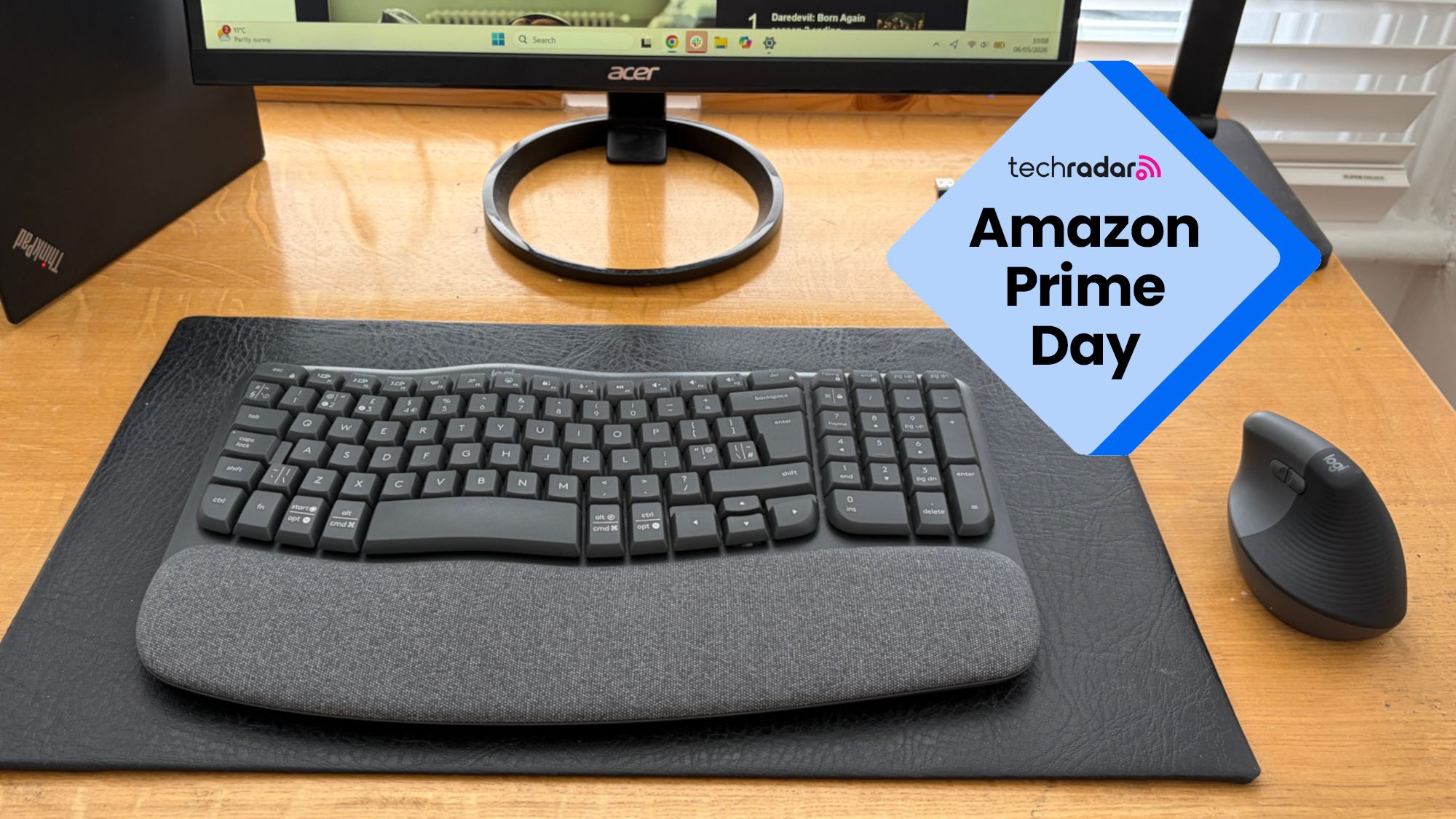
The Logitech Wave Keys Lift Combo Graphite is the easiest recommendation here because its two parts solve different problems without demanding a long adjustment period. The keyboard uses a compact wave shape that gently changes the position of the letter keys, while the Lift mouse raises the hand into a 57-degree vertical angle. That combination feels more approachable than a deeply split keyboard and a sharply vertical mouse.
The keyboard includes a cushioned memory foam palm rest and tactile plunger key switches. Logitech describes the typing feel as discreet and satisfying, which is a useful middle ground for an office. The compact layout also brings the mouse closer to the body than a full-size keyboard would, helping reduce the reach that can pull the shoulder forward. At 18.6 inches long and 9.2 inches wide, it still needs a proper desk area, but it does not sprawl like the ProtoArc EKM01 Plus.
The Lift mouse is the star for anyone bothered by a flat, palm-down mouse. Its softly textured grip and thumb rest give small to medium hands a more natural resting position, and the quiet clicks suit shared rooms. The SmartWheel changes between precise line-by-line scrolling and faster movement through long pages. Logitech's Logi Options+ app adds shortcuts and customization, though users who prefer hardware-only setup may find the software unnecessary.
Compared with the Logitech Wave Keys M550 Combo, this set has the more ergonomic mouse, while the M550 is better suited to medium and large hands and offers notably quiet clicking. The Logitech Ergo K860 provides a stronger change in typing posture, but it takes more desk space and does not include a mouse. The Graphite combo is the more balanced choice for someone replacing both devices at once.
Its main weakness is fit. The Lift mouse is not a universal shape, and larger hands may feel cramped around its vertical shell. The keyboard also cannot give each half of the layout the independent positioning available on a split model. For most office users, though, this is the most coherent package in the group and the one we would keep at a general-purpose desk.
2. Logitech Ergo K860: Best Split Keyboard

Pros
- Pronounced curved and split keyframe
- Memory foam wrist rest
- Three adjustable tilt positions
- Bluetooth and USB receiver support
Cons
- No mouse included
- Large footprint
- Split layout takes an adjustment period
Best for: serious typists who want a more substantial change in wrist and forearm position.
The Logitech Ergo K860 is the keyboard to choose when a mild wave is not enough. Its curved split frame separates the left and right key groups, giving each hand a more natural angle instead of forcing both wrists toward the center. That geometry can feel strange for the first few sessions, but it is the clearest ergonomic departure from a conventional keyboard in this roundup.
The keyboard has a full-size layout, scooped Perfect Stroke keys, and a curved wrist rest with a memory foam layer. Logitech lists three tilt positions, 0, -4, and -7 degrees, so users can keep the front of the keyboard flat or raise the rear to suit a seated or standing desk. The keyboard measures about 17.95 inches wide and 9.17 inches deep, making it broad but not unusually deep for a full-size ergonomic model.
The wrist rest is permanently attached, which keeps it from sliding around but makes the keyboard harder to position in a tight space. The pillowed shape supports the palms rather than asking the wrists to hover, and the sloping design is intended to reduce wrist bending. Bluetooth and a USB receiver provide flexible connections, while Logitech Options handles Fn-key customization and shortcuts.
This is a keyboard-only product, so it needs a separate mouse. Pair it with a vertical model if your wrist discomfort is mostly on the mouse side, or use a familiar mouse if the keyboard is the main concern. The Wave Keys Lift Combo Graphite is easier to settle into and includes a well-matched mouse, but the K860 gives the hands more room to separate. The MEETION Director-C also uses a split design, though the K860 has the more established key feel and adjustment system.
Skip the K860 if your desk is shallow or you need a compact travel-friendly board. Its layout also rewards patience, especially for users who type by visual memory rather than touch. For people who spend much of the day writing, coding, or entering text and want a genuinely different hand position, it remains the strongest keyboard in this group.
3. Logitech Wave Keys M550 Combo: Best Quiet Combo

Pros
- Quiet mouse with SilentTouch technology
- Compact wave keyboard
- Bluetooth and Logi Bolt support
- Easy-Switch device switching
Cons
- Mouse is not vertical
- Larger hands may prefer a roomier design
- Keyboard has a fixed ergonomic shape
Best for: shared offices and home workspaces where typing and clicking noise matter.
The Logitech Wave Keys M550 Combo is the sensible office set for anyone who wants ergonomic shaping without turning the desk into a clinical workstation. The Wave Keys board curves the rows into a gentle wave and uses a compact layout, while the Signature M550 L mouse has a sculpted shell and rubber grip. It feels familiar enough for a quick transition.
The keyboard includes a cushioned memory foam palm rest and a layout designed to keep the mouse closer to the body. That matters when a standard full-size board leaves the mouse far to the side. It connects through Bluetooth or Logi Bolt, and Easy-Switch lets the keyboard move between a computer, tablet, and phone. The keyboard is about 18.02 inches long and 9.32 inches wide, so compact here means reduced reach rather than genuinely small.
The M550 L mouse is built for medium to large hands and uses SilentTouch technology to reduce click noise. Its SmartWheel can move slowly through lines of text or quickly through long web pages. It is not a vertical mouse, so it will not provide the same forearm rotation change as the Lift in Logitech's other combo. Its strength is quiet, predictable operation rather than maximum ergonomic intervention.
If you are also weighing wireless setups for a more general desk, the connection features that matter in a keyboard and mouse set are useful to sort out before buying. The M550 Combo is more subdued than the SABLUTE Backlit Wave Combo and more office-focused than the ULSOU Wave Combo. The Wave Keys Lift Combo Graphite is the better choice for users who specifically want a vertical mouse.
The fixed wave shape will not suit someone who needs independently positioned keyboard halves, and the mouse may feel too small for very large hands. Still, this is the strongest quiet option for a shared room, library-like workspace, or home office where every click is noticeable.
4. Logitech Wave Keys Lift Combo Rose: Best Small-Hand Combo

Pros
- Lift mouse shaped for small to medium hands
- 57-degree vertical mouse angle
- Memory foam palm rest
- Quiet mouse controls
Cons
- Not suitable for larger hands
- Keyboard is not split
- Rose finish is the only meaningful difference from the Graphite set
Best for: small to medium hands that want a vertical mouse and a matching wave keyboard.
The Logitech Wave Keys Lift Combo Rose has the same ergonomic concept as the Graphite version, and that is good news for users whose hands fit the Lift mouse. The keyboard gives the fingers a gentle wave to follow, while the mouse keeps the hand tilted rather than flat. The Rose finish changes the look, not the core experience.
The compact keyboard includes a cushioned memory foam palm rest and tactile plunger switches. Its dimensions are about 18.5 inches by 9.2 inches, so the compact arrangement is intended to shorten the reach to the mouse rather than save a large amount of desk space. The wavy key rows support a more natural wrist and forearm position without requiring the muscle-memory reset associated with the Ergo K860.
The Lift mouse is the reason to choose this particular combo. Its 57-degree angle, thumb rest, and softly textured grip make it easy to hold with a relaxed palm, especially for small and medium hands. Quiet clicks and the adaptive SmartWheel keep it pleasant for office work. Logi Options+ provides shortcut customization, though the basic controls work without needing to tune every setting.
The Logitech Wave Keys Lift Combo Graphite is functionally the same alternative, so the decision between them is primarily about finish. Compared with the Logitech Wave Keys Rose, this version adds the Lift mouse and is the better complete workstation package. The MEETION Director-C offers a more pronounced vertical mouse shape and more DPI choices, but it is larger and less understated.
Large-handed users should skip this set or try a roomier mouse. The keyboard also cannot accommodate users who want each half placed independently. For a smaller hand that finds ordinary mice tiring, however, this is one of the easiest ergonomic transitions in the roundup.
5. ProtoArc EKM01 Plus: Best Multi-Device Setup

Pros
- Connects with up to three devices
- Full-size split keyboard
- Rechargeable keyboard and mouse
- 2000 DPI mouse with forward and back buttons
Cons
- Very large footprint
- Keyboard is not backlit
- Full-size layout leaves less room for the mouse
Best for: people who move between a computer, tablet, and another device.
The ProtoArc EKM01 Plus takes the full-size ergonomic route. Its split and curved keyframe gives the hands more separation than the Wave Keys models, and the keyboard includes a cushioned memory foam palm rest. This is a substantial desk accessory, not a compact board disguised as an ergonomic one.
The keyboard measures 20.75 inches long by 11 inches wide, a footprint that deserves attention before ordering. Four adjustable tilt legs allow the typing angle to change for seated or standing work. The full-size layout is useful for people who rely on a number pad and dedicated navigation keys, but it pushes the mouse farther out and can make a small desk feel crowded.
The mouse has a contoured shape with palm and thumb support, forward and backward buttons, and 2000 DPI tracking. The keyboard and mouse use rechargeable 500mAh batteries, with the product description listing up to 250 hours of standby time after a two-hour full charge. Auto sleep activates after 30 minutes without operation. The system can connect to up to three devices through Bluetooth or the USB receiver and switch between them with a button.
That device switching is the standout feature. The Logitech Ergo K860 also supports Bluetooth and a receiver, but it is a keyboard-only choice. The SABLUTE Backlit Wave Combo adds lighting and a larger keyboard battery, while the ProtoArc offers the cleaner multi-device workflow. For a desk shared between a computer and tablet, that distinction matters more than decorative features.
The obvious weakness is size. The keyboard is also explicitly not backlit, so it is less suitable for dim rooms than the SABLUTE backlit model. Choose it when you have enough desk depth and genuinely need full-size keys across several devices. If space is tight, the Logitech Wave Keys M550 Combo is easier to live with.
6. MEETION Director-C: Best Vertical Mouse Combo

Pros
- Split keyboard and vertical mouse in one set
- Four mouse DPI settings
- Rechargeable keyboard and mouse
- Side-scrolling mouse wheel
Cons
- Large footprint
- USB-C port is an adapter connection, not the receiver
- More involved design than a standard wave keyboard
Best for: users who want pronounced ergonomic shaping on both input devices.
The MEETION Director-C is for the buyer who looks at a mild wave keyboard and thinks it does not go far enough. The keyboard uses a split design with concave curves and angled keys, while the mouse stands vertically to keep the hand in a more handshake-like position. Both parts make a visible change to how the hands rest.
The keyboard measures about 19.09 inches by 10.04 inches, with a pillowed palm rest made from soft, non-slip material. Its full-size layout gives it a familiar key count, but the separate halves and curved rows require an adjustment period. The keyboard is large enough for a dedicated workstation and less suitable for a narrow pull-out tray.
The vertical mouse has selectable 800, 1200, 1600, and 2400 DPI settings, a silent switch, and a side-scrolling wheel. That range lets the pointer feel slower for precise work or faster across a wide display. Forward and back buttons are not listed here, so the mouse focuses on hand posture and scrolling rather than adding a long row of browser controls.
Both the keyboard and mouse use 500mAh rechargeable batteries, and the product description says they can last for up to one to two months on a full charge. They share a USB-A receiver, with a USB-C connection supported through an adapter. That detail is important because the USB-C piece is not a receiver by itself. The ProtoArc EKM01 Plus is the better multi-device pick, while the MEETION places more emphasis on the vertical mouse.
Skip this set if you want a low-profile keyboard that feels familiar immediately. The design is also not a natural fit for every hand, and its broad shape needs room. For someone with mouse-related wrist tension who also wants a split keyboard, it is the most comprehensive ergonomic design here.
7. SABLUTE Backlit Wave Combo: Best Backlit Combo

Pros
- Rechargeable 4000mAh keyboard
- Multiple backlight colors and modes
- Six-button mouse with three DPI settings
- USB-A and USB-C receiver support
Cons
- Full-size body takes substantial space
- Mouse is not vertical
- Product dimensions are unusually tall as listed
Best for: users who want lighting, rechargeable power, and extra mouse controls.
The SABLUTE Backlit Wave Combo is the feature-heavy alternative to Logitech's restrained office sets. Its full-size wave keyboard adds backlighting, adjustable stands, and a soft faux lambskin palm rest. The result is less subtle, but it covers several practical preferences that the simpler models leave out.
The keyboard uses a 4000mAh battery, and the description says intelligent auto-sleep helps it last for weeks on one charge. Its backlight offers soft colors such as blue, cyan, and white, along with stronger color options and multiple modes. That is helpful for evening work, though users who want a plain, distraction-free desk may never use the lighting.
The bundled mouse has a 700mAh battery, six buttons, three DPI levels of 800, 1200, and 1600, and RGB lighting with fixed colors or cycling modes. Those controls are more flexible than the basic mouse included with ULSOU, but the shape remains a conventional contoured design rather than a vertical one. The keyboard and mouse share a 2.4GHz receiver with a listed range of 33 feet, and the receiver setup supports USB-A and USB-C.
The keyboard is rated for 10 million keystrokes, and the adjustable front and rear stands let users alter the wrist angle. Compared with the SABLUTE MA41 Wave Combo, this model has the larger battery, backlighting, and a more elaborate mouse. The MA41 is quieter and more restrained, while the MEETION Director-C offers a stronger posture change for the mouse hand.
There are two reasons to pass on it. The full-size layout needs room, and the lighting may feel like visual clutter in a conservative office. The faux lambskin rest also will not appeal to everyone. Pick it for the rechargeable system and backlighting, not for a minimalist desk.
8. Logitech Wave Keys Rose: Best Keyboard-Only Pick

Pros
- Compact wave layout
- Memory foam palm rest
- Bluetooth and Logi Bolt support
- Easy-Switch for up to three devices
Cons
- Mouse is not included
- Wave shape is less adjustable than a split board
- Compact layout may not suit number-pad-heavy work
Best for: anyone who already has a comfortable mouse and wants a better keyboard posture.
The Logitech Wave Keys Rose is the cleanest choice when the keyboard is the problem and the mouse is already sorted. It uses the same compact wave idea found in the M550 Combo, with a cushioned memory foam palm rest and a layout shaped to reduce awkward wrist angles. The Rose finish gives it a softer look without changing the functional design.
The compact shape is useful because it brings a separate mouse closer to the user than a full-size board. Logitech supports Bluetooth and Logi Bolt, and Easy-Switch can move the keyboard between a computer, tablet, and phone. The product description lists compatibility with Windows, macOS, iPadOS, and ChromeOS, making it a flexible option for a mixed-device desk.
Battery life is listed at up to three years, which reduces the need to think about charging. The keyboard also works with Logitech's Options+ app for shortcuts and workflow changes. Its memory foam rest is fixed, so it provides consistent support but cannot be removed or repositioned if you prefer to hover your hands.
If you are still choosing the pointing device, a mouse shape that keeps the wrist from flattening can complement this keyboard better than a generic flat mouse. The Logitech Wave Keys Lift Combo Rose adds the Lift mouse for a complete setup, while the Ergo K860 offers a more pronounced split arrangement. The Wave Keys Rose is easier to learn and occupies less visual space than either.
This is not the right pick for someone who needs a full-size number pad or independent keyboard halves. It also cannot solve mouse discomfort by itself. For a writer, student, or office worker with a separate mouse already in hand, it is a dependable keyboard-first upgrade.
9. SABLUTE MA41 Wave Combo: Best Quiet Full-Size Combo

Pros
- Quiet keyboard and mouse
- Cushioned leather palm rest
- Full-size wave layout
- USB-C adapter included
Cons
- Uses replaceable batteries
- Mouse is not vertical
- Some shortcuts are unavailable on macOS
Best for: full-size office setups where low noise is a priority.
The SABLUTE MA41 Wave Combo is built around quiet operation and familiar full-size typing. Its wave layout uses two adjustable tilt angles, while the soft leather palm rest gives the hands a cushioned surface. This is a practical office set rather than an experimental split design.
The keyboard is rated for 10 million keystrokes and uses laser-etched keys intended to resist fading. SABLUTE states that the keyboard and mouse can reduce noise by up to 90%, with typing and clicking rated at 30dB. Those figures matter most in shared offices, meeting rooms, and late-night home workspaces where a sharp key or click can become distracting.
A single 2.4GHz receiver connects both devices, and the included USB-C adapter helps with newer laptops. The set supports Windows, macOS, ChromeOS, Linux, and Android, with a listed wireless range of up to 33 feet. The keyboard uses two AAA batteries and the mouse uses one AA battery, while auto sleep is intended to support six to twelve months of daily use depending on usage and battery type.
The keyboard includes 12 productivity shortcuts for functions such as screenshots, media controls, calculator, screen lock, and AI tools. Some shortcuts are not available on macOS, specifically the Music App, Calculator, and AI Assistant controls. The SABLUTE Backlit Wave Combo is the better fit if you want rechargeable power and lighting, while the Logitech Wave Keys M550 Combo has the more refined mouse wheel and device-switching system.
The MA41 is not a good match for a user who wants a vertical mouse or rechargeable devices. Its full-size body also takes more room than Logitech's compact Wave Keys. For a quiet, familiar office keyboard with a soft palm rest, it earns its place.
10. ULSOU Wave Combo: Best Simple Setup

Pros
- Adjustable keyboard stand
- One receiver for both devices
- Automatic sleep modes
- Windows and macOS switching
Cons
- Batteries are not included
- Mouse is right-handed
- No rechargeable power or advanced software
Best for: users who want a straightforward wireless wave keyboard and mouse.
The ULSOU Wave Combo keeps the ergonomic idea simple. The keyboard has a wave layout, wrist rest, and adjustable stand, while the mouse uses a contoured right-handed shell with forward and back buttons. It is a conventional two-device set with a few useful posture changes rather than a radical redesign.
The keyboard measures about 17.6 inches long and 8.7 inches wide, making it one of the less imposing full keyboard options here. It uses one AA battery, and the mouse uses another. Automatic sleep begins after 30 seconds of keyboard inactivity and 15 minutes for the mouse, with a button press waking either device.
The 2.4GHz USB receiver connects both products and is listed with a range of up to 33 feet. The receiver is stored on the back of the mouse, a detail worth remembering when unpacking or moving the set between desks. Windows and macOS layouts can be switched with Fn+Q or Fn+W, and the set also supports Chromebooks and other operating systems.
The ULSOU is less sophisticated than the Logitech Wave Keys M550 Combo, which adds Bluetooth, Logi Bolt, software customization, and a SmartWheel. It is also less physically corrective than the MEETION Director-C, whose vertical mouse changes the hand angle more dramatically. The ULSOU's advantage is that its shape and setup are easy to understand.
Skip it if you want rechargeable batteries, multi-device Bluetooth, or a mouse suitable for either hand. The right-handed contour also limits who can share it comfortably. For a basic wireless desk where adjustable tilt and a wave layout are enough, it is the uncomplicated pick.
How to choose best ergonomic keyboard and mouse
The right setup depends on which part of your posture needs the most help. Focus first on the keyboard geometry, then the mouse angle, desk space, connection system, and power method.
Keyboard geometry
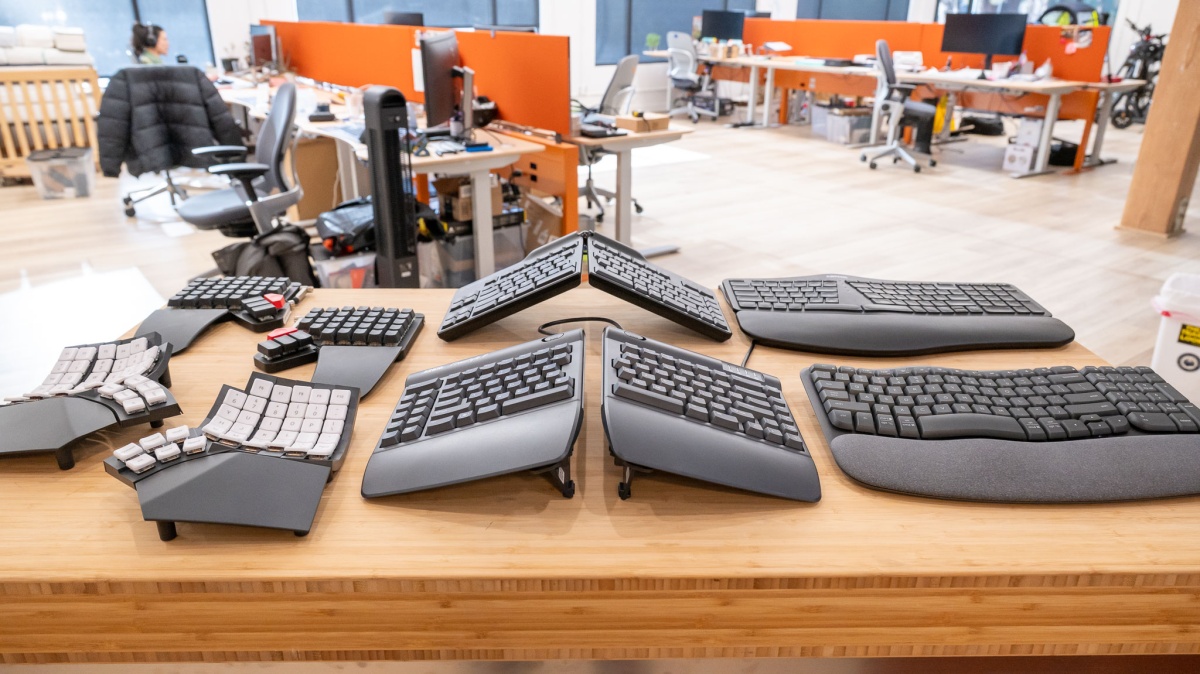
A wave keyboard makes a moderate change by curving the key rows and reducing the reach to the mouse. A split keyboard such as the Logitech Ergo K860 or MEETION Director-C separates the hands more clearly and can reduce inward wrist angles, but it takes longer to learn.
Look for a layout that lets your shoulders stay relaxed and your forearms approach the keys without sharply bending at the wrists. Full-size boards preserve the number pad and familiar navigation keys, while compact boards leave more room to keep the mouse close.
The most ergonomic keyboard is the one that lets your hands stay relaxed without forcing you to fight the layout.
Mouse angle and hand fit
A vertical mouse changes the forearm rotation more than a standard contoured mouse. The Logitech Lift uses a 57-degree angle, while the MEETION mouse uses a taller vertical design with adjustable DPI settings. Conventional mice can still be comfortable when they have a supportive thumb rest, quiet buttons, and a shape that matches your hand.
Check the intended hand size carefully. The Lift is aimed at small to medium hands, while the M550 L is designed for medium to large hands. A mouse that is too small encourages a pinched grip, and one that is too large can make the fingers stretch for every button.
Wrist rests and tilt
A cushioned palm rest should support the heel of the hand without pushing the wrists sharply upward. Memory foam appears on the Logitech Wave Keys, Ergo K860, and ProtoArc models, while SABLUTE uses soft leather or faux lambskin surfaces on some options.
Adjustable tilt is useful when you alternate between sitting and standing. The Ergo K860 offers 0, -4, and -7 degree positions, while several other models provide front or rear stands. Avoid treating a steeper angle as automatically better. Your wrists should remain relaxed rather than bent back.
Wireless connection
A shared 2.4GHz receiver keeps the keyboard and mouse paired through one USB connection and usually offers a simple plug-and-play setup. Bluetooth is more useful when switching between laptops, tablets, and phones or when your computer has limited USB ports.
The Logitech models support Bluetooth or Logi Bolt, and the ProtoArc EKM01 Plus can switch among up to three devices. ULSOU, SABLUTE, and MEETION emphasize a shared receiver. If you use a USB-C laptop, check whether the set includes an adapter and whether that adapter is a receiver or merely a way to connect the included USB-A receiver.
Battery system
Rechargeable batteries reduce disposable battery changes but add charging to the routine. The SABLUTE Backlit Wave Combo uses a 4000mAh keyboard battery, while the ProtoArc and MEETION sets use rechargeable 500mAh batteries in their keyboard and mouse units.
Replaceable batteries can be more convenient for a desk that needs to stay running without a charging cable. ULSOU uses one AA battery in each device, and the SABLUTE MA41 uses two AAA batteries in the keyboard and one AA battery in the mouse. Auto-sleep features help either system last longer.
Frequently asked questions
Are ergonomic wave keyboards better than split keyboards?
They are easier to adapt to, but they make a smaller change to hand position. A split keyboard can provide more separation and a more direct reduction in inward wrist angles, though it takes longer to learn and usually needs more desk space.
Is a vertical mouse useful with an ergonomic keyboard?
It can be, especially if mouse use causes discomfort from keeping the palm flat. A vertical mouse changes the forearm angle independently of the keyboard, so it addresses a different part of the workstation than a wave or split layout.
Do ergonomic keyboards work with Mac computers?
Several products here support macOS. The Logitech Wave Keys, Logitech Ergo K860, ProtoArc EKM01 Plus, ULSOU Wave Combo, and SABLUTE sets list Mac compatibility, though some shortcut keys may behave differently or be unavailable on macOS.
Do these keyboard and mouse combos need software?
Most receiver-based sets work without software. Logitech offers Options or Options+ for shortcuts and customization, but the core keyboard and mouse functions do not depend on it. The ULSOU combo specifically emphasizes plug-and-play use without a software download.
Which ergonomic combo is best for a small desk?
The Logitech Wave Keys M550 Combo and the Wave Keys Lift combos use compact keyboard layouts that keep the mouse closer to the body. Full-size options such as the ProtoArc EKM01 Plus and MEETION Director-C need noticeably more width and depth.
Are ergonomic keyboards good for long typing sessions?
They can make a long session more comfortable when the layout matches your hands and your desk height is correct. A keyboard alone cannot fix a chair, monitor, or desk position, so keep the wrists neutral and avoid resting heavy pressure on the palm rest while typing.
The bottom line
The Best ergonomic keyboard and mouse setup for most office users is the Logitech Wave Keys Lift Combo Graphite. Its wave keyboard is approachable, its memory foam rest adds useful support, and the 57-degree Lift mouse addresses the flat-palm posture that makes ordinary mice tiring. Choose the Rose version if that finish suits your desk or if you are buying specifically for small to medium hands.
The Logitech Ergo K860 is the better keyboard for users who want a pronounced split layout and do not mind choosing a separate mouse. The Logitech Wave Keys M550 Combo is the quieter, more familiar alternative, while the ProtoArc EKM01 Plus and MEETION Director-C make more sense for larger desks and stronger ergonomic shaping.
If you are undecided, choose the Logitech Wave Keys Lift Combo for the easiest transition, or choose the Ergo K860 when changing your typing posture matters more than having a bundled mouse.
As an Amazon Associate we earn from qualifying purchases.