
A portable drive should make moving a large video project or backing up a laptop feel routine, not like a compatibility puzzle. The important differences are easy to miss: a drive rated for 2, 000MB/s needs the right USB connection to reach its potential, while rugged protection matters more if it will live in a camera bag.
We compared 10 current portable solid state drives across capacity, transfer speed, physical protection, and device compatibility. The Best External SSD for most people is the SanDisk Extreme Portable SSD 1TB, while the list also includes faster USB 3.2 Gen 2x2 models, larger 2TB choices, and compact lower-capacity drives.
Comparison table
| # | Product | Award | Capacity | Maximum speed | Durability or size | Best for |
|---|---|---|---|---|---|---|
| 1 | SanDisk Extreme Portable SSD 1TB | Best overall | 1TB | Up to 2, 000MB/s | IP65, 3-meter drop protection | Fast mobile workflows |
| 2 | SanDisk Extreme Portable SSD 2TB | Best rugged capacity | 2TB | Up to 1, 050MB/s read, 1, 000MB/s write | IP65, 3-meter drop protection | Large field libraries |
| 3 | Samsung T9 1TB | Best sustained speed | 1TB | Up to 2, 000MB/s | 3.46 x 2.36 x 0.55 inches | Heavy creative workloads |
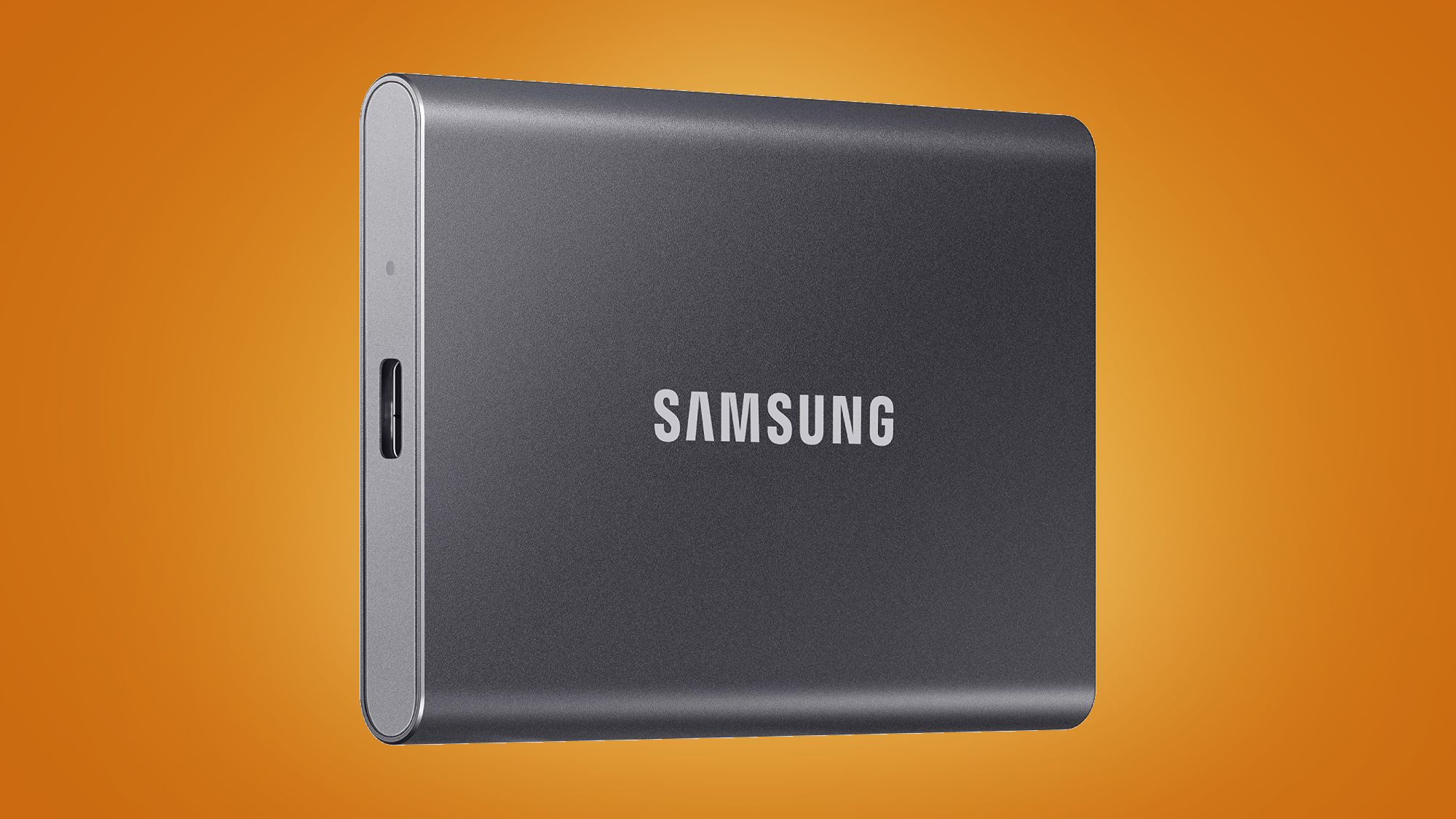
| 4 | Samsung T7 1TB | Best everyday portable SSD | 1TB | Up to 1, 050MB/s read, 1, 000MB/s write | Aluminum body, 6-foot fall protection | General-purpose storage |
| 5 | Samsung T7 2TB | Best T7 capacity | 2TB | Up to 1, 050MB/s read, 1, 000MB/s write | Aluminum body, 6-foot fall protection | Large everyday backups |
| 6 | SSK Portable SSD 1TB | Best cable flexibility | 1TB | Up to 1, 050MB/s read, 1, 000MB/s write | 2.7 x 1.48 x 0.49 inches | Mixed USB-C and USB-A setups |
| 7 | Lexar ES3 1TB | Best slim design | 1TB | Up to 1, 050MB/s read, 1, 000MB/s write | 42g, 10.5mm thick | Pocketable cross-device storage |
| 8 | SanDisk Portable SSD 1TB | Best simple backup drive | 1TB | Up to 800MB/s read | 2-meter drop protection | Straightforward file backups |
| 9 | SSK Portable SSD 500GB | Best compact half-terabyte drive | 500GB | Up to 1, 050MB/s read, 1, 000MB/s write | 2.5 x 1.31 x 0.43 inches | Smaller working folders |
| 10 | SSK Portable SSD 250GB | Best small transfer drive | 250GB | Up to 1, 050MB/s read, 1, 000MB/s write | 2.7 x 1.48 x 0.5 inches | Short-term file movement |
1. SanDisk Extreme Portable SSD 1TB: Best Overall

Pros
- Up to 2, 000MB/s transfer speed
- IP65 water and dust resistance
- Up to 3-meter drop protection
- Compact 0.1-pound body
- 256-bit AES encryption
Cons
- The host device must support the required high-speed connection
- Capacity is limited to 1TB in this listing
- No bundled USB-A cable detail is provided
Best for: creators and mobile users who want high speed in a rugged, pocket-sized drive.
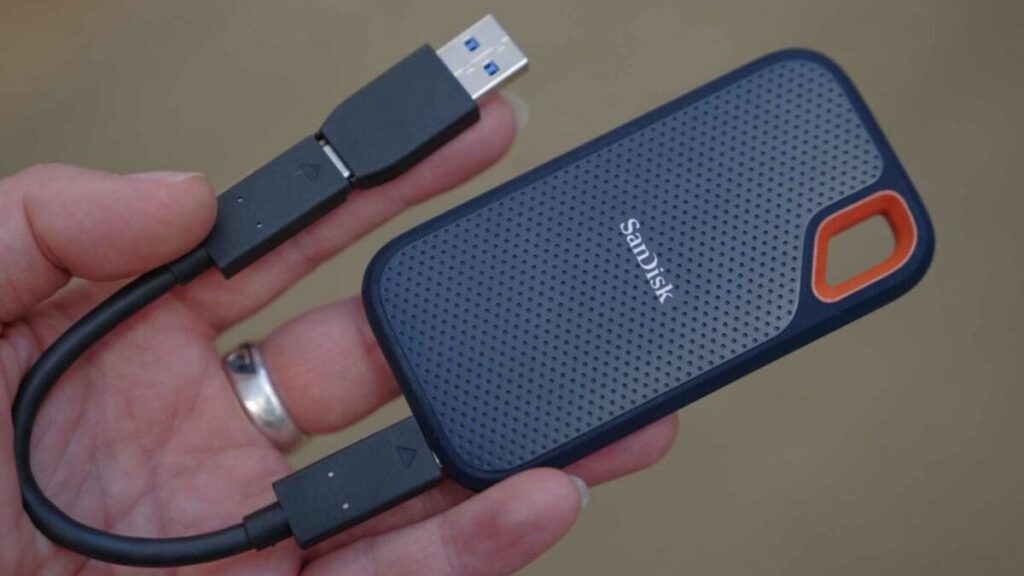
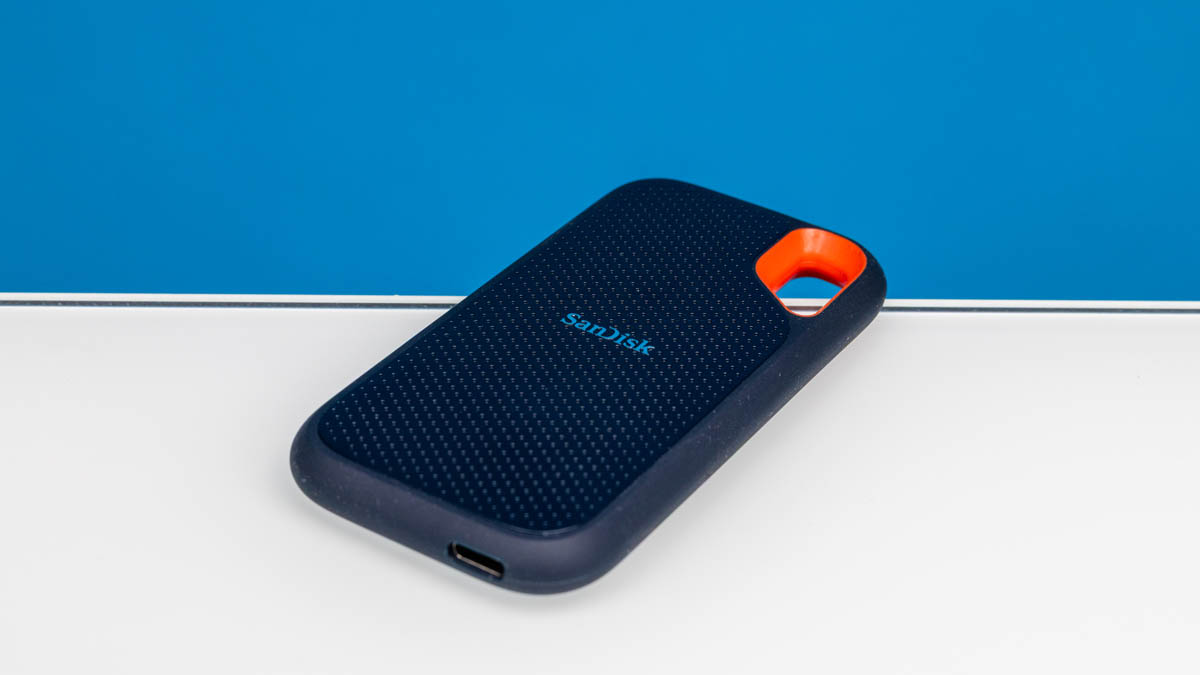
The SanDisk Extreme Portable SSD 1TB is the drive we would put in a camera bag or laptop sleeve first. It is small enough to disappear into a pocket, yet its IP65 rating and stated 3-meter drop protection give it a more convincing field-ready design than the ordinary aluminum drives here. The built-in security also matters for people carrying client files, since 256-bit AES encryption and password protection help keep private content from being casually accessed.
Its headline speed is up to 2, 000MB/s, nearly twice the stated read speed of the Samsung T7 1TB and Samsung T7 2TB. That advantage only appears when the computer or other host can support the necessary connection, but it gives large video projects and high-resolution photo folders more room to move quickly. The drive also claims to move 1, 000 high-resolution photos in under 60 seconds under the stated test conditions, which is the kind of task where a faster interface can change the rhythm of a working day.
The physical design is unusually well matched to travel. It measures 3.35 by 2 by 0.39 inches and weighs 0.1 pounds, so it does not add much bulk to a portable kit. Its protection is stronger on paper than the SanDisk Portable SSD 1TB, which has 2-meter drop protection and no stated water or dust rating. The Samsung T9 1TB can match the speed class, but the Extreme's IP65 rating makes it the more reassuring choice around spills and outdoor work.
The weakness is the same one that affects every very fast portable SSD: the drive cannot create a faster port on the computer. It is also a 1TB model, so people maintaining a large video archive may prefer the 2TB SanDisk Extreme Portable SSD 2TB. Choose this one if you need a fast working drive that can handle more than a desk drawer life. For a broader look at capacity planning, how much space a working archive really needs is a useful question to settle before buying.
2. SanDisk Extreme Portable SSD 2TB: Best Rugged Capacity
Pros
- 2TB capacity
- Up to 1, 050MB/s read speed
- Up to 1, 000MB/s write speed
- IP65 water and dust resistance
- Up to 3-meter drop protection
Cons
- Slower headline speed than the newer 1TB Extreme
- Older design than the newest SanDisk Extreme model
- Larger files may still be limited by the host port
Best for: photographers, videographers, and travelers who need rugged protection with more room for working files.
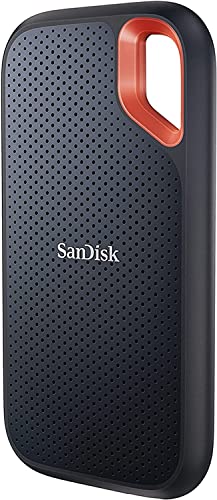
The SanDisk Extreme Portable SSD 2TB makes a different argument from the top pick. It gives you twice the listed capacity, which is more useful than a higher burst speed when the drive is holding a sizable photo catalog, project folder, or travel backup. Its NVMe-based design is rated for up to 1, 050MB/s read and 1, 000MB/s write, so it remains a quick everyday drive even though it does not reach the 2, 000MB/s figures claimed by the newer Extreme and Samsung T9.
This model is built for handling. IP65 water and dust resistance is a meaningful distinction from the Samsung T7 drives, whose aluminum unibody construction is described with shock resistance and fall protection up to 6 feet. SanDisk also rates this drive for drops up to 3 meters. The carabiner loop is a small but practical detail, letting you secure the drive to a bag instead of leaving it loose beside a camera or laptop.
At 3.97 by 2.07 by 0.38 inches and 0.11 pounds, it is still easy to carry despite the extra storage. The included password protection uses 256-bit AES hardware encryption, and the SanDisk Memory Zone app can help manage files and automatically free space. Those features make it more suitable for a personal backup routine than a bare drive that expects you to arrange every part of the workflow yourself.
The trade-off is clear. The newer SanDisk Extreme Portable SSD 1TB is much faster on paper and slightly lighter, while this 2TB version is the better fit when capacity and ruggedness matter more than maximum transfer speed. It is not the pick for someone with a USB connection that can exploit 2, 000MB/s, but it is a strong choice for a mobile library that needs room and protection.
3. Samsung T9 1TB: Best Sustained Speed

Pros
- Up to 2, 000MB/s read and write speed
- Thermal management for heavy use
- Compatible with desktops, cameras, and gaming consoles
- Magician software for firmware and drive health
- Supports iPhone 15 ProRes 4K at 60fps
Cons
- Heavier and thicker than the SanDisk Extreme 1TB
- Maximum speed depends on compatible hardware
- Only 1TB in this listing
Best for: creators moving large files repeatedly on a compatible high-speed USB connection.
The Samsung T9 1TB is the specialist pick for long, demanding transfers. Samsung rates it for up to 2, 000MB/s read and write speeds, not merely a fast peak in one direction. The more important claim is that it maintains high performance during longer processes, which is useful when an edit session involves repeatedly loading, saving, and moving large media files.
Its dynamic thermal guard is the feature that separates it from the faster-looking alternatives on a spec sheet. Samsung says the thermal solution controls heat to keep the drive at ideal temperatures during heavy use. That does not make the T9 immune to the limits of a computer's port or cable, but it shows that the drive is designed around sustained workloads rather than short bursts alone.
The T9 measures about 3.46 by 2.36 by 0.55 inches and weighs 0.27 pounds. That makes it noticeably thicker and heavier than the SanDisk Extreme Portable SSD 1TB, which weighs 0.1 pounds, so it is less appealing for a minimalist travel kit. It does offer broad compatibility with desktops, cameras, and gaming consoles, and Samsung's Magician software provides firmware updates, encryption features, and drive health monitoring.
The T9 is the better technical choice over the Samsung T7 1TB when the host supports USB 3.2 Gen 2x2 and the workload can use its speed. The SanDisk Extreme Portable SSD 1TB is more convincing for outdoor use because it has an IP65 rating and 3-meter drop protection, neither of which is stated for the T9 in this listing. Skip the T9 if your computer cannot take advantage of its interface. Keep it in mind if sustained creative transfers are the priority and the drive will mostly stay in a controlled workspace.
4. Samsung T7 1TB: Best Everyday Portable SSD

Pros
- Up to 1, 050MB/s read speed
- Up to 1, 000MB/s write speed
- Compact aluminum unibody construction
- Fall protection up to 6 feet
- Supports direct high-resolution video recording
Cons
- Slower than the Samsung T9 and newer SanDisk Extreme
- No water or dust rating is stated
- Requires a compatible host for maximum performance
Best for: everyday backups, photo libraries, and portable work files across computers and mobile devices.
The Samsung T7 1TB remains an easy drive to recommend because it avoids unnecessary complexity. It is small, solid, and fast enough for ordinary backup work, photo libraries, game data, and large documents. Samsung rates it for up to 1, 050MB/s read and 1, 000MB/s write, which places it in the same general performance group as the SanDisk Extreme Portable SSD 2TB and the SSK models.
Its 3.3 by 2.2 by 0.3-inch body is slim enough for a laptop bag, and its 0.13-pound weight will not be noticeable in a travel kit. The aluminum unibody construction is paired with shock resistance and fall protection up to 6 feet. That is useful protection for normal handling, although it is not the same kind of environmental protection offered by the IP65-rated SanDisk Extreme models.
The T7 can also work beyond a conventional computer backup. Samsung describes support for recording 4K 60fps video directly from compatible cameras or mobile devices, including iPhone 15 ProRes 4K at 60fps. Its compatibility claims cover PCs and mobile phones, so it is a sensible choice for a mixed-device household that does not want a drive dedicated to one platform.
The limitation is that the T7 is no longer the speed leader in this group. The Samsung T9 1TB and SanDisk Extreme Portable SSD 1TB can reach up to 2, 000MB/s, assuming the host connection supports it. The T7's advantage is a more balanced design and a well-established form factor. Choose it for dependable everyday transfers, but look elsewhere if your work involves sustained high-speed media movement or outdoor exposure.
5. Samsung T7 2TB: Best T7 Capacity
Pros
- 2TB capacity
- Up to 1, 050MB/s read speed
- Up to 1, 000MB/s write speed
- Slim 0.3-inch body
- Supports computers, mobile devices, and direct video recording
Cons
- Same speed class as the smaller T7
- No stated IP water or dust rating
- Less rugged on paper than the SanDisk Extreme line
Best for: people who want the T7 design with enough room for a large working library.
The Samsung T7 2TB is the straightforward capacity play in the T7 family. It has the same compact shape as the 1TB version, but the extra room makes it more practical for a laptop backup, a photo collection, or several active projects on one drive. The rated up-to-1, 050MB/s read and 1, 000MB/s write speeds remain quick enough for most portable storage tasks.
This drive measures 3.3 by 2.2 by 0.3 inches and weighs 0.13 pounds. Those figures are identical to the listed 1TB T7, so choosing the larger model does not mean accepting a larger travel accessory. Its solid aluminum unibody gives it a reassuring feel, while fall protection up to 6 feet helps with the most common portable-drive accident.
The T7 supports PCs and mobile phones and can record Ultra High Resolution video directly from compatible cameras and mobile devices. Samsung also specifically lists iPhone 15 ProRes 4K at 60fps support. That makes the drive more versatile than a storage box that only comes out during a computer backup, though the actual experience still depends on the host device, cable, and application.
The main compromise is not capacity but speed and environmental protection. The Samsung T9 1TB is the stronger option for long, high-speed transfers, and the SanDisk Extreme Portable SSD 2TB has IP65 protection plus 3-meter drop protection. The T7 2TB is the one to choose when you want substantial portable storage in a slim enclosure and your work does not require the fastest interface in this roundup.
6. SSK Portable SSD 1TB: Best Cable Flexibility

Pros
- Up to 1, 050MB/s read speed
- Up to 1, 000MB/s write speed
- USB-C and USB-A cables included
- S.M.A.R.T. health diagnostics and adaptive TRIM
- Supports iPhone 4K60 ProRes HDR capture
Cons
- No stated drop, water, or dust rating
- SLC cache is a portion of available capacity
- The maximum speed requires a compatible USB 3.2 Gen 2 connection
Best for: households and workspaces that still use both USB-C and USB-A devices.
The SSK Portable SSD 1TB is built around convenience across older and newer hardware. It includes both USB-C and USB-A cables, which removes one of the most annoying parts of moving a portable drive between a current laptop, an older desktop, and a phone or tablet. Its stated speed is up to 1, 050MB/s read and 1, 000MB/s write, placing it alongside the Samsung T7 rather than the 2, 000MB/s class.
The drive's 2.7 by 1.48 by 0.49-inch body is compact, and its listed weight is about 0.066 pounds. SSK uses a 2mm aluminum alloy case for heat dissipation and states that the case temperature peaks at 105.58 degrees Fahrenheit. That is a concrete thermal claim, but it should not be confused with a formal water, dust, or drop rating. The SanDisk Extreme Portable SSD 1TB remains the better option for rough travel.
SSK also includes S.M.A.R.T. health diagnostics and adaptive TRIM, features intended to support drive monitoring and data-block management over time. The drive reserves 25 percent of its current available capacity as SLC cache for faster transfers within that cache. That can help with many routine file moves, but very large transfers can behave differently once the cache is exhausted.
The 1TB model is more useful than the SSK Portable SSD 500GB when it will hold a recurring backup or a sizeable media folder. Its biggest advantage over the Lexar ES3 1TB is the included USB-A cable, while the Lexar has a slimmer stated design and 256-bit AES encryption software. Choose SSK when cable flexibility matters more than outdoor protection and you want one drive to work across a mixed collection of devices.
7. Lexar ES3 1TB: Best Slim Design

Pros
- Up to 1, 050MB/s read speed
- Up to 1, 000MB/s write speed
- 42g weight and 10.5mm thickness
- Broad computer, phone, camera, and console compatibility
- 256-bit AES encryption software
Cons
- MagSafe is not available in this version
- Only a USB-C cable is specified
- No water or dust rating is stated
Best for: users who want a slim 1TB drive for phones, cameras, laptops, and consoles.
The Lexar ES3 1TB is the neatest fit for a pocket-first setup. Lexar says it weighs 42g and is 10.5mm thick, making it smaller than a card in the company's description. The listed dimensions are about 3.94 by 1.97 by 0.39 inches, so it is long and slim rather than unusually thick. That shape makes sense for a drive that will travel between a phone, camera, and laptop.
Performance is in the familiar 10Gbps class: up to 1, 050MB/s read and 1, 000MB/s write through USB 3.2 Gen 2. Those figures are close to the Samsung T7 1TB and SSK Portable SSD 1TB. They are also dependent on the host system supporting the interface, a limitation Lexar calls out for Mac and other systems.
Compatibility is one of the ES3's stronger points. The listing names Android mobile devices, cameras, laptops, Xbox X|S, PS4, PS5, and the iPhone 17 series, while noting that iPhone 14 and older models are not supported. It includes a Type-C cable for plug-and-play use, and Lexar DataShield software provides 256-bit AES encryption for protected files.
The missing MagSafe support is important for anyone expecting magnetic attachment, since this version explicitly does not offer it. There is also no stated IP or drop rating, so the SanDisk Extreme Portable SSD 1TB is a safer pick for harsh travel. Choose the ES3 when its thin shape and broad stated device compatibility matter more than rugged certification.
8. SanDisk Portable SSD 1TB: Best Simple Backup Drive

Pros
- 1TB capacity
- Up to 800MB/s read speed
- USB-C and USB 3.2 Gen 2 connectivity
- Up to 2-meter drop protection
- Built-in rubber hook
Cons
- Slower than the other 1TB drives here
- No water or dust rating is stated
- Encryption is not listed among the supplied features
Best for: routine backups and file storage when maximum transfer speed is not the main concern.
The SanDisk Portable SSD 1TB is the uncomplicated option. It provides solid state storage in a small body and focuses on making a backup drive easy to carry. The listed maximum read speed is 800MB/s, which is below the 1, 050MB/s class represented by the Samsung T7, SSK, and Lexar drives, and well below the 2, 000MB/s models.
Its dimensions are 3.81 by 1.85 by 0.39 inches, and its weight is 0.09 pounds. That is light enough for a laptop sleeve or travel pouch. SanDisk gives it up to 2-meter drop protection and adds a rubber hook for securing it to a belt loop or backpack. Those details make it more travel-friendly than a plain desktop-oriented enclosure, although there is no stated IP65 water and dust rating.
The drive uses USB-C and USB 3.2 Gen 2 connectivity, which keeps it compatible with a broad range of current computers. The lower speed can still be perfectly adequate for documents, ordinary photo folders, and scheduled backups. It becomes more noticeable when moving many large video files or using the drive as an active editing workspace.
The SanDisk Extreme Portable SSD 1TB is the clear upgrade for people who need speed and stronger environmental protection. The SanDisk Portable SSD 1TB makes more sense when the drive will spend most of its life connected to a laptop or tucked safely in a bag. It is a sensible fit for backup duties, but skip it if you regularly wait on large media transfers.
9. SSK Portable SSD 500GB: Best Compact Half-Terabyte Drive

Pros
- Up to 1, 050MB/s read speed
- Up to 1, 000MB/s write speed
- USB-C and USB-A cables included
- Compact 36.6g design
- Supports iPhone 4K60 ProRes HDR capture
Cons
- 500GB capacity leaves less room for large libraries
- No stated drop, water, or dust rating
- SLC cache behavior may change on longer transfers
Best for: a compact working folder, phone video transfers, or a secondary portable drive.
The SSK Portable SSD 500GB is the small-capacity version of the SSK design, and its appeal is physical rather than complicated. It measures 2.5 by 1.31 by 0.43 inches and weighs 36.6g, making it one of the easiest drives here to keep in a pocket. Its USB-C and USB-A cables also make it practical for moving files between newer and older hardware.
The performance claim is up to 1, 050MB/s read and 1, 000MB/s write through USB 3.2 Gen 2. That is the same speed class as the SSK Portable SSD 1TB, so choosing this model does not mean giving up the listed transfer rate. The smaller capacity does mean you will need to manage large video folders more carefully, especially when a backup includes several projects.
SSK lists S.M.A.R.T. health diagnostics, adaptive TRIM, and a 25 percent SLC cache allocation based on current available capacity. It also states power consumption below 2.4 watts and support for iPhone 4K60 ProRes HDR capture. The aluminum alloy case is designed to dissipate heat, with a stated peak case temperature of 105.58 degrees Fahrenheit.
The SSK Portable SSD 1TB is the better fit for a primary working drive, while the 500GB model is easier to justify for a focused folder or transfer kit. Neither has the stated IP65 protection of the SanDisk Extreme Portable SSD 2TB. Choose this one when compact size and dual-cable flexibility are more important than keeping an entire media archive in one place.
10. SSK Portable SSD 250GB: Best Small Transfer Drive
Pros
- Up to 1, 050MB/s read speed
- Up to 1, 000MB/s write speed
- USB-C and USB-A cables included
- S.M.A.R.T. diagnostics and adaptive TRIM
- Supports iPhone 4K60 ProRes HDR capture
Cons
- 250GB capacity is restrictive for large media libraries
- No stated drop, water, or dust rating
- SLC cache is smaller in absolute terms than on larger models
Best for: moving a limited set of files between devices or keeping a small emergency backup.
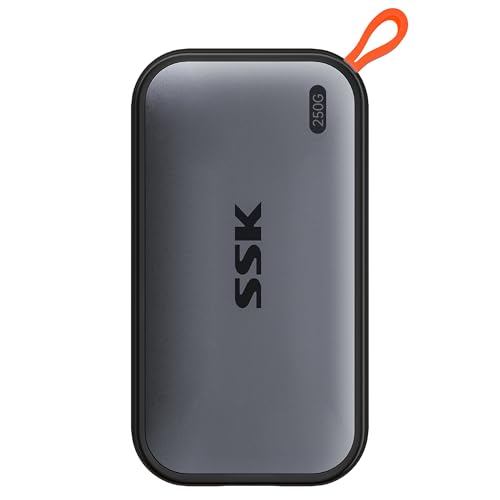
The SSK Portable SSD 250GB is for a narrow but real job: carry a small set of files without taking up much room. Its listed dimensions are about 2.7 by 1.48 by 0.5 inches, and it weighs about 0.066 pounds. Like the larger SSK models, it includes USB-C and USB-A cables, so it can travel between current laptops, older computers, phones, and tablets.
The drive carries the same headline performance as the other SSK capacities, with up to 1, 050MB/s read and 1, 000MB/s write speeds. That is more than enough for quick document transfers and smaller photo collections. The 250GB capacity is the limiting factor, not the interface. On Windows, SSK notes that the usable displayed capacity can appear around 232GB because of the difference between decimal and binary calculations.
The feature set includes S.M.A.R.T. health diagnostics, adaptive TRIM, and SLC caching. SSK also says the drive uses less than 2.4 watts and supports 4K60 ProRes HDR video capture on iPhone. Those are useful capabilities, but a 250GB drive will fill quickly with high-resolution video, so it is better treated as a transfer tool than a long-term media vault.
The SSK Portable SSD 500GB gives the same general design more breathing room, while the SSK Portable SSD 1TB is better for recurring backups. The SanDisk Portable SSD 1TB is also a more natural fit for a larger archive. Pick this smallest SSK only when the compact format and dual-cable setup matter more than keeping many files available at once.
How to choose best external ssd
The right portable solid state drive depends on the connection on your computer, the size of the files you move, and how much abuse the drive will face outside the desk.
Transfer speed and USB interface
A drive's maximum speed is only useful when the host device and cable support the required USB standard. The 2, 000MB/s SanDisk Extreme Portable SSD 1TB and Samsung T9 1TB are the fastest options listed, but the T9 specifically uses USB 3.2 Gen 2x2. The Samsung T7, SSK, and Lexar models sit around 1, 050MB/s read and 1, 000MB/s write, while the simpler SanDisk Portable SSD 1TB is rated at up to 800MB/s read.
For documents and ordinary backups, the lower figure may be sufficient. Large video projects and repeated transfers benefit more from the faster class, provided the computer has the matching port.
Capacity
Capacity should follow the files you plan to keep on the drive, not just the number of folders. The 2TB SanDisk Extreme Portable SSD and Samsung T7 2TB are the strongest choices for large photo collections and multiple active projects. The 1TB models are more flexible for general work, while the 250GB and 500GB SSK drives are better for focused transfers or smaller backups.
Remember that the displayed capacity can be lower than the advertised capacity after formatting and operating-system calculations. SSK specifically notes this difference for its drives.
Durability and environmental protection
Drop protection helps with ordinary accidents, but it is not the same as water and dust resistance. The SanDisk Extreme Portable SSD 1TB and SanDisk Extreme Portable SSD 2TB are the only models here with a stated IP65 rating and up to 3-meter drop protection. The Samsung T7 models have aluminum bodies and fall protection up to 6 feet, while the simpler SanDisk model has up to 2-meter drop protection.
For a drive that travels outdoors, an IP rating matters more than a reassuring metal shell.
Size and weight
A compact drive is easier to keep connected to a laptop or carry with a camera. The SanDisk Extreme Portable SSD 1TB weighs 0.1 pounds, the Lexar ES3 states 42g and 10.5mm thickness, and the SSK models are also notably light. The Samsung T9 is heavier at 0.27 pounds, but it is designed around sustained high-speed work rather than the smallest possible travel footprint.
Cable and device compatibility
USB-C is common on current laptops and phones, but USB-A remains present on older computers and accessories. The SSK drives explicitly include both USB-C and USB-A cables, while the Lexar ES3 listing specifies a Type-C cable. Samsung and SanDisk emphasize compatibility with computers and mobile devices, but the exact port on the host still determines what speed you receive.
Frequently asked questions
What is the fastest external SSD in this roundup?
The SanDisk Extreme Portable SSD 1TB and Samsung T9 1TB are both rated for speeds up to 2, 000MB/s. The Samsung T9 is built around USB 3.2 Gen 2x2 and emphasizes sustained performance during longer processes. Your computer must support the relevant connection to reach those figures.
Which external SSD is best for travel?
The SanDisk Extreme Portable SSD 1TB is the strongest travel choice because it combines a 0.1-pound body with IP65 water and dust resistance and up to 3-meter drop protection. The 2TB SanDisk Extreme Portable SSD offers the same stated protection with more capacity. The Lexar ES3 is another compact option, but its listing does not state an IP or drop rating.
Is 1TB enough for an external SSD?
For laptop backups, documents, photo folders, and a few active projects, 1TB can be a practical size. People working with several high-resolution video projects or large photo libraries should consider a 2TB model, such as the SanDisk Extreme Portable SSD 2TB or Samsung T7 2TB. Smaller 250GB and 500GB drives are better suited to limited transfers.
Can these drives record video directly from an iPhone?
Several listings describe direct recording support. Samsung lists iPhone 15 ProRes 4K at 60fps support for the T7 and T9, while the SSK models list iPhone 4K60 ProRes HDR capture. The phone, application, cable, and drive connection all need to support the intended recording setup.
Do external SSDs work with USB-A computers?
The SSK Portable SSD 250GB, 500GB, and 1TB listings specify both USB-C and USB-A cables, which makes them convenient for mixed-device setups. Other drives may still work with the appropriate cable or adapter, but the connection can affect maximum speed. Check the computer's port standard before expecting the drive's headline performance.
Is a rugged external SSD waterproof?
An IP rating provides a more specific answer than the word rugged. The SanDisk Extreme Portable SSD 1TB and 2TB models list IP65 water and dust resistance, while the other drives in this roundup do not state an equivalent rating. Even with an IP rating, keep the connector covered and avoid treating the drive as permanently waterproof.
The bottom line
The Best External SSD for most people is the SanDisk Extreme Portable SSD 1TB. Its 2, 000MB/s rating, IP65 protection, 3-meter drop protection, compact body, and 256-bit AES encryption give it the strongest combination of speed, portability, and protection.
Choose the SanDisk Extreme Portable SSD 2TB when capacity matters more than maximum speed, or choose the Samsung T9 1TB for sustained high-speed work on a compatible USB 3.2 Gen 2x2 connection. The Samsung T7 1TB remains the sensible everyday alternative, while the SSK models make the most sense when USB-C and USB-A cable flexibility is central to your setup.
If you are undecided, buy the SanDisk Extreme Portable SSD 1TB unless you specifically need 2TB capacity or a sustained USB 3.2 Gen 2x2 workflow.
As an Amazon Associate we earn from qualifying purchases.