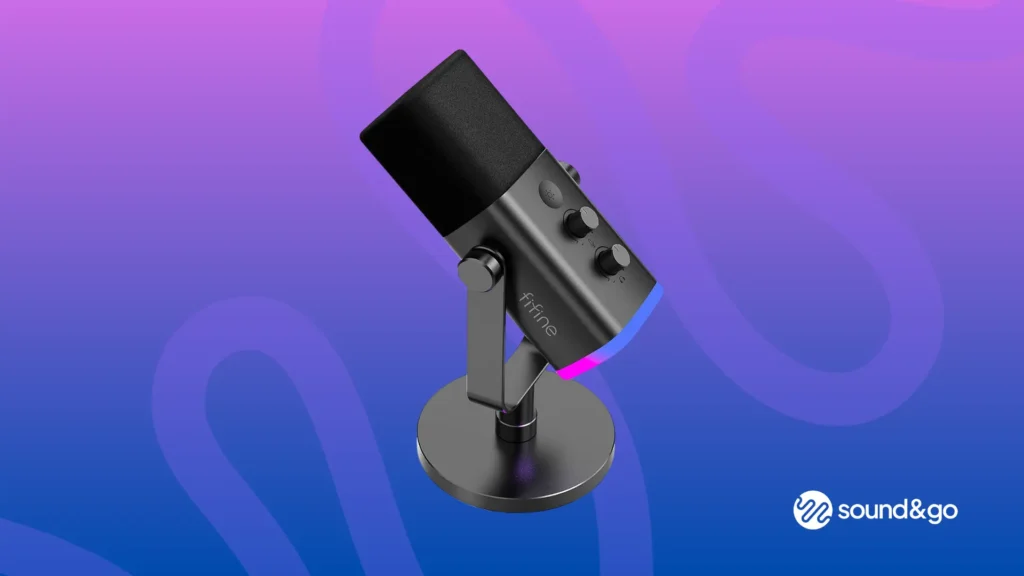

A microphone can make a gaming session sound either crisp and close or like a voice bouncing around a room. The right FIFINE model also needs to fit the way you work: USB for a quick setup, XLR for an interface, or a complete arm kit that keeps the desk clear. Our Best best fifine microphone picks focus on those practical differences rather than flashy specifications alone.
The dynamic models are strongest for spoken voice and noisy desks, while the condenser options bring a more sensitive, energetic sound for gaming chat and streaming. A standalone boom arm also earns a place here because the right support can matter almost as much as the capsule.
FIFINE AM8 is our top pick for the broadest mix of clear voice, USB controls, and a future XLR upgrade. The list also includes complete arm kits, podcast-focused alternatives, compact condensers, and a low-profile stand for building a cleaner setup.
| # | Product | Award | Connection | Type | Best for |
|---|---|---|---|---|---|
| 1 | FIFINE AM8 | Best overall | USB, XLR | Dynamic | Gaming and streaming |
| 2 | FIFINE AM8T Kit | Best complete AM8 setup | USB, XLR | Dynamic | New streamers |
| 3 | FIFINE K688CT Kit | Best podcast kit | USB, XLR | Dynamic | Podcasts and voice work |
| 4 | FIFINE AM8PROT Kit | Best RGB kit | USB, XLR | Dynamic | RGB gaming desks |
| 5 | FIFINE K688 | Best standalone dynamic | USB, XLR | Dynamic | Existing mic-arm owners |
| 6 | FIFINE K669B | Best simple condenser | USB | Condenser | Meetings and basic recording |
| 7 | FIFINE A6V | Best compact RGB mic | USB | Condenser | Game chat and streaming |
| 8 | FIFINE A6T Kit | Best condenser kit | USB | Condenser | Flexible desk setups |
| 9 | FIFINE AM8W | Best white setup | USB, XLR | Dynamic | White gaming stations |
| 10 | FIFINE BM88 Arm | Best low-profile arm | N/A | Boom arm | Screen-clear microphone mounting |
1. FIFINE AM8: Best Overall

Pros
- USB setup is quick and uncomplicated
- XLR output allows a later interface upgrade
- Tap-to-mute, gain, and headphone controls
- RGB has three modes and more than 10 colors
- Cardioid dynamic design helps reduce off-axis noise
Cons
- XLR cable is not included
- RGB and onboard controls stop working over XLR
- It needs close placement for the strongest input
Best for: gamers and creators who want one microphone that can grow from USB to XLR.
The FIFINE AM8 is the one we would choose for a mixed gaming and creator desk. It has the sensible shape of a spoken-word dynamic microphone, but it does not force a beginner to buy an interface before making a first recording. Plug it into a computer by USB, place the front toward your mouth, and the main controls are right on the body.
Its stated frequency response is 50Hz to 16kHz, a range suited to intelligible speech without chasing an exaggerated top end. The cardioid pattern favors sound arriving from the front and rejects more from the sides and rear, which is useful beside a keyboard, cooling fan, or second monitor. FIFINE recommends keeping it about 2 to 6 inches from the source. That close working distance is not a nuisance so much as the normal way to get a dynamic capsule sounding present.
USB mode is where the AM8 feels most complete. A tap-to-mute control has an LED reminder, the gain knob adjusts input level, and the headphone jack provides real-time monitoring with a volume control. Its RGB ring offers three modes and more than 10 colors, with memory that remembers the chosen lighting after shutdown. These touches make it more practical than the simpler FIFINE K669B, while the dynamic design is less eager to hear every room sound than the condenser FIFINE A6V.
The upgrade path is the important distinction. XLR connection works with an audio interface or mixer and can provide a more flexible recording chain, but the AM8's RGB and function buttons are inactive in that mode. The separate XLR cable requirement is easy to miss, and buyers who want immediate arm mounting may prefer the FIFINE AM8T Kit. For recording vocals, room acoustics still matter, so it helps to understand how microphone pickup changes the sound of a vocal performance.
Skip this model if you want a tiny desk microphone that can sit anywhere and still sound consistent. Choose it if you want clear spoken audio now, direct headphone monitoring, and the option to move into an interface-based setup later.
2. FIFINE AM8T Kit: Best Complete AM8 Setup

Pros
- Includes a boom arm and C-clamp
- USB and XLR connectivity
- Mute, gain, and headphone monitoring controls
- RGB lighting is easy to change
- Clamp fits desks up to 2 inches thick
Cons
- XLR cable is not included
- USB controls do not work through XLR
- The arm needs a compatible desk edge
Best for: first-time streamers who want the AM8 format with a ready-to-mount arm.
The FIFINE AM8T Kit is less about changing the microphone and more about removing the setup decisions around it. The dynamic mic arrives with a metal boom arm, C-clamp, windscreen, and an 8.2-foot USB to USB-C cable. That makes it much easier to position the capsule near your mouth instead of leaving it behind a keyboard on a small desktop stand.
It uses a cardioid pattern and lists -50dB sensitivity, with the front-facing pickup designed to emphasize the speaker while limiting some background sound. The supplied windscreen helps soften plosive bursts from words with strong P and B sounds. Its USB connection is plug and play for a computer, while XLR lets the microphone work with a mixer or sound card. As with the AM8, the XLR cable is a separate purchase and the RGB and onboard controls are USB-only.
The control set is generous for a kit aimed at gaming. A mute button, gain knob, headphone jack, and headphone volume control let you handle common adjustments without opening software. RGB controls sit on the microphone and are intended for quick color changes rather than a complicated lighting application. The arm's elastic springs hold the microphone in position, and its clamp is designed for desktops less than 2 inches thick.
Compared with the standalone FIFINE AM8, the AM8T is the cleaner first purchase for a bare desk. The AM8 remains the better choice if you already own an arm or prefer to choose your own support. The FIFINE K688CT Kit goes further for podcasting by adding a shock mount, while this kit keeps its identity as a straightforward gaming setup. Anyone building a more involved gaming audio chain should also consider how a desk microphone changes voice clarity during game chat.
The weakness is compatibility with the desk itself. A thick desktop or awkward rear edge can make the included clamp difficult to place, and the arm adds more hardware than a simple tripod. For a new streamer who wants a mic close to the mouth without assembling a separate mounting system, it is the most convenient AM8 package.
3. FIFINE K688CT Kit: Best Podcast Kit

Pros
- USB and XLR connections
- Includes boom arm and shock mount
- 130dB SPL rating
- Tap-to-mute, gain, and headphone controls
- Windscreen helps manage plosives
Cons
- Mic controls are USB-only
- Clamp fits desks under 2 inches thick
- Arm adjustment should be done carefully
Best for: podcast hosts and voice creators who want a complete dynamic microphone setup.
The FIFINE K688CT Kit is the most purpose-built podcast package in this group. It pairs the K688 microphone with a metal boom arm, shock mount, windscreen, and C-clamp. The shock mount separates some desk movement from the microphone, while the arm keeps the capsule in a repeatable position during a long conversation.
FIFINE specifies a 130dB SPL capability, which gives the dynamic capsule room for loud speech and stronger vocal peaks before distortion becomes a concern. The cardioid pattern is intended to reduce ambient sound, but it still rewards close placement. The recommended distance is 2 to 6 inches, a sensible range for getting a spoken voice forward without relying on heavy software processing.
USB mode includes the controls a solo podcaster is likely to reach for: tap-to-mute, gain, headphone monitoring, and headphone volume. USB provides the easy computer connection, while XLR supports an interface or mixer when the recording chain becomes more serious. The controls do not function over XLR, so the mixer or interface takes over those jobs in an analog setup.
The included windscreen and shock mount distinguish this kit from the bare FIFINE K688. The K688 is lighter and makes sense for someone who already owns a stand, but the K688CT is the more coherent package from the box. The FIFINE AM8PROT Kit has more dramatic RGB lighting and a longer stated arm extension, yet the K688CT feels more focused on clean spoken-word recording than on visual effects.
Its real limitation is the desk clamp and the care needed during adjustment. The clamp suits desks under 2 inches thick, and the instructions caution against forcing the stand knobs. It is not the pick for someone who wants a tiny plug-in mic for occasional meetings. For interviews, voiceovers, and regular podcasts, it gives the microphone a stable working position and leaves room to move to XLR later.
4. FIFINE AM8PROT Kit: Best RGB Kit

Pros
- USB-A and USB-C compatibility
- 240 or more RGB combinations
- Mix control for mic and computer audio
- 30-inch arm extension
- Foam windscreen and cable included
Cons
- RGB and multifunction controls require USB
- XLR cable is not listed as included
- More hardware than a basic desktop setup
Best for: streamers who want a complete arm kit with extensive lighting controls.
The FIFINE AM8PROT Kit is the most feature-heavy gaming package here. It combines a dynamic USB/XLR microphone with a thickened boom arm, foam windscreen, and an 8.2-foot USB cable. The arm is built to extend up to 30 inches, giving it more reach across a desk than the compact arrangements in the A6 series.
The USB side is designed for rapid switching between a desktop, a PS4 party setup, and a USB-C laptop. A tap-to-mute control has a visible LED panel, which is useful when commentary and gameplay are happening at the same time. Its three-in-one knob handles gain and headphone volume, while a mix control balances microphone input against computer audio. That is a meaningful advantage for game streams where the creator needs to hear both voice and soundtrack.
The lighting is the headline feature. FIFINE describes more than 240 RGB combinations across the microphone and arm, including beat modes that respond to computer soundtracks. It is much more configurable than the three-mode lighting on the FIFINE AM8, and the arm lighting makes the whole setup part of the camera frame. The stated 48kHz/24-bit XLR audio, 115dB SPL, and 75dB signal-to-noise ratio also give the microphone a concrete recording specification set, though the results still depend on placement and the surrounding room.
In a quieter, more audio-focused workspace, the FIFINE K688CT Kit is the more restrained option. The AM8PROT wins for creators who want an arm that reaches farther, a mix control, and lighting that can become part of the stream identity. Over XLR, the RGB, mix control, and other USB functions are unavailable, so an interface-based user will not get the full feature set.
The weakness is its size and complexity. A 30-inch arm can be helpful on a deep desk but excessive on a compact one, and the visual system is wasted if the microphone sits outside the camera view. Choose this kit for a gaming stream with a visible desk setup, not for a minimalist voice booth.
5. FIFINE K688: Best Standalone Dynamic

Pros
- 130dB SPL rating
- USB and XLR outputs
- Includes shock mount and windscreen
- Tap-to-mute and gain controls over USB
- 8.2-foot USB cable included
Cons
- Boom arm and mic stand are not included
- XLR cable is not included
- USB-only controls limit the analog setup
Best for: buyers who already have a microphone arm or stand and want a flexible dynamic capsule.
The FIFINE K688 is the sensible modular option. It includes the microphone, shock mount, windscreen, 8.2-foot USB-C to USB-A cable, and a 5/8-inch to 3/8-inch adapter, but leaves the arm choice to the buyer. That makes it a better fit for an established desk than for someone starting with no mounting hardware.
Its metal construction and dynamic capsule are aimed at close spoken-word use. FIFINE lists a 130dB SPL rating and a signal-to-noise ratio higher than 80dB. The cardioid pattern is designed to focus on the front and reduce sounds such as a computer fan or hard drive. Those traits make it more forgiving than an open, highly sensitive condenser when the room is not acoustically treated.
USB provides the convenient route into Windows or Mac OS. A tap-to-mute surface, gain knob, 3.5mm monitoring jack, and headphone volume control handle the basic workflow without software adjustments. XLR output is the longer-term advantage, but the controls move to the audio interface or mixer in that mode. The supplied shock mount helps isolate low-frequency desk movement, and the windscreen reduces harsh plosive bursts.
The FIFINE K688 is closely related in purpose to the FIFINE AM8, but it is less visually focused and does not include RGB controls. The AM8 is the stronger all-in-one gaming pick, while the K688 makes more sense for a podcast desk that already has a preferred arm. The FIFINE K688CT Kit is the direct alternative if a complete mounting system is needed from the start.
Do not choose it if you expect a boom arm in the box. That omission is the entire point of the modular design, but it can become an annoyance when the rest of the workspace is not ready. For an existing stand owner who wants clean USB convenience today and XLR flexibility later, this is the straightforward K688 to get.
6. FIFINE K669B: Best Simple Condenser

Pros
- Plug-and-play USB connection
- Compact tripod stand included
- Built-in volume knob
- Cardioid condenser pickup
- No 48V phantom power required
Cons
- USB only
- Not compatible with Xbox or phones
- No mute button or headphone monitoring jack listed
Best for: meetings, voice chat, and basic computer recording with a small footprint.
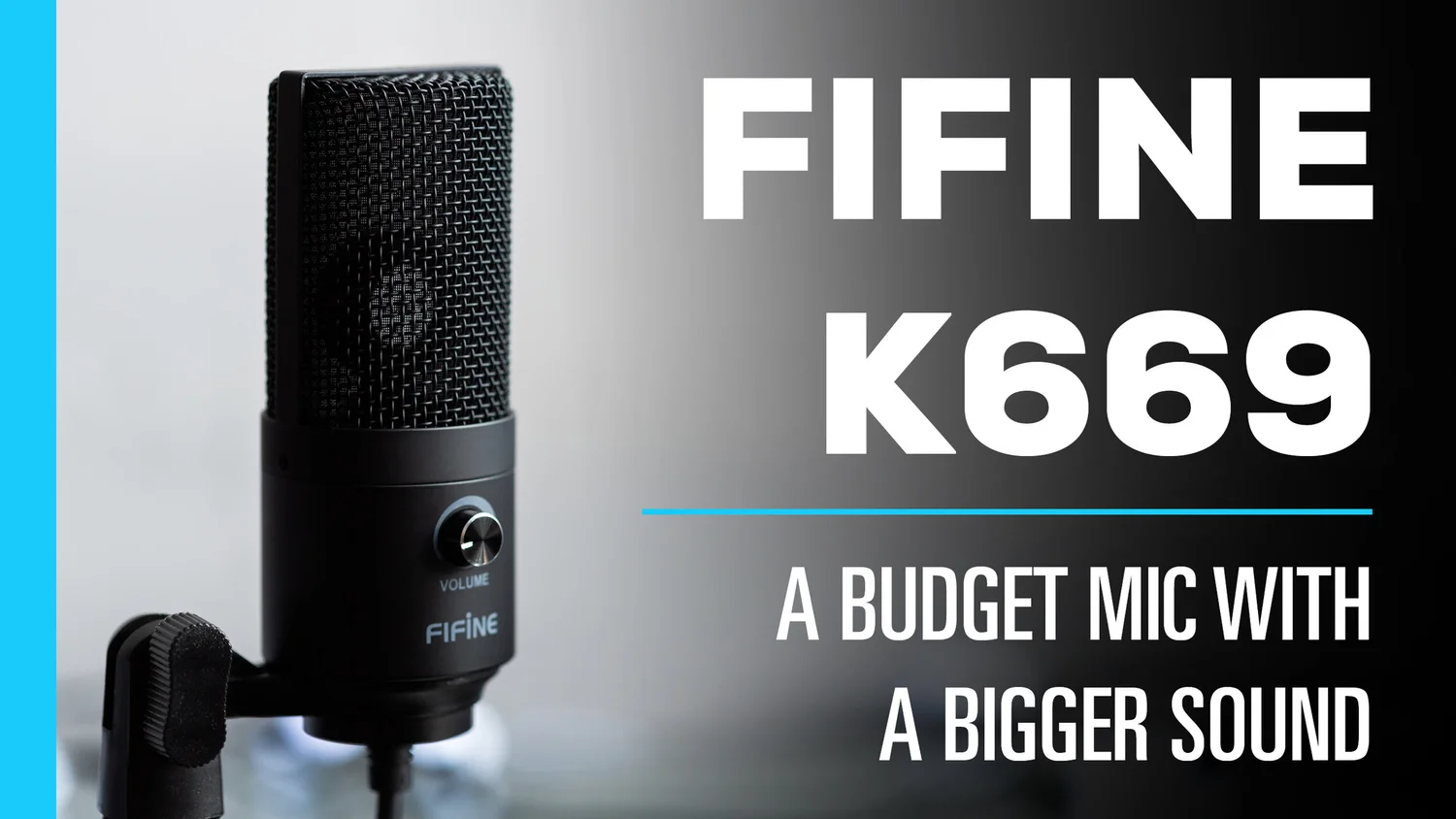
The FIFINE K669B is the least complicated microphone in the roundup. It is a USB condenser with a tripod stand and a 5.9-foot USB cable, so it can move from a laptop to a desktop without an interface, phantom power supply, or arm assembly. The metal construction gives the small desk setup more stability than a flimsy plastic microphone.
A cardioid condenser capsule captures a clear, crisp voice from the front and reduces some sound arriving behind it. The trade-off is sensitivity. A condenser can hear more of the room, keyboard, and desk than the dynamic models above, so placement matters. Put it near the speaker and away from loud fans rather than expecting the polar pattern to solve every noise problem.
The body-mounted volume knob lets you turn the input down to zero for privacy or raise it without reaching for the operating system settings. The microphone works with Windows, Mac OS, and PS4 or PS5 according to the listed features, and it does not need 48V phantom power. Its compatibility limits are important: Xbox and phones are not supported in the supplied setup.
Compared with the FIFINE A6V, the K669B gives up RGB, a shock mount, and a pop filter, but its simpler tripod form is easier to understand. The A6V is more suitable for a camera-facing gaming desk, while the K669B is the quieter visual choice for meetings and casual recording. Anyone making music or vocal recordings should think about the room and pickup pattern choices that shape recorded vocals.
The lack of a headphone jack, onboard mute control, and XLR output makes it a poor fit for a growing broadcast setup. It is a good fit for a desk where the goal is simply to sound clear in calls, Discord, or basic voice recording without a collection of accessories.
7. FIFINE A6V: Best Compact RGB Mic

Pros
- 192kHz sampling rate listed
- Tap-to-mute and gain controls
- Seven-color gradient RGB
- Shock mount and pop filter included
- Detachable 6.6-foot USB cable
Cons
- USB only
- Condenser pickup can expose room noise
- Tripod placement takes desk space
Best for: gamers and streamers who want a compact USB microphone with visible lighting.
The FIFINE A6V is designed to look at home in a gaming frame. Its condenser capsule, gradient lighting, shock mount, pop filter, and tripod stand arrive as a coherent desktop package. It is a more expressive setup than the K669B, but it remains simple enough for a first streaming microphone.
FIFINE lists a 192kHz sampling rate and a 70dB signal-to-noise ratio. Those numbers describe the capture system, but positioning remains more important than chasing the highest setting. The cardioid pattern is most sensitive at the front, which helps put the player's voice ahead of some rearward noise. The condenser design also means it can hear a lively room more readily than the dynamic FIFINE AM8.
A tap on the top mutes the microphone, and the RGB turns off while muted to give a visual status signal. A gain knob lets the speaker make quick level changes during a game. The lighting cycles through seven gradient colors, creating more movement than a plain status LED without requiring software. The detachable 6.6-foot USB cable gives some freedom to place the tripod away from the computer.
The included shock mount helps reduce vibration from keyboard and mouse activity, while the detachable pop filter manages plosives from excited speech. The FIFINE A6T Kit is the better alternative when the microphone needs to float on a boom arm and fold away, but the A6V is less involved on a small desk. The FIFINE K669B is a better match for meetings where lighting and gaming accessories are irrelevant.
The weakness is the condenser's sensitivity and the absence of XLR. Do not pick it for a loud room or an audio chain you intend to expand with an interface. Choose it for a visible gaming setup where a clear voice, instant mute, and animated RGB matter.
8. FIFINE A6T Kit: Best Condenser Kit

Pros
- Includes boom arm, shock mount, and pop filter
- USB-C to USB-A/C cable is 8.2 feet
- Touch mute and large volume knob
- Nearly 180-degree arm movement
- Two-tone gradient RGB
Cons
- USB only
- Clamp suits desks up to 2 inches thick
- Condenser capsule is more room-sensitive than a dynamic
Best for: gamers who want a movable condenser microphone and a complete arm setup.
The FIFINE A6T Kit takes the A6V concept off the tripod and puts it on an arm. That is a substantial usability change. The microphone can move close to the speaker during a game, swing out of the way afterward, and preserve more of the desk surface for a keyboard and mouse.
It is a plug-and-play USB condenser compatible with Windows, Mac OS, PS4, and PS5 according to the supplied details. The reversible USB-C connection avoids the frustration of inserting the plug in one direction, and the 8.2-foot USB-C to USB-A/C cable gives useful reach from a computer below or behind the desk. A cardioid pattern favors the front voice, while the condenser capsule gives speech an energetic, warm character.
The top touch button handles mute, and the large lower knob makes volume changes easy without leaving the game. Two-tone gradient RGB adds visual movement to the microphone. The shock mount helps isolate vibration, and the detachable pop filter reduces popping sounds without blocking the screen. The arm offers nearly 180 degrees of up and down rotation, so the capsule can be positioned for different seating angles.
Compared with the FIFINE A6V, the A6T takes more time to clamp and position but is much better for a crowded desk. The FIFINE AM8T Kit is the stronger choice in a noisy room because its dynamic microphone is less sensitive, while the A6T can sound more immediate when the environment is controlled. The clamp is intended for desks up to 2 inches thick, so check the edge before ordering.
There is no XLR path, and the condenser design will not hide a loud keyboard or untreated room as well as a dynamic. Choose it for a flexible gaming desk where arm movement, a visible RGB setup, and quick USB operation are more important than future interface expansion.
9. FIFINE AM8W: Best White Setup

Pros
- USB and XLR connectivity
- Compact design for a white desk
- Tap-to-mute and gain controls over USB
- Headphone monitoring and volume control
- RGB lighting can be changed or switched off
Cons
- Stand or arm is not included
- RGB and function keys are USB-only
- XLR cable is not included
Best for: creators matching a dynamic microphone to a white gaming or streaming station.
The FIFINE AM8W is the color-specific member of the AM8 family, but its use case is broader than appearance. It keeps the compact desktop design and dynamic capsule while adding a white finish that works with a lighter setup. The microphone itself weighs 1.32 pounds, according to the listed product information, so it needs a stable stand or arm rather than a flimsy clip.
USB makes the first setup easy, and XLR leaves room for a mixer or audio interface later. In USB mode, the microphone provides tap-to-mute, gain adjustment, a headphone jack, and headphone volume control. That set is useful for streaming because the speaker can mute and monitor without searching through software. RGB controls are also available through USB and can be turned off when the lighting would distract from the screen.
The dynamic design is aimed at gaming, streaming, podcasts, and voiceovers. FIFINE recommends close positioning for the AM8 family, with the front of the end-addressing microphone facing the sound source. That directional approach is more forgiving around a computer than the condenser FIFINE A6T Kit, though it still cannot replace sensible placement.
The FIFINE AM8 is the better choice if color is irrelevant and you want the most direct all-round recommendation. The AM8W earns its place when the rest of the desk is deliberately white. The FIFINE BM88 Arm can also suit this microphone if you want to keep the capsule low and clear of the monitor, but the arm is a separate product and does not include a microphone.
This model is not the pick for someone who wants a ready-to-use arm kit. It arrives as a microphone rather than a complete mounting system, and its onboard controls disappear when used through XLR. Choose it when the white finish matters and you want the AM8 feature set without giving up an interface upgrade path.
10. FIFINE BM88 Arm: Best Low-Profile Arm

Pros
- Low-profile design stays below a monitor
- Extends up to 29 inches
- 220-degree vertical and 360-degree horizontal adjustment
- Hidden cable management
- Includes 1/4-inch, 3/8-inch, and 5/8-inch thread options
Cons
- Microphone is not included
- Clamp fits desks from 0.8 to 2.4 inches thick
- Section near the clamp cannot move vertically
Best for: microphone owners who need a stable arm that preserves screen visibility.
The FIFINE BM88 Arm is the odd one out because it is support hardware, not a microphone. It still belongs in this comparison because an arm changes how a microphone works on a real desk. The low-profile shape is designed to extend below the bottom of a monitor, leaving the screen less obstructed during games, calls, and streams.
Its all-metal construction is intended to resist wobble when the arm is extended or bumped. The arm reaches up to 29 inches, moves vertically through 220 degrees, and rotates horizontally through 360 degrees. That range gives a speaker more freedom to pull a microphone toward the mouth and then fold it away, though the joint nearest the C-clamp cannot move vertically.
Cable management keeps the lead tucked along the arm rather than hanging across the desk. The package includes a C-clamp, rotatable ball head, Allen wrench, and screw adapters covering 1/4-inch, 3/8-inch, and 5/8-inch threads. Those options make it suitable for many microphone mounts, including the FIFINE dynamic models in this list. The clamp is designed for flat desktops from 0.8 to 2.4 inches thick.
Compared with the arms supplied with the FIFINE AM8T Kit and FIFINE A6T Kit, the BM88 is a separate, more configurable support choice. It is not useful to a buyer who still needs a microphone, but it can make the standalone FIFINE K688 or FIFINE AM8W easier to position. The low profile is its main distinction, not RGB or built-in audio controls.
The obvious weakness is that the microphone is not included. Desk thickness and edge shape also matter, and the arm's adjustment range is not completely uniform near the clamp. Choose the BM88 when you already have the audio hardware and want a cleaner, more screen-friendly mounting position.
How to choose best fifine microphone
The right FIFINE microphone depends on three decisions: how noisy the room is, how much control you want at the desk, and whether the setup should remain USB-only or move to XLR.
Dynamic versus condenser capsules
Dynamic models such as the AM8 and K688 are usually the safer starting point for gaming rooms with fans, keyboards, or untreated walls. Their close-use design favors the speaker directly in front of the capsule. Condenser models such as the K669B, A6V, and A6T can sound detailed and lively, but they may also reveal more of the room.
USB and XLR connectivity
USB is the simplest route to a computer, console, or laptop when the product supports that device. XLR connects to an audio interface, mixer, or sound card and gives a more expandable recording chain. Remember that the AM8, AM8T, K688CT, AM8PROT, K688, and AM8W lose their onboard USB controls when used through XLR.
Choose the capsule for the room you have, then choose the connection for the workflow you expect.
Mute, gain, and monitoring controls
A tap-to-mute control is useful during live streams, meetings, and multiplayer chat. A gain knob lets you correct input level without opening an application, while a headphone jack gives immediate feedback about the signal. The K669B lacks the deeper monitoring feature set found on the AM8 and K688 families.
Boom arms and desk space
A boom arm brings the microphone closer to the mouth and clears space around the keyboard. Complete kits such as the AM8T, K688CT, AM8PROT, and A6T are easier for a first setup, while the standalone K688 and AM8W suit buyers who already own support hardware. The BM88 is the most useful option when monitor visibility and cable routing are priorities.
Lighting and accessories
RGB is useful when the microphone appears on camera, but it does not improve the recorded voice. The A6V and A6T use condenser capsules with pop filters and shock mounts, while AM8 models add lighting and USB controls to a dynamic design. Windscreens, pop filters, and shock mounts help, but none can compensate for placing the microphone too far away.

Frequently asked questions
Which FIFINE microphone is best for gaming?
The FIFINE AM8 is the strongest all-round gaming pick because it combines a dynamic capsule with USB controls, headphone monitoring, RGB, and XLR connectivity. It is also less dependent on a quiet room than the condenser models.
Is USB or XLR better for a FIFINE microphone?
USB is better for a quick computer setup and direct access to the microphone's onboard controls. XLR is better when you already use an interface or mixer and want a more expandable recording chain. The AM8 family supports both, but its buttons and lighting are USB-only.
Are FIFINE dynamic microphones good for streaming?
The AM8 and K688 families are well suited to spoken streaming because their cardioid dynamic designs focus on a close front-facing voice. They still need to be aimed correctly and used close to the speaker. A noisy room may favor one of these models over a condenser.
Which FIFINE microphone comes with a boom arm?
The AM8T Kit, K688CT Kit, AM8PROT Kit, and A6T Kit include boom-arm hardware. The AM8, AM8W, and K688 are microphone-only packages with their listed accessories, so they need a separate stand or arm.
Does the FIFINE K669B work with phones or Xbox?
The listed K669B features say it is not compatible with Xbox or phones. It is intended for USB computer use and supports Windows, Mac OS, and PS4 or PS5 in the described setup.
Do FIFINE microphone RGB controls work over XLR?
No. On the AM8, AM8T, K688CT, AM8PROT, and AM8W, RGB and other microphone controls are available through USB only. When using XLR, adjustments must be handled through the connected audio interface or mixer.
What should I use for recording vocals?
A dynamic K688, K688CT, AM8, or AM8PROT can suit close vocal recording, especially where room noise is a concern. The K688CT is the most complete podcast-oriented kit, with a boom arm, shock mount, and windscreen. A condenser such as the K669B may suit a quieter room and a more open vocal sound.
The bottom line
The FIFINE AM8 is the Best best fifine microphone for most buyers because it balances clear dynamic voice capture, easy USB operation, useful monitoring controls, RGB, and a genuine XLR upgrade path. Pick the FIFINE AM8T Kit instead when you need the arm and clamp included from the beginning.
For podcasting, the FIFINE K688CT Kit is the more focused package, while the FIFINE A6T Kit suits a gamer who prefers a condenser sound and a movable RGB setup. The FIFINE BM88 Arm is the right add-on when the microphone is already chosen but the desk needs a lower, cleaner mounting position.
If you are undecided, choose the AM8 for the broadest workflow and the K688CT when a complete spoken-word setup matters most.
As an Amazon Associate we earn from qualifying purchases.