

Replacing a slow TV interface should not require buying a new television. The right streaming stick can make app launches quicker, bring live channels and free programming into one place, and give you a better way to search when you cannot remember which service has a show.
Our Best fire stick picks include Amazon's latest 4K models, compact HD options, refurbished Fire TV devices, and Roku alternatives. The strongest choice for most people is Amazon Fire TV Stick 4K Max, while the rest of the list covers simpler setups, different TV resolutions, and Roku's cleaner interface.
Quick comparison
| # | Product | Award | Picture | Wireless | Best for |
|---|---|---|---|---|---|
| 1 | Amazon Fire TV Stick 4K Max | Best overall | 4K, Dolby Vision, HDR10+ | Wi-Fi 6E | Fast navigation, gaming, and larger app libraries |
| 2 | Amazon Fire TV Stick 4K Plus | Best 4K alternative | 4K, Dolby Vision, HDR10+ | Wi-Fi 6 | Smooth 4K streaming |
| 3 | Amazon Fire TV Stick 4K Select | Best simple 4K stick | 4K, HDR10+ | Not specified | Straightforward 4K setup |
| 4 | Amazon Fire TV Stick HD Direct Power | Best HD upgrade | Full HD | Wi-Fi 6 | TV-powered installation |
| 5 | Amazon Fire TV Stick HD Smart Home | Best basic Fire TV | Full HD | Not specified | First-time streaming |
| 6 | Like-New Amazon Fire TV Stick 4K Max | Best refurbished 4K | 4K, Dolby Vision, HDR10+ | Not specified | Max features in a certified refurbished device |
| 7 | Roku Streaming Stick HD | Best Roku for HD | HD | TV powered | A simple, uncluttered interface |
| 8 | Roku Streaming Stick Plus | Best simple Roku 4K | 4K, HDR10+ | TV powered | Easy 4K viewing |
| 9 | Roku Streaming Stick 4K | Best Roku picture | 4K, HDR10+, Dolby Vision | Long-range Wi-Fi receiver | HDR formats and distant routers |
| 10 | Like-New Amazon Fire TV Stick 4K | Best refurbished Fire TV 4K | 4K, Dolby Vision, HDR10+ | Wi-Fi 6 | Alexa search and smart home controls |
1. Amazon Fire TV Stick 4K Max: Best Overall

Pros
- Fast app starts and fluid navigation
- 4K with Dolby Vision, HDR10+, and Dolby Atmos
- Wi-Fi 6E support
- 16GB of storage
- Xbox cloud gaming and Ambient Experience
Cons
- More capability than an HD TV needs
- Cloud gaming requires separate subscriptions and a compatible controller
- Amazon's interface puts a lot of content on screen
Best for: someone who wants the fastest, most capable Fire TV stick for a 4K television.
The Amazon Fire TV Stick 4K Max is the one that feels least likely to need replacing soon. App launches are quick, menus move smoothly, and its newer Fire TV experience gets to apps, live channels, and recommendations without making the remote feel like a chore. The upgraded remote adds voice control, a recents button, and dedicated channel buttons, which are useful touches when you move between streaming apps and live TV.
Its picture support is broad. It handles 4K Ultra HD, Dolby Vision, HDR10+, and Dolby Atmos, so it can make full use of a capable television and sound system. Wi-Fi 6E support gives it access to the newer 6GHz band when the rest of your network supports it. That does not magically fix a weak internet connection, but it can help keep a busy home network from getting in the way of 4K streaming.
Storage is the biggest practical difference here. The 16GB capacity is double that of the Fire TV Stick 4K Plus and the other Fire TV sticks in this group. That extra room matters if you install many apps, download games, or use the device for Xbox cloud gaming through Game Pass. The stick also supports Amazon Luna, and the Ambient Experience can display more than 2, 000 pieces of art and photography when the TV is idle.
The weakness is simple: an HD television cannot show the benefit of its 4K formats, and not every household needs 16GB of app and game storage. The Amazon Fire TV Stick 4K Plus is a more sensible fit if you want 4K performance without the Max's larger storage allotment. Choose the 4K Max when quick navigation, gaming, and a busy app library matter most.
2. Amazon Fire TV Stick 4K Plus: Best 4K Alternative

Pros
- 4K support with Dolby Vision and HDR10+
- Wi-Fi 6 for busy home networks
- Alexa+ cross-app search
- Live TV controls on the remote
- Smart home control from the remote
Cons
- Less storage than the 4K Max
- No stated 6GHz Wi-Fi support
- The Fire TV home screen can feel busy
Best for: 4K TV owners who want strong everyday streaming without stepping up to the Max model.
The Amazon Fire TV Stick 4K Plus gets the core experience right. It opens the major apps, supports free and live TV, and uses Alexa+ to search across services with natural voice requests. The remote handles TV power and volume, includes preset app buttons, and gives you a practical way to move through entertainment without constantly returning to a home screen.
For a 4K set, the display support is reassuringly complete. Dolby Vision and HDR10+ can improve contrast and color on compatible televisions, while Dolby Atmos supports immersive audio when the rest of the system is equipped for it. Wi-Fi 6 is a useful match for a household with phones, laptops, and other connected devices competing for bandwidth.
This model also includes access to hundreds of thousands of movies and TV episodes, plus free ad-supported viewing through services such as Fire TV Channels, Prime Video, Tubi, and Pluto TV. Alexa can control compatible cameras and lights as well as search for shows. The result is a capable living-room hub rather than a stick that only launches Netflix.
Compared with the Amazon Fire TV Stick 4K Max, the Plus gives up the 16GB storage capacity and Wi-Fi 6E support. Those differences matter for a large app collection or cloud gaming, but they are easy to ignore for ordinary streaming. The Amazon Fire TV Stick 4K Select is simpler still, but it does not list Wi-Fi 6 support or Dolby Vision. The 4K Plus is the better middle ground for a busy 4K household.
3. Amazon Fire TV Stick 4K Select: Best Simple 4K Stick

Pros
- 4K Ultra HD with HDR10+
- Easy plug-in setup
- Alexa voice search across apps
- Free and live TV access
- Smart home controls
Cons
- No Dolby Vision listed
- Wi-Fi specification is not stated
- Less ambitious than the 4K Max for games and storage
Best for: someone upgrading an older television to 4K streaming without needing advanced extras.
The Amazon Fire TV Stick 4K Select is the uncomplicated pick in Amazon's current 4K range. Plug it into an HDMI port, connect it to Wi-Fi, and it is designed to get out of the way. Its newer Fire TV interface organizes apps and content into dedicated categories, while Alexa+ lets you ask for a show by title, actor, plot, or a more conversational description.
The essential picture specification is 4K Ultra HD with HDR10+. That is enough to give a compatible 4K television sharper detail and expanded HDR color compared with a standard HD stick. Amazon lists support for thousands of apps, including Netflix, YouTube, Disney+, Apple TV+, Hulu, and Peacock, alongside free ad-supported content.
The compact body measures about 4.26 inches long, 1.18 inches wide, and less than an inch high. It will not crowd the neighboring HDMI ports on most televisions, and its simple setup suits a bedroom TV, guest room, or first 4K upgrade. Alexa can also dim compatible lights, check the weather, and control other supported smart home devices.
This is not the model for someone chasing every display format or the largest possible game library. The Amazon Fire TV Stick 4K Plus adds Dolby Vision and Wi-Fi 6, while the Amazon Fire TV Stick 4K Max adds 16GB of storage and Wi-Fi 6E. Pick the Select when 4K and HDR10+ are the main goals, and skip it if Dolby Vision is essential to your television setup.
4. Amazon Fire TV Stick HD Direct Power: Best HD Upgrade

Pros
- Full HD streaming
- Wi-Fi 6 support
- Direct Power through the included USB-C cable
- Bluetooth private listening
- Dedicated TV power and volume controls
Cons
- Does not support 4K output
- TV USB power compatibility can vary
- Longer body than the older HD model
Best for: an HD television that needs a clean, portable streaming setup with minimal cable clutter.
The Amazon Fire TV Stick HD Direct Power is built around convenience rather than maximum picture quality. It streams in crisp Full HD, connects directly to the TV's HDMI port, and is designed to stay hidden behind the set. Its Direct Power setup uses the included USB-C cable and can eliminate the need for a wall adapter when the television supplies suitable power.
Wi-Fi 6 is a welcome inclusion for an HD device. It is not necessary for every network, but it gives this stick a newer wireless standard and can help it coexist with busy homes full of connected devices. The Alexa Voice Remote controls compatible TV, soundbar, and receiver power and volume, with preset buttons for quick access to popular apps.
The newer Fire TV interface includes free and live TV, personalized recommendations, and Alexa+ search across apps. Bluetooth listening is particularly useful in a bedroom or shared home, since compatible headphones can keep late-night viewing quiet. The stick is also thin enough to avoid blocking nearby HDMI ports.
Its clear limit is resolution. It cannot take advantage of a 4K television, and Direct Power depends on how the particular TV handles USB power. The older Amazon Fire TV Stick HD Smart Home is smaller and offers much of the same service access, but this model is the stronger choice when Wi-Fi 6, private listening, and a cleaner power arrangement matter.
5. Amazon Fire TV Stick HD Smart Home: Best Basic Fire TV

Pros
- Full HD streaming for older televisions
- Small 3.38-inch body
- Alexa Voice Remote
- Free movies, shows, and live TV
- Smart home controls
Cons
- No 4K output
- Wireless standard is not specified
- Lacks the newer Direct Power design
Best for: a first streaming device for an HD television or a portable spare for travel.
The Amazon Fire TV Stick HD Smart Home keeps the job clear: add apps, free programming, live channels, and voice search to an HD television. Its 3.38-inch length and 0.07-pound weight make it particularly easy to move between rooms or take along when traveling.
Full HD is the right ceiling for an older 1080p television. The device supports major services including Netflix, Prime Video, Disney+, Peacock, and more, while ad-supported apps such as Tubi and Pluto TV provide free programming. Alexa search can find and launch shows across multiple apps instead of forcing you to type with the remote.
The remote also handles compatible smart home tasks. You can ask Alexa about the weather, dim lights, view camera feeds, or stream music. Live TV is available through supported services, including Sling TV and YouTube TV, so the stick can serve as the main interface for someone moving away from a traditional cable box.
The trade-off is that this is a straightforward HD model with no listed Wi-Fi 6 support and no 4K capability. The Amazon Fire TV Stick HD Direct Power is a better fit for newer network hardware and a simpler TV-powered installation. Choose the Smart Home model for a small secondary television or a household that wants Fire TV basics without needing higher resolution.
6. Like-New Amazon Fire TV Stick 4K Max: Best Refurbished 4K
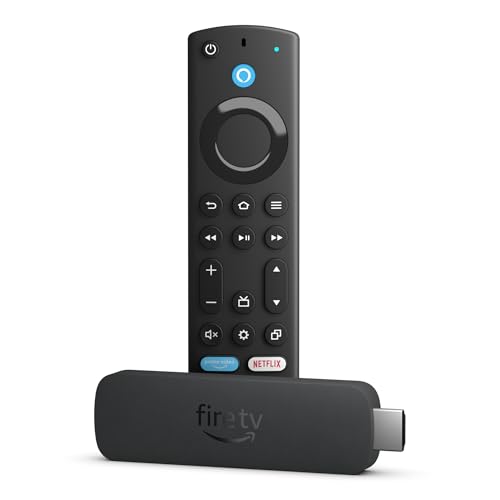
Pros
- 4K, Dolby Vision, HDR10+, and Dolby Atmos
- 16GB storage
- Fast processor and fluid navigation
- Ambient Experience with more than 2, 000 artworks
- Certified refurbished condition
Cons
- Refurbished packaging may be generic
- Warranty and condition expectations differ from a new unit
- Wi-Fi 6E is not stated in this listing
Best for: a buyer who wants the Max's storage and performance in a certified Like-New device.
The Like-New Amazon Fire TV Stick 4K Max is functionally aimed at the same demanding user as the new 4K Max. Its powerful processor is intended to keep app starts and navigation fluid, and its 16GB storage gives games and downloaded apps more room than the other Fire TV sticks here. That makes it unusually well suited to a household that treats the television as more than a video player.
Its 4K output supports Dolby Vision, HDR10+, and Dolby Atmos. The device also includes Alexa search that can find films by actor, plot, or memorable quotes, plus access to more than 1.8 million movies and TV episodes as described in the listing. The remote adds recent-content access and dedicated channel buttons for live TV.
The Like-New designation is important context, not a footnote. Amazon describes the device as refurbished, tested, and certified to look and work like new, with the same limited warranty as a new device. Packaging may be generic Amazon-branded packaging. That makes the condition different from the new Amazon Fire TV Stick 4K Max, even though the feature set is closely related.
This listing does not state Wi-Fi 6E support, so buyers who specifically want the newest wireless band should choose the new Max instead. For everyone else, its 16GB capacity, gaming support, Ambient Experience, and broad HDR compatibility make it more capable than the Amazon Fire TV Stick 4K Plus. It is the right pick when certified refurbished condition is acceptable and storage matters.
7. Roku Streaming Stick HD: Best Roku for HD

Pros
- Simple HD streaming interface
- Compact design that powers from the TV
- Voice remote controls TV power and volume
- Free movies, shows, and live channels
- Sports Zone and personalized home screen
Cons
- No 4K output
- Roku interface differs from Fire TV's Alexa ecosystem
- Wireless specification is not stated
Best for: an HD television where a clean home screen and simple remote matter more than Alexa features.
The Roku Streaming Stick HD is the strongest non-Amazon option for a basic HD television. Roku's home screen is easy to understand, and the compact stick plugs behind the TV without blocking neighboring HDMI ports. It can draw power from the television, which keeps the installation tidy.
The voice remote powers the TV, adjusts volume, and searches for entertainment. Roku also puts free movies, shows, live TV, news, and sports close to the main interface. Its personalized picks and Sports Zone are useful for people who want suggestions and game information without building their own app-by-app routine.
This is also a good travel device. Roku says it can be taken on the go without requiring you to log into someone else's streaming device. A single Roku account can manage supported subscriptions, and the platform includes quick access to entertainment across popular apps.
The obvious limitation is Full HD output rather than 4K. If the television supports 4K, the Roku Streaming Stick Plus adds 4K and HDR10+, while the Roku Streaming Stick 4K adds Dolby Vision and a long-range Wi-Fi receiver. Pick this HD model for a simple interface, not for the most advanced picture.
8. Roku Streaming Stick Plus: Best Simple Roku 4K

Pros
- 4K streaming with HDR10+
- TV-powered compact design
- Voice remote controls TV and volume
- Simple Roku home screen
- Free live TV and entertainment
Cons
- No Dolby Vision listed
- Wireless specification is not stated
- Fewer advanced picture options than Roku's 4K model
Best for: someone who wants uncomplicated Roku software on a 4K television.
The Roku Streaming Stick Plus takes the HD Roku formula and raises the output to 4K. Its small design stays hidden behind the television, powers from the TV, and avoids the extra clutter that can make a streaming setup look unfinished. The voice remote handles playback, search, power, and volume in one place.
The picture supports 4K and HDR10+, which gives compatible content sharper detail and more vivid HDR color than the HD model. Roku's interface remains the main attraction: the home screen is uncluttered, setup takes minutes, and free movies, live channels, news, sports, and shows are easy to find.
Roku also gives this stick useful discovery features. Personalized picks sit on the home screen, and the platform's subscription management can keep supported services under one account. That simplicity is a meaningful contrast with the more content-heavy Fire TV interface. Readers comparing the wider field can also consider how different streaming platforms handle a living-room setup.
The limitation is format support. The Roku Streaming Stick 4K adds Dolby Vision and a long-range Wi-Fi receiver, making it the better technical choice for a television that supports Dolby Vision or sits far from the router. Choose the Plus when HDR10+ and straightforward Roku navigation are enough.
9. Roku Streaming Stick 4K: Best Roku Picture

Pros
- 4K with Dolby Vision and HDR10+
- Long-range Wi-Fi receiver
- Compact body that stays behind the TV
- Voice remote controls TV and volume
- Free live TV and Roku discovery tools
Cons
- Older release than the newer Roku sticks
- Roku interface may not suit Alexa households
- No gaming-focused features listed
Best for: a 4K television owner who wants Dolby Vision and stronger wireless reach from a Roku stick.
The Roku Streaming Stick 4K remains the Roku choice for picture format flexibility. It supports both Dolby Vision and HDR10+, alongside 4K resolution, so it can match more 4K televisions and HDR libraries than the Roku Streaming Stick Plus. The difference is visible only when the content and television support those formats, but it is a useful distinction for a carefully assembled home theater.
Its long-range Wi-Fi receiver is the more practical advantage in many homes. A television in a distant room or behind several walls can be more demanding than one beside the router. The feature does not replace a strong network, but it is designed for rooms where ordinary wireless reception is less dependable.
The rest of the experience is classic Roku. The stick hides behind the television, the voice remote controls power and volume, and Roku brings free live TV, sports, news, movies, and shows into a straightforward home screen. Search and personalized picks reduce the need to open every service separately. For a broader look at the trade-offs between a stick and a larger streaming unit, the form factor is the first decision to settle.
This model's release date is earlier than the newer Roku Streaming Stick Plus and Roku Streaming Stick HD, and the listing does not highlight gaming features. The Amazon Fire TV Stick 4K Max is faster on paper and offers more storage, gaming options, and Alexa integration. Choose the Roku Streaming Stick 4K when Dolby Vision, long-range wireless reception, and Roku's uncluttered interface take priority.
10. Like-New Amazon Fire TV Stick 4K: Best Refurbished Fire TV 4K

Pros
- 4K with Dolby Vision, HDR10+, and Dolby Atmos
- Wi-Fi 6 support
- Alexa search across services
- Smart home controls
- Certified refurbished condition
Cons
- Like-New condition is not the same as factory-new
- Less storage than the 4K Max
- No Ambient Experience listed
Best for: someone who wants Fire TV's 4K picture and Alexa controls in a certified refurbished model.
The Like-New Amazon Fire TV Stick 4K is a practical way to get the familiar Fire TV experience without moving to the Max tier. Its processor is designed for improved 4K streaming performance, and Alexa can search by actor, plot, or a remembered quote. That cross-app search is one of Fire TV's most useful features when you know what you want to watch but not where it is available.
It supports 4K Ultra HD, Dolby Vision, HDR10+, and Dolby Atmos. Wi-Fi 6 helps it handle a modern home network with several connected devices, and the listing describes access to more than 1.8 million movies and TV episodes. Free ad-supported programming is also available through Fire TV Channels, Prime Video, Tubi, and Pluto TV.
The remote includes voice control, preset app buttons, and controls for TV power and volume. Alexa can also manage compatible cameras and lights, which gives this stick a role beyond streaming. It is a better match for an Alexa-centered home than the Roku models, whose voice search and smart home features work differently.
Like the refurbished 4K Max, this device is tested and certified to look and work like new, with the same limited warranty as a new device, and it may arrive in generic Amazon-branded packaging. The Amazon Fire TV Stick 4K Plus is the stronger new-device choice when you want the latest 4K Fire TV experience, while the Max is better for 16GB storage and gaming. This one makes sense for buyers comfortable with Like-New condition who want the main 4K features.

How to choose best fire stick
The right streaming stick depends on the television's resolution, the wireless network, the formats your TV supports, and how much you care about interface and remote design.
Resolution and HDR formats
An HD television has no use for a 4K output, so the Amazon Fire TV Stick HD models and Roku Streaming Stick HD are sensible matches for older sets. A 4K model can show finer detail, while HDR formats affect color and contrast when the TV and content support them. Dolby Vision appears on the Fire TV Stick 4K Max, Fire TV Stick 4K Plus, Fire TV Stick 4K Select's competitors in this list, and Roku Streaming Stick 4K, but not on every model.
Wireless performance
Wi-Fi 6 and Wi-Fi 6E are useful when a home network is busy or the router supports those standards. The Fire TV Stick 4K Max supports Wi-Fi 6E, while the 4K Plus, HD Direct Power model, and Like-New Fire TV Stick 4K list Wi-Fi 6. Roku Streaming Stick 4K instead highlights a long-range Wi-Fi receiver. A fast standard cannot overcome poor broadband or a router that is too far away.
For a distant television, reliable wireless reception matters more than a specification that your router cannot use.
Storage and processing
Storage matters when you install many apps or use cloud gaming features. The Fire TV Stick 4K Max has 16GB, double the capacity stated for the 4K Plus and other streaming sticks in the list. Faster processing shows up in app starts and menu movement, while a simple HD television may not need the extra headroom.
Interface and voice control
Fire TV is the natural fit for Alexa households, especially if you want to search across apps, control lights, or view compatible cameras. Roku offers a simpler home screen, voice search, free channels, personalized picks, and Sports Zone tools. The platform you already understand can matter more than a small difference in hardware.
Power and placement
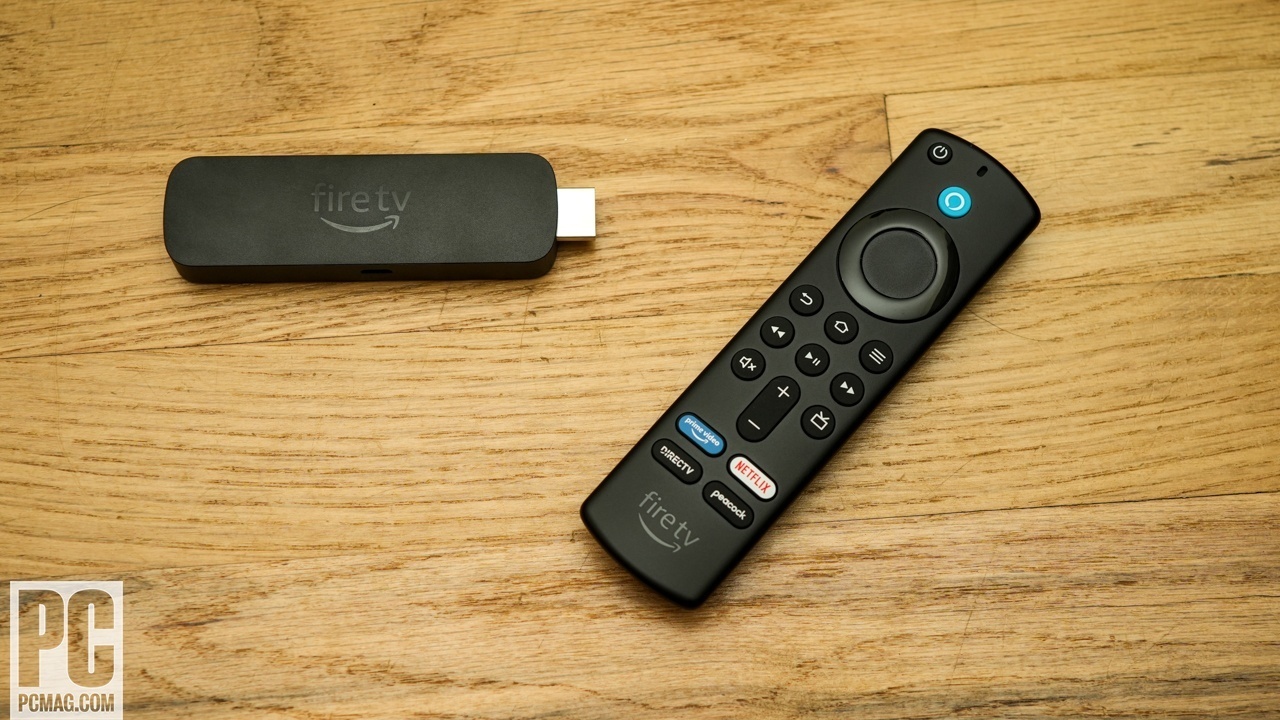
Several sticks are designed to stay hidden behind the television. The Fire TV Stick HD Direct Power model uses the included USB-C cable and can draw power from the TV, while Roku's three sticks are described as TV powered. Check the television's available HDMI and USB connections before choosing a model, especially if neighboring ports are already occupied.
Frequently asked questions
Do all of these streaming sticks support 4K?
No. The Amazon Fire TV Stick HD models and Roku Streaming Stick HD are designed for Full HD or HD viewing. The Fire TV 4K models and both 4K Roku models are the appropriate choices for a 4K television.
Which model has the most storage?
The Amazon Fire TV Stick 4K Max and its Like-New version list 16GB of storage. The extra capacity is useful for larger app collections and games, though ordinary streaming does not require a large library of installed apps.
Is Dolby Vision available on every 4K model?
No. Dolby Vision is listed for the Amazon Fire TV Stick 4K Max, Amazon Fire TV Stick 4K Plus, Like-New Amazon Fire TV Stick 4K Max, Like-New Amazon Fire TV Stick 4K, and Roku Streaming Stick 4K. The Fire TV Stick 4K Select and Roku Streaming Stick Plus list HDR10+ but not Dolby Vision.
Can these devices show live TV?
Yes. The Fire TV and Roku models provide access to live TV, news, sports, or free live channels through supported services. Some live services and channels require a subscription.
Which stick is easiest to take while traveling?
The compact Amazon Fire TV Stick HD Smart Home and the Roku sticks are all designed to stay out of sight behind a TV and can be moved between televisions. You still need to sign in to your own services, with Roku specifically describing travel use without logging into another device.
Do I need a Wi-Fi 6 router for the Fire TV Stick 4K Max?
No. A compatible older network can still connect, but Wi-Fi 6E features require suitable network hardware. The benefit of the newer wireless standard is most relevant in homes with compatible equipment and several connected devices.
Can I use Bluetooth headphones with the Fire TV Stick HD Direct Power?
Yes. Its features include Bluetooth listening for compatible headphones. That makes it useful for private viewing, particularly in bedrooms or shared spaces.
The bottom line
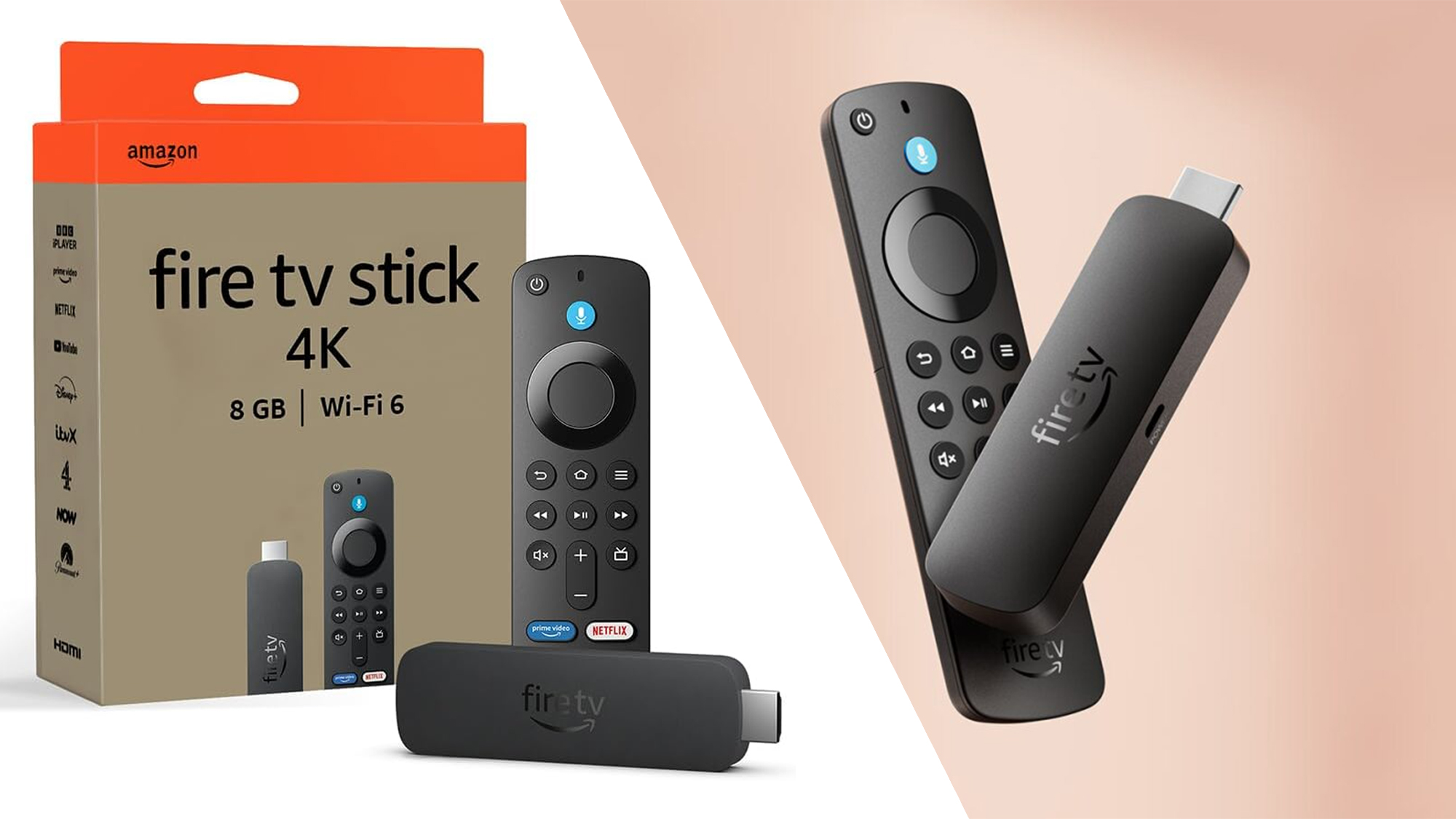
The Amazon Fire TV Stick 4K Max is our top pick from the Best fire stick group because it combines fast navigation, 4K HDR support, Wi-Fi 6E, 16GB of storage, and a remote that is genuinely useful for live TV. The Amazon Fire TV Stick 4K Plus is the better fit when you want most of that 4K experience without the Max's extra storage and gaming emphasis.
For a simpler interface, the Roku Streaming Stick 4K is the strongest alternative, especially for Dolby Vision televisions or rooms with a distant router. HD television owners should choose the Amazon Fire TV Stick HD Direct Power or Roku Streaming Stick HD rather than paying attention to 4K features their screen cannot display.
If you are undecided, match the stick to your television first, then choose Fire TV for Alexa and Roku for a cleaner home screen.
As an Amazon Associate we earn from qualifying purchases.