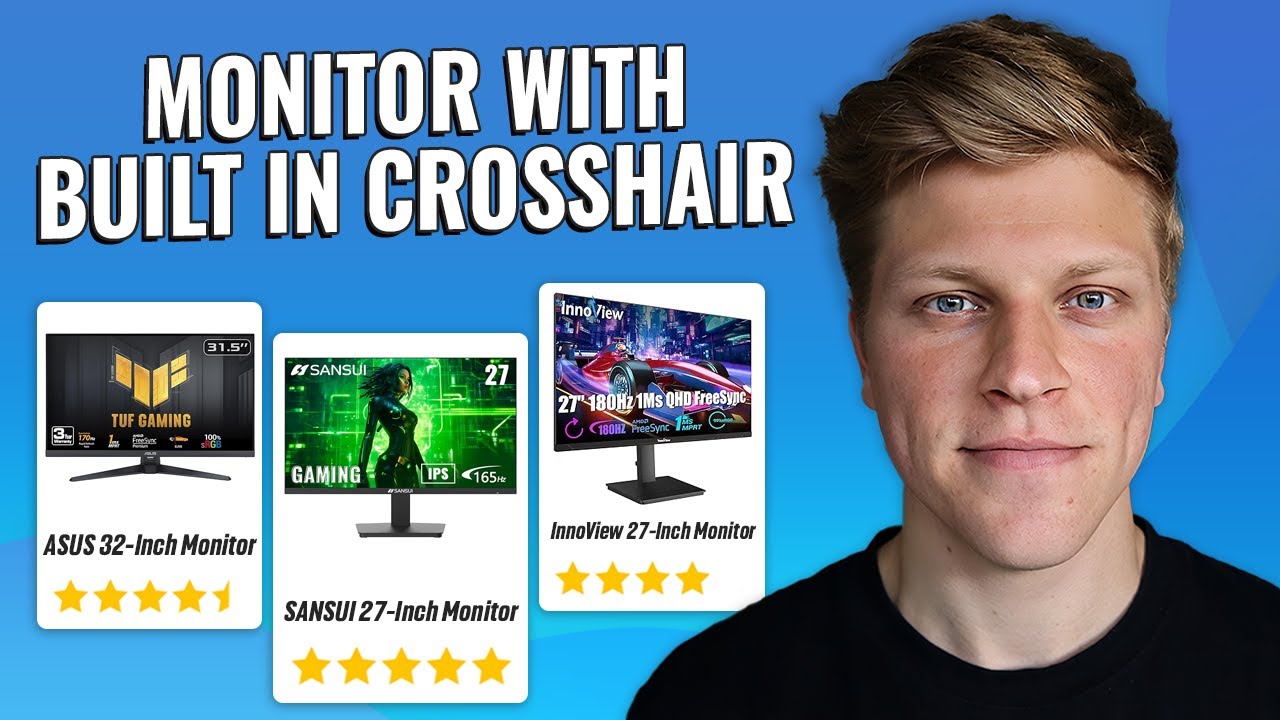

A crosshair overlay can be useful when a game's own reticle is hard to see, but the monitor still has to get the fundamentals right. A screen that smears motion, limits your graphics card, or leaves too little room for your preferred connections will frustrate you long after the novelty of an aiming aid wears off.
The Best gaming moniter with crosshair options here split into two very different types. The SANSUI is the serious gaming display, with a 27-inch 1440p Fast IPS panel and a 260Hz mode. The KTC is a smaller 24-inch Full HD monitor with a 100Hz refresh rate, a simpler input selection, and a more office-friendly design.
For fast competitive play, SANSUI 27-inch Fast IPS Monitor is the single best pick. KTC 24-inch 100Hz Monitor makes more sense for a smaller desk, mixed office use, or a PC that does not need a high-refresh 1440p screen.
Comparison table
| # | Product | Award | Resolution | Refresh rate | Inputs | Best for |
|---|---|---|---|---|---|---|
| 1 | SANSUI 27-inch Fast IPS Monitor | Best overall | 2560 x 1440 | Up to 260Hz | 2 x DisplayPort 1.4, 2 x HDMI 2.0, 3.5mm | Competitive PC gaming |
| 2 | KTC 24-inch 100Hz Monitor | Best compact option | 1920 x 1080 | 100Hz | HDMI 1.4, VGA, earphone jack | Small desks and mixed use |
1. SANSUI 27-inch Fast IPS Monitor: Best Overall

Pros
- 1440p resolution keeps a 27-inch screen sharp
- Up to 260Hz refresh rate for fast PC gaming
- Built-in Crosshair, RACING, RTS, and FPS game assistant modes
- Fast IPS panel with claimed 1ms MPRT response time
- Wide color coverage and HDR10 support
Cons
- HDMI inputs are limited to 144Hz
- Tilt adjustment only, with no height adjustment listed
- Needs a suitable DisplayPort cable to reach 1440p at 260Hz
Best for: PC players who want high-refresh competitive gaming with a built-in crosshair tool.
The first thing that stands out about the SANSUI 27-inch Fast IPS Monitor is that it is built around speed without giving up the extra workspace of 1440p. A 27-inch 2560 x 1440 panel is a practical pairing for games because it is noticeably sharper than Full HD at this size, while still being easier to drive than a 4K display. The screen also has the physical scale to make aiming details and interface text comfortable without crowding the desk.
Its headline feature is the 260Hz refresh rate available through DisplayPort 1.4. That ceiling matters most when a gaming PC can produce very high frame rates, since more frequent refreshes can make camera movement and mouse tracking appear cleaner. The monitor lists a 1ms MPRT response time and MPRT low motion blur technology, along with FreeSync Premium. Those features target the common problems of trailing and uneven frame delivery, although the practical result will still depend on the computer, game settings, and connection used.
The connection details are important here. There are two DisplayPort 1.4 inputs that support up to 260Hz, while both HDMI 2.0 inputs support up to 144Hz. That makes DisplayPort the clear choice for a high-refresh PC setup. SANSUI includes a DP cable, but its own specifications caution that reaching 2560 x 1440 at 260Hz requires a cable that supports that signal. It also provides a 3.5mm earphone jack, which is useful when the monitor sits between the computer and a headset.
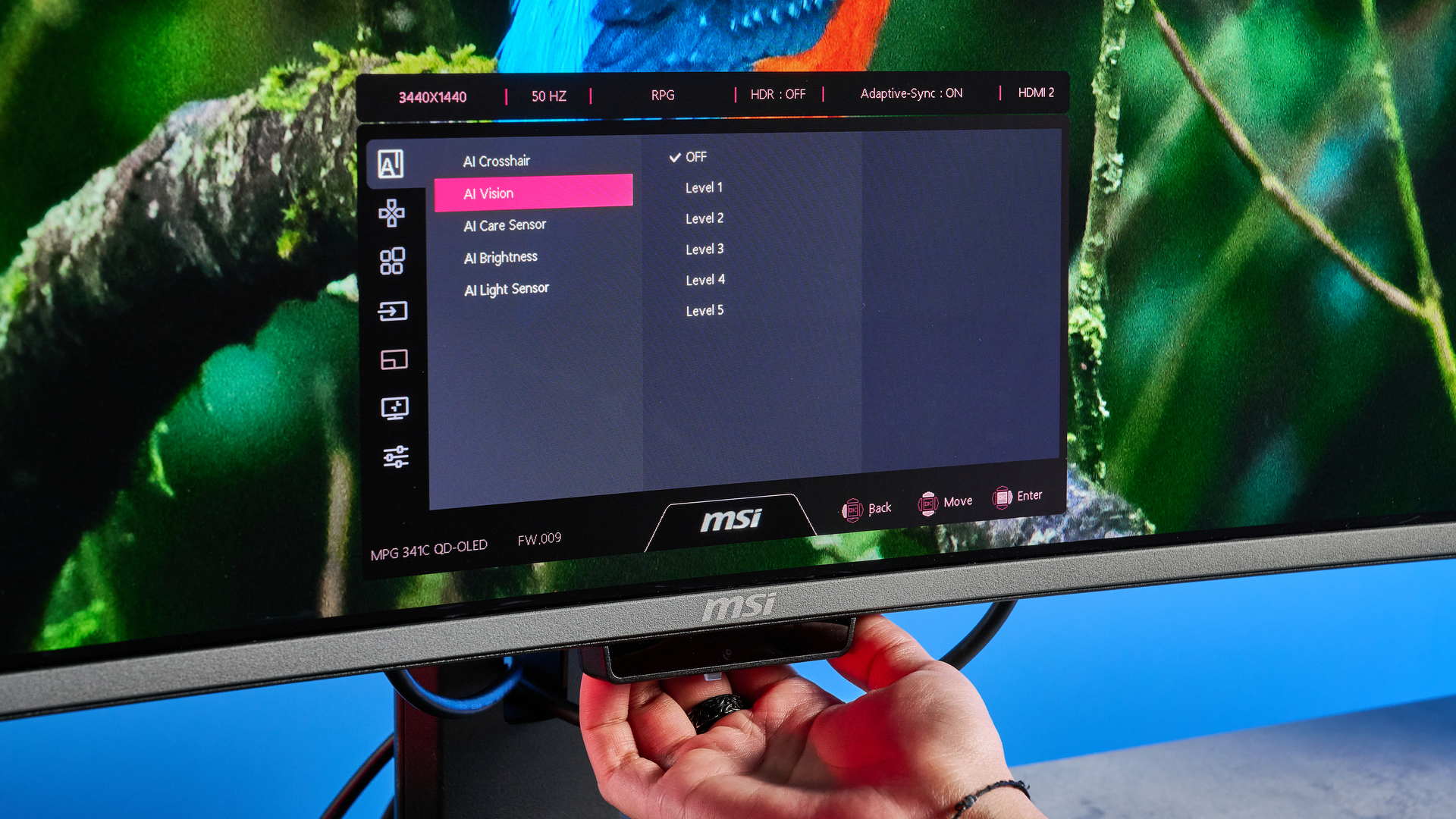
The crosshair feature is the reason this model belongs in this roundup rather than a general display list. Its game assistant includes Crosshair, RACING, RTS, and FPS modes, giving players on-screen tools and presets to adjust the experience without relying entirely on a game's interface. A built-in overlay can be useful in games where the reticle blends into the scenery, though players should check the rules of competitive titles before using any monitor-based aiming aid.
Picture features extend beyond refresh rate. The monitor lists HDR10, 10-bit color, DCI-P3 coverage of 98%, and sRGB coverage of 130%, plus a rated brightness of 320 nits. Those figures point to a display that can show a broad range of color, while HDR10 support can add compatible game and video content to the mix. The 178-degree horizontal and vertical viewing angles, low blue light mode, and anti-flicker features are sensible for a screen that may also be used for browsing or work.
The stand tilts from -5 to 20 degrees and the display supports a 100 x 100mm VESA mount. That is enough for basic positioning, but the lack of a listed height adjustment makes the SANSUI less flexible than a monitor mounted on an adjustable arm. Its listed weight is 11.16 pounds, so anyone planning a VESA setup should use a mount rated for the complete display and stand arrangement.
Compared with the KTC 24-inch 100Hz Monitor, this is the obvious choice for a dedicated gaming desk. The KTC takes less space and handles ordinary gaming smoothly, but it has a lower resolution, a lower refresh ceiling, and no listed crosshair mode. The SANSUI's weakness is not performance. It is the need for a capable PC and the right DisplayPort connection to make the most of that performance. Players who mainly use an older computer, prefer console gaming, or need a height-adjustable stand should look elsewhere. For a fast PC and competitive games, this is the pick to keep.
2. KTC 24-inch 100Hz Monitor: Best Compact Option

Pros
- Compact 24-inch Full HD format
- 100Hz refresh rate is smoother than a basic 60Hz screen
- FreeSync support for compatible gaming systems
- Three-sided ZeroFrame bezel design
- HDMI, VGA, and earphone connections
Cons
- 1920 x 1080 resolution offers less detail than the SANSUI
- No crosshair feature is listed
- Tilt-only stand adjustment
Best for: smaller desks and users who want one screen for everyday computing and lighter gaming.
The KTC 24-inch 100Hz Monitor takes a simpler approach. Its 24-inch Full HD format is easier to fit beside a keyboard, speakers, and other desk equipment than the SANSUI's larger 27-inch screen. It is also a natural size for an office workstation that doubles as a gaming setup, especially when the monitor needs to display documents and browser windows during the day.
The 1920 x 1080 resolution is straightforward for a gaming PC to drive. On a 24-inch screen, Full HD remains a reasonable fit for general play, though it does not provide the extra detail or workspace of the SANSUI's 2560 x 1440 panel. The KTC's 100Hz refresh rate is a meaningful step above a standard 60Hz display. Cursor movement, scrolling, and game motion can look more fluid, while FreeSync is intended to reduce tearing when the frame rate changes.
KTC lists 300 nits of brightness and 104% sRGB color gamut coverage. That is a useful combination for ordinary indoor use, where the screen needs enough brightness for a clear image and reasonable color coverage for games, video, and general work. HDR10 is also listed, but buyers should keep their expectations measured. HDR support alone does not tell you how strong the contrast or highlight performance will be, and the product data does not provide a dimming system or a contrast figure.
The input selection suits a basic setup. There is one HDMI 1.4 port, one VGA port, and one earphone jack. HDMI is the sensible connection for modern gaming hardware, while VGA gives the monitor a little more flexibility with older computers. The single HDMI input is less convenient than the SANSUI's four digital inputs, particularly if several systems need to stay connected at once.
The three-sided ZeroFrame bezel design gives the KTC a cleaner look and can help when placing two screens side by side. It does not turn this into a specialist multi-monitor display, but the narrow-looking edges are helpful on a compact desk. For players considering a larger arrangement, how much desk depth multiple screens really require is worth working out before choosing a layout.
The stand tilts from -5 to 15 degrees, which allows a modest change in viewing angle but does not provide height, swivel, or pivot adjustment. It is VESA mountable at 100 x 100mm, so an arm or wall mount can solve that limitation. KTC also lists a low blue light mode designed to reduce eye fatigue, irritation, and strain during extended use. That does not replace sensible breaks and room lighting, but it is a useful setting for work sessions.
The KTC does not list a built-in crosshair, so it is not the right choice for someone specifically shopping for an on-screen aiming aid. It is better understood as the compact alternative to the SANSUI. The SANSUI 27-inch Fast IPS Monitor is substantially stronger for high-frame-rate PC gaming, while the KTC is easier to place, easier for modest hardware to drive, and less demanding as an everyday display. Choose the KTC when size and simplicity matter more than competitive speed. Skip it if 1440p clarity, 260Hz gaming, or a monitor-based crosshair is the main reason for the purchase.
How to choose Best gaming moniter with crosshair
The right display depends on more than the presence of an aiming overlay. These are the capabilities that separate a useful gaming screen from one that merely carries gaming language in its title.
Crosshair and game-assistant tools
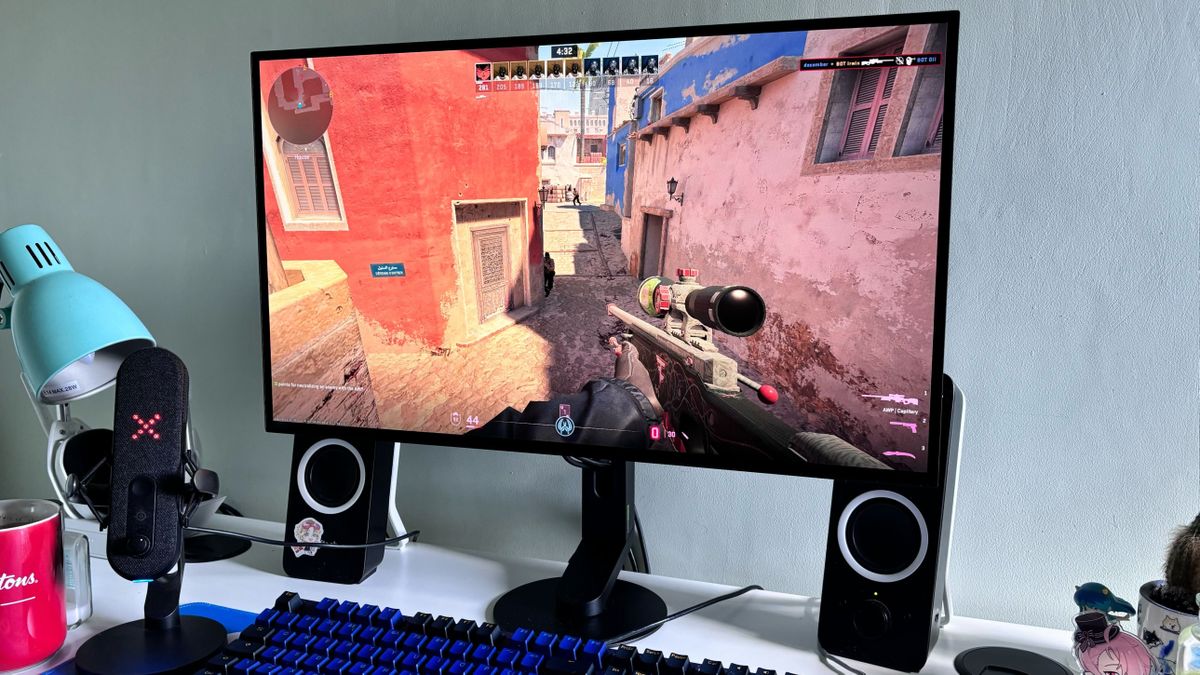
A built-in crosshair appears over the image, usually through the monitor's on-screen display. It can help with games that have a faint reticle or limited customization, but not every gaming monitor includes one. The SANSUI specifically lists Crosshair alongside RACING, RTS, and FPS assistant modes. The KTC does not list a crosshair feature, so do not assume that any display marketed for gaming has one.
Check how the feature is enabled and whether the available designs suit the games you play. Also confirm that using an overlay is allowed in competitive games and tournaments. A monitor overlay should be treated as a convenience, not a substitute for game settings or good visibility.
A crosshair is useful only when the screen's motion, connection, and image quality are already doing their jobs.
Resolution and screen size
Resolution determines how much detail the display can show, while size affects how large that detail appears. The SANSUI combines 2560 x 1440 with a 27-inch screen, giving it more workspace and finer detail than the KTC's 1920 x 1080 resolution at 24 inches. Full HD can still make sense on a smaller display because it is less demanding on the graphics card.
Think about the games and hardware involved. A powerful PC can make better use of a high-resolution, high-refresh panel, while an entry-level or older system may spend more time lowering settings to reach a stable frame rate. For competitive games, a consistent frame rate can matter more than simply selecting the highest resolution.
Refresh rate and response time
Refresh rate is the number of times the screen can update each second. The SANSUI reaches up to 260Hz through DisplayPort, while the KTC reaches 100Hz. Higher refresh rates can make fast movement and input feel more immediate, but the computer must produce enough frames to take advantage of them.
Response time figures need context. SANSUI lists a 1ms MPRT response time and motion blur technology, while KTC's listed features do not provide a response-time figure. MPRT is tied to motion clarity techniques, so it should not be read as a guarantee that every transition will be free of ghosting. FreeSync support on both displays is intended to keep the refresh cycle aligned with changing frame rates.
Connections and signal limits
Ports determine which devices can use the monitor and what refresh rate they can reach. SANSUI has two DisplayPort 1.4 inputs supporting up to 260Hz and two HDMI 2.0 inputs supporting up to 144Hz. That gives it a clear PC gaming path and room for additional devices.
KTC provides one HDMI 1.4 port, one VGA port, and an earphone jack. VGA is useful for older equipment but is not the connection to choose for modern high-refresh gaming. Always check the cable and port combination before assuming the display will run at its advertised maximum.
Stand, mounting, and viewing comfort
A tilt range is the minimum adjustment most desks need, but it does not solve every ergonomic problem. SANSUI tilts from -5 to 20 degrees, while KTC tilts from -5 to 15 degrees. Neither product lists built-in height adjustment, so a monitor arm may be useful if the screen sits too low.
Both displays support a 100 x 100mm VESA mount. That makes it possible to improve positioning without replacing the monitor. For a small workspace, the screen size that fits without crowding your controls can matter as much as the panel specifications.
Brightness and color features
Brightness affects how easily you can see the image in a lit room. SANSUI lists 320 nits, while KTC lists 300 nits. Neither number alone guarantees a better-looking picture, but it gives a useful indication of how the screens are positioned for ordinary indoor viewing.
Color coverage also differs. SANSUI lists DCI-P3 at 98% and sRGB at 130%, along with HDR10 and 10-bit color. KTC lists 104% sRGB coverage and HDR10. These features can make games and video look more colorful, but HDR10 support is not the same as a full HDR performance specification.
Frequently asked questions
Does the SANSUI monitor have a built-in crosshair?
Yes. SANSUI lists a Crosshair game-assistant mode, along with RACING, RTS, and FPS modes. The feature is built into the monitor rather than supplied as separate software.
Does the KTC monitor have a crosshair overlay?
A crosshair is not listed among the KTC's product features. It has gaming-related features such as FreeSync and a 100Hz refresh rate, but buyers looking specifically for a built-in aiming overlay should choose the SANSUI from this pair.
Which monitor is sharper for gaming?
The SANSUI is sharper because it combines 2560 x 1440 resolution with a 27-inch screen. The KTC uses 1920 x 1080 on a 24-inch display, which is less detailed but also less demanding for a computer to run.
Which monitor has the faster refresh rate?
The SANSUI has the faster refresh rate, reaching up to 260Hz through its DisplayPort 1.4 inputs. The KTC reaches 100Hz, which is still smoother than a basic 60Hz screen but is not aimed at the same level of competitive PC play.
Can either monitor be mounted on an arm?
Yes. Both displays support a 100 x 100mm VESA mount. Neither product lists a height-adjustable desktop stand, so mounting can be the better way to set the screen at the correct eye level.
Which monitor has more connection options?
The SANSUI has two DisplayPort 1.4 inputs, two HDMI 2.0 inputs, and a 3.5mm earphone jack. The KTC has one HDMI 1.4 port, one VGA port, and one earphone jack, making it more limited for several modern devices but useful with older computers.
The bottom line
The Best gaming moniter with crosshair in this pair is the SANSUI 27-inch Fast IPS Monitor. Its 1440p resolution, 260Hz DisplayPort support, Fast IPS panel, FreeSync Premium, and listed Crosshair mode give it a clear advantage for fast PC games. It is the one we'd choose for a dedicated gaming setup, provided the computer and cable can support the required signal.
The KTC 24-inch 100Hz Monitor is the sensible alternative for a compact desk or a mixed work and gaming station. Its Full HD image, 100Hz refresh rate, low blue light mode, VESA support, and HDMI and VGA inputs cover everyday needs, but it lacks the SANSUI's resolution, speed, and listed crosshair tool.
If you are undecided, choose SANSUI for competitive PC gaming and KTC only when compact size and straightforward everyday use matter more.
As an Amazon Associate we earn from qualifying purchases.