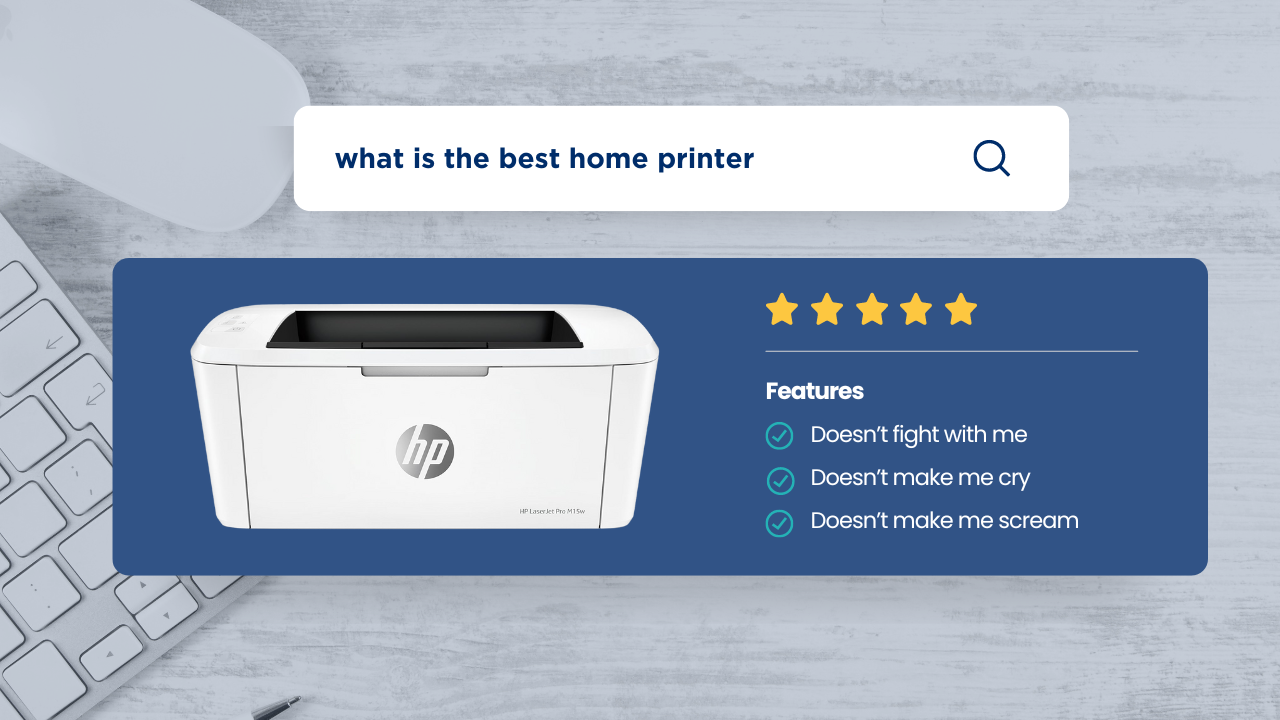

A printer that sits unused for weeks still needs to work the moment a return label, school form, or tax document appears. The right laser model should wake quickly, produce clean text, and avoid turning a simple print job into a troubleshooting session. The Best home laser printer choices also differ sharply on duplexing, scanning, paper capacity, and whether color matters.
We ranked these 10 printers by the capabilities that matter in a home or home-office setup. The Brother DCP-L2640DW is our top pick because it combines fast monochrome printing with scanning, copying, an automatic document feeder, and flexible connections. The rest of the list ranges from tiny single-function models to full color all-in-ones for demanding workspaces.
Comparison table
| # | Product | Award | Print speed | Functions | Paper and connectivity | Best for |
|---|---|---|---|---|---|---|
| 1 | Brother DCP-L2640DW | Best overall | Up to 36 ppm | Print, scan, copy | 50-sheet ADF, dual-band Wi-Fi, Ethernet, USB | Busy home offices |
| 2 | Brother HL-L2405W | Best simple monochrome printer | Up to 30 ppm | 250-sheet tray, dual-band Wi-Fi, USB | Everyday document printing | |
| 3 | HP LaserJet M110w | Best compact HP printer | Up to 21 ppm | Wireless, mobile printing | Very small spaces | |
| 4 | HP LaserJet Pro MFP 3101sdw | Best duplex all-in-one | Up to 35 ppm | Print, scan, copy | 50-sheet ADF, 250-sheet tray, Wi-Fi | Small teams |
| 5 | Canon imageCLASS LBP6030w | Best compact Canon printer | Up to 19 ppm | 150-sheet capacity, wireless | Basic printing | |
| 6 | Brother HL-L3220CDW | Best color printer | Up to 19 ppm | 250-sheet tray, wireless, duplex | Home offices needing color | |
| 7 | HP LaserJet MFP M140w | Best compact all-in-one | Up to 21 ppm | Print, scan, copy | Wireless, mobile printing | Small households |
| 8 | Brother HL-L2460DW | Best duplex printer | Up to 36 ppm | 250-sheet tray, dual-band Wi-Fi, Ethernet, USB | High-volume black-and-white work | |
| 9 | HP LaserJet Pro MFP 3101fdw | Best office all-in-one | Up to 35 ppm | Print, scan, copy, fax | ADF, Wi-Fi, Ethernet, Bluetooth | Larger home offices |
| 10 | Canon Color imageCLASS MF665Cdw | Best color all-in-one | Up to 26 ppm | Print, scan, copy, fax | 50-sheet duplex ADF, 250-sheet cassette, Wi-Fi | Heavy color workflows |
1. Brother DCP-L2640DW: Best Overall
Pros
- Print, scan, and copy functions in one compact machine
- Fast 36 ppm monochrome printing
- 50-sheet automatic document feeder
- Dual-band wireless, Ethernet, and USB connections
Cons
- Monochrome output only
- A substantial 25-pound machine for a small desk
- No fax function
Best for: home users who need fast black-and-white printing plus convenient scanning and copying.
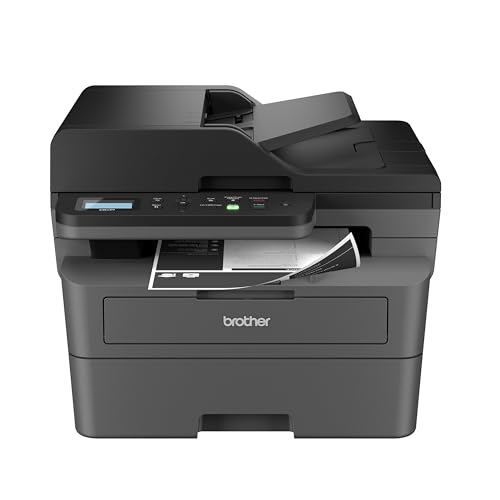
The Brother DCP-L2640DW is the printer we would keep in a busy home office. It is not the smallest option here, but it avoids the most common compromise: buying a tiny print-only device and then needing a separate scanner or copier later. Its three-in-one design handles ordinary printing, document scanning, and copying without taking over the room.
Its headline speed is up to 36 pages per minute, which gives it a clear advantage over the HP LaserJet M110w and Canon imageCLASS LBP6030w when a long report or stack of forms needs to be finished. That speed matters less for a single page than it does for repeated household jobs, such as preparing several packets or printing a large set of work documents. The 50-page automatic document feeder is the feature that separates it from basic all-in-ones. It lets a multi-page scan or copy job proceed without placing each sheet on the glass.
Connectivity is unusually flexible for a home printer. Dual-band wireless supports both 2.4GHz and 5GHz networks, while Ethernet provides a wired option for a fixed desk. USB handles a direct connection to one computer. Brother's Mobile Connect app adds mobile printing, scanning, printer management, and toner tracking, so the printer does not have to be treated as a device that only works from one desktop.
The weakness is its size and weight. At 16.1 inches wide, 15.7 inches deep, 12.5 inches high, and 25 pounds, it needs a stable surface with more room than the compact HP models. It also prints only black and white, and the lack of faxing makes the HP LaserJet Pro MFP 3101fdw a better fit for an office that still sends faxes. Readers comparing options for a dedicated work area should also consider how a home office printer handles scanning and document volume before choosing a smaller model.
Choose the Brother DCP-L2640DW when fast monochrome output, an ADF, and broad connectivity matter more than the smallest possible footprint. It is the most complete home-office tool in this group without moving into the much larger color machines.
2. Brother HL-L2405W: Best Simple Monochrome Printer

Pros
- 30 ppm single-sided print speed
- 250-sheet paper tray
- Dual-band wireless and USB
- Manual feed slot for envelopes and specialty paper
Cons
- Print-only design
- No automatic duplex printing
- Monochrome output only
Best for: homes and home offices that need dependable document printing without scanning or copying.
The Brother HL-L2405W makes a strong case for keeping a printer simple. It does not scan, copy, or fax, but that restraint keeps the machine focused on the task many households actually perform most often: printing crisp black-and-white pages. It is a sensible step up from the tiny print-only models when paper refills are an annoyance.
At up to 30 pages per minute, it is quick enough for routine forms, schoolwork, shipping documents, and home-office reports. It prints single-sided, so it gives up the paper-saving convenience of the Brother HL-L2460DW and Brother HL-L3220CDW. That distinction is important if you regularly print long documents. For occasional pages, the absence of duplexing is less troublesome, but it should not be overlooked.
The 250-sheet tray is one of its most practical features. A larger supply of paper means fewer interruptions than the Canon imageCLASS LBP6030w, whose capacity is up to 150 sheets. The manual feed slot also gives it flexibility with envelopes and specialty paper. Dual-band wireless supports multiple devices, and USB provides a direct connection for a single computer. Brother's Mobile Connect app handles remote printing and printer management from a phone.
The machine is compact for a printer with that paper capacity, although the 14-inch width and 14.2-inch depth still require a dedicated shelf or desk area. Its main limitation is not hidden: there is no scanner, copier, or automatic two-sided printing. The HP LaserJet M110w is smaller, but the HL-L2405W is the more capable choice for households that print often and do not need multifunction features.
The Brother HL-L2405W is the right kind of uncomplicated. Pick it when you want a connected monochrome printer, a useful paper tray, and a straightforward workflow. Skip it if copying an ID, scanning a signed form, or automatically printing on both sides is part of the regular routine.
3. HP LaserJet M110w: Best Compact HP Printer

Pros
- Very compact 9.02-pound design
- Wireless printing from phones, tablets, and computers
- Up to 21 ppm single-sided printing
- HP Smart app support
Cons
- Print-only
- No automatic duplex printing
- Uses cartridges with original HP chips or circuitry
Best for: people who need a laser printer that can fit on a crowded shelf or small desk.
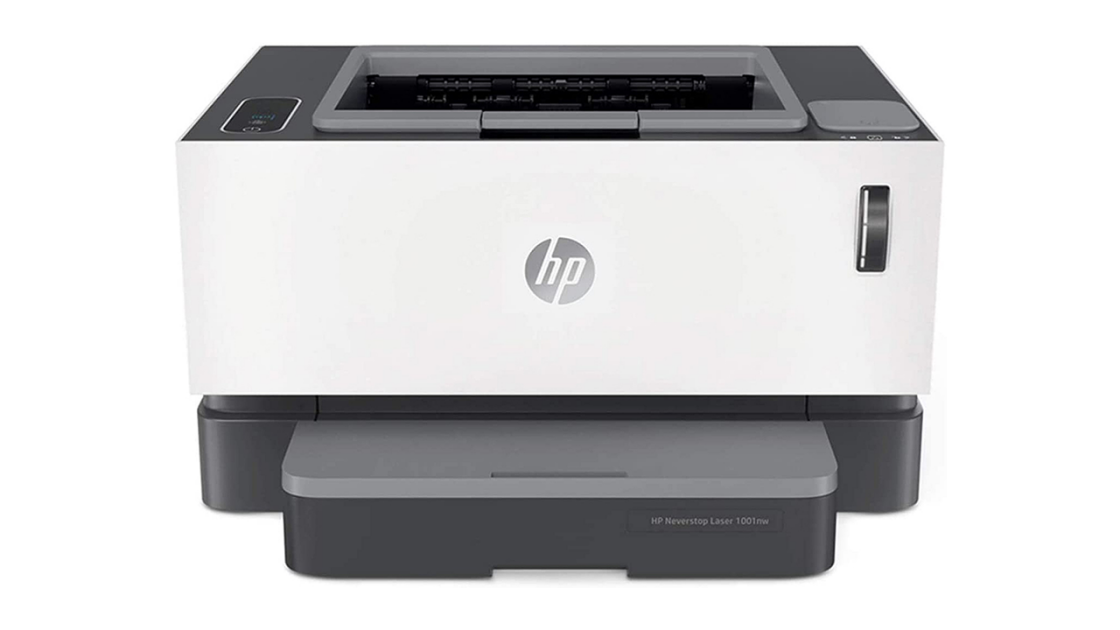
The HP LaserJet M110w is the easiest printer in this group to place almost anywhere. It weighs 9.02 pounds and measures 13.63 inches wide, 7.45 inches deep, and 6.26 inches high. Those dimensions make a real difference in a bedroom workspace, apartment, or shelf where a full multifunction printer would be awkward.
Its print speed reaches 21 black-and-white pages per minute, enough for normal home documents but notably slower than the Brother DCP-L2640DW and Brother HL-L2460DW. The printer is single-function, so there is no scanner or copier built into the chassis. That keeps the footprint small, but it means a user who needs to digitize a signed form will need another device.
Wireless printing works with mobile devices, PCs, and tablets, with support for Microsoft, Mac, AirPrint, Android, Chromebook, and other platforms listed by HP. The HP Smart app is useful for routine tasks and can scan to the cloud or print and copy from a smartphone when another camera or scanning device is involved. Its self-resetting wireless connection is intended to help it stay connected.
The main caveat is cartridge compatibility. The listing states that the printer is intended to work only with cartridges containing original HP chips or circuitry, and firmware updates maintain those measures. That is a meaningful ownership consideration for anyone who wants broad cartridge flexibility. The Canon imageCLASS LBP6030w is also compact and wireless, but its 150-sheet capacity and 19 ppm speed make it a different kind of small printer.
The HP LaserJet M110w earns its place by solving the physical problem first. It is a good match for light, single-sided monochrome printing in a tight space. Choose the Brother HL-L2405W instead if a larger paper tray or faster output matters more than a very small chassis.
4. HP LaserJet Pro MFP 3101sdw: Best Duplex All-in-One

Pros
- Up to 35 ppm black-and-white printing
- Automatic two-sided printing
- 50-sheet automatic document feeder
- 250-sheet input tray
Cons
- Large 23.1-pound chassis
- Monochrome output only
- Cartridge compatibility is restricted to HP chips or circuitry
Best for: small teams that need fast duplex printing, scanning, and copying.
The HP LaserJet Pro MFP 3101sdw is built around the rhythm of a small team. It prints, scans, and copies, then adds automatic two-sided printing so routine reports do not require manual page flipping. That combination makes it more useful than a print-only machine when several people share one home office.
HP rates it for up to 35 black-and-white pages per minute. That puts it close to the Brother DCP-L2640DW, though the Brother has a slightly higher listed print speed and similarly useful ADF functionality. The HP's 50-sheet automatic document feeder is designed for multi-page scans and copies, while its 250-sheet input tray reduces the need to reload paper during a longer work session.
Wireless connectivity is intended to stay available by looking for the strongest connection. The feature is practical in a household where the printer is not next to the router, although wireless performance still depends on the network. HP's listing also emphasizes sharp, professional-quality toner output, a useful trait for reports and forms where clean text matters more than image printing.
This is not a compact printer. At 16.5 inches wide, 15.7 inches deep, and 12.3 inches high, it takes nearly as much space as the Brother DCP-L2640DW, and its 23.1-pound weight makes moving it less casual. It also has the same important cartridge restriction described for other HP models in this roundup. Readers who print only a few pages at a time may prefer the smaller HP LaserJet M110w, while anyone needing fax should move to the HP LaserJet Pro MFP 3101fdw.
The HP LaserJet Pro MFP 3101sdw is the stronger pick for duplex-heavy work. It suits a household with a serious office corner, multiple users, and frequent scanning or copying. It is too much printer for a narrow shelf, but well matched to a shared desk.
5. Canon imageCLASS LBP6030w: Best Compact Canon Printer

Pros
- Compact 11.02-pound design
- Wireless printing
- 150-sheet paper capacity
- One-year limited warranty
Cons
- Print-only
- Up to 19 ppm
- No automatic duplex printing
Best for: users who want a small wireless monochrome printer for uncomplicated jobs.
The Canon imageCLASS LBP6030w is an older, deliberately basic design that still makes sense for a particular home setup. It prints black-and-white documents, connects wirelessly, and avoids the height and weight of most multifunction printers. There is no touchscreen or scanner to complicate the arrangement, which can be an advantage when the printer's only job is producing pages.
Its listed speed is up to 19 pages per minute. That is the slowest output figure in this group, behind the HP LaserJet M110w at 21 ppm and well behind the faster Brother models. For a few pages here and there, the difference is modest. A long packet takes longer, and the lack of automatic duplexing means users must handle two-sided jobs manually.
The paper capacity is up to 150 sheets, enough for ordinary household printing but less generous than the 250-sheet trays on the Brother HL-L2405W and Brother HL-L2460DW. Wireless connectivity allows printing from a compatible mobile device, while the compact body measures 14.3 inches wide, 9.8 inches deep, and 7.8 inches high. It weighs 11.02 pounds, so moving it between a shelf and a work surface is relatively manageable.
Canon specifies a one-year limited warranty and Canon Genuine Toner 125 with a listed 1, 600-page yield. Those details help clarify the intended use, but they do not change the printer's narrow role. It is a print-only machine, so users who need scanning or copying should consider the HP LaserJet MFP M140w. If you are comparing the practical differences between print-only and multifunction home printers, this Canon sits firmly on the simple side.
The Canon imageCLASS LBP6030w works when physical space and basic wireless printing are the priorities. Its slower output and manual approach to duplexing make it less appealing for busy offices. Choose it for occasional pages, not for a growing document workload.
6. Brother HL-L3220CDW: Best Color Printer

Pros
- Color printing with crisp text and graphics
- Automatic duplex printing
- 250-sheet tray
- Wireless and mobile-device compatibility
Cons
- Slower than the fastest monochrome models
- Print-only
- Nearly 25 pounds
Best for: home offices that need color documents and automatic two-sided printing.
The Brother HL-L3220CDW is the obvious choice when black-and-white output is not enough. It is a color laser printer with a print speed of up to 19 pages per minute, and Brother positions its output for crisp business documents and vibrant graphics. That makes it more versatile than every monochrome model in this roundup, even though it gives up speed compared with the Brother DCP-L2640DW.
Automatic duplex printing is a particularly useful pairing with color. It can produce two-sided handouts, reports, and reference pages without requiring the user to turn sheets around. The 250-sheet paper tray also suits a home office that prints regularly, and a manual feed slot handles envelopes and specialty media. Those features make it more capable for document production than the compact Canon imageCLASS LBP6030w.
Wireless printing works with laptops, smartphones, and tablets, while mobile and cloud compatibility support a range of everyday workflows. The built-in wireless connection also includes security protocols for business documents. Its 15.7-inch width and depth, 9.4-inch height, and 24.7-pound weight mean it needs a substantial surface, though it is not as physically imposing as the Canon Color imageCLASS MF665Cdw.
The key limitation is its print-only design. There is no scanner, copier, or fax, so it cannot replace an all-in-one in a home office that handles paperwork. It is also not the fastest choice for black-and-white volume. Someone comparing what color printing adds to a home office workflow should decide first whether color pages are frequent enough to justify choosing this over a faster monochrome model.
The Brother HL-L3220CDW is the right pick for color handouts, charts, graphics, and professional documents. It is less compelling for a home that prints only plain text. Choose it when automatic duplexing and a useful paper tray matter, and skip it when scanning is part of the brief.
7. HP LaserJet MFP M140w: Best Compact All-in-One

Pros
- Compact print, scan, and copy design
- Up to 21 ppm single-sided printing
- Wireless printing from many device types
- Can copy both sides of an ID card onto one sheet
Cons
- No automatic duplex printing
- Monochrome output only
- HP cartridge compatibility restrictions
Best for: small households that need scanning and copying without a large office printer.
The HP LaserJet MFP M140w is the compact multifunction alternative to the HP LaserJet M110w. It adds scanning and copying while keeping the footprint relatively restrained, making it more useful for a household that occasionally handles forms, IDs, and paperwork. HP describes it as suitable for one to three people, which is a sensible boundary for its feature set.
Print speed reaches 21 black-and-white pages per minute, matching the M110w and trailing the Brother HL-L2405W. It prints single-sided, so it lacks the automatic duplexing found on the Brother HL-L2460DW and HP LaserJet Pro MFP 3101sdw. That is the main operational compromise. The printer is quick enough for normal home jobs, but long two-sided documents require more involvement.
The M140w measures 10.4 inches wide, 14.2 inches deep, and 7.8 inches high, with an 11.9-pound weight. Its compact shape is easier to accommodate than the 23.1-pound HP LaserJet Pro MFP 3101sdw. Wireless printing works from mobile devices, PCs, tablets, Microsoft systems, Macs, AirPrint, Android, and Chromebooks. The HP Smart app adds cloud scanning and phone-based print, scan, and copy functions.
A useful detail is its ability to copy both sides of an ID card or another small document onto the same side of one sheet. That is more specific and helpful than simply calling it an all-in-one. The compromises remain important: it prints only in black and white, does not duplex automatically, and is intended to work with cartridges containing original HP chips or circuitry.
The HP LaserJet MFP M140w is a good fit when a separate scanner would be inconvenient but a full office machine would be excessive. It beats the HP LaserJet M110w on versatility, while the Brother DCP-L2640DW beats it on speed, paper handling, and multi-page scanning. Pick the HP for a small footprint and occasional copying, not for high-volume document work.
8. Brother HL-L2460DW: Best Duplex Printer

Pros
- Up to 36 ppm printing
- Automatic duplex printing
- 250-sheet paper tray
- Wi-Fi, Ethernet, and USB connections
Cons
- Print-only
- Monochrome output only
- Takes more space than the smallest printers
Best for: people who print frequent black-and-white documents and want automatic two-sided output.
The Brother HL-L2460DW is the print-only counterpart to the DCP-L2640DW, and its defining feature is automatic duplex printing. For reports, instructions, school material, and other long documents, that feature saves paper and removes the need to stand beside the printer turning pages. It is a focused machine, but it focuses on a useful task.
Its print speed reaches 36 pages per minute, matching the DCP-L2640DW and making it much faster on paper than the HP LaserJet MFP M140w or Canon imageCLASS LBP6030w. The 250-sheet tray supports longer print sessions, while the manual feed slot handles envelopes and specialty paper. If scanning or copying is unnecessary, this is a cleaner setup than buying a multifunction printer with features that will sit unused.
Connection options are broad. Dual-band wireless supports 2.4GHz and 5GHz networks, and Ethernet or USB can serve users who prefer a wired link. Brother's Mobile Connect app allows mobile printing, remote management, and toner tracking. The one-year limited warranty and listed support options add reassurance for a device intended to handle regular home-office work.
The limitation is the absence of scanning and copying. The HP LaserJet Pro MFP 3101sdw is a better fit for a shared office that processes paper documents, while the Brother HL-L2405W is the simpler alternative if automatic duplexing is not needed. This Brother measures 14 inches wide and 14.2 inches deep, stands 7.2 inches high, and weighs 15.6 pounds, so it is compact compared with the larger all-in-ones but not tiny.
The Brother HL-L2460DW is the one to choose for fast, two-sided monochrome printing. It is especially well suited to a home office where paper handling matters more than scanning. If you are still deciding between a dedicated black-and-white printer and a multifunction model, let the need for copying make that decision.
9. HP LaserJet Pro MFP 3101fdw: Best Office All-in-One

Pros
- Print, scan, copy, and fax functions
- Up to 35 ppm black-and-white printing
- Automatic two-sided printing and document feeding
- Ethernet, Wi-Fi, and Bluetooth connectivity
Cons
- Large 19.25-inch footprint in two dimensions
- Monochrome output only
- HP cartridge compatibility restrictions
Best for: a larger home office that needs faxing and shared document handling.
The HP LaserJet Pro MFP 3101fdw is the most office-oriented monochrome printer here. It combines printing, scanning, copying, and faxing, then adds automatic two-sided printing and an automatic document feeder. That collection of functions makes it a stronger shared-workspace tool than the smaller HP LaserJet MFP M140w.
HP lists print speeds up to 35 black-and-white pages per minute, close to the Brother DCP-L2640DW and HP LaserJet Pro MFP 3101sdw. The automatic document feeder is useful for multi-page scans and copies, while automatic duplexing keeps longer print jobs from becoming a manual process. The model is intended for up to seven people, according to the listing, which explains its more substantial design.
Wireless connectivity is supported by intelligent Wi-Fi that looks for the best connection. Ethernet and Bluetooth are also included, alongside wireless printing from mobile devices, PCs, tablets, Microsoft systems, Macs, AirPrint, Android, and Chromebooks. HP Wolf Pro Security provides customizable settings intended to protect the printer and information moving through it, a feature that matters more as the number of users increases.
The physical footprint is its clearest weakness. It measures 19.25 inches wide and deep, stands 15 inches high, and weighs about 23.15 pounds. This is not a printer to tuck onto a shallow shelf. It also prints only black and white, and HP's stated cartridge restrictions will matter to anyone concerned about replacement options. The HP LaserJet Pro MFP 3101sdw is a better fit if faxing is irrelevant and the workspace is smaller.
Choose the HP LaserJet Pro MFP 3101fdw for a home business that still relies on faxing or needs one shared machine for several people. It is more capability than most households need, but the right size of capability for a serious office corner.
10. Canon Color imageCLASS MF665Cdw: Best Color All-in-One

Pros
- Color print, scan, copy, and fax functions
- Up to 26 ppm in color and monochrome
- 50-sheet duplex one-pass ADF
- Five-inch color touchscreen
- Three-year limited warranty
Cons
- Very large and heavy
- More machine than occasional users need
- Higher capacity design requires substantial desk space
Best for: home offices that need color, duplex document handling, and full all-in-one capability.
The Canon Color imageCLASS MF665Cdw is the most complete printer in the roundup. It prints in color and monochrome, scans, copies, and faxes, so it can serve as the central document machine in a serious home office. It is not a casual shelf printer, but it gives a household the broadest range of functions without adding a separate color device.
Canon lists print speeds up to 26 pages per minute in both color and monochrome, with a first print time of approximately 10.3 seconds. That is faster than the Brother HL-L3220CDW's listed 19 ppm color output, while still falling short of the quickest monochrome models. Automatic two-sided printing is built in, and the 50-sheet duplex one-pass ADF can process both sides of a document in one pass, helping keep multi-page scans and copies in order.
The paper system includes a 250-sheet standard cassette and a one-sheet multipurpose tray. The tray is useful when a job needs a different paper type without emptying the main supply. A five-inch color touchscreen with Canon's Application Library puts frequently used functions within reach of the printer, while the Canon PRINT app, Apple AirPrint, and Mopria Print Service support mobile printing.
Size is the price of this capability, though the word price is not the right way to think about its limitation. The MF665Cdw measures 20.5 inches wide, 21.5 inches deep, and 23 inches high, and weighs 56.85 pounds. It needs a sturdy, permanent location. Canon lists high-capacity Toner 075, a three-year limited warranty, ENERGY STAR certification, and EPEAT Silver. The Brother HL-L3220CDW is much easier to accommodate, but it cannot scan, copy, or fax.
The Canon Color imageCLASS MF665Cdw is the specialist pick for a home office with frequent color documents and substantial paperwork. It is excessive for occasional black-and-white pages and physically unsuitable for a cramped desk. If the workspace can support it, the duplex ADF, touchscreen, and four-function design make it the most capable color option here.
How to choose best home laser printer
The right Best home laser printer pick depends less on a single speed figure than on how documents enter, move through, and leave your home office.
Monochrome or color output
Monochrome laser printers are the natural fit for text-heavy documents, forms, shipping labels, and reports. They are represented here by models such as the Brother HL-L2460DW and HP LaserJet Pro MFP 3101sdw. Color models such as the Brother HL-L3220CDW and Canon Color imageCLASS MF665Cdw make sense when charts, graphics, handouts, or branded documents are part of the routine.
Do not choose color merely because it sounds more versatile. Color machines are generally larger and heavier in this group. If every important document is black and white, a monochrome printer can be simpler to place and operate.
Print speed
Print speed is measured in pages per minute, but the useful question is how often you print more than a few pages at once. The Brother DCP-L2640DW and Brother HL-L2460DW list speeds up to 36 ppm, while the Canon imageCLASS LBP6030w lists up to 19 ppm. That gap becomes noticeable during long reports, repeated forms, or shared office jobs.
Speed should not override necessary features. A 21 ppm all-in-one may serve a small household better than a faster print-only model if scanning and copying are regular tasks.
Duplex printing
Automatic duplex printing turns two-sided work into a hands-off process. It is available on the Brother HL-L2460DW, Brother HL-L3220CDW, HP LaserJet Pro MFP 3101sdw, HP LaserJet Pro MFP 3101fdw, and Canon Color imageCLASS MF665Cdw.
The Brother HL-L2405W, HP LaserJet M110w, HP LaserJet MFP M140w, and Canon imageCLASS LBP6030w print single-sided according to their listed features. That is acceptable for short jobs, but it is a real inconvenience for long documents.
If you print reports regularly, automatic duplexing changes the printer from a page maker into a document workflow tool.
Scanning, copying, and faxing
A print-only model is smaller and easier to operate, but it cannot digitize a signed form or duplicate a paper document. The Brother DCP-L2640DW and HP LaserJet Pro MFP 3101sdw add scanning and copying, while the HP LaserJet Pro MFP 3101fdw and Canon Color imageCLASS MF665Cdw also add faxing.
Look closely at the document feeder. A 50-sheet ADF, found on several multifunction models, is much more useful for a packet than placing pages one at a time on a scanner glass. The Canon MF665Cdw goes further with a 50-sheet duplex one-pass ADF that handles both sides in one pass.
Paper capacity and footprint
A 250-sheet tray means fewer interruptions than a 150-sheet capacity, but the larger tray usually comes with a larger chassis. The Brother HL-L2405W, Brother HL-L2460DW, HP LaserJet Pro MFP 3101sdw, Brother HL-L3220CDW, and Canon Color imageCLASS MF665Cdw list 250-sheet main trays or cassettes.
Measure the shelf, including height and depth, before ordering. The HP LaserJet M110w is only 6.26 inches high and weighs 9.02 pounds, while the Canon Color imageCLASS MF665Cdw stands 23 inches high and weighs 56.85 pounds. Those are entirely different furniture requirements.
Wireless and wired connections
Wireless printing is useful when several devices share the printer. Dual-band Wi-Fi on the Brother DCP-L2640DW, Brother HL-L2405W, and Brother HL-L2460DW supports both 2.4GHz and 5GHz networks. Ethernet is useful for a fixed office installation, and USB remains practical for direct computer connections.
Mobile support varies by brand and model. Brother's Mobile Connect app and HP Smart app add printer management and mobile workflows, while Canon lists its PRINT app, Apple AirPrint, and Mopria Print Service on the MF665Cdw.
Frequently asked questions
Are laser printers suitable for ordinary home use?
Yes. Laser printers are especially useful for homes that produce regular text documents, forms, labels, or schoolwork. The monochrome models in this list focus on crisp black-and-white output, while the Brother HL-L3220CDW and Canon Color imageCLASS MF665Cdw add color.
Should I choose a printer with a scanner?
Choose an all-in-one if you regularly copy forms, scan signed documents, or need to digitize several pages. The Brother DCP-L2640DW adds a 50-sheet automatic document feeder, while smaller models such as the HP LaserJet MFP M140w are better for occasional scanning in a tighter space.
Is automatic duplex printing important?
It matters most for long documents and regular office work. Automatic duplexing lets the printer handle both sides without manually turning pages. The Brother HL-L2460DW is a strong print-only option with this feature, while the HP LaserJet Pro MFP 3101sdw adds it to scanning and copying.
Do all the printers print in color?
No. The Brother DCP-L2640DW, Brother HL-L2405W, HP LaserJet M110w, HP LaserJet Pro MFP 3101sdw, Canon imageCLASS LBP6030w, HP LaserJet MFP M140w, Brother HL-L2460DW, and HP LaserJet Pro MFP 3101fdw are black-and-white printers. The Brother HL-L3220CDW and Canon Color imageCLASS MF665Cdw are the color choices.
Which printer is easiest to fit into a small space?
The HP LaserJet M110w is the smallest and lightest model listed, measuring 13.63 inches wide, 7.45 inches deep, and 6.26 inches high. The Canon imageCLASS LBP6030w is also compact, though it is slower and has fewer functions. Multifunction models require more room because of their scanners and document feeders.
Can I print from a phone?
Yes. Every printer here lists wireless or mobile printing support in some form. Brother models use the Mobile Connect app, HP models support HP Smart and several mobile platforms, and the Canon MF665Cdw supports Canon PRINT, Apple AirPrint, and Mopria Print Service.
Do any of these printers fax?
The HP LaserJet Pro MFP 3101fdw and Canon Color imageCLASS MF665Cdw include print, scan, copy, and fax functions. The other multifunction models either stop at scanning and copying or are print-only devices.
The bottom line
The Best home laser printer for most busy households is the Brother DCP-L2640DW. Its 36 ppm monochrome printing, 50-sheet ADF, scanning, copying, duplex capability, and dual-band wireless cover the widest range of home-office tasks. It is larger than the compact models and cannot print color, but those are reasonable weaknesses for an all-purpose document machine.
The Brother HL-L2460DW is the better focused choice for fast, two-sided black-and-white printing without scanning or copying. For color and full office capability, the Canon Color imageCLASS MF665Cdw stands apart, though its large footprint demands a permanent workspace.
If you are undecided, choose the smallest model that still has the feeder, duplexing, color, or fax features you will actually use.
As an Amazon Associate we earn from qualifying purchases.