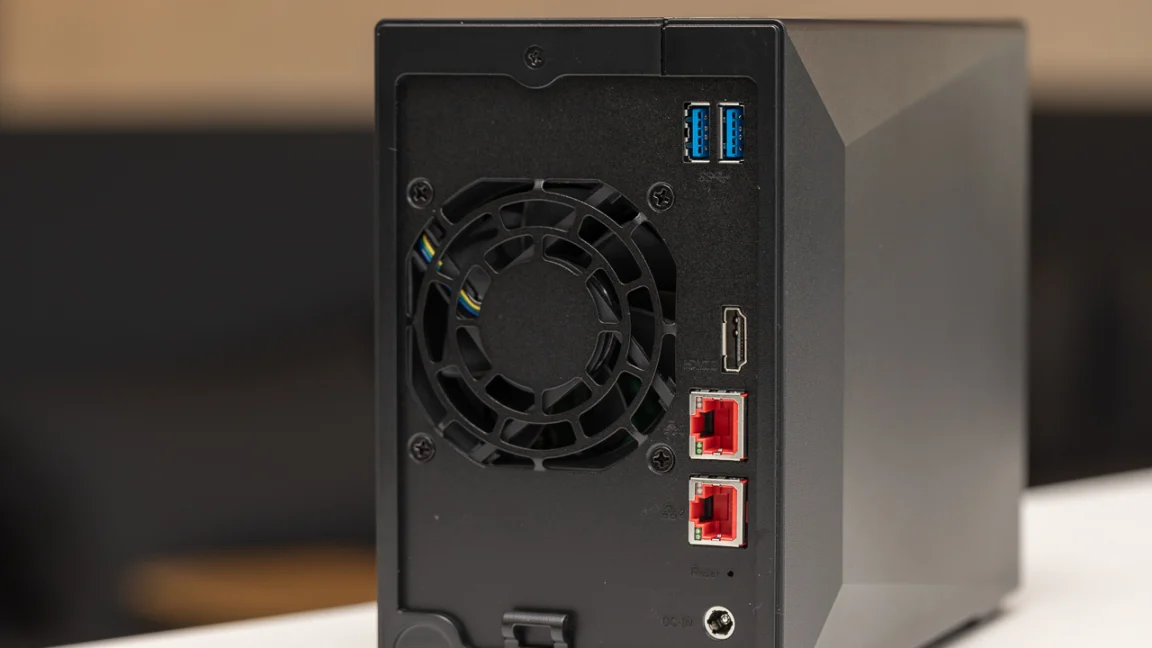

A home NAS has one job that cloud drives and scattered external disks handle poorly: keeping your photos, videos, documents, and backups in one place you control. The hard part is choosing between a simple one-drive appliance, a flexible two-bay enclosure, and a much larger four-bay system that can become a private media or surveillance server.
The Best home NAS options below range from beginner-friendly boxes to serious four-bay machines with Docker, virtual machines, fast networking, and local camera storage. We have ranked them by the capabilities that matter most at home, including drive flexibility, backup tools, media features, remote access, and room to grow.
For most households, the Synology DS225+ is the best starting point, while the UGREEN DXP4800 GT is the choice for demanding media, backup, and self-hosting workloads.
Comparison table
| # | Product | Award | Bays | Networking or capacity | Best for |
|---|---|---|---|---|---|
| 1 | Synology DS225+ | Best overall | 2 | 282 MB/s transfer speed | Media libraries and dependable backups |
| 2 | UGREEN DXP4800 GT | Best for power users | 4 | Dual 10GbE, up to 144TB | Heavy media and self-hosted apps |
| 3 | UGREEN DXP2800 | Best two-bay upgrade | 2 | Up to 80TB | Advanced home users and remote workers |
| 4 | UGREEN DH4300 Plus | Best four-bay starter | 4 | 2.5GbE, up to 128TB | Large photo and video collections |
| 5 | Synology DS223 | Best for home offices | 2 | Multi-destination backups | Shared files and surveillance |
| 6 | UGREEN DH2300 | Best for beginners | 2 | 1GbE, 4GB RAM | Simple private photo storage |
| 7 | Synology DS223j | Best simple Synology | 2 | Multi-platform backup | First-time NAS owners |
| 8 | Yxk Zero1 | Best compact feature set | 2 | 2.5GbE, 4K HDMI | Beginners who want Docker |
| 9 | Buffalo LinkStation 210 4TB | Best ready-to-use storage | 1 | 4TB included | Basic centralized files |
| 10 | Buffalo LinkStation 210 2TB | Best small personal cloud | 1 | 2TB included | Light home backups |
1. Synology DS225+: Best Overall

Pros
- Strong private media-server focus
- Hardware transcoding for compatible video workloads
- Automated backup options across several destinations
- Supports up to 30 IP cameras
- Three-year warranty
Cons
- Diskless, so drives must be supplied separately
- Only two drive bays
- More capability than a simple file-sharing setup needs
Best for: households that want one polished system for media, photos, backups, and remote access.
The Synology DS225+ is the NAS we would put in the middle of a typical home network. It is not just a shared folder with a fan. It is designed to run a private media library, back up devices, store photos, and keep files available away from home without forcing the owner to assemble a complicated server.
Its strongest feature set is aimed at people who have more than one kind of data to protect. The DS225+ supports automated backups to cloud services, external drives, and another NAS, while RAID redundancy and snapshot technology provide extra protection against drive failure or unwanted file changes. Those tools do not replace an off-site backup, but they make a much more sensible foundation than keeping the only copy of family photos on a laptop.
Media users get a clear reason to choose this over the Synology DS223 or Synology DS223j. Synology specifically positions the DS225+ for 4K movie, show, and photo streaming, with an Intel CPU for hardware transcoding and advertised transfer speeds of up to 282 MB/s. That combination matters when several people access a library or when a playback device cannot handle the original video format. The built-in surveillance support is also unusually broad for a home-focused two-bay unit, with support for up to 30 IP cameras and AI detection.
The limitation is its two-bay layout. A four-bay model such as the UGREEN DXP4800 GT gives a growing collection more drive flexibility and much more room for demanding applications. The DS225+ is also diskless, so the complete setup requires compatible storage drives. It is the right choice for a household that wants a well-rounded private cloud and media server, not for someone who only needs a basic network folder.
If you are still deciding how a NAS should fit into a broader home setup, the difference between a home file hub and a full private server is a useful place to start. For most families, the DS225+ hits the best balance of backup depth, media support, and manageable size.
2. UGREEN DXP4800 GT: Best for Power Users

Pros
- Four bays with extensive storage expansion
- AMD Ryzen Embedded R2514 processor
- 8GB DDR4 RAM expandable to 64GB
- Dual 10GbE networking
- Supports Docker, virtual machines, and SAN Manager
Cons
- Large and heavy desktop enclosure
- Advanced features require more setup
- Plex through Docker requires manual configuration
Best for: creators, enthusiasts, and households running media, surveillance, and self-hosted services together.
The UGREEN DXP4800 GT is the clear choice when a home NAS needs to behave more like a small server. Its four bays are only the starting point. The enclosure uses an AMD Ryzen Embedded R2514 with four cores and eight threads, 8GB of DDR4 RAM, and support for expanding memory to 64GB. That gives it a much wider operating envelope than the simpler two-bay systems here.
The networking hardware is equally ambitious. There are two 10GbE ports, and UGREEN says link aggregation can provide up to 20Gbps of aggregate bandwidth with compatible network equipment. That does not make a single hard drive transfer at 2.5GB/s, and the rest of the network must support those speeds, but it can make a real difference for multiple users, large media projects, and rapid backups. The unit also supports four SATA drives, U.2 NVMe SSDs in up to two of the same bays, and up to two M.2 SSDs, with a stated maximum total capacity of 144TB.
This is the most capable platform in the roundup for self-hosting. UGOS Pro supports Docker, virtual machines, and SAN Manager, with the product listing naming Plex, Emby, Jellyfin, Home Assistant, and web hosting as possible workloads. There is a built-in surveillance center for compatible ONVIF and RTSP cameras, plus an SD card slot, USB-A and USB-C 10Gbps ports, USB 2.0, and 4K HDMI. A creator can import camera media directly, while a household can keep camera footage and smart-home data local.
The tradeoff is physical and practical. At about 14.6 pounds, this is not a little box to hide beside a router, and its capabilities reward an owner who is willing to learn storage pools, containers, permissions, and network configuration. The pre-installed RAM is non-ECC, although the unit supports an ECC upgrade. Compared with the Synology DS225+, it offers more headroom and faster networking, but Synology remains the easier recommendation for a household that wants fewer decisions.
Choose the DXP4800 GT when the NAS is part of a serious home lab or creative workflow. Skip it if the job is simply automatic photo backup and shared documents.
3. UGREEN DXP2800: Best Two-Bay Upgrade

Pros
- Designed for advanced home users and remote workers
- Supports up to 80TB
- Access from computers, phones, browsers, and smart TVs
- AI photo organization and duplicate removal
- Straightforward multi-platform file sharing
Cons
- Two bays limit future expansion
- Diskless enclosure
- Less suitable for demanding server workloads than the DXP4800 GT
Best for: remote workers and advanced home users who want more storage flexibility than an entry-level two-bay NAS.
The UGREEN DXP2800 is a sensible middle ground. It keeps the footprint and drive count of a normal home two-bay NAS, but its feature set is aimed at an owner who expects more than a shared folder. The product is designed for advanced home users and remote workers, with tools for centralized files, secure sharing, photo management, and access from Windows, macOS, Android, iOS, browsers, and smart TVs.
UGREEN lists support for up to 80TB, although the enclosure does not include storage drives. Two bays make it possible to configure redundancy or combine drives for more usable capacity, but they do not offer the same expansion path as the four-bay UGREEN DH4300 Plus or UGREEN DXP4800 GT. That distinction matters for video collections, especially if the owner expects the library to grow steadily over several years.
The DXP2800’s photo tools are its most approachable feature. It can automatically organize photos by faces, scenes, objects, and locations, and it can remove duplicates. That makes it a better fit for a family photo archive than a bare file server, particularly when people are backing up from several phones. The interface is also intended to be accessible to people moving from external drives or cloud storage rather than coming from a server background.
Its weakness is the gap between a capable home appliance and a true enthusiast server. The listing does not promise the Docker, virtual machine, or SAN Manager support found on the DXP4800 GT, so it should not be chosen for a long list of containers or complex lab services. The UGREEN DH2300 is simpler, while the DXP2800 is the stronger choice when remote work, multi-device access, and a large photo library matter more than advanced virtualization.
For a two-bay system that can grow with a serious home archive, this is a convincing option. It suits the person who wants a modern private cloud without immediately stepping into four-bay server territory.
4. UGREEN DH4300 Plus: Best Four-Bay Starter

Pros
- Four bays and stated support up to 128TB
- 8GB LPDDR4X RAM
- 2.5GbE networking
- Supports Docker and 4K HDMI output
- AI photo search and duplicate removal
Cons
- Does not support virtual machines
- Drives are not included
- Wired Ethernet only
Best for: families building a large private media archive with room for multiple drives.
The UGREEN DH4300 Plus makes a strong case for starting with four bays instead of waiting until a two-bay enclosure feels cramped. It is an entry-level system, but four drive positions provide much more flexibility for a household storing years of photos, video, backups, and shared documents. UGREEN states support for up to 128TB, based on compatible drives and the configuration used.
Its hardware sits above the basic models in this list. The DH4300 Plus has 8GB of LPDDR4X RAM, a 2.5GbE network port, and 4K HDMI output. A faster network port helps when the router, switch, computer, and drives can use it, especially during large backups. The 4K HDMI connection also gives the enclosure a more direct role in a media setup, although it is not a substitute for checking whether a particular playback application or format is supported.
Photo management is a major part of the appeal. The system can handle real-time photo backups and organize albums through semantic search, recognition of people, objects, and pets, similar-photo detection, and duplicate removal. It also supports access from Windows, macOS, Android, iOS, web browsers, and smart TVs. NFC-assisted connection and the included beginner-oriented instructions are useful touches for owners who do not want to start with a command line.
The DH4300 Plus supports Docker, and UGREEN says Plex can run through Docker, but it does not support virtual machines. That is the dividing line between this and the UGREEN DXP4800 GT. The GT is better for serious self-hosting and high-speed workflows, while the DH4300 Plus makes more sense for a media-heavy home that mainly needs storage and a few applications. It is also wired only, with no built-in Wi-Fi.
This is the four-bay model to choose when capacity and drive flexibility matter more than server-grade expansion. It is a better long-term fit than a two-bay box for a large family archive, provided the owner understands that the enclosure arrives without drives.
5. Synology DS223: Best for Home Offices

Pros
- Clear focus on centralized files and backups
- Supports Macs, PCs, and mobile devices
- Multi-destination backup capability
- Useful file collaboration features
- Can support a home surveillance setup
Cons
- Two-bay diskless design
- Less media-focused than the DS225+
- No stated hardware transcoding feature
Best for: households and small home offices that need organized files, backups, and shared work folders.
The Synology DS223 is built around a practical home-office problem: files are spread across laptops, phones, external drives, and separate cloud accounts. Its role is to centralize those files, keep them synchronized, and give several people controlled access without turning the NAS into a complicated media server.
Synology highlights automated backups for Macs, PCs, and mobile devices to multiple destinations, including cloud services and external drives. That is important because drive redundancy inside the NAS protects against some hardware failures, but a second destination protects against a wider range of mistakes and disasters. The DS223 is therefore a better fit for documents, family records, and work folders than a box chosen only for movie playback.
It also supports file collaboration, project sharing, and version control. Those features separate it from the simpler Synology DS223j, which is better suited to a first private cloud and basic backups. The DS223 can also serve as a DIY surveillance hub, with motion alerts, recording schedules, and remote viewing for compatible IP cameras. Readers planning a broader camera setup may find how local storage changes the way home cameras handle recordings helpful before choosing drives.
The DS223 is not the obvious pick for a large media library. The Synology DS225+ adds a stronger media-server focus, including hardware transcoding and support for up to 30 IP cameras, while the UGREEN four-bay models provide more expansion. The DS223 instead earns its place through a balanced set of backup and collaboration tools.
Choose it for a home office, shared family documents, and reliable device backups. It is less compelling for someone whose first priority is 4K transcoding or a growing self-hosted application collection.
6. UGREEN DH2300: Best for Beginners

Pros
- Beginner-focused setup and file management
- 4GB of onboard RAM
- Supports up to 64TB
- Automatic backups across major operating systems
- AI photo tagging and duplicate detection
Cons
- No Docker or virtual machine support
- 1GbE networking
- No built-in Wi-Fi
- Diskless design
Best for: first-time NAS owners who mainly want private photos, videos, and automatic backups.
The UGREEN DH2300 is the least intimidating way into the UGREEN range. It is explicitly designed for beginners moving from cloud storage or external drives, and its focus is narrow in a useful way: keep personal files together, back up devices, and make photos easier to find.
The two bays support a stated maximum capacity of 64TB with compatible storage, though the drives are not included. UGREEN lists 4GB of onboard RAM and a 1GbE port, with transfer speeds of up to 125MB/s under suitable conditions. That network connection is adequate for routine photo backups, documents, and one or two media streams, but it will not match the 2.5GbE connection on the UGREEN DH4300 Plus or the dual 10GbE design of the UGREEN DXP4800 GT.
The DH2300 has useful photo features for a personal archive. AI tools can tag faces, locations, text, and objects, while similar-photo and duplicate detection can help tidy a phone library. Automatic backups work across Windows, iOS, Android, and macOS. RAID modes, two-factor authentication, permission controls, and encrypted transfers add sensible protection for a device that may become the household’s central file store.
The boundaries are important. This model does not support Docker, virtual machines, or SAN Manager, and UGREEN says Plex cannot be run through Docker. It is also wired only, so a USB adapter would be needed for Wi-Fi. The UGREEN DXP2800 is a better match for advanced remote work, while the Synology DS223j offers a simpler route into Synology’s software ecosystem.
The DH2300 is the right pick when the goal is a private photo and backup hub rather than a server playground. Beginners should appreciate its focused feature set, but buyers should skip it if they already know they want containers, virtual machines, or demanding media applications.
7. Synology DS223j: Best Simple Synology

Pros
- Straightforward private-cloud setup
- Automated backups for computers and phones
- Multi-platform file sharing
- Supports home surveillance
- Ongoing software support
Cons
- Two-bay diskless enclosure
- Less suited to demanding media workloads
- No stated hardware transcoding
Best for: people who want a familiar, supported two-bay NAS for backups and shared files.
The Synology DS223j is a deliberately uncomplicated NAS. It provides the core private-cloud functions most households actually need, including access from anywhere, file sharing, synchronization, and automated backups. It is the model to consider when a buyer wants Synology’s software and support without paying for a media-oriented or more expandable platform.
Synology supports backups from Macs, PCs, and mobile devices to multiple destinations, including cloud services and external drives. That gives the DS223j a useful role as a central backup point rather than merely a network disk. It can also serve as a home security system with support for multiple IP cameras and remote viewing, though buyers who need a more substantial camera platform should look at the surveillance features of the DS225+ or the UGREEN DXP4800 GT.
The two-bay layout allows the owner to build a redundant storage setup, but the enclosure is diskless. There is no stated capacity figure in the supplied product information, so it would be wrong to promise a particular maximum. The important point is that the drive choice and final usable capacity depend on the storage installed by the buyer.
Compared with the UGREEN DH2300, the DS223j is less specific about photo AI and transfer performance, but it offers the appeal of Synology’s established software environment and ongoing updates. The newer Synology DS225+ is the better pick for streaming and hardware transcoding, while the DS223j is easier to justify for documents, phone backups, and basic remote access.
Pick the DS223j when simplicity and a mature backup workflow matter more than high-speed networking or advanced apps. It is a calm, sensible first NAS, but not the one we would choose for a serious media collection.
8. Yxk Zero1: Best Compact Feature Set

Pros
- Beginner-oriented two-bay design
- 2.5GbE networking
- Supports Docker and 4K HDMI
- Remote access from major platforms
- Compact, quiet design with health monitoring
Cons
- Diskless
- Less established software track record than Synology
- Two bays limit expansion
- Product information does not state a processor model
Best for: beginners who want a small two-bay system with faster networking and Docker support.
The Yxk Zero1 is an interesting outlier because it combines beginner-focused language with features usually aimed at more adventurous NAS owners. It is a two-bay desktop unit with 4GB of RAM, 2.5GbE networking, 4K HDMI, remote access, and Docker support. That makes it more flexible than the entry-level UGREEN DH2300, even though both are intended to be approachable.
The 2.5GbE connection can make large file transfers noticeably quicker than ordinary 1GbE networking when the rest of the network supports it. The Zero1 also advertises flexible RAID modes, automated backups, and snapshot recovery. Those tools are useful for a household storing photos and documents, but the presence of RAID should not be treated as a complete backup strategy because it does not protect against every kind of data loss.
Remote access works through a phone app, desktop client, or web browser on Windows, macOS, iOS, and Android. The product also describes a quiet, compact design weighing about 1.76 pounds, with airflow management, thermal control, and real-time health monitoring. The 4K HDMI output and Docker support give an owner more ways to experiment with local media and services than the basic Synology models.
The concern is confidence and clarity. The supplied information does not identify the processor, and Yxk does not have the same established ecosystem described for Synology. The two bays also mean less expansion than the UGREEN DH4300 Plus, while a buyer seeking serious containers and virtual machines should move up to the UGREEN DXP4800 GT.
The Zero1 is appealing for a curious beginner who wants room to explore without starting with a large enclosure. It is not the safest recommendation for an owner who wants the most mature software support or a clearly documented high-end platform.
9. Buffalo LinkStation 210 4TB: Best Ready-to-Use Storage

Pros
- 4TB hard drive included
- Simple network storage setup
- Automated computer backups
- Individual folder permissions
- Two-year warranty including the hard drive
Cons
- One drive bay
- Limited expansion path
- Compatibility note for newer macOS versions
- Less flexible than diskless multi-bay systems
Best for: households that want a ready-to-use shared storage device with minimal setup.
The Buffalo LinkStation 210 4TB takes a different approach from almost every other entry here. It includes a 4TB hard drive, so the owner does not have to choose drives, install them, or wait for a storage pool to be built before using the device. Connect it to a router and it becomes a central place for files, photos, music, and videos.
Buffalo includes its NAS Navigator management utility and PC backup software, with automated backup support for computers. Individual folder permissions let a family share a single device while keeping personal files separate. SSL encryption is included for secure file transfers, and Buffalo describes the LS200 series as a closed system intended to reduce the vulnerabilities associated with third-party applications.
The simplicity is both the appeal and the limitation. There is one drive bay, so there is no second internal drive for a redundant configuration or an easy future expansion path. The Synology DS223j and UGREEN DH2300 require separate drives, but their two-bay layouts offer a more flexible foundation. The LinkStation is better viewed as a networked hard drive with backup and sharing tools than as a platform for containers, media-server experimentation, or surveillance applications.
Compatibility also deserves attention. Buffalo lists Windows and macOS support, but its note specifies macOS 15 Sequoia and earlier for the relevant management software, with newer macOS users directed toward the LS700 series. That does not make the LinkStation unusable, but it means Mac owners should check their operating system before buying.
The 4TB model is the sensible Buffalo choice when the buyer wants usable storage immediately and has a modest file collection. It is not the right pick for anyone who expects drive redundancy or wants to build a growing private server.
10. Buffalo LinkStation 210 2TB: Best Small Personal Cloud
Pros
- 2TB hard drive included
- Easy central file storage
- Automated PC backups
- Folder access controls
- Two-year warranty including the hard drive
Cons
- Single drive bay
- Limited storage for large media libraries
- Newer macOS compatibility requires checking
- No disk expansion without replacing the unit
Best for: a small household that needs a simple shared folder and basic computer backups.
The Buffalo LinkStation 210 2TB is the most appliance-like option here. It arrives with a 2TB hard drive installed, connects to the home router, and provides a central location for photos, documents, music, and videos. For someone replacing a collection of USB drives with one shared location, that straightforward setup is the main attraction.
The included backup software can automate computer backups, while NAS Navigator handles management. Folder permissions allow separate access for family members, and the closed-system design avoids the burden of maintaining a large app ecosystem. Buffalo also includes SSL encryption for file transfers and advertises 24/7 US-based support, along with a two-year warranty that covers the hard drive.
The 2TB capacity is suitable for a smaller collection, but it leaves less room for phone photos, video, and full computer backups than the 4TB version. Both models use one drive bay, so neither provides the redundancy available from the two-bay Synology DS223j, Synology DS225+, or UGREEN DH2300. A single drive can fail, and the owner should keep an independent backup of anything irreplaceable.
The LinkStation also has the same macOS caveat as the 4TB model. Buffalo specifies compatibility with macOS 15 Sequoia and earlier for its management utility, so Mac owners should verify their software needs before committing. It is also not designed for Docker, virtual machines, advanced media transcoding, or a serious surveillance workload.
Choose the 2TB LinkStation when the priority is an easy, ready-to-use personal cloud for a modest collection. If the home already has years of photos or several computers to protect, the 4TB model or a diskless two-bay NAS is the more sensible direction.
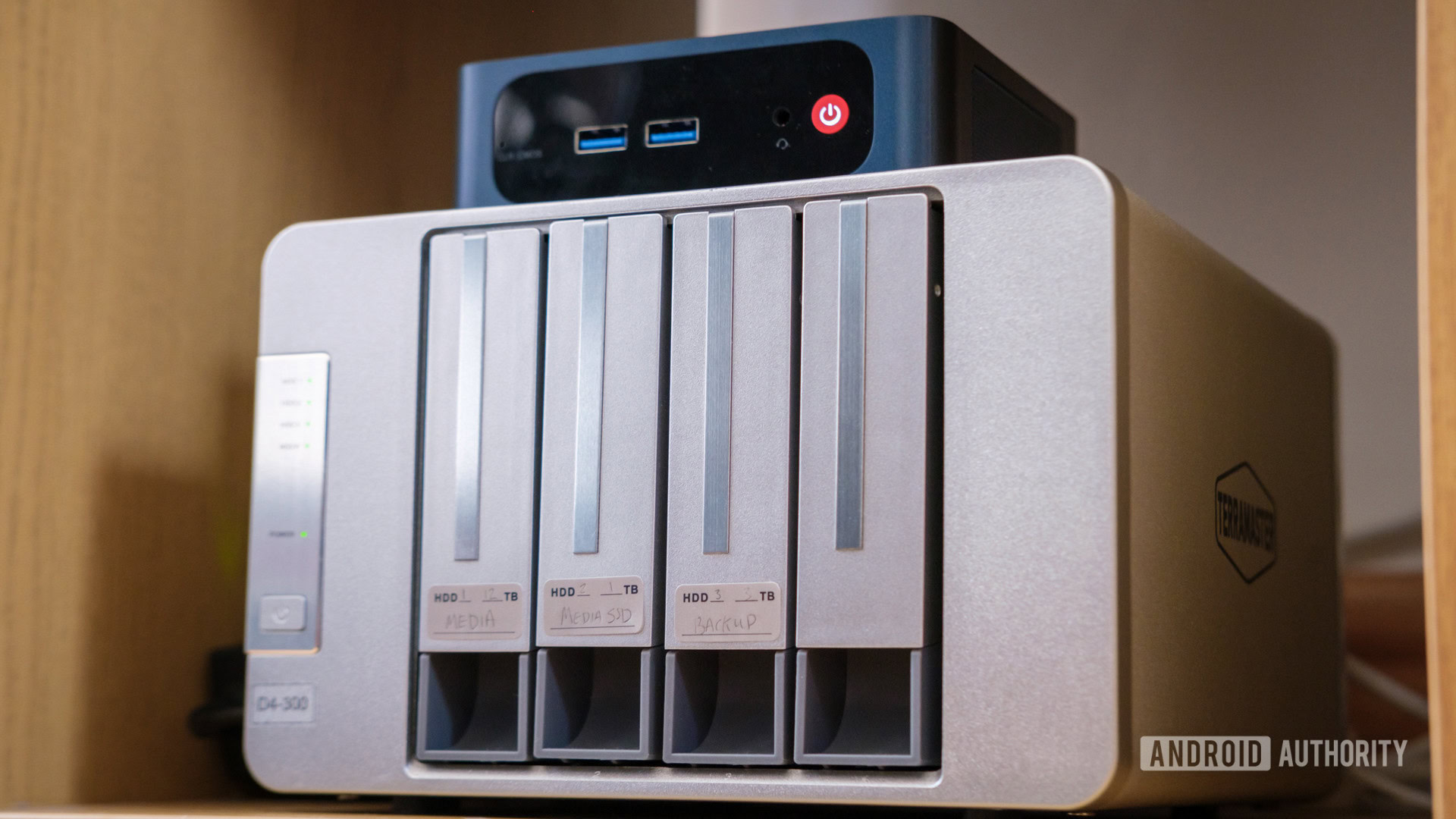
How to choose best home nas
The right home NAS depends less on headline capacity than on how you will protect, access, and expand your data.
Drive bays and redundancy
Two bays are the practical minimum for a NAS intended to protect important files. They allow a redundant storage arrangement, although usable capacity depends on the drives and the RAID mode selected. Four bays provide more room to balance capacity and redundancy, and they are a better fit for large media libraries or several years of backups.
A one-bay appliance such as the Buffalo LinkStation models is simpler because the drive is already installed, but it has no internal drive redundancy. Treat it as a convenient central copy, not the only copy of irreplaceable data.
Network speed
A 1GbE port is adequate for documents, routine photo backups, and ordinary household sharing. A 2.5GbE connection can shorten large transfers when the router, switch, computer, and storage can all use it. The DXP4800 GT goes much further with dual 10GbE ports, but that capability only pays off in a suitably fast network with workloads that can use it.
Advertised transfer speeds are not guarantees. Drive type, file size, network equipment, processor load, and simultaneous users all affect real performance.
Backup and recovery tools
Look for automatic backups from computers and phones, snapshots, version history, and the ability to send copies to an external drive or another location. RAID helps maintain access after some drive failures, but it does not protect against accidental deletion, theft, malware, or a damaged NAS.
A NAS is the place your files live, not the only place your files should exist.
The Synology DS225+, Synology DS223, and Synology DS223j all emphasize multi-destination backups. UGREEN’s models also support automatic backups, while the Buffalo units focus on straightforward computer backup software.
Media and application support
A NAS for documents does not need the same hardware as one serving 4K video or running several containers. Hardware transcoding can help when the playback device cannot decode the original file, which is why the Synology DS225+ stands apart from simpler two-bay models.
Docker support opens the door to applications such as media servers, smart-home tools, and other self-hosted services. Virtual machine support is a larger step and appears on the UGREEN DXP4800 GT, not the DH4300 Plus or DH2300. Choose based on the software you genuinely plan to run rather than buying complexity you will never use.
Remote access and security
Remote access is convenient, but it needs careful account management. Two-factor authentication, permission controls, encrypted transfers, and a way to restrict access by user are all useful. A system that supports local-only operation can also be valuable when the NAS should remain available on the home network without being exposed more broadly.
The UGREEN DH2300 includes two-factor authentication and encrypted transfers, while the Buffalo models provide SSL file-transfer encryption and folder restrictions. Synology and UGREEN’s more advanced systems offer broader access, backup, and security ecosystems.
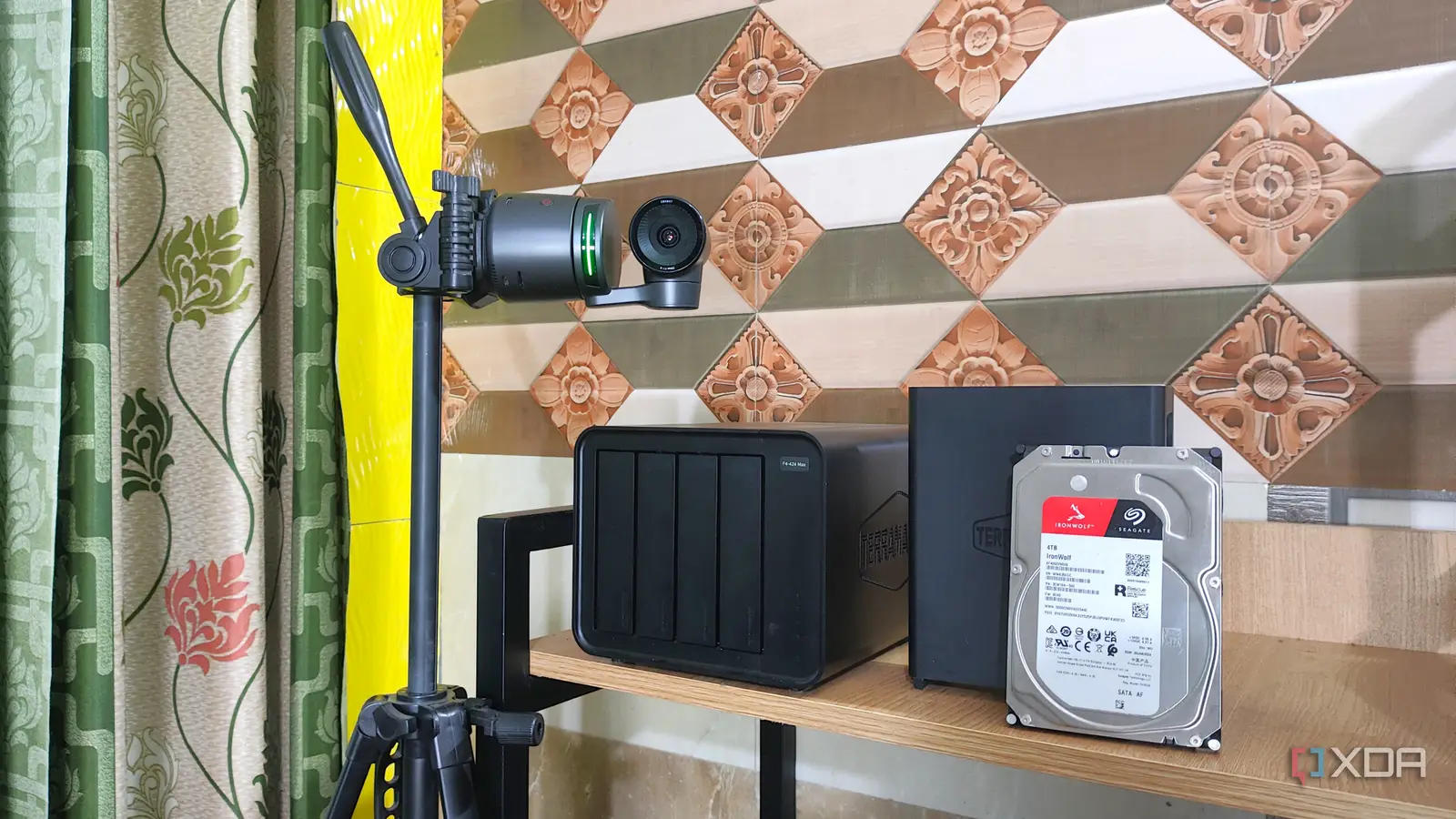
Frequently asked questions
Do I need two drives for a home NAS?
No. A one-bay NAS such as the Buffalo LinkStation 210 arrives with one drive and can handle shared storage and computer backups. Two drives are preferable for important data because they can support a redundant arrangement, but redundancy is not the same as a separate backup.
Is a four-bay NAS better than a two-bay NAS?
A four-bay model offers more storage flexibility and a better path for future expansion. It is especially useful for large video libraries, multiple computer backups, and workloads that need several applications. A two-bay NAS is smaller and easier to manage, and it is enough for many family photo and document collections.
Can these NAS systems back up phones?
The supplied features for the UGREEN, Synology, and Buffalo models describe backup or access across mobile platforms. Exact phone workflows depend on the manufacturer’s app and operating system. Check that the app supports the automatic photo or file backup behavior you want before setting up the system.
Can a home NAS replace cloud storage?
It can replace some cloud-storage tasks, such as centralized files, private photo access, and home backups. It cannot automatically duplicate the protection offered by an off-site service, especially against theft, fire, or damage to the NAS. Keep another copy of important files in a separate location.
Which NAS is best for Plex or other media servers?
The Synology DS225+ is the clearest media-focused choice because its features include hardware transcoding and 4K streaming. The UGREEN DH4300 Plus supports Plex through Docker, while the UGREEN DXP4800 GT supports Docker and more advanced self-hosted workloads, but Plex setup on the GT requires manual configuration.
Does a NAS need Wi-Fi?
No. NAS devices generally connect to the router with Ethernet for a more reliable and faster link. The UGREEN DH2300 and DH4300 Plus specifically state that they are wired Ethernet devices without built-in Wi-Fi. Wireless access to the stored files happens through the home network after the NAS is connected.
Is RAID a backup?
No. RAID can keep a system available after certain drive failures, but it does not protect against accidental deletion, ransomware, theft, or a damaged enclosure. Use automated backups to an external drive, another NAS, or a suitable remote destination as well.
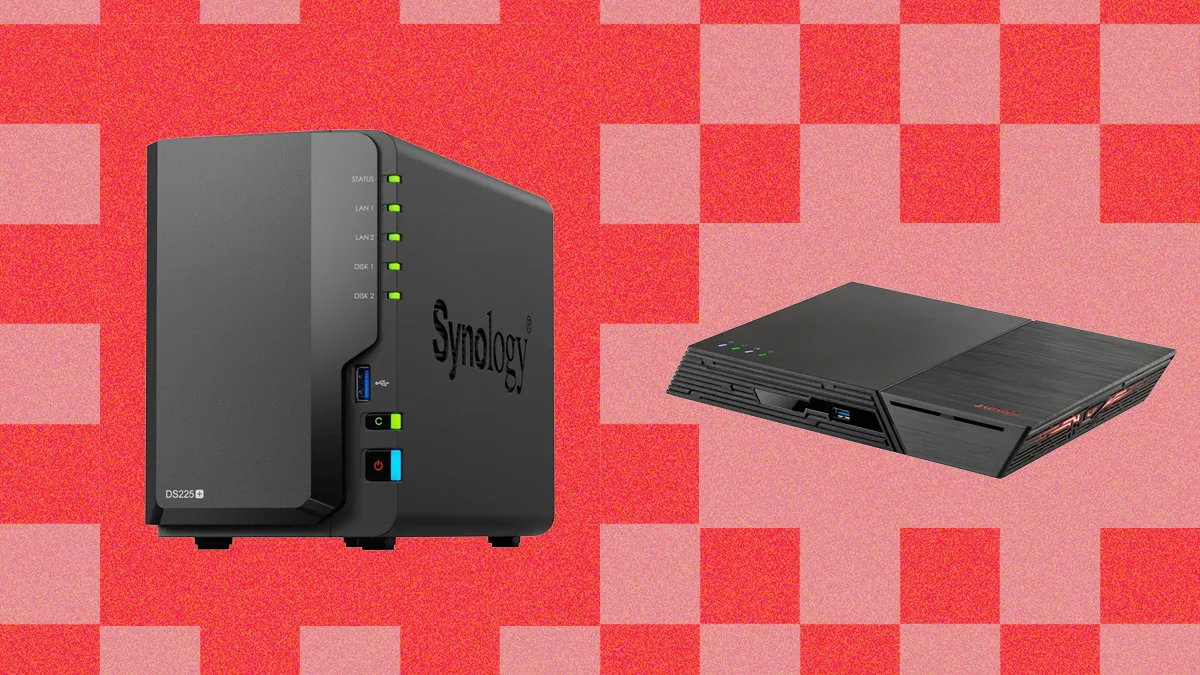
The bottom line
The Synology DS225+ is the Best home NAS for most households because it combines media streaming, hardware transcoding, automated backups, snapshots, remote access, and surveillance support in a manageable two-bay design. The UGREEN DXP4800 GT is the stronger choice for creators and enthusiasts who need four bays, dual 10GbE, Docker, virtual machines, and extensive storage expansion.
For a simpler path, choose the UGREEN DH2300 for personal photos and backups, or the Synology DS223j for a supported private cloud centered on files and device protection. The Buffalo LinkStation models make sense only when ready-to-use single-drive storage matters more than redundancy or expansion.
If you are undecided, buy the Synology DS225+ for a balanced home setup, and choose the UGREEN DXP4800 GT only when you already know you need its extra bays and server features.
As an Amazon Associate we earn from qualifying purchases.