
A disappointing photo print usually comes down to a mismatch between the printer and the job. A compact dye-sublimation model can make a phone snapshot look polished, but it will not scan homework. A full-size all-in-one can handle both, but it takes more room and demands more setup.
We compared ten printers that cover the useful middle ground, from dedicated 4x6 photo stations to wireless all-in-ones with duplex printing, scanning, copying, and document features. The Best home printer for photos for most households is the HP Envy Photo 7975, while the Liene M100 is the better fit for phone-only 4x6 prints.
Comparison table
| # | Product | Award | Photo format | Key features | Best for |
|---|---|---|---|---|---|
| 1 | HP Envy Photo 7975 | Best overall | Borderless photos | Scan, copy, duplex, ADF, separate photo tray | Families needing one printer for everything |
| 2 | Liene M100 | Best dedicated photo printer | 4x6 prints | Dye sublimation, Wi-Fi hotspot, app editing | Phone photos and albums |
| 3 | Canon PIXMA TS6520 | Best compact all-in-one | Up to 8.5 by 11 inches | Duplex, scan, copy, dual-band Wi-Fi | Small workspaces |
| 4 | KODAK Dock Plus | Best for instant sharing | 4x6 prints | 4PASS, Bluetooth, smartphone dock | Family events and photo albums |
| 5 | HP Envy 6155 | Best touchscreen all-in-one | Borderless photos | Duplex, scan, copy, 100-sheet tray | Everyday home printing |
| 6 | Epson EcoTank ET-2800 | Best cartridge-free option | Color photos and documents | Supertank, scan, copy, Micro Piezo | Frequent color printing |
| 7 | Epson Expression XP-7100 | Best media flexibility | Borderless up to 8 by 10 inches | ADF, duplex, USB, SD, Ethernet | Creative projects |
| 8 | HP OfficeJet Pro 8139 | Best home office choice | Color photos and documents | Fax, ADF, duplex, 225-sheet tray | Mixed home and office work |
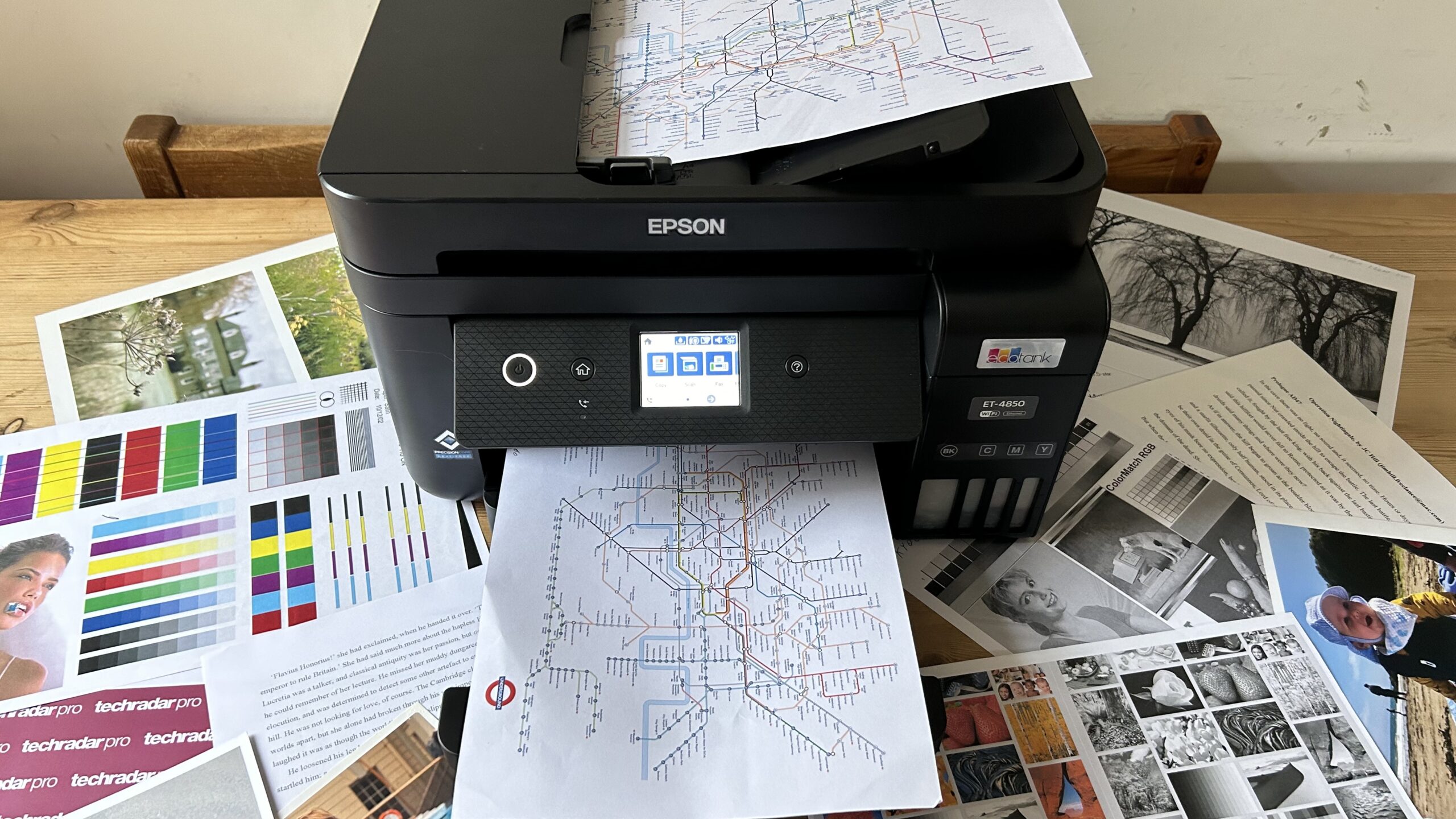
| 9 | Epson EcoTank ET-4800 | Best tank printer with fax | Color photos and documents | Scanner, copier, fax, ADF, Ethernet | Home offices with heavier workloads |
| 10 | Canon PIXMA TS4320 | Best simple Canon all-in-one | Up to 8.5 by 11 inches | Duplex, scan, copy, dual-band Wi-Fi | Straightforward home use |
1. HP Envy Photo 7975: Best Overall

Pros
- Handles photos, documents, scans, and copies
- Separate photo tray keeps photo paper ready
- Automatic two-sided printing
- Large color touchscreen
- Automatic document feeder
Cons
- Large and relatively heavy
- HP cartridges are required
- Slower color printing than the OfficeJet Pro 8139
Best for: families that want one wireless printer for photos, schoolwork, and household documents.
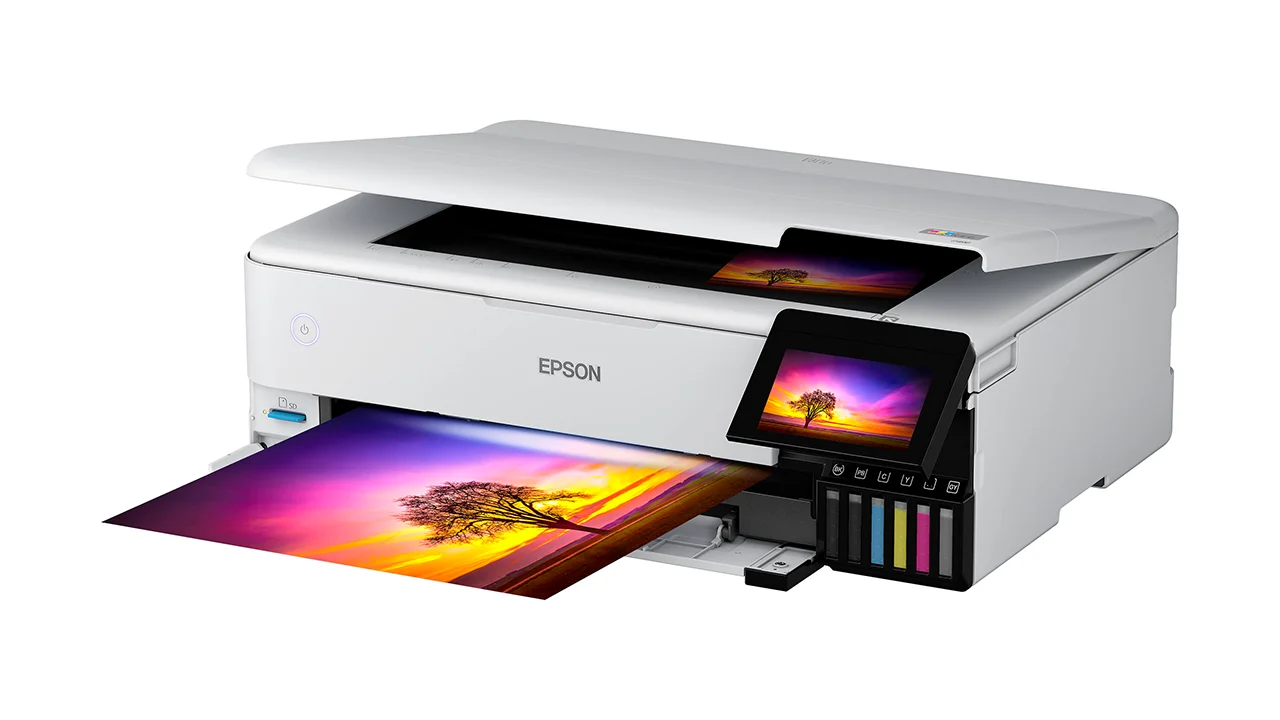
The HP Envy Photo 7975 is the easiest recommendation when photo printing is important but not the only job in the house. It has the shape and feature set of a conventional home all-in-one, yet it makes room for a separate photo tray and borderless photo printing. That means less fiddling with paper every time someone wants to print a snapshot, while the main feed remains available for regular pages.
Its versatility is the real distinction. The printer can print, scan, and copy, and automatic two-sided printing cuts down on manual page turning for school assignments or household forms. An automatic document feeder helps when a scan or copy involves several pages. Color printing reaches up to 10 pages per minute, while black printing reaches up to 15 pages per minute. Those figures are more useful for routine documents than large photo batches, but they make this a less frustrating family machine.
A large color touchscreen gives the printer a more direct control point than the smaller displays on the Canon PIXMA TS6520 and Canon PIXMA TS4320. Wireless and mobile printing make it practical for phones and laptops, and the HP app handles print, scan, and copy tasks from a mobile device. HP also highlights AI-assisted formatting for web pages and emails, which is aimed at preventing unwanted page content from appearing in a printout.
The weakness is physical size. At 18.11 inches wide, 15.08 inches long, and 9.17 inches high, it needs a proper shelf or desk rather than a narrow corner. Its 17.9-pound weight reinforces that this is a stay-at-home all-in-one, not something to move around often. The cartridge system also makes it a poor match for anyone who prefers refillable tanks. For a household that wants photos alongside ordinary printing, scanning, and copying, though, this is the most balanced pick in the group.
2. Liene M100: Best Dedicated Photo Printer

Pros
- Prints colorful 4x6 photos
- Thermal dye-sublimation process
- Laminated prints resist water, scratches, and fingerprints
- Built-in Wi-Fi hotspot
- Supports up to five simultaneous connections
Cons
- Dedicated to photo printing
- Requires the Liene paper and cartridge system
- No scanner or document features
Best for: people who primarily want to turn phone photos into physical 4x6 prints.
The Liene M100 makes sense when “printer” really means a small photo station. It does not try to scan a form or print a stack of text pages. Instead, it concentrates on 4x6 photos from an iPhone, Android phone, or PC, with a compact enclosure that is easier to store than a full home all-in-one.
Its thermal dye-sublimation system is a meaningful advantage for snapshots. The printer builds each image from color layers and finishes it with a laminated surface. Liene says that surface is resistant to water, scratches, fingerprints, and fading. The result is a print designed to be handled, placed in an album, or passed around at a gathering rather than treated like a fragile sheet of inkjet paper.
The built-in hotspot lets a phone connect directly to the printer without relying on another wireless network. Up to five devices can connect at once, which is useful when several family members are choosing pictures. The Liene app adds borders, filters, contrast and brightness adjustments, and tools for ID and visa photos. That editing layer gives it more flexibility than the simpler KODAK Dock Plus, though the KODAK has a more obvious physical docking concept.
The trade-off is specialization. The M100 cannot replace the HP Envy Photo 7975 or Canon PIXMA TS6520 for documents, scans, or copies. Its dimensions are about 9.84 inches wide, 7.48 inches long, and 7.48 inches high, and the product data lists a weight of about 0.44 pounds, so it is easy to store, though buyers should still plan for its dedicated paper and cartridges. Choose it when the goal is a predictable 4x6 print from a phone, not a single machine for the whole household.
3. Canon PIXMA TS6520: Best Compact All-in-One

Pros
- Compact footprint
- Automatic two-sided printing
- Dual-band Wi-Fi
- Scan and copy functions
- 1.42-inch OLED status display
Cons
- Two-cartridge hybrid ink system
- Monochrome display is smaller than the HP touchscreens
- Not a dedicated 4x6 photo printer
Best for: apartment desks and small home workspaces that still need photo capability.
The Canon PIXMA TS6520 is the neatest fit for a crowded desk. Its 14-inch width and 14.8-inch length are easier to accommodate than the larger HP and Epson models, while the 6.7-inch height keeps it from feeling like a bulky appliance. It retains the core all-in-one functions, so a small footprint does not mean giving up scanning or copying.
Canon uses a two-cartridge hybrid ink system, and the company positions it for both crisp text and vivid color photos. The printer supports photos and documents up to 8.5 by 11 inches, with or without borders. That makes it more flexible than the Liene M100 and KODAK Dock Plus, though those dedicated photo printers are the more natural choices if every print will be a 4x6 snapshot.
Automatic two-sided printing is the practical feature that separates the TS6520 from a basic photo machine. It helps with schoolwork, forms, and other multi-page jobs without requiring the user to flip pages. Dual-band Wi-Fi supports both 2.4GHz and 5GHz networks, and Canon lists support for the Canon PRINT app, Apple AirPrint, and Mopria Print Service. The 1.42-inch monochrome OLED display shows ink levels and printer status without taking much room.
The interface is functional rather than luxurious. The display is much smaller than the 2.4-inch color touchscreen on the HP Envy 6155 or the larger screen on the HP Envy Photo 7975. Buyers who expect frequent printer-side editing may prefer those HP models. For everyone else, the TS6520 is a sensible compact machine for casual photos, everyday documents, scanning, and copying, especially when desk space matters as much as the print itself.
4. KODAK Dock Plus: Best for Instant Sharing

Pros
- Straightforward smartphone operation
- Integrated docking station
- 4PASS dye-sublimation printing
- Protective laminated finish
- Kodak app supports editing and cropping
Cons
- Prints only 4x6 photos
- Bluetooth rather than Wi-Fi
- Needs a power outlet for desktop use
Best for: families and hosts who want an easy photo-printing station for shared moments.
The KODAK Dock Plus has a clear purpose: put a phone near the printer, choose a picture, and get a physical 4x6 print without navigating a general-purpose printer menu. Its integrated docking station gives the device a stable home on a desk and can charge a compatible phone while printing. That hands-on design feels more immediate than sending a photo to a printer across the room.
KODAK uses 4PASS dye-sublimation printing. The image is built in three color layers and finished with a clear protective lamination layer. The company says a print takes approximately 55 seconds and is designed to resist fingerprints, water, and fading. Those traits suit albums, frames, and family events, where prints are likely to be touched soon after they emerge.
Bluetooth connects the printer to compatible iOS and Android devices through the KODAK Photo Printer app. The app can crop, edit, and customize images before printing. The approach is less flexible than the Liene M100, which offers a built-in hotspot and simultaneous connections for up to five devices, but the Dock Plus has a more obvious drop-in workflow for occasional users.
This is not a replacement for the Canon PIXMA TS6520 or HP Envy Photo 7975. It does not scan, copy, or print ordinary documents, and it is designed for powered desktop use rather than fully untethered operation. The compact body measures about 7 inches wide, 4 inches long, and 3 inches high. Pick it for simple shared photo printing, especially when the physical dock is more appealing than a general-purpose all-in-one.
5. HP Envy 6155: Best Touchscreen All-in-One

Pros
- 2.4-inch color touchscreen
- Automatic two-sided printing
- 100-sheet input tray
- Borderless photo printing
- Dual-band wireless connectivity
Cons
- HP original-cartridge restriction
- Slower color speed than the OfficeJet Pro 8139
- No automatic document feeder listed
Best for: homes that want a modern control screen and routine photo and document printing.
The HP Envy 6155 is a straightforward home all-in-one with a particularly approachable control panel. Its 2.4-inch color touchscreen is large enough to make setup and basic printer tasks less cryptic than they are on a small monochrome display. For a household where several people will use the printer, that clarity matters.
It prints, scans, and copies, with automatic two-sided printing for documents and a 100-sheet input tray. Color print speed is listed at up to 7 pages per minute, while black printing reaches up to 10 pages per minute. Those figures place it behind the HP OfficeJet Pro 8139 for office-style work, but they are appropriate for routine household pages and occasional photo jobs.
HP highlights true-to-screen color through its P3 technology and supports borderless photos. The HP app can print, scan, copy, or fax from a smartphone, although the printer itself is described around print, scan, and copy functions. Dual-band Wi-Fi is intended to maintain the connection and address some connection issues automatically. Its narrow 5.35-inch height is notable, but the 17.05-inch length and 14.21-inch width still require a useful amount of shelf depth.
The main limitation is the cartridge policy. The printer is intended to work only with cartridges using original HP chips or circuitry, and firmware updates can maintain that restriction. That is important for anyone who wants open consumable choices. For buyers who prefer a clear touchscreen, borderless home photos, and automatic duplex printing in one familiar appliance, the Envy 6155 is more appealing than the simpler Canon PIXMA TS4320.
If you are also weighing scanners, copiers, and wireless features across a broader set of machines, the functions a home all-in-one should handle are worth deciding before you choose.
6. Epson EcoTank ET-2800: Best Cartridge-Free Option

Pros
- Cartridge-free refillable ink tanks
- Scanner and copier included
- Micro Piezo Heat-Free technology
- Up to 7, 500 color pages listed
- Wireless color printing
Cons
- Initial tank filling needs care
- Epson recommends genuine ink
- Less suited to fast document workloads
Best for: households that print color pages and photos regularly and want a refillable tank design.
The Epson EcoTank ET-2800 is built around a different ownership routine from the HP and Canon cartridge printers. Instead of replacing small cartridges, it uses visible high-capacity tanks filled from bottles. That makes it attractive to homes that print color frequently and dislike stopping to change cartridges during a long run.
Epson says the included ink can print up to 4, 500 black pages and 7, 500 color pages, and describes each bottle set as equivalent to about 90 individual cartridges. Those are manufacturer figures, not a promise that every photo job will reach the same result, but they explain why the ET-2800 is better suited to sustained color use than the Liene M100 or KODAK Dock Plus. Epson also says the box can include up to two years of ink.
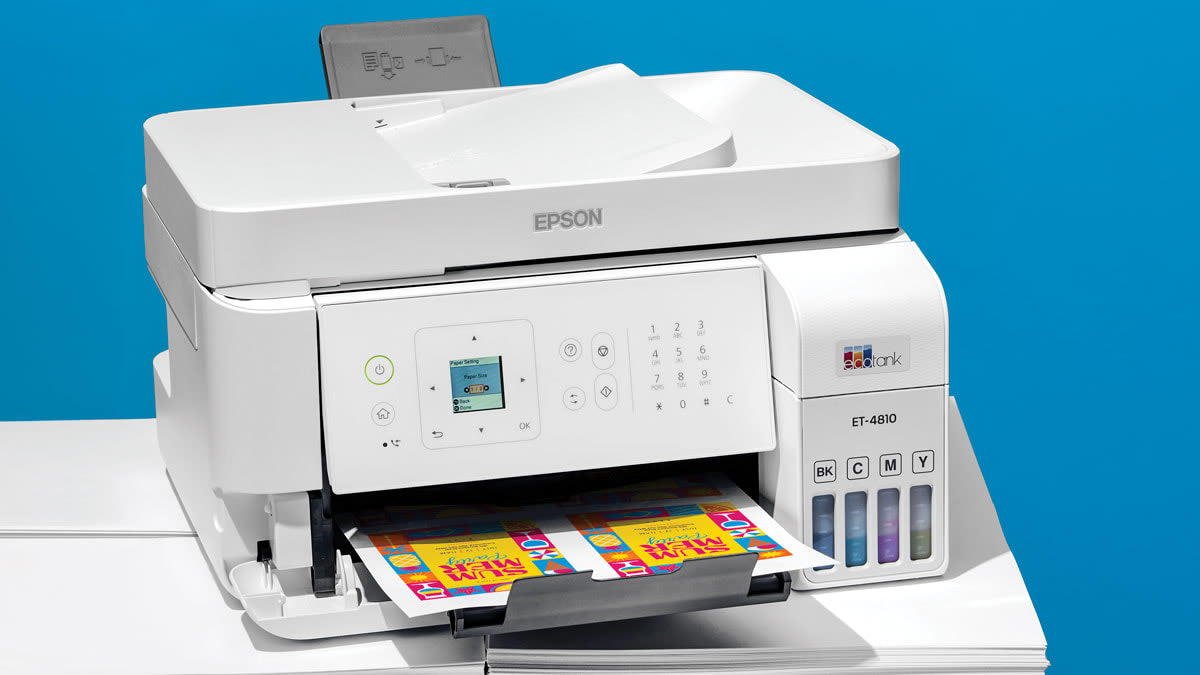
The printer combines color printing with scanning and copying. Epson’s Micro Piezo Heat-Free technology is intended to produce vivid, detailed documents and photos, while the listed print speed is up to 10 ISO pages per minute. Wireless connectivity keeps it practical for phones and computers. Its 16-inch width, 17-inch length, and 9.3-inch height make it a substantial desktop presence, though the 11.4-pound weight is manageable.
Tank printers reward careful setup. Filling the reservoirs is less immediate than clicking in a cartridge, and Epson strongly recommends genuine ink, warning that non-genuine ink could affect performance and warranty coverage. The ET-2800 also lacks the HP Envy Photo 7975’s automatic document feeder, so multi-page scanning is less convenient. Choose it when repeated color printing and a cartridge-free design matter more than a touch interface or fast office workflow.
7. Epson Expression XP-7100: Best Media Flexibility

Pros
- Borderless photos up to 8 by 10 inches
- 30-page automatic document feeder
- USB and SD card photo access
- Duplex print, copy, and scan
- Specialty paper and DVD support
Cons
- Very wide footprint
- Heavy at 21.5 pounds
- Epson genuine cartridges are required
Best for: creative households printing larger photos, specialty media, and mixed documents.
The Epson Expression XP-7100 is the specialist among the conventional all-in-ones here. It is not the smallest printer, but it gives creative projects more attention than the Canon models. It can produce borderless photos up to 8 by 10 inches, handle specialty paper and DVDs, and accept photos directly through USB or an SD card slot.
That last feature changes the workflow for photographers who keep images on a camera card or USB drive. A 4.3-inch touchscreen lets users view, edit, and print photos directly from the printer. The 30-page automatic document feeder is useful for scans and copies, while automatic two-sided printing handles ordinary documents without manual intervention.
Wireless printing works from phones and tablets, and Epson also lists Wi-Fi Direct for network-free printing and Ethernet for a wired connection. Those options make it more adaptable than the dedicated Liene and KODAK printers. Its print quality is described as sharp for text and vivid for color photos and graphics, so it is comfortable switching between creative work and household documents.
The physical design is the catch. At 23.5 inches wide, 17.2 inches long, and 8.1 inches high, it needs more horizontal space than the HP Envy Photo 7975. At 21.5 pounds, it is also the heaviest product in this roundup. Epson’s exclusive genuine-cartridge system is another constraint. If you have room and want direct media access, larger borderless photos, and specialty-paper support, the XP-7100 offers capabilities the compact Canon PIXMA TS6520 does not.
For a printer that will live beside a laptop or desktop, it helps to think about how much room a home printing setup really needs before committing to a wide chassis.
8. HP OfficeJet Pro 8139: Best Home Office Choice

Pros
- Fastest listed color printing in this group
- 225-sheet input tray
- Automatic document feeder
- Fax, scan, copy, and duplex printing
- Dual-band Wi-Fi and security features
Cons
- Large footprint
- HP original-cartridge restriction
- Office features add bulk for photo-only use
Best for: home offices that also print color photos, reports, and multi-page documents.
The HP OfficeJet Pro 8139 is the practical choice when photos share the desk with actual office work. It is the fastest printer in this group by its listed color speed, reaching up to 10 pages per minute in color and 20 pages per minute in black. That matters when a home office produces reports, presentations, flyers, and forms rather than only a few snapshots.
Its 225-sheet input tray is more useful for a workday than the 100-sheet tray in the HP Envy 6155. The automatic document feeder also makes scanning and copying multi-page documents easier, while fax support, automatic two-sided printing, and the HP app cover the usual home-office tasks. A 2.7-inch color touchscreen provides a larger control surface than the Canon PIXMA TS6520.
The printer supports wireless printing through dual-band Wi-Fi, and HP includes Wolf Essential Security features intended to help protect the network. Its AI-assisted formatting can remove unwanted content from web pages and emails, which is a small but useful touch when printing from mixed sources. Color photos are part of its remit, but the feature balance clearly leans toward documents and productivity.
The compromise is scale. The 18.12-inch width, 13.29-inch length, 9.17-inch height, and 17.6-pound weight make it considerably more machine than a dedicated photo printer. HP also says the printer blocks cartridges without original HP chips or circuitry, and firmware updates maintain that policy. If you need a photo-first device, the HP Envy Photo 7975 is more focused. If photos are one task among many, the OfficeJet Pro 8139 is the more capable workhorse.
Readers choosing between a household printer and a dedicated office machine may also want to compare the document features that matter in a shared home office.
9. Epson EcoTank ET-4800: Best Tank Printer With Fax

Pros
- High-capacity cartridge-free tanks
- Scanner and copier built in
- Automatic document feeder
- Fax and Ethernet connectivity
- Micro Piezo Heat-Free technology
Cons
- Less compact than a dedicated photo printer
- Tank filling takes more care than cartridge replacement
- Photo controls are less specialized than the XP-7100
Best for: home offices that want refillable ink tanks plus scanning, copying, faxing, and Ethernet.
The Epson EcoTank ET-4800 sits between a photo printer and an office appliance. It uses refillable EcoFit ink bottles rather than cartridges, then adds a scanner, copier, fax, automatic document feeder, and Ethernet. That combination is unusually complete for a home office that still wants to print color photos.
Epson’s Micro Piezo Heat-Free technology is designed to produce sharp text along with color photos and graphics. The product data does not specify a photo print speed or a dedicated photo tray, so this is not the model to choose for a rapid 4x6 station. Its strength is keeping a broad set of office functions available while using high-capacity tanks.
The flatbed scanner and color display make copying and navigation straightforward. The automatic document feeder is an important step up from the ET-2800 for multi-page jobs, and Ethernet gives a wired networking option where wireless is not ideal. At 14.8 inches wide, 11.8 inches long, and 6.7 inches high, it is smaller than the XP-7100 and HP OfficeJet Pro 8139 in the listed dimensions.
The ET-4800 still asks for a deliberate setup. Bottle filling is not as instant as installing a cartridge, and buyers should be comfortable managing a tank system. The Liene M100 and KODAK Dock Plus produce a more direct photo experience, while the HP Envy Photo 7975 gives casual photo users a more dedicated photo workflow. Choose the ET-4800 when fax, Ethernet, an automatic document feeder, and refillable ink are all part of the brief.
10. Canon PIXMA TS4320: Best Simple Canon All-in-One

Pros
- Prints photos and documents up to 8.5 by 11 inches
- Automatic two-sided printing
- Scan and copy functions
- Dual-band Wi-Fi
- Canon mobile printing support
Cons
- Two-cartridge hybrid ink system
- No touchscreen listed
- Less photo-focused than the Liene M100
Best for: households that want a basic wireless printer, scanner, and copier with photo support.
The Canon PIXMA TS4320 keeps the familiar home-printer formula simple. It prints, scans, and copies, supports automatic two-sided printing, and accepts photos and documents up to 8.5 by 11 inches. That makes it a more useful household appliance than the dedicated photo printers, without the extra office equipment found on the Epson EcoTank ET-4800 or HP OfficeJet Pro 8139.
Canon uses a two-cartridge hybrid ink system for sharp text and vivid colors. Mobile printing works through the Canon PRINT app, Apple AirPrint, and Mopria Print Service, while dual-band Wi-Fi supports both 2.4GHz and 5GHz networks. The wireless features are similar to those on the Canon PIXMA TS6520, so the choice between them comes down largely to the interface and the exact fit within your home setup.
The TS4320 has a compact listed footprint of 14 inches wide, 14.8 inches long, and 6.7 inches high. It is therefore easier to place than the Epson Expression XP-7100, though it still needs a stable surface with room for paper handling. Canon also lists EPEAT Silver and ENERGY STAR certification for this model.
The simple design means fewer direct controls than the HP Envy 6155, whose 2.4-inch touchscreen makes printer-side navigation easier. The TS4320 is also not designed around the rich 4x6 workflow of the Liene M100 or KODAK Dock Plus. It is best for someone who wants occasional photos alongside ordinary home documents, scanning, and copying, and who would rather use a phone or computer for most printer controls.
How to choose best home printer for photos
The right printer depends on whether photos are the main event or one task among several. Focus on the printing method, paper format, household workload, and the controls you will actually use.
Photo printing method
Inkjet printers such as the HP Envy Photo 7975, Canon PIXMA TS6520, and Epson Expression XP-7100 handle both photos and documents. They are the most versatile option when a household printer must also scan, copy, or print schoolwork.
Thermal dye-sublimation printers such as the Liene M100 and KODAK Dock Plus are more focused. They are designed for finished 4x6 prints with a protective layer, but they cannot replace an all-in-one. Choose the printing method based on whether you need flexible media or a simple snapshot station.
A photo-first printer should make choosing and finishing a picture easier, not add office features you will never use.
Photo size and paper handling
The Liene M100 and KODAK Dock Plus concentrate on 4x6 photos. That is a good fit for albums, frames, and phone snapshots, but limiting if you want larger prints or ordinary pages.
The Canon PIXMA models support photos and documents up to 8.5 by 11 inches, while the Epson XP-7100 supports borderless photos up to 8 by 10 inches. A separate photo tray, as found on the HP Envy Photo 7975, is useful because it reduces the need to swap paper before every photo job.
Ink system
Cartridge models are familiar and generally simple to install. The HP printers in this roundup specify restrictions around original HP chips or circuitry, while Epson says its Expression system is designed for genuine Epson cartridges.
Tank models such as the Epson EcoTank ET-2800 and ET-4800 use refillable bottles instead. They suit homes that print color regularly, but filling the tanks requires more care. Consider how often you print, whether you want to handle bottles, and whether the printer's supported consumables fit your routine.
All-in-one features
Scanning and copying are useful even when photos are the reason you started shopping. Automatic two-sided printing helps with school and household documents, while an automatic document feeder is important for multi-page scans and copies.
The HP Envy Photo 7975 balances these functions with photo features. The HP OfficeJet Pro 8139 and Epson EcoTank ET-4800 go further with office tools such as fax and document feeding. Dedicated models like the Liene M100 and KODAK Dock Plus omit those features to keep the photo workflow focused.
Wireless controls and connections
Look for the connection style that matches your devices. The Canon PIXMA TS6520 and TS4320 support dual-band Wi-Fi along with mobile printing services. The Liene M100 creates its own hotspot, while the KODAK Dock Plus uses Bluetooth and a smartphone dock.
A touchscreen can make setup and printer-side editing easier. The HP Envy 6155 has a 2.4-inch color touchscreen, the HP OfficeJet Pro 8139 has a 2.7-inch touchscreen, and the Epson XP-7100 has a 4.3-inch touchscreen with direct USB and SD card photo access.
Frequently asked questions
Are dedicated photo printers better for phone photos?
They can be easier when every job is a 4x6 phone picture. The Liene M100 and KODAK Dock Plus use dedicated photo workflows and protective finishing, but they do not scan, copy, or print regular documents.
Can these printers print borderless photos?
Several can. The HP Envy Photo 7975 and HP Envy 6155 support borderless photos, while the Epson Expression XP-7100 supports borderless photos up to 8 by 10 inches. The Canon PIXMA TS6520 and TS4320 support photos up to 8.5 by 11 inches with or without borders.
Which models can scan and copy?
The HP Envy Photo 7975, Canon PIXMA TS6520, HP Envy 6155, Epson EcoTank ET-2800, Epson Expression XP-7100, HP OfficeJet Pro 8139, Epson EcoTank ET-4800, and Canon PIXMA TS4320 include scan and copy functions. The Liene M100 and KODAK Dock Plus are photo-only printers.
Do any of these printers use refillable ink tanks?
The Epson EcoTank ET-2800 and Epson EcoTank ET-4800 are cartridge-free models with refillable ink tanks. The other printers use cartridge-based systems or dedicated photo consumables.
Which printer is best for larger photo prints?
The Epson Expression XP-7100 is the strongest fit among these picks because it supports borderless photos up to 8 by 10 inches and specialty media. The Liene M100 and KODAK Dock Plus are limited to 4x6 photo printing.
Do these printers support two-sided printing?
The HP Envy Photo 7975, Canon PIXMA TS6520, HP Envy 6155, Epson Expression XP-7100, HP OfficeJet Pro 8139, and Canon PIXMA TS4320 list automatic two-sided printing. The available features for the dedicated Liene and KODAK photo printers focus on 4x6 output rather than duplex documents.
The bottom line
The Best home printer for photos for most families is the HP Envy Photo 7975. Its separate photo tray, borderless photo support, automatic document feeder, scanning, copying, duplex printing, and large touchscreen give it the widest useful range, though its size and HP cartridge restrictions are real drawbacks.
For phone-only 4x6 printing, choose the Liene M100. Its dye-sublimation process, protective finish, built-in hotspot, and app editing are better suited to albums and shared snapshots than a general-purpose all-in-one. Buyers who print color often should consider the Epson EcoTank ET-2800, while home-office users should step up to the HP OfficeJet Pro 8139.
If you are undecided, choose the HP Envy Photo 7975 for mixed household work, or the Liene M100 if every job starts with a phone photo.
As an Amazon Associate we earn from qualifying purchases.