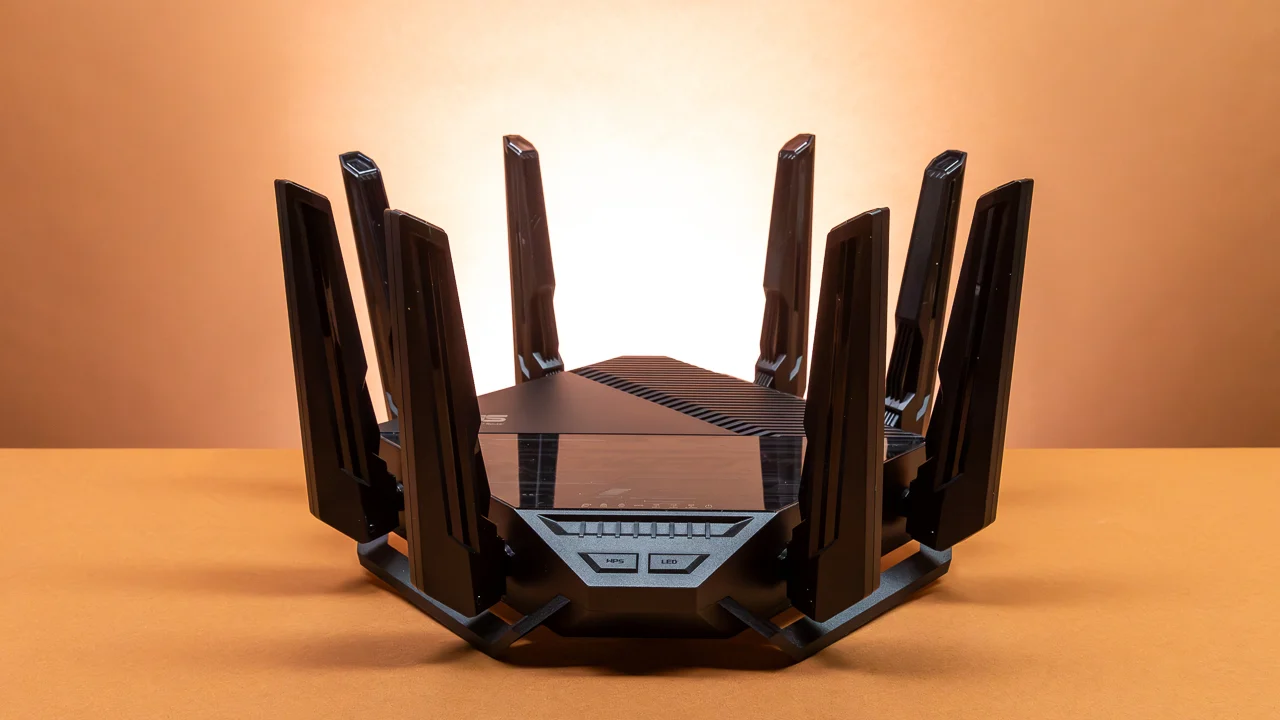

A router can look fast on the box and still leave a bedroom, office, or upstairs hallway struggling with video calls. The real decision is not just the wireless standard. It is how many devices you connect, how much space one unit can cover, and whether your home needs a mesh system instead of another box beside the modem.
The Best home wifi router options here range from compact WiFi 6 models to newer WiFi 7 hardware, plus one three-unit mesh system for homes where a single access point cannot reach every room. We also looked at wired ports, security controls, VPN support, and the practical limits behind each coverage claim.
Our top pick is the TP-Link Archer BE400, with the TP-Link Deco X55 as the better answer for large or multi-story homes. The rest of the list covers simpler small-home routers, multi-gig connections, 6 GHz networking, and dependable WiFi 6 alternatives.
| # | Product | Award | Wireless class | Coverage | Wired connectivity | Best for |
|---|---|---|---|---|---|---|
| 1 | TP-Link Archer BE400 | Best overall | WiFi 7, dual-band, 6.5 Gbps total | Up to 2, 400 sq. ft. | 2.5 Gbps WAN/LAN, 2.5 Gbps LAN, three 1 Gbps LAN | Fast, flexible single-router homes |
| 2 | NETGEAR Nighthawk RS90 | Best simple WiFi 7 | WiFi 7, dual-band, up to 3.6 Gbps | Up to 2, 000 sq. ft. | 2.5 Gbps WAN, four 1 Gbps LAN | Easy Nighthawk setup |
| 3 | NETGEAR Nighthawk RS140 | Best higher-capacity Nighthawk | WiFi 7, dual-band, up to 5.0 Gbps | Up to 2, 250 sq. ft. | 2.5 Gbps WAN, three 1 Gbps LAN | Busy homes with fast devices |
| 4 | TP-Link Archer AX55 | Best WiFi 6 all-rounder | WiFi 6, dual-band, AX3000 | Not specified | Gigabit ports, USB 3.0 | Feature-rich everyday networks |
| 5 | TP-Link Archer AX21 V5 | Best compact WiFi 6 | WiFi 6, dual-band, AX1800 | Not specified | Gigabit wired connectivity | Smaller homes and apartments |
| 6 | TP-Link Deco X55 | Best mesh system | WiFi 6, tri-node AX3000 | Up to 6, 500 sq. ft. | Three Gigabit ports per unit | Large homes and dead zones |
| 7 | TP-Link Archer AXE75 | Best for 6 GHz devices | WiFi 6E, tri-band, AXE5400 | Not specified | 2.5 Gbps WAN | Newer phones, laptops, and gaming |
| 8 | TP-Link Archer AX73 | Best long-range WiFi 6 | WiFi 6, dual-band, AX5400 | Not specified | Gigabit wired connectivity, USB 3.0 | Streaming across a larger floor plan |
| 9 | ASUS RT-AX1800S | Best for subscription-free security | WiFi 6, dual-band | Not specified | One Gigabit WAN, four Gigabit LAN | Families wanting security controls |
| 10 | NETGEAR R6700AX | Best for small homes | WiFi 6, dual-band, up to 1.8 Gbps | Up to 1, 500 sq. ft. | Four Gigabit LAN | Small households and basic streaming |
1. TP-Link Archer BE400: Best Overall

Pros
- WiFi 7 features include MLO, Multi-RUs, and 4K-QAM
- Strong stated coverage for a single dual-band router
- Two 2.5 Gbps ports plus three Gigabit LAN ports
- EasyMesh expansion and useful VPN support
- HomeShield includes network and parental controls
Cons
- No 6 GHz band
- Coverage still depends heavily on walls and floor layout
- Full WiFi 7 benefits require compatible devices
Best for: someone who wants a fast, flexible router that can remain useful as newer devices arrive.
The Archer BE400 is the router we would put at the center of most ordinary homes. It has the newer WiFi 7 feature set without making the setup feel like a specialist project, and its dual-band design keeps it broadly compatible with existing phones, laptops, TVs, and smart-home gear. The useful distinction is that it combines forward-looking wireless features with practical wired hardware, so the router does not become the bottleneck as multi-gig internet becomes more common.
TP-Link quotes up to 5, 764 Mbps on 5 GHz and 688 Mbps on 2.4 GHz, for 6.5 Gbps of total wireless bandwidth. Those figures are shared theoretical capacity, not a promise that one laptop will download at that rate. The meaningful WiFi 7 additions are Multi-Link Operation, Multi-RUs, and 4K-QAM. MLO can use more than one band for a compatible connection, which can improve responsiveness and reliability when the network is busy. Older devices still connect normally, but they will not use every WiFi 7 advantage.
The wired layout is unusually useful at this level. There is one 2.5 Gbps WAN/LAN port, one 2.5 Gbps LAN port, and three 1 Gbps LAN ports. That gives a fast internet connection room to breathe and leaves a multi-gig port for a desktop, network storage device, or other demanding connection. The six high-performance antennas and beamforming are paired with a stated maximum coverage of 2, 400 square feet and support for up to 90 devices. Treat that coverage as an open-layout estimate, especially if the router sits behind dense walls or on one end of a long house.
The BE400 also offers HomeShield protection, parental controls, IoT security, VPN client and server support, and EasyMesh compatibility. It beats the NETGEAR Nighthawk RS90 on wireless capacity and wired flexibility, while the Deco X55 is the better answer when one location cannot cover the house. Its main weakness is the lack of a 6 GHz band, so the Archer AXE75 can provide a cleaner nearby link for compatible WiFi 6E devices. Choose the BE400 if you want one capable router with room to grow, rather than a mesh system or a narrow specialist pick.
2. NETGEAR Nighthawk RS90: Best Simple WiFi 7

Pros
- Straightforward Nighthawk app and browser setup
- WiFi 7 dual-band performance up to 3.6 Gbps
- 2.5 Gbps WAN port for multi-gig internet
- Four Gigabit LAN ports
- WPA3 and automatic firmware updates
Cons
- Separate modem or ISP gateway is required
- The 2.5 Gbps port is WAN only
- Armor protection becomes subscription-based after its trial
Best for: households that want a simple standalone WiFi 7 router with plenty of ordinary wired ports.
The Nighthawk RS90 is a sensible entry point into WiFi 7 if you do not need an elaborate port arrangement. It is a router only, not a modem, so it connects to an existing cable, fiber, DSL, or satellite modem or gateway through Ethernet. That requirement is easy to miss when shopping, but the guided setup through the Nighthawk app or a web browser makes the installation process less intimidating once the modem is ready.
Its dual-band system is rated for up to 3.6 Gbps, with the usual caveat that connected devices, distance, interference, and the internet plan determine actual throughput. A quad-core 2.0 GHz processor is specified for gaming, 4K streaming, video calls, and smart-home traffic. Smart Connect can steer devices toward the more suitable band, while a separate guest network keeps visitors away from the main network.
The back panel is practical rather than ambitious. A 2.5 Gig WAN port accepts the internet connection, and four 1 Gig LAN ports serve wired computers, consoles, TVs, and storage devices. That is more useful for a family room than a design that sacrifices LAN ports for a second multi-gig socket. NETGEAR claims coverage up to 2, 000 square feet in an open layout and support for 50 devices, though a large or multi-story home may need a mesh system.
Compared with the TP-Link Archer BE400, the RS90 has lower stated wireless capacity and fewer high-speed wired options. It is easier to recommend than the smaller NETGEAR R6700AX when WiFi 7 and a 2.5 Gig WAN connection matter, but it cannot create a 6 GHz network like the Archer AXE75. WPA3, a firewall, automatic updates, and a 30-day Armor trial are useful protections. Skip it if you want subscription-free advanced security features or need a second multi-gig LAN port.
3. NETGEAR Nighthawk RS140: Best Higher-Capacity Nighthawk

Pros
- Up to 5.0 Gbps of dual-band wireless capacity
- Coverage claim reaches 2, 250 square feet
- 2.5 Gig WAN port
- Automatic security features enabled out of the box
- App-based management from iOS or Android
Cons
- Only three Gigabit LAN ports
- No 6 GHz band
- Requires a separate modem or ISP gateway
Best for: a busy household that wants more wireless headroom than the RS90 without moving to a mesh system.
The RS140 is the more capable of NETGEAR's two Nighthawk WiFi 7 routers here. Its headline figure is up to 5.0 Gbps across the 2.4 GHz and 5 GHz bands, and the product is designed for streaming, gaming, video calls, and smart-home devices at the same time. That extra wireless capacity matters most when several modern devices are active together, not when a single older phone is sitting near the router.
This is still a dual-band router, so it does not offer the less crowded 6 GHz band found on the TP-Link Archer AXE75. It does support WiFi 6 and earlier devices, which makes it a reasonable bridge between today's mixed hardware and newer WiFi 7 phones or laptops. NETGEAR gives it a coverage estimate of up to 2, 250 square feet in an open layout and identifies it for up to 80 devices. Thick construction, multiple floors, and neighboring networks can reduce those figures sharply.
The wired selection is a little less generous than the RS90. The 2.5 Gig port is the WAN input only, while three 1 Gig Ethernet ports handle wired devices. That is enough for a console, desktop, and television, but the RS90's four LAN ports are more convenient for a crowded media cabinet. Setup runs through the free Nighthawk app or a browser, and some fiber installations may need bridge mode or additional configuration on the ISP gateway.
Security features include Advanced Router Protection, automatic firmware updates, and a 30-day Armor trial. Continuing Armor protection requires a separate subscription, so buyers should distinguish the included router security from the optional service. The RS140 is more appealing than the RS90 when wireless capacity is the priority, while the Archer BE400 wins on port flexibility and WiFi 7 feature breadth. Pick the RS140 for a busy, mostly wireless home. Choose another model if your room has many wired devices or you specifically want 6 GHz.
4. TP-Link Archer AX55: Best WiFi 6 All-Rounder

Pros
- Balanced AX3000 WiFi 6 performance
- OFDMA and MU-MIMO help with busy networks
- EasyMesh compatibility
- USB 3.0 port for storage and media sharing
- VPN client and server support
Cons
- No WiFi 7 or 6 GHz support
- Gigabit-class wired connectivity
- A modem is required for most providers
Best for: most homes that want a full-featured WiFi 6 router without chasing the newest standard.
The Archer AX55 is the dependable middle ground in this group. It lacks the headline appeal of the BE400, but it covers the things many homes actually need: stable dual-band WiFi 6, useful traffic-handling features, EasyMesh expansion, and a USB 3.0 port. The long, flat housing is not especially small, but the four high-gain external antennas and beamforming are built around maintaining a focused connection rather than simply advertising a large number.
Its wireless rating is AX3000, split into up to 2, 402 Mbps on 5 GHz and 574 Mbps on 2.4 GHz. Those figures describe the combined radio capacity, but the practical benefit of WiFi 6 is often efficiency. OFDMA lets multiple clients share a channel more effectively, which can make a network feel less erratic when phones, televisions, cameras, and laptops are active together. MU-MIMO helps the router communicate with several compatible devices rather than treating every request as a separate queue.
The USB 3.0 port adds flexibility that the NETGEAR RS140 does not offer in this list. It can support media sharing and network storage functions, while VPN client and server support gives advanced users more control over remote access. HomeShield includes basic network security, IoT identification, parental controls, quality of service, and periodic reports. A larger heat sink and redesigned case are intended to keep the hardware from throttling under sustained use.
The AX55 is a better feature match than the simpler Archer AX21 V5, and its WiFi 6 capacity is more comfortable for a family network. It cannot match the Archer BE400's multi-gig ports or WiFi 7 features, and the Archer AXE75 is the stronger choice for nearby 6 GHz devices. If your devices are mainly WiFi 5 and WiFi 6 and your internet connection is within Gigabit territory, the AX55 avoids paying attention to specifications that will not change your day-to-day experience. It is also a good starting point if you may add an EasyMesh-compatible unit later.
5. TP-Link Archer AX21 V5: Best Compact WiFi 6

Pros
- Straightforward WiFi 6 performance
- OFDMA supports multiple connected devices
- Four external high-gain antennas
- OpenVPN and PPTP VPN server support
- Relatively light, compact design
Cons
- Lower wireless capacity than the Archer AX55
- No 6 GHz band or multi-gig port
- Separate modem required
Best for: an apartment, small house, or modest household that needs a basic WiFi 6 upgrade.
The Archer AX21 V5 is the uncomplicated pick. It does not try to be a high-capacity hub for dozens of demanding devices, and that restraint makes sense in a smaller home. It is a dual-band WiFi 6 router with four external antennas, beamforming, and an advanced front-end module intended to focus signal toward devices farther away.
The AX1800 rating combines up to 1, 200 Mbps on 5 GHz with up to 574 Mbps on 2.4 GHz. As with every router here, those are theoretical link rates rather than guaranteed internet speeds. WiFi 6 and OFDMA are the more relevant parts for a small network because they help the router handle multiple simultaneous connections efficiently. A couple of streaming devices, phones, laptops, and smart-home products are within the sort of workload this model is designed to serve.
The AX21 supports OpenVPN and PPTP VPN servers, which gives it a useful advantage over very basic entry-level routers. It works with major internet providers, but it is not a modem, so most setups still need a separate modem. TP-Link also emphasizes its Secure-by-Design commitment and recommends keeping firmware current through the Tether app.
Compared with the ASUS RT-AX1800S, the AX21 has a similar wireless class but a more explicitly stated focus on beamforming and VPN server support. The Archer AX55 is the better step up for busier networks, while the NETGEAR R6700AX offers a similar class of WiFi 6 hardware with Nighthawk management. The AX21 is not the router to choose for multi-gig internet, a large house, or a future full of WiFi 7 devices. It fits a small home where clear coverage and simple WiFi 6 are enough.
6. TP-Link Deco X55: Best Mesh System

Pros
- Three units cover up to 6, 500 square feet
- Seamless whole-home roaming
- Three Gigabit ports on each unit
- Supports Ethernet backhaul
- Handles up to 150 devices
Cons
- A three-unit system needs more placement planning
- WiFi 6 rather than WiFi 7
- Mesh performance changes with wireless backhaul conditions
Best for: large, multi-story, or awkwardly shaped homes with dead zones that one router cannot solve.
The Deco X55 is the clear alternative to buying a more powerful single router and hoping it reaches every corner. This three-unit system spreads access points through the home, allowing phones and laptops to move between them without manually changing networks. That approach is more useful than a bigger wireless number when the problem is a staircase, thick interior wall, or a distant office.
TP-Link rates the three-pack for up to 6, 500 square feet and up to 150 devices. Its AX3000 WiFi 6 system uses up to 2, 402 Mbps on 5 GHz and 574 Mbps on 2.4 GHz. Those figures are shared wireless capacity across the mesh, and the actual result depends on where each unit sits. The central unit should be connected to the modem, while the other two need enough signal to communicate back. Placing a satellite at the very edge of an existing dead zone usually produces a weak mesh.
Each Deco has three Gigabit Ethernet ports, and the system supports wired Ethernet backhaul. That is a major advantage in a home with Ethernet cabling because satellites can communicate through the cable instead of using wireless capacity for the backhaul. The Deco app provides visual setup and management, while AI-driven mesh features learn the network environment to guide the system's behavior. HomeShield includes basic network security, quality of service, and parental controls.
The Deco X55 beats every single-unit router here for broad coverage, but it is not automatically faster in the room beside the main unit. The Archer BE400 has newer WiFi 7 features and more useful multi-gig ports, while the Deco X55 wins when consistency across a large floor plan matters more. For a practical look at the difference between adding nodes and simply changing the central router, how a mesh system handles weak signals across several rooms is useful context. Choose the X55 if dead zones are the problem. Skip it if your home is small and one well-placed router already reaches everywhere.
7. TP-Link Archer AXE75: Best for 6 GHz Devices

Pros
- Dedicated 6 GHz band
- Tri-band AXE5400 capacity
- 2.5 Gbps WAN port
- 160 MHz channel support
- VPN client, VPN server, and WPA3 security
Cons
- 6 GHz range is more limited through walls
- Older devices cannot use the 6 GHz band
- No coverage estimate is specified
Best for: homes with recent WiFi 6E phones, laptops, or other compatible devices used close to the router.
The Archer AXE75 is the specialist pick for a home that can take advantage of 6 GHz. Unlike the dual-band routers above, it adds a third wireless band, creating more room for compatible devices and reducing the need to squeeze every connection onto 5 GHz. That can make nearby gaming, video calls, and large transfers feel more responsive, especially when the older bands are crowded.
Its AXE5400 rating is divided across 2, 402 Mbps on 6 GHz, 2, 402 Mbps on 5 GHz, and 574 Mbps on 2.4 GHz. The 6 GHz band is the headline feature, but it has an important limitation: higher-frequency signals generally do not travel through walls as effectively as 2.4 GHz signals. The AXE75 is therefore at its most convincing when the router and compatible device are in the same room or separated by a relatively open path.
A 2.5 Gbps WAN port gives the router a faster connection to a suitable modem, and 160 MHz channel support can help compatible devices achieve wide, fast links. TP-Link specifies a 1.0 GHz dual-core processor and 512 MB of memory, along with a housing designed for heat dissipation. EasyMesh compatibility can extend coverage, and the router supports OpenVPN, PPTP, and L2TP for VPN client and server functions.
The AXE75 has a better wireless layout than the Archer BE400 for a household with several 6 GHz clients, but the BE400 has WiFi 7 features such as MLO and a stronger multi-gig LAN arrangement. The Deco X55 remains better for whole-home coverage. The 6 GHz band should not be treated as a magic long-range upgrade, so buyers with older devices or distant rooms may prefer the AX55 or Archer AX73. Pick this router when the devices you own can use 6 GHz and the router will sit near the most demanding ones.
8. TP-Link Archer AX73: Best Long-Range WiFi 6

Pros
- AX5400 dual-band capacity
- Six antennas with beamforming
- 4T4R and HE160 support on 5 GHz
- USB 3.0 media and storage sharing
- OFDMA and MU-MIMO for busy networks
Cons
- No 6 GHz or WiFi 7
- No multi-gig WAN port
- A single router may not solve multi-story dead zones
Best for: a larger single-floor home that wants strong WiFi 6 coverage and USB sharing.
The Archer AX73 is built around broad dual-band performance rather than the newest wireless generation. Its six antennas, high-power front-end module, beamforming, and 4T4R structure are all aimed at keeping connections stable as devices move farther from the router. That makes it a natural fit for a larger single-floor layout where a mesh system feels unnecessary but a small router may run out of reach.
TP-Link lists up to 4.8 Gbps on 5 GHz and up to 574 Mbps on 2.4 GHz, for an AX5400 class rating. The 5 GHz radio also supports HE160, which can provide wider channels for compatible clients. OFDMA and MU-MIMO help the router manage simultaneous traffic, so the benefit is not limited to one fast laptop. Several phones, streaming boxes, and smart-home devices can share the network more efficiently.
The USB 3.0 port is a welcome practical feature. It supports media sharing and private cloud storage, turning a compatible attached drive into a simple network resource. HomeShield supplies basic security scanning, IoT identification, parental controls, quality of service, and reports. The case includes more ventilation to help the hardware sustain its performance, though placement in a cramped cabinet is still a poor idea for any router.
The AX73 has more stated dual-band capacity than the AX55 and a stronger antenna arrangement, while the Archer AXE75 adds the separate 6 GHz band and the BE400 adds WiFi 7. It also lacks the BE400's 2.5 Gbps WAN and LAN options. For a home filled with WiFi 5 and WiFi 6 devices, the AX73 remains a sensible single-router choice. Choose the Deco X55 instead if the signal must travel between floors or around several heavy walls.
9. ASUS RT-AX1800S: Best for Subscription-Free Security

Pros
- AiProtection Classic security from Trend Micro
- Subscription-free network security features
- AiMesh compatibility
- Built-in VPN and Instant Guard
- Four Gigabit LAN ports
Cons
- AX1800 capacity is modest
- No USB port or multi-gig wired port
- No 6 GHz band
Best for: families that want built-in security and parental controls without making a paid security service central to the router.
The RT-AX1800S stands out less for raw wireless capacity than for what ASUS includes around the network. AiProtection Classic, powered by Trend Micro, is designed to protect the home network, while parental controls give families a way to manage connected devices. ASUS also includes Instant Guard, a one-click secure VPN option for accessing the home connection away from home.
Wireless performance is rated as WiFi 6 with support for MU-MIMO, OFDMA, and 1024-QAM. The product data identifies four external antennas and a dual-core processor with four VPEs. These features help the router distribute traffic among multiple devices, but the AX1800 class places it below the Archer AX55, AX73, and the newer WiFi 7 models for total capacity. It is better suited to a modest household than a home with many simultaneous high-bandwidth transfers.
The wired arrangement is clear: one Gigabit WAN port and four Gigabit LAN ports. That gives plenty of room for a desktop, television, console, and other fixed devices, but there is no 2.5 Gbps port for a faster internet service. AiMesh compatibility provides a route to broader coverage with compatible ASUS hardware, although adding nodes changes the shape and cost of the network and should not be confused with the three-node design of the Deco X55.
The RT-AX1800S is a more security-focused alternative to the TP-Link Archer AX21 V5, while the AX55 offers more wireless headroom and USB 3.0. Its stated throughput and coverage will vary with walls, construction, traffic, and network overhead, so it is not the model to buy for an especially large house. Choose ASUS when security controls and remote VPN access matter more than the biggest wireless number.
10. NETGEAR R6700AX: Best for Small Homes

Pros
- Simple WiFi 6 dual-band design
- Four Gigabit LAN ports
- Nighthawk app or browser setup
- WPA3 and automatic updates included
- Supports up to 20 connected devices
Cons
- Coverage is limited to a stated 1, 500 square feet
- No multi-gig port
- Armor protection after its trial requires a subscription
Best for: a small home with a limited number of connected devices and ordinary broadband service.
The R6700AX is the straightforward small-home router in this group. It uses dual-band WiFi 6 and is designed for up to 20 connected devices, which is a more modest target than the Deco X55 or the higher-capacity WiFi 7 models. For a small household with a few phones, a television, laptops, and occasional video calls, that can be exactly the right level of hardware.
Its AX1800 wireless rating reaches up to 1.8 Gbps across the 2.4 GHz and 5 GHz bands. NETGEAR says it is backward compatible with WiFi 6 and earlier devices, and the Nighthawk app provides guided setup. A browser can be used instead, so managing the router does not depend entirely on the app. The router connects to an existing modem or ISP gateway through Ethernet and has no coax input.
The stated coverage is up to 1, 500 square feet in an open layout. Four Gigabit LAN ports connect wired computers, consoles, streaming players, and storage drives, while the separate WAN port connects to the modem. WPA3 encryption and automatic firmware updates are included. NETGEAR Armor is available as a 30-day trial, with a paid subscription required afterward for continued service.
The R6700AX is a simpler alternative to the TP-Link Archer AX21 V5, with similar WiFi 6 positioning and an approachable app-based setup. The ASUS RT-AX1800S is more compelling for buyers prioritizing included security tools, and the NETGEAR RS90 makes more sense when a 2.5 Gig WAN port or WiFi 7 is important. Choose the R6700AX for a compact, uncomplicated network. Do not use it as a shortcut for a large or multi-story home, where a mesh arrangement will usually address the real problem better.
How to choose best home wifi router
The right router depends on the shape of your home and the devices you actually use, not just the largest wireless number on the box.
Wireless standard
WiFi 6 remains a strong fit for homes with a mix of current and older devices. WiFi 6E adds a 6 GHz band, while WiFi 7 adds features such as Multi-Link Operation and 4K-QAM. Newer standards matter most when your phones, laptops, and other clients support them. A WiFi 7 router cannot make an older device use WiFi 7.
Band layout
Dual-band routers use 2.4 GHz and 5 GHz. The 2.4 GHz band travels farther and handles obstacles better, while 5 GHz generally provides faster nearby connections. Tri-band models add either another 5 GHz band or 6 GHz. The Archer AXE75's 6 GHz band can reduce congestion, but its shorter reach makes router placement more important.
A fast 6 GHz connection in the wrong room is less useful than a stable 5 GHz connection where you work.
Coverage and mesh design
Coverage claims usually describe an open layout. Walls, floors, appliances, and neighboring networks reduce real reach. A strong single router such as the Archer BE400 or Archer AX73 suits a relatively open home, but the Deco X55 is better when the signal must travel around corners or between floors. Mesh nodes should be placed where they still receive a good signal from the main unit, not inside the dead zone.
Wired ports
Check both the number and speed of the ports. A 2.5 Gbps WAN port is useful only when your modem or gateway and internet service can use it. A 2.5 Gbps LAN port also helps a compatible desktop or storage device transfer faster within the network. Four Gigabit LAN ports, as found on the RS90 and R6700AX, may be more useful than one fast port if several fixed devices sit together.
Security and management
Look for WPA3, automatic firmware updates, guest networking, and controls for connected devices. HomeShield, AiProtection Classic, VPN clients, VPN servers, and parental controls vary by model. Some enhanced services are trial-based or require a separate subscription, so check what remains available after the trial. For families, which router controls help manage a crowded home network is a more useful question than simply chasing a higher wireless class.

Frequently asked questions
Do I need a modem with these routers?
Yes, most of these products are standalone routers rather than modem-router combinations. The NETGEAR models specifically require an existing modem or ISP gateway with an Ethernet port. Fiber installations may also require bridge mode or other configuration on the provider's equipment.
Is WiFi 7 worth choosing for a home network?
WiFi 7 is most useful when you have compatible newer devices and want features such as Multi-Link Operation, Multi-RUs, and 4K-QAM. Older WiFi 6 and earlier devices still connect, but they will not gain every WiFi 7 benefit. The TP-Link Archer BE400 is the most balanced WiFi 7 pick here, while the Nighthawk RS90 is a simpler alternative.
Is WiFi 6E better than WiFi 7?
Neither is automatically better for every home. WiFi 6E provides a dedicated 6 GHz band, which can be useful for compatible devices near the router. WiFi 7 adds newer connection features, but the benefit depends on client support and network conditions.
Should I buy a mesh system or a single router?
Choose a mesh system when one router cannot cover the entire home because of distance, floors, or heavy walls. A single router is simpler and can be faster near the main unit. The Deco X55 is the mesh choice in this roundup, while the Archer BE400 and Archer AX73 are stronger single-router options.
Can I use one of these routers with fiber internet?
Most can work with fiber when the fiber provider supplies an ONT or gateway with an Ethernet output. The router itself does not accept a fiber line directly. Some providers require bridge mode, VLAN settings, or other configuration, so check the ISP's requirements before replacing its equipment.
Will a faster router improve slow internet service?
A router cannot increase the speed supplied by your internet service. It can improve wireless efficiency, coverage, local network transfers, and the way multiple devices share the connection. A 2.5 Gbps port is useful only when the rest of the wired setup supports that speed.
Can these routers support a VPN?
Several can. The Archer BE400, Archer AX55, Archer AX21 V5, and Archer AXE75 support VPN client or server functions, while the ASUS RT-AX1800S includes Instant Guard for a secure VPN connection away from home. The exact protocols and setup process differ by model.
The bottom line
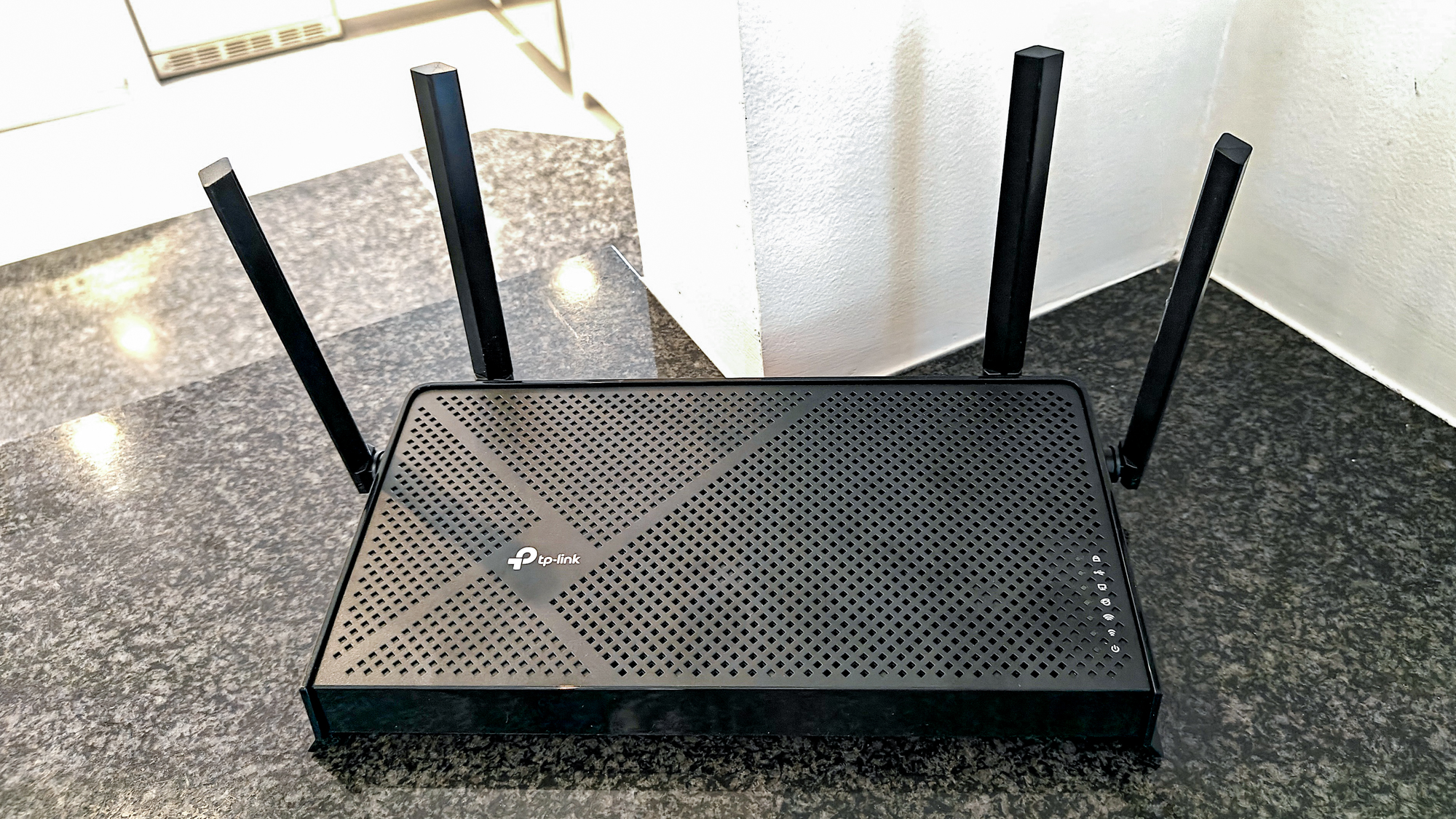
The Best home wifi router for most people is the TP-Link Archer BE400. Its WiFi 7 features, two 2.5 Gbps ports, EasyMesh support, HomeShield controls, and broad stated coverage make it the most complete single-router option here. The TP-Link Deco X55 is the better pick when the home has persistent dead zones or multiple floors, because three coordinated units solve a coverage problem that a faster central router cannot always fix.
The NETGEAR Nighthawk RS90 is a clean choice for simple WiFi 7 setup, while the TP-Link Archer AXE75 makes more sense for households with several nearby 6 GHz devices. For smaller homes, the Archer AX21 V5, ASUS RT-AX1800S, and NETGEAR R6700AX keep things simpler without unnecessary high-capacity hardware.
If you are undecided, choose the Archer BE400 for one router or the Deco X55 when the trouble is reaching every room.
As an Amazon Associate we earn from qualifying purchases.