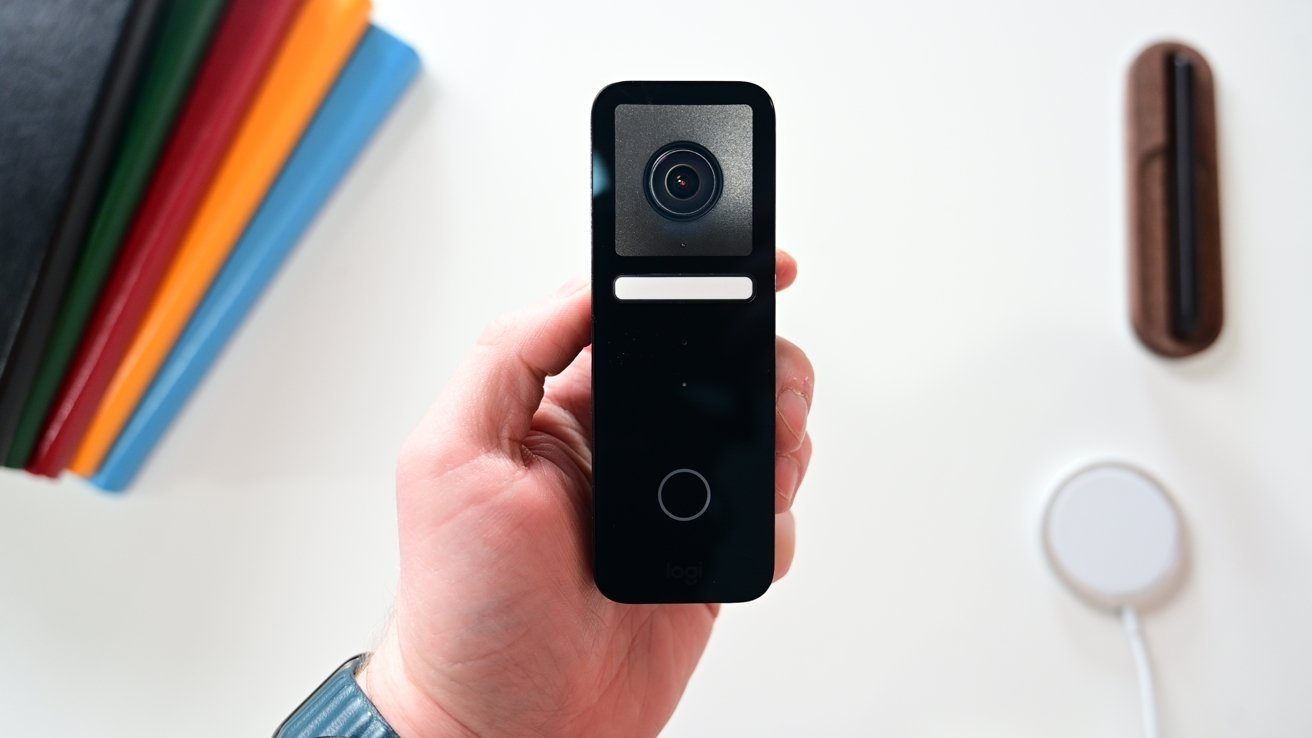

A doorbell camera has one job that many smart cameras handle badly: show you the person at the door, the package on the ground, and the space between them. Apple households also need reliable HomeKit notifications, a compatible home hub, and a storage plan that does not turn every useful feature into a separate decision.
The Best homekit doorbell options here range from wired 2K models with local detection to a battery-capable doorbell and a simple peephole monitor. Some are thoroughly integrated with Apple Home, while others make more sense if you also use Aqara or want a screen inside the home.
Aqara Doorbell Camera G400 is our top pick, with the G410 models, Logitech, Wemo, Aqara G4, and visiPower covering the main wired, local-storage, and peephole alternatives.
Comparison table
| # | Product | Award | Video | Field of view | Power | Best for |
|---|---|---|---|---|---|---|
| 1 | Aqara Doorbell Camera G400 | Best overall | 2K, limited to 1200p in HomeKit | 165°, 3:4 | PoE or 8 to 24V AC/DC | HomeKit users wanting flexible installation |
| 2 | Aqara G410 Black | Best smart-home hub | 2K, 1600×1200 in HomeKit | Wide angle | Wired power | Aqara households and local automation |
| 3 | Aqara G410 Gray | Best for private detection | 2K, 1600×1200 in HomeKit | Wide angle | Wired power | Face recognition and quieter alerts |
| 4 | Wemo Smart Video Doorbell | Best wide-angle view | HD with HDR | 223° diagonal | 16 to 24V AC | Existing wired doorbell systems |
| 5 | Logitech Circle View Doorbell | Best HomeKit-only option | TrueView HD with HDR | 160° | Wired installation | Apple-only homes |
| 6 | Aqara Video Doorbell G4 | Best battery flexibility | 1080p Full HD | 160° | Six AA batteries or 12 to 24V AC, 8 to 24V DC | Homes without convenient doorbell wiring |
| 7 | visiPower Peephole Doorbell | Best peephole monitor | 2MP | 160° | Three AA batteries, USB, or mobile power | Doors that need a self-contained viewer |
1. Aqara Doorbell Camera G400: Best Overall
Pros
- PoE and low-voltage wiring support
- 2K video with a useful vertical perspective
- Local person recognition and intrusion zones
- MicroSD, NAS, and continuous recording options
- Includes an indoor plug-in chime
Cons
- HomeKit resolution is limited to 1200p
- Requires an iCloud+ plan and Apple home hub for HomeKit Secure Video
- Wired installation is required
Best for: Apple households that want strong video coverage and several ways to install and store footage.
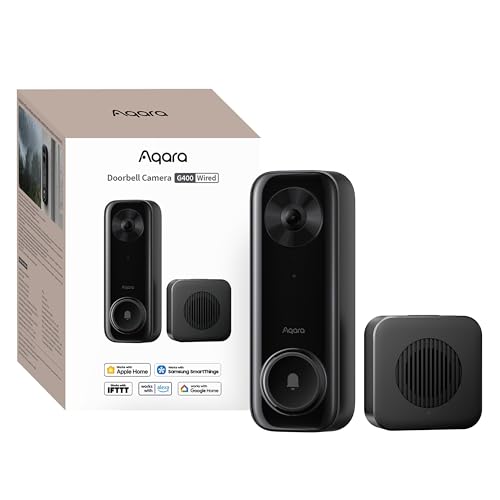
The G400 is the doorbell we would start with when the installation details are still undecided. It can use PoE or existing 8 to 24V AC/DC wiring, so it fits both a networked home project and a conventional doorbell replacement. That flexibility matters more than it sounds. PoE provides power and network connectivity through one cable, while low-voltage support can let you reuse wiring already in the wall.
Its 2K sensor and 165-degree field of view are aimed at the problem of seeing too much wall and not enough doorstep. The 3:4 aspect ratio gives the frame more height than a typical widescreen view, helping place a visitor and a package in the same image. HomeKit Secure Video limits the resolution to 1200p, so Apple users will not see the full 2K output inside Home. That is still a useful picture, but the limitation should be clear before installation.
The G400 also has a more serious local-storage setup than most of the list. It supports continuous recording to a microSD card up to 512GB, with footage that can be backed up to an SMB-compatible NAS. Local person recognition and zone intrusion detection can reduce the number of irrelevant alerts without sending every detection to a cloud service. The included plug-in chime gives the doorbell a conventional indoor alert, while custom quick replies and a voice-changing intercom add practical privacy controls.
Compared with Aqara G410 Black, the G400 gives up the G410's built-in Zigbee and Matter hub, but it gains PoE support and a more explicit NAS-oriented recording setup. Logitech Circle View Doorbell is a cleaner fit for a strictly Apple household, while the G400 is much more versatile for people who want Aqara, RTSP, ONVIF, or broader network options. Readers comparing a doorbell with wider property coverage can also consider how a broader security camera setup handles outdoor areas.
The main weakness is the HomeKit resolution ceiling. The camera's headline 2K capability is not the same as the resolution Apple will use, and the wired-only design rules it out for a door with no suitable power. It also asks more of the installer than the simpler G4. Skip it if you want a battery-powered product or a plug-and-play Apple-only setup.
For homeowners who want to choose between PoE, existing wiring, local recording, and multiple smart-home platforms, the G400 is the most complete Best homekit doorbell pick in this group.
2. Aqara G410 Black: Best Smart-Home Hub

Pros
- Built-in Zigbee and Matter hub
- mmWave radar for presence detection
- Local face recognition
- 2K video and dual-band Wi-Fi
- Indoor chime supports microSD storage
Cons
- HomeKit limits video to 1600×1200
- Some smart extras require the Aqara Home app
- Wired power is required
Best for: Aqara users who want their doorbell to act as a central smart-home controller.
The G410 Black is less a simple doorbell than a front-door controller for an Aqara home. Its built-in Zigbee and Matter hub lets the camera connect to supported sensors, lights, and locks without requiring another Aqara hub. That can simplify a growing installation, especially when the doorbell is already positioned where it can communicate with nearby devices.
The camera records in 2K, although HomeKit Secure Video uses a 1600×1200 limit. That resolution is well suited to a portrait-oriented doorstep view, and the 2K source gives the Aqara app more room to preserve detail. Dual-band Wi-Fi supports both 2.4GHz and 5GHz connections, with WPA3 security. The included chime reaches 95dB, which should make it easier to hear a ring from another room than a phone notification alone.
Motion detection is the G410's most interesting hardware feature. Its mmWave radar is designed to detect human presence more accurately than a conventional PIR sensor, helping reduce alerts from pets, wind, and shadows. Sensitivity can be adjusted, so the doorbell is not locked into one alert behavior. Local face recognition can also trigger different actions for known people, with face data stored locally rather than uploaded to the cloud.
The G410's privacy controls extend to local microSD storage in the indoor chime, supporting cards up to 512GB. That placement keeps the card away from someone standing at the door. Custom audio, voice changing, and privacy masking are available through Aqara Home, but those features are not all part of the Apple Home experience. If you are mainly interested in Apple notifications and video, the Logitech Circle View Doorbell is more focused. If you want broader device control, the G410 is the stronger choice. The wider smart-home context is covered in the devices that can make a security setup respond automatically.
There are two caveats. You need wired power, and the most distinctive software features depend on Aqara Home rather than HomeKit alone. A household that does not plan to use Aqara's ecosystem will not get the full benefit of the built-in hub. The G410 also lacks the G400's stated PoE option.
Choose the G410 Black when the doorbell is meant to become part of a larger Aqara installation, not merely a camera that appears in the Apple Home app. Its radar, local face recognition, Matter support, and indoor storage make it the most capable smart-home pick here.
3. Aqara G410 Gray: Best for Private Detection

Pros
- Local face recognition
- mmWave presence detection
- Zigbee and Matter hub built in
- 95dB indoor chime
- Local microSD storage in the chime
Cons
- HomeKit video is limited to 1600×1200
- Aqara Home is needed for some features
- Requires wired power
Best for: households that want private person detection and Aqara automation around the front door.
The G410 Gray is functionally the same doorbell as the black version, so the decision between them is straightforward: choose the finish that suits the entrance. Its more important distinction from other products is the combination of local intelligence and a built-in smart-home hub. You get the same 2K camera, dual-band Wi-Fi, WPA3 support, and 95dB chime as the G410 Black.
The mmWave radar gives this model a better foundation for useful motion alerts than a basic motion sensor. It is designed to identify human presence while being less reactive to pets, moving shadows, and wind. That does not make it immune to poor positioning or an overly sensitive configuration, but the adjustable detection setting gives you room to tune it for a porch, walkway, or shared approach.
Privacy is the G410 Gray's strongest argument. Local face recognition stores face data on the device, allowing known visitors to trigger custom actions without sending that information to the cloud. Local microSD storage is located in the indoor chime and supports cards up to 512GB. That is a sensible physical arrangement because someone outside cannot simply remove the card from the camera.
In Apple Home, the video is limited to 1600×1200 despite the 2K camera specification. That is still more detailed than the 1080p Aqara Video Doorbell G4, but the G4 offers battery operation that the G410 does not. The Aqara Doorbell Camera G400 is the better fit for PoE or NAS plans, while this G410 makes more sense when local recognition, Matter, and Zigbee are the priority.
The main limitation is ecosystem dependence. Custom sounds, voice changing, and privacy masking are Aqara Home features, and a buyer who only uses Apple Home will not get the same depth of control. Installation also requires wired power. Before choosing, it helps to understand which local and cloud storage choices change how a security system works.
The G410 Gray is a strong choice for a privacy-conscious Aqara household, especially one that wants the doorbell to trigger lights, sensors, or locks. It is not the right pick for a battery installation or an Apple-only home that has no interest in Aqara automation.
4. Wemo Smart Video Doorbell: Best Wide-Angle View

Pros
- 223-degree diagonal field of view
- HDR video
- Dual-band Wi-Fi
- Infrared low-light video
- HomeKit motion history
Cons
- Works only with a wired 16 to 24V AC system
- Older HD platform than the newer Aqara models
- No stated local microSD storage
Best for: replacing a compatible wired doorbell when seeing the surrounding approach matters most.
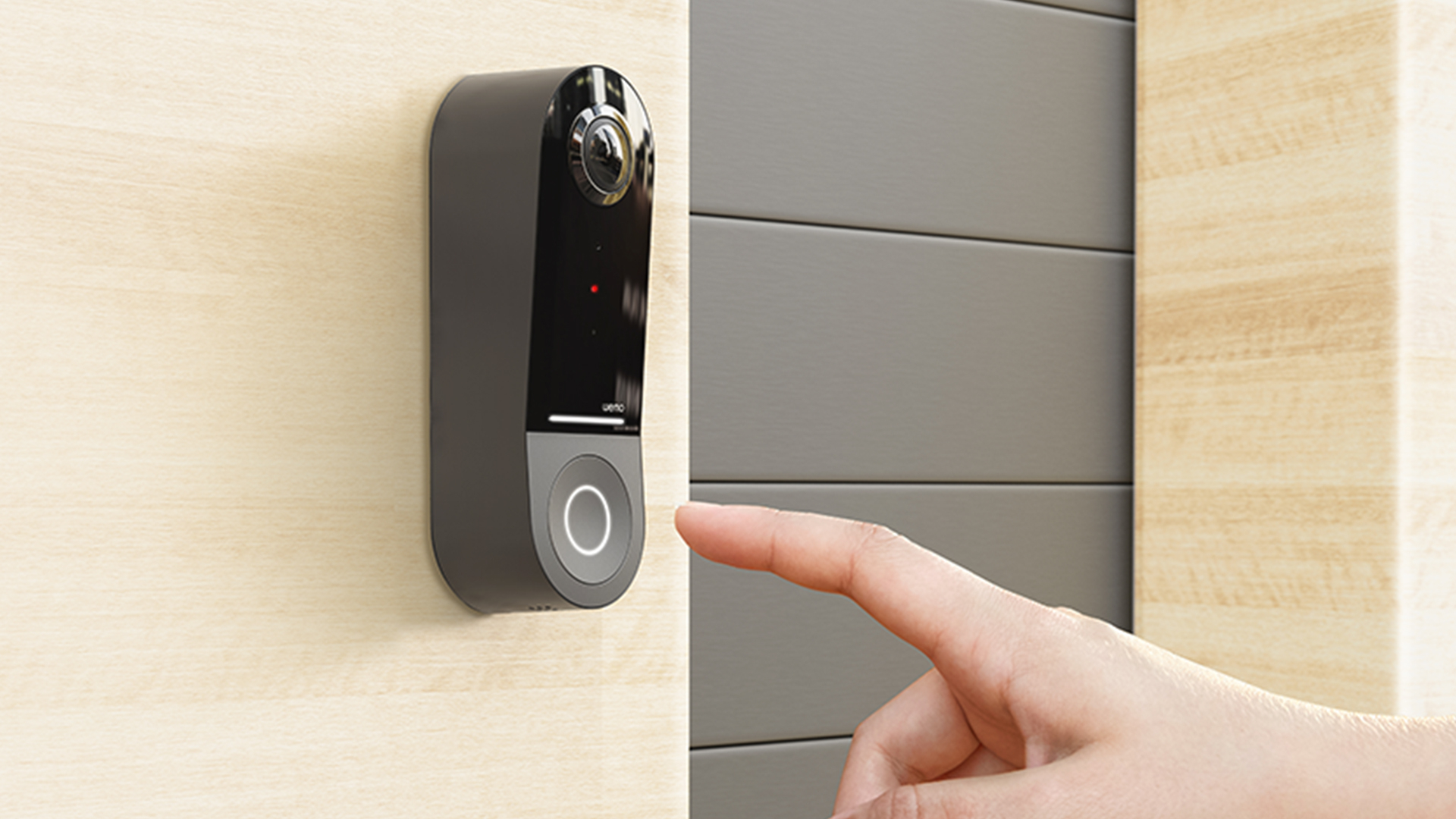
The Wemo Smart Video Doorbell has one immediately useful trait: an unusually broad view. Its field of view is listed as 178 degrees vertical, 140 degrees horizontal, and 223 degrees diagonal. That coverage can be valuable beside a narrow porch or on a doorway where visitors do not stand directly in front of the camera. It is less about maximum resolution and more about reducing blind spots around the frame.
The camera provides HD video with HDR and infrared support for low-light viewing. HDR can help balance a bright exterior with a shaded porch, while infrared keeps the image usable after dark. Dual-band Wi-Fi gives you a choice between the longer-range 2.4GHz band and the faster 5GHz band when the doorbell is close enough to the router. HomeKit Secure Video can store a 10-day motion-based recording history through an existing iCloud storage plan.
This is a notably narrower hardware proposition than the Aqara models. The Wemo must connect to a wired 16 to 24V AC doorbell system, so it is not a candidate for battery operation or PoE. It also does not list a microSD or NAS recording option. For a straightforward HomeKit setup that already has compatible wiring, that simplicity can be a benefit. For a new installation, the power requirement deserves attention before anything else.
Compared with Logitech Circle View Doorbell, Wemo offers a wider listed field of view, while Logitech counters with TrueView HD, head-to-toe framing, color night vision, and HDR. The Aqara Doorbell Camera G400 is more advanced for local detection and storage, but the Wemo's broad 223-degree diagonal view can be the better match for a doorway with activity to either side. It also avoids the Aqara-specific hub ecosystem.
The weaknesses are clear. This is an older HD design, and its wired requirement is strict. Buyers wanting person recognition, local storage, or a more modern smart-home controller should look at the G410 models instead. Buyers who want a camera that works without existing doorbell power should skip it entirely.
For an existing 16 to 24V AC installation with a wide approach, the Wemo remains a sensible Best homekit doorbell alternative. Its appeal comes from coverage and familiar HomeKit recording rather than a long list of newer automation features.
5. Logitech Circle View Doorbell: Best HomeKit-Only Option

Pros
- Designed exclusively for Apple HomeKit
- TrueView HD head-to-toe video
- HDR and color night vision
- Face recognition and activity zones
- Two-way audio
Cons
- Requires electrical wiring for installation
- Requires iCloud+ and an Apple home hub
- Renewed product listing
Best for: Apple households that want a focused HomeKit doorbell without a second smart-home platform.
The Logitech Circle View Doorbell is built around a simple idea: make the front door part of Apple Home and leave the rest of the ecosystem out. It supports HomeKit Secure Video, facial recognition, activity zones, notifications, two-way audio, and end-to-end encryption through Apple's platform. For a household already committed to HomeKit, that focused approach can feel cleaner than managing a separate manufacturer app.
Its TrueView HD camera uses a 160-degree field of view and a head-to-toe perspective. That framing is intended to show both a visitor's face and activity near the doorstep, including the lower area where deliveries are commonly placed. HDR helps with difficult contrast, while color night vision is specified to work up to six feet. Those features make the Logitech more interesting than a generic HD camera, even though the newer Aqara models offer higher source resolutions.
Installation is not casual. The listing calls for electrical wiring and says power tools and electrical test equipment may be required. It is designed to replace an existing wired doorbell and work with an existing indoor chime, but compatibility should be checked before installation. HomeKit Secure Video also requires an iCloud+ plan and a home hub, so the Apple infrastructure is part of the setup rather than an optional extra.
The Logitech is a better fit than the Wemo Smart Video Doorbell for someone who values head-to-toe framing and color night vision, while Wemo has the wider 223-degree diagonal view. Aqara G410 Black offers more non-Apple flexibility, including Matter and Zigbee, but Logitech keeps the feature set centered on HomeKit. It is also the clearest choice for readers who do not want Aqara automation or a separate smart-home control layer.
The main concern is the listing's renewed condition. That does not change the product's stated capabilities, but buyers should be comfortable with a renewed unit and should verify the condition and installation compatibility before committing. The doorbell is also a poor fit for homes without existing wiring or anyone hoping for a battery option.
The Logitech Circle View Doorbell is the specialist pick. If every important device in your home lives in Apple Home and you want a doorbell that follows that same logic, its restrained ecosystem and strong framing are compelling.
6. Aqara Video Doorbell G4: Best Battery Flexibility

Pros
- Battery or wired operation
- HomeKit Secure Video support
- Local face recognition
- 95dB chime repeater included
- Local, cloud, and NAS storage options
Cons
- Requires 2.4GHz Wi-Fi
- Does not support 5GHz Wi-Fi
- Continuous recording requires wired power and a microSD card
Best for: homes that need the option to start on batteries or use existing low-voltage wiring.
The G4 earns its place by solving the installation problem that eliminates many wired doorbells. Its main module can run from six AA 1.5V batteries, with batteries included, or connect to existing doorbell wiring. It supports 12 to 24V AC and 8 to 24V DC. That makes it a practical choice for a rental-friendly setup or a porch where pulling new cable would be disproportionate to the project.
The camera records 1080p Full HD and uses a 160-degree field of view. That is a step below the 2K source resolution of the G400 and G410, but it remains a familiar resolution for identifying visitors and monitoring the immediate entry area. HomeKit Secure Video support brings Apple notifications and recording, while local face recognition can identify known people and support automations. The product also supports Alexa, Google Assistant, and IFTTT.
Aqara includes a chime repeater with a 95dB speaker. It works as an indoor alert and can also support other Aqara events, such as a siren response to a break-in, vibration, or water leak. Two-way audio, custom ringtones, and a voice changer give it more personality than a basic battery doorbell. The G4 also supports event-based cloud storage for up to seven days, microSD cards up to 512GB in the chime, and local NAS storage through SMB.
The storage detail matters because continuous recording is not available in every configuration. The G4 requires wired power and an inserted microSD card for 24/7 recording. In battery mode, it is better understood as an event-focused doorbell. The camera also requires 2.4GHz Wi-Fi and does not support 5GHz, unlike the G400 and G410. That may improve compatibility at longer range, but it can be limiting in a crowded wireless environment.
Compared with Aqara Doorbell Camera G400, the G4 offers far more installation flexibility but gives up 2K video, PoE, and the G400's broader connectivity options. Wemo Smart Video Doorbell has a wider field of view, but it cannot run from batteries. For readers planning a broader self-installed setup, the wiring and placement decisions that shape a DIY security installation are worth considering before choosing the power method.
The G4 is the right Aqara when wiring is uncertain. It is not the sharpest camera here, and its Wi-Fi limitation deserves a check against your network, but the battery option makes it far easier to install in the real world.
7. visiPower Peephole Doorbell: Best Peephole Monitor

Pros
- Built-in 3-inch indoor screen
- 160-degree viewing angle
- 2MP camera
- Night vision and PIR motion detection
- USB and mobile power support
Cons
- Does not provide the same HomeKit Secure Video integration as the Aqara, Wemo, and Logitech models
- Batteries are not included
- Peephole design is less flexible than a standard video doorbell
Best for: a door viewer that lets someone inside see the visitor without relying on a phone.
The visiPower is the outlier in this group. It is best understood as a peephole video intercom with an indoor screen, not as a full Apple smart-home camera. The indoor unit has a 3-inch HD display, and the camera provides a 160-degree view with night vision. That makes it useful for a household where the immediate question is simply, "Who is outside?" without opening a phone or waiting for a cloud notification.
Its 2MP camera is paired with PIR motion detection, automatic standby, and several operating modes, including At Home, Leave Home, and No Disturb. The listing also specifies a zinc alloy tamper design for the peephole lens. Three AA batteries are required for the indoor machine, and those batteries are not included. USB and mobile power are also supported, which gives the screen more flexibility than a purely battery-powered viewer.
The device includes a doorbell and two-way intercom functions, along with date and time display and energy-saving behavior. Its local screen can be a real advantage for older family members or anyone who does not routinely use a smart-home app. It also avoids the need to place a phone, tablet, or smart display near the entrance.
The trade-off is its limited relationship with Apple Home. The title mentions HomeKit, but the supplied product details do not describe HomeKit Secure Video recording, iCloud storage, Apple notifications, or an Apple home hub requirement. That makes it difficult to compare directly with Aqara Video Doorbell G4 or Logitech Circle View Doorbell as an Apple-integrated camera. Those models are much better choices if the goal is to review events remotely in HomeKit.
The peephole format also means installation depends on the door and existing viewer opening. It is not the right product for someone seeking local network recording, face recognition, or integration with smart locks and lights. Buyers who want a conventional camera mounted beside the door should look elsewhere.
Choose the visiPower when the built-in indoor screen is the feature that matters most. It is a focused door viewer, not the broadest interpretation of the Best homekit doorbell category.
How to choose best homekit doorbell
The right doorbell depends on how much of the experience you want Apple Home to manage and how much hardware flexibility your entrance allows.
HomeKit Secure Video support
HomeKit Secure Video can provide encrypted recording, notifications, and access through Apple devices, but compatible hardware still needs an Apple home hub and an iCloud+ plan for the relevant recording functions. The Aqara G400, G410 models, G4, Wemo, and Logitech all describe HomeKit Secure Video support. The visiPower listing does not provide the same level of Apple recording detail, so do not assume that a HomeKit mention means identical functionality.
Video framing and resolution
A taller frame can show a face and a package at the same time, while a wide field of view is more useful for porches with activity to either side. The G400 uses 2K video, a 3:4 aspect ratio, and a 165-degree view, though HomeKit limits it to 1200p. The G410 models provide 2K video with a 1600×1200 HomeKit limit. Wemo has the broadest listed view at 223 degrees diagonally, while the G4 and Logitech focus on 160-degree coverage with different framing and night-vision approaches.
A doorbell that sees the whole porch is usually more useful than one with a sharper view of only the visitor's face.
Power and installation
Check the doorbell transformer and wiring before choosing a wired model. Wemo requires a wired 16 to 24V AC system, Logitech requires electrical wiring, and the G400 supports PoE or 8 to 24V AC/DC. The G4 is the flexible option because it can use six AA batteries or wired power. A battery mode can simplify installation, but the G4's 24/7 recording requires wired power and a microSD card.
Motion detection and recognition
Basic motion alerts can become noisy around a busy walkway, pets, shadows, and passing traffic. The G410 uses mmWave radar for human-presence detection and adds local face recognition. The G400 offers local person recognition and intrusion zones, while the G4 provides local face recognition. Logitech supports facial recognition through HomeKit Secure Video. These features are useful only when the camera is positioned carefully and the activity zones match the actual entrance.
Storage and ecosystem
Cloud recording is convenient, but local microSD and NAS support give you other ways to retain footage. The G400 supports microSD recording and SMB-compatible NAS backup, while both G410 models place a microSD slot in the indoor chime. The G4 supports cloud, microSD, and SMB storage, though continuous recording requires wired power. The G410 models also add Zigbee and Matter hubs, which matter if the doorbell will coordinate lights, sensors, or locks.
Frequently asked questions
Do these doorbells require an Apple home hub?
The products that support HomeKit Secure Video require an Apple home hub for the relevant HomeKit recording and notification features. An iCloud+ plan is also specified for HomeKit Secure Video on the Aqara and Logitech models. The exact Apple hardware you already own should be checked against Apple's current Home requirements.
Which HomeKit doorbell supports battery power?
The Aqara Video Doorbell G4 supports six AA 1.5V batteries or wired power. The other Aqara, Wemo, and Logitech models described here require wired power, with the G400 also supporting PoE.
Does the Aqara G400 record in full 2K through HomeKit?
No. The G400 has a 2K camera, but its supplied specifications say that resolution is limited to 1200p when connected to Apple HomeKit. The G410 models also have a HomeKit-specific resolution limit of 1600×1200.
Which model has local face recognition?
The G400, G410 Black, G410 Gray, and Aqara Video Doorbell G4 list local face recognition. Logitech lists face recognition through HomeKit Secure Video. The G410 models specifically state that face data is stored locally.
Can these doorbells record continuously?
The G400 supports continuous recording to a microSD card up to 512GB and NAS backup. The Aqara G4 supports 24/7 recording when it is wired and has a microSD card installed. The supplied details for the Wemo and Logitech models describe HomeKit motion-based recording rather than a local continuous-recording option.
Does the Wemo doorbell work on a battery?
No. The Wemo Smart Video Doorbell is specified for a wired 16 to 24V AC doorbell system. It is not the right choice for a doorway without compatible existing wiring.
Is the visiPower peephole doorbell a full HomeKit camera?
The supplied listing describes the visiPower as a peephole video intercom with a 3-inch screen, night vision, PIR motion detection, and local controls. It does not provide the same HomeKit Secure Video, iCloud, or Apple home hub details listed for the Aqara, Wemo, and Logitech products. Treat it as a local peephole viewer unless the seller confirms the Apple features you need.

The bottom line
The Best homekit doorbell for most Apple households is the Aqara Doorbell Camera G400. It combines 2K video, a tall 3:4 view, local detection, microSD recording, NAS backup, and the unusual choice of PoE or low-voltage wiring. Its HomeKit resolution limit and wired installation are real compromises, but the overall hardware flexibility is hard to match.
Choose Aqara G410 Black or Aqara G410 Gray if the doorbell is also going to anchor an Aqara smart home. Choose Aqara Video Doorbell G4 when battery installation matters, Wemo when a very wide view is the priority, and Logitech Circle View Doorbell when you want a focused Apple-only experience.
If you are undecided, start with your doorbell wiring and storage plan, then choose the camera that fits those two constraints.
As an Amazon Associate we earn from qualifying purchases.