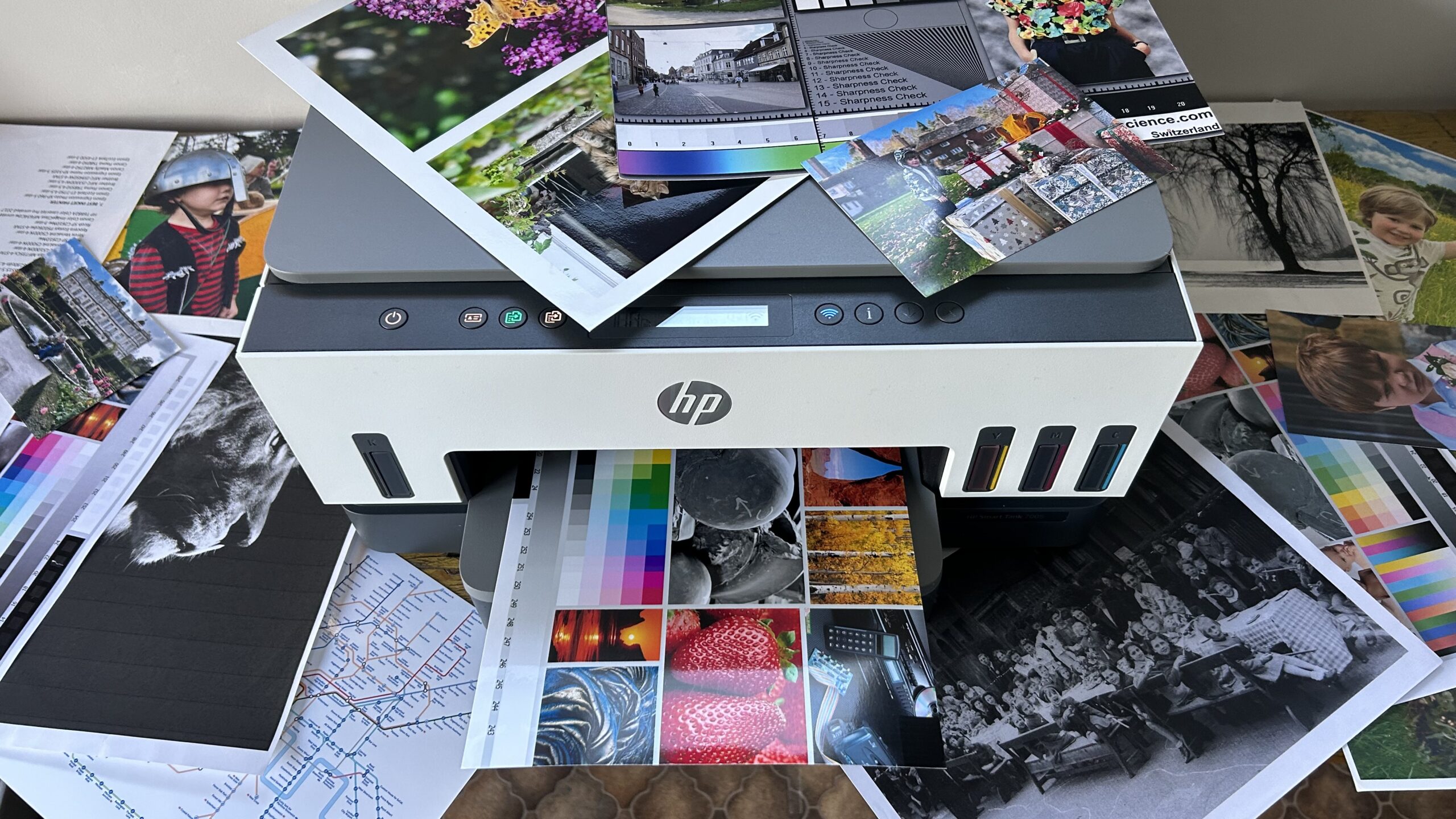

A home office printer has to handle more than occasional pages. It may need to scan a signed form, copy a stack of documents, print a color presentation, and stay connected while your laptop, phone, and tablet move around the house. The wrong model turns each task into a small interruption.
Our Best HP printer for home office picks cover practical differences that matter: color or black and white, automatic document feeding, two-sided printing, paper capacity, wireless features, and speed. The HP OfficeJet Pro 8139 is the single best pick for most home offices, with the HP OfficeJet Pro 9125, HP LaserJet Pro MFP 3101fdw, and compact DeskJet and Envy models covering more specific needs.
Comparison table
| # | Product | Award | Function | Speed | Paper handling | Best for |
|---|---|---|---|---|---|---|
| 1 | HP OfficeJet Pro 8139 | Best overall | Print, scan, copy, fax | Up to 20 ppm black, 10 ppm color | 225-sheet tray, ADF, auto duplex | Most home offices |
| 2 | HP OfficeJet Pro 8125 | Best straightforward office all-in-one | Print, scan, copy | Up to 20 ppm black, 10 ppm color | 225-sheet tray, ADF, auto duplex | Routine documents and forms |
| 3 | HP DeskJet 2955 | Best compact basic printer | Print, scan, copy | Up to 7.5 ppm black, 5.5 ppm color | 60-sheet tray | Light home use |
| 4 | HP Envy 6155 | Best for home documents and photos | Print, scan, copy | Up to 10 ppm black, 7 ppm color | 100-sheet tray, auto duplex | Families and creative work |
| 5 | HP OfficeJet Pro 9125 | Best high-volume color model | Print, scan, copy, fax | Up to 22 ppm black, 18 ppm color | 250-sheet tray, ADF, auto duplex scan | Busy home offices |
| 6 | HP Envy Photo 7975 | Best for photo printing | Print, scan, copy | Up to 15 ppm black, 10 ppm color | Separate photo tray, ADF, auto duplex | Photos and family projects |
| 7 | HP OfficeJet Pro 8125e | Best connected 8125 variant | Print, scan, copy | Up to 20 ppm black, 10 ppm color | 225-sheet tray, ADF, auto duplex | HP+ oriented home offices |
| 8 | HP OfficeJet Pro 8135 | Best fax-equipped alternative | Print, scan, copy, fax | Up to 20 ppm black, 10 ppm color | 225-sheet tray, ADF, auto duplex | Home offices needing fax |
| 9 | HP LaserJet Pro MFP 3101fdw | Best black-and-white speed | Print, scan, copy, fax | Up to 35 ppm black | Auto duplex, ADF | Document-heavy small teams |
| 10 | HP LaserJet Pro MFP 3101sdw | Best small-team laser | Print, scan, copy | Up to 35 ppm black | 250-sheet tray, 50-sheet ADF, auto duplex | Shared office printing |
1. HP OfficeJet Pro 8139: Best Overall

Pros
- Fast color and black-and-white printing
- Automatic duplex printing and document feeding
- 225-sheet input tray
- Useful touchscreen and mobile controls
- Includes fax functionality
Cons
- Requires original HP cartridge chips or circuitry
- Larger and heavier than basic home models
- No automatic duplex scanning listed
Best for: a home office that needs one dependable color printer for documents, copies, scans, and occasional faxing.
The HP OfficeJet Pro 8139 gets the important office jobs right without drifting into a bulky small-business machine. It prints, scans, copies, and faxes, and the automatic document feeder means you do not have to stand over the glass for a multi-page copy or scan. Automatic two-sided printing also removes one of the most annoying small-office chores.
Its rated speed is up to 20 pages per minute for black documents and 10 pages per minute in color. That is a useful split for a home office, where long text documents are usually more common than full-color pages. The 225-sheet input tray gives it enough capacity for regular work without constant paper loading, while the 2.7-inch color touchscreen makes printer-side tasks less dependent on a computer.
The wireless setup is built around dual-band Wi-Fi, and HP says the connection can detect and resolve issues automatically. Printing, scanning, copying, and faxing from a phone are handled through the HP app. The printer also includes HP Wolf Essential Security and an AI feature intended to remove unwanted content from web pages and emails before printing. Those tools address two common home-office frustrations: unreliable connections and pages filled with material you did not intend to print.
Compared with the HP OfficeJet Pro 8125, the 8139 adds fax capability and includes a longer Instant Ink trial. The HP OfficeJet Pro 9125 is faster and has automatic duplex scanning, but it is a larger step toward shared-office equipment. The 8139 is the easier recommendation for a single worker or household because it keeps the useful office features while remaining less specialized.
There are two limitations to understand. The printer is designed to work only with cartridges using original HP chips or circuitry, and firmware updates maintain that restriction. It is also a substantial 17.6-pound machine measuring 18.12 inches wide, so it needs a real printer shelf rather than a narrow corner of a desk. For most people looking for the Best HP printer for home office tasks, this is the balanced pick. Skip it only if you print almost exclusively in black and white or need duplex scanning.
2. HP OfficeJet Pro 8125: Best Straightforward Office All-in-One

Pros
- Strong document speed for a home office
- Automatic duplex printing
- ADF and 225-sheet input tray
- Dual-band wireless and HP app support
- 2.7-inch color touchscreen
Cons
- No fax function listed
- Uses original HP cartridge chips or circuitry
- No duplex scanning listed
Best for: home workers who want office features but have no use for faxing.
The HP OfficeJet Pro 8125 is the sensible alternative to the 8139 when faxing is not part of your routine. It handles printing, scanning, and copying, with an automatic document feeder for multi-page work and automatic two-sided printing for everyday reports. That combination is more important in a home office than a long list of rarely used extras.
Black documents are rated up to 20 pages per minute, with color output up to 10 pages per minute. The 225-sheet tray is the same capacity used by the 8139, so it can sit ready for a week of ordinary paperwork rather than needing attention after every small batch. The 2.7-inch color touchscreen gives the machine a clear control point when you need to copy or check a setting without opening an app.
Wireless printing uses dual-band Wi-Fi, and the HP app supports printing, scanning, copying, and faxing from a mobile device, though the printer itself does not list fax hardware. HP also includes its AI formatting feature for web pages and emails. In practice, that is most useful for turning messy online material into a cleaner printout, not for replacing document editing software.
The HP OfficeJet Pro 8139 is the better choice if faxing matters or if the longer included Instant Ink trial is important to you. The HP OfficeJet Pro 8125e has a closely related feature set and is positioned around HP+ activation, so the plain 8125 is the clearer fit for someone who wants the core printer functions without choosing that route. The 8125 is also a more capable office tool than the HP Envy 6155, especially for larger batches.
Its main weakness is that it is not the most flexible model in the group. There is no listed fax function, and automatic duplex scanning is absent, so two-sided scanning remains a manual job. The original HP cartridge requirement also deserves attention before purchase. This is a strong fit for a home office that prints color documents regularly and wants a familiar, uncomplicated all-in-one.
3. HP DeskJet 2955: Best Compact Basic Printer

Pros
- Compact footprint
- Print, scan, and copy functions
- Wireless and mobile printing
- 70 percent recycled plastic content listed
- Simple icon LCD
Cons
- Slower than the OfficeJet Pro models
- 60-sheet input tray
- No automatic document feeder or duplex printing listed
Best for: a home worker with light printing needs and very limited desk space.
The HP DeskJet 2955 is the smallest, simplest option here, and that is exactly why it belongs on the list. It is intended for everyday color documents such as letters, recipes, to-do lists, and financial paperwork. It prints, scans, and copies, but it does not try to imitate a full office machine.
Its rated speed is up to 7.5 pages per minute in black and 5.5 pages per minute in color. Those figures are modest next to the OfficeJet Pro range, but they are adequate for a few pages at a time. The 60-sheet input tray is the more important constraint. It means this printer is comfortable with light bursts of work, not a morning spent processing a large document packet.
The control panel uses an icon LCD rather than the color touchscreen found on the OfficeJet Pro and Envy models. Wireless printing supports dual-band Wi-Fi, and the HP app handles mobile printing, scanning, copying, and fax-related app functions. HP also lists its AI formatting feature, which can clean up web pages and emails before they reach the printer.
The HP Envy 6155 is a better match for a household that prints photos or needs automatic duplex printing. The HP OfficeJet Pro 8125 is clearly stronger for sustained home-office work because it adds an ADF, a much larger input tray, and faster output. The DeskJet 2955 wins only when compactness and basic functionality matter more than throughput.
This model is not the one to buy for a busy office workflow. There is no listed automatic document feeder, no listed automatic two-sided printing, and the slow output will become noticeable with longer reports. It is also worth remembering that a compact body does not change the need to keep paper and replacement cartridges available. Choose it when the Best HP printer for home office is really a small wireless printer for occasional tasks.
4. HP Envy 6155: Best for Home Documents and Photos

Pros
- Automatic two-sided printing
- 2.4-inch color touchscreen
- P3 technology for vivid documents and photos
- 100-sheet input tray
- Wireless and mobile printing
Cons
- Slower than the OfficeJet Pro line
- No ADF listed
- Original HP cartridge restriction
Best for: households that mix work documents with homework, craft projects, and borderless photos.
The HP Envy 6155 is a home printer first, even though it can handle office paperwork. Its appeal is the mix of color document printing and photo-friendly features. HP lists support for high-quality color documents, homework, and borderless photos, along with P3 technology intended to keep prints looking vibrant relative to the screen.
It prints at up to 10 pages per minute in black and 7 pages per minute in color. That is enough for a household office, but it is behind the 20 pages per minute black rating of the OfficeJet Pro 8139 and 8125. The 100-sheet input tray is also more suited to a family printer than to a shared machine that processes large packets all day.
Automatic two-sided printing is a useful office feature, and the 2.4-inch color touchscreen makes basic operation easier than the DeskJet 2955's icon display. Dual-band Wi-Fi and the HP app support wireless printing and mobile tasks. The printer also includes HP's AI formatting feature, which can remove unwanted material from web pages and emails before printing.
The HP Envy Photo 7975 is the more focused photo choice, with a separate photo tray and an automatic document feeder. The HP OfficeJet Pro 8125 is the stronger document machine, with a larger tray, ADF, and faster rated output. The Envy 6155 sits between them, giving a family a more colorful experience without taking on the larger office orientation of the Pro models.
There is no listed ADF, so scanning or copying a stack of pages means placing each sheet on the scanner glass. That is the major reason a busy home office should choose an OfficeJet Pro instead. The dimensions are also unusual, with a listed height of 14.21 inches and width of 5.35 inches, so check the orientation and clearance of the intended shelf carefully. It suits buyers who want a home-centered color printer that can still manage ordinary work documents.
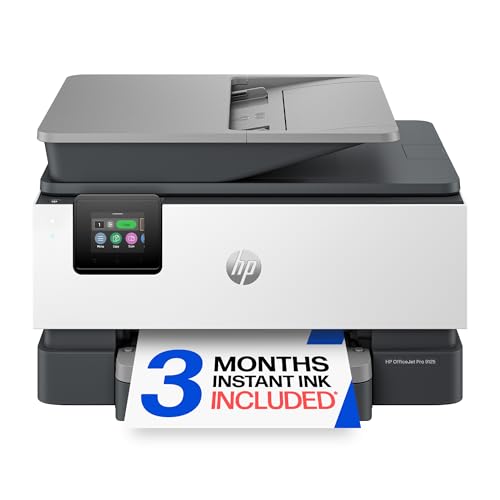
5. HP OfficeJet Pro 9125: Best High-Volume Color Model
Pros
- Fastest color output among the inkjet models here
- Automatic duplex printing and scanning
- 250-sheet input tray
- 50-page-oriented office feature set with ADF
- HP Wolf Pro Security
Cons
- Heavier and larger than most home models
- More printer than a light-use office needs
- Original HP cartridge restriction
Best for: a busy home office that prints and scans substantial color document batches.
The HP OfficeJet Pro 9125 is the serious color workhorse in this group. It is designed around office tasks rather than occasional household printing, and its strongest advantage is not a single feature but the way its speed, paper capacity, and scanning automation fit together.
HP rates it for up to 22 pages per minute in black and 18 pages per minute in color. That is a notable increase over the 8139, 8125, 8125e, and 8135, especially when a presentation or multi-page report includes plenty of color. Its 250-sheet input tray also has the highest listed capacity among the inkjet models here.
The automatic document feeder supports scanning, and the product listing specifically includes automatic duplex scanning as well as automatic two-sided printing. That distinction matters. The other OfficeJet Pro inkjets can feed a stack and print on both sides, but the 9125 is the model that can process two-sided originals with less manual handling. Its 2.7-inch touchscreen, dual-band Wi-Fi, HP app, and HP Wolf Pro Security round out a more office-oriented setup.
The HP OfficeJet Pro 8139 is the better general recommendation for most home workers because it is less imposing and still includes faxing, scanning, copying, and automatic duplex printing. The 9125 earns its higher position only when the faster color output and duplex scanning will be used. The HP LaserJet Pro MFP 3101fdw is faster for black-and-white work, but it cannot replace this model for color documents.
At 20.48 pounds, with a listed width of 17.3 inches and height of 10.94 inches, this is not a printer to squeeze beside a monitor. It also uses cartridges with original HP chips or circuitry, and HP says firmware updates maintain that requirement. Choose the 9125 if your home office routinely handles contracts, presentations, reports, and double-sided source documents. Skip it if most jobs are a few black pages and the occasional scan.
6. HP Envy Photo 7975: Best for Photo Printing

Pros
- Separate photo tray
- Automatic document feeder
- Automatic two-sided printing
- Borderless photo support
- Large color touchscreen
Cons
- Slower than the OfficeJet Pro 9125
- Larger than a basic home printer
- Photo-focused features may be unnecessary for document-only work
Best for: a home office that also prints family photos and creative projects.
The HP Envy Photo 7975 is the most interesting choice for people who refuse to separate office work from home projects. It is built to print documents, photos, and creative material, with borderless photo support and a separate photo tray. That tray is a practical advantage because photo paper can stay ready without displacing ordinary sheets.
The printer is rated for up to 15 pages per minute in black and 10 pages per minute in color. It is faster than the Envy 6155 in black, though the OfficeJet Pro models are more compelling for long document runs. The listing also includes automatic two-sided printing and an automatic document feeder, so this is not merely a photo printer with a scanner attached.
A large color touchscreen handles printer-side controls, while wireless and mobile printing cover the usual phone, tablet, and computer workflows. HP says its AI feature can format web pages and emails by removing unwanted content, which is useful when a home office mixes online research with physical records. The product is also described as AI-enabled, though the listing does not provide deeper technical detail about that capability.
The HP Envy 6155 is a better fit for a smaller, simpler home setup, while the HP OfficeJet Pro 8139 is better for business documents, faxing, and faster black output. The 7975's separate photo tray and advanced photo features are the reasons to choose it, not its raw office speed.
Its 17.9-pound weight and 18.11-inch width make it a substantial piece of equipment. A document-only office may find those photo features unnecessary, and the printer does not list fax functionality. For someone who wants one machine for work papers, school projects, and borderless photos, it is a more natural fit than an office-only model.
7. HP OfficeJet Pro 8125e: Best Connected 8125 Variant

Pros
- 20 ppm black and 10 ppm color rating
- Automatic document feeder and duplex printing
- 225-sheet input tray
- Wireless printing from computers, tablets, and phones
- HP app support
Cons
- HP+ activation is part of the listed setup
- No fax function listed
- No automatic duplex scanning listed
Best for: a home office that specifically wants the 8125e's HP+ and connected workflow.
The HP OfficeJet Pro 8125e is closely related to the 8125, and its core hardware profile is familiar. It prints, scans, and copies, includes an automatic document feeder, and supports automatic two-sided printing. For routine home-office documents, that gives it the essential workflow features without the complexity of the larger 9125.
Its rated output is up to 20 pages per minute in black and 10 pages per minute in color. The 225-sheet input tray is useful for reports and recurring paperwork, while dual-band Wi-Fi is intended to keep the printer connected as devices move around the home. HP's app supports printing, scanning, copying, and printing from a PC, tablet, or phone.
The difference here is the listed HP+ activation and three months of Instant Ink. That connected service approach may appeal to someone who wants a more managed HP setup, but it should not be treated as a minor footnote. Read the activation and cartridge terms carefully before committing, especially since the broader OfficeJet line is intended to work with cartridges using original HP chips or circuitry.
The standard HP OfficeJet Pro 8125 is the cleaner recommendation when you want nearly the same print speed, paper capacity, and office functions without making the e version the centerpiece of the decision. The HP OfficeJet Pro 8139 adds faxing and has a stronger all-around feature mix. The 8125e makes sense when its connected workflow is specifically what you want.
There is no listed fax function or duplex scanning, so this model is not ideal for a home office that processes two-sided originals or still relies on fax. Its 17.64-pound body also needs a stable surface. If you are comparing wireless options, how multiple devices share a home printer is a useful question to settle before choosing between this model and a simpler DeskJet.
8. HP OfficeJet Pro 8135: Best Fax-Equipped Alternative

Pros
- Print, scan, copy, and fax functions
- Automatic duplex printing
- 225-sheet tray and ADF
- Fast everyday document output
- HP Wolf Essential Security
Cons
- Similar core specifications to the 8139
- No automatic duplex scanning listed
- Original HP cartridge restriction
Best for: a home office that needs faxing and wants the OfficeJet Pro format.
The HP OfficeJet Pro 8135 is the near-twin alternative to the 8139. It prints, scans, copies, and faxes, with an automatic document feeder, automatic two-sided printing, and a 225-sheet input tray. That makes it much more suitable for recurring office paperwork than the DeskJet or the home-focused Envy 6155.
Its rated speeds are up to 20 pages per minute in black and 10 pages per minute in color. A 2.7-inch color touchscreen provides direct control, and dual-band Wi-Fi supports printing from the HP app and other connected devices. HP also lists Wolf Essential Security and an AI feature that can remove unwanted web-page and email content before printing.
The HP OfficeJet Pro 8139 is the more attractive version for many buyers because it has the same core speed and paper capacity while listing a longer Instant Ink trial. The HP OfficeJet Pro 8125 is the better fit if you do not need faxing. The 8135 remains a legitimate choice when fax is central and its particular listing is the one that fits your setup.
As with the 8139, there is no listed automatic duplex scanning, so two-sided originals require extra handling. It is also a 17.6-pound printer measuring roughly 18 inches wide, which rules out cramped shelves. HP's original cartridge chip requirement is another ownership consideration. Choose this model for a traditional home office that still sends or receives faxes, and choose the 9125 if faster color output and duplex scanning matter more.
9. HP LaserJet Pro MFP 3101fdw: Best Black-and-White Speed

Pros
- Up to 35 black-and-white pages per minute
- Print, scan, copy, and fax functions
- Automatic duplex printing and ADF
- Ethernet, Bluetooth, and Wi-Fi
- HP Wolf Pro Security
Cons
- Black-and-white output only
- Larger and heavier than the inkjet home models
- No listed color printing
Best for: a document-heavy home office or small team that does not need color.
The HP LaserJet Pro MFP 3101fdw changes the question from which color inkjet to choose to whether you need color at all. If your work is mostly contracts, invoices, forms, reports, and other text-heavy documents, its laser design and black-and-white focus make more sense than an inkjet built for presentations and photos.
HP rates it for up to 35 black-and-white pages per minute when printing single-sided. That is substantially faster than every inkjet in this roundup. It also prints, scans, copies, and faxes, with automatic two-sided printing and an automatic document feeder for multi-page jobs.
Connectivity is unusually broad for a home office printer. The listing includes intelligent Wi-Fi, Ethernet, Bluetooth, and wireless printing from mobile devices, PCs, and tablets. It also lists compatibility with Microsoft, Mac, AirPrint, Android, and Chromebook devices. HP Wolf Pro Security adds customizable security settings, which is useful when several people share the printer.
The HP OfficeJet Pro 9125 is the better choice for color reports, flyers, and presentations, while the HP LaserJet Pro MFP 3101sdw offers a similar black-and-white speed with a 250-sheet tray and 50-sheet ADF. The 3101fdw's advantage is the combination of laser speed with fax functionality and broad connectivity.
Its weakness is decisive: it cannot print color. The 23.15-pound body is also larger than the inkjet alternatives, measuring 19.25 inches in both listed length and width. That is a lot of equipment for occasional home printing. If your documents are almost entirely monochrome and your priority is rapid, repeatable output, this is the laser pick to consider. For a wider comparison of monochrome machines, what matters when a laser printer handles home documents is the right place to start.
10. HP LaserJet Pro MFP 3101sdw: Best Small-Team Laser

Pros
- Up to 35 black-and-white pages per minute
- 250-sheet input tray
- 50-sheet automatic document feeder
- Automatic duplex printing
- Wireless printing and security features
Cons
- Black-and-white only
- No fax function listed
- Heavy office-oriented design
Best for: a small shared office that prints large monochrome batches.
The HP LaserJet Pro MFP 3101sdw is the strongest fit for a small team that shares one monochrome printer. It is built around sustained document work, with a 250-sheet input tray and a 50-sheet automatic document feeder. Those capacities reduce the need to reload paper or feed originals one at a time.
The rated speed is up to 35 pages per minute in black. Automatic two-sided printing keeps routine reports and forms moving with less manual intervention, while the printer also scans and copies. HP describes the model as intended for small teams and lists dependable wireless connectivity for keeping it online.
Compared with the HP LaserJet Pro MFP 3101fdw, this model offers the larger paper tray and a specified 50-sheet ADF, but faxing is not listed. The fdw is the better option for a home office that still needs fax, while the 3101sdw is more compelling when the printer will be shared and the main work is high-volume black-and-white output.
The machine measures 16.5 inches wide, 15.7 inches long, and 12.3 inches high, and weighs 23.1 pounds. That is not compact, though its footprint is less square than the fdw's listed dimensions. It is also restricted to black-and-white printing, making the HP OfficeJet Pro 8139 a more flexible choice for a solo worker who mixes text with color documents.
Choose the 3101sdw when several people need a fast, reliable monochrome printer and the ADF and paper tray will see regular use. Skip it for occasional home paperwork, photo printing, or any workflow that depends on faxing. Its capabilities are appropriate for a shared office, not a casual printer shelf.
How to choose best hp printer for home office
The right home-office printer depends on the kind of pages you produce most often, how many originals you scan, and whether color is essential.
Inkjet or laser output
Inkjet models such as the HP OfficeJet Pro 8139 and HP Envy Photo 7975 handle color documents and photos. They are the natural choice for presentations, flyers, homework, and borderless images. Laser models such as the HP LaserJet Pro MFP 3101fdw and HP LaserJet Pro MFP 3101sdw are black and white only in this group, but their 35 pages per minute rating makes them better suited to fast text-heavy work.
Print speed
Print speed matters most when a printer handles long reports or repeated batches. The OfficeJet Pro inkjets range from 20 pages per minute in black to 22 pages per minute in the 9125, while the DeskJet 2955 is rated at 7.5 pages per minute in black. A laser model rated at 35 pages per minute is a better match for a team that regularly prints large monochrome documents.
Automatic document feeding
An ADF lets you place a stack of originals into the printer for scanning, copying, or faxing. The DeskJet 2955 and Envy 6155 do not list an ADF, while the OfficeJet Pro models do. The 9125 goes further by listing automatic duplex scanning, which matters when the source documents are printed on both sides.
For a home office, an ADF often saves more time than a faster first page.
Paper capacity
A larger input tray reduces interruptions. The DeskJet 2955 has a 60-sheet tray, the Envy 6155 has a 100-sheet tray, and the OfficeJet Pro inkjets range from 225 to 250 sheets. The LaserJet Pro 3101sdw combines a 250-sheet tray with a 50-sheet ADF, making it particularly suited to shared document work.
Wireless and device support
Dual-band Wi-Fi appears across the inkjet models, while the 3101fdw also lists Ethernet and Bluetooth. Check whether your household prints from phones, tablets, Macs, Chromebooks, or several computers. The HP app is available across the inkjet selections, but the laser models offer broader listed connection options for a mixed-device office.
Cartridge restrictions and services
Several models state that they work only with cartridges containing original HP chips or circuitry, with firmware updates maintaining that restriction. Some inkjet listings also include an Instant Ink trial or HP+ activation. Treat those as part of the printer's operating setup, and read the terms carefully before choosing a model.
Frequently asked questions
Is the HP OfficeJet Pro 8139 good for a home office?
Yes. It combines print, scan, copy, and fax functions with automatic two-sided printing, an ADF, a 225-sheet tray, wireless connectivity, and a 20 pages per minute black rating. It is the most balanced choice in this group for a home office that needs color and regular document handling.
Which HP printer is fastest for black-and-white documents?
The HP LaserJet Pro MFP 3101fdw and HP LaserJet Pro MFP 3101sdw are both rated at up to 35 black-and-white pages per minute. The fdw adds fax, while the sdw lists a 250-sheet tray and 50-sheet ADF.
Which model should I choose for color photos?
The HP Envy Photo 7975 is the most photo-focused option. It includes a separate photo tray, borderless photo support, advanced photo features, and automatic two-sided printing, while still providing an ADF for document work.
Do these printers support automatic two-sided printing?
The OfficeJet Pro, Envy 6155, Envy Photo 7975, and both LaserJet Pro models list automatic two-sided printing. Automatic duplex scanning is specifically listed for the OfficeJet Pro 9125, so do not assume every model can scan both sides of an original automatically.
Is the HP DeskJet 2955 suitable for a busy office?
Not usually. Its 60-sheet tray and ratings of up to 7.5 pages per minute in black and 5.5 pages per minute in color make it better for light, occasional printing. A busy office should look at an OfficeJet Pro or LaserJet Pro model with an ADF and larger paper capacity.
Which HP printer includes faxing?
Fax functionality is listed for the HP OfficeJet Pro 8139, HP OfficeJet Pro 9125, HP OfficeJet Pro 8135, and HP LaserJet Pro MFP 3101fdw. It is not listed for the 8125, 8125e, DeskJet 2955, Envy 6155, Envy Photo 7975, or LaserJet Pro MFP 3101sdw.
The bottom line
The HP OfficeJet Pro 8139 is the Best HP printer for home office work when you want color output, scanning, copying, faxing, automatic duplex printing, and a useful paper tray in one machine. The HP OfficeJet Pro 9125 is the better pick for heavier color workloads because it prints faster and adds automatic duplex scanning.
Choose the HP LaserJet Pro MFP 3101fdw or HP LaserJet Pro MFP 3101sdw if your office is almost entirely black and white and speed matters more than color. For lighter household use, the HP Envy Photo 7975 handles photos better, while the HP DeskJet 2955 keeps basic printing simple.
If you are undecided, choose the HP OfficeJet Pro 8139 unless you specifically need duplex scanning, laser speed, or photo-first features.
As an Amazon Associate we earn from qualifying purchases.