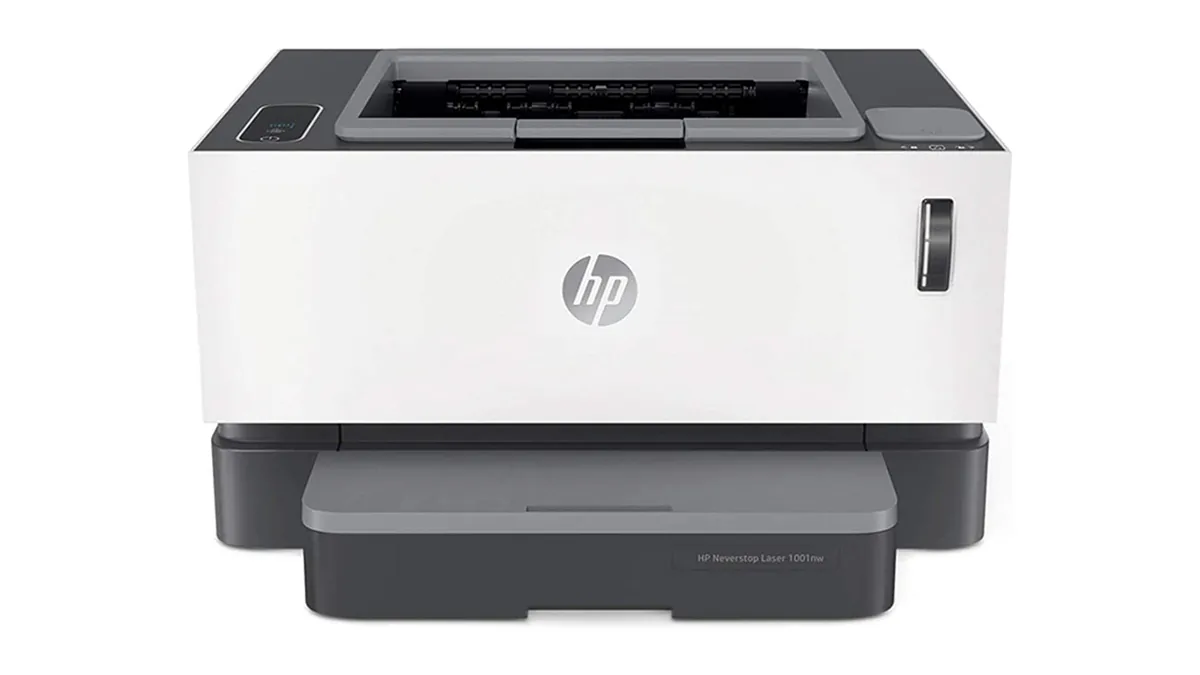

A printer that sits unused for weeks still needs to work the moment a return label, school form, or tax document appears. The right laser model should wake quickly, produce clean text, and avoid turning a simple print job into a wireless troubleshooting session.
Our Best Laser Printers for Home picks include compact monochrome printers, multifunction models with scanning and copying, and one color option for documents that need more visual impact. The Brother HL-L2405W is our top pick, while the rest cover everything from small desks to busier home offices.
Comparison table
| # | Product | Award | Print type | Speed | Duplex | Paper handling | Best for |
|---|---|---|---|---|---|---|---|
| 1 | Brother HL-L2405W | Best overall | Monochrome | Up to 30 ppm | No automatic duplex listed | 250-sheet tray, manual feed | Everyday home printing |
| 2 | Brother DCP-L2640DW | Best multifunction | Monochrome | Up to 36 ppm | Automatic | 50-page ADF | Scanning and copying |
| 3 | HP LaserJet M110w | Best compact HP | Monochrome | Up to 21 ppm | Not listed | Not listed | Very small workspaces |
| 4 | HP LaserJet M140w | Best compact all-in-one | Monochrome | Up to 21 ppm | Not listed | Not listed | Basic scanning and copying |
| 5 | Brother HL-L3220CDW Color | Best color | Color | Up to 19 ppm | Automatic | 250-sheet tray, manual feed | Home office color documents |
| 6 | HP LaserJet Pro 3101sdw | Best high-volume all-in-one | Monochrome | Up to 35 ppm | Automatic | 250-sheet tray, 50-page ADF | Busy home offices |
| 7 | HP LaserJet M234sdw | Best fast duplex HP | Monochrome | Up to 30 ppm, 19 ipm duplex | Automatic | ADF | Frequent two-sided jobs |
| 8 | HP LaserJet M209d | Best wired printer | Monochrome | Fast two-sided printing | Automatic | 150-sheet tray | USB-only home offices |
| 9 | Brother HL-L2460DW | Best duplex printer | Monochrome | Up to 36 ppm | Automatic | 250-sheet tray, manual feed | High-volume black-and-white work |
1. Brother HL-L2405W: Best Overall

Pros
- Up to 30 pages per minute
- Dual-band wireless and USB connectivity
- 250-sheet tray with manual feed
- Compact 15.1-pound design
- Brother mobile printing app
Cons
- Automatic duplex printing is not listed
- Monochrome output only
- No scanning or copying
Best for: someone who wants a straightforward wireless printer for routine home documents.
The Brother HL-L2405W gets the basic home printer brief right. It is a print-only machine, so there is no scanner or copier to add bulk or complexity, and its monochrome output is aimed squarely at forms, labels, homework, letters, and other text-heavy work. The compact body measures 14 inches wide, 14.2 inches deep, and 7.2 inches high, which makes it easier to place on a shelf or a shallow desk than the larger multifunction models here.
Its rated speed of up to 30 pages per minute is more than enough for normal household queues. That figure matters when a document runs to several pages, but the more important everyday feature is the 250-sheet paper tray. You can leave standard paper loaded instead of feeding sheets one at a time. The manual feed slot also gives you a way to handle envelopes and specialty paper without emptying the main tray.
Wireless setup is flexible. The HL-L2405W supports dual-band Wi-Fi on both 2.4GHz and 5GHz networks, plus USB for a direct connection to one computer. Brother’s Mobile Connect app supports printing from a phone and can track toner usage and manage supplies. That makes it a better fit for a household where documents arrive on phones and tablets, not just on a single desktop.
Compared with the HP LaserJet M110w, the Brother is larger but offers a faster rated print speed and much more explicit paper capacity. The Brother HL-L2460DW is the better choice if automatic two-sided printing matters, while the Brother DCP-L2640DW is the obvious step up if scanning and copying belong in the same box. The HL-L2405W’s real limitation is its single-sided, print-only design. Skip it if you frequently make copies or want to reduce paper use with automatic duplexing. For ordinary black-and-white printing with useful wireless options, it is the cleanest choice in this group.
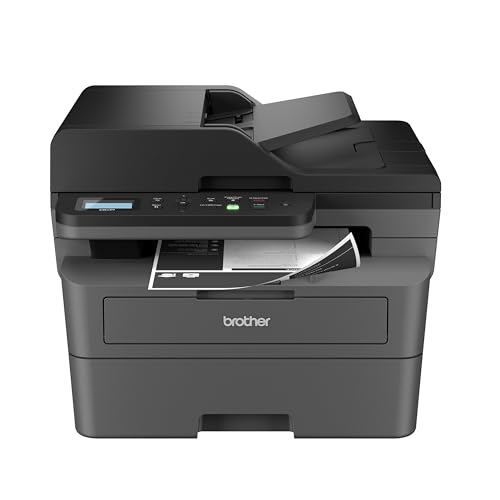
2. Brother DCP-L2640DW: Best Multifunction
Pros
- Print, scan, and copy functions
- Up to 36 pages per minute
- Automatic duplex printing
- 50-page automatic document feeder
- Wi-Fi, Ethernet, and USB
Cons
- Heavier and deeper than the print-only Brother models
- Monochrome output only
- More printer than a print-only household may need
Best for: a home office that regularly scans and copies multi-page documents.
The Brother DCP-L2640DW is the most capable all-round office machine in the first half of this list. It combines a printer, scanner, and copier without straying into an unwieldy office tower. The important distinction is not just the extra functions. Its 50-page automatic document feeder lets you hand over a stack of pages for scanning or copying, rather than placing each sheet on the glass.
Print speed reaches up to 36 pages per minute, which gives it a clear advantage over the smaller Brother HL-L2405W when a queue starts to grow. Automatic duplex printing handles two-sided documents without requiring the user to turn pages manually. Brother also lists scan speeds of up to 23.6 images per minute for black and 7.9 images per minute for color, so occasional scans do not have to become a slow interruption.
The connection choices suit a shared home office. Dual-band Wi-Fi handles wireless devices, Ethernet provides a stable wired network connection, and USB works for a local computer. The Brother Mobile Connect app adds phone-based printing, scanning, and printer management. Its 250-sheet paper tray is sized for regular work, and the overall unit measures 16.1 inches wide, 15.7 inches deep, and 12.5 inches high.
This model is more substantial than the HP LaserJet M140w, but it earns that footprint with duplexing, an ADF, Ethernet, and higher rated speed. The HP LaserJet Pro 3101sdw is another strong office alternative, especially if its 35-page-per-minute rating and HP workflow suit your devices. For readers deciding between a print-only machine and an all-in-one, the tasks that make a scanner copier worthwhile are the deciding question. The DCP-L2640DW is not the one to choose for an occasional single-page print. It is the better tool for households that scan forms, copy identification documents, or print long packets often.
3. HP LaserJet M110w: Best Compact HP

Pros
- Extremely compact footprint
- Wireless printing from phones, tablets, and computers
- Up to 21 pages per minute
- Supports AirPrint, Android, Chromebook, Mac, and Microsoft systems
- HP Smart app support
Cons
- Print-only design
- Automatic duplexing is not listed
- Cartridge restrictions may matter to some buyers
Best for: a small desk that needs wireless black-and-white printing and little else.
The HP LaserJet M110w is the printer to consider when desk space is the first constraint. At 13.63 inches wide, 7.45 inches deep, and 6.26 inches high, it has a notably small footprint among these choices. Its 9.02-pound weight also makes it easier to move between a home office and a storage shelf when it is not needed.
This is a deliberately simple machine. It prints black-and-white pages at up to 21 pages per minute and does not include a scanner or copier. That slower rating than the Brother HL-L2405W is unlikely to matter for a page or two, but it will show up when printing a long document. Automatic duplex printing is not listed, so two-sided work requires a manual workflow.
HP makes the wireless side broad and familiar. The M110w can print from a mobile device, PC, or tablet and supports Microsoft, Mac, AirPrint, Android, and Chromebook platforms. The HP Smart app can handle printing and cloud scanning workflows from a phone, although the printer itself is not a scanner. HP also describes a wireless self-reset feature intended to help it stay connected.
The Brother HL-L2405W is the stronger everyday pick if you need a larger paper reserve and faster output. The M110w wins on physical size, making it more suitable for a cramped desk or occasional-use setup. Buyers should also pay attention to HP’s stated cartridge policy, which says the printer is intended to work with cartridges using original HP chips or circuitry and may block cartridges using non-HP chips. Choose it for compactness and simple wireless printing, not for heavy document production or copying.
4. HP LaserJet M140w: Best Compact All-in-One

Pros
- Print, scan, and copy in one unit
- Compact all-in-one design
- Up to 21 pages per minute
- Wireless printing across major platforms
- Can copy both sides of identification cards onto one sheet
Cons
- Automatic duplex printing is not listed
- No Ethernet connection is listed
- Slower rated printing than several larger models
Best for: home users who need occasional scanning and copying without a large office machine.
The HP LaserJet M140w takes the compact approach of the M110w and adds the functions many homes actually need. It prints, scans, and copies black-and-white documents, with a specific feature for copying both sides of an identification card onto the same side of one sheet. That is useful for forms and administrative tasks that would otherwise require a separate copier.
Its print speed is up to 21 pages per minute, so it is best viewed as an occasional-use all-in-one rather than a high-throughput office machine. The 14.2-inch length, 10.4-inch width, and 7.8-inch height keep it relatively easy to place. At 11.9 pounds, it is also less cumbersome than the Brother DCP-L2640DW or HP LaserJet Pro 3101sdw.
Wireless printing works from mobile devices, PCs, and tablets, with support for Microsoft, Mac, AirPrint, Android, and Chromebook systems. The HP Smart app adds phone-based printing, copying, and cloud scanning. Those app features matter more here because the M140w is aimed at a user who may not keep a computer beside the printer.
The HP LaserJet M110w is smaller and simpler, but it cannot scan or copy. The Brother DCP-L2640DW is substantially faster and adds automatic duplexing, Ethernet, a 250-sheet tray, and a 50-page ADF. That Brother is the better fit for a busy home office, while the M140w makes more sense for occasional paperwork in a tighter space. HP says this printer is intended for cartridges with original HP chips or circuitry, another ownership detail to consider before choosing it.
5. Brother HL-L3220CDW Color: Best Color

Pros
- Color printing for graphics and documents
- Automatic duplex printing
- 250-sheet paper tray
- Wireless printing from mobile devices
- Manual feed slot for specialty media
Cons
- Slower rated output than the monochrome leaders
- No scanner or copier
- Larger and heavier than compact monochrome printers
Best for: a home office that needs color documents as well as crisp black text.
The Brother HL-L3220CDW Color is the clear outlier here because it adds color without giving up the practical features expected from a laser printer. It is a print-only machine, but it can produce business documents with color graphics, highlighted information, and presentation elements that monochrome printers cannot reproduce.
Its output is rated at up to 19 pages per minute. That is slower than the 30 to 36 pages per minute claimed by several monochrome models, but the trade-off is understandable when each page can contain color. Automatic duplex printing helps keep longer documents manageable, while the 250-sheet tray means standard paper can stay loaded for routine work. A manual feed slot handles envelopes and specialty media.
Wireless printing supports laptops, smartphones, and tablets, with compatibility with major mobile printing platforms and cloud services. The printer measures 15.7 inches wide, 15.7 inches deep, and 9.4 inches high, and weighs 24.7 pounds. It needs a stable home for that reason, rather than a shelf that doubles as general storage.
The Brother HL-L2405W is a better fit for a household that only prints text, and the Brother HL-L2460DW is faster for monochrome two-sided jobs. Neither can replace this model when color is genuinely required. The weakness is the lack of scanning and copying, plus the larger body and lower rated speed. If color documents are occasional but important, this is the printer in the group that avoids forcing those jobs onto another device.
6. HP LaserJet Pro 3101sdw: Best High-Volume All-in-One

Pros
- Up to 35 pages per minute
- Automatic duplex printing
- Print, scan, and copy functions
- 250-sheet input tray
- 50-sheet automatic document feeder
Cons
- Large and heavy for a small desk
- Monochrome output only
- HP cartridge restrictions apply
Best for: a demanding home office that prints, scans, and copies throughout the week.
The HP LaserJet Pro 3101sdw is built around throughput. Its combination of print, scan, and copy functions, automatic duplexing, and document feeder gives it the shape of a small office machine rather than a casual household printer. The 50-sheet ADF is particularly useful when several pages need to be scanned or copied in sequence.
Print speed reaches up to 35 pages per minute. That puts it close to the Brother DCP-L2640DW and ahead of the smaller HP multifunction models. The automatic two-sided function is useful for reports, instructions, and other documents where manually flipping pages would become tedious. A 250-sheet input tray also reduces interruptions during a long workday.
Wireless connectivity is designed to stay available, with HP describing Wi-Fi that looks for the best connection. The printer measures 16.5 inches wide, 15.7 inches deep, and 12.3 inches high, and weighs 23.1 pounds. That footprint is not excessive for an office machine, but it needs a dedicated surface with enough clearance to access the feeder and paper tray.
The HP LaserJet M234sdw is a more compact alternative with strong two-sided printing, while the Brother DCP-L2640DW offers similar multifunction strengths with Wi-Fi, Ethernet, USB, and a Brother mobile app. The 3101sdw is the one to choose when the 250-sheet tray, 50-sheet ADF, and 35-page-per-minute rating matter more than a small footprint. It is excessive for light printing, and HP’s stated cartridge-chip restrictions should be part of the decision.
7. HP LaserJet M234sdw: Best Fast Duplex HP

Pros
- Up to 30 pages per minute single-sided
- Up to 19 images per minute two-sided
- Automatic duplex printing
- Print, scan, and copy functions
- Ethernet and dual-band Wi-Fi
Cons
- Larger than compact print-only models
- Monochrome output only
- Paper tray capacity is not listed
Best for: a home office that handles frequent two-sided documents and scans.
The HP LaserJet M234sdw earns its place through a useful balance of speed and office functions. It prints, scans, and copies, and its automatic document feeder allows hands-free work with multiple pages. For a home office that regularly handles contracts, forms, or school packets, that is more significant than a tiny footprint.
HP rates it at up to 30 black-and-white pages per minute when printing single-sided and up to 19 images per minute for two-sided printing. Those are different measurements, but together they show where this model is strongest: keeping duplex work moving without requiring the user to reinsert every sheet. The printer also includes Ethernet alongside dual-band Wi-Fi, which gives a wired network option if wireless placement is inconvenient.
The HP Smart app supports printing, copying, and scanning from a smartphone, while compatibility extends across Microsoft, Mac, AirPrint, Android, and Chromebook devices. HP also lists built-in security features and a Wi-Fi self-reset function that can detect and resolve connection problems. At 16.46 inches long, 12.13 inches wide, and 11.59 inches high, it is a serious desktop appliance, though its 19-pound weight is manageable.
The HP LaserJet Pro 3101sdw is faster and has explicitly listed 250-sheet input and a 50-sheet ADF, making it the better match for heavier workloads. The Brother HL-L2460DW is smaller and simpler if scanning and copying are not needed. The M234sdw sits between those extremes, with useful duplex performance and an all-in-one design. Choose it for two-sided documents and shared office tasks, not for a shelf where every inch matters.
8. HP LaserJet M209d: Best Wired Printer

Pros
- Automatic duplex printing
- USB cable included
- Compact wired design
- 150-sheet input tray
- Smart-guided buttons
Cons
- Wired connection only
- No scanner or copier
- Monochrome output only
Best for: a home office that prefers a direct USB connection over wireless setup.
The HP LaserJet M209d takes a position that many wireless printer roundups overlook. It is intentionally wired, with USB as its connection method, and includes the cable needed to connect it to a computer. That makes it a sensible choice for a fixed home office where one computer does most of the printing and wireless access is not wanted.
Automatic duplex printing is the main reason to choose it over a basic print-only model. HP describes it as having fast two-sided printing for its class, and the 150-sheet input tray gives it enough capacity for regular home office documents without making the chassis oversized. Smart-guided buttons are intended to make common tasks easier without relying entirely on a companion app.
Its dimensions are unusual for a compact printer: 13.98 inches long, 8.07 inches wide, and 11 inches high. It weighs 13.2 pounds according to the listed dimensions and is designed to save space without abandoning automatic duplexing. It prints black-and-white documents only and does not include scanning or copying.
The Brother HL-L2460DW is the better choice when several devices need to print, since it offers wireless, Ethernet, and USB. The Brother HL-L2405W is also more flexible for mobile households, though automatic duplexing is not listed for that model. The M209d’s weakness is also its identity: there is no wireless printing. Choose it when a dependable USB connection is exactly what you want, and skip it if phones, tablets, and multiple computers need direct access.
9. Brother HL-L2460DW: Best Duplex Printer

Pros
- Up to 36 pages per minute
- Automatic duplex printing
- 250-sheet paper tray
- Dual-band Wi-Fi, Ethernet, and USB
- Manual feed for envelopes and specialty paper
Cons
- Print-only design
- Monochrome output only
- No scanner or copier
Best for: a home office that wants fast two-sided printing with broad connection choices.
The Brother HL-L2460DW is the print-only model to choose when automatic duplexing is non-negotiable. It keeps the straightforward shape of a monochrome printer but adds the features that make frequent document work less repetitive. Two-sided pages are handled automatically, and the 250-sheet tray is large enough for a steady stream of standard documents.
Its rated speed of up to 36 pages per minute matches the fastest printer in this group. That makes it a stronger choice than the HL-L2405W for long print jobs, while the 14-inch width and 14.2-inch depth keep the footprint relatively contained. The listed weight is 15.6 pounds, so it remains movable without feeling like a fragile compact appliance.
Connectivity is one of its strongest points. Dual-band Wi-Fi supports wireless devices, Ethernet allows a wired network connection, and USB handles a direct computer connection. Brother’s Mobile Connect app supports remote printing and printer management from a mobile device. The manual feed slot adds flexibility for envelopes and specialty paper without disturbing the main paper tray.
The Brother HL-L2405W is the simpler alternative, but it lacks listed automatic duplexing. The Brother DCP-L2640DW adds scanning, copying, and a 50-page ADF, though it is much larger. That leaves the HL-L2460DW as the better fit for someone who already has a scanner and wants a fast, connected document printer. It is not the right choice for color work or copying, but for clean two-sided black-and-white output, its feature balance is unusually strong.
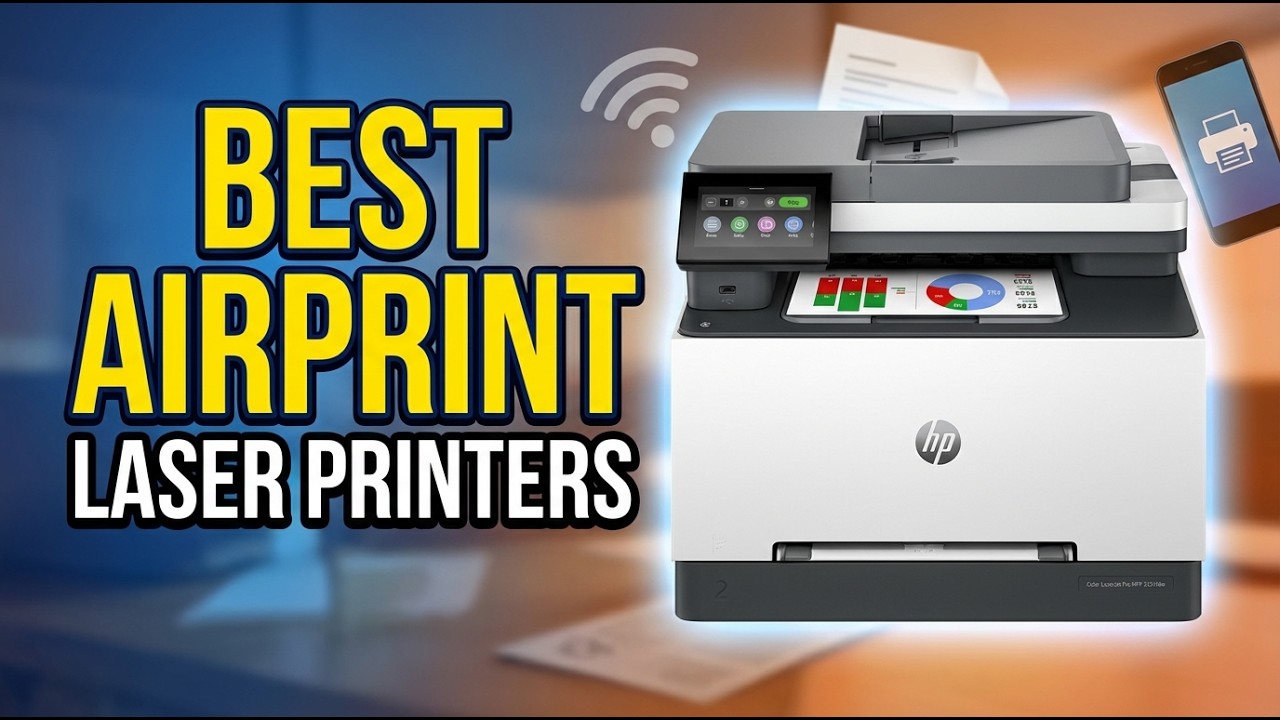
How to choose the Best Laser Printers for Home
The right home laser printer depends less on a long feature list than on the documents you actually create and the devices that need to reach it.
Monochrome or color output
Monochrome laser printers are designed for black text and simple document work. They are the natural fit for forms, shipping labels, school assignments, recipes, and home office reports. The Brother HL-L3220CDW Color is the only model here that handles color, so it deserves attention if charts, graphics, or color-coded pages are part of your routine.
Color adds capability, but it does not make sense for every home. If nearly everything you print is text, the monochrome models are more focused. If a document needs color once a week, decide whether that requirement is important enough to shape the entire printer choice.
Print speed
Print speed is listed in pages per minute, or ppm. The number matters most when a queue contains several pages. A model rated at 30 to 36 ppm, such as the Brother HL-L2405W, Brother DCP-L2640DW, Brother HL-L2460DW, and HP LaserJet Pro 3101sdw, is better suited to a home office that prints regularly.
Small print jobs do not always expose the gap between speeds. A slower compact printer can still be perfectly responsive for a single form. Look at the rating alongside paper handling and duplex performance rather than treating speed as the only measure of capability.
Automatic duplex printing
Automatic duplexing prints both sides of a sheet without asking you to turn it around. It is useful for reports, instructions, class packets, and any document where reducing page flips matters. The Brother HL-L2460DW, Brother DCP-L2640DW, Brother HL-L3220CDW Color, HP LaserJet Pro 3101sdw, HP LaserJet M234sdw, and HP LaserJet M209d list automatic duplex printing.
The Brother HL-L2405W and HP LaserJet M110w do not list automatic duplexing. That does not make them poor printers, but it does make them less suitable for frequent two-sided work.
For a home office, automatic duplexing is the feature you notice most after the novelty of wireless printing wears off.
Paper capacity and specialty media
A larger input tray reduces the number of times you need to reload standard paper. The 250-sheet trays in the Brother HL-L2405W, Brother DCP-L2640DW, Brother HL-L3220CDW Color, HP LaserJet Pro 3101sdw, and Brother HL-L2460DW are better suited to regular document production than a small or unspecified tray.
A manual feed slot is useful when envelopes or specialty paper appear in the workflow. It lets you use a different media type without removing the ordinary paper from the main tray. The Brother models in this list make that feature explicit.
Scanning, copying, and document feeders
A print-only model is simpler and often easier to place, but it cannot replace a scanner or copier. The Brother DCP-L2640DW, HP LaserJet M140w, HP LaserJet Pro 3101sdw, and HP LaserJet M234sdw combine those functions with printing.
An automatic document feeder matters when several pages need to be copied or scanned. The Brother DCP-L2640DW and HP LaserJet Pro 3101sdw list 50-page ADFs, while the HP LaserJet M234sdw lists an automatic document feeder without specifying its capacity. For occasional single-page scanning, a flatbed is enough. For multi-page paperwork, the feeder changes the experience completely.
Wireless and wired connections
Dual-band Wi-Fi is useful when phones, tablets, and several computers need access. Ethernet is valuable when the printer has a permanent place near a router or network switch. USB remains the simplest direct connection for one computer.
The HP LaserJet M209d is the exception because it is wired only. Its USB cable is included, so it is well suited to a fixed workstation. The Brother HL-L2460DW and Brother DCP-L2640DW offer the broadest connection mix among the models here, while the wireless HP printers focus on app-based access across common platforms.
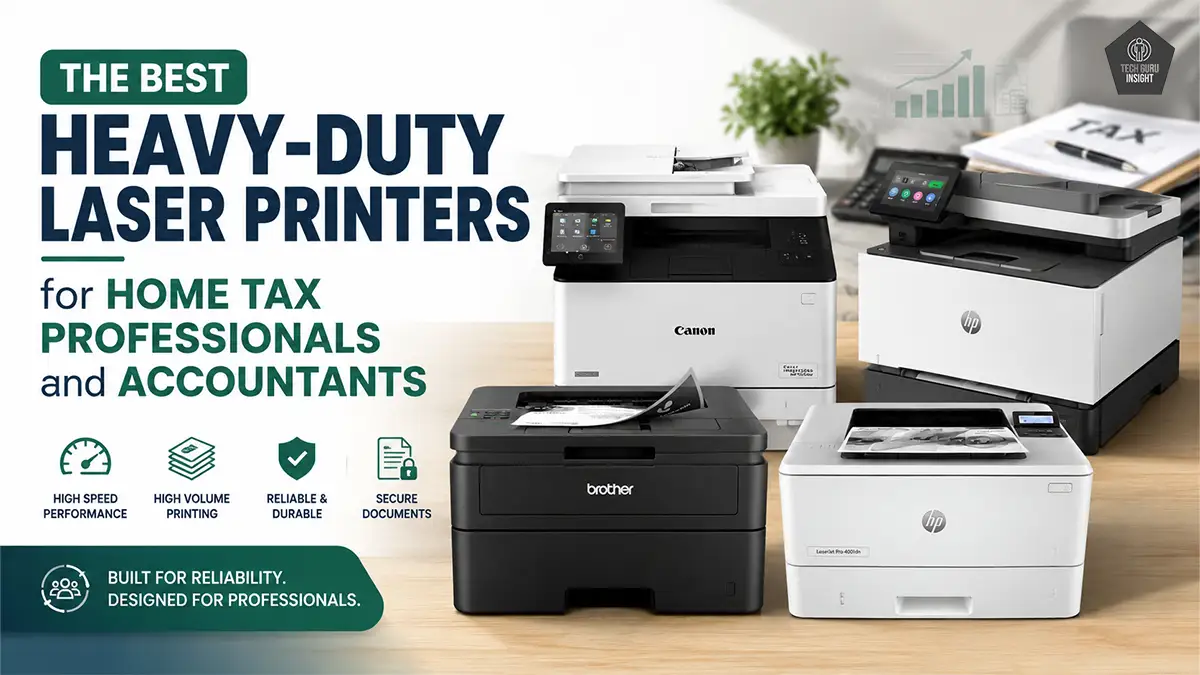
Frequently asked questions
Are laser printers good for home use?
Yes. Laser printers are particularly well suited to homes that mostly print text documents and want consistent output after the printer has been idle. Monochrome models such as the Brother HL-L2405W and HP LaserJet M110w keep the setup focused on printing, while multifunction models add scanning and copying.
Should I choose a monochrome or color laser printer?
Choose monochrome if you mainly print forms, letters, homework, labels, and reports. Choose the Brother HL-L3220CDW Color if charts, graphics, or other color documents are an important part of your home office work.
Do all of these printers print on both sides automatically?
No. Automatic duplex printing is listed for the Brother DCP-L2640DW, Brother HL-L3220CDW Color, Brother HL-L2460DW, HP LaserJet Pro 3101sdw, HP LaserJet M234sdw, and HP LaserJet M209d. It is not listed for the Brother HL-L2405W, HP LaserJet M110w, or HP LaserJet M140w.
Which models can scan and copy?
The Brother DCP-L2640DW, HP LaserJet M140w, HP LaserJet Pro 3101sdw, and HP LaserJet M234sdw can print, scan, and copy. The Brother DCP-L2640DW and HP LaserJet Pro 3101sdw also list 50-page automatic document feeders.
Is a wireless printer better than a USB-only printer?
Wireless is more convenient when several devices need to print, especially phones and tablets. A USB-only printer such as the HP LaserJet M209d can be preferable when one computer handles all printing and you want a direct connection with no wireless setup.
Which home laser printer has the fastest listed print speed?
The Brother DCP-L2640DW and Brother HL-L2460DW are both rated at up to 36 pages per minute. The HP LaserJet Pro 3101sdw follows at up to 35 pages per minute, while the HP LaserJet M110w and HP LaserJet M140w are rated at up to 21 pages per minute.
Can these printers handle envelopes or specialty paper?
The Brother HL-L2405W, Brother DCP-L2640DW, Brother HL-L3220CDW Color, and Brother HL-L2460DW list manual feed slots for envelopes or specialty paper. The other product descriptions do not provide the same paper-handling detail, so check the individual manual before using unusual media.
The bottom line
The Brother HL-L2405W is our leading choice among the Best Laser Printers for Home because it keeps everyday black-and-white printing simple while offering dual-band Wi-Fi, USB, a 250-sheet tray, and a useful mobile app. It is the right answer for most households that do not need scanning or automatic duplexing.
If your home office handles two-sided reports, copies, or multi-page scans, step up to the Brother DCP-L2640DW. For automatic duplex printing without the extra multifunction hardware, the Brother HL-L2460DW is the sharper alternative. The Brother HL-L3220CDW Color earns its place when color documents matter more than maximum monochrome speed.
For an undecided reader, choose the HL-L2405W for basic printing, the DCP-L2640DW for office tasks, and the HL-L2460DW when two-sided output is part of the daily routine.
As an Amazon Associate we earn from qualifying purchases.