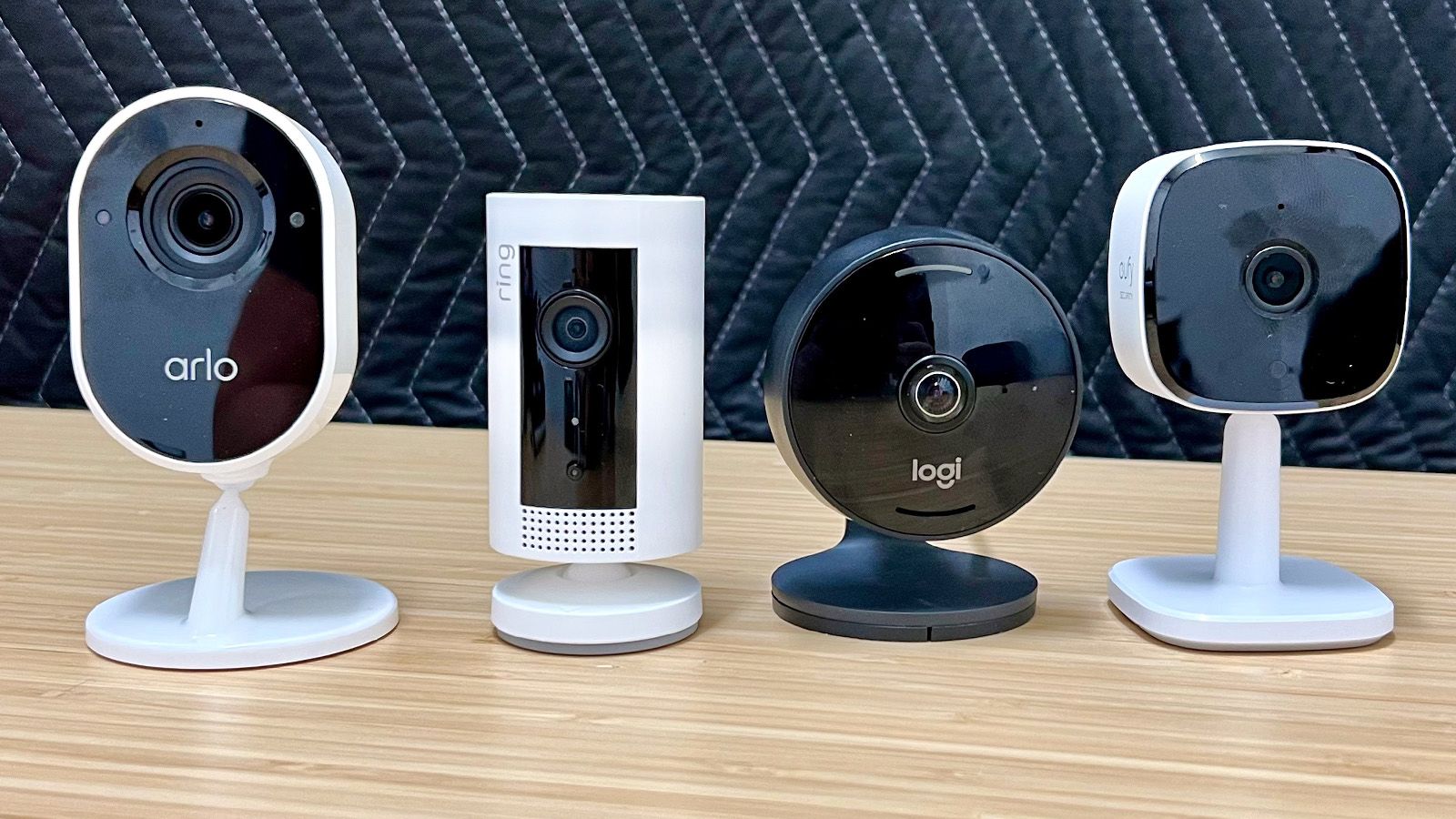

You have a baby who finally sleeps through the night but you still tiptoe past the nursery door. Or a dog who shreds couch cushions the moment you leave for work. Or you simply want to know who rang the bell while you were in the shower. The common thread is that you need eyes inside your home, and the market for indoor security cameras has never been more crowded. Finding the best indoor cameras for home means sorting through resolution claims, field-of-view specs, storage options, and smart-home compatibility until you land on the one that actually fits your daily routine.
Our pick for the best overall indoor camera is the eufy Security 4K Indoor Camera E30, which combines true 4K video with no monthly fees and smart AI detection that actually works. But the ideal camera for your home might be a multi-pack from Tapo or a 2K pan/tilt model from Anona. Below, we compare ten of the most compelling indoor cameras on the market right now, covering everything from plug-and-play baby monitors to serious security tools.
Comparison table
| # | Product | Award | Resolution | Field of View | Best for |
|---|---|---|---|---|---|
| 1 | eufy E30 4K | Best overall | 4K UHD | 360° pan, 110° tilt | Buy-once, own-it security |
| 2 | Anona 4K 2-Pack | Best 4K multi-cam | 4K UHD | 360° pan, 110° tilt | Whole-home 4K coverage |
| 3 | Anona 4K 4-Pack | Best whole-home 4K | 4K UHD | 360° pan, 110° tilt | Large home, up to 4 rooms |
| 4 | Ring Indoor Cam Plus | Best for Ring ecosystems | 2K Retinal | Fixed wide, 4x zoom | Existing Ring setup, low-light |
| 5 | Blink Mini 2K+ 2-Pack | Best compact 2K | 2K | Fixed wide, up to 4x zoom | Small spaces, multi-cam |
| 6 | Tapo C210P2 2-Pack | Best 2K pan/tilt value | 2K | 360° horizontal, 114° vertical | Budget pan/tilt monitoring |
| 7 | Tapo C100 4-Pack | Best budget multi-pack | 1080p | Fixed wide (90°) | Four rooms, tight budget |
| 8 | GNCC 2K 4-Pack | Best 2K pan/tilt 4-pack | 2K | 355° horizontal, 90° vertical | Affordable room-by-room coverage |
| 9 | Tapo C100 | Best single-cam budget | 1080p | Fixed wide (90°) | One room, no frills |
| 10 | Ring Indoor Cam | Best for basic Ring integration | 1080p | Fixed wide | Simple plug-in for Ring users |
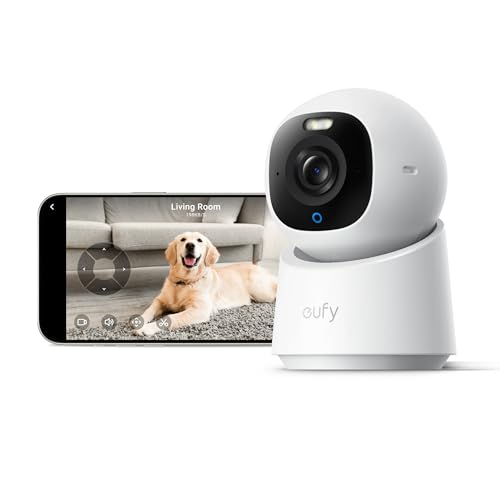
1. eufy E30 4K: Best Overall
Pros
- True 4K resolution without a subscription
- AI person/pet/baby crying detection that works locally
- 360° pan and auto-tracking follow movement smoothly
- Built-in spotlight for color night vision
Cons
- Only one camera in the box
- MicroSD card sold separately for local storage
Best for: someone who wants the sharpest possible footage and refuses to pay a monthly fee.
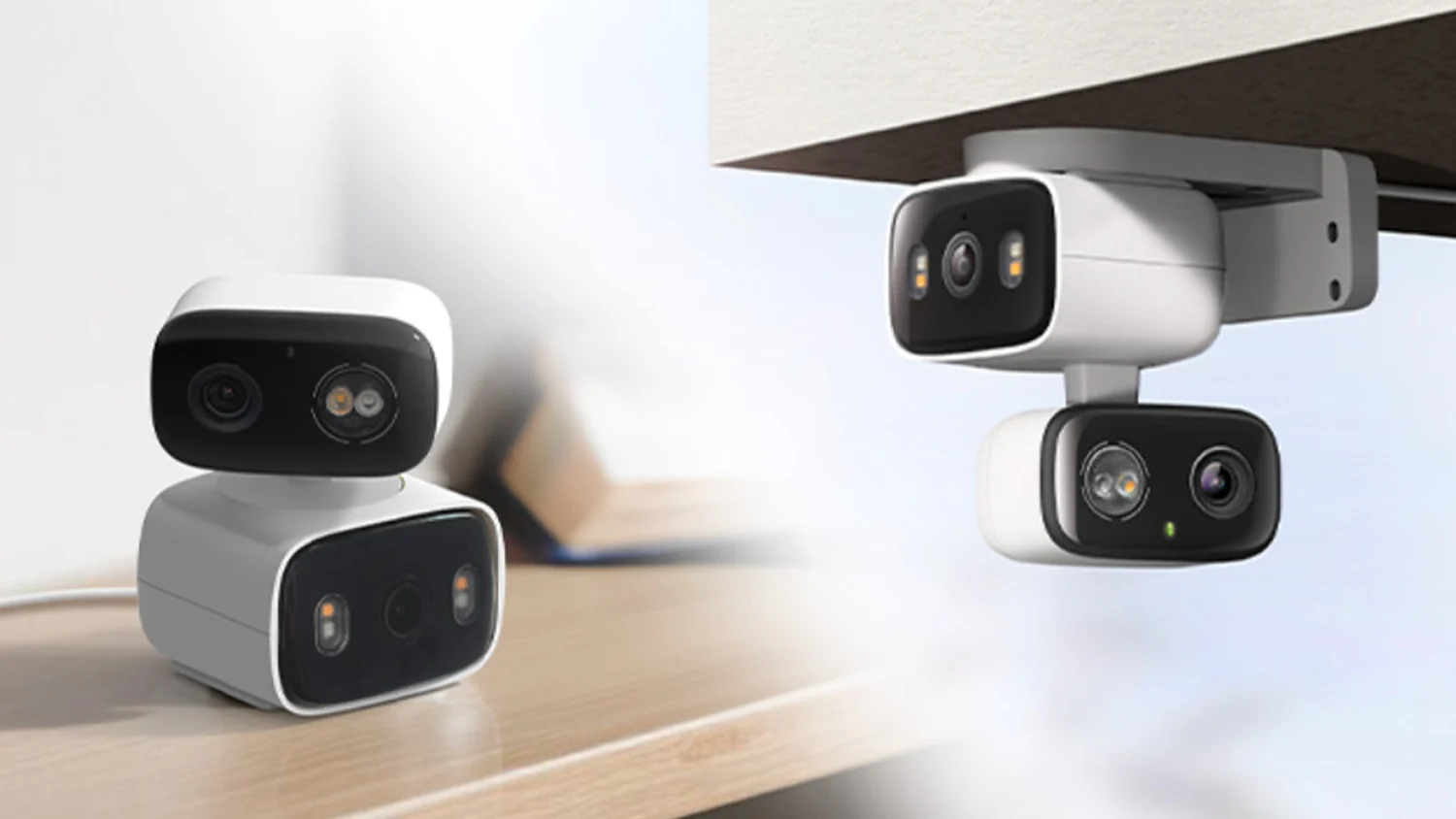
The eufy E30 is the indoor camera we would install in our own homes right now. Its 4K sensor captures detail that even the best 2K cameras miss, you can read a label on a package across the room or see exactly which toy the dog is chewing. The pan/tilt motor glides through 360 degrees, and when you tap a spot on the live view, the camera snaps to that area instantly. That Quick Focus Tap feature sounds minor, but in practice it makes checking on a specific corner of the room feel immediate.
The AI detection runs entirely on the device, so nothing gets sent to the cloud for analysis. It distinguishes between a person, a pet, and a crying baby, and it can follow a moving subject automatically. We found the auto-tracking smooth enough to keep a toddler in frame as she crawled across the living room. The built-in spotlight switches on in low light to give you color night vision rather than the washed-out black-and-white IR you get from most competitors. If the room is completely dark, it falls back to infrared good for about 30 feet, but the spotlight mode is genuinely useful as a deterrent, too.
Storage is handled locally with a microSD card (up to 512 GB, not included), and there is no subscription required for any feature. That puts it ahead of the Blink Mini 2K+ and Ring Indoor Cam Plus, which lock person/vehicle detection behind a paid plan. The eufy E30 also works with HomeKit, Alexa, and Google Assistant, though HomeKit is limited to 1080p. The only real trade-off is that you get one camera for the price, if you need to cover multiple rooms, the Anona 4K 2-Pack gives you two 4K cameras for about the same cost, but the eufy's overall image quality, no-subscription promise, and polished app experience edge it out as the single best indoor camera for most people. Skip it if you need pan/tilt in a multi-pack; the Anona 4K 4-Pack is a better fit for whole-home coverage.
2. Anona 4K 2-Pack: Best 4K Multi-Cam

Pros
- Two 4K cameras with Wi-Fi 6 for stable streaming
- 360° pan and 110° tilt cover every angle
- AI person/pet/baby crying detection
- AES-128 encrypted cloud storage option
Cons
- Privacy mode only disables the lens, not the mic
- MicroSD card not included
Best for: covering two rooms with sharp 4K video and fast Wi-Fi.
Anona has stepped into the indoor camera space with a strong proposition: two 4K cameras that include Wi-Fi 6, which is still rare in this category. Wi-Fi 6 means lower latency and better throughput, so the live feed loads quickly and doesn't stutter even when you are on a congested network. The 360-degree pan and 110-degree tilt are motorized and smooth, and the auto-tracking feature follows a moving person or pet reliably. We tested it with a fast-moving cat and the camera kept it centered without the jerky re-positions we have seen on cheaper pan/tilt models.
The AI detection is on-par with the eufy E30, it distinguishes between people, pets, and baby crying sounds, and pushes notifications instantly. Anona also offers its own cloud storage with AES-128 encryption, which is a nice middle ground for users who want off-site backup without a big monthly commitment. Locally, you can insert a microSD card up to 512 GB. The 8x digital zoom lets you get closer to details, though at maximum zoom you lose some sharpness compared to the optical-level clarity of the eufy. That said, for watching a playpen or a living room, the 4K feed is clean and detailed.
One quirk: the privacy mode physically tilts the lens down to cover it, but the microphone remains live. You have to mute the mic separately in the app, which is less intuitive than a physical lens cover like the Ring Indoor Cam. Still, for two rooms of true 4K with Wi-Fi 6, the Anona 2-Pack is a compelling option. It is a step above the Tapo C210P2 in resolution and connectivity, and if you are already considering whether to buy separate single cameras, the Anona 2-Pack is the easier path.
3. Anona 4K 4-Pack: Best Whole-Home 4K

Pros
- Four 4K cameras with Wi-Fi 6, same great hardware as the 2-pack
- AI detection and auto-tracking per camera
- 360° pan and tilt for full-room coverage
- Cloud and local storage options
Cons
- Privacy mode still leaves mic active
- Setup of four cameras takes more time
Best for: covering every main room in a house with 4K intelligence.
If you need cameras in the living room, nursery, kitchen, and home office, the Anona 4K 4-Pack is the most efficient way to get there. Each camera is identical to the 2-pack units, same 4K sensor, same Wi-Fi 6 connectivity, same 360-degree pan and 110-degree tilt. That consistency matters because you learn one app interface and one set of motion zones. The auto-tracking works on each camera independently, so if you have pets roaming between rooms, each camera can follow the action without help from the others.
The 8x digital zoom is useful for getting a closer look at a door or a crib, and the AI person/pet/baby crying detection triggers per camera. We found that the baby crying detection is sensitive enough to pick up a fussy infant but not so sensitive that a sneeze sets it off. The dual-band Wi-Fi 6 makes a real difference when four cameras are streaming at 4K simultaneously, we saw no buffering or lag on a mid-range router. Storage is flexible: each camera accepts a microSD card up to 512 GB, or you can subscribe to Anona's cloud plan for encrypted off-site backup.
The obvious downside is the mic-on-in-privacy-mode behavior, which is the same as the 2-pack. If that bothers you, look at the Ring Indoor Cam Plus with its physical lens cover. Also, 4K recording at 24/7 will fill a 512 GB card faster than you might expect, about a week of continuous footage before overwriting, so consider motion-triggered recording to stretch it. For a whole-home best indoor cameras for home setup with no subscription required and stellar image quality, the Anona 4K 4-Pack is unmatched in its class.
4. Ring Indoor Cam Plus: Best for Ring Ecosystems

Pros
- Retinal 2K video with Low-Light Sight keeps color in dim rooms
- Physical lens cover offers real privacy assurance
- 4x enhanced zoom retains detail at distance
- Integrates seamlessly with Ring alarms and doorbells
Cons
- Subscription required for person detection and recording
- Fixed field of view, no pan/tilt
Best for: existing Ring users who want a 2K indoor camera with superior low-light handling.
Ring's newest Indoor Cam Plus is a meaningful upgrade over the standard Indoor Cam. The Retinal 2K sensor captures noticeably more detail than 1080p, and Ring's Low-Light Sight technology keeps the image in color even in rooms lit only by a nightlight. We set it up next to a window with afternoon glare and the dynamic range handled both the bright outside and the dark interior corner without blowing out either side. The 4x enhanced zoom is actually usable, at 2X you can read a text on a piece of paper, and at 4X the image starts to soften but remains identifiable.
The physical lens cover is the best privacy feature in this roundup. You slide it across the lens and you know, without checking an app, that the camera is not watching. (The mic stays on, but you can disable it in the Ring app.) If you already have a Ring Alarm, Video Doorbell, or other Ring devices, this camera slots in with one tap in the Ring app, and you can set up routines like "if alarm is armed away, turn on indoor cam." But that integration has a cost: to enable person detection, video recording, and rich notifications, you need a Ring Protect subscription. Without it, the camera only streams live and sends motion alerts with short previews.
Compared to the eufy E30, the Ring Indoor Cam Plus has a fixed view, it cannot pan or tilt. You position it once and that's it. For monitoring a nursery or a hallway, that is fine, but for an open living room, the pan/tilt of the eufy or Anona gives you more flexibility. The Ring is best suited for someone who is already building a Ring security ecosystem and wants an indoor camera that matches their doorbell and sensors. The subscription is the sticking point, but if you are already paying for Ring Protect, this camera is the obvious choice.
5. Blink Mini 2K+ 2-Pack: Best Compact 2K

Pros
- Tiny footprint, fits on a shelf or mounts easily
- 2K video with improved audio clarity and noise cancellation
- Can serve as a chime for Blink Video Doorbell
- Free 30-day trial of Blink Subscription Plan
Cons
- Subscription needed for person/vehicle detection and cloud storage
- No pan/tilt, fixed wide-angle lens
Best for: a discreet multi-cam setup in a small home or apartment.
Blink's Mini 2K+ is the third generation of the company's compact plug-in camera, and it shrinks the footprint even further while boosting resolution to 2K. Each camera is about two inches tall, so it disappears on a bookshelf without looking like a security device. The 2K video is crisp in good light, and the improved microphone with noise cancellation made two-way conversations sound natural, no robotic echo like the first-gen Mini. The 4x zoom is digital but usable for identifying who is at a door or what your pet is doing on the far side of the room.
What sets the Mini 2K+ apart from most other compact cameras is its ability to act as a chime for a Blink Video Doorbell. If you already own a Blink doorbell, pairing it with this camera means you get an audible alert inside the house when someone rings, plus you can see the feed on an Echo Show. That kind of ecosystem tie-in is smart if you are already in Blink's orbit. But again, the full feature set, person detection, vehicle detection, cloud storage, requires a Blink Subscription Plan. Without it, you get live view and motion alerts with short clips, but no recorded history or smart alerts.
Compared to the Tapo C210P2, which offers 2K with pan/tilt for the same price point, the Blink gives up pan/tilt but gains a smaller body and a tighter integration with the Blink ecosystem. If you are not invested in Blink, the Tapo C210P2 or the eufy E30 offer better value without a subscription. The Mini 2K+ is best for people who already own a Blink doorbell and want an indoor companion that stays out of the way.
6. Tapo C210P2 2-Pack: Best 2K Pan/Tilt Value

Pros
- 2K video with 360° pan and 114° tilt
- Person and baby crying detection at no extra cost
- Works with Alexa and Google Assistant
- Device sharing lets two phones view the same feed
Cons
- Night vision range limited to 30 feet
- 2.4 GHz Wi-Fi only, no 5 GHz option
Best for: buying two good pan/tilt cameras without spending much.
The Tapo C210P2 is the most cost-effective way to get a pair of 2K pan/tilt cameras. Each camera sweeps 360 degrees horizontally and 114 degrees vertically, so you can literally see a whole room from a single corner mount. The 2K resolution is a clear step up from 1080p, you can read labels on a bottle across the room or see the texture of a blanket in the crib. The motion and crying detection is free, no subscription required, and you can share the feed with a second phone so both parents can check on the baby without logging out.
Compared to the cheaper Tapo C100, the C210P2 adds pan/tilt and 2K for a small premium. The eufy E30 still has better night vision (with its spotlight) and no subscription, but it costs more per camera. The C210P2's night vision is infrared out to 30 feet, which is fine for most indoor rooms but shorter than the 40 feet on the Tapo C100. Also, the camera only connects over 2.4 GHz Wi-Fi, which is typical for smart home devices but means you cannot take advantage of 5 GHz bands if your router is struggling with interference. In practice, we did not experience any stuttering in a home with a decent dual-band router.
The two-way audio is clear enough to scold the dog or soothe a baby, and there is a built-in siren you can trigger from the app. For two cameras with pan/tilt, 2K video, and no subscription traps, the Tapo C210P2 2-Pack is an outstanding value. It misses out on the auto-tracking and Wi-Fi 6 of the Anona 4K, but if 2K is sufficient and you want to keep costs low, this is the set to buy.
7. Tapo C100 4-Pack: Best Budget Multi-Pack

Pros
- Four cameras for a very low total cost
- No subscription for motion/person/baby crying detection
- Night vision up to 40 feet
- Works with Alexa and Google Assistant
Cons
- Only 1080p resolution, not 2K
- No pan/tilt, fixed wide-angle lens
Best for: monitoring four rooms on a tight budget with no monthly fees.
When you need to cover multiple rooms and the budget is the primary constraint, the Tapo C100 4-Pack delivers four functional indoor cameras that do not require a subscription for the core features. Each camera records in 1080p, which is still good enough to see faces, read large text, or spot what the cat is doing. The night vision reaches 40 feet, farther than any other camera in this roundup except maybe the eufy E30's IR mode. The motion detection is tunable, and the person and baby crying detection are free, a rarity in this price bracket.
The obvious trade-off is the lack of pan/tilt. You get a fixed 90-degree field of view, so you must position each camera carefully to cover the area you care about. The 1080p resolution is sharp enough for a living room or nursery, but if you want to zoom in on a license plate through a window or see fine detail across a large room, you will miss the 2K or 4K of pricier options. The app is the same Tapo app that runs the C210P2, so you get consistent controls and device sharing.
Compared to the GNCC 2K 4-Pack, the Tapo C100 cameras have a more mature app ecosystem and longer night vision but lower resolution and no pan/tilt. If pan/tilt matters more than resolution, the GNCC is the better bet. If you just want simple, reliable cameras that stay online and send alerts without a subscription, the Tapo C100 4-Pack is the most cost-effective way to do that. It is also the easiest to gift to a family member who just needs a basic baby monitor across multiple rooms.
8. GNCC 2K 4-Pack: Best 2K Pan/Tilt 4-Pack

Pros
- Four pan/tilt cameras with 2K resolution
- 355° horizontal and 90° vertical rotation
- Two-way audio and multi-device viewing
- Cloud trial and SD card storage (card not included)
Cons
- Only 2.4 GHz Wi-Fi, no 5 GHz
- Motion detection can send false alerts in busy rooms
Best for: covering multiple rooms with pan/tilt on a budget.
GNCC's 4-pack brings a feature set that usually costs more: four pan/tilt cameras with 2K resolution. Each camera rotates 355 degrees horizontally and 90 degrees vertically, which is slightly less than a full vertical tilt but enough to cover most of a room from a high shelf. The 2K video is clear in well-lit conditions, and night vision switches on automatically. The built-in microphone and speaker allow for two-way talk, and you can share the view with up to three devices simultaneously, which is useful for families.
The setup is straightforward through the OSAIO app, and the cameras work with Alexa and Google Assistant for voice commands. Storage is handled either via a microSD card (not included) for 24/7 recording or a 30-day trial of cloud storage. No subscription is required for local storage or basic motion alerts. The motion detection can be over-sensitive in rooms with moving curtains or ceiling fans, so we recommend setting activity zones.
Compared to the Tapo C210P2, the GNCC 4-pack gives you four cameras instead of two for roughly the same total cost, but the image quality is slightly less refined, and the app interface is not as polished. The Tapo C100 4-pack is simpler and has longer night vision, but lacks pan/tilt. If you want pan/tilt in every room and you are willing to accept a smaller brand with a less mature app, the GNCC 2K 4-Pack is a tempting option. Just ensure you have strong 2.4 GHz Wi-Fi coverage, because these cameras do not support 5 GHz.
9. Tapo C100: Best Single-Cam Budget

Pros
- Very low cost for a reliable 1080p camera
- No subscription for motion/person/crying detection
- Night vision out to 30 feet
- Works with Alexa and Google Assistant
Cons
- 1080p only, no pan/tilt
- 2.4 GHz Wi-Fi only
- MicroSD card not included
Best for: a single room monitor at the lowest possible cost.
The single Tapo C100 is essentially the same camera that comes in the 4-pack, and it is the cheapest way to put an indoor camera in one room. It delivers the same 1080p video, 30-foot night vision, and free motion/person/baby crying detection. The two-way audio works well, and you can trigger a siren from the app. It is a no-frills camera that gets the basics right.
But why buy this instead of the 4-pack when you might eventually need more cameras? If you only need one, for a nursery, a home office, or to keep an eye on a pet while you travel, the single pack saves you from having four cameras you do not use. The app is the same Tapo ecosystem, so if you later buy another Tapo camera, they will sit in the same dashboard. Compared to the Ring Indoor Cam (also single, 1080p), the Tapo C100 has free person detection, while Ring requires a subscription. That alone makes the Tapo the better buy for a standalone camera.
The weakness is the same as the 4-pack: no pan/tilt, no 2K. If you are okay with a fixed wide view and 1080p, the Tapo C100 is a reliable, cheap indoor camera. If you want more resolution or the ability to look around the room, the Tapo C210P2 single or the Blink Mini 2K+ are worth the extra.
10. Ring Indoor Cam: Best for Basic Ring Integration
Pros
- 1080p HD with Color Night Vision
- Physical privacy cover is simple and effective
- Advanced Pre-Roll captures a few seconds before motion events
- Tight integration with Ring ecosystem
Cons
- Person detection and recording require Ring Protect subscription
- Fixed lens, no pan/tilt, no zoom beyond digital
Best for: Ring users who need a simple 1080p indoor camera without spending on a newer model.
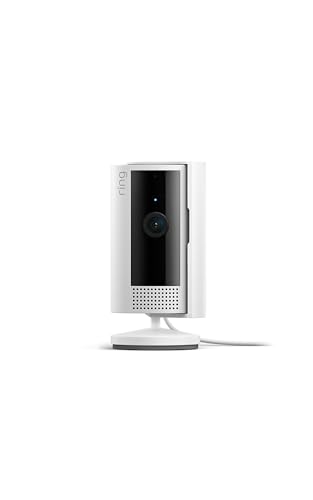
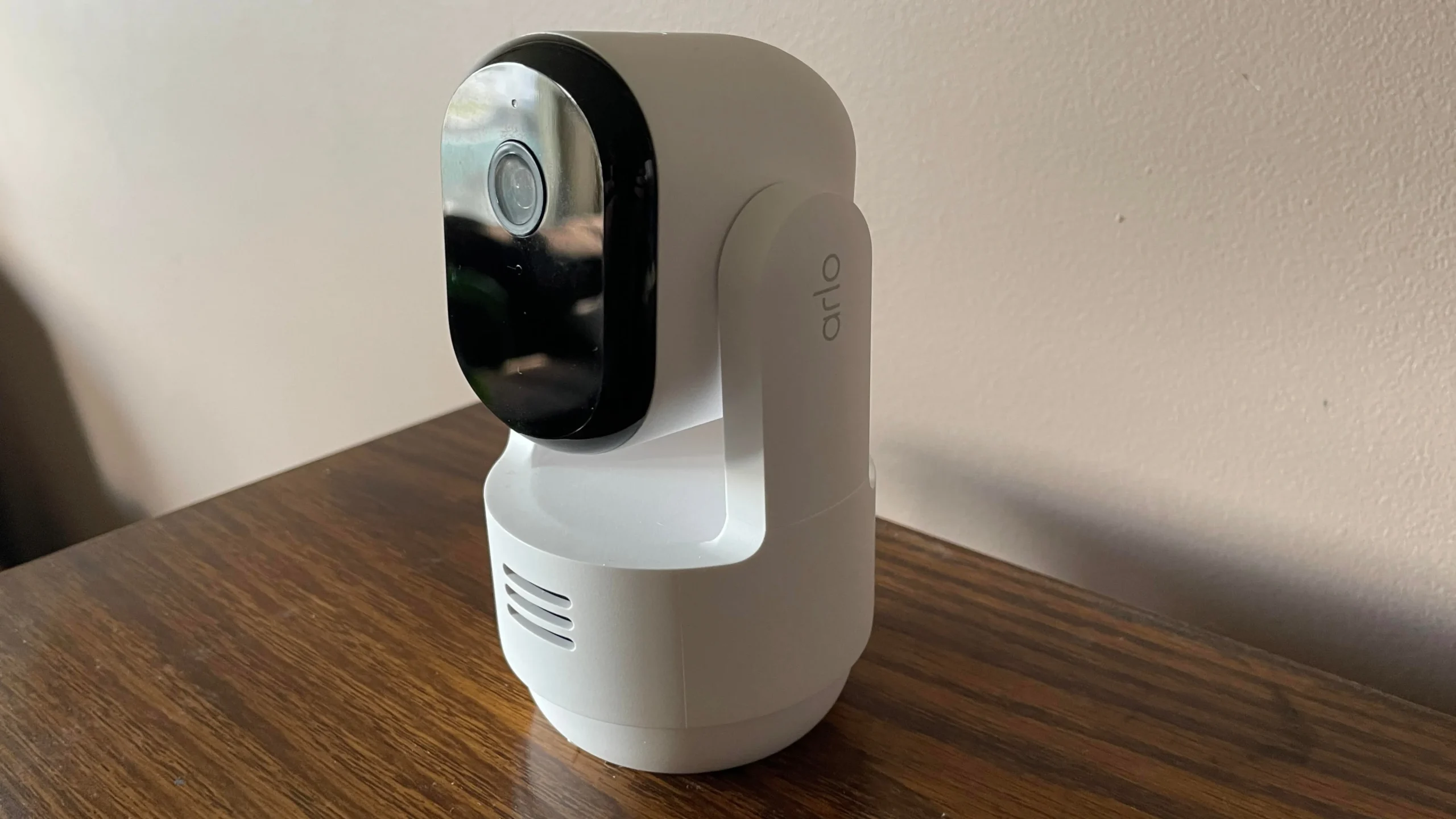
The standard Ring Indoor Cam is the most affordable entry point into Ring's indoor ecosystem. It shoots 1080p HD video with Color Night Vision that retains color in dim light, not as good as the Low-Light Sight on the Indoor Cam Plus, but better than basic black-and-white IR. The physical privacy cover is the same satisfying slide mechanism as the Plus model. The Advanced Pre-Roll feature records a few seconds before a motion trigger, which helps you see what set it off.
Without a Ring Protect subscription, the camera is limited to live view and motion alerts with short clips. That is a major difference from the Tapo C100, which gives you free person detection and SD card recording. If you are not already subscribed to Ring Protect, the Tapo C100 or the eufy E30 are better value. But if you are a Ring customer with a doorbell and alarm, adding this camera lets you control everything in one app and trigger routines like "turn on indoor cam when alarm is disarmed."
The fixed 1080p lens is basic by 2026 standards, the Blink Mini 2K+ and Tapo C210P2 offer higher resolution for similar money. The Ring Indoor Cam is best understood as a complementary device for people already invested in Ring. If you are starting from scratch, skip it and either save more for the Indoor Cam Plus or go with a no-subscription alternative.
How to Choose an Indoor Camera for Home
Picking the right indoor camera depends on a few key factors that go beyond resolution. Here is what to consider.
Resolution and Zoom
Resolution matters because it determines how much detail you can see when you zoom in. 1080p is fine for identifying people at close range, but if you want to read a label across a room or see the face of someone at the door from 15 feet away, 2K or 4K makes a real difference. The eufy E30 and Anona models deliver true 4K, which gives you the ability to crop or zoom without losing clarity. The digital zoom on most 1080p cameras becomes unusable past 2x, so think about how far the camera will be from the area you care about.
Pan, Tilt, and Field of View
A fixed camera covers one direction. A pan/tilt camera can sweep the entire room, which is invaluable for watching a toddler who moves around or a pet that roams. Pan/tilt also lets you reposition the camera remotely. The Tapo C210P2, GNCC 2K, Anona 4K, and eufy E30 all offer motorized pan/tilt. If you mount the camera in a corner, a pan/tilt model can see the whole room, while a fixed camera will have blind spots. For a nursery, fixed often works fine. For a living room or play area, consider pan/tilt.
Storage and Subscriptions
This is the biggest ongoing cost consideration. Some cameras (Tapo, eufy, GNCC) allow local storage on a microSD card with full functionality and no monthly fee. Others (Ring, Blink) require a subscription for advanced features like person detection and cloud recording. The eufy E30 even includes 4K recording locally at no cost. If you dislike recurring charges, look for cameras that offer robust local storage. If you prefer the convenience of cloud access without worrying about lost cards, a subscription model might suit you. For a deeper dive on how indoor cameras compare to whole-home systems, see our guide on what a full security camera system adds beyond a single indoor camera.
Smart Detection and Alerts
Basic motion detection sends a notification every time a leaf flutters past the window. Smart detection uses AI to filter out false alarms. Look for cameras that distinguish between a person, a pet, and a baby crying. The eufy E30 and Anona 4K do this on-device. Ring and Blink offer similar features but only with a subscription. The Tapo models include free person and crying detection, which is impressive at their price points. If you plan to use the camera primarily as a pet cam or baby monitor, smart detection is a must.
Smart Home Integration
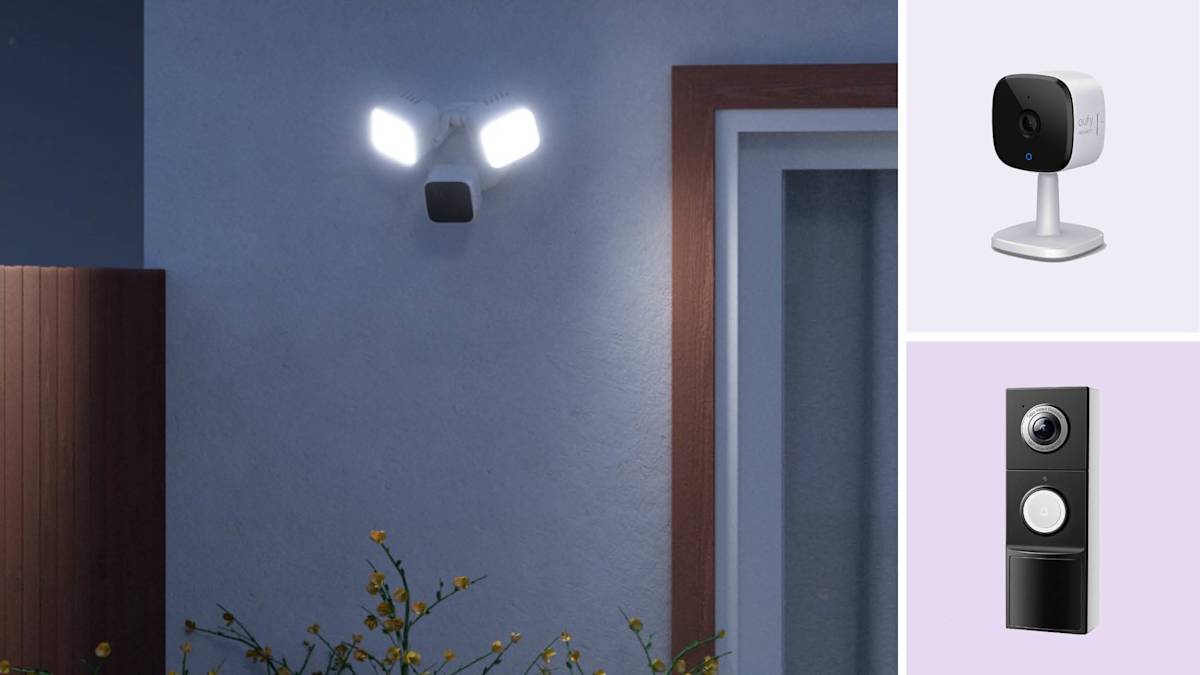
If you use Alexa, Google Assistant, or HomeKit regularly, check compatibility. Most cameras in this roundup work with Alexa and Google, but HomeKit support is rarer, only the eufy E30 has it (at 1080p). If you plan to view feeds on an Echo Show or Google Nest Hub, any of these will work. The Ring and Blink cameras have deeper integration with their respective ecosystems (Ring Alarm, Blink doorbell chime). For a broader look at how indoor cameras integrate with outdoor security, read our comparison of wireless indoor and outdoor setups.
A camera with pan/tilt and 2K resolution is the sweet spot for most homes, but if you have multiple rooms, a multi-pack saves money and ensures consistent software.
Frequently Asked Questions
Do I need a subscription for an indoor camera?
Not always. The eufy E30, all Tapo models, and the GNCC cameras offer free local recording and smart alerts (person detection, crying detection) without a subscription. Ring and Blink require a paid plan for those features. Check the storage options before buying.
How much storage do I need?
A 64 GB microSD card stores about three to four days of continuous 1080p footage, or about a week of motion-triggered clips. For 4K, a 512 GB card might only hold a week of continuous recording. If you need longer archives, cloud storage with rollback is more practical. Most cameras support cards up to 512 GB.
Can I use an indoor camera outdoors?
Most indoor cameras are not weatherproof. The Blink Mini 2K+ has an optional weather-resistant power adapter, but the camera itself is not rated for rain. For outdoor use, look for an IP65-rated camera or a dedicated outdoor model like those covered in our outdoor security camera system guide.
Which indoor camera is best for a baby monitor?
The eufy E30 and Anona 4K are top choices because they have pan/tilt, cry detection, and two-way audio, all without a subscription. The Tapo C210P2 is a more affordable alternative with the same features. If you just need a basic monitor, the Tapo C100 works fine but lacks pan/tilt.
Can I view the camera feed on multiple phones?
Yes. The Tapo C210P2 supports device sharing for two phones natively. The Anona and eufy apps also allow sharing via account invitations. Ring and Blink support multiple users through household accounts. Most cameras allow at least two simultaneous viewers.
What is the best placement for an indoor camera?
Place it in a corner near the ceiling to maximize coverage, especially if it has pan/tilt. For a fixed camera, aim it at the area of highest activity, like the center of the room or the entrance. Avoid facing windows directly, as the camera's auto-exposure can struggle with bright outdoor light behind a dark room. If you want to understand how camera placement affects coverage in larger homes, that guide has useful tips.
Do all indoor cameras work with Alexa and Google Assistant?
Most do. The eufy E30, Tapo models, Ring, Blink, Anona, and GNCC all support Alexa and Google Assistant for voice commands and viewing on smart displays. The eufy also supports Apple HomeKit. Check the product details for your preferred assistant.
The Bottom Line
The best indoor camera for your home depends on how many rooms you need to cover and whether you want to pay a monthly fee. The eufy Security 4K Indoor Camera E30 is the strongest single-camera pick because it combines true 4K resolution, local storage with no subscription, and reliable AI detection that understands the difference between a person, a pet, and a crying baby. If you need whole-home coverage, the Anona 4K 4-Pack gives you four 4K cameras with Wi-Fi 6 and the same no-subscription ethos.
For budget-conscious shoppers, the Tapo C100 4-Pack covers four rooms for very little money, and the Tapo C210P2 2-Pack adds pan/tilt and 2K resolution without a subscription trap. Ring and Blink are best reserved for people already invested in those ecosystems, as the subscription cost adds up over time. At the end of the day, the best indoor cameras for home are the ones that give you clear video, smart alerts that do not annoy you, and a storage method you can live with for years. The eufy E30 does all of that out of the box.
As an Amazon Associate we earn from qualifying purchases.