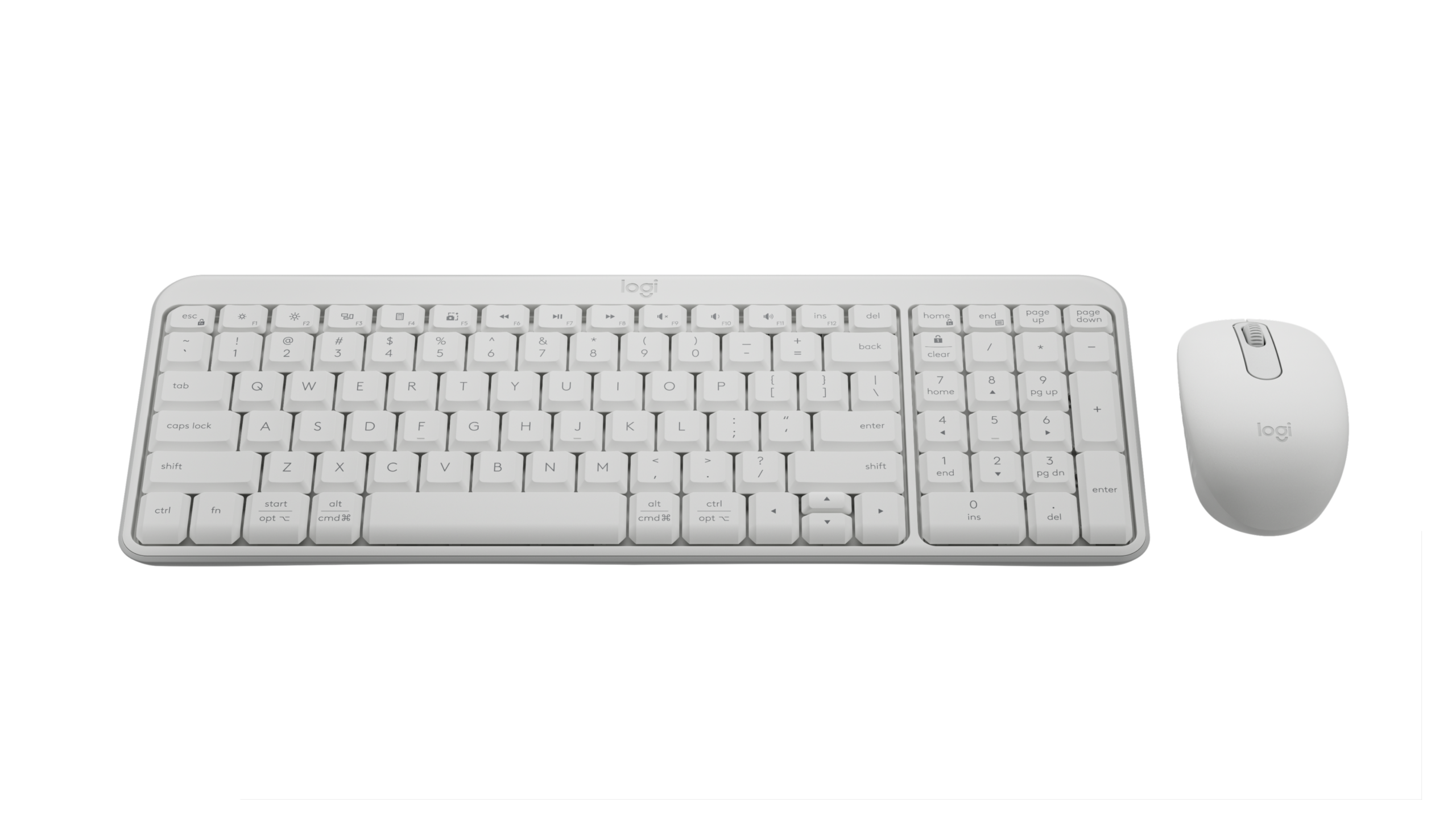

A mismatched keyboard and mouse can make an otherwise capable computer feel awkward. The keyboard may be too flat, the mouse may strain your hand, or a shared wireless receiver may become one more thing to troubleshoot. The Best keyboard and mouse combo should make both devices disappear into the work.
This group includes quiet office sets, multi-device Logitech models, ergonomic layouts, and gaming bundles with RGB lighting. Our top pick is the Logitech MK850 Performance, while the MX Keys S Combo is the more refined option for people who move between several devices. The rest cover simple home-office setups, gaming desks, and users who prefer an ergonomic wave keyboard.
Comparison table
| # | Product | Award | Connection | Keyboard feature | Mouse feature | Best for |
|---|---|---|---|---|---|---|
| 1 | Logitech MK850 Performance | Best overall | USB or Bluetooth | Full-size, cushioned palm rest | Hyper-fast scroll wheel | Work across multiple devices |
| 2 | Logitech MK270 | Best simple wireless set | 2.4 GHz USB | Spill-resistant full-size layout | Ambidextrous shape | Everyday desktop use |
| 3 | Redragon S101M-KS | Best multi-mode gaming set | Wired, Bluetooth, or 2.4 GHz | RGB, 10 media keys | Adjustable to 4800 DPI | Flexible gaming setups |
| 4 | Logitech MX Keys S Combo | Best for demanding desk work | Bluetooth or Logi Bolt | Backlit laptop-style keys | 8K DPI sensor | Precision productivity |
| 5 | Logitech MK345 | Best long-battery office set | 2.4 GHz USB | Full-size with palm rest | Right-handed contoured shape | Home and office work |
| 6 | Logitech MK955 Signature Slim | Best quiet slim set | Bluetooth or Logi Bolt | Laptop-style multi-device layout | SilentTouch clicking | Shared or quiet workspaces |
| 7 | Logitech MK540 | Best traditional comfort | 2.4 GHz USB | Palm rest and spill resistance | Ambidextrous rubber grips | Familiar full-size typing |
| 8 | RedThunder K10 Wireless | Best wireless RGB bundle | 2.4 GHz USB | Rechargeable backlit keyboard | 3200 DPI, 7-color lighting | Casual wireless gaming |
| 9 | RedThunder K10 Wired | Best wired gaming bundle | Wired | 104 keys and 26-key anti-ghosting | 7200 DPI, 7D controls | A complete gaming desk |
| 10 | ULSOU Wave Combo | Best ergonomic layout | 2.4 GHz USB | Wave keys and wrist rest | Right-handed forward and back buttons | Long typing sessions |
1. Logitech MK850 Performance: Best Overall

Pros
- Cushioned palm rest and quiet full-size keys
- USB and Bluetooth connectivity
- Hyper-fast mouse scrolling
- Keyboard and mouse can work across multiple devices
Cons
- Takes up substantial desk space
- Right-handed mouse design is not ideal for everyone
- Custom features depend on Logitech software
Best for: people who want a comfortable full-size set that can move between computers, tablets, and phones.
The Logitech MK850 Performance is the easiest set here to recommend to a household that uses more than one screen. It feels like a proper desk setup rather than a keyboard and mouse bundled together as an afterthought. The full-size keyboard has a cushioned palm rest and quiet keys, while the contoured mouse is shaped for the right hand and has a hyper-fast scroll wheel that is particularly useful in long documents and web pages.
Its strongest feature is flexibility. Both devices support multiple devices and operating systems, so you can type on a computer, switch to a tablet, or move the mouse between as many as three screens. Dual connectivity lets you use USB or Bluetooth, which matters if one computer has spare USB ports and another is better suited to Bluetooth. That gives the MK850 a longer useful life than a set tied to one receiver.
The shape also separates it from the simpler Logitech MK270 and Logitech MK345. Those models are sensible plug-and-play choices, but the MK850 is more comfortable for long sessions and much better at handling a mixed-device desk. Its scroll wheel is the feature you notice most after living with it. Long pages become a quick flick instead of a repetitive series of smaller wheel movements.
The weakness is its footprint. The listed dimensions are 21 inches long and 9 inches wide, so this is not a compact choice for a narrow desk. The mouse is also explicitly contoured for right-handed use. Users who switch hands or want a minimal keyboard should look at the Logitech MK955 Signature Slim instead.
For a main desktop, home office, or shared workspace, the MK850 strikes the best balance between comfort, useful controls, and connection options. It is the set we'd keep when one keyboard and mouse need to serve several devices without feeling basic.
2. Logitech MK270: Best Simple Wireless Set

Pros
- Full-size layout with number pad and function keys
- Spill-resistant keyboard
- Up to 36 months of keyboard battery life
- Ambidextrous mouse design
Cons
- Mouse is compact rather than sculpted
- Uses a USB receiver instead of Bluetooth
- Less comfortable and adaptable than the MK850
Best for: a straightforward desktop setup that should work immediately with minimal adjustment.
The Logitech MK270 is the no-nonsense choice. Plug in the USB receiver, switch on the keyboard and mouse, and you have a familiar full-size layout with a number pad, arrow keys, and full-size function keys. It does not try to turn a basic desktop set into a multi-device control center. That restraint is the reason it remains useful.
The low-profile keys are quiet enough for an ordinary office or bedroom, and the keyboard has adjustable tilt legs. Logitech also gives it a spill-resistant design, which is a practical safeguard around coffee and water, though it is not an invitation to wash the keyboard. Eight multimedia hotkeys provide quick access to functions such as volume, email, internet, and play or pause.
Battery life is a major part of the MK270's appeal. The keyboard is rated for up to 36 months and the mouse for up to 12 months, with on and off switches for storage or travel. The shared USB receiver is rated for a wireless range of up to 33 feet. That makes the set a good fit for a desktop connected to a monitor, television, or projector where the computer is not directly in front of the typing position.
The mouse is where the compromises show. Its compact shape is designed to suit both left- and right-handed users, but it lacks the deeper support of the Logitech MK540 or the more advanced scrolling of the Logitech MK850 Performance. There is also no Bluetooth or multi-device switching. If you work across a laptop and desktop, the MK270 will feel limited.
For basic typing, web browsing, schoolwork, and an everyday family computer, this remains a sensible pick. It is less compelling for intensive daily work, but people who want a familiar layout, long battery intervals, and uncomplicated wireless operation should start here.
3. Redragon S101M-KS: Best Multi-Mode Gaming Set

Pros
- Wired, Bluetooth, and 2.4 GHz modes
- RGB lighting with eight backlight patterns
- Ten independent multimedia keys
- Mouse supports five DPI levels up to 4800 DPI
Cons
- Gaming-focused styling is less suited to a formal office
- Software is required for deeper customization
- Full-size layout takes more room than compact gaming boards
Best for: gamers who want wireless freedom without giving up wired and Bluetooth connection options.
The Redragon S101M-KS is the most versatile gaming bundle in this group. It supports wired, Bluetooth, and 2.4 GHz receiver connections, so the same keyboard and mouse can serve a gaming PC, a Bluetooth device, or a setup where a cable is preferred. A single 2.4 GHz receiver handles both peripherals, reducing the number of occupied USB ports.
This is a feature-heavy full-size keyboard. It has eight RGB backlight patterns, ten independent multimedia keys, twelve combination multimedia controls, a WIN lock function, and splash resistance. The detachable six-foot USB-C cable is useful for charging or switching to wired operation. The keyboard's rechargeable battery is rated for up to 300 hours with RGB turned off, though lighting use will change that figure.
The mouse is more capable than the ordinary office models here. Its selectable DPI levels are 800, 1200, 1600, 3200, and 4800, with software control for finer adjustment. The software can also change the polling rate from 125 to 1000 Hz and remap the mouse's seven buttons. That is a meaningful advantage over the RedThunder K10 Wireless, whose focus is more on appearance and simple wireless play.
The S101M-KS does not make the most natural office keyboard. Its lighting and gaming layout are obvious, and the customization software is something you need to manage rather than ignore. The Logitech MX Keys S Combo is far quieter and more polished for writing or spreadsheets, while the RedThunder K10 Wired offers a more traditional wired gaming bundle with a wrist rest.
Choose this set when connection flexibility matters as much as RGB lighting. It is a strong fit for a PC gamer who also uses a laptop or tablet and wants one keyboard and mouse to cover all three.
4. Logitech MX Keys S Combo: Best for Demanding Desk Work

Pros
- Quiet laptop-style keys with spherical dished surfaces
- Backlighting reacts to approaching hands
- Mouse has an 8K DPI sensor and MagSpeed wheel
- Pairs with up to three devices
Cons
- Heavier and more substantial than a basic wireless set
- Advanced shortcuts require Logi Options Plus
- Less suitable for people who prefer tall traditional keys
Best for: writers, developers, editors, and other users who spend long hours moving between several devices.
The Logitech MX Keys S Combo is the productivity specialist. Its keyboard has a low laptop-like profile, with spherical dished keys that guide fingertips toward the center of each key. The result is a flatter, quieter typing feel than the MK850 or MK540. It is not the right sensation for someone who wants tall mechanical switches, but it is excellent for a clean, quiet work surface.
The backlighting is more thoughtful than simply leaving LEDs on. The keys illuminate as your hands approach and adjust to the surrounding environment, with further lighting controls available in Logi Options Plus. The stable keyboard has an angle intended for extended work, while the included MX Master 3S mouse is sculpted to support the hand. This is a keyboard and mouse designed as a matched productivity system.
The mouse is the standout component. Its MagSpeed wheel can move through up to 1, 000 lines per second, and the 8K DPI sensor is specified to track even on glass. That level of precision is more useful for large spreadsheets, detailed design work, and wide multi-monitor desktops than for casual browsing. Smart Actions in the software can also automate repeated sequences with one keystroke.
The trade-off is a more involved setup. You need to spend time in the software to get the most from shortcuts, lighting, and automation. Its 17.91-inch length is less demanding than the MK850's 21-inch length, but the combo still weighs 3.57 pounds and is not a lightweight travel set. The Logitech MK955 Signature Slim is a better fit for a quiet, lighter-feeling desk.
This is the strongest choice for people whose keyboard and mouse are daily work instruments. If you write, edit, analyze data, or move between Windows, macOS, Linux, and mobile devices, the MX Keys S Combo gives you the most refined experience in this roundup. Readers comparing individual peripherals may also want to consider how a mouse shape affects long work sessions before choosing.
5. Logitech MK345: Best Long-Battery Office Set

Pros
- Keyboard rated for up to three years of battery life
- Mouse rated for up to 18 months
- Palm rest and spill-resistant keyboard
- Works with Windows, macOS, and ChromeOS
Cons
- Mouse is designed for right-handed use
- Only 2.4 GHz USB connectivity
- Large keyboard needs a reasonably deep desk
Best for: office users who want a conventional full-size layout and infrequent battery changes.
The Logitech MK345 is a comfortable, conventional office combo. Its keyboard has a familiar full-size layout, a palm rest, media keys, and a spill-resistant design. It does not ask you to learn a new key arrangement or adapt to a compact board. For a shared office computer, that predictability is more important than a long list of software features.
The 2.4 GHz wireless connection reaches up to 10 meters, or about 33 feet. The receiver is plug and play, and the combo works with Windows, macOS, and ChromeOS. The keyboard is rated for up to three years of battery life, and the mouse for up to 18 months. Those figures put it ahead of the Logitech MK270 on mouse endurance while retaining the same basic receiver-based approach.
The contoured mouse is designed for the right hand and supports smooth tracking and scrolling. That shape should feel more supportive than the compact ambidextrous mouse included with the MK270. The keyboard measures 20 inches long and 7.52 inches wide, so it has a substantial presence, but it leaves room for the number pad and full-size navigation keys.
The MK345 lacks multi-device switching, Bluetooth, and advanced scrolling. The Logitech MK850 Performance is a better fit for people moving between screens, and the Logitech MK540 offers a different mouse shape with soft rubber side grips. Users who want a slim profile or silent clicking should skip this model for the MK955.
The appeal is consistency. This is a workmanlike set for someone who wants a full-size keyboard, a supported right-handed mouse, and long stretches between battery changes. It makes the most sense at a fixed desk where the USB receiver can stay connected.
6. Logitech MK955 Signature Slim: Best Quiet Slim Set

Pros
- Quiet laptop-style typing and clicking
- Switches between three devices
- Mouse uses SilentTouch technology
- Works across Windows, macOS, ChromeOS, Linux, iPadOS, iOS, and Android
Cons
- Slim keys are not for every typing preference
- Mouse is sized for larger hands
- Custom shortcuts need Logi Options Plus
Best for: people sharing a workspace or switching between a home computer, work laptop, and mobile device.
The Logitech MK955 Signature Slim is the quietest office-oriented choice here. The keyboard uses a slim, laptop-style design, and the mouse has SilentTouch technology that Logitech says reduces click noise by 90 percent. That combination is well suited to a bedroom office, a shared desk, or any space where sharp key and switch sounds become distracting.
It also has a convincing multi-device setup. A single tap switches the keyboard among three devices, and connection is available through Bluetooth or Logi Bolt. The listed compatibility covers Windows, macOS, ChromeOS, Linux, iPadOS, iOS, and Android. Customizable keys, buttons, and shortcuts are handled through Logi Options Plus on Windows and macOS.
The mouse is the M750 L Signature Plus, a larger contoured model with a SmartWheel. It can move line by line through a document or accelerate through a long web page. That makes it more capable than the ordinary mouse in the Logitech MK345, though the larger shape may not suit smaller hands.
The keyboard is not as cushioned as the Logitech MK850 Performance, and it does not offer the MX Keys S Combo's adaptive backlighting or advanced MX Master mouse. Slim keys can also feel too shallow for people accustomed to a raised desktop keyboard. Anyone who wants gaming controls, RGB effects, or a wired option should look at the Redragon models instead.
The MK955 is the right choice when low noise and device switching matter more than maximum customization. It keeps the desk visually simple while still providing useful shortcut controls and a mouse that is comfortable for extended navigation.
7. Logitech MK540: Best Traditional Comfort

Pros
- Full-size keyboard with palm rest
- Spill-resistant keys and adjustable tilt legs
- Ambidextrous mouse with soft rubber grips
- Keyboard battery life rated up to 36 months
Cons
- Receiver-based wireless only
- No Bluetooth or multi-device switching
- Less refined than the MX Keys S Combo for intensive work
Best for: users who want a traditional, comfortable desktop keyboard and a mouse that accommodates either hand.
The Logitech MK540 sits between the straightforward MK270 and the more feature-rich MK850. It keeps the familiar full-size layout, but adds a palm rest, reduced-noise typing, adjustable tilt legs, and a more supportive mouse. It is a good answer for a desktop user who does not need Bluetooth but does want something more comfortable than the most basic bundle.
The keyboard's spill-resistant design is useful in a busy workspace, and dedicated hotkeys provide access to media, calculator, and battery-check functions. Its battery is rated for up to 36 months, while the mouse is rated for up to 18 months. The shared Unifying USB receiver supports a range of up to 33 feet, giving you room to place a computer away from the desk.
The mouse has an ambidextrous shape and soft rubber side grips. That is a meaningful distinction from the right-handed Logitech MK345 and the sculpted right-handed mouse in the MK850. It should be easier for a household to share, although people who want deep palm support may still prefer a dedicated ergonomic mouse.
There is no Bluetooth, no multi-device switching, and no hyper-fast scroll wheel. The MK955 is quieter and slimmer, while the MX Keys S Combo is more capable for advanced workflows. The MK540 is also a full-size board at 17.5 inches long and 6.5 inches wide, so it is not a compact option despite its relatively restrained shape.
The MK540 earns its place through balance. It offers the controls and physical comfort most office users need without changing the familiar desktop formula. If your priority is a standard layout and an ambidextrous mouse, it is a safer pick than a more specialized set.
8. RedThunder K10 Wireless: Best Wireless RGB Bundle

Pros
- 2.4 GHz wireless gaming connection
- Rechargeable keyboard and mouse
- RGB effects on keyboard and mouse
- Mechanical-feel keys and seven-color mouse lighting
Cons
- Battery claims vary with lighting use
- Limited Mac keyboard support
- Less connection flexibility than the S101M-KS
Best for: casual PC gamers who want an illuminated wireless setup without a cable across the desk.
The RedThunder K10 Wireless makes the desk look like a gaming setup immediately. The keyboard has rainbow backlighting with three groups of effects, two breathing modes, three static modes, and four brightness levels. The mouse adds seven-color cyclic lighting. It is much more visually expressive than every office combo in this list.
It uses one 2.4 GHz receiver for both peripherals, and the receiver is stored on the underside of the mouse. The keyboard has a 3000 mAh battery and the mouse an 800 mAh battery. Smart energy saving puts the devices to sleep after two minutes of inactivity, and the product recommends charging for eight hours before first use. The stated continuous use figure is eight hours with the light on, so heavy lighting use requires more charging discipline than a conventional battery-powered office set.
The keyboard has mechanical-feel keys, ABS keycaps made with a two-color injection process, and a frosted metal cover. The product also states a 10 million keystroke lifetime. The mouse has seven controls and 3200 DPI sensitivity, with an anti-sweat, non-slip design. Those features make it more game-oriented than the Logitech MK540, though not as adjustable as the Redragon S101M-KS.
This is a Windows-first product. It works with several Windows versions, while Mac keyboard support is limited. It also has only 2.4 GHz wireless, so the S101M-KS is the better choice if you need Bluetooth or wired operation. People who prefer a quieter, less theatrical office setup should choose the MK955.
The K10 Wireless is best for a gaming PC where lighting and cable-free placement matter. It gives you a coordinated look and rechargeable operation, but buyers should be realistic about charging when the lights stay on.
9. RedThunder K10 Wired: Best Wired Gaming Bundle
Pros
- 104-key full-size gaming layout
- 26-key anti-ghosting support
- Mouse sensitivity up to 7200 DPI
- Includes a soft leather memory-foam wrist rest
Cons
- Wired setup adds cable clutter
- No wireless or Bluetooth mode
- Gaming styling is not subtle
Best for: PC gamers who want a full-size wired set with lighting, anti-ghosting, and a wrist rest included.
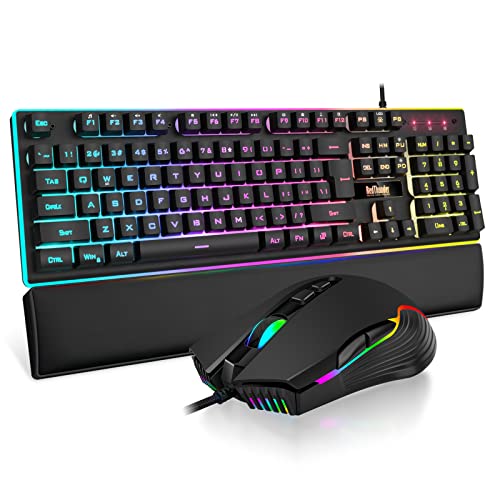
The RedThunder K10 Wired is the most complete gaming desk bundle in the roundup. It includes the keyboard, mouse, and a soft leather wrist rest filled with memory foam. That last piece matters because it gives the keyboard a more finished feel than a bare gaming board, especially for users who spend long sessions at a fixed desk.
The keyboard has 104 keys, including a number pad and standard function row. Its 26-key anti-ghosting support allows multiple keys to register at once, which is useful in games that combine movement, crouching, abilities, and shortcuts. A built-in steel plate adds rigidity, and the adjustable tripod helps set the typing angle.
The wired mouse is the more specification-heavy half of the bundle. It reaches 7200 DPI and lists a 12000 fps scan rate, 1000 Hz polling rate, 40G acceleration, and 400 IPS tracking speed. Those numbers provide adjustment headroom for different games and sensitivity preferences, although the best setting depends on the player and surface. Its seven controls and non-slip ABS shell complement the keyboard's full gaming layout.
The cost of that fixed connection is obvious. There is no wireless mode, and the keyboard, mouse, and lighting all add cables to the desk. The RedThunder K10 Wireless is cleaner for a television or flexible setup, while the S101M-KS is more adaptable because it can also use Bluetooth and a detachable USB-C cable. The K10 Wired also looks and sounds like a gaming product, so it is not the natural choice for a quiet office.
For a stationary gaming PC, this bundle offers the clearest all-in-one setup. Choose it when a wrist rest, strong wired connection, anti-ghosting, and mouse adjustment matter more than portability.
10. ULSOU Wave Combo: Best Ergonomic Layout

Pros
- Wave-shaped keys and integrated wrist rest
- Adjustable keyboard stand
- Right-handed mouse with forward and back buttons
- Automatic power saving
Cons
- Batteries are not included
- Mouse is designed for the right hand
- 2.4 GHz receiver only
Best for: people who want a curved keyboard layout for extended typing at a fixed desk.
The ULSOU Wave Combo takes a different approach from the flat, familiar keyboards above. Its wave key arrangement and wrist rest are designed to follow the natural curve of the fingers, while an adjustable stand lets you change the keyboard height. That makes it the most explicitly ergonomic office layout in this group.
The mouse follows the same idea with a contoured right-handed shape. Forward and back buttons sit within reach for quicker browser navigation, and the single 2.4 GHz receiver can connect both devices. The wireless range is listed as up to 33 feet, or 10 meters, and setup requires no software download.
Power management is built in. The keyboard enters sleep mode after 30 seconds of inactivity and the mouse after 15 minutes. Each uses one AA battery, but batteries are not included. That is an important detail for anyone setting up a new desk immediately. The keyboard measures 17.6 inches long and 8.7 inches wide, so the wrist-rest design does not make it especially narrow.
The wave shape will not suit everyone. Users who move between several computers may prefer the three-device switching on the Logitech MK955 Signature Slim, and left-handed users should avoid the ULSOU because its mouse is right-handed. It also lacks the long-established software ecosystem and multi-device features of the Logitech models.
This is a practical choice for long typing sessions when the wave layout feels natural to you. If you tend to rest your wrists heavily or find straight keyboards uncomfortable, it deserves consideration. If you want a more conventional arrangement, the MK540 is easier to adapt to.
How to choose best keyboard and mouse combo
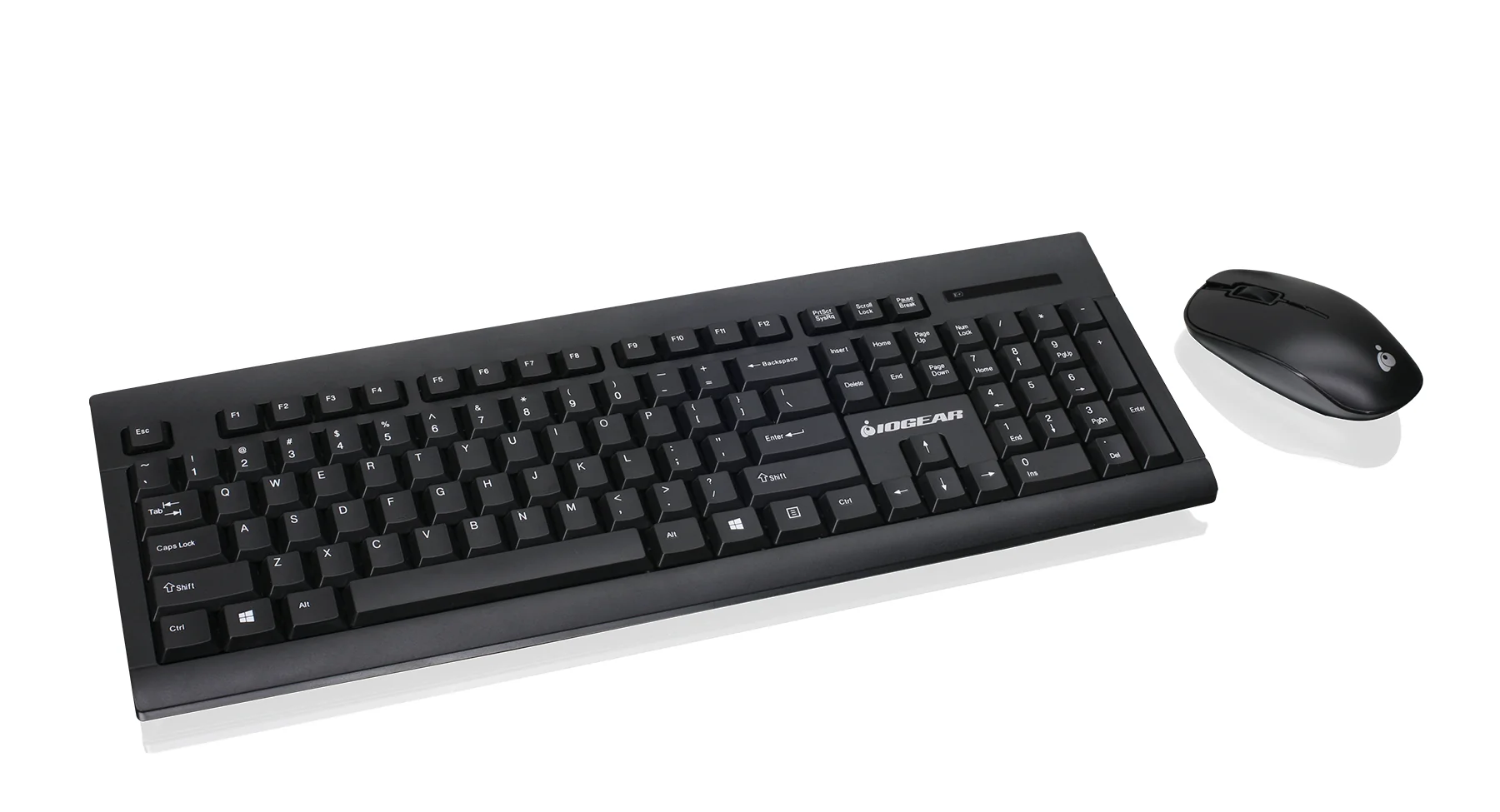
The right Best keyboard and mouse combo depends on how you type, how many devices you use, and whether the desk is for work, gaming, or both. These are the traits that separate the sets in this list.
Keyboard layout and key feel
A full-size keyboard gives you a number pad, function row, arrow keys, and dedicated navigation controls. That is useful for spreadsheets, data entry, and office applications, but it takes more desk space. The MK270, MK345, MK540, and both RedThunder gaming models use full-size layouts.
Low-profile keys feel closer to a laptop and generally produce a quieter, flatter typing experience. The MK955 and MX Keys S Combo use that approach. A wave layout such as the ULSOU changes the hand position more substantially, so it should be chosen for comfort rather than novelty.
Gaming keyboards need additional concerns. Anti-ghosting helps multiple key presses register together, while media controls and a WIN lock can be useful during play. Mechanical-feel keys are not the same as mechanical switches, so buyers who specifically want switch replacement or a particular actuation feel should look beyond these bundles. For a deeper look at key shapes and layouts, the differences between common computer keyboard designs can help narrow the choice.
Connection type
A 2.4 GHz USB receiver is usually the simplest wireless option. It is commonly plug and play and can provide a long range, but it occupies a USB port. The MK270, MK345, MK540, MK955, and ULSOU use receiver-based wireless, with Bluetooth also available on the MK955.
Bluetooth is useful for tablets, phones, and laptops that have few USB ports. Multi-device switching is even more valuable when one keyboard and mouse serve a home computer and a work laptop. The MK850, MX Keys S Combo, and MK955 are the strongest choices for that use.
Gaming buyers should decide whether wireless convenience outweighs a direct cable. The S101M-KS is the most flexible because it supports wired, Bluetooth, and 2.4 GHz modes. The RedThunder K10 Wireless uses 2.4 GHz, while the K10 Wired avoids wireless battery concerns entirely.
Pick the connection that suits the computer you use most, not the one that sounds most advanced.
Mouse shape and controls
Mouse shape matters more than a high sensitivity number for most office users. Right-handed contours can support the palm well, but an ambidextrous shape is easier to share and gives left-handed users more options. The MK270 and MK540 use ambidextrous designs, while the MK345, MK850, and ULSOU are right-handed.
Scroll behavior changes how a mouse feels in documents and web pages. The MK850 has a hyper-fast scroll wheel, the MX Keys S Combo includes a MagSpeed wheel, and the MK955 uses a SmartWheel. Those features are more useful for long pages and large documents than for simple pointer movement.
Gaming mice add DPI adjustment and extra buttons. The S101M-KS reaches 4800 DPI with five selectable levels, the RedThunder K10 Wireless reaches 3200 DPI, and the wired K10 reaches 7200 DPI with seven controls. More adjustment is not automatically better. It matters when you play games that benefit from different sensitivity settings or use remapped buttons.
Battery and charging
Battery-powered office combos can run for months or years, but the exact interval depends on use. The MK270 lists up to 36 months for the keyboard and 12 months for the mouse. The MK345 lists up to three years for the keyboard and 18 months for the mouse, while the MK540 lists up to 36 months and 18 months.
Rechargeable gaming sets reduce disposable battery use but introduce charging routines. The RedThunder K10 Wireless has a 3000 mAh keyboard battery and an 800 mAh mouse battery, with eight hours of continuous use stated when the light is on. The S101M-KS lists up to 300 hours for the keyboard with RGB off.
Backlighting consumes power, so a bright gaming setup will need more attention than an unlit office keyboard. Wired models such as the RedThunder K10 Wired remove that concern from the keyboard and mouse, although they add cables.
Comfort and desk space
Palm rests, tilt legs, and key height all affect long sessions. The MK850 has a cushioned palm rest, the MK540 and MK345 include palm-rest designs, and the ULSOU uses a wave layout with an integrated wrist rest. The RedThunder K10 Wired adds a separate soft leather memory-foam wrist rest.
Measure the desk before choosing a full-size combo. The MK850 is 21 inches long, the MK270 is 20.08 inches, and the ULSOU is 17.6 inches long but 8.7 inches wide. A compact-looking keyboard may still need space for a broad wrist rest or mouse movement.
If you share a room, quiet key and mouse action can be more important than lighting. The MK955 is the quietest office-oriented pick, while the MX Keys S Combo is a refined low-profile option. For gaming, the Redragon and RedThunder bundles make more sense when lighting and controls are part of the experience.
Frequently asked questions
Are keyboard and mouse combos worth choosing over separate devices?
A combo makes compatibility and wireless setup simpler because the keyboard and mouse are designed to share a receiver or connection system. It can also create a more consistent typing and pointing experience. Separate devices are better when you have very specific switch, mouse shape, or gaming sensor requirements.
Which combo is best for switching between computers?
The Logitech MK850 Performance, Logitech MX Keys S Combo, and Logitech MK955 Signature Slim support multi-device use. The MK850 and MK955 can switch among several devices, while the MX Keys S Combo pairs with up to three devices. The MK270, MK345, and MK540 are better suited to one fixed computer.
Do wireless combos work with a laptop?
They can, provided the laptop supports the required connection. Receiver-based sets need a compatible USB port or adapter, while Bluetooth models such as the MK850, MX Keys S Combo, and MK955 can connect without using a receiver. Check the laptop's operating system and available ports before choosing.
Are these combos suitable for gaming?
The Redragon S101M-KS and both RedThunder K10 models are the most gaming-focused options. They offer RGB lighting, gaming-oriented mouse controls, and features such as DPI adjustment or anti-ghosting. The Logitech office sets work for casual games but are not built around gaming controls.
What does anti-ghosting do on a gaming keyboard?
Anti-ghosting helps the keyboard register several simultaneous key presses instead of dropping or misreading some of them. This can matter in games that require movement and multiple commands at once. The RedThunder K10 Wired lists 26-key anti-ghosting support, while the wireless RedThunder model is described as anti-ghosting without a specific key count.
Is an ergonomic wave keyboard better for everyone?
No. A wave layout can feel natural for some hands and awkward for others because the key rows are not arranged like a conventional keyboard. The ULSOU is worth considering if a straight keyboard causes discomfort, but users who frequently change desks or share a keyboard may adapt more easily to the MK540 or MK270.
Do rechargeable gaming keyboards need to stay plugged in?
Not necessarily. The RedThunder K10 Wireless is designed for wireless use and includes rechargeable batteries, while the Redragon S101M-KS can use wireless modes or its detachable USB-C cable. Battery life depends heavily on lighting, so keeping the charging cable nearby is sensible for heavy gaming use.
The bottom line
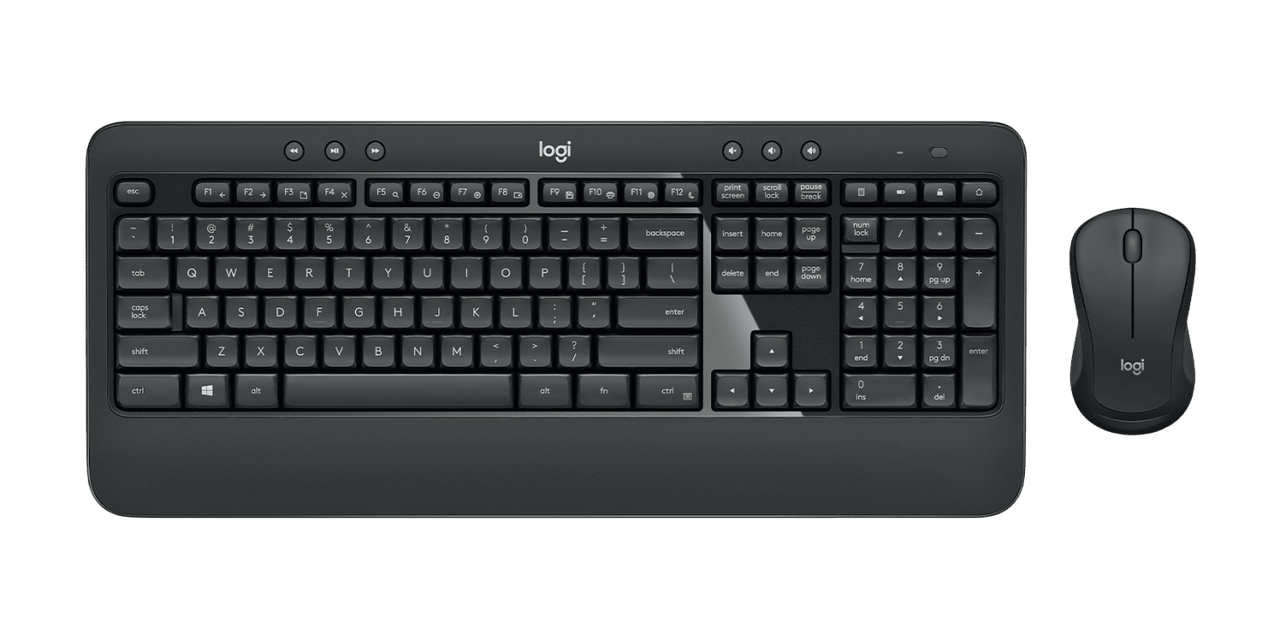
The Best keyboard and mouse combo for most desks is the Logitech MK850 Performance. Its quiet full-size keyboard, cushioned palm rest, hyper-fast scroll wheel, and multi-device support cover work, browsing, and mixed-device setups better than the simpler office sets.
For demanding productivity, the Logitech MX Keys S Combo is the more polished choice, with backlit laptop-style keys, an 8K DPI mouse sensor, MagSpeed scrolling, and support for up to three devices. Gamers should choose the Redragon S101M-KS for its three connection modes, or the RedThunder K10 Wired when a wrist rest and wired gaming controls matter most.
If you are still undecided, choose the Logitech MK850 for a general desk and the Redragon S101M-KS for a gaming setup.
As an Amazon Associate we earn from qualifying purchases.