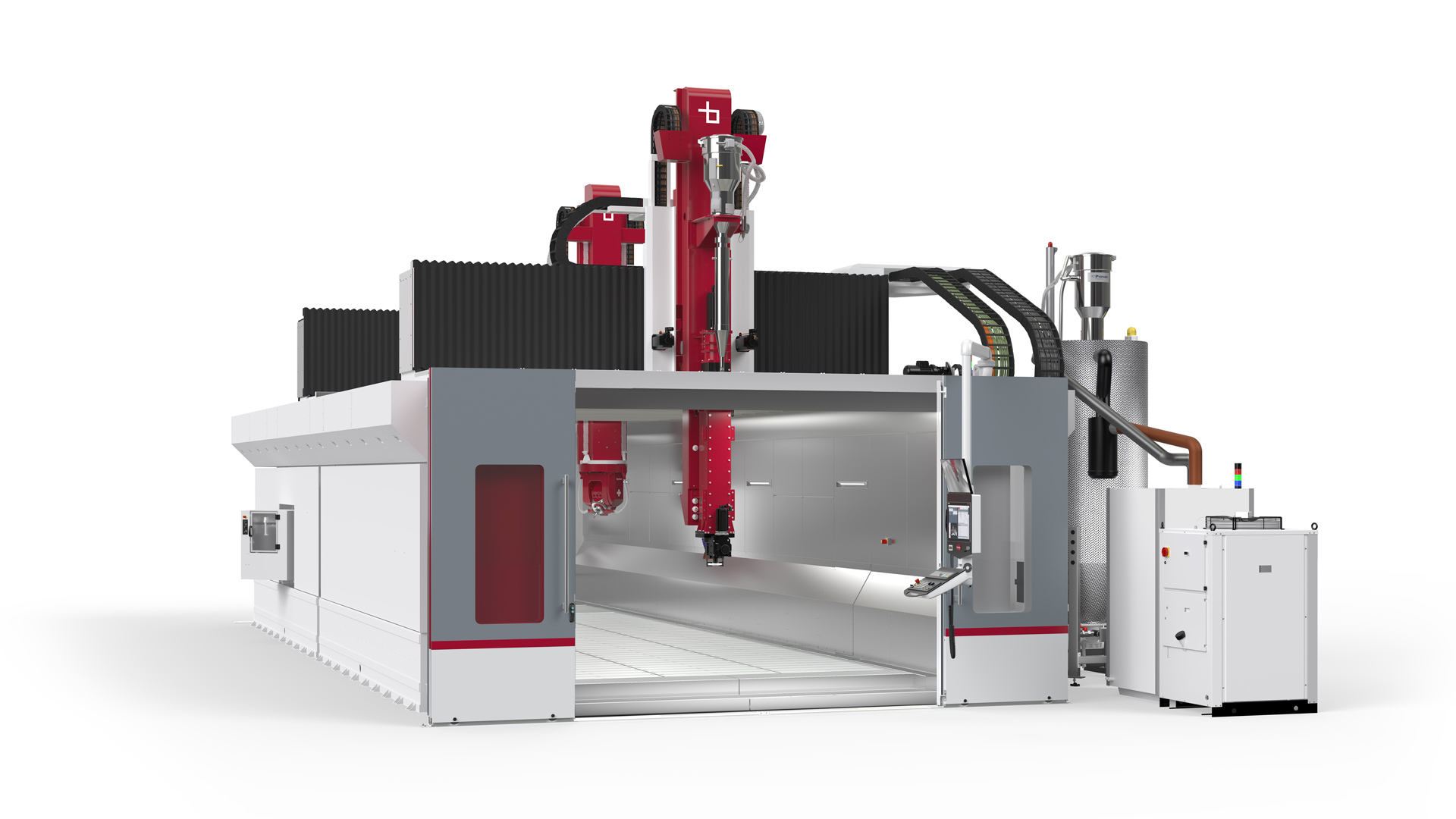

Large prints expose every weakness in a 3D printer. A slightly uneven bed becomes a failed first layer, a flexible frame turns into visible ringing, and a small build area forces you to split parts that should have been printed whole. The Best large format 3d printer for your work needs more than a large number in its title. It needs a rigid motion system, controlled heat, dependable calibration, and a workflow that does not become tiresome after the novelty wears off.
We ranked these nine machines by the size and type of work they support. The field includes enclosed FDM printers for engineering materials, fast CoreXY models for everyday production, multi-toolhead machines for serious color work, and a high-resolution resin printer for detailed large models.
For most buyers, the QIDI Max4 Combo is the strongest all-around pick, with the Creality K2 Plus Combo close behind for automated multi-color printing and the Original Prusa XL ahead of the field for professional multi-toolhead work.
Comparison table
| # | Product | Award | Build volume | Material or tool system | Best for |
|---|---|---|---|---|---|
| 1 | QIDI Max4 Combo | Best overall | 390 × 390 × 340 mm | 65°C heated chamber, 40 mm³/s hotend | Large engineering parts |
| 2 | Creality K2 Plus Combo | Best automated multi-color | 350 × 350 × 350 mm | 60°C chamber, up to 16 colors | Large multi-color models |
| 3 | FlashForge Adventurer 5M Pro | Best enclosed fast printer | 220 × 220 × 220 mm | 280°C nozzle, CoreXY | Fast enclosed printing |
| 4 | Creality K2 Plus CFS Bundle | Best material flexibility | 350 × 350 × 350 mm | Heated chamber, hardened steel nozzle | Mixed filament projects |
| 5 | Creality K2 Plus CFS 2026 | Best quiet K2 variant | 350 × 350 × 350 mm | 45 dB, four-slot CFS | Quiet multi-color work |
| 6 | UniFormation GK3 Ultra | Best large resin detail | 300 × 160 × 300 mm | 16K LCD, 25°C to 30°C resin heating | Detailed resin models |
| 7 | FlashForge Adventurer 5M | Best compact speed | 220 × 220 × 220 mm | 280°C extruder, 32 mm³/s nozzle | Fast everyday FDM prints |
| 8 | Original Prusa XL | Best professional tool changing | 14.17 × 14.17 × 14.17 in | Five independent toolheads | Professional multi-material work |
| 9 | FlashForge Creator 5 | Best low-waste color system | Not listed | Four independent toolheads | Clean color and support changes |
1. QIDI Max4 Combo: Best Overall
Pros
- Largest FDM build area in this group
- 65°C active heated chamber
- Hardened nozzle supports abrasive materials
- Closed-loop X and Y motors
- Built-in failure detection camera
Cons
- Polar Cooler is sold separately
- Heavy 120-pound chassis needs a permanent location
- Multi-color printing requires the separate QIDI BOX
Best for: makers and professionals printing large, heat-sensitive or abrasive-material parts.
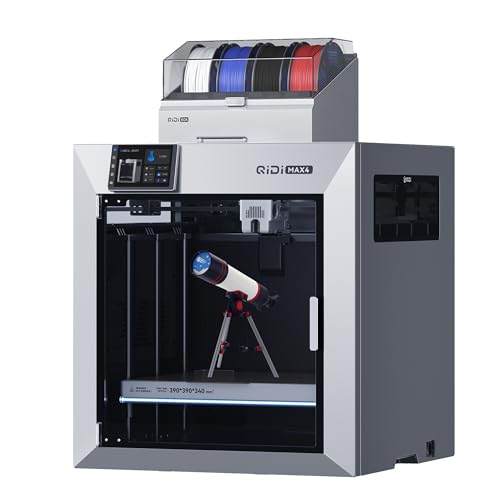
The QIDI Max4 Combo is the machine we would choose when “large format” means genuinely large functional parts, not simply a little more room than a desktop printer. Its 390 × 390 × 340 mm build volume gives it the biggest FDM workspace here, and that extra width matters when a housing, prototype, or mold has to come off the bed in one piece. It also has the physical presence to match its capacity. The chassis measures 28 × 28 × 30 inches and weighs 120 pounds, so this is a printer for a sturdy bench or dedicated stand rather than a shelf that may be moved around.
The 65°C active heated chamber is the feature that separates the Max4 from the faster, smaller FlashForge machines. A warm chamber reduces the temperature difference between a freshly extruded layer and the surrounding air, which helps control warping in materials such as ABS-CF, PC, and PPS-CF. The full-surface silicone heated bed adds to that consistency by spreading heat across the platform instead of concentrating it in one area. The 40 mm³/s high-flow hotend supports high feed rates, while the hardened steel nozzle is better suited to carbon-fiber-filled filaments than a standard soft nozzle.
QIDI also pays attention to motion control. Closed-loop motors on the X and Y axes can detect and correct positional problems, and the printer is specified for speeds up to 800mm/s with acceleration up to 30, 000mm/s². Those figures matter less as headline numbers than they do as signs that the machine is designed to move a large toolhead and bed with control. A 2 mm lead screw and anti-backlash nut on the Z axis are intended to reduce vertical gaps and keep tall parts smooth. The built-in AI camera can identify failures such as spaghetti and pause the print, a useful safeguard when a large job may run for many hours.
The Max4 is not the simplest option for color printing. QIDI says it can expand to 16-color or multi-material work with a QIDI BOX, but the Polar Cooler is explicitly not included either. That makes the configuration less self-contained than the Creality K2 Plus Combo. The machine is also much heavier than the K2 Plus and the Prusa XL, which may be an advantage for stability but a drawback during installation. Buyers who mainly print PLA decorations or modest parts should skip it and choose a smaller CoreXY machine.
For large engineering parts, the Max4 combines build space, chamber heat, material support, and motion control more convincingly than anything else in this group. It is the right pick for someone who wants a large printer that can grow into demanding materials rather than a machine chosen only for its maximum speed.
2. Creality K2 Plus Combo: Best Automated Multi-Color

Pros
- CFS supports up to 16 colors with expansion
- 350 mm cubed build volume
- Dual AI cameras and 18 smart sensors
- 60°C actively heated chamber
- Automatic bed tilt adjustment
Cons
- Smaller build area than the QIDI Max4
- Multi-color hardware adds workflow complexity
- Large projects need substantial bench space
Best for: users who want large prints and automated color changes in one enclosed system.
The Creality K2 Plus Combo is the most complete answer here for someone who wants a large FDM printer and expects to use multiple colors regularly. Its 350 × 350 × 350 mm build volume is smaller than the QIDI Max4 in two dimensions, but the equal height, width, and depth make it easy to plan around. Large figures, enclosures, and batches of smaller parts can fit without the constant slicing and joining that a 220 mm printer demands.
The included CFS system handles automatic filament selection, switching, and relay. An RFID filament can report its color and type to the printer, and the system can move to a similar loaded filament when one spool runs out. Four connected CFS units can reach up to 16 colors. That is more useful than a simple color gimmick because it reduces the need to paint finished models, although every multi-color system still adds loading, purge, and calibration decisions to the workflow.
Creality gives the K2 Plus a 60°C active chamber and a hardened steel nozzle rated to 350°C. That combination opens the door to materials such as ASA and PPA, along with PLA, ABS, PETG, and carbon-fiber-filled filaments. The frame uses a rigid Matrix structure, while dual Z axes with four linear rods are designed to keep the bed steady as it travels. For large prints, that mechanical stability matters more than a peak speed claim because a small shift can ruin an otherwise lengthy job.
Automation is a major part of the appeal. Eighteen smart sensors monitor the machine, one AI camera watches the chamber for spaghetti failures and idling, and a second toolhead camera helps with flow optimization. The dual independently motorized Z axes can adjust bed tilt before automatic leveling. The stated 600mm/s speed and 30, 000mm/s² acceleration are impressive, but the real benefit is the collection of systems that make those movements easier to use without constant manual intervention.
The K2 Plus gives up some raw build area to the QIDI Max4, and its CFS setup takes more space and attention than a single-spool printer. It is also a more involved machine than the FlashForge Adventurer 5M Pro. Choose it when color changes, automatic filament handling, and high-temperature materials all matter. For a reader focused on multi-color projects, the practical trade-offs of switching between several filaments are worth understanding before buying.
3. FlashForge Adventurer 5M Pro: Best Enclosed Fast Printer
Pros
- Enclosed all-metal CoreXY structure
- Automatic pressure-based leveling
- 600mm/s travel speed
- Quick-detachable 280°C nozzle
- Remote monitoring through the Flash Maker app
Cons
- 220 mm cubed build volume is not truly large
- Smaller workspace than every large-format pick above it
- No multi-color system included
Best for: users who want fast, enclosed FDM printing in a compact footprint.
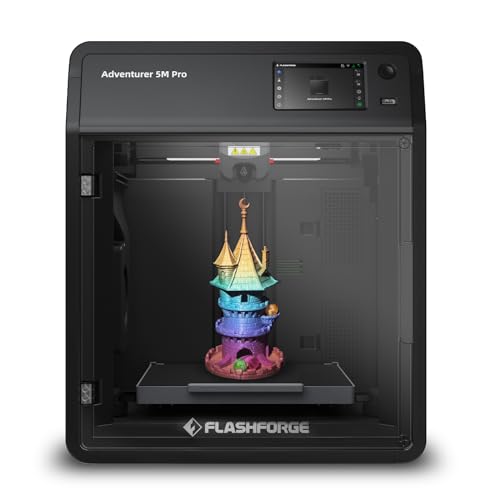
The FlashForge Adventurer 5M Pro earns a place in this roundup because it is the practical counterpoint to the huge machines. It does not have the build volume of the QIDI Max4 or either Creality K2 Plus listing, but its 220 × 220 × 220 mm workspace is enough for many household parts, prototypes, and models. Its enclosed design and all-metal CoreXY frame make it easier to place in a workshop where fast, repeatable printing matters more than printing one enormous object.
The printer reaches a stated travel speed of 600mm/s and acceleration of 20, 000mm/s². The CoreXY layout keeps the moving mass controlled, which is helpful when the machine changes direction quickly. The hotend reaches 200°C in 35 seconds, and the quick-detachable nozzle is available in 0.25, 0.4, 0.6, and 0.8 mm sizes. A smaller nozzle can preserve fine detail, while a wider one can push more material for rougher but faster parts. That flexibility is more meaningful than simply leaving the printer at its maximum setting.
The 280°C all-metal direct extruder supports PLA, ABS, PETG, ASA, TPU, PC, PLA-CF, and PETG-CF according to the listed features. Pressure-based automatic leveling removes the need for manual Z-axis calibration, and the dual-sided PEI platform makes part removal less of a wrestling match. FlashForge also says setup can take about 10 minutes from unboxing to the first print. The Flash Maker app adds remote control, live video monitoring, and real-time adjustments.
Against the regular Adventurer 5M, the Pro version is the more sensible pick for materials that benefit from an enclosure and for anyone who wants a more controlled workspace. It still cannot compete with the larger printers when a model must be printed in one piece. Its lack of a multi-color system also makes the Creality K2 Plus more attractive for decorative work. This is a fast enclosed desktop printer, not a substitute for a 390 mm machine.
The Adventurer 5M Pro suits people who value an orderly, automated workflow and print many medium-sized parts. If you are still learning the basics, the setup and calibration features also make the decisions that make a first 3D printer less frustrating useful context before stepping up to a larger and more demanding machine.
4. Creality K2 Plus CFS Bundle: Best Material Flexibility

Pros
- Large 350 mm cubed build volume
- Heated chamber and hardened steel nozzle
- Four-slot CFS included
- Dual AI cameras
- Automatic filament runout handling
Cons
- Product listing gives less detail about the full CFS setup
- Large physical footprint
- More complex than a single-material printer
Best for: makers who want one large platform for engineering and multi-material projects.
The Creality K2 Plus CFS Bundle is another version of the K2 Plus platform, but its listing emphasizes material range and the included CFS package. The core appeal remains the same: a 350 × 350 × 350 mm workspace, high-speed CoreXY motion, automatic leveling, and a chamber designed to handle more demanding filament than an open desktop machine. It is a strong fit for users who want one printer to cover both colorful display models and functional parts.
Its materials list includes PLA, ABS, PETG, PA-CF, PLA-CF, PET, ASA, and PPA-CF. The actively heated chamber helps keep temperature-sensitive materials from cooling too abruptly, while the hardened steel nozzle is better prepared for abrasive carbon-fiber blends. The result is a broader working range than the FlashForge Adventurer 5M, whose smaller volume and 280°C extruder are better matched to everyday desktop work.
The CFS can manage four filament slots, and the listing says up to four CFS units can be connected for 16-color printing. Automatic filament management is useful when a print contains repeated color changes or when a spool may run out before a long job finishes. The bundle also includes two 250 g filament amounts, according to the product features. That is a detail to check carefully against the exact package shown at purchase, since bundle contents can matter when planning the first print.
Creality builds this variant around a rigid Matrix frame, dual Z axes, and four linear rods. The printer can reach 600mm/s with 30, 000mm/s² acceleration and uses a 40 mm³/s high-flow system. Dual AI cameras monitor the chamber and the print, while strain gauge leveling and independently motorized Z axes are intended to improve the first layer. Those systems make the K2 Plus more hands-off than a traditional large-format printer, though they do not eliminate the need to keep the bed and nozzle clean.
The first K2 Plus Combo has a more detailed automation and sensor description, while this CFS Bundle listing makes its broad material support the headline. Buyers comparing these two should focus on the exact package and the filament workflow they need rather than assuming every listing is identical. Pick this version when a large platform and varied engineering materials are more important than the quieter operation claimed by the next K2 Plus variant.
5. Creality K2 Plus CFS 2026: Best Quiet K2 Variant

Pros
- 350 × 350 × 350 mm build area
- Four-slot CFS with sealed storage and drying
- Dual AI cameras and 18 sensors
- Listed operating noise of 45 dB
- Automatic resin and filament? No, filament management
Cons
- The listing does not specify the full heated chamber temperature
- CFS is still a more involved system than a single spool
- Heavy 103.6-pound listed weight
Best for: users who want a large multi-color printer with a quieter operating profile.
The Creality K2 Plus CFS 2026 is the most distinctive of the three K2 Plus entries because its listing calls out a 45 dB operating level. That makes it the variant to consider for a workshop near a living area, provided the surrounding setup does not add its own noise. It retains the 350 × 350 × 350 mm build volume, so it can handle the same general class of large models and batches as the other K2 Plus listings.
The included CFS has four slots for different filament colors, automatic switching, sealed storage, and drying. It can support up to 16 colors through expansion and dynamic mixing. Dry storage is especially useful for moisture-sensitive filaments because filament condition affects extrusion consistency, surface quality, and the reliability of long prints. The listing does not say that filament is included, so buyers should not assume the package contains starter spools.
Creality specifies 600mm/s printing, 30, 000mm/s² acceleration, and 0.05 mm precision for this version. Those figures point to a machine built for quick movement without abandoning detailed models. The aerospace-grade aluminum alloy frame is intended to resist deformation, and dual AI cameras monitor the nozzle and chamber for spaghetti faults, flow problems, and other errors. Eighteen sensors add to the automated monitoring system.
The K2 Plus CFS 2026 is less explicit than the first K2 Plus Combo about the chamber's maximum temperature and nozzle specification. That does not make it a poor choice, but it does make the first K2 Plus more compelling for buyers who know they need demanding materials such as PPA or ASA and want those capabilities clearly stated. The 45 dB claim is the better reason to choose this model, not a supposed generation advantage that the listing does not document.
Choose this K2 variant when quiet multi-color operation and filament storage are central to your setup. If your priority is the broadest stated high-temperature material support, the K2 Plus CFS Bundle is the safer match. If you need the most build volume available here, the QIDI Max4 remains ahead.
6. UniFormation GK3 Ultra: Best Large Resin Detail

Pros
- 16K LCD for fine resin detail
- 300 × 160 × 300 mm build volume
- Automatic resin feeding
- Resin heating to 25°C or 30°C
- Quick-release vat and carbon filter
Cons
- Resin workflow requires more cleanup than FDM
- Narrower build width than the FDM printers
- Resin handling needs appropriate ventilation and care
Best for: studios and model makers who need fine detail across tall or multiple resin parts.
The UniFormation GK3 Ultra is the specialist in this group. It is not an FDM printer, and its 300 × 160 × 300 mm resin build volume should not be compared directly with a 350 mm cubed filament workspace. Its strength is the detail it can preserve across a large vertical print area. That makes it a better fit for intricate figures, production masters, and batches of smaller models than for oversized functional brackets or enclosures.
The 16K LCD uses a listed pixel size of 20 × 26 micrometers. Smaller pixels can produce sharper edges and finer surface features, which is valuable for miniature sculpting and complex textures. The integrated KK60 module supports smooth, rigid Z-axis movement, with repeat positioning accuracy specified at ±0.003 mm. Those numbers describe mechanical repeatability, not a guarantee that every model will emerge perfectly, but they explain why this machine is aimed at users who care about fine detail.
The GK3 Ultra includes a heating system that detects resin conditions and warms the material to 25°C or 30°C. Resin viscosity changes with temperature, so consistent heating can make the process more predictable in a cold room. The system can also automatically refill the vat from a resin cartridge, reducing the chance that a large job fails because the supply runs low. That feature is unusually well matched to a large resin platform.
Daily maintenance is more considered than on many resin printers. The vat has a quick-release design, a side-mounted drip hanger gives excess resin a place to return, and a carbon filter is built in to improve the printing environment. Those details do not remove the need for washing and curing parts, handling uncured resin carefully, or planning the workspace around the resin process. Anyone wanting large models without liquid resin should choose the QIDI or Creality machines instead.
For readers primarily making detailed figures, the resin characteristics that affect miniature surface detail matter more than a fast FDM speed claim. The GK3 Ultra is the pick when fidelity is the priority and a tall 300 mm resin workspace is more useful than a wide filament bed.
7. FlashForge Adventurer 5M: Best Compact Speed

Pros
- 600mm/s travel speed
- Automatic bed leveling
- Three-second nozzle changes
- 32 mm³/s high-flow nozzle
- Compact 220 mm cubed build volume
Cons
- Not large format by the standards of the other FDM picks
- Less enclosure protection than the Pro version
- No built-in multi-color system
Best for: users who want quick, low-fuss prints and do not need an enclosed large chamber.
The FlashForge Adventurer 5M is the stripped-back alternative to the Adventurer 5M Pro. It uses the same basic fast-printing idea, but its open desktop format makes it easier to fit into a smaller workspace. The 220 × 220 × 220 mm print area is modest here, so it belongs near the bottom of a large-format list, yet it can still be the right machine for someone whose real need is fast production of medium-sized parts.
Its CoreXY structure supports up to 600mm/s travel speed and 20, 000mm/s² acceleration. The high-flow nozzle is specified at 32 mm³/s, which helps the printer move enough material to make those fast movements useful. A 200°C warm-up time of 35 seconds also shortens the wait before a print begins. The 280°C direct extruder supports materials including PLA, PETG, TPU, and carbon-fiber variants, though the open design is less suited to materials that need a stable warm environment.
The 3S detachable nozzle can be changed in about three seconds according to the feature listing. Multiple nozzle sizes from 0.25 to 0.8 mm let the user choose between fine detail and higher flow. Automatic leveling, vibration compensation, dual-fan cooling, and a dual-sided PEI platform keep the routine straightforward. Remote monitoring through the Flash Maker app is included as well.
Compared with the Adventurer 5M Pro, this model is lighter and more compact, but it gives up the Pro's enclosure and its more explicitly enclosed material workflow. Compared with the QIDI Max4 and K2 Plus, it has less than half the build volume in practical terms. That is the weakness to accept, not overlook. Skip it if your main goal is printing large one-piece objects or engineering plastics that benefit from a heated chamber.
The Adventurer 5M is a sensible compact printer for rapid prototyping, classroom projects, and everyday parts. It is also a useful reminder that a printer does not become large format merely because it prints quickly. Choose it only when the 220 mm cube is enough for the objects you actually plan to make.
8. Original Prusa XL: Best Professional Tool Changing

Pros
- Five independent toolheads
- 14.17-inch cubed build volume
- Segmented heated bed
- Reduced waste during tool changes
- Strong software and model ecosystem
Cons
- Very large 31.49-inch footprint in height and width
- Toolhead installation is required after transport
- More machine than a single-material workflow needs
Best for: professional users printing complex multi-material prototypes and functional assemblies.
The Original Prusa XL is the most serious professional platform in this selection. Its defining feature is not merely the 14.17 × 14.17 × 14.17 inch build volume, though that is substantial. It is the five-toolhead system, which allows up to five materials or colors in one job without treating every change as a filament reload through a single nozzle. For functional prototypes, that can mean combining a structural material with a support material or switching between materials without repeatedly purging one hotend.
The independent toolheads are designed for complex material and color combinations, while smart tool management helps reduce waste during transitions. That approach contrasts with the CFS systems used by the Creality K2 Plus models, where one extrusion path handles multiple filaments. The K2 Plus is more compact and faster on paper, but the Prusa XL's tool-changing architecture is better suited to jobs where clean material separation and support management are central.
A segmented heated bed is another professional-minded feature. Heating zones can improve energy use and help control warping across a large surface, while maintaining first-layer adhesion where the model actually sits. The CoreXY platform is intended to maintain speed and precision during frequent tool changes and complex geometries. Prusa software integration and the Printables.com ecosystem add a mature planning and model workflow around the hardware.
The XL is also the most demanding machine to house. It measures 31.49 inches high and wide, with a 35.43-inch length, and the listed weight is 75 pounds. Transport packaging requires some parts to be installed separately, including the LCD, extruder assembly, Wi-Fi antenna, and spool holder. The assembly is described as quick and straightforward, but it is still a step that buyers should plan for. A single-material hobbyist should skip this printer and choose the QIDI Max4 or K2 Plus instead.
For a studio or professional workshop, the Prusa XL has a capability that the other printers here cannot fully replicate. It is the pick for controlled multi-material work, clean support removal, and repeatable tool changes rather than the fastest route to a basic single-color print.
9. FlashForge Creator 5: Best Low-Waste Color System

Pros
- Four independent toolheads
- Seven-second FlashSwap changes
- Supports multi-material and support printing
- Near-zero-waste approach
- Automatic calibration and vibration compensation
Cons
- Build volume is not listed in the product data
- Four-toolhead system adds mechanical complexity
- Less established large-format choice than the Prusa XL
Best for: users who want fast color and support changes without single-nozzle purge waste.
The FlashForge Creator 5 takes a different route to multi-material printing. Instead of switching filament through one nozzle, it uses four independent toolheads. That prevents the color mixing and clogging associated with repeated single-nozzle changes, and it gives each material a dedicated extrusion path. FlashForge says the FlashSwap system can change tools in seven seconds, with the next head preheating in the background.
The system supports PLA, PETG, TPU, PETG-CF, and dedicated support materials in one job. That last capability may be more important than color for functional work. A support-specific toolhead can make removal cleaner and leave smoother surfaces than trying to use the same material for both model and support. The independent architecture also avoids the large purge quantities common to single-nozzle color systems, with the listing claiming up to 80 percent less filament waste.
The Creator 5 uses a CoreXY motion system with a stated maximum speed of 600mm/s. Automatic calibration, active vibration compensation, and flow calibration are intended to maintain model quality while the machine moves quickly. At 18 inches high, 16 inches long, and 14 inches wide, it has a relatively manageable listed footprint compared with the Prusa XL. The product data does not list its build volume, however, so buyers who need a known large workspace should not treat it as a direct replacement for the QIDI Max4, K2 Plus, or Prusa XL.
That missing capacity figure is the central limitation in this comparison. The Creator 5 may be the more elegant color machine for a particular workflow, but without a documented build volume it is harder to recommend for large one-piece models. The Prusa XL offers five toolheads and a stated large-format workspace, while the Creality K2 Plus gives a known 350 mm cubed area with CFS color handling. Those models are easier choices when physical size is the first requirement.
Choose the Creator 5 for efficient four-material production, clean support removal, and quick tool changes. It is especially interesting for users who are tired of purge towers and want a more direct multi-tool workflow, but confirm the exact capacity and installation requirements before making it the centerpiece of a large-format workshop.
How to choose best large format 3d printer
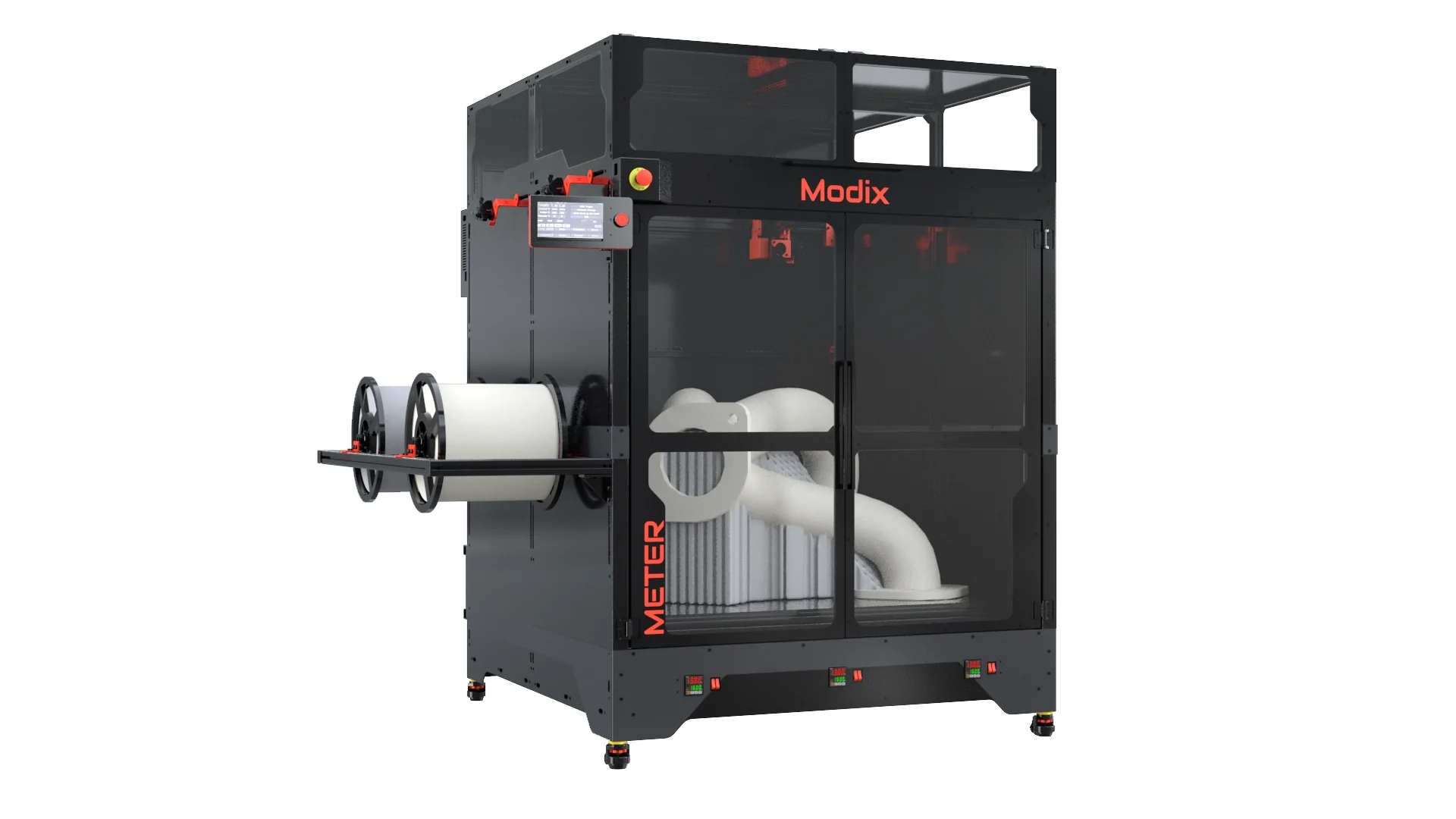
A large-format printer is defined by more than its build volume. These are the specifications and design choices that determine whether a large print succeeds or becomes a long, expensive cleanup job.
Build volume
Build volume determines the largest object you can print in one piece. A 220 × 220 × 220 mm machine such as the FlashForge Adventurer 5M Pro is useful for medium parts, but the 350 mm cubed K2 Plus models and 390 × 390 × 340 mm QIDI Max4 offer much more freedom for housings, props, molds, and batches.
Look at all three dimensions, not just the advertised capacity. A taller model may fit vertically but fail because its base is too wide. A square 350 mm platform is also easier to plan around than a narrow, tall workspace.
Chamber temperature
A heated chamber helps limit warping by keeping the air around the print warmer and more stable. This matters most with ABS, ASA, polycarbonate, and carbon-fiber-filled engineering filaments. The QIDI Max4 lists a 65°C active chamber, while the K2 Plus lists a chamber that reaches 60°C.
An open printer can still handle PLA and many PETG projects, but it is a weaker choice for large parts in materials that shrink as they cool. Do not confuse a heated bed with a heated chamber. The bed helps adhesion, while the chamber controls the environment around the entire print.
For large engineering parts, a stable chamber is usually more useful than another headline speed figure.
Motion system and frame
CoreXY designs keep the moving parts relatively light and can support fast, controlled movement. The FlashForge Adventurer models, Creality K2 Plus, Prusa XL, and Creator 5 all use CoreXY structures or platforms built around that movement style. A rigid frame matters because large prints magnify vibration and layer shifts.
Look for features that support stability, such as closed-loop motors, dual Z axes, linear rods, a rigid frame, or active vibration compensation. The QIDI Max4 uses closed-loop X and Y motors, while the K2 Plus uses dual Z axes and four linear rods.
Extruder and nozzle
The hotend determines which materials the printer can process and how quickly it can move filament. A 280°C extruder, such as those in both Adventurer 5M models, covers many common materials. The K2 Plus lists a hardened steel nozzle with support up to 350°C, and the QIDI Max4 pairs a hardened steel nozzle with a 40 mm³/s high-flow hotend.
A hardened nozzle is important for carbon-fiber-filled filament because abrasive particles can wear down softer nozzles. Interchangeable nozzle sizes also let you choose between fine detail and faster, higher-flow printing.
Multi-material workflow
Single-nozzle color systems are convenient but may require filament loading, unloading, and purging during every change. The Creality CFS systems automate those changes and can expand to 16 colors. The Prusa XL and FlashForge Creator 5 use independent toolheads, which can reduce color contamination and make dedicated support materials easier to use.
Choose a CFS-style system for automated color management with a familiar single-extrusion path. Choose independent toolheads when clean material separation, support removal, and frequent changes matter more than a simpler mechanical design.
Calibration and monitoring
Large prints can run for many hours, so automatic leveling, filament runout detection, cameras, and failure monitoring have real practical value. The K2 Plus models use dual AI cameras and multiple sensors, while QIDI includes an AI camera that can pause after detecting a spaghetti-style failure. The FlashForge machines add automatic leveling and app-based monitoring.
These features reduce supervision but do not replace preparation. A clean bed, a clear nozzle, dry filament, and a properly sliced model remain essential.
Frequently asked questions
What build volume counts as large format for a 3D printer?
There is no single industry cutoff, but a 300 mm or larger dimension gives a printer noticeably more room than a typical desktop model. The QIDI Max4 reaches 390 × 390 × 340 mm, while the Creality K2 Plus models reach 350 mm in all three dimensions. The 220 mm cubed FlashForge Adventurer models are better described as compact or medium-format machines.
Is FDM or resin better for large 3D prints?
FDM is usually the more practical choice for large functional parts, housings, prototypes, and objects that need durable filament materials. Resin is better for fine surface detail, intricate models, and miniature work, but it requires washing, curing, and careful handling of uncured material. The UniFormation GK3 Ultra is the specialist resin option in this group.
Do I need a heated chamber?
You do not need one for PLA and many smaller PETG prints. A heated chamber becomes more useful as prints get larger or as you move into ABS, ASA, polycarbonate, and carbon-fiber-filled engineering materials. It helps reduce the temperature swings that cause corners to lift or layers to separate.
Are multi-color 3D printers wasteful?
Single-nozzle color systems can create purge waste during filament changes. CFS systems automate the switching but still use one extrusion path, while independent toolhead printers such as the Prusa XL and FlashForge Creator 5 can reduce color contamination and purge requirements. The amount of waste depends on the model, colors, transitions, and support strategy.
Can a large 3D printer run at its maximum speed all the time?
Usually not. Maximum speed figures describe what the motion system can reach under suitable conditions, but the model geometry, layer height, nozzle size, material, and flow rate all affect usable speed. A large printer may produce better results at a lower speed if the print has tall walls, sharp corners, or fine details.
Where should I put a large-format 3D printer?
Use a level, rigid surface with enough clearance for the printer, doors, spools, and ventilation. Check the complete footprint, since the QIDI Max4 and Prusa XL are substantially larger and heavier than the FlashForge Adventurer models. Resin printers also need a workspace suited to liquid resin handling, cleaning, and curing.
Is a large-format printer suitable for a beginner?
It can be, but large machines require more space, more material planning, and more patience when a print fails. Automatic leveling, camera monitoring, filament sensors, and guided software make the process easier. New users who do not need large parts may find a smaller machine easier to learn on before moving up.
The bottom line
The Best large format 3d printer for most people is the QIDI Max4 Combo. Its 390 × 390 × 340 mm build volume, 65°C heated chamber, hardened nozzle, and closed-loop motion system give it the broadest mix of physical capacity and engineering-material support in this group. The Creality K2 Plus Combo is the better alternative for buyers who want automated multi-color printing and a large 350 mm cubed workspace.
For professional multi-material work, the Original Prusa XL remains the most capable specialist because its five independent toolheads and segmented heated bed support a cleaner, more controlled workflow. The UniFormation GK3 Ultra is the right specialist for detailed resin models, while the FlashForge machines make more sense when compact speed matters more than maximum build area.
If you are undecided, choose the largest build volume you will genuinely use, then prioritize chamber control and material handling over a higher top-speed claim.
As an Amazon Associate we earn from qualifying purchases.