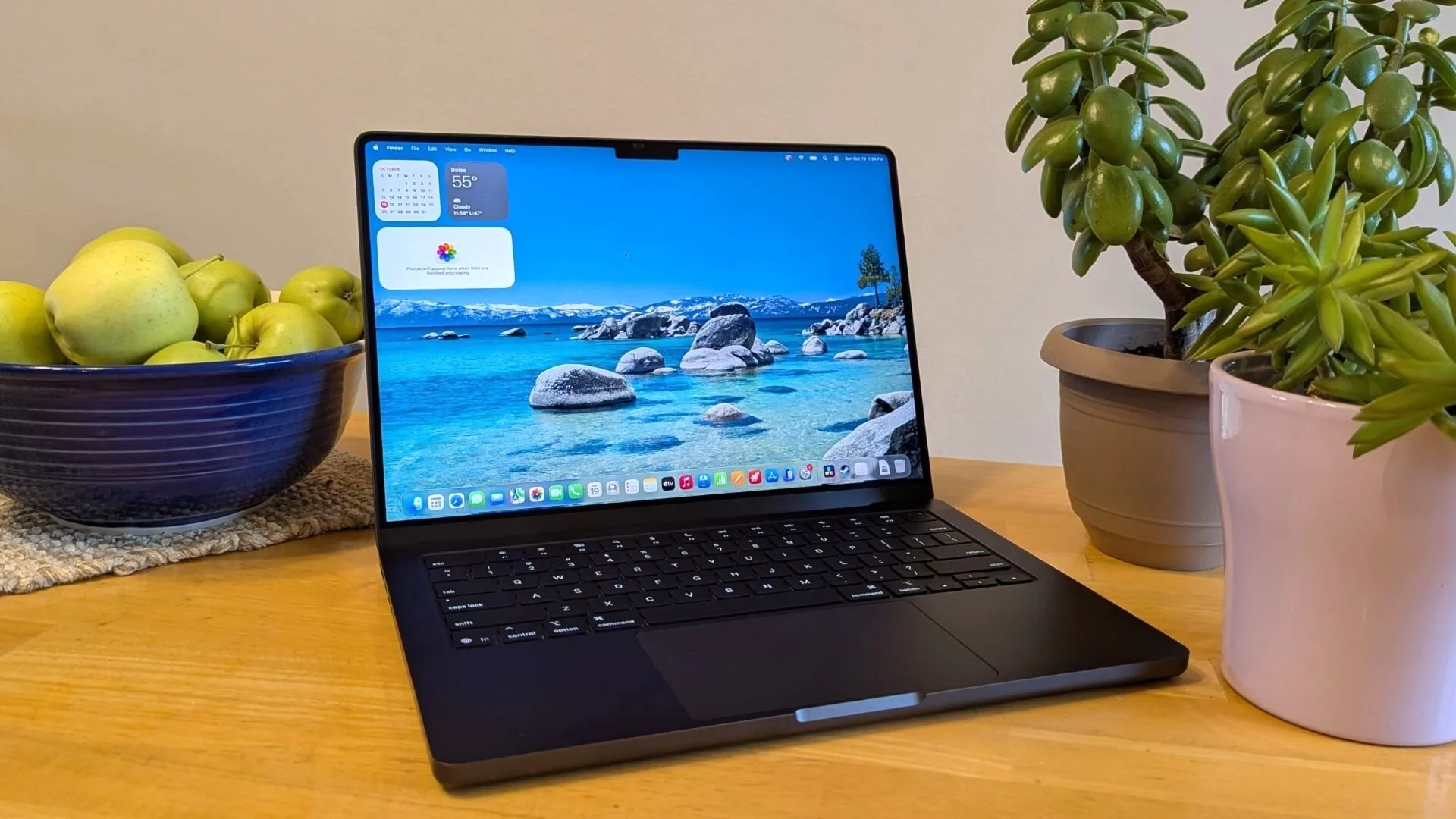

A MacBook Pro can be a compact everyday computer, a serious video workstation, or an unnecessary amount of power for email and web browsing. The difficult part is separating those use cases when several models share the same aluminum design and similar displays.
Our Best MacBook Pro picks cover the current M5 range, a renewed M1 Pro model, and two smaller Apple laptops that belong in the conversation when portability matters more than the Pro label. The Apple MacBook Pro 14 M5 16GB is the best starting point for most buyers, while the other models stretch toward larger screens, heavier creative workloads, and lighter everyday computing.
Comparison table
| # | Product | Award | Chip | Display | Memory | Storage | Best for |
|---|---|---|---|---|---|---|---|
| 1 | Apple MacBook Pro 14 M5 16GB | Best overall | M5, 10-core CPU, 10-core GPU | 14.2-inch Liquid Retina XDR | 16GB | 1TB SSD | Most professionals |
| 2 | Apple MacBook Pro 16 M5 Pro 48GB | Best large-screen workstation | M5 Pro, 18-core CPU, 20-core GPU | 16.2-inch Liquid Retina XDR | 48GB | 1TB SSD | Heavy creative work |
| 3 | Apple MacBook Pro 14 M5 24GB | Best memory upgrade | M5, 10-core CPU, 10-core GPU | 14.2-inch Liquid Retina XDR | 24GB | 1TB SSD | Multitaskers |
| 4 | Apple MacBook Pro 16 M5 Pro 24GB | Best big-screen Pro | M5 Pro, 18-core CPU, 20-core GPU | 16.2-inch Liquid Retina XDR | 24GB | 1TB SSD | Desktop replacement |
| 5 | Apple MacBook Pro 16 M5 Pro Silver | Best high-memory design | M5 Pro, 18-core CPU, 20-core GPU | 16.2-inch Liquid Retina XDR | 48GB | 1TB SSD | Long creative sessions |
| 6 | Apple MacBook Pro 14 M5 Max | Best compact powerhouse | M5 Max, 18-core CPU, 32-core GPU | 14.2-inch Liquid Retina XDR | 36GB | 2TB SSD | Mobile professionals |
| 7 | Apple MacBook Air 15 M5 | Best lightweight alternative | M5 | 15.3-inch Liquid Retina | 16GB | 512GB SSD | Students and travelers |
| 8 | Apple MacBook Pro 14 M1 Pro Renewed | Best older Pro design | M1 Pro | 14-inch Liquid Retina XDR | 16GB | 512GB SSD | Buyers who need Pro ports |
| 9 | Apple MacBook Neo 13 512GB | Best everyday portability | A18 Pro | 13-inch Liquid Retina | 8GB | 512GB SSD | School and general use |
| 10 | Apple MacBook Neo 13 256GB | Best compact basic Mac | A18 Pro | 13-inch Liquid Retina | 8GB | 256GB SSD | Light workloads |
1. Apple MacBook Pro 14 M5 16GB: Best Overall

Pros
- Strong M5 performance in a compact design
- Excellent Liquid Retina XDR display
- Broad port selection
- 12MP Center Stage camera
- Supports up to two external displays
Cons
- 16GB memory leaves less headroom for unusually heavy projects
- Heavier than the MacBook Air 15 M5
- Three Thunderbolt 4 ports are not Thunderbolt 5
Best for: professionals who want a portable MacBook Pro without moving to the larger M5 Pro models.
The 14-inch M5 MacBook Pro is the sensible center of this group. It has enough power for office work, coding, photo editing, and many creative applications, yet its 14.2-inch size keeps it easier to carry than the 16-inch machines. The 3.417-pound body is not featherlight, but it feels like a workstation that can still move between a desk, meeting room, and travel bag.
Its M5 chip pairs a 10-core CPU with a 10-core GPU, and the unified memory configuration is 16GB. That combination is well suited to running several ordinary applications together, including Microsoft 365 and Adobe Creative Cloud. The M5 GPU also includes a Neural Accelerator in each core, which supports the machine's on-device AI focus without turning the laptop into a specialist-only tool.
The display is the real reason to choose this model over the MacBook Air 15 M5. Its 14.2-inch Liquid Retina XDR panel reaches 1, 600 nits peak brightness, 1, 000 nits sustained brightness, and a 1, 000, 000:1 contrast ratio. Photos, video, and dark interface elements look more controlled than they do on a standard Liquid Retina screen. You also get three Thunderbolt 4 ports, MagSafe 3, an SDXC card slot, HDMI, and a headphone jack.
The weakness is configuration headroom. The 16GB of memory is sensible for general professional work, but the 24GB version below gives demanding multitaskers more breathing room without changing the M5 platform. The M5 Pro models are the better choice for sustained high-end production, especially when external display support matters. For most buyers, though, this is the Best MacBook Pro balance of size, performance, display quality, and connectivity.
2. Apple MacBook Pro 16 M5 Pro 48GB: Best Large-Screen Workstation

Pros
- M5 Pro platform with 18-core CPU and 20-core GPU
- Spacious 16.2-inch XDR display
- 48GB unified memory
- Thunderbolt 5 and Wi-Fi 7
- Supports up to three external displays
Cons
- 4.718-pound body is substantial
- Larger footprint limits casual portability
- More capability than ordinary office work requires
Best for: video editors, developers, and creative professionals who want a large built-in workspace.
The 16-inch M5 Pro is the computer to choose when the laptop screen needs to function as your primary monitor. Its 16.2-inch Liquid Retina XDR display gives timelines, code panes, image palettes, and spreadsheets more room to breathe. The trade-off is immediate when you pick it up: at 4.718 pounds, this is a portable workstation, not a casual tablet companion.
The M5 Pro chip has an 18-core CPU and 20-core GPU, supported here by 48GB of unified memory. That is a serious multitasking configuration for large projects and applications that keep substantial working data in memory. The platform also includes Neural Accelerators for AI workloads and faster memory and storage capabilities than the standard M5 family.
The connectivity is stronger than on the 14-inch M5. Three Thunderbolt 5 ports sit alongside MagSafe 3, an SDXC slot, HDMI, and a headphone jack. Wi-Fi 7 and Bluetooth 6 are provided through Apple's N1 wireless chip. The machine can drive up to three external displays with M5 Pro, which makes it a more practical centerpiece for a multi-screen editing or development setup. If you are arranging that desk, how far back you should sit from a panel this size is a useful consideration.
The 16-inch M5 Pro 48GB beats the M5 models for sustained creative workloads and display space, while the M5 Max below is faster on GPU-heavy jobs in a smaller chassis. Its main weakness is not performance but physical commitment. Someone who spends most of the day traveling between small work surfaces should choose the 14-inch M5 instead. For a large-screen professional setup, this is the strongest all-round configuration in the list.
3. Apple MacBook Pro 14 M5 24GB: Best Memory Upgrade
Pros
- Same compact Pro chassis as the top pick
- 24GB unified memory for heavier multitasking
- Bright XDR display
- SDXC, HDMI, and MagSafe connectivity
- 12MP Center Stage camera
Cons
- Same M5 CPU and GPU as the 16GB model
- Still heavier than the MacBook Air
- Limited to Thunderbolt 4
Best for: users who like the 14-inch format but routinely keep demanding applications open together.
This version is easy to understand because its distinction is practical rather than dramatic. The 14.2-inch enclosure, M5 chip, XDR display, and port layout match the 16GB model, but the memory rises to 24GB. That extra capacity matters when a browser with many tabs, a development environment, creative software, and communication tools all need to stay available without constant closing and reopening.
The M5 still provides a 10-core CPU and 10-core GPU, so this is not a faster graphics configuration than the first pick. It is a more comfortable configuration for memory-heavy use. The M5's Neural Accelerators also remain part of the design, supporting on-device AI features and compatible creative workflows.
The screen is one of the strongest reasons to stay with the Pro line. Peak brightness reaches 1, 600 nits, sustained brightness reaches 1, 000 nits, and the listed contrast ratio is 1, 000, 000:1. The 12MP Center Stage camera, three studio-quality microphones, and six-speaker system with Spatial Audio make it well equipped for calls and media work too. Three Thunderbolt 4 ports, HDMI, SDXC, MagSafe 3, and a headphone jack reduce the need for adapters.
The drawback is that the extra memory does not change the M5's core performance or the machine's two-external-display limit. The 16GB model remains the simpler choice for ordinary work, while the M5 Pro machines make more sense for sustained CPU and GPU workloads. Choose this one when your applications are not necessarily pushing the processor, but your workflow regularly pushes everything else.
4. Apple MacBook Pro 16 M5 Pro 24GB: Best Big-Screen Pro
Pros
- Powerful M5 Pro processor
- Large 16.2-inch XDR panel
- Thunderbolt 5 connectivity
- Wi-Fi 7 and Bluetooth 6
- Up to three external displays
Cons
- Heavy for frequent travel
- 24GB memory is less expansive than the 48GB models
- Large chassis is awkward on small tables
Best for: professionals who want the 16-inch screen and M5 Pro performance without moving to the largest memory configuration.
The 16-inch M5 Pro 24GB is the direct answer for someone who values screen area first. The 16.2-inch Liquid Retina XDR panel is large enough to make a laptop-only editing session far less cramped, and its 1, 600-nit peak brightness helps preserve clarity when bright content appears alongside deep shadows. The 4.718-pound body reinforces the sense that this is built around desk work.
Its 18-core CPU and 20-core GPU give it a clear step up from the standard M5 MacBook Pro models. Apple also positions the M5 Pro platform for demanding on-device AI work and faster professional workflows. The 24GB unified memory configuration is ample for many development, photography, audio, and video tasks, although the 48GB versions are safer for very large projects.
Ports are a major advantage over the MacBook Air. There are three Thunderbolt 5 ports, MagSafe 3, SDXC, HDMI, and a headphone jack. The N1 wireless chip brings Wi-Fi 7 and Bluetooth 6, while the M5 Pro supports up to three external displays. That makes it a better fit for a permanent workstation than the 14-inch M5, even though both have the same core macOS experience.
The real question is whether the screen justifies carrying a larger computer. The 14-inch M5 Pro Max is more compact and has a stronger GPU, while the 16-inch M5 Pro 48GB offers more memory. Pick this model when the built-in display is central to your work and the M5 Pro platform matters more than maximum graphics power.
5. Apple MacBook Pro 16 M5 Pro Silver: Best High-Memory Design

Pros
- 48GB unified memory
- Large, bright XDR display
- M5 Pro performance
- Thunderbolt 5 and Wi-Fi 7
- Strong camera and six-speaker audio
Cons
- Same heavy 16-inch chassis as the Space Black model
- 1TB SSD may be limiting for large media libraries
- M5 Max is faster for GPU-focused work
Best for: long creative sessions that benefit from generous memory and a large display.
This Silver configuration is functionally the high-memory counterpart to the Space Black 16-inch M5 Pro. Its 48GB of unified memory gives demanding applications more room, particularly when large files, extensive timelines, virtual machines, or several professional tools remain open at once. The color is the visible difference, but the memory configuration is the detail that should drive the decision.
The M5 Pro still uses an 18-core CPU and 20-core GPU. It is not the graphics specialist in this list, and the M5 Max model below is better suited to workloads that lean heavily on GPU acceleration. For mixed professional work, though, the M5 Pro platform combines serious processing with the efficiency and on-device AI features associated with Apple silicon.
The 16.2-inch XDR screen reaches 1, 600 nits peak brightness and 1, 000 nits sustained brightness, with a listed 1, 000, 000:1 contrast ratio. Video calls benefit from the 12MP Center Stage camera and three studio-quality microphones, while the six-speaker system supports Spatial Audio and Dolby Atmos. Three Thunderbolt 5 ports, HDMI, SDXC, MagSafe 3, Wi-Fi 7, and Bluetooth 6 round out a highly flexible setup.
Its weakness is storage. The 1TB SSD is useful, but large video libraries and extensive project archives may still require external storage. This model also weighs 4.718 pounds, so it is not a subtle travel machine. It is the one to choose when memory capacity and a spacious screen matter more than a smaller bag or a maximum GPU specification.
6. Apple MacBook Pro 14 M5 Max: Best Compact Powerhouse

Pros
- M5 Max with 32-core GPU
- 2TB SSD storage
- Compact 14.2-inch Pro design
- Thunderbolt 5 and Wi-Fi 7
- Supports up to three external displays
Cons
- More power than many workflows can use
- 36GB memory is below the 48GB M5 Pro models
- Smaller screen than the 16-inch options
Best for: mobile creators who need the strongest graphics configuration in a compact Pro chassis.
The M5 Max model is the specialist pick. It keeps the 14.2-inch format, measuring 12.31 by 8.71 inches and weighing about 3.594 pounds, but places a much stronger graphics engine inside. That makes it unusually appealing to people who need serious graphics capability without accepting the bulk of the 16-inch machines.
The M5 Max has an 18-core CPU and 32-core GPU, with 36GB of unified memory. It is designed for demanding professional and AI workloads, and its GPU advantage is the reason to choose it over the M5 Pro models. The included 2TB SSD also gives active projects more room before external storage becomes part of the daily routine.
The Liquid Retina XDR display has the same useful headline figures as the smaller M5 Pro screen: 1, 600 nits peak brightness, 1, 000 nits sustained brightness, and 1, 000, 000:1 contrast. Connectivity is equally strong, with three Thunderbolt 5 ports, MagSafe 3, SDXC, HDMI, a headphone jack, Wi-Fi 7, and Bluetooth 6. It can support up to three external displays with M5 Pro or up to four with M5 Max, according to the listed feature information.
The compromise is screen area. The 16-inch M5 Pro models are more comfortable for long timelines and wide editing layouts, and their 48GB configurations provide more memory. The M5 Max is the better tool for a creator who moves frequently and can exploit its GPU. For ordinary productivity, it is needlessly specialized.
7. Apple MacBook Air 15 M5: Best Lightweight Alternative

Pros
- Thin 15.3-inch design
- M5 chip and 16GB unified memory
- Up to 18 hours of battery life
- 12MP Center Stage camera
- Wi-Fi 7 and support for two external displays
Cons
- Standard Liquid Retina display lacks the Pro's XDR brightness
- Two Thunderbolt 4 ports
- 512GB SSD is smaller than most Pro configurations
Best for: students, office users, and travelers who want a large screen without a Pro chassis.
The MacBook Air 15 M5 is the clearest alternative for buyers who want a spacious screen and low carrying weight. At about 3.329 pounds and 0.45 inches thick, it is easier to slip into a bag than any MacBook Pro here. Its 15.3-inch Liquid Retina display is also larger than the 14-inch Pro panel, though it does not offer the same XDR brightness or contrast.
The M5 chip, 16GB unified memory, and 512GB SSD make this a capable everyday computer. Apple lists up to 18 hours of battery life, which suits long class days, travel, and work away from an outlet. The machine is built for Apple Intelligence and general creative tasks, but the fanless Air design and lower-tier display make it less suited to sustained professional workloads than the Pro models.
You get two Thunderbolt 4 ports, MagSafe charging, a headphone jack, Wi-Fi 7, and Bluetooth 6. The 12MP Center Stage camera can keep you framed during calls and provide a Desk View, while the three-microphone array and six-speaker system support Spatial Audio and Dolby Atmos. If you are choosing a second screen for this laptop, the sizes that still work in tight spaces can matter more than raw resolution.
The Air gives up the Pro's SDXC slot, HDMI port, brighter XDR display, and stronger sustained-work design. It also has less storage than nearly every Pro in this group. Those are meaningful limitations, but they do not matter to someone focused on writing, classes, web work, calls, and media. This is the lighter choice, not a lesser version of the Pro.
8. Apple MacBook Pro 14 M1 Pro Renewed: Best Older Pro Design

Pros
- 14-inch Liquid Retina XDR display
- M1 Pro with 200GB/s memory bandwidth
- ProRes acceleration
- Broad port selection
- Six-speaker audio system
Cons
- Older M1 Pro platform
- Renewed condition requires closer inspection
- 16GB memory and 512GB SSD limit expansion headroom
Best for: buyers who want the modern 14-inch Pro layout and professional ports in an older configuration.
The renewed 2021 MacBook Pro remains relevant because Apple got the physical design right. It has a 14-inch Liquid Retina XDR display, a wide selection of ports, a full-height function row, and a Force Touch trackpad. The 3.527-pound body is close in size to the newer 14-inch Pro models, so it remains easy to position on a desk or carry between locations.
Its M1 Pro chip supports up to 200GB/s of memory bandwidth and includes a ProRes accelerator in the media engine. Those details matter for video work because bandwidth and dedicated media processing can help keep professional workflows responsive. The listed configuration has 16GB of memory and a 512GB SSD, which is adequate for many tasks but leaves less room for large current projects than the newer models.
The display, six-speaker system, studio-quality microphones, and 1080p FaceTime HD camera make it a more complete professional machine than a basic laptop. The feature list also calls out an advanced thermal design intended to support sustained performance while staying cool and quiet. The older platform cannot match the M5 generation's current AI features and efficiency claims, but it still has the hardware layout that many professionals prefer.
The important weakness is condition. Renewed hardware can be a sensible route, but the buyer should be comfortable with an older machine and should inspect the listing's condition and coverage before committing. The M5 models are better long-term choices for new professional workloads. This one suits someone who specifically wants the 14-inch Pro experience and established connectivity.
9. Apple MacBook Neo 13 512GB: Best Everyday Portability

Pros
- Compact 13-inch design
- A18 Pro chip
- 512GB SSD
- 1080p FaceTime HD camera
- Touch ID and up to 16 hours of battery life
Cons
- 8GB unified memory
- Standard Liquid Retina display
- Not a MacBook Pro replacement for sustained professional work
Best for: schoolwork, writing, web use, video calls, and other everyday tasks.
The MacBook Neo 13 512GB belongs at the bottom of this list because it is not a Pro computer, but it is a legitimate alternative for lighter workloads. Its 13-inch Liquid Retina display and 2.712-pound aluminum body make it especially easy to carry. The indigo finish and color-coordinated keyboard also give it a more distinctive character than the mostly restrained Pro range.
The A18 Pro chip is aimed at everyday assignments, Apple Intelligence, and ordinary macOS applications. Apple lists up to 16 hours of battery life, which should suit a full day of classes or study. The 8GB unified memory is the point where expectations need to stay realistic. It can handle common tasks, but it is not the configuration to choose for extensive creative projects, virtual machines, or large multitasking sessions.
The 512GB SSD gives this version useful breathing room for documents, applications, and media. A 1080p FaceTime HD camera, dual microphones, two side-firing speakers, and Touch ID cover the basics well. The Liquid Retina display supports 1 billion colors, while built-in security features include FileVault, Find My, automatic security updates, and antivirus protection.
Compared with the MacBook Air 15 M5, the Neo is smaller and lighter but has a less capable chip family, less memory, and no listed Wi-Fi 7 feature. Compared with the Neo 256GB below, the 512GB drive is the obvious reason to choose it. It is a sensible everyday Mac, but buyers doing professional work should move up to the Air or Pro models.
10. Apple MacBook Neo 13 256GB: Best Compact Basic Mac
Pros
- Lightweight aluminum design
- A18 Pro chip
- 13-inch Liquid Retina display
- 1080p camera
- Touch ID and up to 16 hours of battery life
Cons
- 256GB SSD leaves limited storage space
- 8GB unified memory
- Not designed for high-end creative workloads
Best for: light school, writing, browsing, and streaming tasks where local storage needs are modest.
The 256GB MacBook Neo is the simplest computer here. Its 13-inch Liquid Retina display, 2.712-pound body, and A18 Pro chip make it easy to carry and straightforward to use. Up to 16 hours of battery life gives it the endurance expected from a school and everyday machine, while Touch ID makes unlocking and authentication quick.
The 8GB unified memory is shared with the system and graphics workload, so this configuration is best kept to ordinary applications. Documents, web browsing, video calls, streaming, and basic presentations fit its role. Apple also highlights Apple Intelligence, privacy protections, FileVault, Find My, and automatic security updates as part of the experience.
A 1080p FaceTime HD camera is a welcome feature for a compact laptop, and the dual-mic array and two side-firing speakers cover calls and casual entertainment. The display supports 1 billion colors, which should make photos and video look lively, though it does not have the high-brightness XDR treatment found on every MacBook Pro in this roundup.
The 256GB SSD is the main limitation. Applications, photographs, downloads, and offline media can fill it more quickly than expected, so the Neo 512GB is the safer version for anyone who keeps files locally. Choose this model only when the workload is light and cloud or external storage will handle the rest.
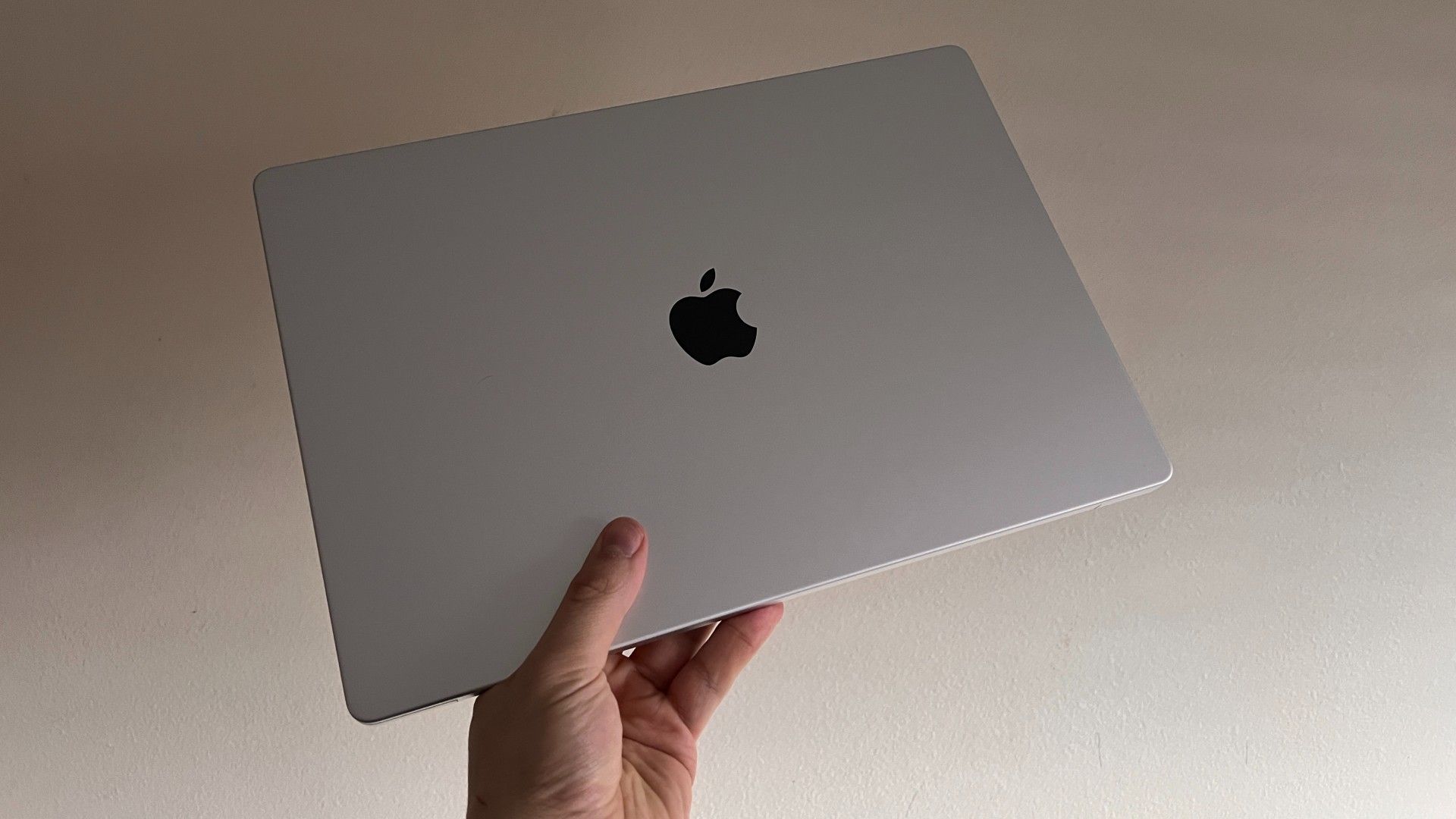
How to choose best macbook pro
The right MacBook depends less on the name on the lid than on the work you expect it to do. Focus on the chip, screen, memory, storage, ports, and how often the computer will leave your desk.
Chip and sustained performance
The M5 in the 14-inch Pro is a strong general-purpose processor with a 10-core CPU and 10-core GPU. M5 Pro models step up to an 18-core CPU and 20-core GPU, while the M5 Max reaches a 32-core GPU for graphics-heavy work. Choose M5 Pro or M5 Max when your applications regularly render, compile, process video, or run demanding AI workloads for long periods.
Display size and panel type
The 14.2-inch and 16.2-inch Pro models use Liquid Retina XDR displays with up to 1, 600 nits peak brightness, 1, 000 nits sustained brightness, and a 1, 000, 000:1 contrast ratio. That is valuable for HDR video, detailed photo work, and bright rooms. The Air and Neo use Liquid Retina panels, which are suitable for everyday work but do not provide the same XDR specification.
Choose the 16-inch screen for workspace, the 14-inch screen for mobility, and the Air or Neo when carrying weight matters most.
Unified memory
Memory affects how many demanding applications and large files can remain active together. The 16GB M5 model is appropriate for ordinary professional work, while 24GB gives multitaskers more room. The 48GB M5 Pro models are better suited to large creative projects and development environments. The 8GB Neo configurations should remain focused on basic tasks.
Storage capacity
A 1TB SSD is a practical starting point for professional applications and active files, while the M5 Max's 2TB SSD provides more room for large projects. The Air's 512GB storage and the Neo's 512GB or 256GB options are easier to fill with photographs, video, and downloaded media. If you work with large libraries, plan for external storage before choosing a smaller drive.
Ports and external displays
The Pro models include MagSafe 3, HDMI, an SDXC card slot, a headphone jack, and three Thunderbolt ports. The M5 Pro and M5 Max versions use Thunderbolt 5 and support more external displays than the standard M5, while the Air has two Thunderbolt 4 ports. A port-rich Pro is the better fit for cameras, wired displays, and desk-based production.

Frequently asked questions
Which MacBook Pro should most people buy?
The Apple MacBook Pro 14 M5 16GB is the strongest general recommendation in this group. It combines the compact Pro design, XDR display, useful ports, M5 performance, and a 1TB SSD without moving into the larger M5 Pro class.
Is the 14-inch MacBook Pro better than the 16-inch model?
The 14-inch model is easier to carry and takes up less desk space. The 16-inch models provide a larger working area and are better suited to people who spend long sessions editing video, coding, or managing wide project layouts.
Who needs an M5 Pro MacBook Pro?
M5 Pro is aimed at demanding professional work, including sustained video production, software development, advanced photography, and other workloads that benefit from more CPU and GPU capability. It is unnecessary for basic browsing, writing, and standard office tasks.
Is the M5 Max MacBook Pro worth choosing for creative work?
The M5 Max is the specialist option for GPU-heavy work. Its 18-core CPU, 32-core GPU, 36GB unified memory, and 2TB SSD make it particularly suited to demanding graphics and media workflows, but the M5 Pro models are a better fit when that extra graphics capacity will not be used.
Does the MacBook Air 15 M5 replace a MacBook Pro?
It replaces the Pro for many everyday users, students, and travelers. It has an M5 chip, a large 15.3-inch display, Wi-Fi 7, and up to 18 hours of battery life, but it lacks the Pro's XDR display, HDMI, SDXC slot, and heavier sustained-work design.
Is the renewed M1 Pro MacBook still relevant?
Yes, if you want the 14-inch Pro design, XDR display, professional ports, and M1 Pro media capabilities. It is an older platform and a renewed product, so newer M5 models are the safer choice for current long-term professional workloads.
Is 256GB enough for a MacBook Neo?
It can be enough for documents, web use, schoolwork, and streaming when most files stay in cloud storage. The 512GB Neo version is a better fit for users who keep applications, photos, downloads, or media locally.

The bottom line
The Apple MacBook Pro 14 M5 16GB is the Best MacBook Pro for most people because it gets the important decisions right: a sharp XDR display, useful built-in ports, compact dimensions, and enough M5 performance for serious everyday work. Move to the Apple MacBook Pro 16 M5 Pro 48GB when a large screen and generous memory matter more than portability.
The Apple MacBook Pro 14 M5 Max is the specialist choice for mobile creators who can use its stronger GPU, while the Apple MacBook Air 15 M5 is the smarter direction for lighter work and frequent travel. The Neo models make sense only when your tasks are basic and storage needs are controlled.
If you are undecided, choose the 14-inch M5 Pro model for demanding work and the 14-inch M5 model for everything else.
As an Amazon Associate we earn from qualifying purchases.