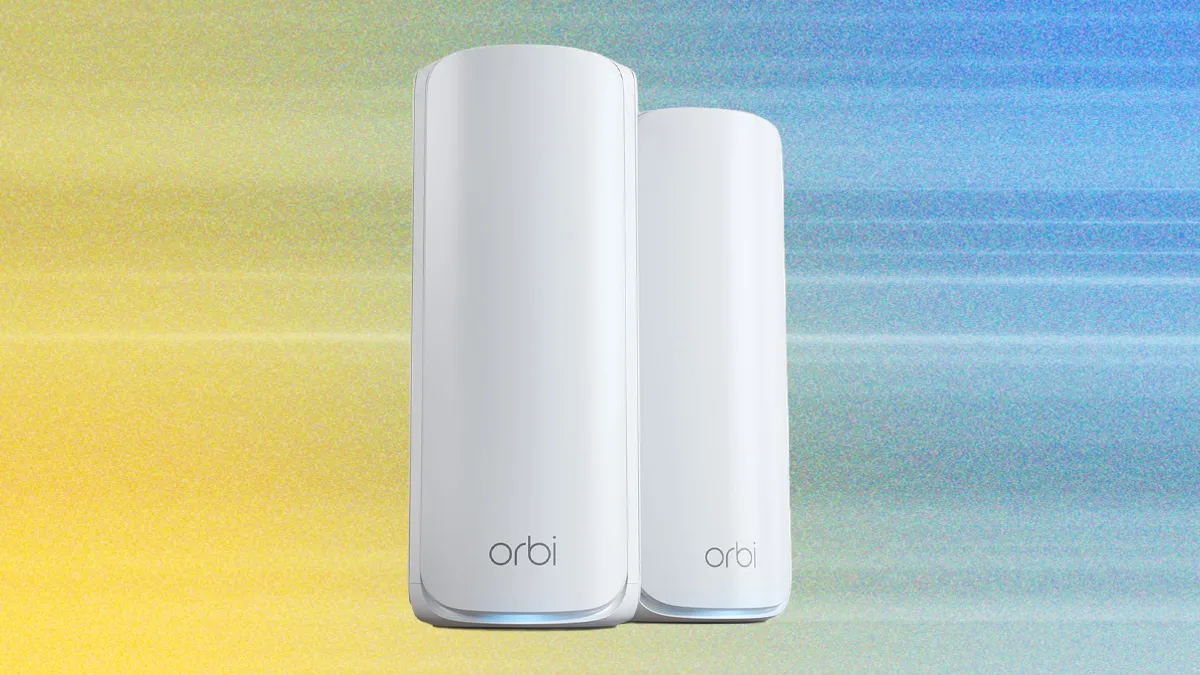

A single router can look perfectly healthy in the living room while a bedroom, office, or upstairs hallway struggles with dropped calls and buffering. Mesh systems solve that problem by placing multiple access points around the home, but the differences between them matter once walls, devices, and wired connections enter the picture.
Our Best best mesh system picks range from straightforward Wi-Fi 6 kits to fast Wi-Fi 7 systems with multi-gigabit ports and tri-band backhaul. The TP-Link Deco X55 is the single best pick for most homes, with the TP-Link Deco 7 Pro BE63 and TP-Link Deco XE75 close behind for demanding networks.
| # | Product | Award | Wi-Fi standard | Coverage | Best for |
|---|---|---|---|---|---|
| 1 | TP-Link Deco X55 | Best overall | Wi-Fi 6 AX3000 | Up to 6, 500 sq. ft. | Most homes |
| 2 | NETGEAR Orbi 370 | Best simple Wi-Fi 7 | Wi-Fi 7 BE5000 | Up to 6, 000 sq. ft. | Easy modern upgrades |
| 3 | TP-Link Deco 7 BE5000 | Best dual-band Wi-Fi 7 | Wi-Fi 7 BE5000 | Up to 6, 600 sq. ft. | Busy connected homes |
| 4 | TP-Link Deco S4 | Best basic mesh | Wi-Fi 5 AC1900 | Up to 5, 500 sq. ft. | Smaller internet plans |
| 5 | NETGEAR Orbi 770 | Best large-home Wi-Fi 7 | Tri-band Wi-Fi 7 | Up to 8, 000 sq. ft. | Large, busy homes |
| 6 | Amazon eero 7 | Best for easy setup | Dual-band Wi-Fi 7 | Up to 6, 000 sq. ft. | Hands-off networking |
| 7 | TP-Link Deco 7 BE23 | Best wired Wi-Fi 7 | Dual-band Wi-Fi 7 | Up to 6, 500 sq. ft. | Multi-gig wired networks |
| 8 | TP-Link Deco 7 Pro BE63 | Best high-performance system | Tri-band Wi-Fi 7 | Up to 5, 800 sq. ft. | Advanced home networks |
| 9 | TP-Link Deco XE75 | Best Wi-Fi 6E system | Tri-band Wi-Fi 6E | Up to 7, 200 sq. ft. | 6 GHz devices |
| 10 | Amazon eero 6 | Best compact Wi-Fi 6 kit | Wi-Fi 6 | Up to 4, 500 sq. ft. | Smaller connected homes |
1. TP-Link Deco X55: Best Overall

Pros
- Broad stated coverage for a three-unit system
- Three Gigabit Ethernet ports on every unit
- Wired Ethernet backhaul support
- Useful basic HomeShield controls
Cons
- Wi-Fi 6 rather than Wi-Fi 7
- Gigabit ports limit multi-gig wired networks
- Requires a separate modem for most providers
Best for: most households that want dependable coverage, flexible placement, and a sensible feature set.
The TP-Link Deco X55 is the system we'd start with for a typical house. It avoids the two common mesh mistakes: too little coverage and too few wired connections. The three-unit kit is rated for up to 6, 500 square feet, while the unified network name lets phones and laptops move between nodes without the awkward network switching associated with old range extenders.
Its AX3000 Wi-Fi 6 design combines a 2.4GHz connection rated at 574 Mbps with a 5GHz connection rated at 2, 402 Mbps. Those are theoretical figures, but the important point is the balance. The 5GHz band has enough capacity for streaming and ordinary work traffic, while the 2.4GHz band remains useful for longer-range devices and smart-home equipment. TP-Link also says the system can handle up to 150 devices, which gives a busy household room for cameras, speakers, televisions, and appliances.
The hardware is unusually flexible for this class. Each Deco has three Gigabit Ethernet ports, and any unit can act as the router. If the nodes can be connected with Ethernet, wired backhaul takes traffic off the wireless link between them and can make distant rooms much steadier. The Deco app handles setup and remote management, while HomeShield includes basic network security, quality of service, and parental controls. It works with all listed internet providers, although most installations still need a modem.
The limitation is easy to identify: there are no 2.5Gbps ports and no newer Wi-Fi 7 features. The TP-Link Deco 7 BE23 is a better match for a multi-gigabit connection, and the TP-Link Deco XE75 adds a separate 6GHz band. For everyone else, the X55 is easier to recommend because it combines strong coverage with three usable Ethernet ports per node. It is the Best best mesh system for a household that wants a dependable network without turning setup into a project.
2. NETGEAR Orbi 370: Best Simple Wi-Fi 7

Pros
- Wi-Fi 7 support in a straightforward dual-band kit
- Coverage rated up to 6, 000 square feet
- Enhanced Backhaul helps maintain node-to-node stability
- Supports up to 70 devices
Cons
- Dual-band design has less separation than tri-band systems
- Armor security is a 30-day trial
- Expansion is limited to the Orbi family
Best for: anyone who wants current-generation wireless hardware with a guided setup experience.
The NETGEAR Orbi 370 is a clean answer to the question, “Which mesh kit gives me Wi-Fi 7 without a long list of decisions?” The three compact units cover up to 6, 000 square feet, and the Orbi app walks through installation and remote management. Its compact enclosures should also be easier to place on open shelves than some taller mesh nodes.
The dual-band BE5000 platform is aimed at the devices people use every day. NETGEAR specifically positions it for 4K streaming, video calls, and gaming, while Enhanced Backhaul works to keep the connection between Orbi units stable as traffic moves around the house. Support for up to 70 devices is enough for a typical family home, though the stated capacity is lower than the 120-plus devices supported by the Amazon eero 7 and the 150-device claims attached to several TP-Link kits.
Wi-Fi 7 brings newer wireless behavior and more room for newer phones and computers. The system is also backward compatible, so older clients do not need to be replaced. Setup is the strong point here. The app keeps the process approachable, and another Orbi 370 satellite can add around 2, 000 square feet of stated coverage if the three included nodes are not enough.
The catch is the dual-band layout. A tri-band system such as the NETGEAR Orbi 770 has a dedicated additional band for handling busy traffic and backhaul, which is a better design for large homes with heavy simultaneous use. Orbi 370 is the more restrained choice. Its security package includes a 30-day Armor trial, so buyers who want advanced protection should examine what remains after that period. For a newer wireless standard with minimal fuss, this is a strong second pick.
3. TP-Link Deco 7 BE5000: Best Dual-Band Wi-Fi 7

Pros
- Four-stream BE5000 Wi-Fi 7 platform
- Stated coverage up to 6, 600 square feet
- Supports more than 150 devices
- Wired and wireless backhaul can work together
- VPN client and server support
Cons
- Dual-band design lacks a separate 6GHz radio
- Performance depends heavily on node placement
- Requires a separate modem for most providers
Best for: busy homes that want high device capacity and Wi-Fi 7 features without moving to a tri-band system.
The TP-Link Deco 7 BE5000 is built around capacity rather than flashy hardware. Its three nodes cover up to 6, 600 square feet and are rated for more than 150 devices, making it a natural fit for households with several phones, televisions, computers, consoles, and smart-home products active at once.
The four-stream Wi-Fi 7 system is rated for 4, 324 Mbps on 5GHz and 688 Mbps on 2.4GHz. Those figures should not be confused with guaranteed internet throughput, but they explain the product's positioning. The 5GHz radio has substantial headroom for newer wireless clients, while 2.4GHz remains useful through walls and at longer distances. MLO, Multi-RUs, and 4K-QAM are included Wi-Fi 7 features intended to improve how compatible devices share the network.
A particularly useful detail is its backhaul flexibility. The system can use Wi-Fi 7 and 2.5G Ethernet together, and each node has two 2.5Gbps WAN/LAN ports. That gives a home with Ethernet runs a way to avoid spending wireless capacity on communication between nodes. The Deco app manages the system, while HomeShield provides network protection, parental controls, and IoT security features. VPN client and server support is also present, which is more useful than it sounds for people who want selected home devices to use a remote VPN.
The weakness is the missing third band. The TP-Link Deco 7 Pro BE63 has tri-band Wi-Fi 7 and more advanced wired connectivity, while the TP-Link Deco XE75 offers a dedicated 6GHz band at a lower wireless generation. Choose the BE5000 when device count, broad coverage, and 2.5G ports matter more than a separate 6GHz radio. It is one of the most capable dual-band options in this group.
4. TP-Link Deco S4: Best Basic Mesh

Pros
- Simple unified network name
- Coverage rated up to 5, 500 square feet
- Two Gigabit ports on each unit
- Wired Ethernet backhaul support
- Useful parental controls
Cons
- Older Wi-Fi 5 standard
- Lower device capacity than newer systems
- Alexa feature is limited to guest Wi-Fi control
Best for: homes with moderate internet service that need better coverage than a single router can provide.
The TP-Link Deco S4 is the uncomplicated option in this group. It replaces the usual extender arrangement with three coordinated units and one network name, so a phone can move through the house without manually choosing a new SSID. That alone makes it a substantial improvement over many older coverage fixes.
Its AC1900 platform uses three by three, six-stream wireless hardware and is rated to connect up to 100 devices. Coverage is listed at up to 5, 500 square feet. Those figures suit a home with ordinary browsing, video calls, streaming, and smart-home traffic, but the older Wi-Fi 5 standard has less efficiency and capacity than Wi-Fi 6 and Wi-Fi 7 systems such as the TP-Link Deco X55.
Each node has two Gigabit Ethernet ports, with six available across the three-pack. Ethernet backhaul is supported, so running cables between nodes can improve consistency in distant rooms. The Deco app handles setup and management, and the system includes profile-based parental controls that can limit online time or block inappropriate websites. Alexa can turn guest Wi-Fi on or off by voice.
The S4 is not the right foundation for a new multi-gigabit network or a home packed with newer Wi-Fi 7 clients. Its lack of 6GHz and 2.5Gbps ports is a clear technical limitation. Still, it makes sense when the internet plan and connected-device load are moderate. Buyers who want a similarly accessible system with more wireless longevity should step up to the X55.
5. NETGEAR Orbi 770: Best Large-Home Wi-Fi 7

Pros
- Tri-band Wi-Fi 7 architecture
- Coverage rated up to 8, 000 square feet
- Stated capacity for up to 100 devices
- Up to 11Gbps aggregate wireless capability
- Automatic firmware updates and built-in protection
Cons
- Two-node expansion hardware is a serious consideration
- Intended for use in the United States only
- More system than a smaller home needs
Best for: large homes with many simultaneous connections and a fast internet service.
The NETGEAR Orbi 770 is the system to consider when coverage and sustained traffic matter more than keeping the hardware small. The router and two satellite extenders are rated for up to 8, 000 square feet, a larger stated footprint than any other three-unit system here. The tri-band design also gives the network more room to handle traffic across several rooms at once.
NETGEAR lists aggregate capability up to 11Gbps and support for up to 100 devices. These are not direct internet speed guarantees, but they describe a platform meant for homes with several active streams, work calls, gaming sessions, and smart-home devices. The dedicated tri-band layout is especially relevant when satellites communicate wirelessly, since the system has more radio capacity to divide between clients and the mesh link.
The Orbi 770 is backward compatible with older Wi-Fi devices, so upgrading does not require replacing every client. Its high-performance antennas are designed for 360-degree coverage, and automatic firmware updates plus Advanced Router Protection provide a more maintained network than a router that is rarely updated. The hardware includes a 2.5 Gig internet port, which gives a fast service a suitable entry point.
Its main issue is scale. A smaller home will not make full use of the extra coverage and tri-band capacity, and the stated US-only use restriction matters for buyers elsewhere. The NETGEAR Orbi 370 is easier to justify for ordinary homes, while the TP-Link Deco 7 Pro BE63 gives advanced users more 2.5G wired ports in a smaller two-pack. Pick the Orbi 770 when the floor plan and concurrent traffic genuinely call for it.
6. Amazon eero 7: Best for Easy Setup

Pros
- Very approachable setup and management
- Supports internet plans up to 2.5Gbps
- Two auto-sensing 2.5GbE ports
- Rated for 120-plus devices
- Three-year warranty
Cons
- Advanced security features require eero Plus
- Dual-band rather than tri-band
- Less configurable than enthusiast-focused systems
Best for: households that want a modern mesh network managed mostly through a clear app.
The Amazon eero 7 makes network setup feel like an appliance task rather than a weekend project. The app guides installation, remote management is built in, and TrueMesh software works with TrueRoam and TrueChannel to keep devices on what eero considers the most reliable connection. That approach is appealing for people who care more about a stable home network than manual tuning.
The three-pack covers up to 6, 000 square feet and supports 120-plus devices. Eero lists wireless speeds up to 1.8Gbps and support for internet plans up to 2.5Gbps. Each unit has two auto-sensing 2.5GbE ports, so a multi-gigabit modem or a wired device can make use of faster Ethernet than the older Amazon eero 6.
Wi-Fi 7 features include MLO, and the system is backward compatible with earlier eero generations. It can also work with eero Built-in on select Amazon Echo devices. The three-year warranty is a reassuring ownership detail, especially for a system expected to run continuously in a central part of the home.
The trade-off is control. Advanced security, ad blocking, parental controls, Malwarebytes, password management, and VPN features are grouped into the optional eero Plus subscription. The dual-band design is also less ambitious than the tri-band NETGEAR Orbi 770 or TP-Link Deco 7 Pro BE63. The eero 7 is the Best best mesh system for people who want the app to make most of the decisions.
7. TP-Link Deco 7 BE23: Best Wired Wi-Fi 7

Pros
- Two 2.5Gbps WAN/LAN ports per unit
- Coverage rated up to 6, 500 square feet
- Supports up to 150 devices
- MLO and simultaneous wired and wireless backhaul
- Separate IoT network support
Cons
- Dual-band system
- Larger stated dimensions than some compact competitors
- Wired backhaul is needed to get the most from its ports
Best for: homes with Ethernet runs, multi-gigabit equipment, and compatible Wi-Fi 7 clients.
The TP-Link Deco 7 BE23 is the practical wired-network specialist. Its three units cover up to 6, 500 square feet and support up to 150 devices, but the standout feature is not the coverage claim. It is the pair of 2.5Gbps WAN/LAN ports on every node, which gives a home with Ethernet wiring far more flexibility than a basic Gigabit mesh system.
The BE3600 four-stream Wi-Fi 7 hardware is rated for up to 2, 882 Mbps on 5GHz and 688 Mbps on 2.4GHz. The system supports MLO, Multi-RUs, and 4K-QAM, all aimed at better use of compatible Wi-Fi 7 clients. Its four high-gain antennas and high-power front-end modules are specified to support long-range connections, though walls and placement will still determine actual results.
Backhaul can use wired and wireless connections at the same time. That matters because a wired link between nodes can preserve wireless capacity for phones, laptops, and televisions instead of using it to carry mesh traffic. The app handles setup, AI roaming keeps one network name across the home, and HomeShield adds parental controls, IoT protection, and network security. VPN client and server support adds flexibility for more advanced households.
The BE23 is less attractive if there is no way to run Ethernet and the home is crowded with demanding wireless clients. In that situation, the tri-band TP-Link Deco 7 Pro BE63 has a stronger wireless architecture. The BE23 is the better choice for a house with network cabling and multi-gigabit devices, where its ports can actually be used.
8. TP-Link Deco 7 Pro BE63: Best High-Performance System

Pros
- Tri-band BE10000 Wi-Fi 7
- Four 2.5G WAN/LAN ports per unit
- Supports more than 200 devices
- 10G Ethernet and simultaneous backhaul
- USB 3.0 port
Cons
- Two-pack has less stated coverage than several three-packs
- Advanced hardware can be excessive for ordinary broadband
- Wired backhaul requires suitable home cabling
Best for: demanding households that need tri-band wireless capacity and several fast wired connections.
The TP-Link Deco 7 Pro BE63 is the most ambitious TP-Link system in this roundup. It uses two units rather than three, but the hardware is built for a network with serious traffic. The two-pack is rated for up to 5, 800 square feet and more than 200 devices, making it a strong fit for a large open layout or a home where many connections are active at once.
The tri-band BE10000 platform separates the radios across 6GHz, 5GHz, and 2.4GHz. TP-Link lists rates of up to 5, 188 Mbps on 6GHz, 4, 324 Mbps on 5GHz, and 574 Mbps on 2.4GHz. Those figures are theoretical, yet the separate 6GHz band can give newer clients a cleaner path and can help the mesh manage traffic without asking every device to compete on the same radio.
Wired connectivity is the real differentiator. Each unit has four 2.5G WAN/LAN ports, a USB 3.0 port, and a future-ready 10G WAN/LAN connection. Wired and wireless backhaul can work together, while the Deco app handles setup and AI-driven roaming. HomeShield, VPN client and server support, and compatibility with other Deco products add useful depth for a more advanced network.
The two-pack's stated coverage is lower than the three-pack TP-Link Deco X55 and TP-Link Deco 7 BE23, so floor-plan design still matters. It is also unnecessary for a modest broadband connection with a handful of devices. But for a home with fast wired storage, multi-gigabit internet, newer Wi-Fi 7 clients, and several simultaneous users, the BE63 is the most capable system here.
9. TP-Link Deco XE75: Best Wi-Fi 6E System

Pros
- Tri-band Wi-Fi 6E architecture
- Dedicated 6GHz band
- Coverage rated up to 7, 200 square feet
- Supports up to 200 devices
- 6GHz can serve as wireless backhaul
Cons
- Wi-Fi 6E rather than Wi-Fi 7
- Client devices must support 6GHz to use its full benefit
- No stated multi-gigabit Ethernet ports
Best for: homes with Wi-Fi 6E devices that need a clean additional band and broad coverage.
The TP-Link Deco XE75 remains compelling because it solves a specific wireless problem: congestion on the familiar 2.4GHz and 5GHz bands. Its three-pack is rated for up to 7, 200 square feet and up to 200 devices, giving it one of the broadest stated footprints in this group.
The tri-band AXE5400 system combines 6GHz at 2, 402 Mbps, 5GHz at 2, 402 Mbps, and 2.4GHz at 574 Mbps. The 6GHz band is available only to compatible Wi-Fi 6E clients, but it can also work as a wireless backhaul between nodes by default. That arrangement can leave the 5GHz band freer for ordinary phones, laptops, and televisions.
Setup takes place in the Deco app, with AI-driven mesh features that learn about the network environment and connected clients. HomeShield includes basic security, parental controls, quality of service, and network reports. Alexa support can control guest Wi-Fi, and the system works with listed internet providers when paired with the required modem.
The main question is client support. A phone or laptop without Wi-Fi 6E cannot use the 6GHz band, and Wi-Fi 7 systems such as the TP-Link Deco 7 BE5000 and Amazon eero 7 are newer platforms. Still, the XE75 has a bigger stated coverage area than those systems and a useful tri-band layout. For a home already using 6GHz devices, it remains one of the strongest options.
10. Amazon eero 6: Best Compact Wi-Fi 6 Kit

Pros
- Very small units
- Straightforward app-based setup
- Coverage rated up to 4, 500 square feet
- Supports more than 75 devices
- Zigbee smart-home hub built in
Cons
- Intended for internet plans up to 500 Mbps
- Older than the eero 7
- Pack includes one router and two extenders
Best for: smaller homes with moderate broadband and a preference for simple management.
The Amazon eero 6 is the smallest and most restrained system here. Its three-pack combines one router with two extenders, covers up to 4, 500 square feet, and is designed around internet plans up to 500 Mbps. That makes it a sensible fit for a smaller home where the main goal is removing dead spots rather than preparing for multi-gigabit networking.
Wi-Fi 6 supports more efficient connections than the older Wi-Fi 5 standard, and eero says the system can handle more than 75 devices. The eero app guides setup and lets owners manage the network remotely. Automatic updates help keep the software current, and free US customer support is available seven days a week.
The system also doubles as a Zigbee smart-home hub, which can simplify control of compatible devices through Alexa. Its cross-compatible hardware means an eero network can grow with additional eero products. The small units are easier to hide on a shelf or desk than the taller hardware used by several TP-Link and NETGEAR systems.
The ceiling is clear. The Amazon eero 7 supports plans up to 2.5Gbps, has 2.5GbE ports, and covers a larger area, while the TP-Link Deco X55 offers three Ethernet ports on every node. Choose eero 6 when the internet service is moderate and the home's device count is reasonable. It is not the Best best mesh system for future-proofing, but it remains a tidy way to improve coverage.
How to choose best mesh system
The right mesh system depends less on the largest coverage claim than on the relationship between your home's layout, internet connection, client devices, and available Ethernet wiring.
Wi-Fi generation
Wi-Fi 6 is still capable for ordinary streaming, work calls, gaming, and smart-home devices. Wi-Fi 6E adds a separate 6GHz band, while Wi-Fi 7 brings newer features such as MLO and improved handling for compatible clients. A newer standard helps most when the phones, laptops, and access points can all use it.
Tri-band versus dual-band
Dual-band systems share their 2.4GHz and 5GHz radios between client devices and mesh communication. Tri-band systems add another radio, often giving the nodes more room to communicate while clients remain connected. The TP-Link Deco XE75, NETGEAR Orbi 770, and TP-Link Deco 7 Pro BE63 are the strongest choices when wireless backhaul and busy traffic are central concerns.
A large coverage number cannot compensate for putting a mesh node behind a wall, inside a cabinet, or too far from the router.
Coverage and placement
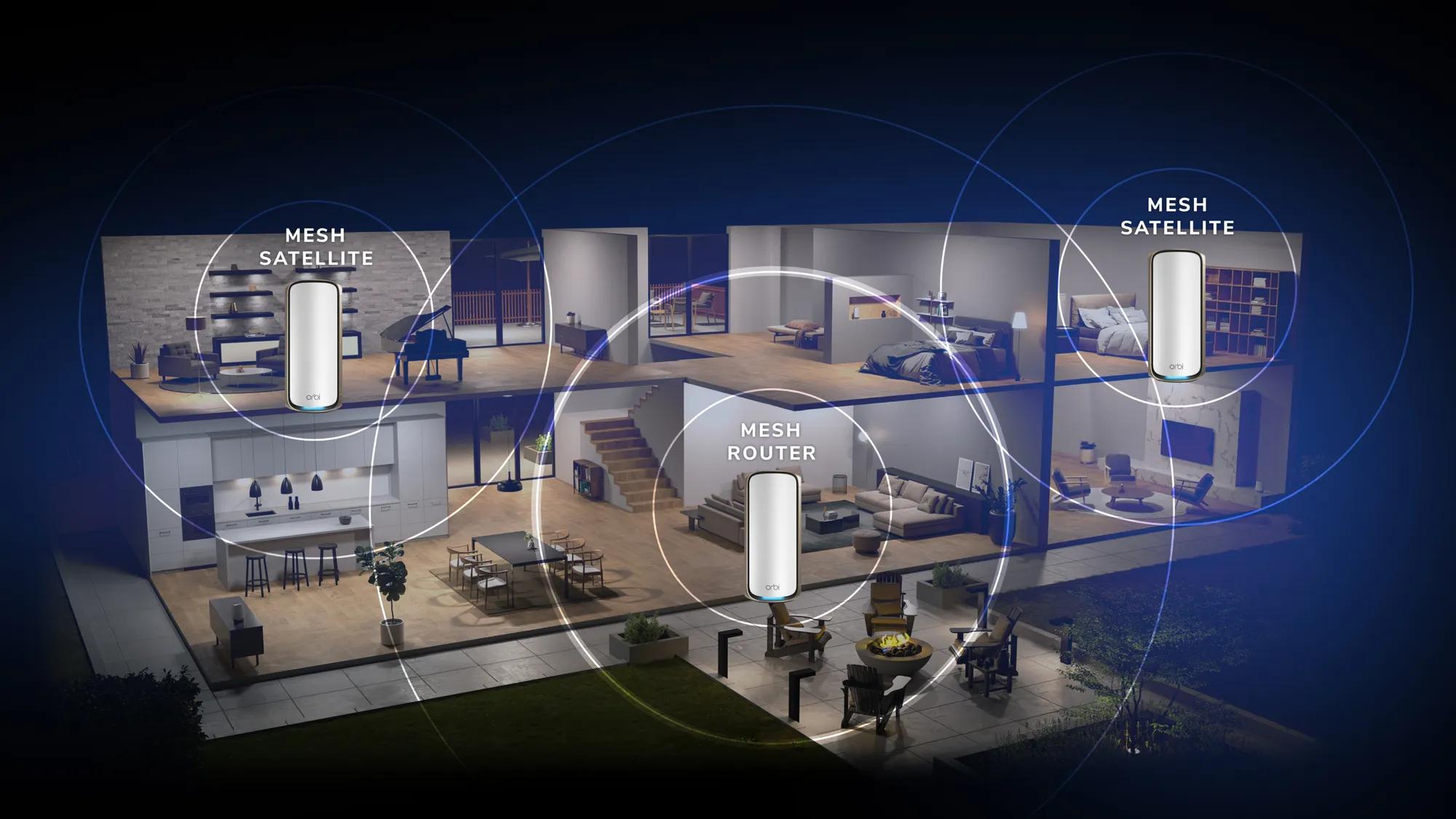
Coverage claims are useful for comparing systems, but they are not a floor plan. Thick walls, multiple floors, metal appliances, and node placement can reduce the practical range. Three units often make it easier to create a clean path through a long house, while a powerful two-pack may be better for an open layout.
Ethernet ports and backhaul
Ethernet backhaul is one of the most reliable ways to improve mesh consistency. Gigabit ports are adequate for many homes, while 2.5Gbps ports make more sense for multi-gigabit internet, fast local storage, and wired access points. The BE23 and BE63 stand out for their 2.5G ports, while the X55 offers three Gigabit ports per node.
Device capacity and software
A busy home needs more than a strong signal. Look for a system with enough stated device capacity and software that handles roaming, updates, parental controls, and security clearly. Eero is particularly approachable, while Deco systems provide more networking features such as VPN client and server support on selected models.
For a wider look at how node placement, backhaul, and home size interact, the network layout choices that matter most in a whole-home setup are a useful next step. Homes built around Ethernet should also consider how wired links change mesh performance across rooms.
Frequently asked questions
Do mesh systems replace a router?
Yes. Most of the systems here can act as the main router, although a modem is still required for most internet providers. Some setups can also use the mesh system behind an existing router, depending on the provider and configuration.
Is Wi-Fi 7 necessary for a mesh system?
No. Wi-Fi 6 remains suitable for many homes, especially when the internet connection is moderate and the devices are not especially numerous. Wi-Fi 7 becomes more useful when the home has compatible clients, multi-gigabit service, or a need for improved capacity.
Is tri-band better than dual-band for mesh?
Tri-band generally gives a wireless mesh system more room to manage communication between nodes and connected devices. Dual-band systems can work very well when nodes are close together or connected with Ethernet. The best choice depends on placement and traffic, not the label alone.
Can different Deco systems work together?
The Deco products listed here are designed to work with other Deco devices, though the exact capabilities of a mixed network can vary by model. Keeping similar hardware throughout the home usually makes capacity and feature expectations clearer.
Can a mesh system use wired backhaul?
Several systems here support Ethernet backhaul, including the TP-Link Deco X55, Deco S4, Deco 7 BE5000, Deco 7 BE23, Deco 7 Pro BE63, and Deco XE75. A wired link between nodes can improve stability because wireless capacity is not used for all of the inter-node traffic.
How many mesh units does a home need?
A three-pack is useful for a long home, multiple floors, or rooms separated by substantial walls. A two-pack can be better for an open layout and may have more capable hardware per unit. Start with the home's shape and cable locations rather than buying the largest stated coverage number.
Do all connected devices need Wi-Fi 7?
No. Wi-Fi 7 systems are backward compatible with older Wi-Fi generations. Older devices can connect normally, but only compatible clients can use newer features such as MLO or take full advantage of the latest wireless capabilities.
The bottom line
The TP-Link Deco X55 is the Best best mesh system for most households because it combines broad stated coverage, three Gigabit ports on each unit, wired backhaul, and useful management features without making the network difficult to run. It is the pick we'd give to a typical family replacing a weak router and unreliable extender.
For a demanding network, the TP-Link Deco 7 Pro BE63 is the more capable choice, with tri-band Wi-Fi 7, four 2.5G ports per unit, a 10G connection, and support for more than 200 devices. The TP-Link Deco XE75 is a strong alternative when broad coverage and a dedicated 6GHz band matter more than moving to Wi-Fi 7.
If you are undecided, choose the X55 for a conventional home, the BE63 for a multi-gigabit wired network, and the eero 7 when simple app-led setup matters most.
As an Amazon Associate we earn from qualifying purchases.