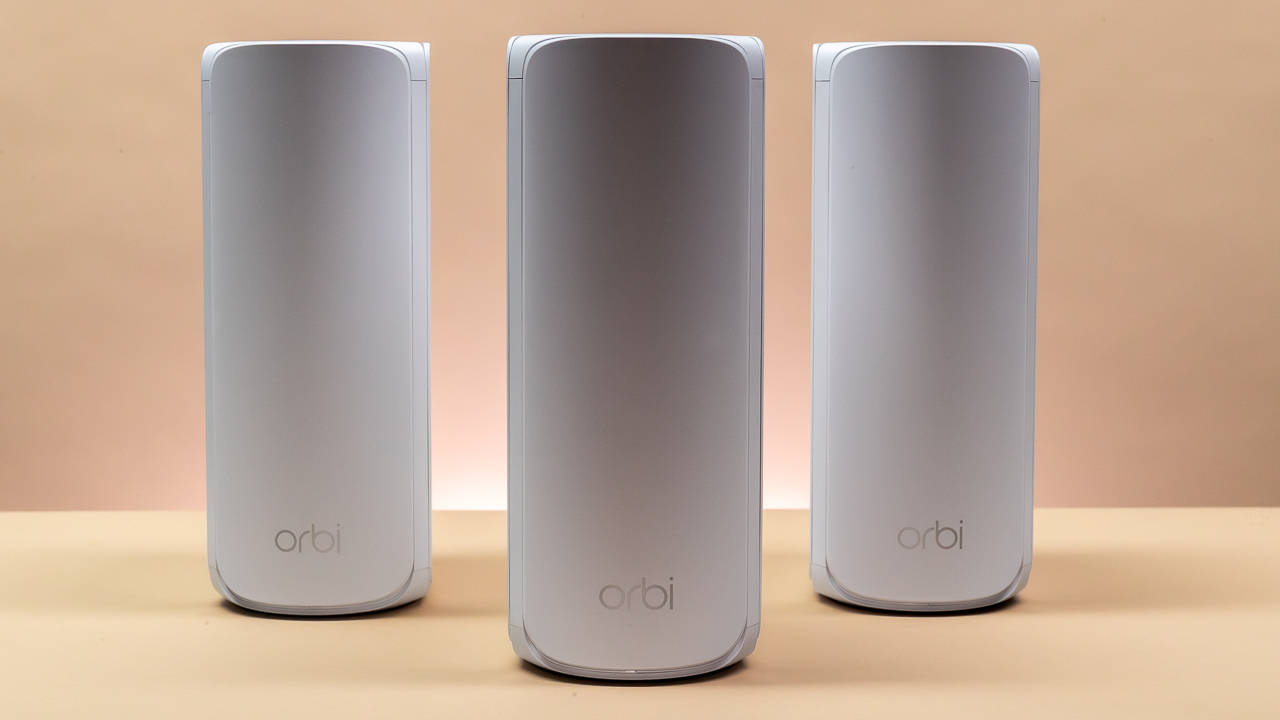

A dead zone in the bedroom is annoying. A dead zone in the room where you work, stream, or run smart-home devices is a daily problem. Mesh systems solve it by placing multiple access points around the home, but the right system depends on more than the coverage number printed on the box.
The Best mesh wifi system for most homes is TP-Link Deco X55. It has wide coverage, three Ethernet ports on every unit, wired backhaul support, and a straightforward app. The rest of this list ranges from compact WiFi 6 systems to high-capacity tri-band WiFi 7 networks built for very large homes and fast internet connections.
| # | Product | Award | Coverage | WiFi standard | Bands | Best for |
|---|---|---|---|---|---|---|
| 1 | TP-Link Deco X55 | Best overall | Up to 6, 500 sq. ft. | WiFi 6 AX3000 | Dual-band | Most homes |
| 2 | TP-Link Deco 7 | Best dual-band WiFi 7 | Up to 6, 600 sq. ft. | WiFi 7 BE5000 | Dual-band | New WiFi 7 devices |
| 3 | NETGEAR Orbi 370 | Best simple Orbi system | Up to 6, 000 sq. ft. | WiFi 7 BE5000 | Dual-band | Easy whole-home setup |
| 4 | TP-Link Deco 7 Pro | Best for high-capacity networks | Up to 7, 600 sq. ft. | WiFi 7 BE10000 | Tri-band | Multi-gig households |
| 5 | TP-Link Deco XE75 | Best WiFi 6E system | Up to 7, 200 sq. ft. | WiFi 6E AXE5400 | Tri-band | Homes with 6 GHz devices |
| 6 | TP-Link Deco S4 | Best for basic coverage | Up to 5, 500 sq. ft. | WiFi 5 AC1900 | Dual-band | Older devices and simple networks |
| 7 | Amazon eero 7 | Best eero WiFi 7 system | Up to 6, 000 sq. ft. | WiFi 7 | Dual-band | App-first households |
| 8 | NETGEAR Orbi 770 | Best for large homes | Up to 8, 000 sq. ft. | WiFi 7 | Tri-band | Large layouts and busy networks |
| 9 | TP-Link Deco 7 BE23 | Best wired WiFi 7 option | Up to 6, 500 sq. ft. | WiFi 7 BE3600 | Dual-band | Wired backhaul |
| 10 | Amazon eero 6 | Best compact eero setup | Up to 4, 500 sq. ft. | WiFi 6 | Dual-band | Smaller homes |
1. TP-Link Deco X55: Best Overall

Pros
- Covers up to 6, 500 square feet
- Three Gigabit Ethernet ports on every unit
- Supports wired Ethernet backhaul
- Connects up to 150 devices
- Includes useful free HomeShield features
Cons
- Dual-band design has less backhaul flexibility than tri-band systems
- Requires a separate modem for most internet providers
Best for: most homes that need dependable coverage, plenty of wired connections, and simple management.
The TP-Link Deco X55 is the system we would put in the hands of most households. It avoids the common mesh compromise of giving every node a single Ethernet connection. Each unit has three Gigabit Ethernet ports, so the primary node can connect to a modem while the other ports remain available for a television, desktop, game console, or wired satellite.
Its WiFi 6 AX3000 hardware splits into a 5 GHz connection rated at 2, 402 Mbps and a 2.4 GHz connection rated at 574 Mbps. Those figures are theoretical, but the important point is that the X55 has enough capacity for a typical home full of phones, televisions, laptops, cameras, and smart-home devices. TP-Link says the three-pack can handle up to 150 devices across as much as 6, 500 square feet.
The X55 also supports Ethernet backhaul. That matters in homes with network cable already running between floors or rooms because the nodes can use the cable to communicate instead of using wireless airtime for that link. A wired backhaul can make the system feel steadier at the far end of the house. If you are replacing separate networking equipment, our guide to choosing the right wired connections for a home network explains why those ports matter.
Setup runs through the Deco app, which provides visual guidance and lets you manage the network away from home. AI-driven mesh features learn about the network environment, and free HomeShield functions include basic network security, quality of service, and parental controls. The weakness is its dual-band layout. The TP-Link Deco XE75 and TP-Link Deco 7 Pro have an extra band for more demanding wireless backhaul arrangements. Skip the X55 only if you have a very fast multi-gig connection or a large number of high-throughput devices. For everyone else, it is the most balanced pick here.
2. TP-Link Deco 7: Best Dual-Band WiFi 7

Pros
- WiFi 7 with four-stream BE5000 hardware
- Covers up to 6, 600 square feet
- Supports up to 150 devices
- Includes 2.5G Ethernet and wired or wireless backhaul
- VPN client and server support
Cons
- Dual-band design can be less flexible than tri-band alternatives
- Requires a separate modem for most providers
Best for: households adding WiFi 7 phones, laptops, and other recent devices without moving to a tri-band system.
The TP-Link Deco 7 is a sensible step into WiFi 7 when the household has newer client devices but does not need the elaborate hardware of the Deco 7 Pro. It is a three-unit system with a stated coverage area of up to 6, 600 square feet and support for more than 150 devices. The units can also be expanded with another Deco router later.
Its four-stream BE5000 design is built around up to 4, 324 Mbps on 5 GHz and 688 Mbps on 2.4 GHz. Those headline figures do not describe the speed every device will see, but they show where this system sits in the lineup. It has more wireless capacity than the older Deco S4 and adds WiFi 7 features for compatible clients, including multi-link operation.
The Deco 7 supports simultaneous wired and wireless backhaul, with 2.5G Ethernet helping the nodes move traffic between one another. That is a meaningful distinction from a basic dual-band system when the home has cable between rooms. AI-driven roaming keeps one network name across the house and is intended to move devices between nodes without a manual network change.
TP-Link includes HomeShield features such as basic network security, device identification, parental controls, quality of service, and periodic reports. VPN client and server support is another useful addition for people who need network-wide VPN behavior. The trade-off is that a dual-band design has fewer dedicated radio resources than the TP-Link Deco 7 Pro. Choose this model for a modern but uncomplicated WiFi 7 setup. Choose the Pro when the network has many simultaneous heavy users or a multi-gig wired backbone.
3. NETGEAR Orbi 370: Best Simple Orbi System

Pros
- WiFi 7 BE5000 performance
- Up to 6, 000 square feet of coverage
- Supports up to 70 devices
- Enhanced backhaul for steadier node communication
- Compact units with guided app setup
Cons
- Dual-band system lacks the extra radio of tri-band Orbi models
- Armor security is supplied as a 30-day trial
Best for: people who want a straightforward Orbi installation for a medium to large home.
The NETGEAR Orbi 370 is the cleanest choice for someone who wants the Orbi approach without jumping to the larger 770 Series. The three-pack covers up to 6, 000 square feet, and the compact units are easier to place on shelves or furniture than many tall mesh nodes. The Orbi app guides setup and provides remote network management.
This is a dual-band WiFi 7 system with BE5000 hardware. NETGEAR positions it for 4K streaming, video calls, everyday gaming, and other ordinary high-demand tasks. It supports up to 70 connected devices, which is enough for many families, though it leaves less headroom than the 150-device claims attached to several TP-Link systems in this roundup.
Enhanced backhaul is the key networking feature. Mesh nodes need a strong connection to one another, not just a strong connection to the client device, and Orbi uses that backhaul design to help maintain stable service as a phone or laptop moves around the home. An additional Orbi 370 satellite can extend coverage by around 2, 000 square feet.
The system works with cable and fiber providers and replaces an existing router. NETGEAR Armor protection is included as a 30-day trial, while the router also includes automatic firmware updates and built-in protection features. The main limitation is the dual-band layout. The NETGEAR Orbi 770 has a tri-band architecture and a much larger coverage claim, while the TP-Link Deco X55 offers more Ethernet ports per unit. The Orbi 370 is the right fit when compact hardware and guided setup matter more than maximum wired flexibility.
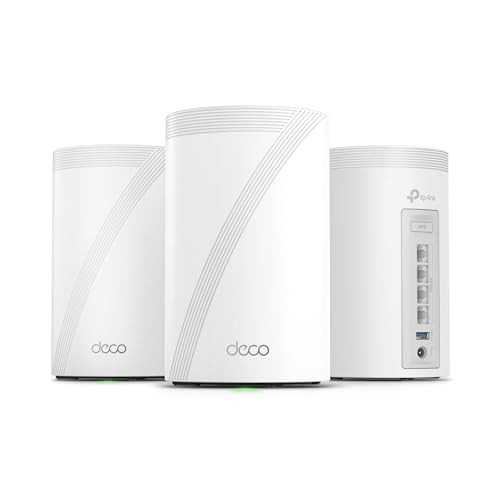
4. TP-Link Deco 7 Pro: Best for High-Capacity Networks
Pros
- Tri-band WiFi 7 design
- Supports more than 200 devices
- Four 2.5G WAN or LAN ports
- 10G Ethernet and wireless backhaul support
- Covers up to 7, 600 square feet
Cons
- Larger units take more space
- Its capabilities exceed what ordinary internet service can use
Best for: large, busy households with fast wired networking and many demanding devices.
The TP-Link Deco 7 Pro is the system to choose when ordinary mesh hardware starts to look restrictive. Its three-pack is designed to cover up to 7, 600 square feet and support more than 200 devices. That does not make a crowded wireless environment magically uncongested, but it gives the system more room to handle simultaneous streaming, work calls, gaming, smart-home traffic, and large file transfers.
The BE10000 tri-band layout is the reason to buy it. TP-Link lists up to 5, 188 Mbps on 6 GHz, 4, 324 Mbps on 5 GHz, and 574 Mbps on 2.4 GHz. The 6 GHz band is useful for compatible nearby devices, while the three-band arrangement gives the mesh more ways to manage traffic between nodes. Its six-stream design is better suited to households where several clients need high throughput at the same time.
Wired connectivity is unusually strong. Each unit has four 2.5G WAN or LAN ports, along with a USB 3.0 port, and the system supports simultaneous wired and wireless backhaul. That makes it a natural match for a multi-gig modem, a wired desktop network, or a home with Ethernet between floors. If your network is still built around standard Gigabit links, much of this hardware will sit unused.
The Deco app handles installation, firmware updates, roaming, and HomeShield features. VPN client and server support adds flexibility for advanced users. The weakness is physical size, with each unit measuring 6.93 inches high, 4.23 inches long, and 4.23 inches wide. The TP-Link Deco 7 is easier to justify for a typical home, while the Deco 7 Pro earns its place when the network has the devices and infrastructure to use its extra radios and ports.
5. TP-Link Deco XE75: Best WiFi 6E System

Pros
- Tri-band WiFi 6E design
- Dedicated 6 GHz band
- Covers up to 7, 200 square feet
- Supports up to 200 devices
- Works with Alexa and includes HomeShield features
Cons
- 6 GHz benefits require compatible client devices
- No 2.5G Ethernet ports are listed
Best for: homes with several WiFi 6E devices that need a clean, dedicated 6 GHz connection.
The TP-Link Deco XE75 remains a compelling choice for a home that has embraced WiFi 6E but does not need WiFi 7. It uses three bands, including the 6 GHz band that WiFi 6E devices can access. That extra spectrum can help reduce congestion from older 2.4 GHz and 5 GHz devices, especially in neighborhoods with many nearby networks.
The AXE5400 system lists 2, 402 Mbps on 6 GHz, 2, 402 Mbps on 5 GHz, and 574 Mbps on 2.4 GHz. Those channels can work together for a total rated capacity of up to 5, 400 Mbps, with coverage up to 7, 200 square feet and support for up to 200 devices. TP-Link says the 6 GHz band can serve as the backhaul by default, or it can be switched to serve WiFi 6E clients directly.
That backhaul choice is useful. A dedicated wireless link between nodes can leave the other bands available for phones, televisions, and computers. The system also supports AI-driven roaming, which learns about the network environment and client behavior to keep devices connected as they move through the house. The Deco app handles setup and remote management, while Alexa can turn guest WiFi on or off by voice.
The XE75 is less attractive for a wired multi-gig network because the supplied information does not list 2.5G ports. The TP-Link Deco 7 BE23 is a better match for a home built around 2.5G Ethernet, and the TP-Link Deco 7 Pro is the stronger choice for WiFi 7 clients. Pick the XE75 if your devices support 6 GHz and you want the steadier separation that a tri-band system provides.
A crowded wireless environment also makes node placement important. Our guide to how mesh nodes should be spaced through a home is useful before deciding where the three units will sit.
6. TP-Link Deco S4: Best for Basic Coverage

Pros
- Covers up to 5, 500 square feet
- Simple single-network roaming
- Two Gigabit ports on every unit
- Supports wired Ethernet backhaul
- Alexa-compatible guest WiFi controls
Cons
- Uses the older WiFi 5 standard
- Lower capacity than the WiFi 6 and WiFi 7 systems here
Best for: smaller networks with older WiFi devices and straightforward coverage needs.
The TP-Link Deco S4 is the uncomplicated option in this group. It uses WiFi 5 rather than WiFi 6 or WiFi 7, but the three units still create one mesh network across up to 5, 500 square feet. Devices move between nodes automatically, so users do not have to switch between separate extender network names.
Its AC1900 hardware uses a three-by-three, six-stream design and is rated to connect up to 100 devices. Those numbers are not a guarantee of speed, especially through several walls, but they indicate that this is more than a basic single-room access point. It can handle ordinary browsing, streaming, smart-home devices, and video calls when the internet connection and node placement are sensible.
Each unit has two Gigabit Ethernet ports, giving the three-pack six ports in total. Wired Ethernet backhaul is supported, which can make a major difference in a home with network cable between rooms. The Deco app provides setup and management, and Alexa can control guest WiFi. Parental controls allow profiles, online-time limits, and website blocking.
The obvious weakness is age. The TP-Link Deco X55 adds WiFi 6, more device capacity, and three Ethernet ports per unit, while the newer WiFi 7 models offer better support for compatible devices. The S4 makes sense when the network mostly contains older clients and the goal is to remove dead spots without adding complexity. It is not the system to buy for a new multi-gig home network or a household planning to keep the same hardware for many years.
7. Amazon eero 7: Best eero WiFi 7 System

Pros
- WiFi 7 with multi-link operation
- Supports internet plans up to 2.5 Gbps
- Two auto-sensing 2.5 GbE ports per unit
- Covers up to 6, 000 square feet
- Supports more than 120 devices
Cons
- Dual-band hardware has fewer radio resources than tri-band systems
- Advanced security features require eero Plus
Best for: households that prioritize simple app management and eero's automatic network behavior.
The Amazon eero 7 is built around a familiar eero idea: keep the hardware and software approachable, then let the system handle much of the network housekeeping. The three-pack covers up to 6, 000 square feet, supports more than 120 devices, and is designed for internet plans up to 2.5 Gbps.
Two auto-sensing 2.5 GbE ports on each unit are a strong practical feature. They can connect a multi-gig internet service, a wired computer, or a switch without forcing the user to identify which port should handle which role. The system also supports wireless speeds up to 1.8 Gbps and includes WiFi 7 features such as multi-link operation.
The software is the real differentiator. eero TrueMesh, TrueRoam, and TrueChannel work together to select a reliable route and help devices stay connected as they move around the home. Setup is handled in the eero app, and the system is backward compatible with previous eero generations. It can also work with eero Built-in on select Amazon Echo devices.
Advanced security, ad blocking, parental controls, Malwarebytes, password management, and VPN access are part of the optional eero Plus subscription. That does not prevent the basic system from working, but it is an important distinction from the free HomeShield features included with several TP-Link models. The TP-Link Deco 7 offers more stated wireless capacity, while eero 7 is easier to recommend to someone who values a clean app and minimal network tinkering. Buyers who need tri-band performance should look at the NETGEAR Orbi 770 instead.
8. NETGEAR Orbi 770: Best for Large Homes

Pros
- Tri-band WiFi 7 architecture
- Covers up to 8, 000 square feet
- Rated for speeds up to 11 Gbps
- Supports up to 100 devices
- Automatic firmware updates and built-in protection
Cons
- Designed for use in the United States only
- More hardware than a smaller home may need
Best for: large homes that need broad tri-band coverage and strong WiFi 7 capacity.
The NETGEAR Orbi 770 is the coverage specialist in this roundup. Its router and two satellite extenders are designed for up to 8, 000 square feet, a larger footprint than any other system listed here. That makes it a natural fit for long layouts, multiple floors, or homes where the router has to reach a distant office, bedroom, or outdoor-adjacent room.
The system uses tri-band WiFi 7 and is rated for speeds up to 11 Gbps. The headline number is less important than the extra radio and the Enhanced Backhaul design, which help the nodes communicate while client devices use the network. WiFi 7 is backward compatible with older WiFi devices, so the system does not require an immediate household-wide upgrade.
NETGEAR also emphasizes high-performance antennas and 360-degree coverage. The system is designed for up to 100 devices, which gives it reasonable capacity for a large connected home. Automatic firmware updates and Advanced Router Protection are built in, adding a useful layer of ongoing network maintenance without requiring the owner to monitor updates manually.
This system is physically and technically more substantial than the NETGEAR Orbi 370, which covers up to 6, 000 square feet and uses dual-band hardware. The TP-Link Deco 7 Pro is a better fit when the home needs several 2.5G wired ports per unit, while the Orbi 770 is more compelling when broad wireless coverage is the priority. It should be skipped by people in smaller homes who cannot place three nodes with enough separation to benefit from them.
9. TP-Link Deco 7 BE23: Best Wired WiFi 7 Option

Pros
- WiFi 7 with multi-link operation
- Two 2.5G ports on every unit
- Covers up to 6, 500 square feet
- Supports up to 150 devices
- Includes wired and wireless backhaul
Cons
- Dual-band design is less flexible than tri-band systems
- Larger units need deliberate placement
Best for: homes with Ethernet between rooms and several wired or WiFi 7 devices.
The TP-Link Deco 7 BE23 is the practical wired-network pick. It does not try to compete with the Deco 7 Pro on total radio capacity. Instead, it gives every node two 2.5G WAN or LAN ports, which is exactly the kind of feature that makes a mesh system more useful in a home with Ethernet already installed.
Its dual-band BE3600 WiFi 7 hardware is rated for up to 2, 882 Mbps on 5 GHz and 688 Mbps on 2.4 GHz. The four-stream design supports WiFi 7 features such as multi-link operation, multi-resource units, and 4K-QAM. Compatible devices can benefit from those features, while older WiFi clients can still connect normally.
The three-pack covers up to 6, 500 square feet and supports up to 150 devices. TP-Link also lists four high-gain antennas and four high-power front-end modules per node. Those details are intended to support a strong signal across a broad home, though walls, floor plans, and node placement still determine the result. Wired and wireless backhaul can operate together to improve stability.
HomeShield adds network protection, parental controls, IoT security, and a private IoT network option. VPN client and server support is included, as is AI-driven roaming through a single network name. The TP-Link Deco X55 has three Gigabit ports per node and is a more conservative all-purpose choice, while the BE23 is the better fit for 2.5G wiring. If you have no Ethernet between nodes, the tri-band TP-Link Deco XE75 may provide a more flexible wireless arrangement.
10. Amazon eero 6: Best Compact eero Setup

Pros
- Covers up to 4, 500 square feet
- Supports 75 or more connected devices
- Easy app-guided installation
- Built-in Zigbee smart-home hub
- Automatic updates and expandable hardware
Cons
- Intended for internet plans up to 500 Mbps
- Older WiFi 6 hardware than the eero 7
- The pack uses one router and two extenders
Best for: smaller homes that want a compact, low-maintenance eero network.
The Amazon eero 6 is the small-home counterpart to the eero 7. This three-pack contains one router and two extenders, covers up to 4, 500 square feet, and supports internet plans up to 500 Mbps. It is a better match for a modest connection and a home that does not need the newest WiFi 7 features.
WiFi 6 allows the system to handle 75 or more connected devices, including phones, televisions, laptops, and smart-home equipment. The system is built for streaming, gaming, and video conferencing across the home, though its stated internet-plan limit makes its intended role clear. Homes with faster service should look at the Amazon eero 7 or one of the multi-gig TP-Link systems.
The eero app walks through setup and allows remote management. Automatic updates help keep the system current, and the hardware can be expanded with cross-compatible eero products later. Each eero 6 unit is compact, measuring about 3.91 inches long, 3.82 inches wide, and 2.42 inches high.
A built-in Zigbee smart-home hub gives compatible devices a central connection point and works with Alexa. That is the feature that most clearly separates eero 6 from the TP-Link Deco S4, which offers Alexa control but not the same stated hub function. The eero 6 is the right choice for a smaller home that wants an easy, quiet network. It is not the right pick for a large floor plan, a very fast internet plan, or a household preparing for heavy WiFi 7 use.
How to choose the best mesh wifi system
The best mesh wifi system depends on the home layout, client devices, internet connection, and whether the nodes can use Ethernet between rooms.
Coverage and node placement
Coverage claims are useful for comparing systems, but they are not a substitute for good placement. A three-pack rated for 6, 500 square feet cannot overcome a node hidden behind a television, placed inside a cabinet, or separated from the main unit by several dense walls.
Place the primary unit near the modem and the other units where they still receive a healthy signal from the previous node. Large homes may need a system such as the Orbi 770, while a smaller home can be better served by the eero 6 or Deco S4.
WiFi generation
WiFi 5 remains adequate for older devices and ordinary connections, but WiFi 6 improves efficiency when many devices share the network. WiFi 6E adds a 6 GHz band, while WiFi 7 adds newer features such as multi-link operation and improved handling for compatible clients.
The standard alone does not determine performance. A WiFi 7 dual-band system can be a better fit than a WiFi 6E system when the home has newer devices, while a tri-band WiFi 6E model can be more useful when wireless backhaul is the main concern.
Choose the wireless generation your devices can use, then choose the coverage and backhaul design your house actually needs.
Dual-band and tri-band design
Dual-band systems use 2.4 GHz and 5 GHz. Tri-band systems add another 5 GHz or 6 GHz radio, giving the mesh more room to handle node-to-node traffic and client connections at the same time.
Tri-band hardware is especially useful when the nodes communicate wirelessly and the home has many active devices. Dual-band systems can work very well when the nodes are connected by Ethernet or the network has moderate traffic.
Wired backhaul and Ethernet ports
Ethernet backhaul lets mesh units communicate over cable instead of consuming wireless capacity for that link. It can improve consistency between floors and in homes with long distances between nodes.
Port speed matters too. Gigabit ports are suitable for standard wired devices and connections, while 2.5G ports make more sense for multi-gig internet, modern network switches, and fast local file transfers. The Deco 7 BE23 has two 2.5G ports per unit, while the Deco 7 Pro provides four 2.5G ports per unit.
Device capacity and software
The number of connected devices includes low-bandwidth equipment such as bulbs and sensors, not just computers and televisions. Still, a higher stated capacity can provide useful headroom in a busy home.
Software affects daily ownership just as much as radio hardware. Look for a clear setup app, automatic updates, roaming controls, parental controls, and security tools. The eero systems emphasize automatic management, while TP-Link offers HomeShield features and VPN support on several models.

Frequently asked questions
Do mesh WiFi systems replace a router?
Most of the systems in this roundup can replace a standard router, but they still require a modem for many cable and fiber services. The primary mesh unit connects to the modem, and the remaining units extend the same network around the home.
Is WiFi 7 necessary for a mesh system?
No. WiFi 6 remains suitable for many homes, especially when the internet connection is moderate and most devices do not support WiFi 7. WiFi 7 becomes more useful when the home has compatible phones, laptops, or other devices and needs better handling for simultaneous traffic.
Is tri-band better than dual-band for mesh?
Tri-band is often better when the mesh nodes connect wirelessly because the extra radio gives the system more room for backhaul and client traffic. Dual-band can be the better fit when the nodes use Ethernet backhaul or the household has a moderate number of active devices.
Can different mesh units work together?
Compatibility depends on the product family. TP-Link Deco products can work together within the Deco line, while eero hardware is designed to work with previous eero generations. NETGEAR Orbi systems should be expanded with compatible Orbi hardware rather than mixed casually with another product family.
Can a mesh system use Ethernet backhaul?
Several systems here support Ethernet backhaul, including the Deco X55, Deco 7, Deco 7 Pro, Deco S4, and Deco 7 BE23. When Ethernet is available between rooms, connect the nodes according to the manufacturer's setup instructions to reduce the wireless load between them.
Will a mesh system improve a slow internet connection?
A mesh system can improve coverage and reduce weak-signal problems, but it cannot increase the speed supplied by the internet provider. It can make the connection feel more consistent in distant rooms, especially when the old router's signal did not reach those areas well.
How many mesh units does a home need?
The right number depends on the floor plan, construction, and placement. A three-pack is useful for many multi-room homes, but adding too many nodes can create unnecessary overlap. Start with the number recommended for the home's size and add another compatible unit only when a genuine coverage gap remains.

The bottom line
The TP-Link Deco X55 is the Best mesh wifi system for most households because it balances WiFi 6 capacity, broad coverage, three Gigabit ports per unit, wired backhaul, and approachable software. It is a particularly strong fit for homes with many ordinary connected devices and no need for a multi-gig wireless setup.
For newer devices and heavier traffic, the TP-Link Deco 7 Pro is the more capable choice, with tri-band WiFi 7, four 2.5G ports per unit, 10G Ethernet, and support for more than 200 devices. The NETGEAR Orbi 770 makes more sense when the priority is covering a very large home with a tri-band WiFi 7 system.
If you are undecided, choose the Deco X55 unless you already know that you need WiFi 7, 6 GHz, tri-band backhaul, or 2.5G Ethernet.
As an Amazon Associate we earn from qualifying purchases.