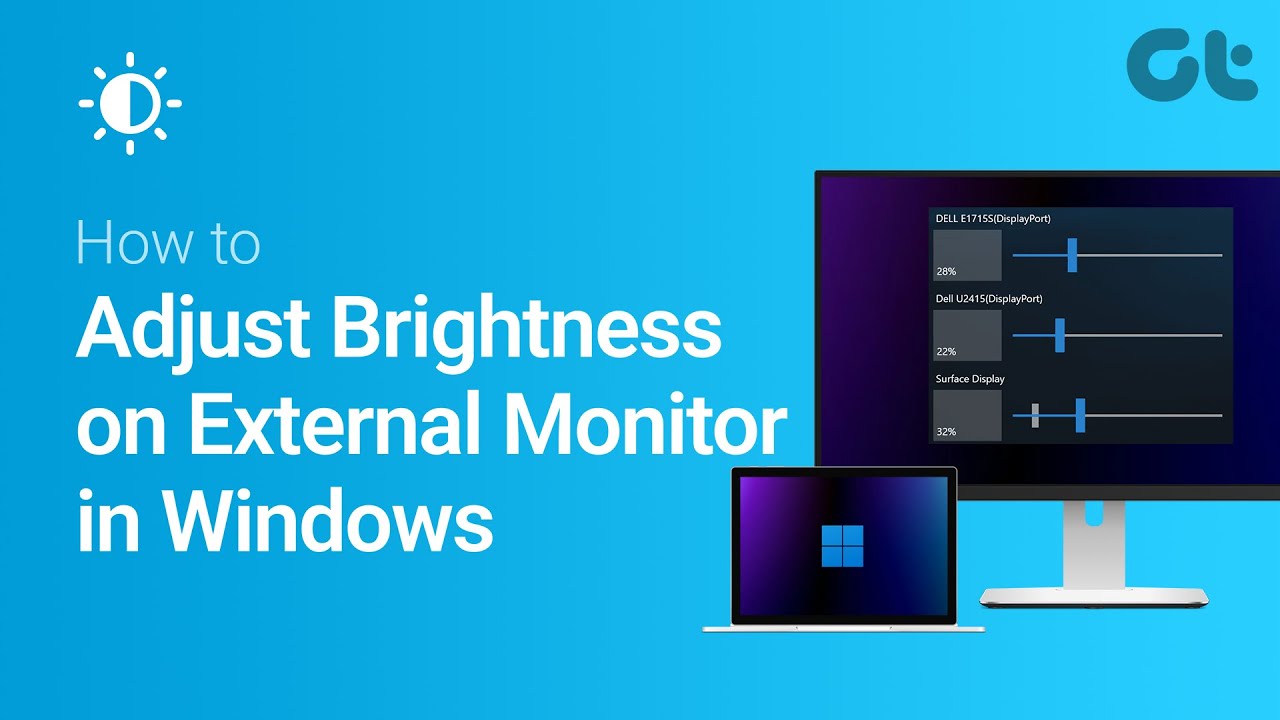

Long screen sessions expose the weakness of a fixed-brightness setup quickly. A display that looks comfortable in the morning can feel harsh after sunset, while a dim panel becomes difficult to read when daylight hits the desk. The Best monitor with adjustable brightness should also give you the right size, stand, refresh rate, and eye-comfort features for the way you work.
This group includes conventional office monitors, faster gaming displays, a portable USB-C screen, and two desk lamps that solve the surrounding-light problem rather than changing the panel itself. The BenQ GW2490T is our top pick for its explicit adaptive brightness technology, IPS panel, adjustable stand, and useful everyday connections. The rest range from more fluid gaming screens to flexible lighting for difficult desks.
Comparison table
| # | Product | Award | Panel or light type | Refresh or brightness detail | Adjustability | Best for |
|---|---|---|---|---|---|---|
| 1 | BenQ GW2490T | Best overall | 24-inch IPS, 1920 x 1080 | 100Hz, adaptive brightness | Height and tilt | Comfortable everyday work |
| 2 | Dell S2725HSM | Best large-screen performance | 27-inch FHD | 144Hz, 1ms MPRT | Height, tilt, pivot, swivel | Work and responsive entertainment |
| 3 | BenQ GW2790T | Best large eye-care monitor | 27-inch IPS, 1920 x 1080 | 100Hz, adaptive brightness | Height and tilt | Spacious office setups |
| 4 | Samsung Odyssey G3 G30D | Best for gaming controls | 24-inch FHD | 180Hz, 1ms MPRT | Height, tilt, swivel, pivot | Competitive gaming |
| 5 | ONEMIX Four-Panel Lamp | Best wide desk lighting | Four-panel LED | 1, 800 lumens, 5 brightness levels | Panels and 180-degree arm | Dual-monitor desks |
| 6 | Acer SH272 G0bih | Best adaptable gaming-office monitor | 27-inch IPS, 1920 x 1080 | Up to 120Hz, 1ms VRB | Height, tilt, swivel | Mixed work and gaming |
| 7 | Lenovo L15 Portable | Best portable option | 15.6-inch IPS, FHD | 250 nits, 60Hz | Height-adjustable stand | Mobile workstations |
| 8 | Kaulsoue Office Lamp | Best compact task light | LED light bar | 5 brightness levels, 20% to 100% | 360-degree gooseneck | Small desks |
| 9 | Samsung S40GD | Best borderless business monitor | 24-inch IPS | 100Hz | Height and pivot | Clean office setups |
1. BenQ GW2490T: Best Overall
Pros
- Brightness Intelligence technology adjusts display performance
- IPS panel and anti-glare surface suit long work sessions
- Height-adjustable stand adds practical ergonomic control
- DisplayPort, HDMI, and built-in speakers
Cons
- Smaller 24-inch workspace than the 27-inch alternatives
- FHD resolution leaves less room for dense multitasking
- The feature set is aimed more at work than serious gaming
Best for: someone who wants a comfortable, adjustable 24-inch monitor for work, study, and general home use.
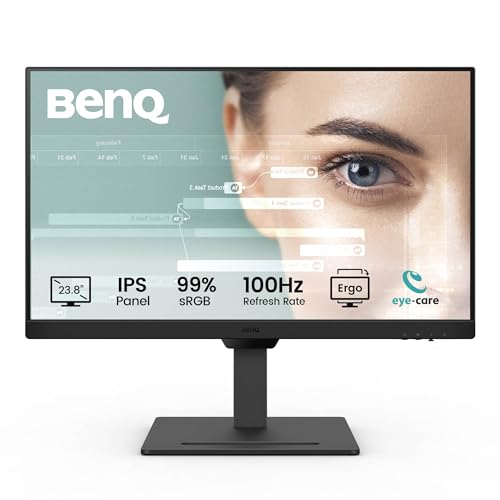
The BenQ GW2490T is the most direct answer to the brightness problem in this roundup. Its Brightness Intelligence technology is designed to optimize display performance for work and play, rather than leaving you to constantly chase a comfortable setting through the monitor menu. That makes it a particularly sensible choice for a desk that sees changing daylight, lamps, and evening use.
The 24-inch IPS panel runs at 1920 x 1080, a combination that keeps text and ordinary desktop content straightforward without demanding a particularly powerful computer. Its 100Hz refresh rate is a welcome step above basic office motion, making scrolling and window movement look smoother. This is not the gaming-focused speed of the Samsung Odyssey G3, but it is more than enough for a calmer work setup.
BenQ also gives the GW2490T a height-adjustable stand, tilt adjustment, an anti-glare design, and Eye-Care technology. Those features work together better than any one brightness control can: the screen can sit at a sensible viewing height, reflections are less distracting, and low-blue-light features are available for extended sessions. DisplayPort and HDMI make it easy to connect common computers, while built-in speakers handle basic audio without requiring separate hardware.
The weakness is scale. The 24-inch panel gives you less room for side-by-side windows than the BenQ GW2790T or Dell S2725HSM, and the 100Hz refresh rate is modest beside the Dell and Samsung gaming model. Still, the GW2490T is the pick we would keep for a mixed office and home setup because its adaptive brightness feature is central to the experience, not an afterthought.
2. Dell S2725HSM: Best Large-Screen Performance

Pros
- 144Hz refresh rate and 1ms MPRT response claim
- 27-inch FHD screen for a broader workspace
- Height, tilt, pivot, and swivel adjustments
- Integrated dual 3W speakers
Cons
- No explicit adaptive-brightness feature is listed
- FHD is less dense on a 27-inch screen
- HDMI is the listed connectivity
Best for: someone who wants a large, flexible monitor with smoother motion for both work and entertainment.
The Dell S2725HSM is the most versatile conventional monitor here if stand movement and motion performance matter as much as brightness control. Its 27-inch screen feels more spacious than the BenQ GW2490T, and the stand is unusually useful for this group. Height, tilt, pivot, and swivel adjustments let you place the panel around your posture instead of arranging your posture around a fixed stand.
Its 1920 x 1080 resolution is paired with a 144Hz refresh rate and a listed 1ms Moving Picture Response Time. That combination is aimed at clean, responsive movement in games and video, though it also makes everyday cursor movement and scrolling feel more immediate. AMD FreeSync is included to help synchronize the monitor and graphics card, reducing tearing when supported by the rest of the system.
The Dell also has a 1500:1 contrast ratio and integrated dual 3W speakers. The speakers are more substantial on paper than the basic built-in audio offered by the BenQ models, making this a practical all-in-one desk display. A TÜV-certified eye-comfort feature and reduced blue-light emissions address long sessions, although the supplied data does not identify an adaptive brightness system like the one in the GW2490T.
That distinction matters. If your first priority is a screen that responds to changing room light, BenQ is the safer choice. If you want the larger panel, the most flexible stand, and higher refresh performance, the Dell is the stronger alternative. Be aware that FHD on 27 inches is not as dense as FHD on 24 inches, so readers who sit close may prefer the smaller BenQ GW2490T.
3. BenQ GW2790T: Best Large Eye-Care Monitor

Pros
- Brightness Intelligence technology
- Large 27-inch IPS display
- 100Hz refresh rate for smoother desktop movement
- Height-adjustable and tilt-adjustable design
- DisplayPort, HDMI, and built-in speakers
Cons
- FHD is relatively modest across 27 inches
- Less gaming-focused than the Dell or Samsung Odyssey
- Larger and heavier than the 24-inch BenQ
Best for: a home office user who wants a large IPS screen with BenQ’s brightness and eye-care features.
The BenQ GW2790T takes the winning BenQ formula and gives it more physical room. The 27-inch edge-to-edge IPS display is easier to share across a desk and more comfortable for people who prefer larger text or a broader working area. It retains the feature that separates these BenQ models from most of the list: Brightness Intelligence technology intended to optimize the display as conditions change.
The panel is 1920 x 1080, so it is best suited to ordinary documents, browser tabs, video, and general productivity rather than highly detailed creative work. At 100Hz, it improves the feel of scrolling and moving windows over a conventional basic display. The Dell S2725HSM is faster at 144Hz, while the Samsung Odyssey G3 reaches 180Hz, but the GW2790T is less concerned with competitive response and more concerned with a steady workday.
Eye-Care technology, low-blue-light support, and an anti-glare design reinforce that role. The height-adjustable stand is particularly important on a 27-inch screen because poor placement can make the display feel imposing. Tilt adjustment provides another way to manage the viewing angle, while DisplayPort and HDMI cover the main computer connections. Built-in speakers are useful for alerts, calls, and casual media.
The trade-off against the smaller GW2490T is easy to understand. You gain workspace and a more expansive image, but FHD has to stretch across a larger surface, and the monitor takes up more room. The Dell beats it for stand flexibility and motion speed, while the GW2790T beats the Dell if adaptive brightness is the deciding feature. Choose it for a large, calmer office screen, not as a substitute for a high-refresh gaming display.
4. Samsung Odyssey G3 G30D: Best for Gaming Controls

Pros
- 180Hz refresh rate for fast game motion
- 1ms MPRT response claim
- FreeSync support
- Black Equalizer and Virtual Aim Point features
- Height, tilt, swivel, and pivot adjustments
Cons
- No adaptive-brightness feature is listed
- Gaming features are less useful for office-only buyers
- FHD is limited for a broader productivity workspace
Best for: a gamer who wants a fast 24-inch screen with useful visibility and aiming controls.
The Samsung Odyssey G3 G30D is the clear gaming specialist. Its 180Hz refresh rate is the highest among the monitors in this roundup, and the listed 1ms MPRT response is designed to keep fast-moving frames looking sharper. For competitive games, that matters more than the BenQ GW2490T’s adaptive brightness system, provided the computer can drive the display at the required speed.
Samsung adds features that have a direct effect on play. Black Equalizer lets you adjust dark areas so details in shadow are easier to see, while Virtual Aim Point places an on-screen crosshair over the game. AMD FreeSync helps the display and graphics card stay synchronized, and the three-sided borderless design is useful for a cleaner dual-monitor arrangement.
The stand is also stronger than the basic gaming monitor stereotype. It supports height adjustment, tilt, swivel, and pivot, so the screen can be placed for a seated gaming position or turned vertically for another task. Eye Saver Mode reduces blue light, and the monitor reduces screen flicker. Those are useful comfort features, though they are not the same thing as a sensor or system that automatically changes brightness.
That is the Samsung’s main limitation for this specific search. The BenQ models are better matches for someone who wants brightness to respond to room conditions, and the Dell is a more balanced office and entertainment option. The G3 wins when fast motion, shadow visibility, and gaming controls are the real priority. Office buyers who rarely play games should not pay attention to the 180Hz figure at the expense of the more relevant BenQ feature set.
5. ONEMIX Four-Panel Lamp: Best Wide Desk Lighting

Pros
- 42-inch light bar covers broad workspaces
- Four independently adjustable panels
- Up to 1, 800 lumens
- Five color temperatures and five brightness levels
- Remote, buttons, timers, and preset modes
Cons
- It changes room lighting, not monitor brightness
- Requires a desk clamp and available rear desk space
- Four-panel design is more than a single-screen desk needs
Best for: a dual-monitor or wide desk where uneven surrounding light makes screen work uncomfortable.
The ONEMIX Four-Panel Lamp is not a monitor, but it addresses the same visual problem from outside the screen. Instead of forcing the display to compete with a dark room or a bright patch of daylight, it spreads light across the desk. That can make a fixed-brightness monitor easier to live with, particularly when two screens or a large work surface create uneven shadows.
Its 42-inch light bar uses four independently adjustable panels. Fold them inward for more focused task lighting or rotate them outward to cover as much as 80 inches of workspace. The listed output reaches 1, 800 lumens, which gives this lamp a much wider role than a small reading light. A 27.7-inch flexible support arm bends up to 180 degrees, and the clamp fits desks up to 2.75 inches thick.
The controls are more complete than the average desk lamp. Five color temperatures from 3200K to 6500K and five brightness levels create 25 combinations. The infrared remote and built-in buttons control brightness and color temperature, while one, two, and four-hour timers and six preset modes give it practical hands-off options.
The obvious weakness is category fit. It cannot alter the monitor’s own luminance, contrast, or color behavior, so it is not a replacement for the adaptive-brightness BenQ GW2490T. It is also a poor match for a small desk where the arm and wide bar would be awkward. For a large dual-monitor workstation, though, it is the most capable way in this group to control the light around the displays.
6. Acer SH272 G0bih: Best Adaptable Gaming-Office Monitor

Pros
- 27-inch IPS panel with 1920 x 1080 resolution
- Up to 120Hz refresh rate
- Adaptive-Sync support
- 1ms VRB response claim
- Height, tilt, and swivel adjustments
Cons
- No adaptive-brightness feature is listed
- VGA is older than the digital connections on some rivals
- FHD is less dense at 27 inches
Best for: a mixed-use desk that needs a flexible stand and smoother-than-basic gaming motion.
The Acer SH272 G0bih sits between a conventional office display and a gaming monitor. Its 27-inch IPS screen gives workspaces a generous canvas, while the zero-frame design keeps the front focused on the image. The resolution is 1920 x 1080, so it handles ordinary office content cleanly enough, but users who want maximum text sharpness across 27 inches should consider the smaller 24-inch alternatives.
Motion is where the Acer makes its case. The monitor reaches up to 120Hz and lists a 1ms VRB response time, which should make fast 2D movement look smoother than a standard 60Hz screen. Adaptive-Sync support, described as FreeSync compatible in the product title, is intended to match refresh behavior with the graphics card and reduce tearing during play.
Its stand adjusts for height, tilt, and swivel, giving it a better ergonomic foundation than many entry-level gaming displays. HDMI and VGA ports support both newer and older sources. That connection mix could be useful for a varied home office, though it is less modern than a setup built around DisplayPort and HDMI.
The Acer cannot compete with the BenQ GW2490T on the specific adaptive-brightness feature. It also trails the Dell S2725HSM and Samsung Odyssey G3 in maximum refresh rate. Its appeal is balance: a larger IPS screen, a flexible stand, and enough speed for casual gaming without turning the desk display into a specialized competition panel.
7. Lenovo L15 Portable: Best Portable Option

Pros
- 15.6-inch FHD IPS display
- Two USB-C ports
- Height-adjustable stand
- Flicker-free technology
- 250-nit brightness rating
Cons
- 60Hz refresh rate
- Smaller workspace than every conventional monitor here
- Brightness is specified, but adaptive brightness is not
Best for: laptop users who need a second screen that can move between home, office, and travel.
The Lenovo L15 solves a different problem from the desktop monitors. It gives a laptop user a second display without committing to a permanent desk arrangement. The 15.6-inch panel is small enough for mobile work, while Full HD resolution and an IPS panel preserve a familiar desktop format for documents, browser windows, and video.
Brightness is clearly specified at 250 nits, which indicates the amount of light the screen is designed to produce. That is useful when judging whether it can stay legible in a bright room, although the listing does not describe an adaptive-brightness system. The 60Hz refresh rate is ordinary, so the L15 is about extra workspace rather than fluid gaming or unusually smooth scrolling.
Two USB-C ports are the central connectivity feature. They suit newer laptops and help keep a mobile setup tidy, but buyers should confirm that their computer supports the necessary display connection and power arrangement. The height-adjustable stand is a strong inclusion for a portable product, and flicker-free technology targets comfort during long work sessions.
The Lenovo is less suitable as a primary monitor than the BenQ GW2490T or Samsung S40GD. Its smaller panel and standard refresh rate make that clear. Its advantage is mobility, and the fact that the screen, stand, and small physical footprint can follow the laptop. Choose it when the second screen needs to travel, not when the desk already has room for a full-size display.
8. Kaulsoue Office Lamp: Best Compact Task Light

Pros
- 16.2-inch wide LED light bar
- Five brightness levels from 20% to 100%
- Five color temperatures from 3000K to 6500K
- 360-degree flexible gooseneck
- Stable metal base
Cons
- It does not adjust the monitor itself
- Base occupies some desk space
- Less suitable for very wide dual-monitor surfaces
Best for: a small workstation that needs controlled, even task lighting without a clamp.
The Kaulsoue Office Lamp is the compact alternative to the ONEMIX bar. Its 16.2-inch light bar is broad enough to spread light across a normal desk, but it does not require a clamp attached to the rear edge. That makes it easier to place on a study desk, dorm desk, or workstation where the back edge is inaccessible.
The lamp uses 120 LED beads and offers five brightness levels from 20% to 100%. Five color temperatures, ranging from 3000K to 6500K, create 25 lighting combinations. Warm settings are suited to a softer evening atmosphere, while cooler settings are intended for focused work. The data also describes a steady, uniform glow without visible flicker.
A 360-degree flexible silicone gooseneck can direct the beam around a monitor, and the maximum working height is listed as 28 inches. That gives it enough reach to cast light from above rather than straight into the screen. Its metal base is designed to remain stable without using a clamp, while the included 12W power adapter is intended to maintain consistent brightness.
This lamp still belongs in the supporting cast, not the monitor rankings proper. It cannot respond to content on the screen or alter panel luminance. The BenQ GW2790T is a better answer when the display itself needs adaptive brightness, while the Kaulsoue is the better answer when the room is dark and the desk is too small for a 42-inch light bar.
9. Samsung S40GD: Best Borderless Business Monitor

Pros
- 24-inch IPS panel
- 100Hz refresh rate
- Height adjustment and pivot support
- Borderless design for a clean desk
- Reduced blue light and screen flicker
Cons
- Adaptive brightness is not listed
- Connectivity details are not fully specified
- Less gaming-focused than Samsung Odyssey G3
Best for: an office user who wants a clean 24-inch display with ergonomic movement and a vertical mode.
The Samsung S40GD is a straightforward business monitor with a useful ergonomic edge. Its 24-inch IPS panel keeps colors consistent across viewing angles, and the borderless design makes the screen feel less bulky on a desk. It is a sensible size for a single-screen office setup and easier to place close to the user than a 27-inch FHD model.
The 100Hz refresh rate gives everyday movement more fluidity than a basic 60Hz office display. Samsung also includes game picture settings that adjust color and image contrast for different types of play, though this is not a gaming-first model. The more important office features are reduced blue light and reduced screen flicker, both intended to make long sessions less tiring.
Height adjustment and pivot support give the S40GD a practical advantage for documents, coding, and long web pages. A vertical orientation can show more content without requiring a second display, while the slim design helps preserve desk space. The listing says devices can connect directly to the monitor, but the available data does not identify every port, so check the product page against your computer before ordering.
The S40GD is a quieter choice than the Odyssey G3. It lacks the gaming model’s 180Hz refresh rate, Black Equalizer, and Virtual Aim Point, and it does not match the BenQ GW2490T’s explicit adaptive-brightness technology. Pick Samsung’s business model for a tidy office screen with IPS viewing angles, 100Hz motion, and pivot adjustment.
How to choose best monitor with adjustable brightness
Start by deciding whether you need the monitor to change its own brightness or whether better room lighting will solve the problem. Then weigh panel size, ergonomics, motion performance, and eye-comfort features against the way your desk is actually used.
Adaptive brightness control
Adaptive brightness is different from ordinary brightness adjustment. A standard monitor lets you change the luminance manually, while a feature such as BenQ’s Brightness Intelligence technology is designed to optimize display performance as viewing conditions change. The dataset does not identify adaptive brightness on the Dell, Acer, Lenovo, or Samsung monitors, so do not assume that every eye-care mode performs the same job.
If your room shifts from bright daylight to dim evening light, prioritize a display with explicitly described adaptive behavior. A lamp can help even out the room, but it will not change the panel’s own output.
If the screen is the brightest object in a dark room, changing the room light may be as important as changing the monitor setting.
Panel size and resolution
The 24-inch models in this group pair well with 1920 x 1080 because the pixels are packed across a smaller screen. The 27-inch BenQ, Dell, and Acer displays provide more physical workspace, but FHD content is spread over a larger area. That can be perfectly comfortable for large text and ordinary office work, though users who sit close may notice less fine detail.
The 15.6-inch Lenovo L15 is a different proposition. It is a portable second screen, so its smaller canvas is an advantage when desk space and travel matter. If you are considering a display for living-room use, how a screen behaves in a bright room is a related question, especially when reflections are difficult to control.
Refresh rate and response behavior
Refresh rate affects how often the display can update the image. The BenQ models and Samsung S40GD run at 100Hz, Acer reaches 120Hz, Dell reaches 144Hz, Samsung Odyssey G3 reaches 180Hz, and Lenovo L15 runs at 60Hz. Higher figures are most valuable for fast games, while 100Hz is already a comfortable improvement for scrolling and general desktop movement.
Response claims such as 1ms MPRT and 1ms VRB describe motion behavior under specified conditions, not a guarantee that every scene will look identical. For competitive games, pair a high refresh rate with Adaptive-Sync or FreeSync support where listed. For office work, do not sacrifice stand comfort just to chase the highest number.
Ergonomic stand movement
Height adjustment is one of the most useful features for a long workday because it helps place the top of the screen at a comfortable level. Tilt changes the viewing angle, while swivel and pivot add flexibility for shared desks or portrait-oriented work.
Dell S2725HSM and Samsung Odyssey G3 offer the broadest stand movement in this set. The BenQ GW2490T, BenQ GW2790T, Acer SH272 G0bih, and Samsung S40GD still provide meaningful adjustment. The Lenovo L15’s height-adjustable stand is particularly important because portable screens are often placed on improvised surfaces.
Surrounding desk light
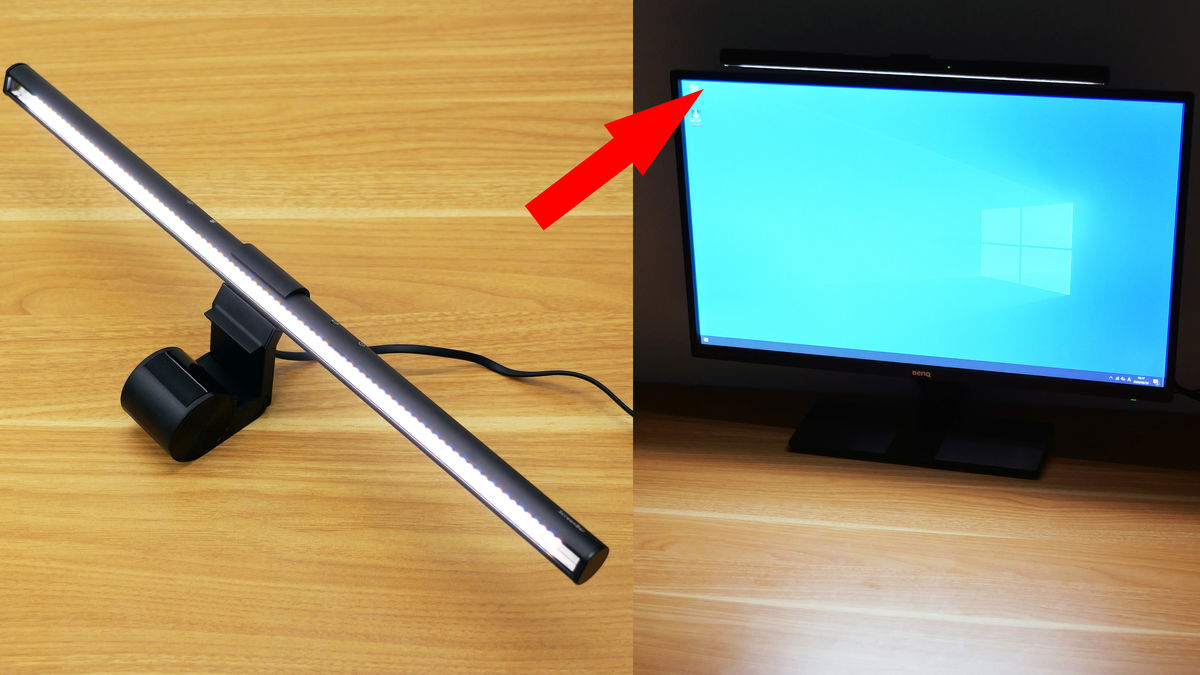
A monitor with adjustable brightness cannot compensate for every lighting problem. Glare, reflections, and strong contrast between the display and the wall behind it can still cause discomfort. The ONEMIX Four-Panel Lamp spreads up to 1, 800 lumens across wide surfaces, while the Kaulsoue lamp offers a smaller 16.2-inch bar with five brightness levels and five color temperatures.
For a dual-monitor desk, the ONEMIX is easier to aim across the whole workspace. For a compact desk, the Kaulsoue’s base and flexible gooseneck are less demanding. A second screen also changes desk depth, so how far back you should sit from a panel this size is worth considering before choosing a larger display.
Frequently asked questions
Do these monitors change brightness automatically?
The BenQ GW2490T and GW2790T explicitly list Brightness Intelligence technology, which is intended to optimize display performance as conditions change. The other monitor listings describe eye-care, low-blue-light, or flicker-reduction features but do not specify adaptive brightness. Desk lamps can change surrounding illumination, but they do not alter the monitor’s own brightness.
Is a 24-inch or 27-inch monitor better for FHD?
A 24-inch FHD monitor generally provides a denser-looking image because the same 1920 x 1080 resolution is spread across a smaller panel. A 27-inch model gives more physical workspace and can be easier to read from farther away, but fine text may look less crisp to users who sit close. The right choice depends on viewing distance and how much desk space you have.
Which monitor is best for gaming?
The Samsung Odyssey G3 G30D is the gaming-focused pick because it reaches 180Hz, lists a 1ms MPRT response, supports FreeSync, and includes Black Equalizer and Virtual Aim Point. The Dell S2725HSM is a stronger mixed-use alternative with 144Hz, while the Acer SH272 G0bih offers up to 120Hz for a work and gaming setup.
Can a desk lamp replace adaptive monitor brightness?
No. A lamp changes the light around the monitor, while adaptive brightness changes the display’s own luminance or display behavior. A good lamp can reduce the contrast between a bright screen and dark surroundings, so it may complement a monitor without replacing adaptive control.
Is the Lenovo L15 suitable as a main monitor?
The Lenovo L15 can serve as a main display for light work, but its 15.6-inch size and 60Hz refresh rate make it better suited as a portable second screen. Its 250-nit brightness, IPS panel, two USB-C ports, height-adjustable stand, and flicker-free technology are useful for mobile productivity.
What does 250 nits mean on the Lenovo monitor?
Nits describe luminance, or how much light the display can produce. The Lenovo L15 is listed at 250 nits, which gives a concrete brightness reference for use in a normal indoor environment. That number does not indicate automatic brightness adjustment, and it does not by itself determine how reflective or comfortable the screen will be.
Do I need a height-adjustable stand?
A height-adjustable stand is helpful if you work at the monitor for several hours or change positions during the day. It lets you place the display more comfortably without relying on books or a separate arm. If the included stand is limited, a compatible monitor arm can be another route, but the data here only confirms built-in adjustment on the listed models.
The bottom line
The Best monitor with adjustable brightness in this group is the BenQ GW2490T. Its 24-inch IPS panel, 100Hz refresh rate, anti-glare design, Eye-Care technology, height adjustment, and explicit Brightness Intelligence feature form the most coherent package for everyday work. Choose the BenQ GW2790T when you want the same brightness-focused approach on a larger 27-inch screen.
The Dell S2725HSM is the better alternative for a larger display with a more flexible stand, 144Hz motion, and integrated dual 3W speakers. Gamers should look at the Samsung Odyssey G3 G30D, while mobile workers should choose the Lenovo L15. If the real problem is an unevenly lit desk, the ONEMIX lamp is the strongest supporting upgrade and the Kaulsoue is better for compact workstations.
If you are still undecided, choose the BenQ GW2490T for a normal desk, the Dell S2725HSM for larger mixed-use viewing, or the ONEMIX lamp when the monitor itself is fine but the room lighting is not.
As an Amazon Associate we earn from qualifying purchases.