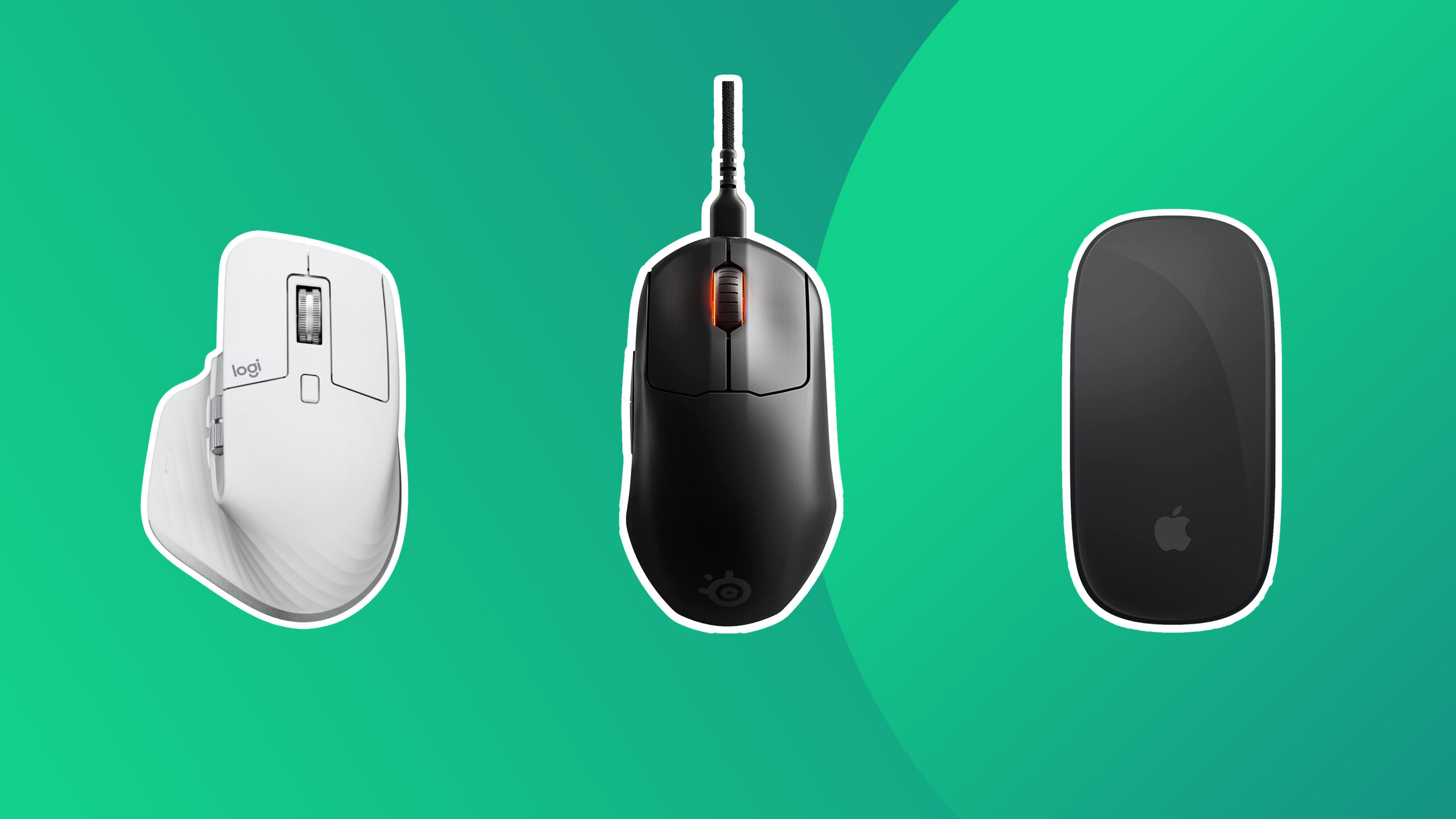

A MacBook Air has excellent trackpad gestures, but a mouse still makes long spreadsheets, detailed design work, and extended browsing more comfortable. The tricky part is finding one that connects without a dongle, fits a small laptop bag, and does not force you to give up useful controls.
Our Best mouse for macbook air picks range from Apple's gesture-friendly Magic Mouse to quiet Logitech models and a compact PEIBO mouse with both Bluetooth and receiver support. Some are built for travel, while others make more sense at a desk shared by several devices.
Logitech MX Anywhere 3S Mac is our top pick, with the Logitech M240 Graphite close behind for simple, quiet everyday use. The list covers gesture control, multi-device switching, full-size comfort, long battery life, and color-matched Mac accessories.
Comparison table
| # | Product | Award | Connection | Battery | Best for |
|---|---|---|---|---|---|
| 1 | Logitech MX Anywhere 3S Mac | Best overall | Bluetooth Low Energy | Rechargeable | Precise work across Apple devices |
| 2 | Logitech M240 Graphite | Best for quiet simplicity | Bluetooth | Up to 18 months | Everyday laptop use |
| 3 | Apple Magic Mouse White | Best for Mac gestures | Bluetooth | About a month or more | Apple-style scrolling |
| 4 | Logitech M720 Triathalon | Best for desk comfort | Bluetooth or Unifying receiver | Up to 24 months | A full-size right-handed grip |
| 5 | Logitech POP Mouse | Best for shortcuts | Bluetooth | Up to 2 years | Custom controls and style |
| 6 | Logitech Pebble 2 M350s | Best slim design | Bluetooth | Up to 2 years | Thin laptop bags |
| 7 | PEIBO Bluetooth Mouse | Best dual-mode option | Bluetooth or 2.4G receiver | Rechargeable | Mac and PC flexibility |
| 8 | Apple Magic Mouse Black | Best dark finish | Bluetooth | About a month or more | A black Apple setup |
| 9 | Logitech M240 Rose | Best colorful quiet mouse | Bluetooth | Up to 18 months | Quiet portable use |
| 10 | Logitech M240 Off White | Best light finish | Bluetooth | Up to 18 months | A pale MacBook setup |
1. Logitech MX Anywhere 3S Mac: Best Overall

Pros
- 8K DPI sensor tracks on almost any surface, including glass
- MagSpeed wheel can move through 1, 000 lines per second
- Connects to up to three Apple devices
- Quiet clicks and USB-C charging
- Mac-focused Logi Options+ controls
Cons
- Compact shape does not provide a full palm rest
- More controls than casual users may need
- Bluetooth only in this Mac version
Best for: MacBook Air owners who want precise tracking, fast scrolling, and easy switching between Apple devices.
The Logitech MX Anywhere 3S Mac is the mouse we'd keep beside a MacBook Air when the work changes from email to editing, research, and large documents. It is compact enough for a laptop bag, but it feels more purposeful than a basic travel mouse. The quiet clicks are especially welcome in a shared office or library, where a normal click can become surprisingly distracting.
Its 8K DPI sensor is the headline feature, but the useful part is how little surface fuss it creates. Logitech says it can track even on glass, and the high sensor resolution lets the pointer cover more screen with smaller hand movements. That is helpful when a MacBook Air is connected to a large external display. If you are expanding a laptop workspace, the right amount of screen space for a compact desk is a useful companion question.
The MagSpeed wheel is the other major reason to choose it. It can scroll through up to 1, 000 lines per second, yet it can also stop with pixel-level precision. That makes long web pages and documents much less tedious than they are with a plain scroll wheel. Bluetooth Low Energy pairing supports up to three devices across macOS and iPadOS, and Logi Options+ lets you adjust tracking speed, customize buttons, and apply app-specific controls.
This is a better tool than the Logitech M240 if you spend much of the day scrolling or moving between devices. The Apple Magic Mouse White has more natural Mac gesture support, but the MX Anywhere 3S Mac is more comfortable for conventional pointer work and has a far more versatile wheel. Its weakness is shape. The compact body suits fingertip and claw grips better than a relaxed palm grip, so anyone with larger hands or a preference for a substantial mouse should consider the Logitech M720 Triathalon instead.
For a MacBook Air user who wants one mouse to handle travel, glass tables, multiple Apple devices, and demanding daily work, this is the most complete option here. It is a particularly strong fit for people who want Mac-specific software without being locked into Apple's flat touch surface.
2. Logitech M240 Graphite: Best for Quiet Simplicity

Pros
- Bluetooth pairing needs no dongle or port
- Click sound is reduced by 90 percent
- Up to 18 months of battery life
- Ambidextrous compact shape
- Works with macOS, iPadOS, Windows, Linux, and ChromeOS
Cons
- Basic controls with no extra shortcut buttons
- Compact body is not ideal for large hands
- Uses a replaceable battery rather than USB-C charging
Best for: someone who wants a quiet, uncomplicated Bluetooth mouse for a MacBook Air.
The Logitech M240 Graphite gets the fundamentals right without trying to be clever. It pairs over Bluetooth, works without a receiver, and has the low-profile shape that makes sense with a thin laptop. The first thing many people will notice is the quiet click. Logitech claims a 90 percent reduction in click sound while preserving the familiar click feel, and that is a more useful improvement than a cluster of buttons most MacBook Air owners never touch.
The compact body is slim enough for a bag and designed to suit either hand. Its dimensions are about 3.9 inches long, 2.36 inches wide, and 1.54 inches high, with a listed weight of roughly 0.16 pounds. Those proportions make it easy to carry, though they also leave less room for a full palm than the M720 Triathalon. It is a mouse for guiding with the fingers, not a large desktop shell for resting the entire hand.
Battery life is a major advantage for a basic wireless mouse. The M240 can run for up to 18 months, helped by an energy-saving auto-sleep feature. Bluetooth works at up to 10 meters, and compatibility extends beyond the MacBook Air to iPadOS, Android, Linux, ChromeOS, and Windows. That broad support makes it a practical second mouse if your laptop setup includes more than one kind of computer.
The trade-off is a deliberately simple control layout. There are no programmable side buttons, fast scrolling modes, or device-switch controls. The Logitech Pebble 2 M350s offers a similarly portable idea with a customizable middle button, while the MX Anywhere 3S Mac is the more capable choice for precise work. The M240 wins when you want fewer things to configure and a mouse that simply stays quiet.
Choose this one for note-taking, browsing, office work, and travel. Skip it if you need a palm-filling shape, frequent device switching, or a rechargeable battery. Among the straightforward options, the Graphite M240 is the cleanest recommendation because it avoids the dongle problem and keeps its purpose clear.
3. Apple Magic Mouse White: Best for Mac Gestures

Pros
- Multi-Touch surface supports swipes and scrolling
- Pairs automatically with a Mac
- Rechargeable battery lasts about a month or more
- Smooth-gliding foot design
- Includes a woven USB-C charge cable
Cons
- Low profile can feel flat during long sessions
- Charging connection is on the underside
- Lacks the physical scroll wheel and side buttons found on Logitech models
Best for: Mac users who want mouse controls that feel closest to the MacBook Air's trackpad.
The Apple Magic Mouse White is the most distinctive mouse in this group because its top is not just a button surface. The Multi-Touch surface recognizes gestures such as swiping between web pages and scrolling through documents. For someone who already relies on trackpad gestures, the transition is immediate. You can keep the familiar two-finger-style navigation while moving the pointer with a separate device.
Apple's automatic pairing also suits the MacBook Air. It is ready to use out of the box and pairs with the Mac, while the included woven USB-C cable handles charging and pairing through the laptop's USB-C port. The rechargeable battery is rated for about a month or more between charges, so this is not a mouse that needs daily attention.
The white model measures about 5.12 inches long, 2.91 inches wide, and 1.42 inches high, with a listed weight of 0.5 pounds. That broad, low body glides smoothly because of its optimized foot design, and the clean shape looks at home beside an Apple laptop. It is not shaped like the M240 or the M720, though. The surface encourages a flatter hand position, which some people find elegant and others find tiring during a full workday.
The biggest practical flaw is the charging arrangement. The charge connection is on the bottom, so you cannot continue using the mouse while it is plugged in. The MX Anywhere 3S Mac has a more conventional rechargeable design and adds a genuinely excellent wheel, while the Apple mouse counters with gestures that neither Logitech model replicates as naturally. This is a choice between touch navigation and physical ergonomics.
The Magic Mouse White is right for someone who values Apple integration and trackpad-like scrolling more than a sculpted grip. If wrist comfort, side buttons, or long scrolling sessions matter most, the M240 or MX Anywhere 3S Mac is a safer direction. If the MacBook Air's gestures are the reason you like using a Mac, this remains the most seamless mouse here.
4. Logitech M720 Triathalon: Best for Desk Comfort

Pros
- Full-size sculpted shape supports the right hand
- Rubber body and palm rest improve comfort
- Switches between up to three computers
- Bluetooth and Unifying receiver connectivity
- Six customizable buttons
- Hyper-fast scrolling with an instant-stop mode
Cons
- Larger and heavier than travel-focused picks
- Designed for right-handed use
- Unifying receiver may require an adapter with some MacBook Air setups
Best for: a MacBook Air that spends most of its time on a desk with room for a full-size mouse.
The Logitech M720 Triathalon is the obvious choice when small and flat is not what your hand wants. Its sculpted, right-handed shape provides a palm rest, while the rubber body gives the grip more substance than the compact Logitech models. It is not the mouse to toss into every laptop sleeve, but it is much more convincing as a primary desk mouse.
The scroll wheel is built for long documents and large web pages. A quick spin activates hyper-fast scrolling, and the instant-stop feature lets you return to controlled click-to-click movement. That is a meaningful distinction from the M240, whose simple wheel is fine for ordinary browsing but less satisfying when you are moving through a long document or a large spreadsheet.
The M720 connects by Bluetooth or with Logitech's Unifying receiver. Bluetooth is the natural route for a MacBook Air, while the receiver can connect the mouse alongside up to six compatible Logitech peripherals through one USB connection. It can switch between up to three computers, and Logitech FLOW can move the cursor, text, and files across supported computers. Six customizable buttons add room for shortcuts through Logitech software.
Its listed dimensions are about 4.53 inches long, 2.91 inches wide, and 1.77 inches high, and it weighs roughly 0.3 pounds. Those figures explain the comfortable grip and the portability penalty. The MX Anywhere 3S Mac is easier to carry and more capable on unusual surfaces, while the M720 feels better for someone who keeps the mouse in one place. The M240 is smaller and quieter, but it cannot match the M720's palm support or button layout.
The right-handed shape is the real limitation, not an afterthought. Left-handed users should skip it, and people who work from cafés may find the size inconvenient. For a home office, though, its 24-month battery life, multi-device switching, and fast wheel make it a strong alternative to touch-focused Apple hardware. It is the pick for comfort before compactness.
5. Logitech POP Mouse: Best for Shortcuts

Pros
- Customizable Action Buttons and middle button
- Switches between up to three devices
- Quiet Touch technology reduces click noise by 90 percent
- Compact contoured design
- Up to two years of battery life
- Includes one AA battery
Cons
- Shorter body is less palm-supportive than a full-size mouse
- Shortcut features require Logi Options+ software
- Button-heavy design may be unnecessary for basic browsing
Best for: MacBook Air users who want quick access to shortcuts, apps, or several connected devices.
The Logitech POP Mouse has more personality than the typical compact Bluetooth mouse, but its usefulness is not limited to appearance. The contoured body fits into a palm or bag, and the Action Buttons can be customized through Logitech Options+. That makes it a better fit than the M240 for anyone who repeatedly opens the same apps, changes modes, or wants a shortcut under a dedicated button.
It keeps clicks quiet with Silent Touch technology, which Logitech says removes 90 percent of click noise. The result should suit a shared workspace without making the mouse feel muted or vague. The body is compact and lightweight at a listed 0.18125 pounds, though the unusual listed length in the product information is not something we would use to judge fit. Its practical identity is clear enough: this is a small travel mouse rather than a palm-resting desk model.
Bluetooth lets it connect to up to three devices across macOS, iPadOS, Windows, and ChromeOS. An Easy-Switch button handles the transition, so it can sit between a MacBook Air, an iPad, and another computer without repeated pairing. Battery life reaches up to two years with power-saving auto-sleep, and one AA battery is included.
The POP Mouse is more flexible than the M240 and more expressive than the neutral Pebble 2 M350s, but it does not offer the MX Anywhere 3S Mac's glass tracking or precision scroll wheel. Its controls also make more sense for a person who will actually configure them. If you only need left click, right click, and scrolling, the M240 is less distracting and easier to recommend.
Pick the POP Mouse when shortcut access and multi-device switching are part of your routine. Skip it if your priority is a large ergonomic shape or Mac-native touch gestures. It is a lively, quiet option that earns its place through configurable controls rather than novelty.
6. Logitech Pebble 2 M350s: Best Slim Design

Pros
- Slim, lightweight design travels easily
- Connects to up to three devices
- Quiet Touch technology reduces click noise by 90 percent
- Middle button can be customized
- Up to two years of battery life
- Compatible with a Logi Bolt receiver, sold separately
Cons
- Flat profile offers limited palm support
- Bluetooth is the included connection method
- No dedicated side buttons
Best for: a MacBook Air owner who wants an exceptionally slim mouse for travel.
The Logitech Pebble 2 M350s is built around the reality that a laptop mouse spends plenty of time in a bag. Its minimalist rounded body is slim, light, and easy to slide beside a MacBook Air or charger. The listed dimensions are about 4.2 inches long, 2.31 inches wide, and 1.05 inches high, with a weight of roughly 0.17 pounds. That low height is the point, though it also tells you what kind of comfort to expect.
Like the POP Mouse, the Pebble 2 M350s uses Silent Touch technology to reduce click noise by 90 percent. It also connects to up to three devices over Bluetooth and switches between them with an Easy-Switch button. The middle button can be personalized in Logi Options+, giving the mouse more utility than its simple shell suggests. It supports macOS, iPadOS, Windows, and ChromeOS.
The included battery can last up to two years, with auto-sleep helping conserve power. Logitech also lists compatibility with a Logi Bolt USB receiver, although the receiver is not included. That matters for a MacBook Air because Bluetooth keeps the setup port-free, while a receiver may be useful if you later move the mouse to another computer.
The M240 is a little more conventional and ambidextrous, while the Pebble 2 is slimmer and more design-led. The POP Mouse gives you stronger shortcut potential, and the MX Anywhere 3S Mac is the clear step up for tracking and scrolling. The Pebble 2's weakness is its low profile. It is comfortable enough for light and moderate use, but it is not the one we'd choose for hours of intensive pointer work.
This is the right mouse for frequent travelers, students, and anyone who values a clean, thin setup. If you want a mouse that nearly disappears into a laptop bag, it is more convincing than the larger Logitech options. If you want a hand-filling desk companion, look elsewhere.
7. Apple Magic Mouse Black: Best Dark Finish

Pros
- Multi-Touch gestures match the Mac experience
- Automatic pairing with a Mac
- Rechargeable battery lasts about a month or more
- Smooth-gliding foot design
- Woven USB-C charge cable included
Cons
- Flat profile can be tiring for some hands
- Charging port is on the underside
- No physical scroll wheel or extra side buttons
Best for: a MacBook Air setup built around Apple's darker accessories and gesture controls.
The Apple Magic Mouse Black has the same central idea as the white model: replace a conventional wheel with a Multi-Touch surface. Swipes between web pages and document scrolling feel familiar to anyone who enjoys the MacBook Air trackpad. The black finish gives it a more subdued appearance, but its interaction design remains the main reason to buy it.
It pairs automatically with a Mac and arrives ready to use. Apple includes a woven USB-C Charge Cable, which can pair and charge the mouse through a MacBook Air's USB-C port. The rechargeable battery is rated for about a month or more between charges, so charging should be occasional rather than part of the daily routine.
The black model is listed at about 5.25 inches long, 3 inches wide, and 1.5 inches high, with a listed weight of 0.6 pounds. Its optimized foot design is intended to glide smoothly across a desk. The broad, low shape can feel stable, but it does not provide the curved palm support of the M720 Triathalon or the more conventional contour of the MX Anywhere 3S Mac.
That shape is the reason this ranks below the more adaptable choices. The Logitech MX Anywhere 3S Mac has a better physical wheel and supports work on glass, while the M240 is far easier to carry and has much longer stated battery life. The Magic Mouse Black wins only if its touch gestures and Apple styling matter more than conventional comfort.
It is also important to accept the underside charging port before choosing it. You cannot keep using the mouse while it charges on a desk. For Apple-focused users who prefer a dark finish and already use trackpad gestures, it remains a distinctive choice. Anyone prone to hand fatigue should try a taller mouse instead.
8. Logitech M240 Rose: Best Colorful Quiet Mouse

Pros
- Quiet clicks reduce workspace distractions
- No dongle required for MacBook Air pairing
- Up to 18 months of battery life
- Compact and ambidextrous
- Works across several operating systems
Cons
- No programmable buttons
- Small shape gives limited palm support
- Replaceable battery rather than USB-C charging
Best for: quiet portable use with a little more color than a standard black or gray mouse.
The Logitech M240 Rose is the same practical mouse as the Graphite version, with a rose finish that gives a MacBook Air kit a less anonymous look. It is a useful reminder that color is the only meaningful distinction between these two entries. The underlying design remains compact, ambidextrous, and focused on quiet everyday control.
Bluetooth pairing takes seconds and does not use a receiver or laptop port. Logitech rates the click sound at 90 percent less than a standard click while retaining the same click feel. That makes it well suited to classrooms, libraries, and offices where the noise of repeated clicks can become irritating.
The mouse is listed at about 3.89 inches long, 2.36 inches wide, and 1.53 inches high, with a listed weight of roughly 0.04 pounds. The proportions are easy to carry, although the shallow body will not suit someone who wants to settle their whole palm on the mouse. Its Bluetooth range is listed at up to 10 meters, and it works with macOS, iPadOS, Windows, Linux, ChromeOS, and Android.
Like the Graphite M240, it can run for up to 18 months with auto-sleep. It lacks the Pebble 2 M350s' customizable middle button and the POP Mouse's broader shortcut approach, but it is simpler than both. The rose model is the better pick for someone who likes the M240 formula and wants the finish to be part of the desk setup.
Do not choose it for advanced productivity controls or a rechargeable battery. Choose it for quiet clicks, easy Bluetooth, and a compact shape that works in either hand. If you are comparing the three M240 colors, performance does not separate them, so the finish should make the decision.
9. Logitech M240 Off White: Best Light Finish

Pros
- Quiet 90 percent reduced click sound
- Compact ambidextrous design
- Bluetooth works without a receiver
- Up to 18 months of battery life
- Broad operating system compatibility
Cons
- Basic two-button layout
- Small body is not ideal for large hands
- No rechargeable USB-C battery
Best for: a pale, quiet Bluetooth mouse that blends into a light MacBook Air workspace.
The Logitech M240 Off White favors restraint. It has no gesture surface, shortcut cluster, or multi-device button. Instead, it concentrates on the features that matter when a MacBook Air needs a simple wireless pointer: Bluetooth, quiet clicks, and a compact shape that can move from desk to bag without fuss.
The listed dimensions are about 3.9 inches long, 2.36 inches wide, and 1.54 inches high, with a listed weight of roughly 0.16 pounds. The ambidextrous design accommodates either hand, but its slim proportions are better for fingertip control than for a relaxed palm grip. It is a comfortable match for occasional mouse use and light laptop work, not a replacement for a larger ergonomic model.
Logitech says the M240 reduces click noise by 90 percent and can operate for up to 18 months. Auto-sleep helps preserve the battery, while Bluetooth reaches up to 10 meters. Compatibility includes macOS, iPadOS, Windows, Linux, ChromeOS, and Android, so it can remain useful if the MacBook Air is not the only computer in the room.
The Graphite and Rose versions use the same controls and battery specification. The Pebble 2 M350s is thinner and adds a customizable middle button, while the MX Anywhere 3S Mac is more precise and better equipped for serious work. The Off White M240 is a choice for people who do not need those features and would rather have a quiet mouse that visually recedes.
Its main limitation is not performance but ambition. There is no charging cable, no extra button, and no device-switching system. Pick it when the light finish suits your desk and the basics are enough. If the mouse will be used eight hours a day, the M720 Triathalon is the more supportive choice.
10. PEIBO Bluetooth Mouse: Best Dual-Mode Option

Pros
- Bluetooth and 2.4G receiver modes
- USB receiver and USB-C adapter included
- Three selectable DPI settings
- Rechargeable lithium-polymer battery
- Auto-sleep after eight minutes
- Mute design and portable shape
Cons
- Bluetooth and receiver setup is more involved than Bluetooth-only models
- Only three DPI settings
- Less established software ecosystem than Logitech models
Best for: someone who needs one mouse for a MacBook Air and computers with different wireless options.
The PEIBO Bluetooth Mouse stands apart because it does not make you choose between Bluetooth and a traditional 2.4G connection. Bluetooth is the clean route for a MacBook Air, while the USB receiver and USB-C adapter give it a way to connect to desktops and laptops that do not handle Bluetooth as conveniently. That flexibility is its strongest reason to exist.
It supports Bluetooth 5.2, Bluetooth 3.0, and 2.4G receiver operation according to the product description. The listed body is about 4.65 inches long, 2.28 inches wide, and 0.91 inches high. That gives it a portable, low shape, with the usual trade-off of less palm support than a full-size mouse. The surface coating is described as skin-like, and the design is intended for both work and leisure.
Three DPI settings are available: 800, 1, 200, and 1, 600. That is enough to adjust the pointer between slower precision and faster movement, though it is much less granular than the 8K DPI sensor in the MX Anywhere 3S Mac. The PEIBO uses a rechargeable lithium-polymer battery, and its auto switch-off behavior includes sleep after eight minutes without use.
The dual-mode design makes it more adaptable than the M240 models, but it also adds a little more setup complexity. Logitech's mice bring stronger software support, clearer multi-device workflows, and, in some cases, more refined scrolling. The PEIBO is the better fit when a single mouse must move between a MacBook Air, a Windows desktop, and machines with USB or USB-C ports.
Its weakness is the lack of a stated battery runtime and the limited control over sensitivity. That makes it harder to recommend as the primary mouse for demanding creative or precision work. For a mixed-device household, classroom, or office, its rechargeable battery and two connection methods are genuinely useful. Choose it for compatibility first, not for a polished ecosystem.
How to choose best mouse for macbook air
The right mouse depends less on the laptop's size than on how you work, where you use it, and whether you want Mac gestures or conventional physical controls.
Bluetooth connection
A MacBook Air works naturally with Bluetooth mice, which avoid occupying a USB-C port and eliminate the need to carry a receiver. Bluetooth-only models such as the Logitech M240, POP Mouse, Pebble 2 M350s, and MX Anywhere 3S Mac keep the setup clean.
A dual-mode model such as the PEIBO is more useful if the mouse will also connect to desktops or older computers. A receiver can be convenient, but it adds another small accessory and may require an adapter.
Shape and hand support
Compact mice travel well, but their smaller bodies give the palm less support. The M240, POP Mouse, Pebble 2, and PEIBO favor portability, while the M720 Triathalon is built around a full-size right-handed grip.
The Apple Magic Mouse takes a different approach with a broad, low shell. It glides smoothly, but it does not provide the raised contour found on the M720 or MX Anywhere 3S Mac. If you work for long stretches, pay attention to whether your fingers and palm feel relaxed rather than choosing by appearance alone.
The most portable mouse is not the best desk mouse if its flat shape keeps your hand tense.
Gestures and scrolling
Apple's Multi-Touch surface is the closest match for people who already enjoy the MacBook Air trackpad. It supports swiping between web pages and scrolling through documents without a physical wheel.
Logitech's approach is more mechanical. The MX Anywhere 3S Mac has a MagSpeed wheel that can move through up to 1, 000 lines per second and stop precisely, while the M720 offers hyper-fast and click-to-click modes. Choose touch gestures for familiar Mac navigation, or choose a wheel for long documents and deliberate control.
Battery and charging
Battery design affects how much maintenance a wireless mouse needs. The Apple Magic Mouse models are rechargeable and can run for about a month or more. The MX Anywhere 3S Mac is also designed around USB-C charging, while the PEIBO uses a rechargeable lithium-polymer battery.
The M240 can last up to 18 months, and the POP Mouse and Pebble 2 M350s can last up to two years with their included batteries. Replaceable batteries are convenient when a mouse is used away from a charger, while USB-C charging avoids keeping spare cells nearby.
Controls and device switching
Basic browsing needs only standard clicks and a scroll function. The M240 is well suited to that role. If you regularly move between a MacBook Air, iPad, and another computer, the POP Mouse, Pebble 2, M720, and MX Anywhere 3S Mac can connect to multiple devices.
Shortcut controls matter when you use them often. The POP Mouse has customizable Action Buttons, the Pebble 2 can personalize its middle button, and the M720 has six customizable buttons. If your needs extend beyond a mouse, choosing wireless controls for several computers can help clarify whether you need multi-device software or just a reliable Bluetooth connection.
Frequently asked questions
Does a MacBook Air work with a Bluetooth mouse?
Yes. The Logitech and Apple mice in this roundup support Bluetooth connections that can pair directly with a MacBook Air. Bluetooth avoids using a USB-C port for a receiver.
Is the Apple Magic Mouse better than a Logitech mouse for a MacBook Air?
It is better for users who want Multi-Touch gestures and automatic Apple-style pairing. Logitech models are generally more flexible in shape, physical scrolling, button customization, and multi-device switching.
Do these mice need a USB adapter?
Most of the Bluetooth models do not. The PEIBO includes a 2.4G USB receiver and a USB-C adapter, while the M720 can use Bluetooth or a Logitech Unifying receiver. The Pebble 2 is compatible with a Logi Bolt receiver, but that receiver is not included.
Which mouse is easiest to carry with a MacBook Air?
The Logitech Pebble 2 M350s is the slimmest option in the group, while the M240, POP Mouse, and PEIBO are also compact. The M720 Triathalon is the least travel-oriented because its full-size shell is designed for desk comfort.
Which mouse is quietest for an office or library?
The Logitech M240, POP Mouse, and Pebble 2 use features that reduce click noise by 90 percent. The MX Anywhere 3S Mac also has quiet clicks. Apple does not provide the same stated quiet-click specification, so it is not the first choice for a noise-sensitive room.
Can one mouse connect to several Apple devices?
Yes. The POP Mouse, Pebble 2 M350s, M720 Triathalon, and MX Anywhere 3S Mac support switching between multiple devices. The MX Anywhere 3S Mac can pair with up to three devices on macOS and iPadOS, while the M720 and POP Mouse also support up to three computers or devices.
Is a rechargeable mouse better for a MacBook Air?
It depends on your routine. USB-C charging is convenient for the Apple Magic Mouse, MX Anywhere 3S Mac, and PEIBO, while the M240, POP Mouse, Pebble 2, and M720 offer long stated runtimes with replaceable batteries. A rechargeable model keeps disposable batteries out of the setup, but a replaceable battery can be easier to swap when traveling.
The bottom line
The Best mouse for macbook air is the Logitech MX Anywhere 3S Mac for users who want accurate tracking, a fast and precise wheel, quiet clicks, and switching between Apple devices. Its compact shape is not ideal for large hands, but its capabilities make it the most versatile pick here.
The Logitech M240 Graphite is the better uncomplicated choice. It pairs directly over Bluetooth, stays quiet, works with either hand, and can run for up to 18 months. Choose the Apple Magic Mouse White or Black if Multi-Touch gestures are central to how you use your Mac, or the Logitech M720 Triathalon if a full-size palm rest matters more than portability.
If you are undecided, choose the MX Anywhere 3S Mac for advanced work and the M240 for simple everyday control.
As an Amazon Associate we earn from qualifying purchases.